Assignment 3-2D Element Formulation Challenge
Aim-
To perform the simulation on the given model with default properties and change the properties. Compare both CASE 1 & CASE 2. Also, give a detailed explanation of hourglass energy.
Recommended properties:
|
Parameters |
|
Comment |
|
Ishell =24 |
|
QEPH 4 nodes shells are the best combination of cost and accuracy. |
|
Ismstr=2 |
|
Full geometric nonlinearities (default)with possible small strain formulation activation in RADIOSS Engine. |
|
Ish3n=2 |
|
Standard 3 noded shell (C0) with modification for large rotation(default) |
|
N=5 |
|
The number of integration points is set to 5 for accuracy bending. |
|
Ithick=1 |
|
Thickness change is taken into account for accuracy. |
|
Iplas=1 |
|
Iterative plasticity for good accuracy. |
Hourglass:
"Hourglass is a deformation, that is noticed when an element is deformed due to the applied load. But the strain energy due to this deformation is not recorded for that element". It is also known as "Zero energy deformation modes" where an element is seen deformed.
- It indicates instability.
- It is also said to be as, non-physical mode of deformation, that occurs in reduced or under integrated elements & produces no stress.
- Usually, it can be seen in the post-processing stage, where the elements will have zig-zag formation.
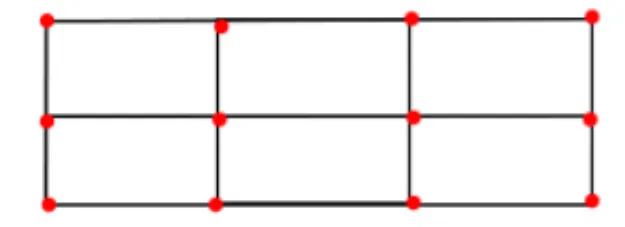
BEFORE HOURGLASS EFFECT
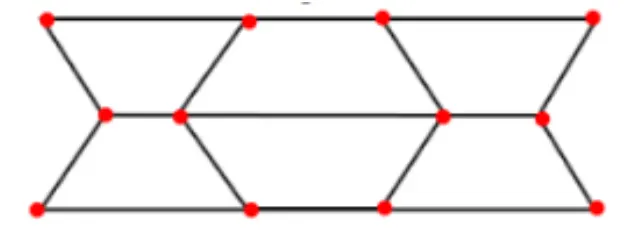
AFTER HOURGLASS EFFECT
METHODS TO CONTROL THE HOURGLASS:--
- Perturbation method(viscous method)
- Physical stabilization method (stiffness method)
Perturbation method(Viscous method):-
- This method is generally used for the elements with Ishell: 1,2,3,4 or Q4 elements.
- The process how this method work is: When the hourglass deformation occurs---> There will be some damping applied, which is stabilizes the deformation, which results in controlling the speed of deformation.
- But this damping opposes only the velocity, But not the force. So, the force is introduced, which results in adding some stiffness to the elements. This stiffness helps in controlling the hourglass.
- The force is applied externally, by some other means. But not from FEA nature. This force constitutes energy called "Hourglass energy", Which is artificial energy(neither Kinetic nor internal energies). It is a loss of both energy types.
- If the hourglass energy is added along with the kinetic energy & Internal energy, A balance system is obtained.
- Recommended for high velocity or high strain rate problems. Example: Involving high explosives.
- A huge amount of hourglass energy is generated.
Procedure: -
CASE 1:
- Firstly, import the .rad file.
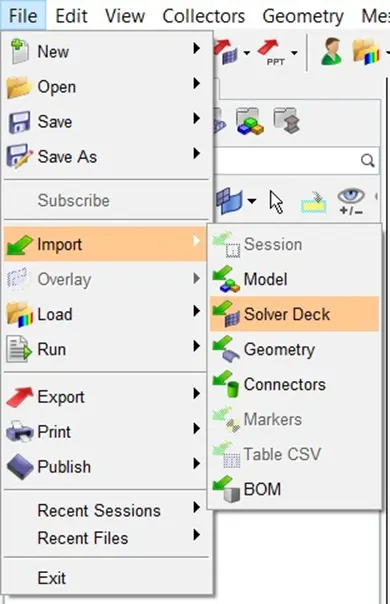
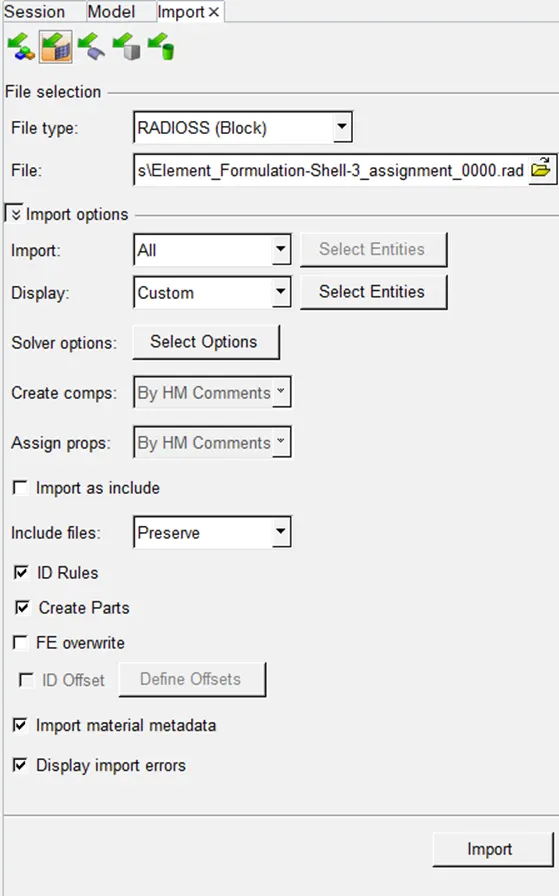
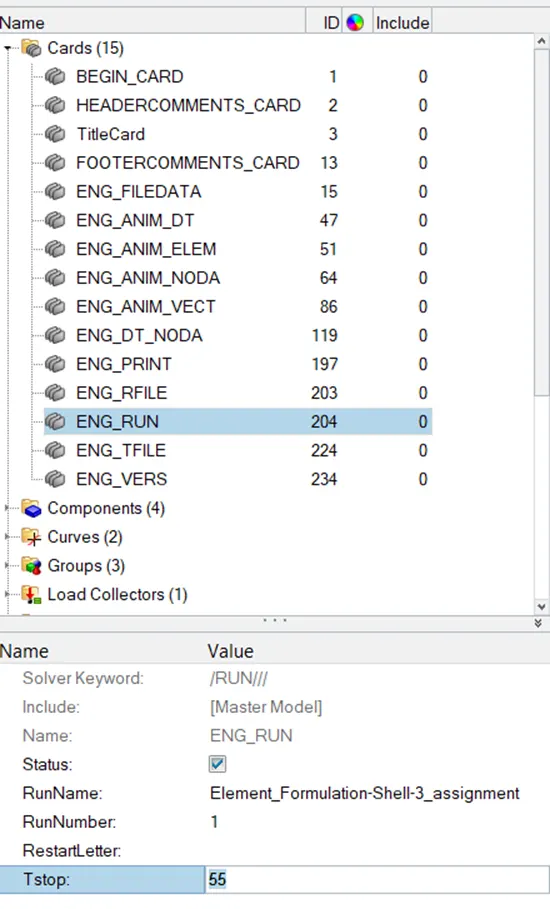
- Now, edit the file. For that, go to the cards folder and edit the ENG_RUN. Change the run time to 55 ms in Tstop.
- Change the run time to 55 ms in Tstop.
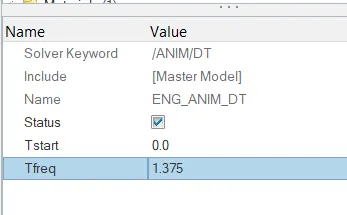
Change the number of animation steps during simulation to a minimum of 25 and a maximum of 60. So, we put 45 animation steps.
Frequency = 1/time
f = 1/t
Put the value in above equation,
f = 1/55
f = 0.01818 Hz
Multiply frequency by 40
f = 1/0.01818 × 40
f = 1.375 Hz
- In model tree, under CARDS collector, ENG_ANIM_DT card have a Tfreq of 1.0, which is changed to 1.375.
- After that, go to analysis and select radios.
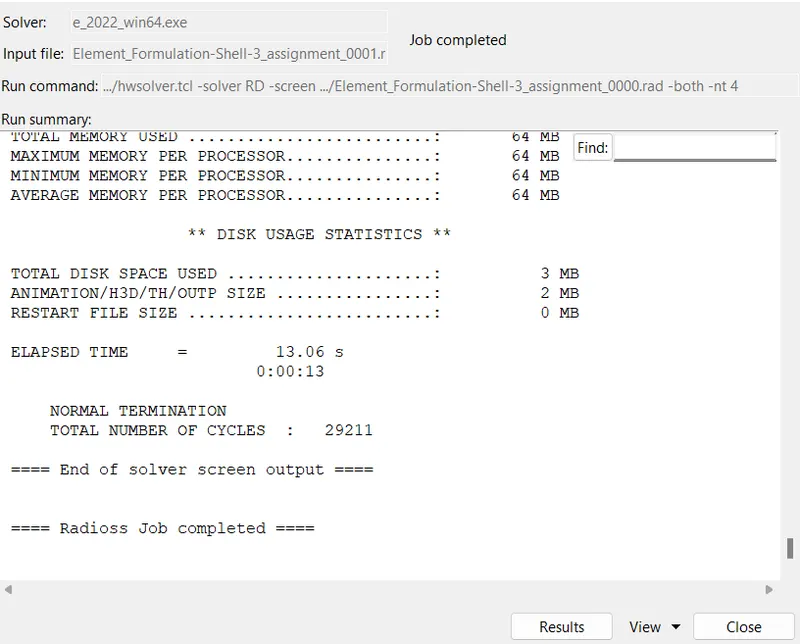
- Upload .rad file and put -nt 4 in options, then press Radioss.

- Wait for a minute to complete the entire procedure.
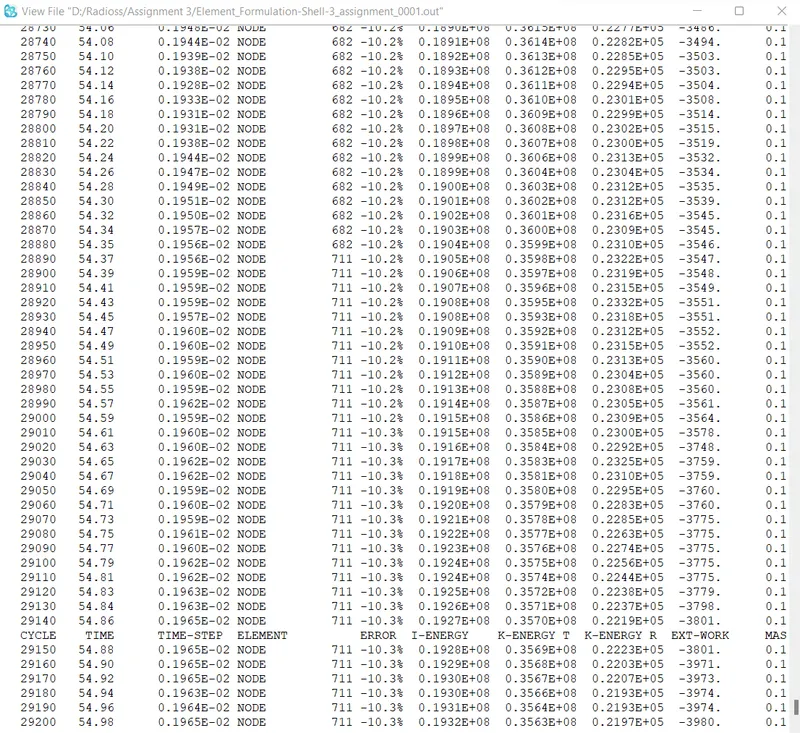
- The Energy error range is between -15% to +5%, and we obtain -10.3% which is an acceptable range.
- Now, the job is completed. Press Result.
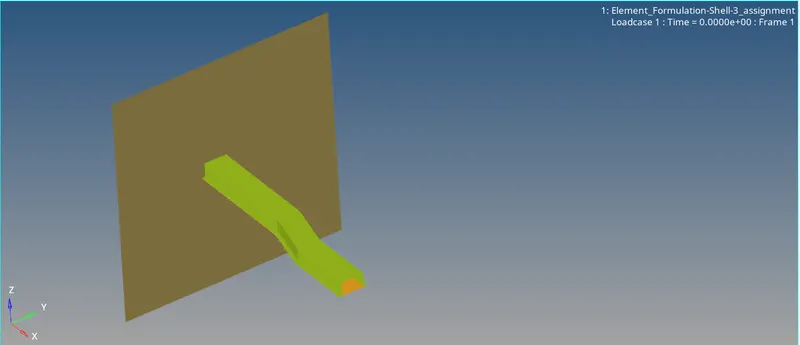
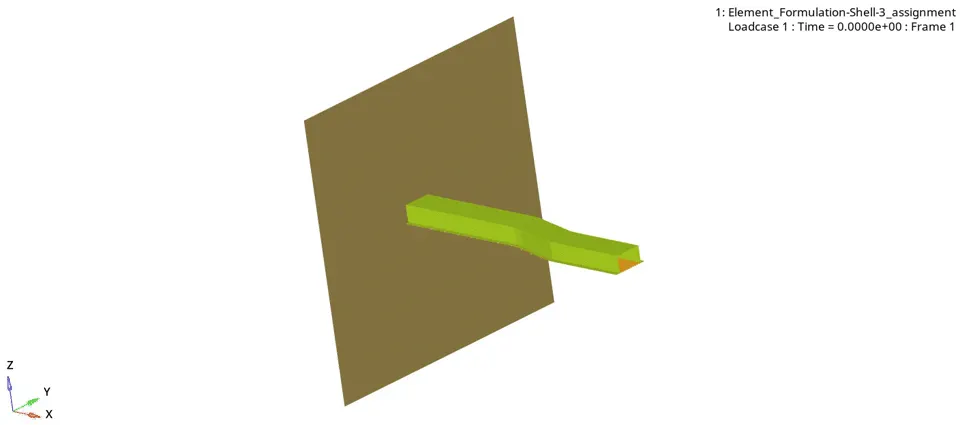
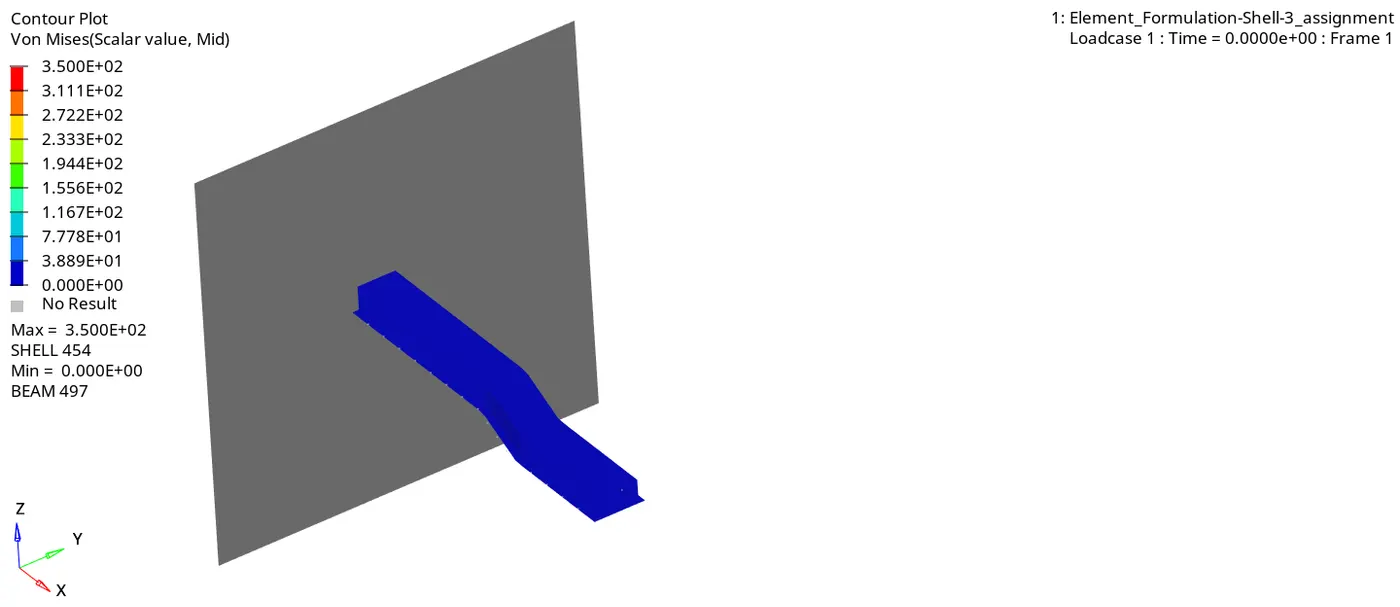
Von-Mises Stress-
Hourglass Energy-
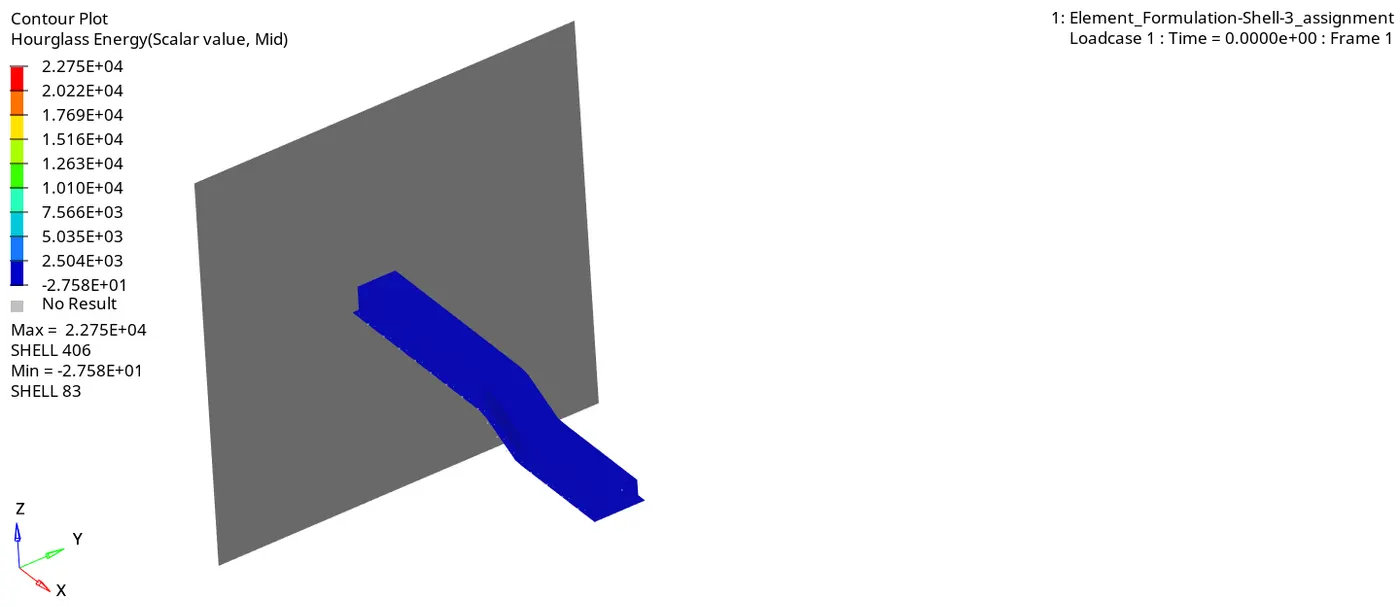
- Hourglass energy is range between Min. -2.758E+01 to Max. +2.758E+04. As shown in the above animation.
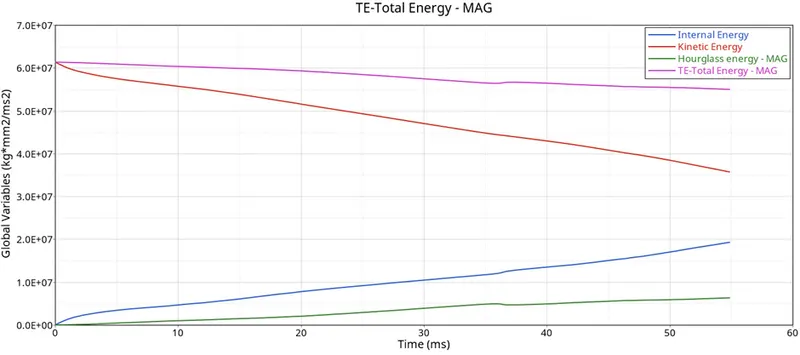
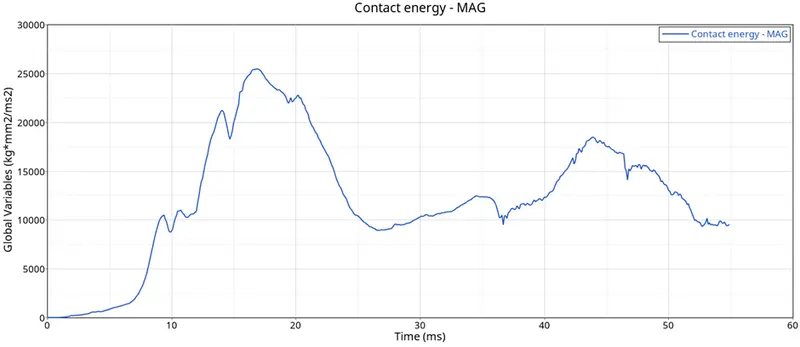
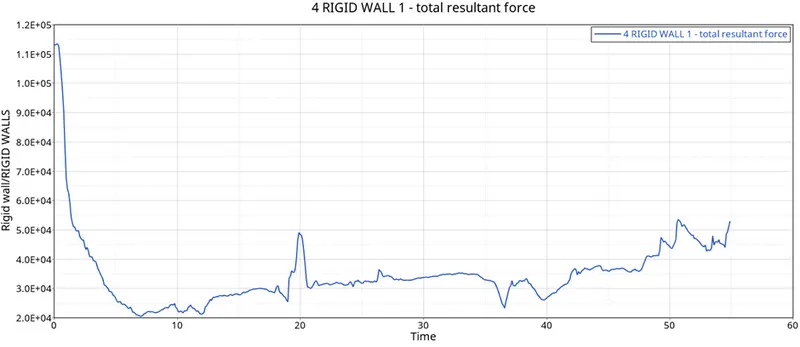
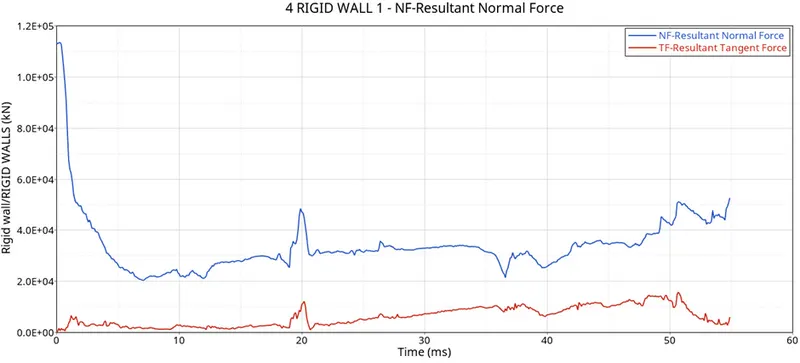
- Now, open the Hypergraph 2D to view the graph and open the assignmentT01 file.
CASE 2
In case 2 assign the Recommended properties:
|
Parameters |
Comment |
|
|
Ishell =24 |
QEPH 4 nodes shells are the best combination of cost and accuracy. |
|
|
Ismstr=2 |
Full geometric nonlinearities (default)with possible small strain formulation activation in RADIOSS Engine. |
|
|
Ish3n=2 |
Standard 3 noded shell (C0) with modification for large rotation(default) |
|
|
N=5 |
The number of integration points is set to 5 for accuracy bending. |
|
|
Ithick=1 |
Thickness change is taken into account for accuracy. |
|
|
Iplas=1 |
Iterative plasticity for good accuracy. |
Now, open the property and put all the above-given values.
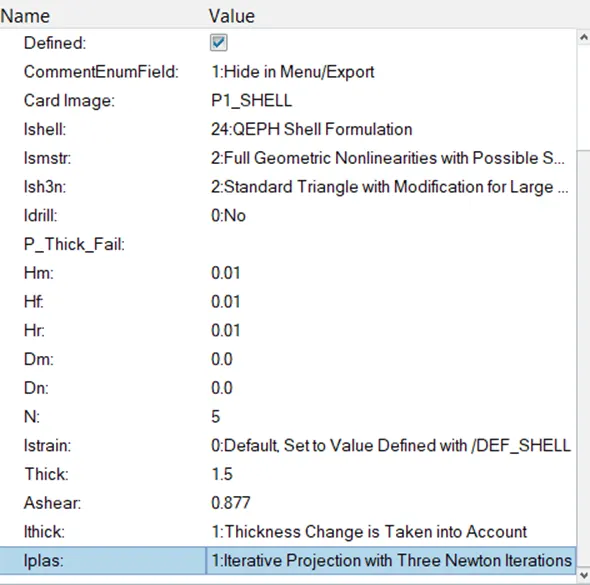
After that, go to analysis and select radios.
Upload .rad file and put -nt 4 in options, then press Radioss.
Wait for a minute to complete the entire procedure.
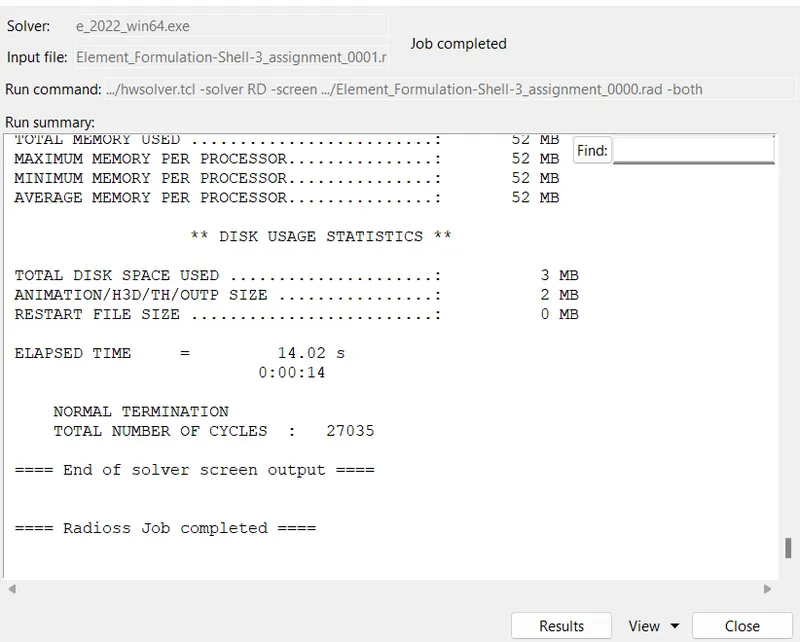
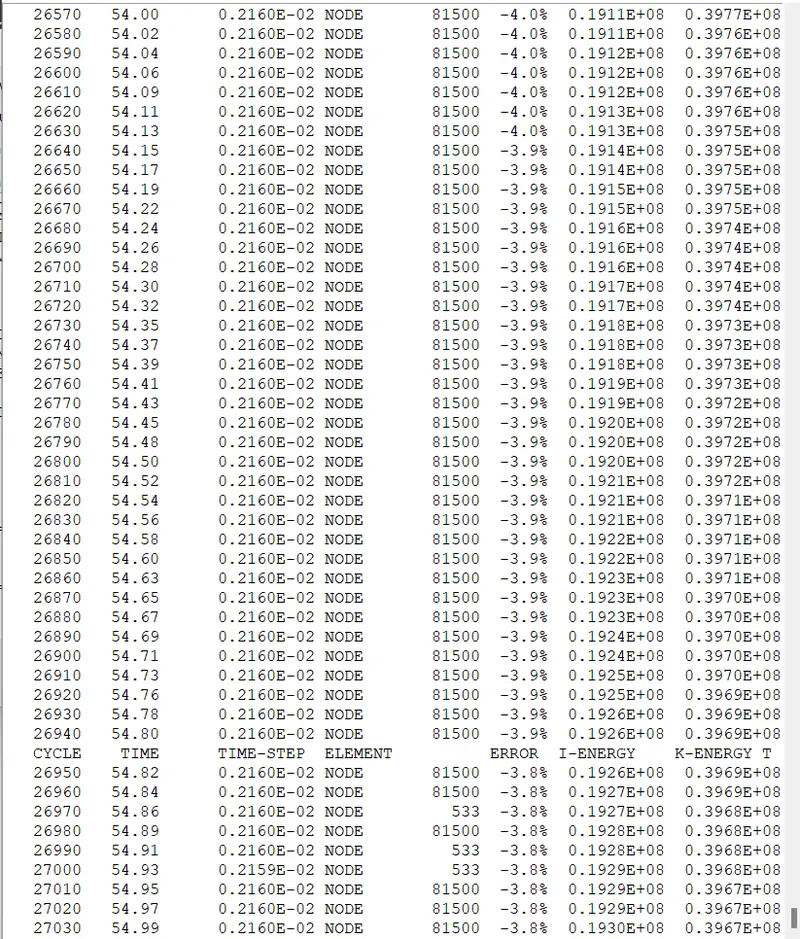
- The Energy error range is between -15% to +5%, and we obtain -3.8% which is an acceptable range.
- Now, the job is completed. Press Result.
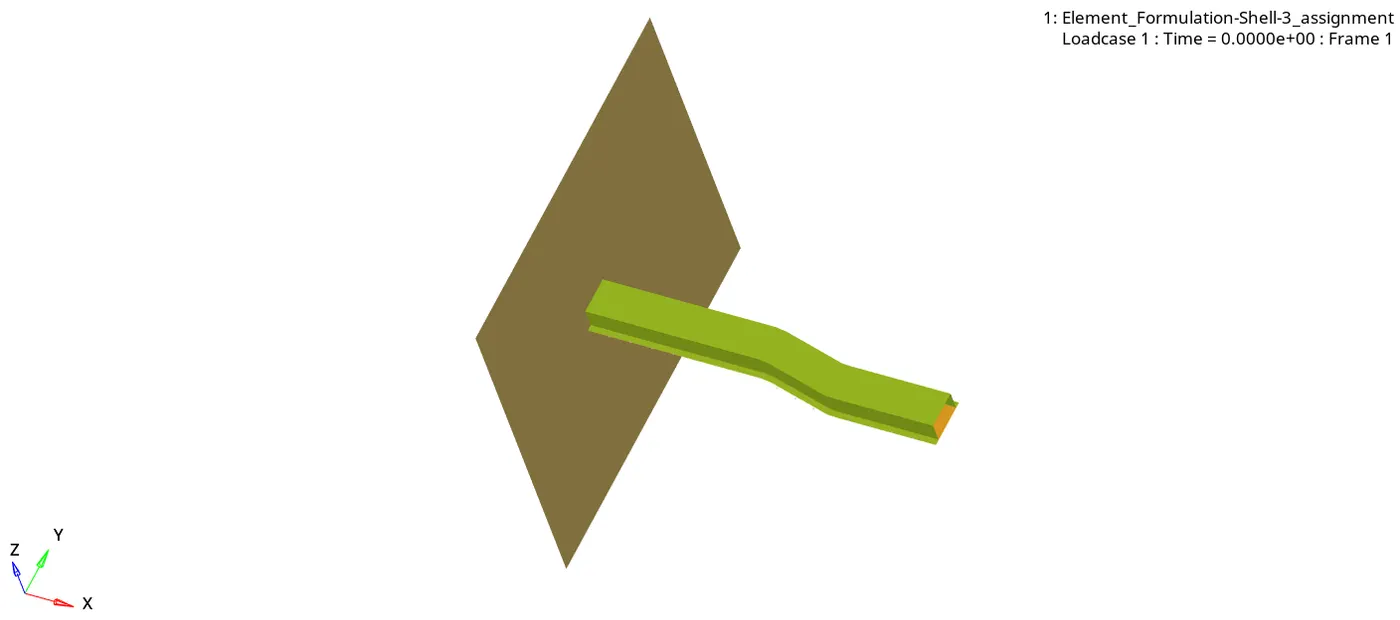
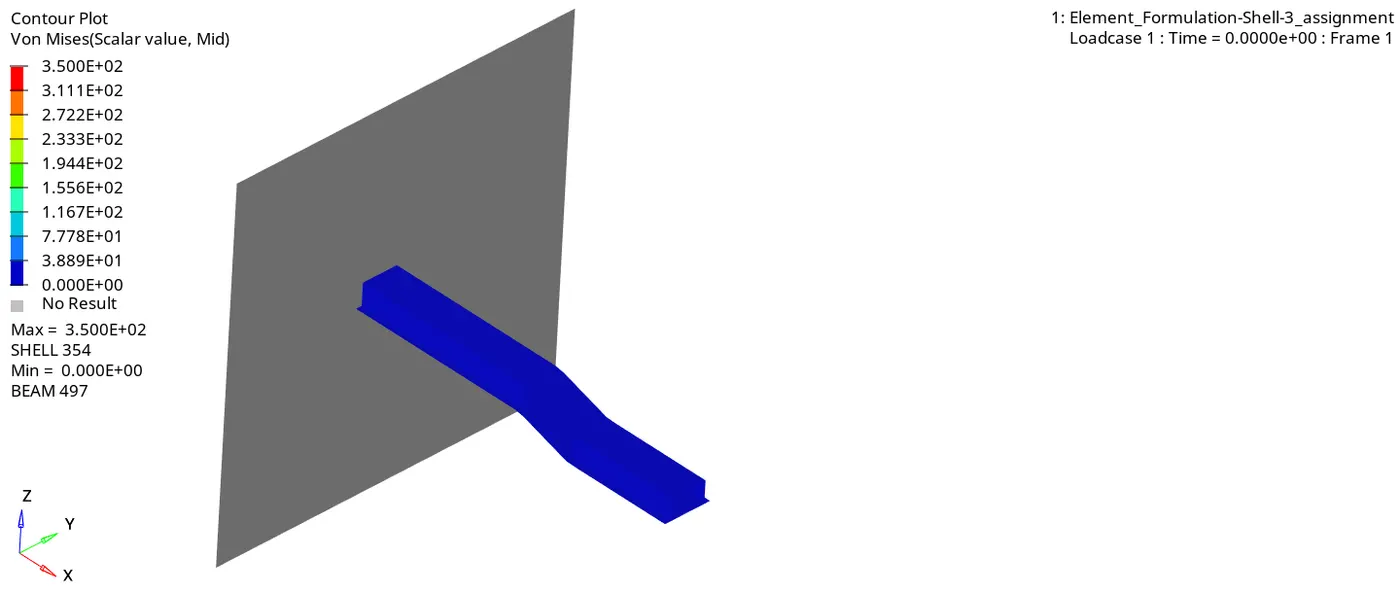
Von-Mises Stress
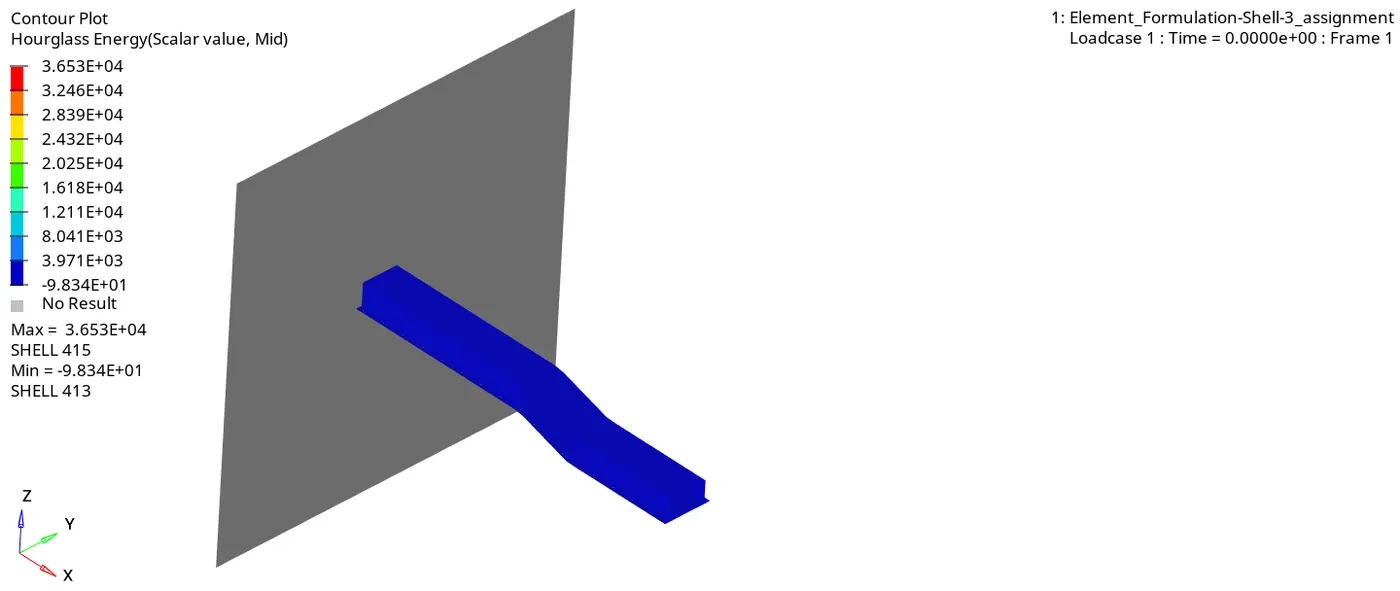
Hourglass Energy-
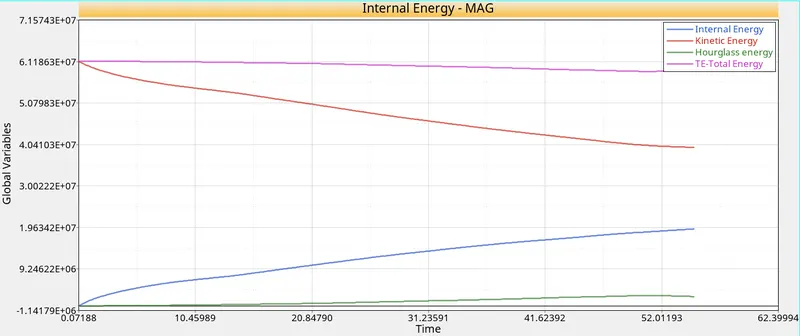
- File named Element_Formulation-Shell-3_assignmentT01 is opened.
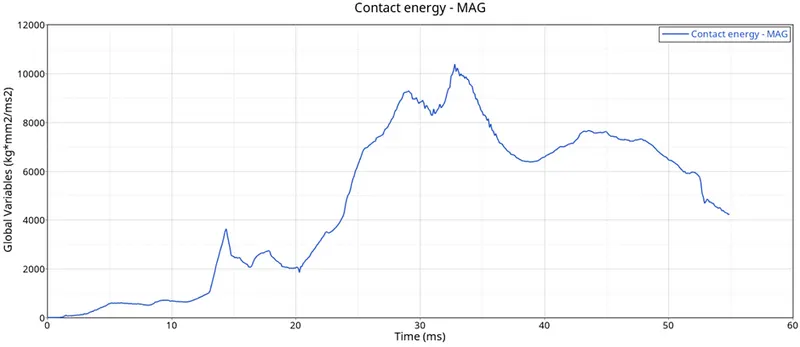
- Specified energies are plotted against time on the same plot as shown below:
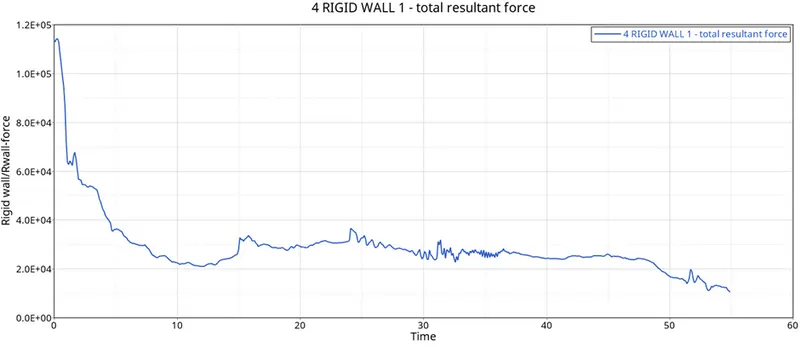
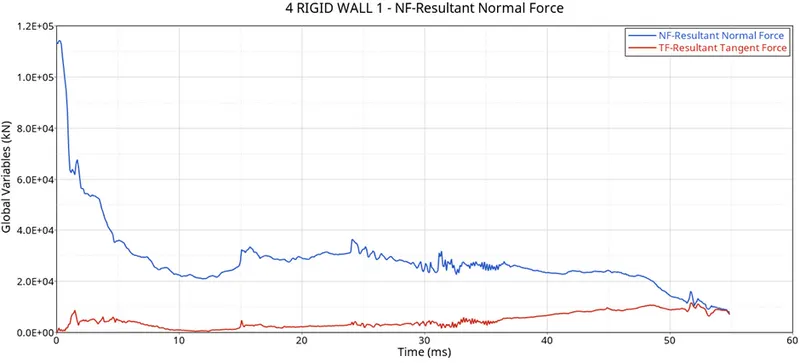
Comparison of CASE 1 & CASE 2
|
Parameters |
CASE 1 |
CASE 2 |
|
1. Energy Error |
-10.3% |
-3.8% |
|
2. Kinetic Energy |
0.3563E+08 |
0.3967E+08 |
|
3. Internal Energy |
0.1932E+08 |
0.1932E+08 |
|
4. Hourglass Energy |
Min. -2.871E+01 Max. 2.284E+04 |
Min. -9.957E+01 Max. 3.653E+04 |
|
5. Mass Error |
0.1659E-03 |
0.1659E-03 |
|
6. Von mises stress |
3.500E+02 |
3.500E+02 |
Learning Outcomes: -
- We learnt about how to analyze the file using radioss.
- We learnt about how the energy error and hourglass energy change the model values.
- We learnt about how to perform animation with different methods like Von mises and Hourglass energy in contour mode.
- Also, we learn about how to plot the graph of internal energy, kinetic energy, hourglass energy, total energy, contact energy, and time step.
Conclusion: -
In this project, we check the difference between CASE 1 & CASE 2 how the energy error and hourglass energy affect the model with the same run time and animation steps.