Week 12:Project-1-Meshing of Door Inner Panel Challenge
Aim-
To extract mid-surface from a given back door panel and to create mesh of the same component satisfying all the quality criteria and to assign thickness to it.
Quality Criteria-
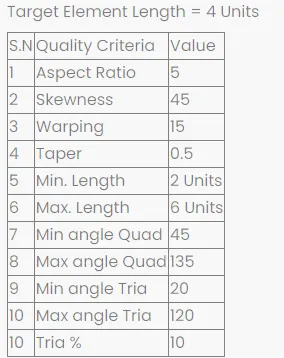
Procedure-
- We start with importing the model for that go to import>>import geometry>>Iges file format select file and hit import.
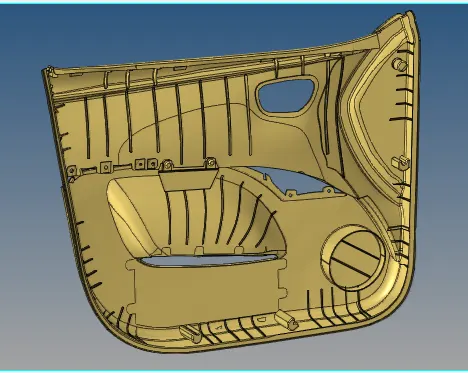
- Now we have to edit geomerty and have to toggle unnecessary lines.
- We have to defeature the small fillets to avoid the quality criteria issue, for that go to geom>>>defeature>>surface fillets>>select surface>>select fillet radius range and click find>>remove fillet or rather go to lines and create mid-line using create mid line command and create mid line and
- Once all the geometry cleanup is done go for mid surface creation.
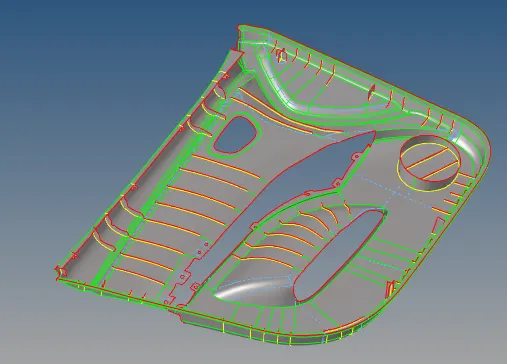
- Now we will create mesh of the component as per metioned criteria for tah go to 2D>>Automesh (F12) and select required surface and element size as 4 and element type as mixed and hit create mesh.
- As we know that there will be too much trias are being created, so we will try to reolve the problem.
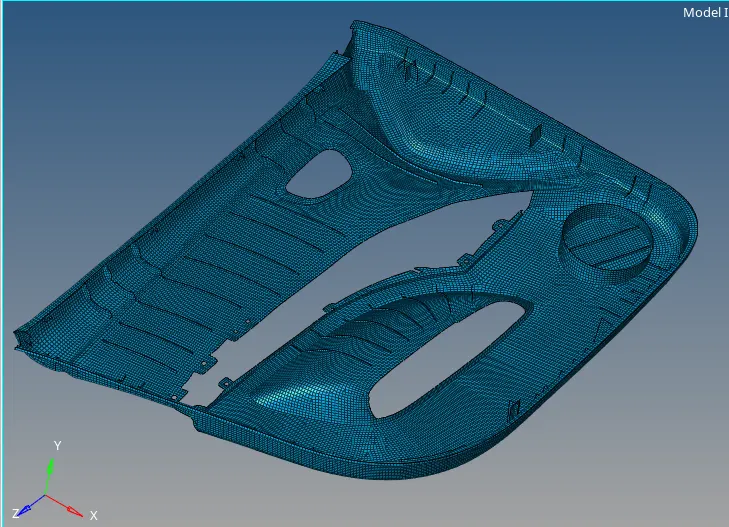
- After resolving all the issues we will go for quality criteria check and try to rectify element failing criteria.
- To resolve the filing element issue go to qaulity check and try to resolve it by element optimosation, node optimise ect.
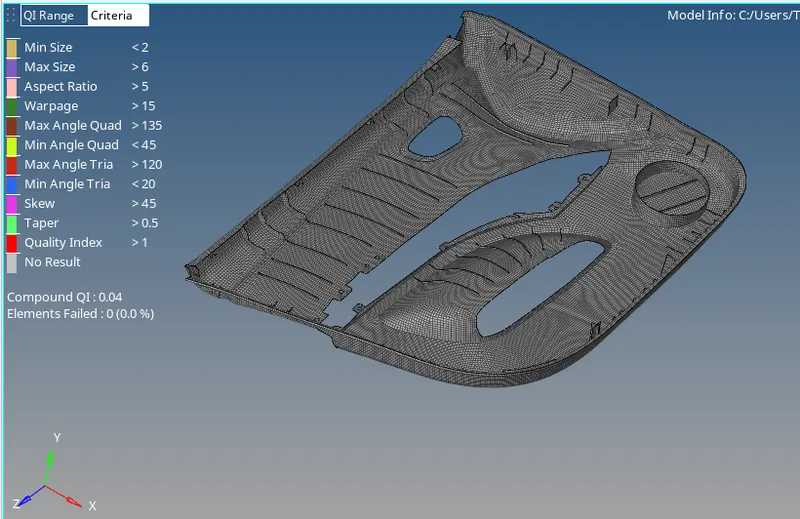
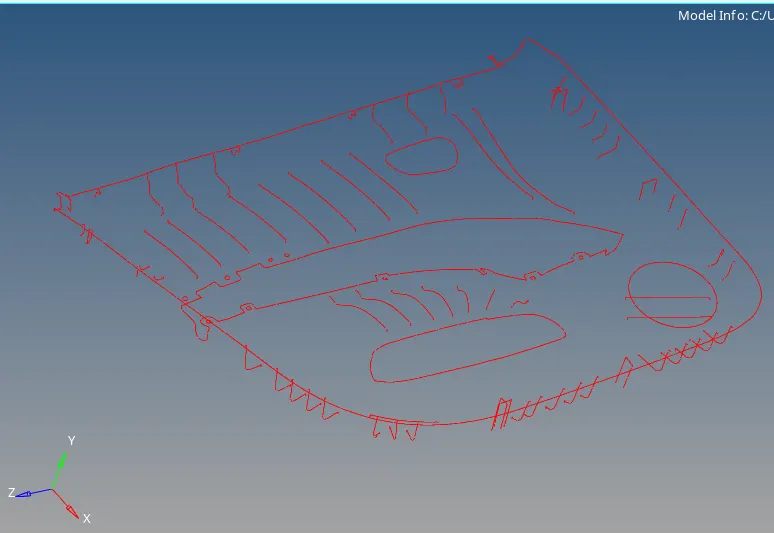
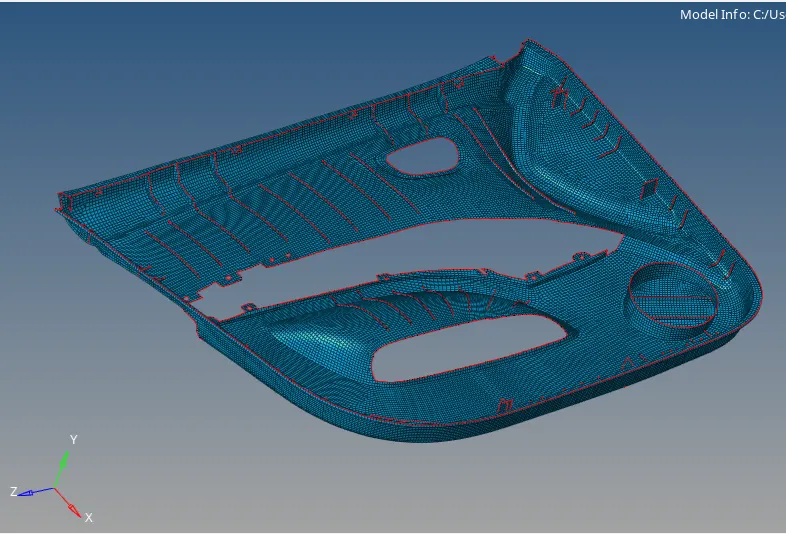
- Now we have to check the free edges and also equivance of components.
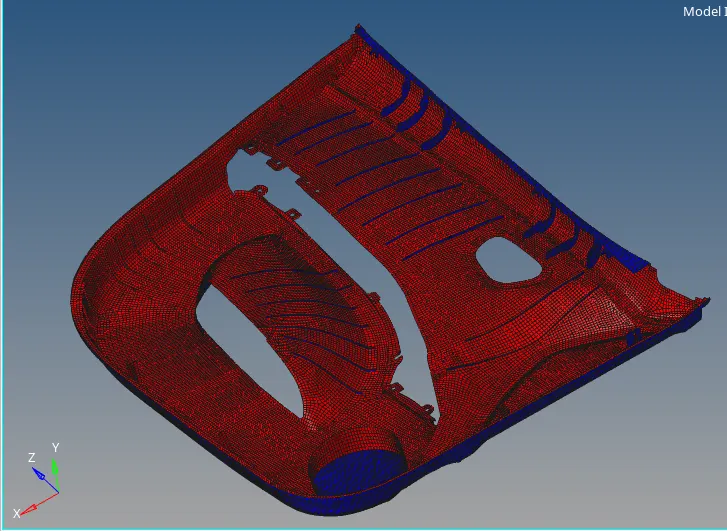
- Now we will check for normals and try to create a similar pattern to normals as show below.
- Once all above criterias are okay then we will proceed for creation of proprties and give thick to each material as per initial component.
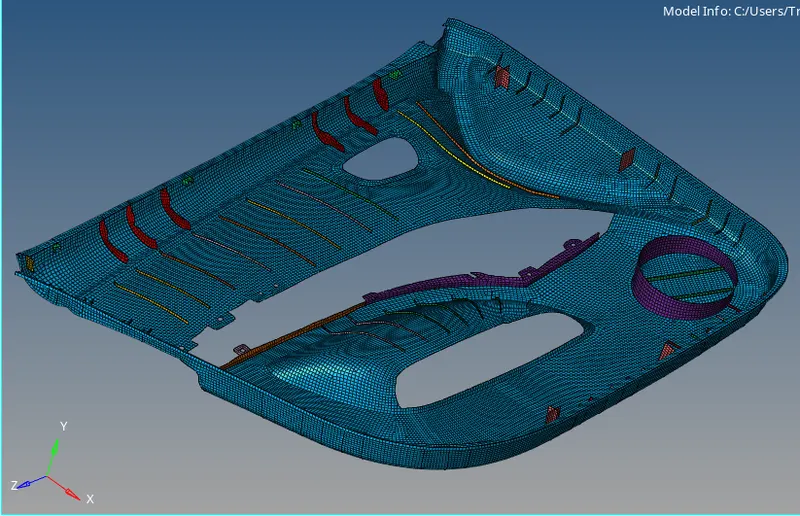
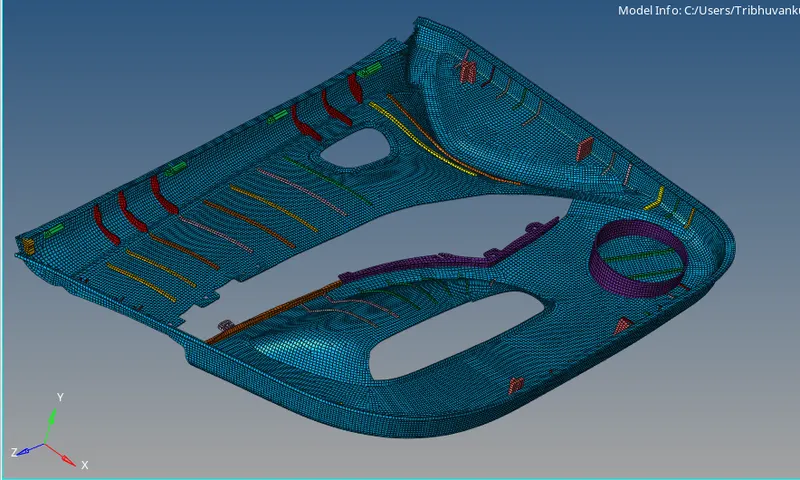
Conclusion-
- We have learnt about the mid-surface generation of different thickness compoonents.
- Creating the mesh and satisfying the all quality criteria and siiging different thickness to each part in component.