Week 9-Creation of 1D Connectors Challenge
Aim-
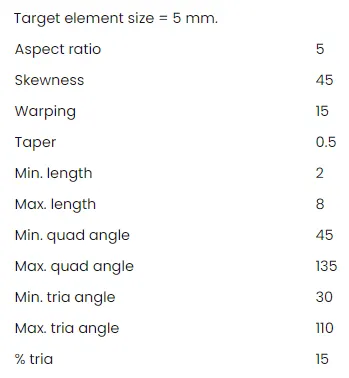
To create 1D element connector to given model, also to create mesh as per given criteria and to satisfy qualty criteria.
Quality Criteria-
1D Connection type-
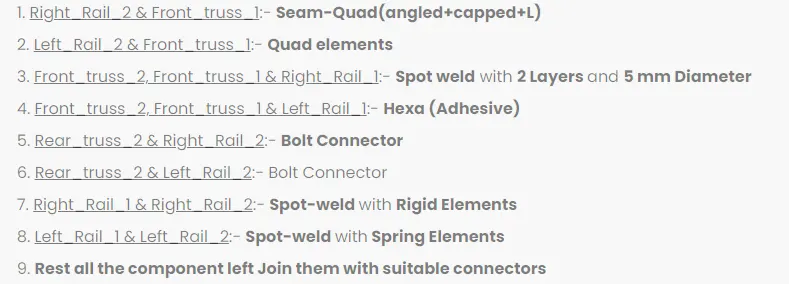
Procedure-
- Now we will firstly start with model import, for that import>>model import>>select model>>hit import.
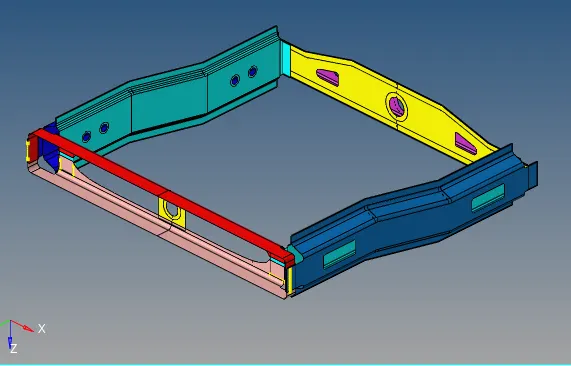
- Now we will check for presence of solid as there is no solid present so we will move ahead.
- Now we will check for any topology error present in the surface and clear them manually.
- Since we have cleared all the topological errors present in the geometry so we will go for criteria file setting.
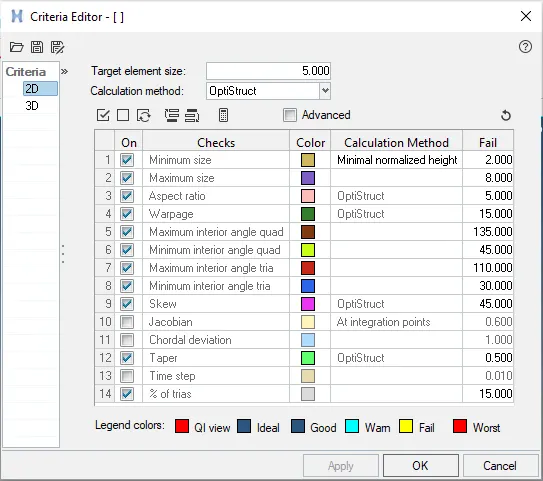
- So we can go for meshing the parts one by one and also try to satisy quality criteria, for meshing Go to 2D>>Automesh>>Select target surface>>Element size-5>>Element type-mixed>>hit mesh.
- Try to reduce back to back trias formation and keep low tria concentraion.
- Now after mesh our components will look like as per below snap.
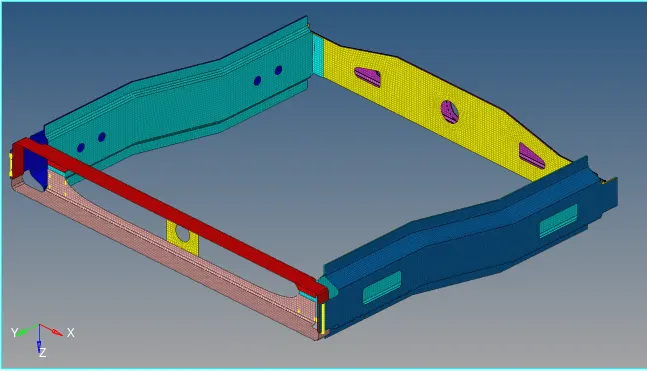
- Now we will check for quality criteria and if any element fails try to clear them.
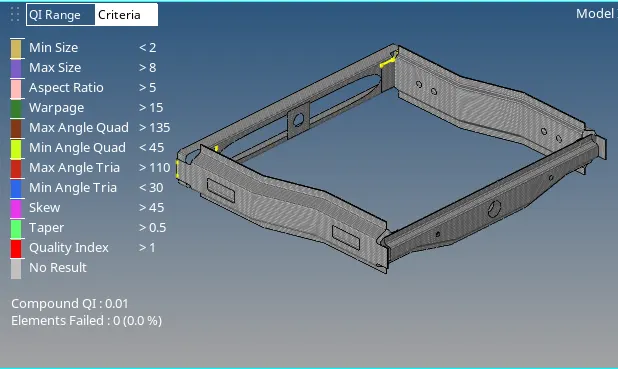
- We can now check for free edges and resolve them, for that go to tool>>edges>>select element and create fee edges.
- Since there is no free edge present in the model so we can go ahead, for 1D Connector.
1. Right_Rail_2 & Front_truss_1:- Seam-Quad(angled+capped+L)
- Go to 1D>>Connectors>>seam>>type seam-quad (angled+clapped+L), select required nodes, components.
- spacing as 5, set weld ange, cap angle, tolerance as 15 and hit create.
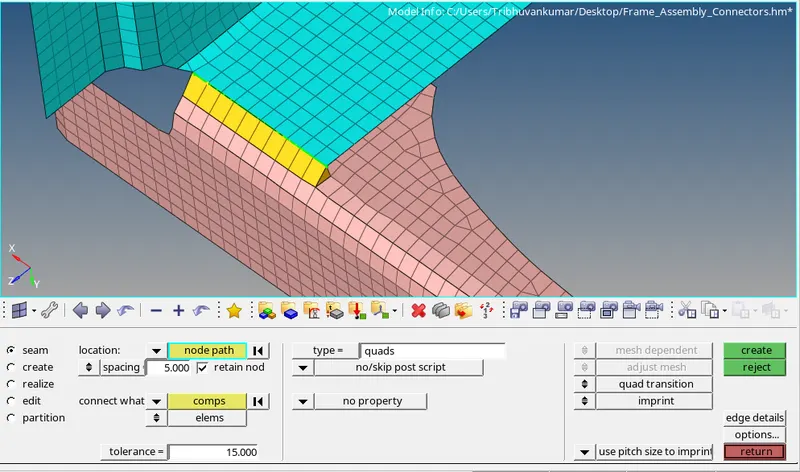
- Again check for quality criteria and if there is no any problem then proceed again.
2. Left_Rail_2 & Front_truss_1:- Quad elements
- Go to 1D>>Connectors>>seam>>type seam-quad, select required nodes, components.
- spacing as 5, set tolerance as 15 and hit create.
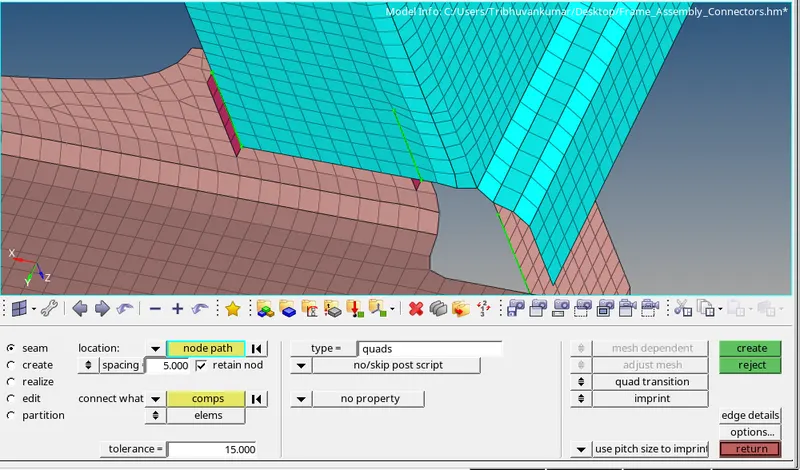
3. Front_truss_2, Front_truss_1 & Right_Rail_1:- Spot weld with 3 Layers and 5 mm Diameter
- Go to 1D>>Connectors>>spot>>type weld, select required nodes, components, layers-total 3
- diameter as 5, tolerance as 15 and hit create.
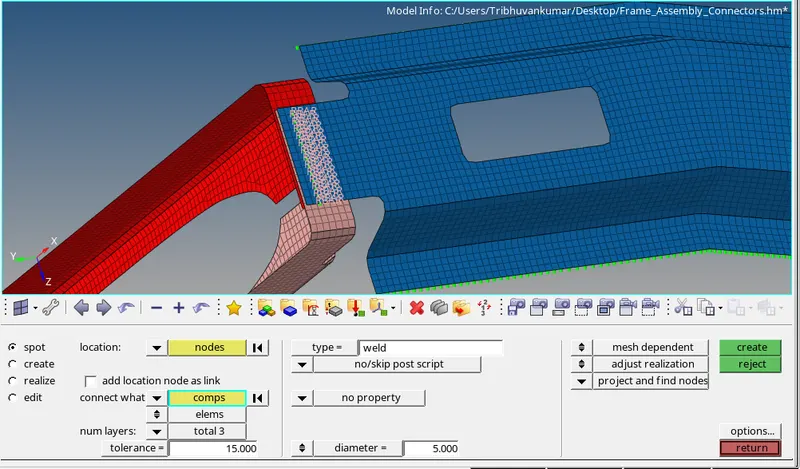
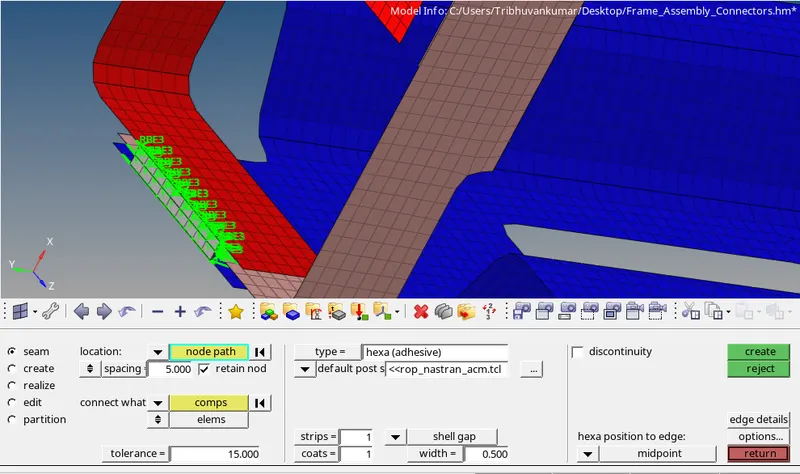
4. Front_truss_2, Front_truss_1 & Left_Rail_1:- Hexa (Adhesive)
- Go to 1D>>Connectors>>seam>>type hexa (adhesive), select required nodes, components.
- spacing as 5, set tolerance as 15 and hit create, refer below snap.
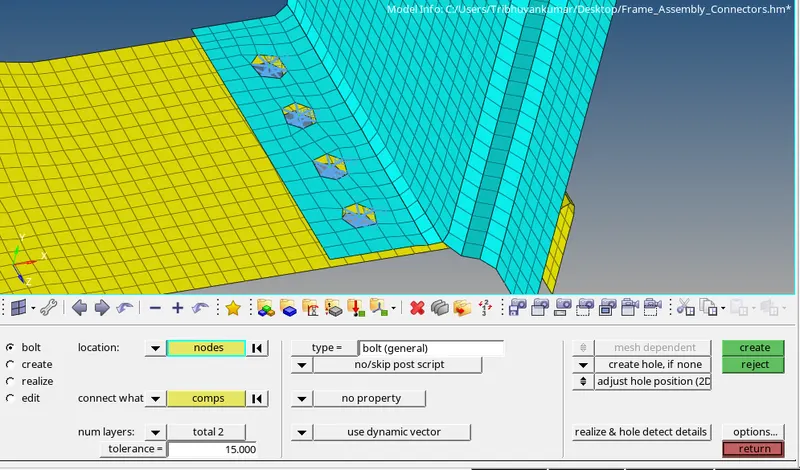
5. Rear_truss_2 & Right_Rail_2:- Bolt Connector
- Go to 1D>>Connectors>>bolts>>type bolt (general), select required nodes, components.
- Set tolerance as 15, select create holes if none, and hit create, refer below snap.
6. Rear_truss_2 & Left_Rail_2:- Bolt Connector
- Go to 1D>>Connectors>>bolts>>type bolt (general), select required nodes, components.
- Set tolerance as 15, select create holes if none, and hit create, refer below snap.
7. Right_Rail_1 & Right_Rail_2:- Spot-weld with Rigid Elements
- Go to 1D>>Connectors>>spot>>type rigid, select required nodes, components, layers-total 2
- tolerance as 15, use diameter mapping and hit create.
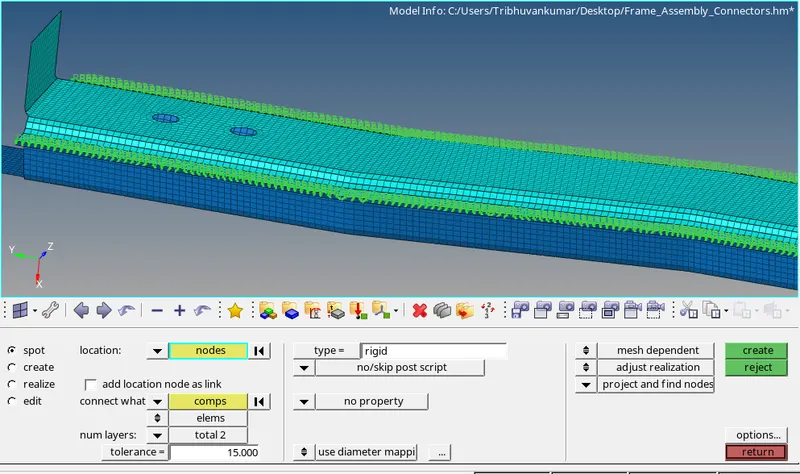
8. Left_Rail_1 & Left_Rail_2:- Spot-weld with Spring Elements
- Go to 1D>>Connectors>>spot>>type rigid, select required nodes, components, layers-total 2
- tolerance as 15, use diameter mapping and hit create.
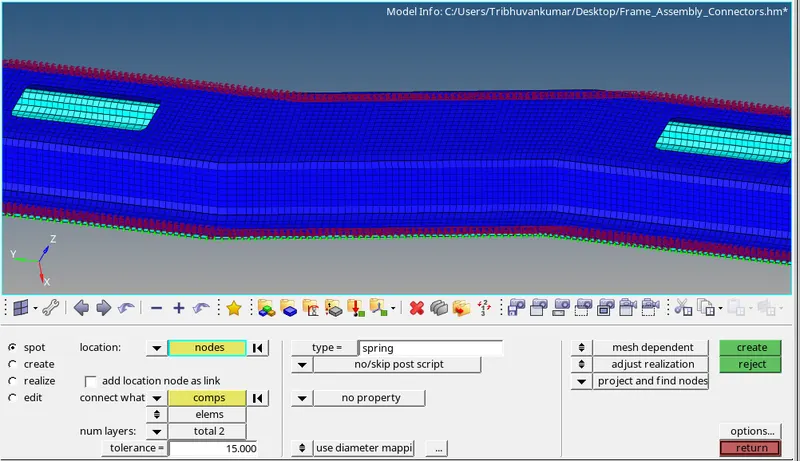
- Now we will connect rest of element with suitable connector and go for element check and also for duplicates.
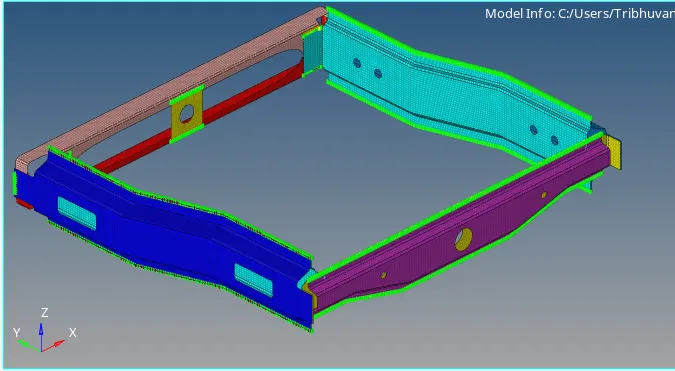
- For check duplicate either go to tool>>elem check>>duplicates or by shrink element view.
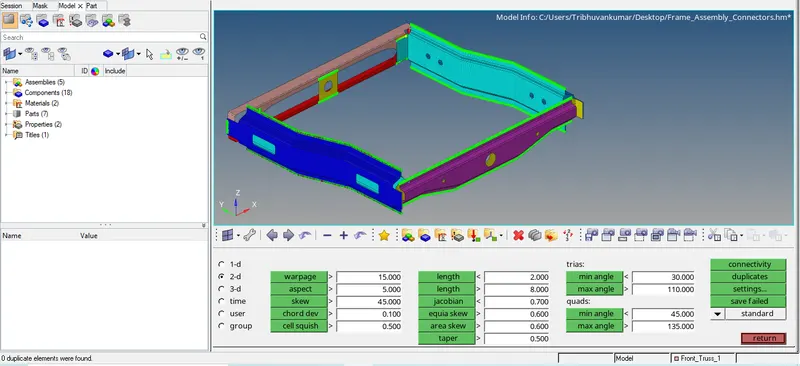
- Now we will do final quality check.
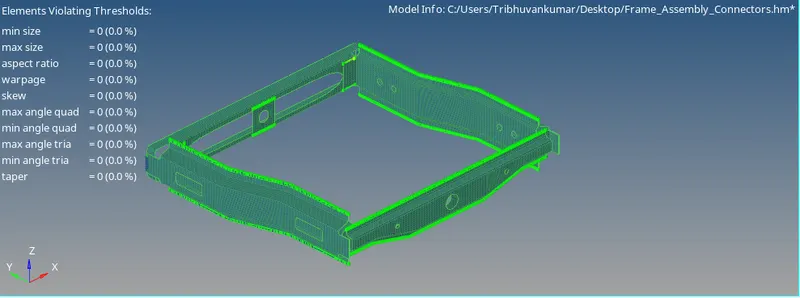
Conclusion-
- Learnt about the 1D Connectors of different type and how mesh quality depends and changes with connector.