Assignment 3-2D Element Formulation Challenge
Objective: Comparison of results with base simulation and improved shell element properties
Setup and Procedure:
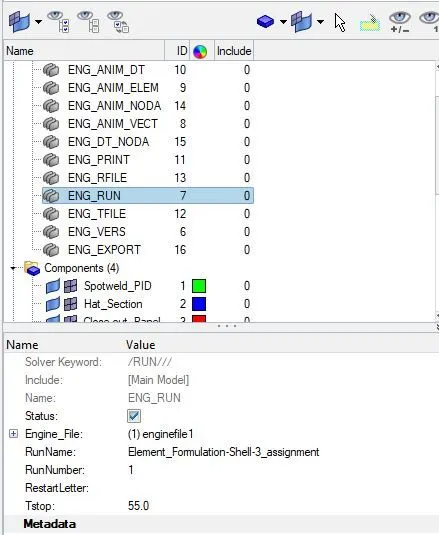
1. Inside the crash beam file from the previous assignment, change the run time to 55 ms.
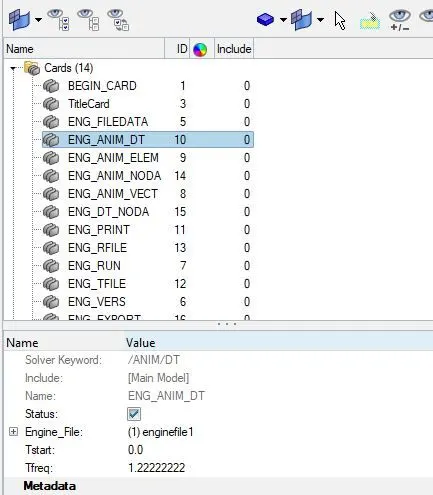
2. Change the number of animation steps during simulation to value of 45, So Tfreq = 1.22222222.
3. Run the base simulation without any modification to element properties for Case 1
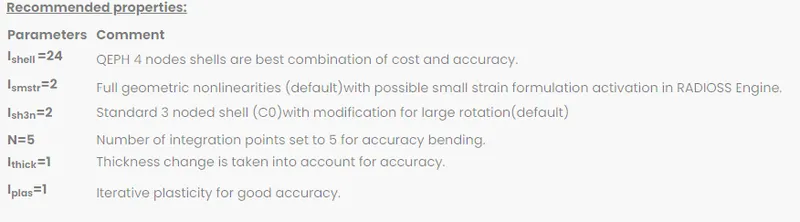
4. Change all the shell elements properties to recommended properties, save this as separate, rad files and run the simulation for Case 2.
Other Important Step:
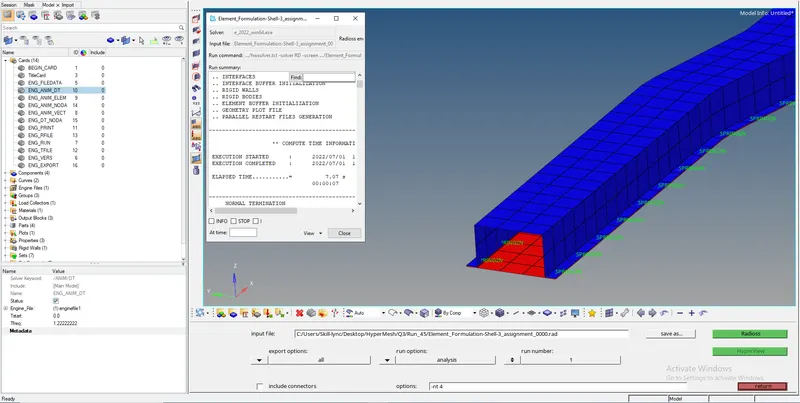
- Import Element_Formulation-Shell-3_assignment_0000 RAD file in Hypermesh
- Set the data for Tstop and Tfreq as shown.
- Save the output file in appropriate location
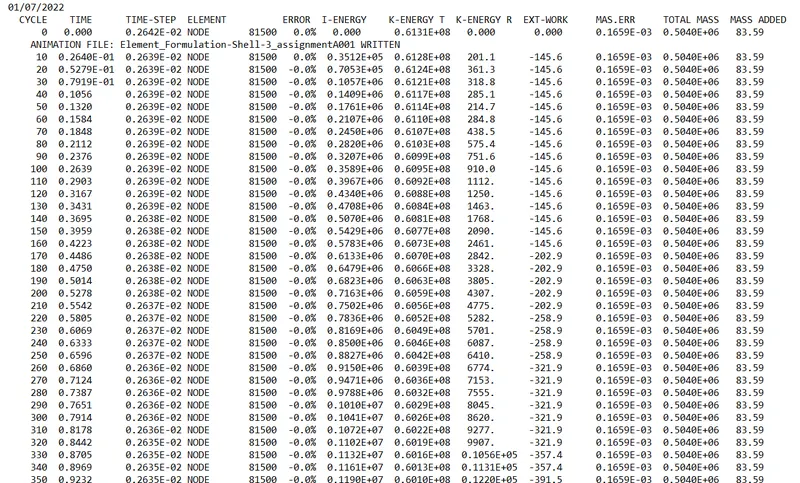
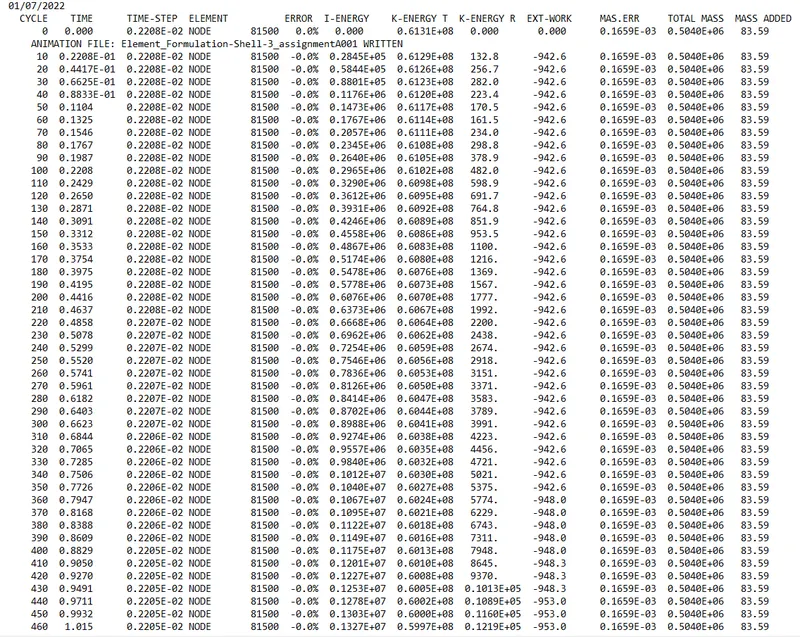
- When you make all the settings and run the Radioss analysis, you can find the results for Energy Error, Mass Error in the Element_Formulation-Shell-3_assignment_0001 OUT file. You can access this file from Notepad and see if the values are with acceptable range -15% to +5%
- Value for energy error is between 0 to -10.3% and Mass error is 0.1659E-3 i.e. Within acceptable limits
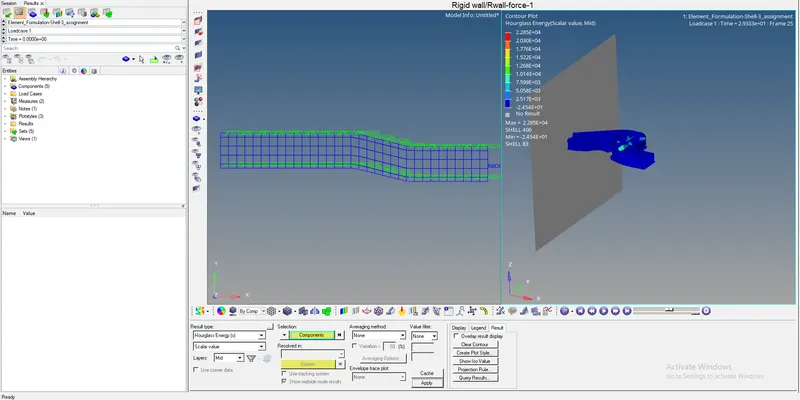
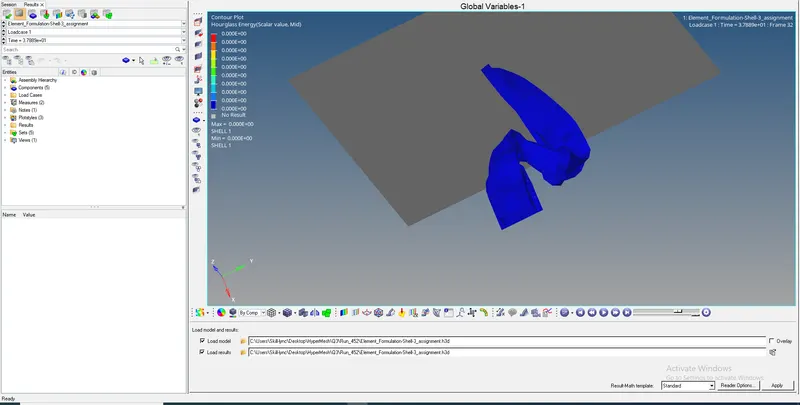
- Use file Element_Formulation-Shell-3_assignment.h3d to view animation results, Displacement results, Contour PLot Results for Hourglass Energy.
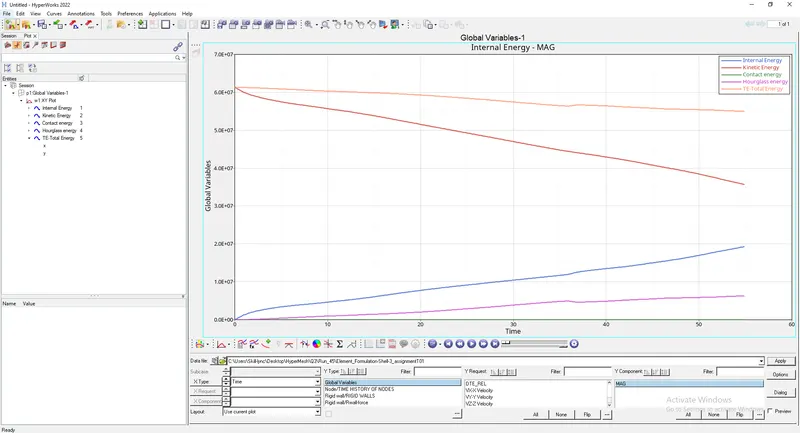
- Use file Element_Formulation-Shell-3_assignmentT01 in HyperGraph 2D to plot Energy and Force graphs
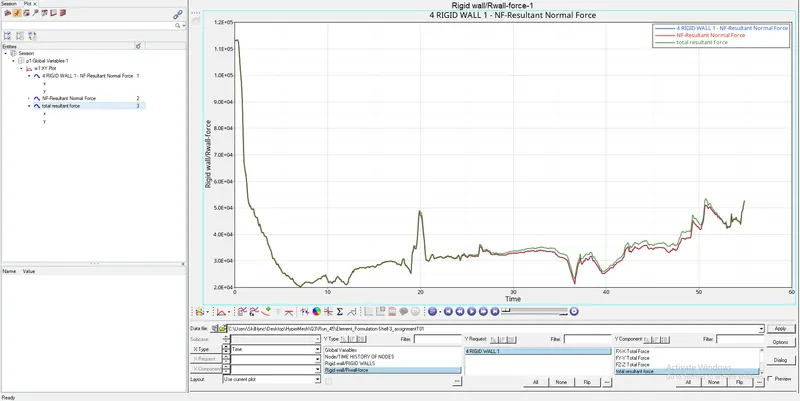
Case 1 Results :
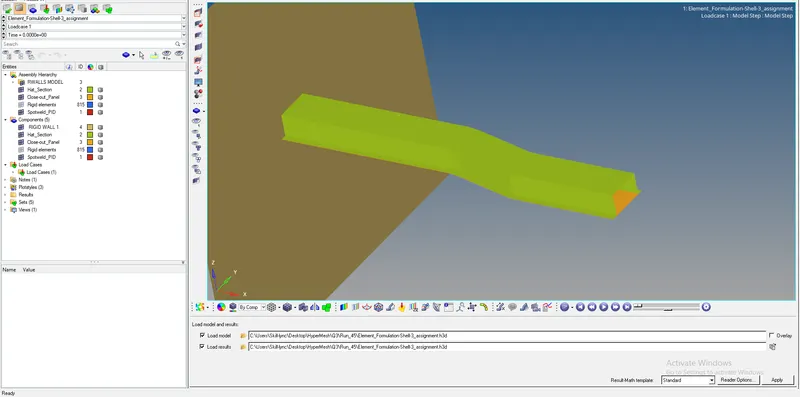
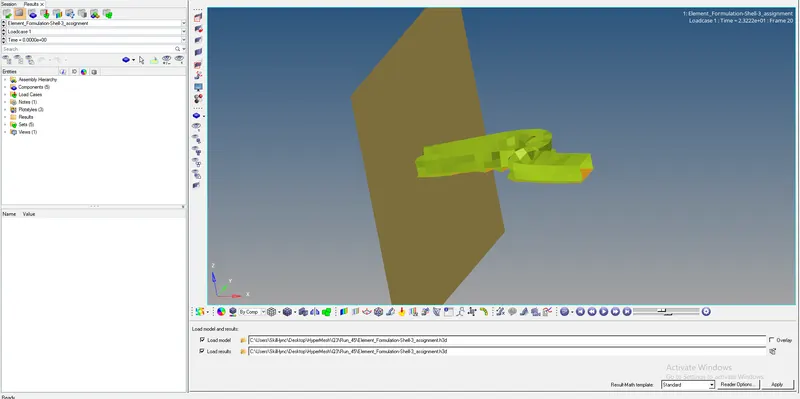
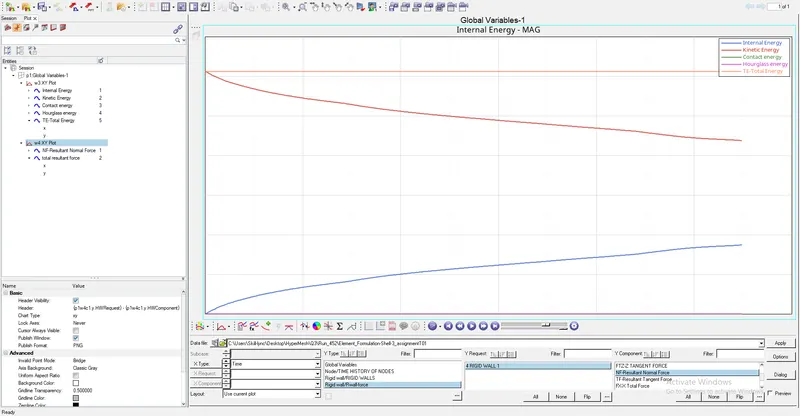
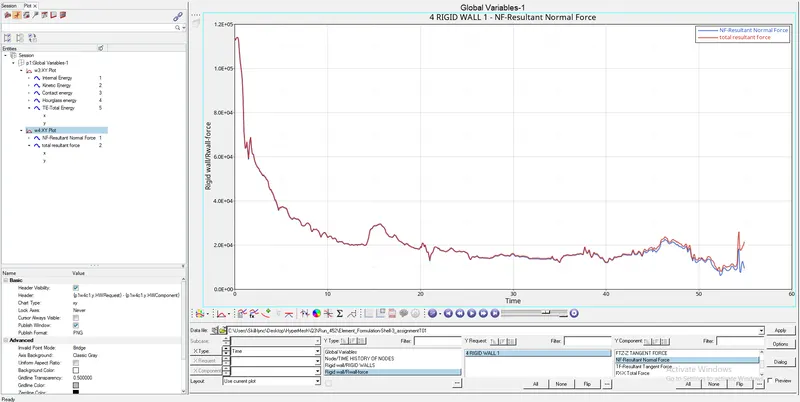
Plots for Plot rigid wall forces, internal energy, hourglass energy, contact energy, total energy of the simulations.
Case 2 Results :
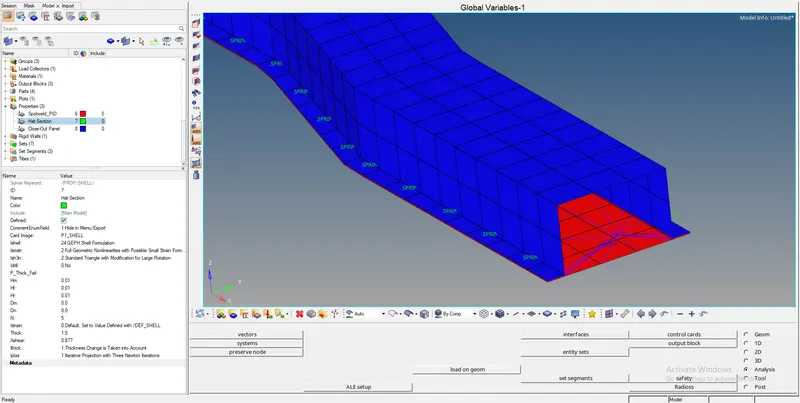
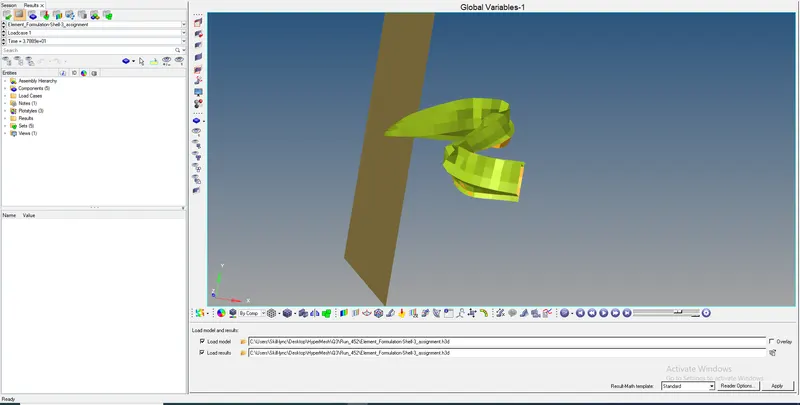
Plots for Plot rigid wall forces, internal energy, hourglass energy, contact energy, total energy of the simulations.
Details on hourglass energy and modes:
Hourglass shell formulation is a reduced integration scheme. They generally reduced the number of integratrion points to 1 or 2 Gausian integration points depending on type of geometry. Thus now the geometry has under-integrated elements which are very familiar in crash worthiness. In these elements, a reduced number of integration points are used to decrease the computation time. This simplification generates zero energy deformation modes, called hourglass modes.
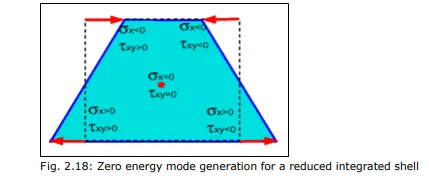
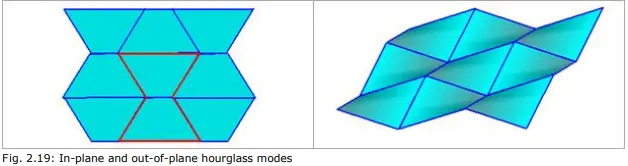
As shown in above figure for an anti-symmetric deformation of a shell element with one integration point at the center, a zero energy mode can be found for a physical deformation mode. That cannot be true from a physical point of view and must be corrected. For a shell mesh, the two main hourglass modes are in-plane (membrane mode) and out-of-plane (W mode).
Fig. 2.18: Zero energy mode generation for a reduced integrated shell
Fig. 2.19: In-plane and out-of-plane hourglass modes
The two correcting methods available are:
1. Perturbation or penalty method: Hourglass control by application of anti-hourglass forces to maintain deformation stability of the element (historical method).
Viscous Method ; Ishell=1,2,3 or 4 (Q4)
- The hourglass deformation is detected with the relative motion of nodes.
- When hourglass is detected, a force is applied on the node to stabilise the deformation.
- The force is defined according to mechanical properties of material.
- The artificial energy introduced by this force is called Hourglass energy. It is the energy lost during the process.
- The Q4 elements may have bad behaviour in case of large rotaion and distortion and in case of elastic loading-unloading cycles. Viscous forms are recommended for high velocity/high strain rate problems. Eg. those involving high explosives.
Stiffness Method ; Ishell=24 (QEPH)
- Hourglass yeild depends on natural yeild.
- Hourglass loading stifness depends on natural tangent modulus.
- Hourglass treatment is done at material level.
- The QEPH elements give accurate results in case of loading and unloading cycles even though hourglass mode deformation is present. So, this is preferred for lower rate problems like Crash Simulation.
2. Physical stabilization method: Hourglass control by the correction of internal energy in an analytical way.
For the first method, four formulations are available in RADIOSS:
Type 1 (Default option): Only in-plane modes are corrected, valid for shells and solids.
Type 2: Old formulation no longer recommended.
Type 3: Plasticity is taken into account in the computation of anti-hourglass forces; in-plane and out-of-plane hourglass modes are corrected; available only for shells.
Type 4: Like Type 1 with additional higher order terms in the computation of anti-hourglass forces and with out-of-plane hourglass mode correction; available only for shells. The second method is powerful and can be used when the mesh quality is good. The physical stabilization method is incorporated in the following RADIOSS elements:
- QEPH shell
- HEPH solid
- HSEPH solid-shell
The choice of hourglass formulation plays an essential role on the quality of results. If the mesh is fine enough, the physical stabilization method can be used. Otherwise, Type 3 and Type 4 formulations are recommended for shell meshes. When the material undergoes elastic-plastic behavior, the Type 3 formulation is much more efficient. The hourglass coefficient, hm and hf are recommended to be set to 0.1; however, the
default value, hf =0.01 can be used for hr.
Conclusion: When Default values are changed to recommended values we notice the following changes:
- The Hourglass energy remains constant near to Zero throughout the simulation. The Total energy remains at a constant value which is ideally desired as per energy conservation principle, since there is miniscule change in hourglass energy.
- In second case i.e Stiffness method (QEPH) Ishell=24, hourglass energy deformation is controlled and thus there is very less need for hourglass energy. So, the accuracy of model is increased in second case. Thus, with activation of small strain formulation, Co-triangular formulation for 3 noded shell elements (little modification in case of large rotations) and QEPH 4 noded elements are best combination of accuracy and cost in case of critical analysis.
- The Hourglass energy is not counted in second case of energy balance, and we see a negative energy error of -0.1% at the end of simulation.(by using Ishell=24 (QEPH), as there is no Hourglass). Since it is negative, it means that some energy has been dissipated.