Assignment 2-RADIOSS Engine File Editing & 3D Meshing Challenge
ANSWERS:
1. Check the material properties of the rail component and calculate the speeed of sound in steel rail=_______
Ans:
To calculate the speed of sound (c), we need the values of young's modulus (E) and density (`rho`).
c= √(E / `rho`)
E= 210000
`rho`= 0.0078
c= √(210000/0.0078)
c= `sqrt`26923076.92
5188.74 m/s
2. The length of the rail is about 1000 mm. Calculate the time takes for a shock wave to travel from one end of the rail to the other.
Ans:
`delta`t= l/c
= 1000/5188.74
= 0.192725 ms
3. Time for sound to travel length of rail=_____
Ans:
= 0.192725 ms
4. Edit the engine file so that the stress wave can be monitored, moving from one end of the rail to the other during impact- this will require a termination time equal to the time it takes for the sound to travel the length of the rail (se on/RUN card)
Ans:
Time it takes for the sound to travel the length of the rail= 0.192725 ms.
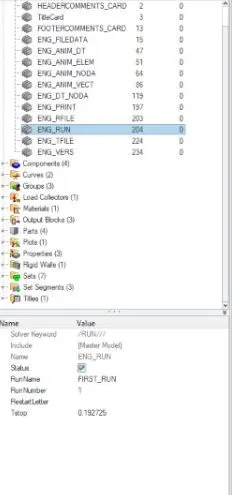
5. Set the frequency of animation output to a time that will give 20 animation steps(/ANIM/DT)
Ans:
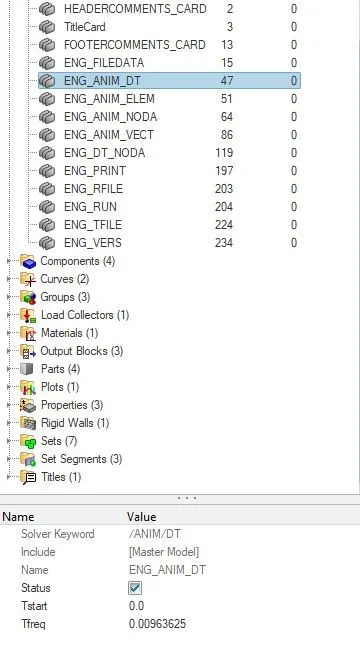
6. Change /print- 10.
Ans:
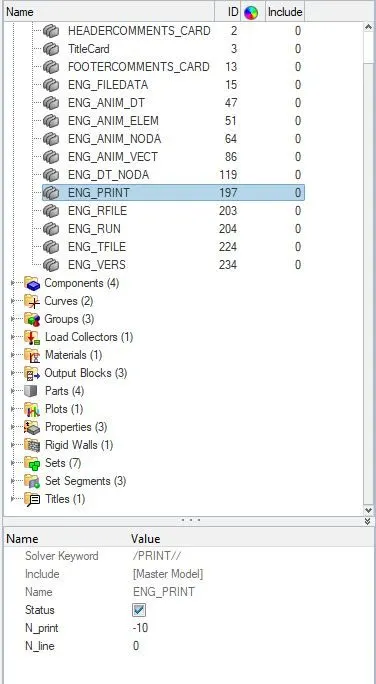
7.
AIM:
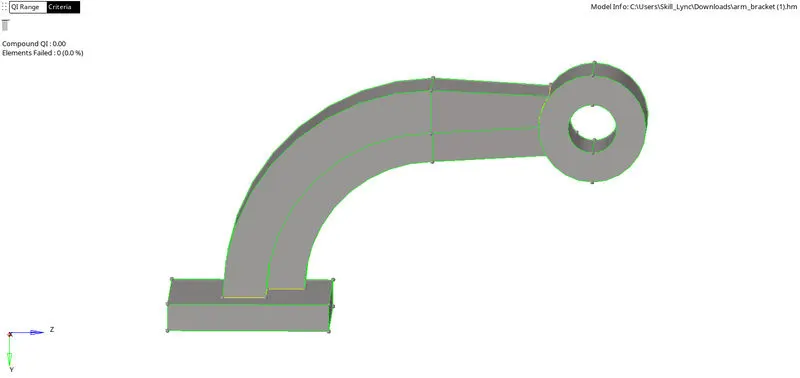
To do 3d meshing, tetra meshing and hexa meshing for the given models.
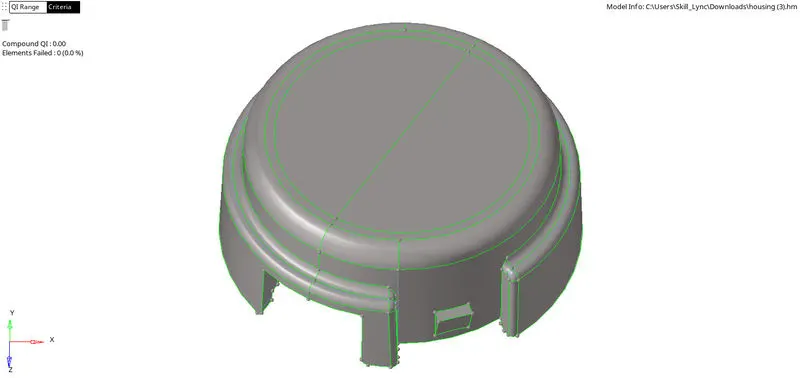
GIVEN MODELS:
PROCEDURE:
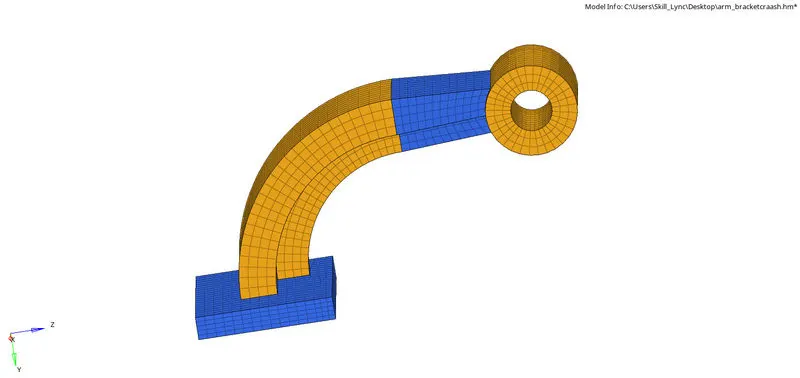
MODEL 1: ARM BRACKET;
Here we have to conduct hexa meshing.
This model is devided into 3 parts.
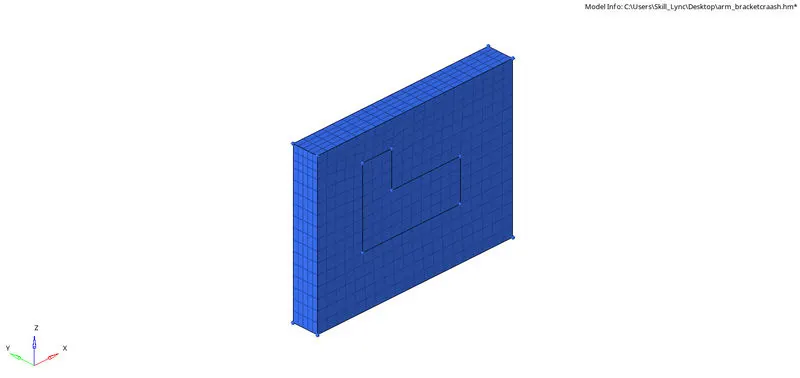
BASE PART:
- Here we consider only the base part of the model.
- Here we should conduct 2d meshing on one surface and have to element offset it to create a total 3d meshing by selecting the surfaces we need.
- For 2d meshing, 2d>automesh and select the surface.
- For element offset, 3d>element offset>solid layers.
- Here select the elements that have to offset, select the surface till which we require element offset, provide number of layers value and total thickness value.

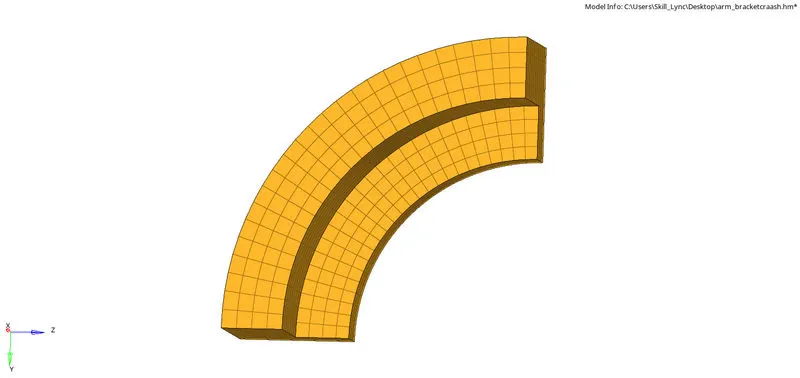
ARM CURVE PART:
- Since this is a curved part, we can use spin option.
- inorder to spin, we first need to create a centre nod by going to geom>nodes>select lines and make a arc centre .
- then we should go to 3d>spin>spin elements.
- Here we have to select the elements that need to be spinned, select the axis of spin and set the arc center as the base point.
- then we should provide the angle as 90 as the geom demands and give the numper of elements that need to be created in a row in on spin option.

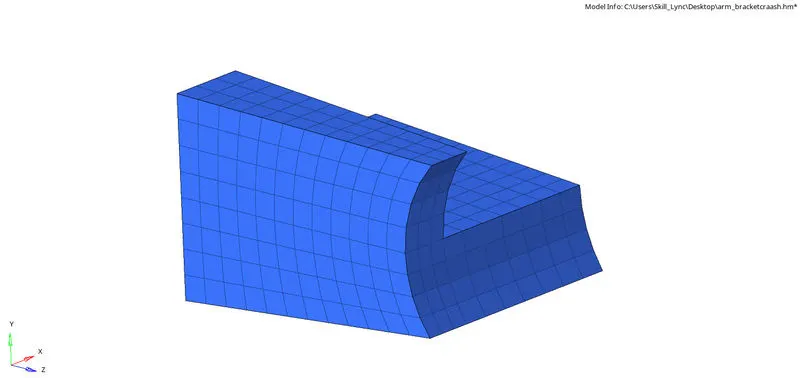
ARM STRAIGHT PART:
- Here we use linear solid option.
- Before going to linear solid option we need to work on this part. We have to find the face of the curved part component inorder to get the 2d shell element faces to do linear solid option.
- here we go to 3d>linear solids.
- before that we need to 2d mesh on the other side of the part to give the to elements option
- after performing the 2d mesh in other side we can give the to elements as these elements.
- here we then to give the alignment nodes to specify the aligning of nodes and provide density as 12 as the numper of elements created in the row.

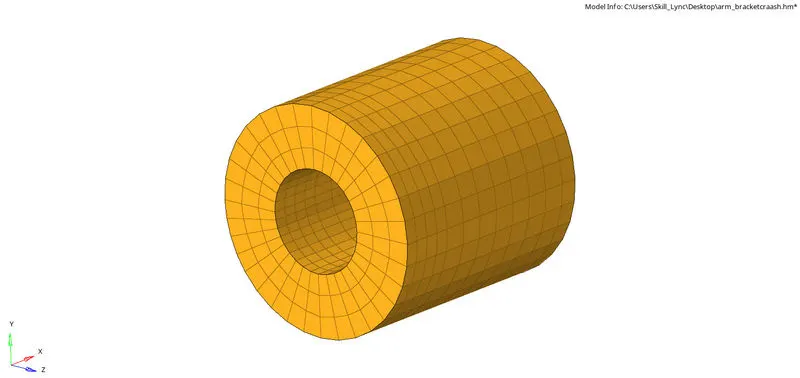
BOSS PART:
- Here we use solid map option in 3d.
- Then we conduct 2d mesh on one of the flat surfaces to show the elements.
- Then go to 3d>solid map>general.
- Set the source geometry as none.
- Set the destination geometry as surface.
- Select the 2d mesh conducted on one of the flat surfaces as the elements to drag.
- Set the along geometry as mixed to show the path clearly.
- Select the node path and we can click on mesh.

FINAL MODEL:
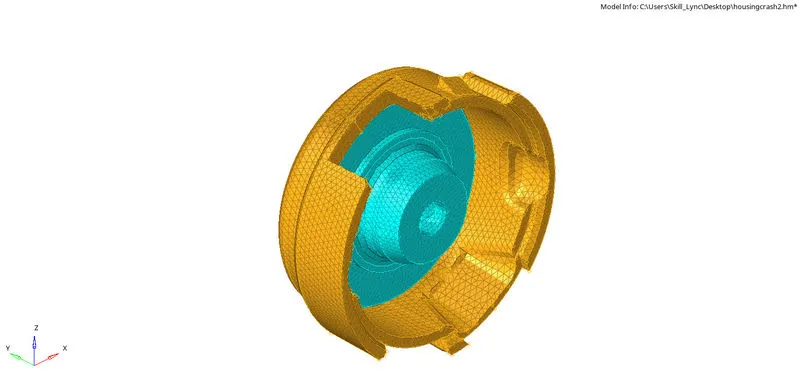
MODEL 2: HOUSING;
Here we have to conduct tetra meshing.
This model is devided into 2 parts.
- Here first we go to 3d>tetra mesh>tetra mesh parameters.
- Then we give the tetra mesh size as 5, tetcollapse value as 0.15 and also we should tick on fill voids, fill midnodes, and smoothing options.

- here we get a proper tetra mesh in both the parts.

- inorder to check for tet collapse we go to element check 'f10' and click tetcollapse and set value as 0.15.
- and we came to know that there is zero tetcollapse errors.
FINAL MODEL:
RESULT:
3d mesh, tetra mesh and hexa mesh was conducted on the given models.