Assignment 2-RADIOSS Engine File Editing & 3D Meshing Challenge
Aim:
1. Check the material properties of the rail component and calculate the speed of sound in steel rail=_______
2. The length of the rail is about 1000 mm.calculate the time takes for a shock wave to travel from one end of the rail to the other.
3.Time for sound to travel length of rail=______
4.Edit the engine file so that the stress wave can be monitored, moving from one end of the rail to the other during impact -this will require a termination time equal to the time it takes for the sound to travel the length of the rail(set on/RUN card)
5.Set the frequency of animation output to a time that will give 20 animation steps(/ANIM/DT)
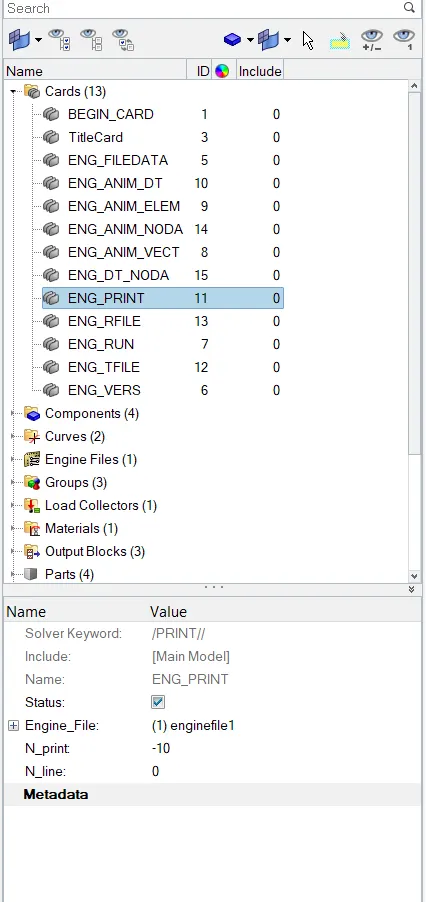
6.Change /print -10.
7.3d meshing tetra mesh and hex mesh
- Repeat class examples and, maintain the quality.
- Target tet size=5mm,hex size=10mm,tet collapse=0.15
Procedure:
A. Hex meshing
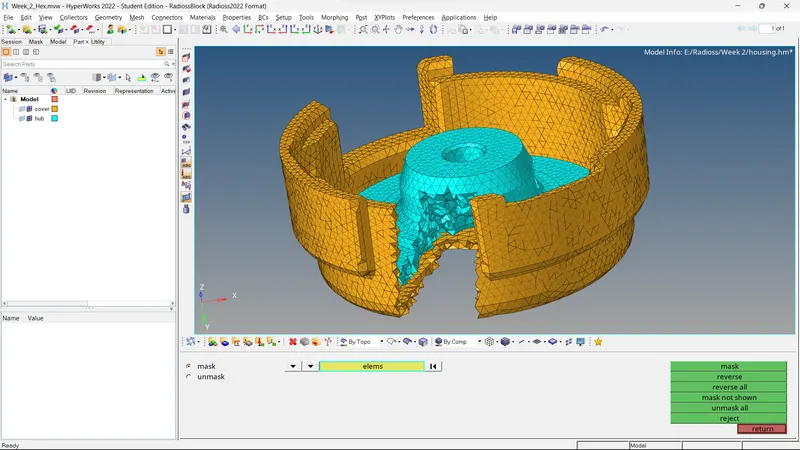
1. Import the model in the deck and input the criteria and parameters as 10mm size and tet collapse at 0.15 whilst leaving everything else.
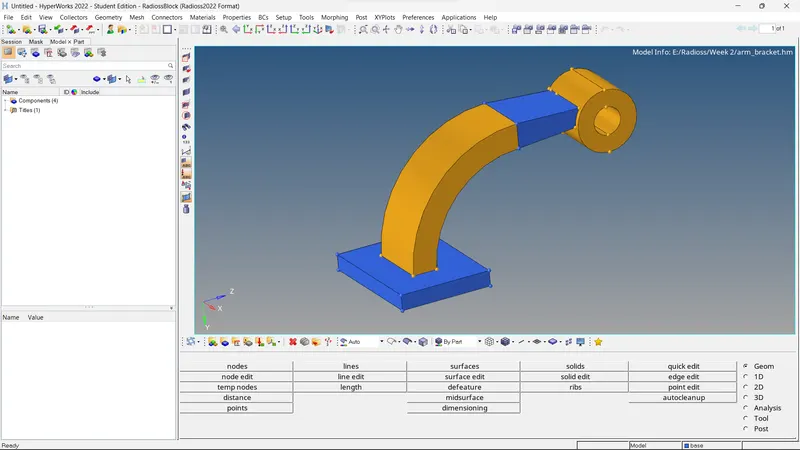
2. Mesh the base part first and ensure that there are no failing elements or tria elements if possible
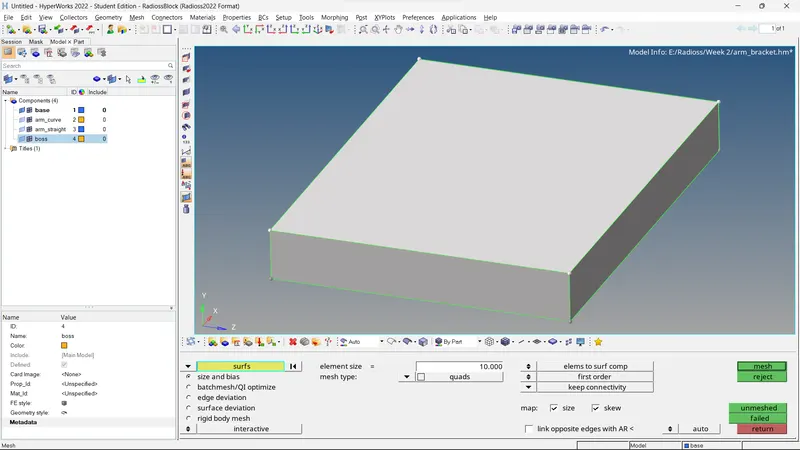
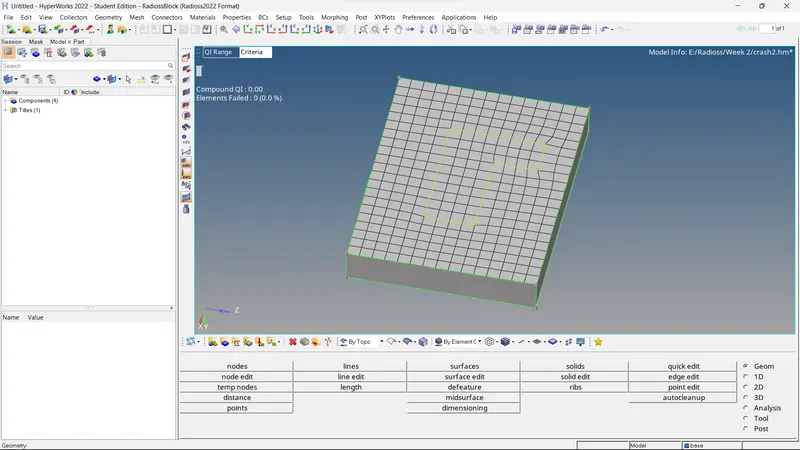
3. 3D mesh the base using solidmap option

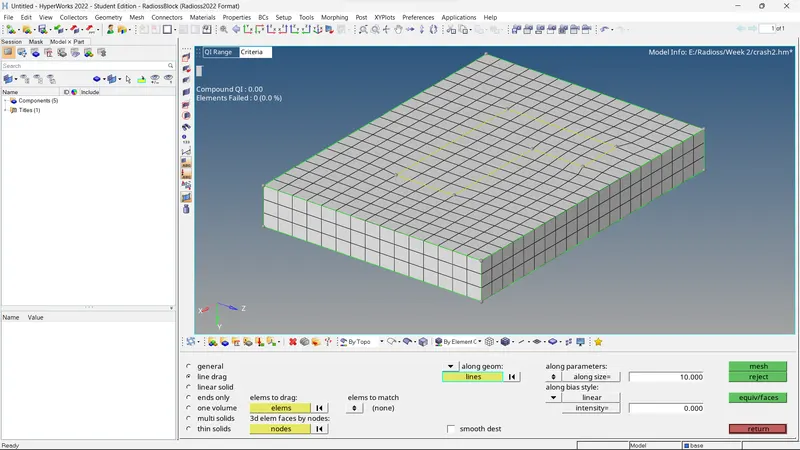
4. Use spin option to rotate the corresponding elements of the arm curve out of the base elements by 90 degrees

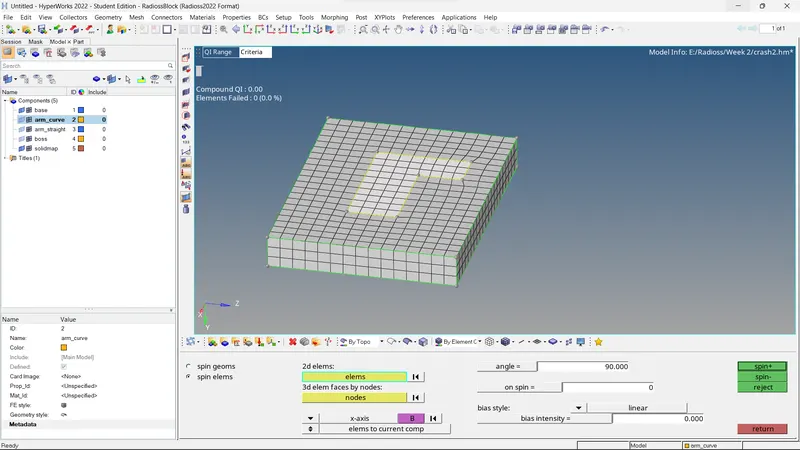
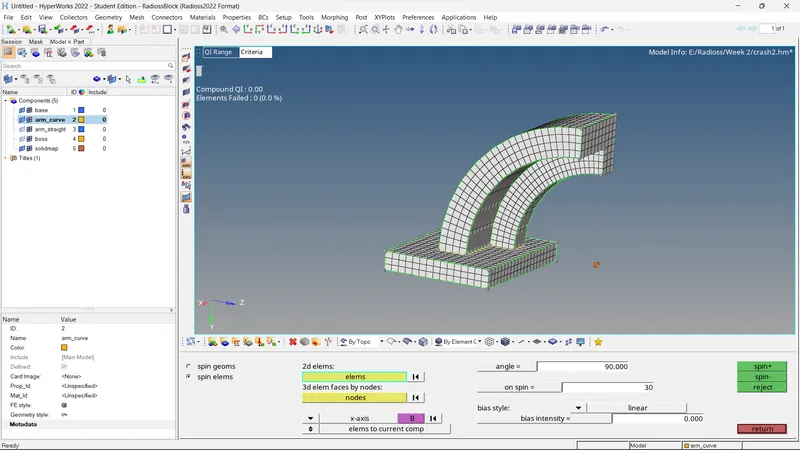
5. Use find faces option to create 2D elements on the end of arm curve so that arm straight part can be modelled
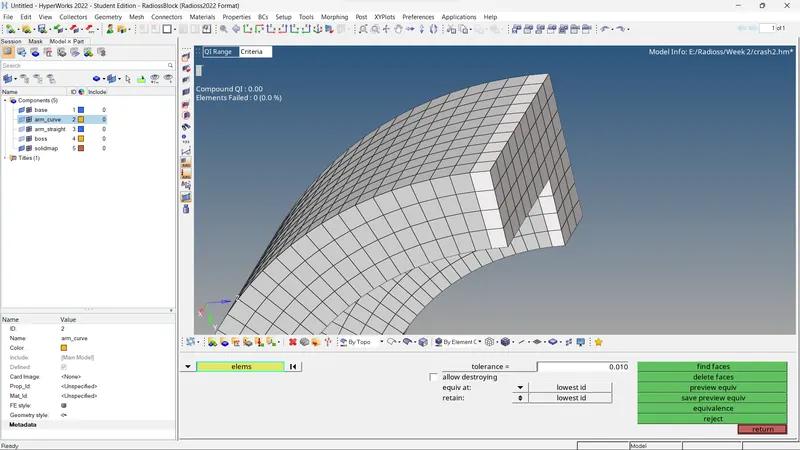
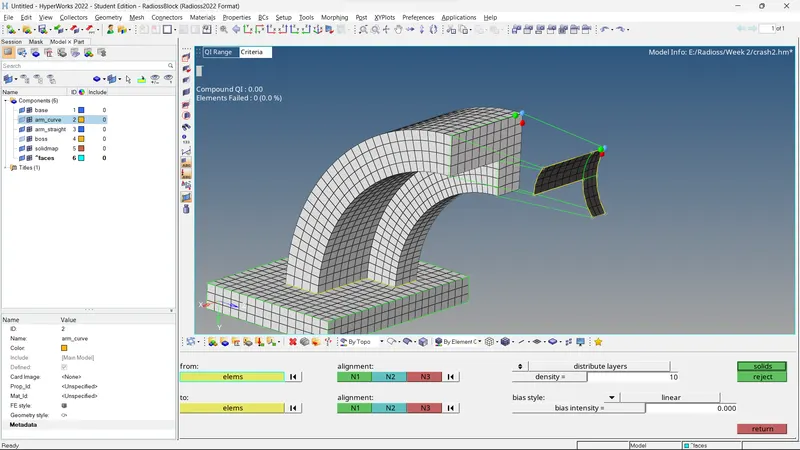
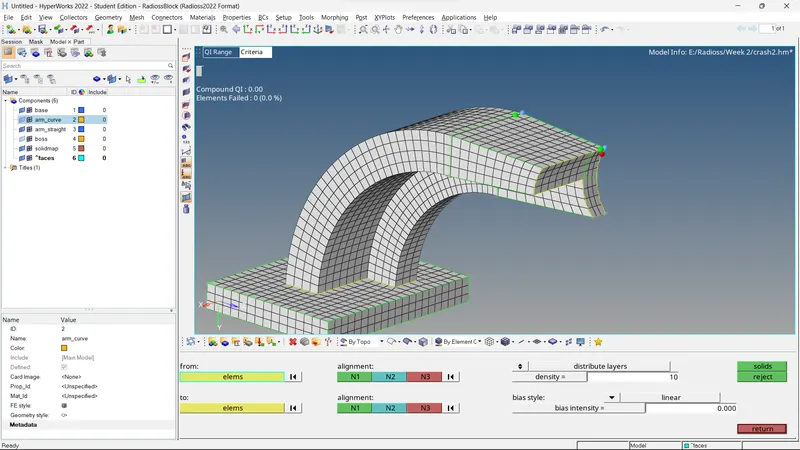
6. 2D mesh the end of arm straight component and match the exact element as that on the arm curve so that they can be mapped using linear solid
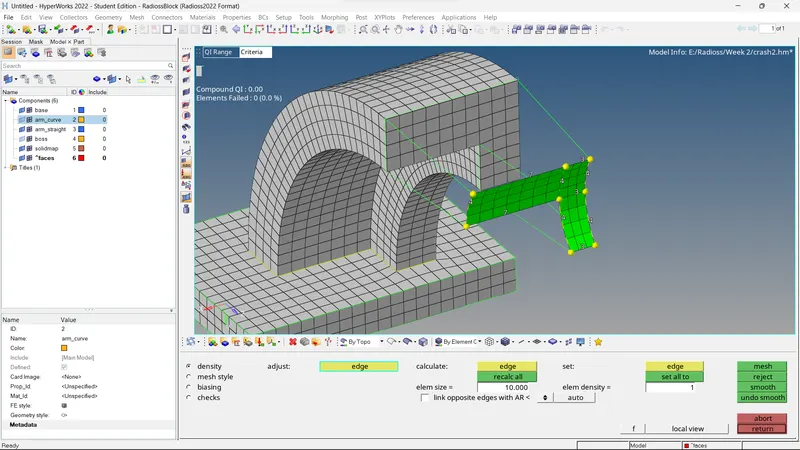
7. Use linear solid and then define alighnment nodes to realise a 3D mesh
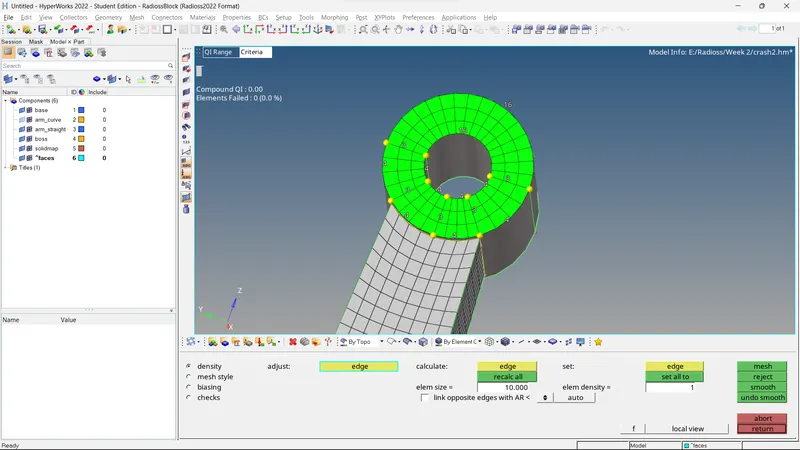
8. 2D mesh the boss feature on the flat side and make sure to make equal element in all quadrants
9. Create nodes on the elements line through which the 3D mesh will be defined so that it alignes with the mesh on arm straight component and use temp nodes option and quick edit panel
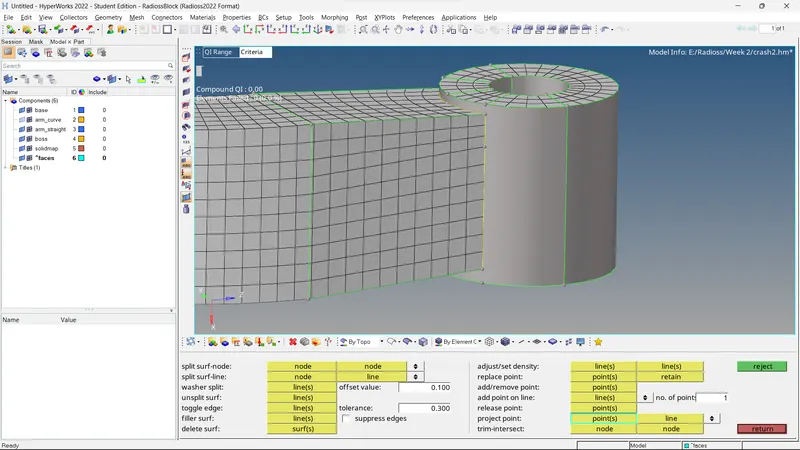
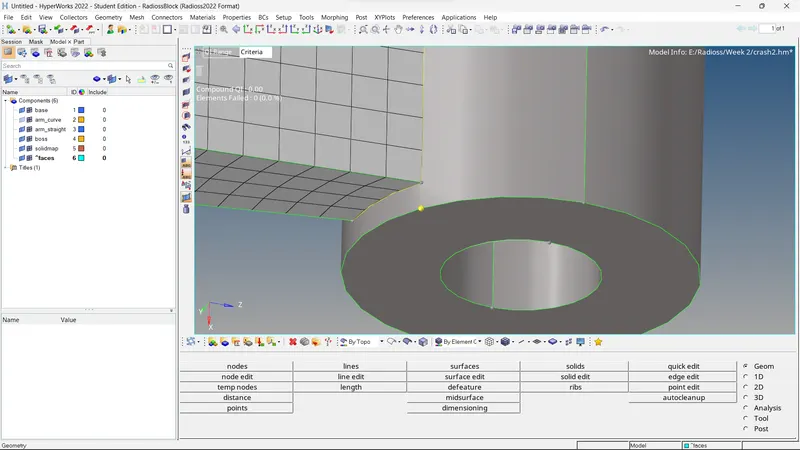
10. Use solidmap to realise a 3D mesh with the node path as a referenece and the surface 2D mesh
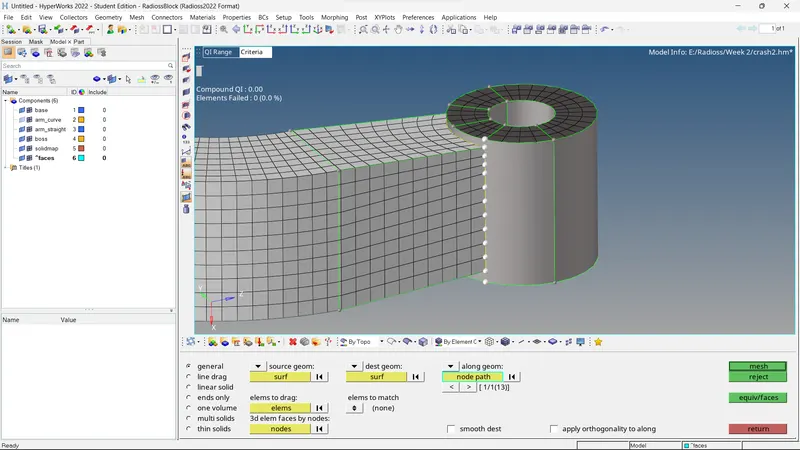
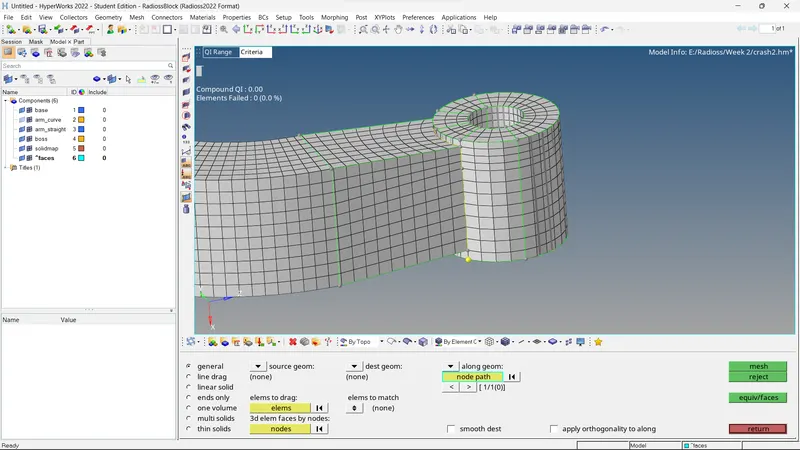
11. Use delete enitity by config and select quad4 type to remove all 2D elements
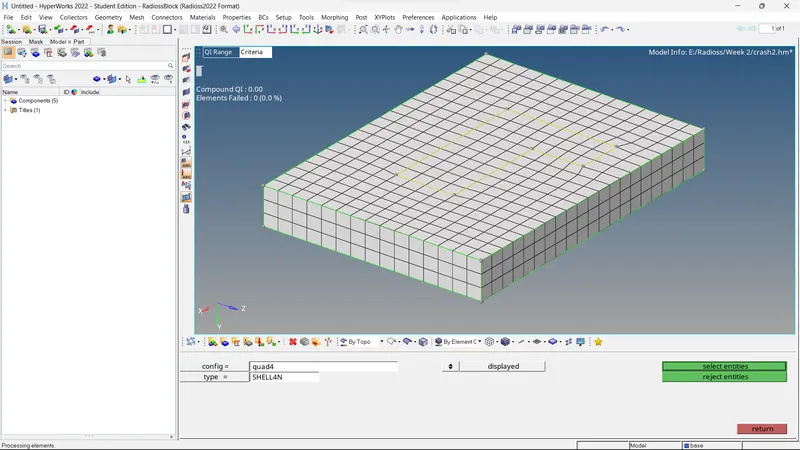
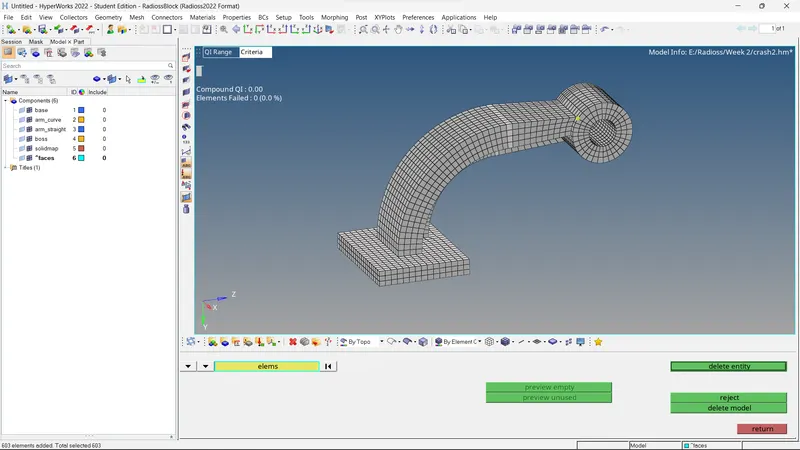
12. Use organise option to assign each mesh elements to the corresponding components
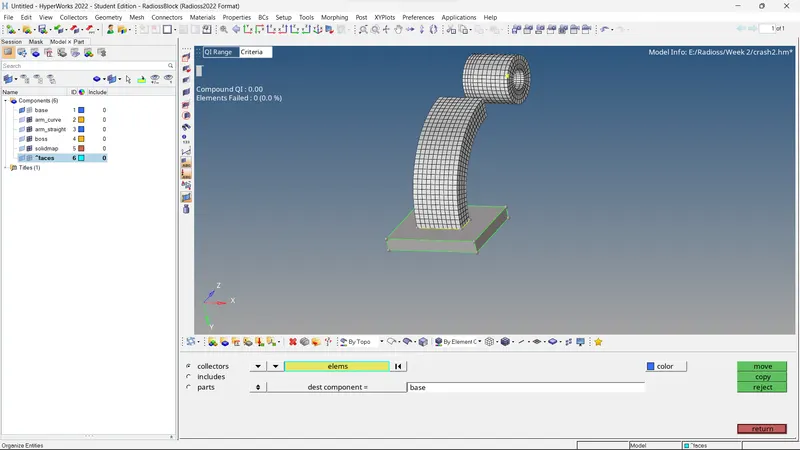
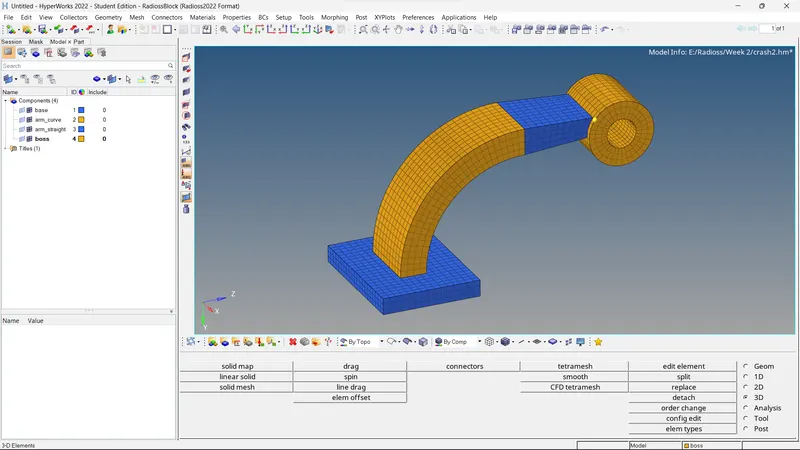
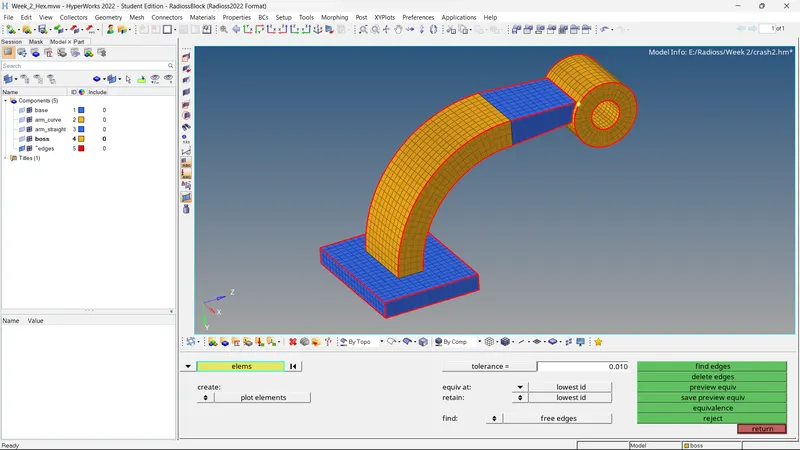
13. Use find edges and equivalence to find and remove any edges between elements and join necessary elements to ensure a uniform connected mesh and check for any failing elements too
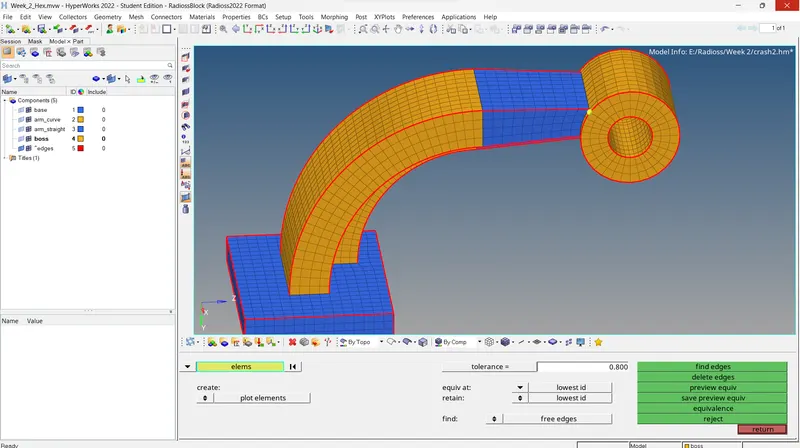
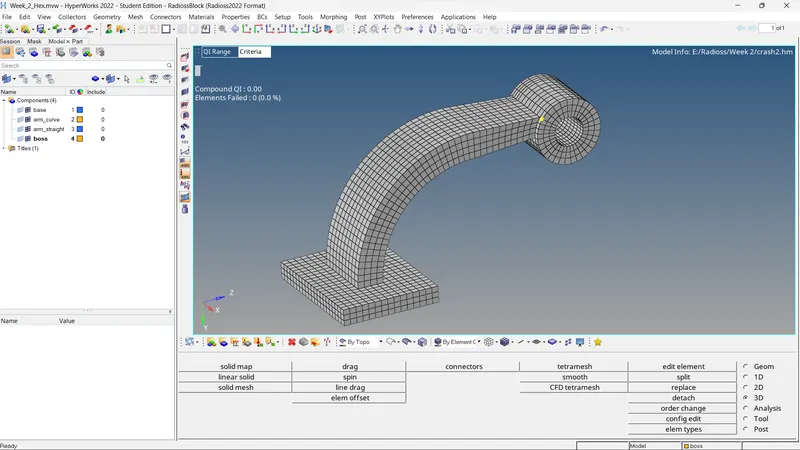
B. Tet mesh
1. Import the file in the solver
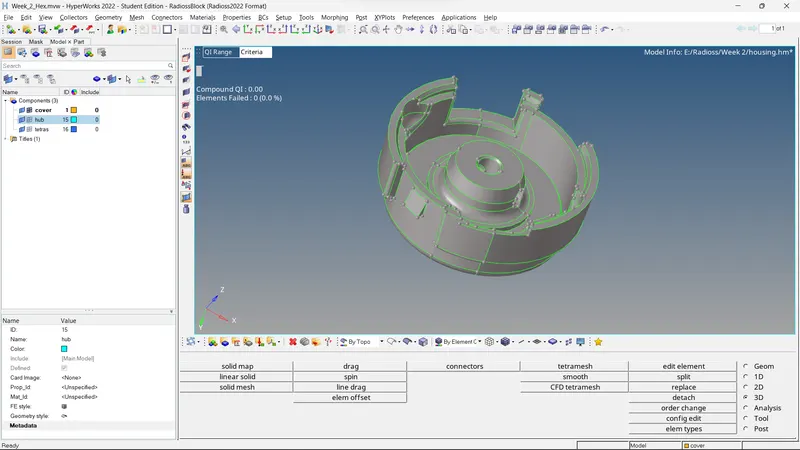
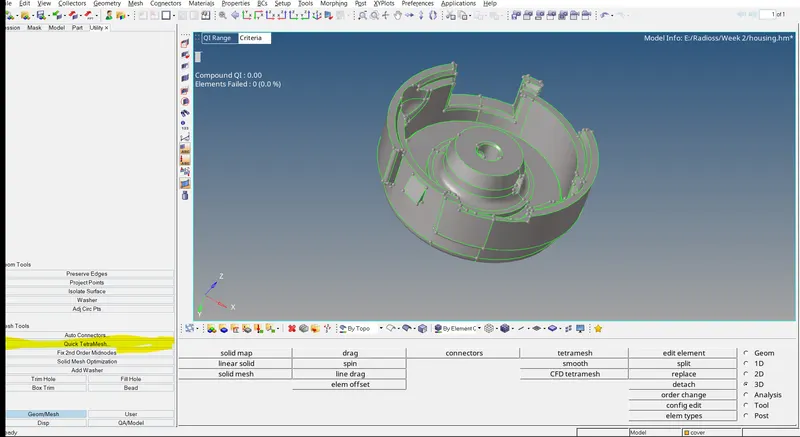
2. Open utility options
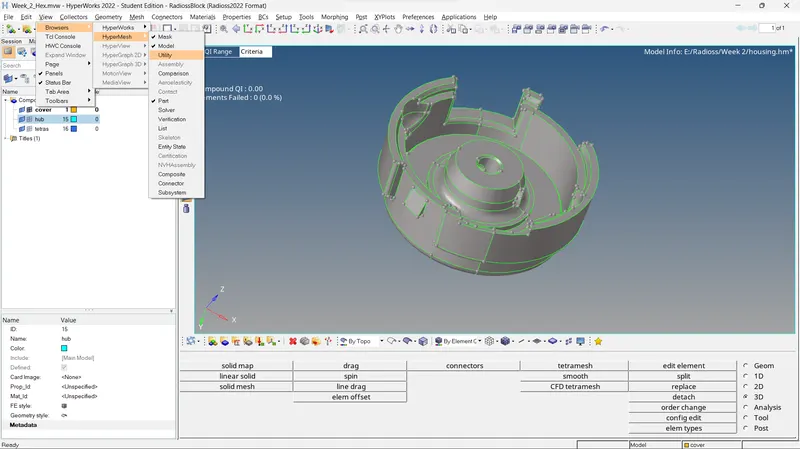
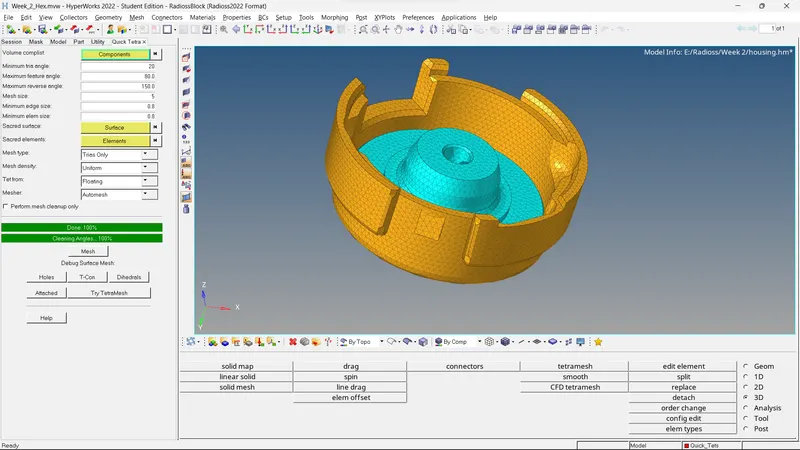
3. Use quick tetra mesh to mesh the model in oneshot
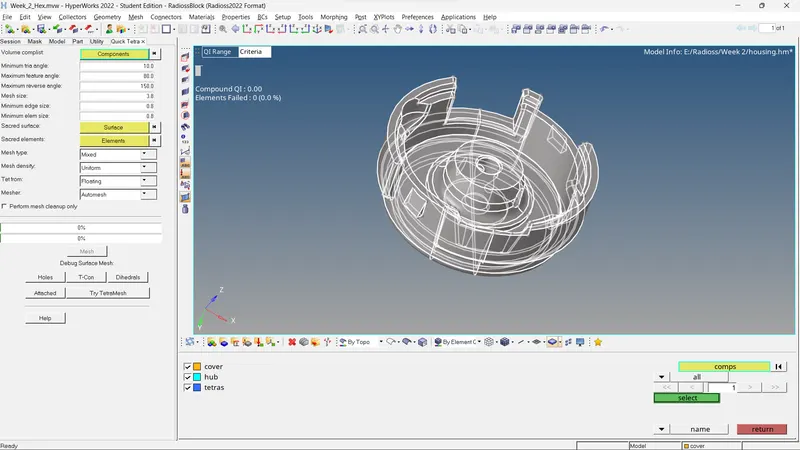
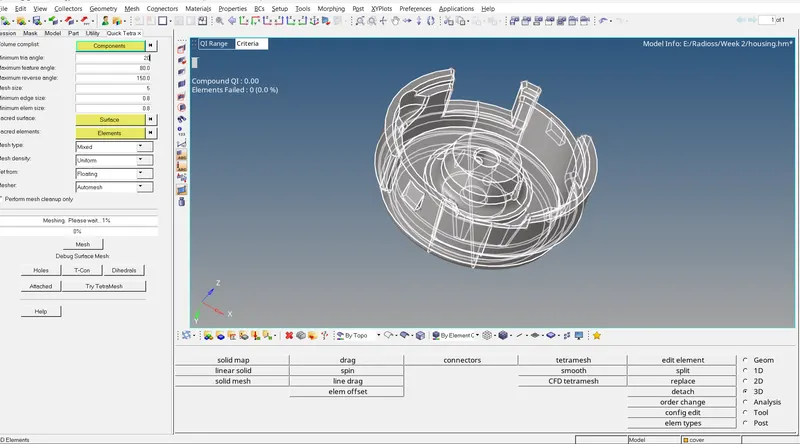
4. Input necessary models and parameters
C. Radioss engine and starter file
1. Import the solver deck using import option from Radioss hypermesh and check the parameters
The material is STEEL
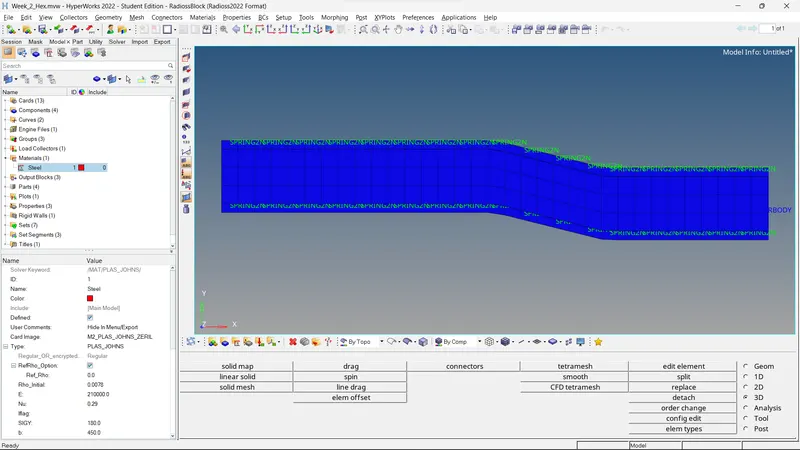
The speed of sound in this component can be calculated by using the formula

Where E = 210000, rho = 0.0078
by solving, we get that c = 5,188.74 m/s
2. Shockwave travels at the speed of sound, therefore they are the same here
and T = D/S
by solving, T = 1000/5,188.7452
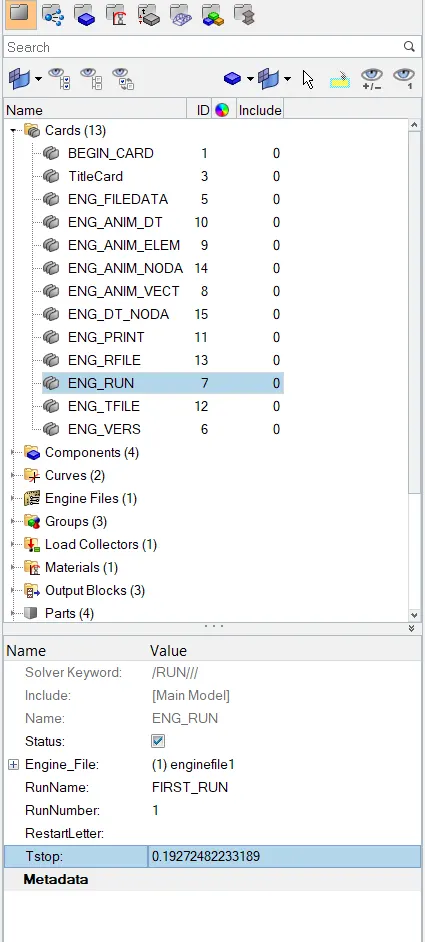
T = 0.1927248223318863 ms, it takes this much time for the shockwave to travel from one end to another of this steel rail
3. Time for shockwave will be same as time for sound,
so T = 0.1927248223318863 ms
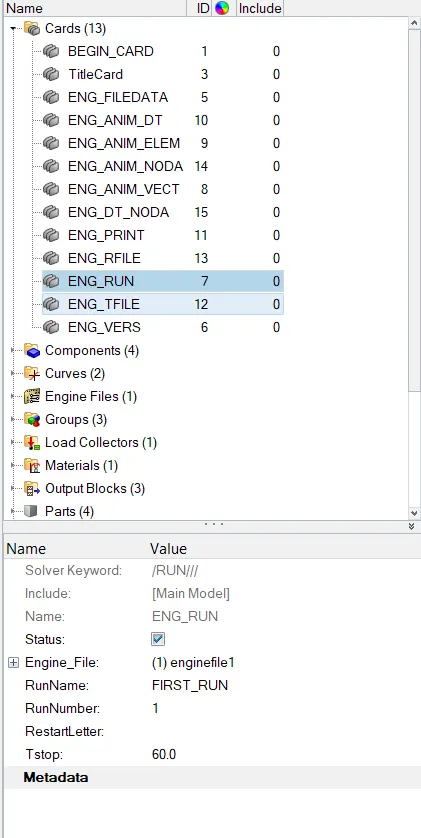
4. Go the cards option in Model tree and select ENG_RUN, then edit the Tstop to the obtained time taken by shockwave to travel through the steel rail
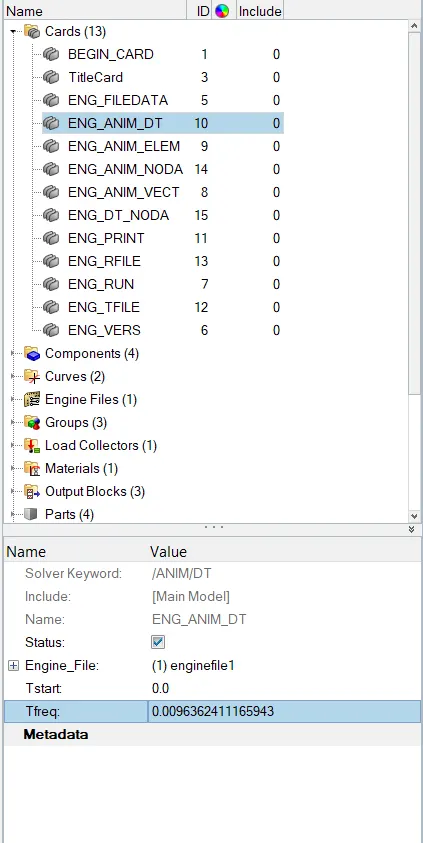
5. Go to ENG_AMIN_DT card and change the time frequency that needs to give 20 animation files in the given time
this means 20 outputs in the time it takes for the sound to travel end to end to the rail
so F = T/R,
F = 0.1927248223318863/20
F = 0.0096362411165943
Input this value in the Tfreq
6. Similarly, just change the Print value from the ENG_PRINT card and change to it -10 as required
RESULTS: 1. The required models have been achieved
2. Mesh flow has been realized without errors
3. Successfully changed the required parameters for the simulation
4. Calculated the parameters pertaining to the simulation
Learning outcomes:
1. Became familiar with the Radioss engine
2. Learnt 3D meshing(HEX and TETRA)
3. More familiarity with the solver
4. Learnt how to do calculations for parameters
5. Changing certain parameters via multiple ways
Note: The files are attached