Project 1 - Parsing NASA thermodynamic data
Aim:
- To read and evaluate the NASA thermodynamic data
- Calculate molecular weight of the species
- Plotting Specific Heat, Enthalpy and entropy vs temperature graph for the species.
Theory:
Data parsing is a process in which a string of data is converted from one format to another. If you are reading data in raw HTML, a data parser will help you convert it into a more readable format such as plain text. Not all the information is converted during the parsing process and programs have their own sets of rules when it comes to parsing information.
In short, a data parse program is used for converting unstructured data into usable information that can be manipulated and can be incorporated in functions.
Input Formula:

R is the universal gas constant = 8.314
Explaining the code:
Molecular weight: Defined the molecular weight formula as a function that can be called upon in the main code
- Write the function with the call sign and the required inputs
- Define the elements of the function(atomic mass and elements that will be used to calculate the molecular weight)
- write a double for loop defining for elements and comparing species name for every string in the elements
- writing an str2num syntax with if loop such that elements with 2 molecules can also be identified from the data file.
function[M] = molecular_weight(species_name)
Atomic_mass = [15.99,1.008,12.011,14.007,39.948];
Elements = ['O','H','C','N','A'];
M = 0;
for i=1:length(species_name)
    for j=1:length(Elements)
    if strcmp(species_name(i),Elements(j))
        M = M + Atomic_mass(j);
        p = j;
    end
    end
    %Write for elements with 2 molecules such as O2,N2
    n=str2num(species_name(i));
    if n>1
        M = M + Atomic_mass(p)*(n-1);
    end
    Y = M;
end
Specific Heat:
- Write the function with the call sign and the required inputs
- Define the elements of the function(a1-a14 co-efficients, temperature ranges)
- Write an if loop such that if temperature is less than local mid temperature, co-efficents from a1-a7 are selected and if it is more than local mid temperature, co-efficients from a8-a14 are selected for calculation.
function[Cp] = specific_heat(a1,a2,a3,a4,a5,a6,a7,a8,a9,a10,a11,a12,a13,a14,local_low_temperature,local_mid_temperature,local_high_temperature,T)
%If loop to create the desired co-efficient condition
if(T>local_mid_temperature)
    Cp = a1 + a2*T + a3*T.^2 + a4*T.^3 + a5*T.^4;
else
    Cp = a8 + a9*T + a10*T.^2 + a11*T.^3 + a12*T.^4;
end
Enthalpy:
- Write the function with the call sign and the required inputs
- Define the elements of the function(a1-a14 co-efficients, temperature ranges)
- Write an if loop such that if temperature is less than local mid temperature, co-efficents from a1-a7 are selected and if it is more than local mid temperature, co-efficients from a8-a14 are selected for calculation.
function[H] = Enthalpy(a1,a2,a3,a4,a5,a6,a7,a8,a9,a10,a11,a12,a13,a14,local_low_temperature,local_mid_temperature,local_high_temperature,T)
%If loop to create the desired co-efficient condition
if(T>local_mid_temperature)
    H = a1 + a2*(T/2) + a3*((T.^2)/3) + a4*((T.^3)/4) + a5*((T.^4)/5) + a6./T;
else
    H = a8 + a9*(T/2) + a10*((T.^2)/3) + a11*((T.^3)/4) + a12*((T.^4)/5) + a13./T;
end
Entropy:
- Write the function with the call sign and the required inputs
- Define the elements of the function(a1-a14 co-efficients, temperature ranges)
- Write an if loop such that if temperature is less than local mid temperature, co-efficents from a1-a7 are selected and if it is more than local mid temperature, co-efficients from a8-a14 are selected for calculation.
function[S] = entropy(a1,a2,a3,a4,a5,a6,a7,a8,a9,a10,a11,a12,a13,a14,local_low_temperature,local_mid_temperature,local_high_temperature,T)
%If loop to create the desired co-efficient condition
if(T>local_mid_temperature)
    S = a1.*log(T) + a2*T + a3*((T.^2)/2) + a4*((T.^3)/3) + a5*((T.^4)/4) + a7;
else
    S = a8.*log(T) + a9*T + a10*((T.^2)/2) + a11*((T.^3)/3) + a12*((T.^4)/4) + a14;
end
Main File parsing code:
- Using fopen to input the data file as a readable function.
- Reading the lines(strings) using fgetl command
- Defining the constants
- Define the global temperatures from the data file by splitting the string intro elements and selecting the corresponding elements from the string for the temperatures
- Skipping unecessary lines by using fgetl command
- Writing a for loop to process the 53 species to calculate the Cp,S,H and molecular weight in an instant
- Splitting the next string into elements so that local temperatures can be defined for the species that will be used in the calculations of Cp,H and S and using . as the defining point for the temperatures for intervals
- Define the 14 co-efficients given in the data as a1-a14 by using E as a search point for the co-efficient values and converting them into numbers using str2num command, then define the rest of the co-efficients from a1 using regular interval calculation
- Calling the defined functions Cp,H and S and defining their values.
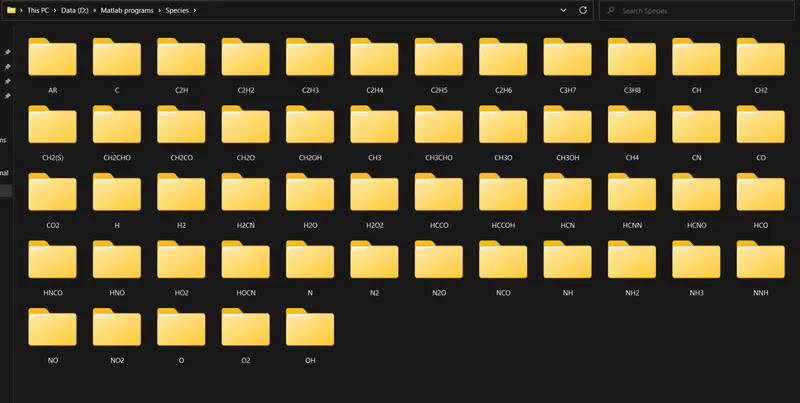
- Creating a directory by species name using mkdir
- Opening the folder using cd command
- Plotting the three defined functions for the species
- Saving the figures in the respective folder of every species using saveas command
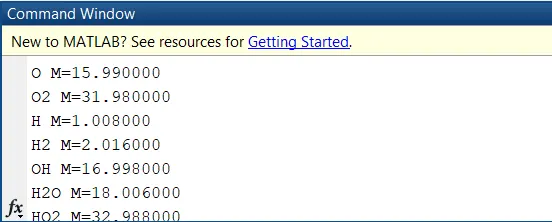
- Calculating and displaying molecular weight using the defined function.
Results:
Plot for O2 -
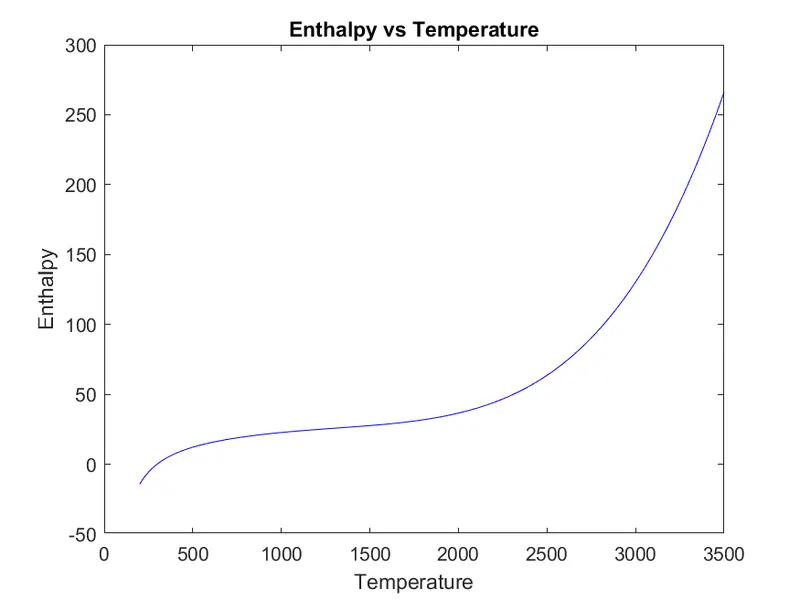
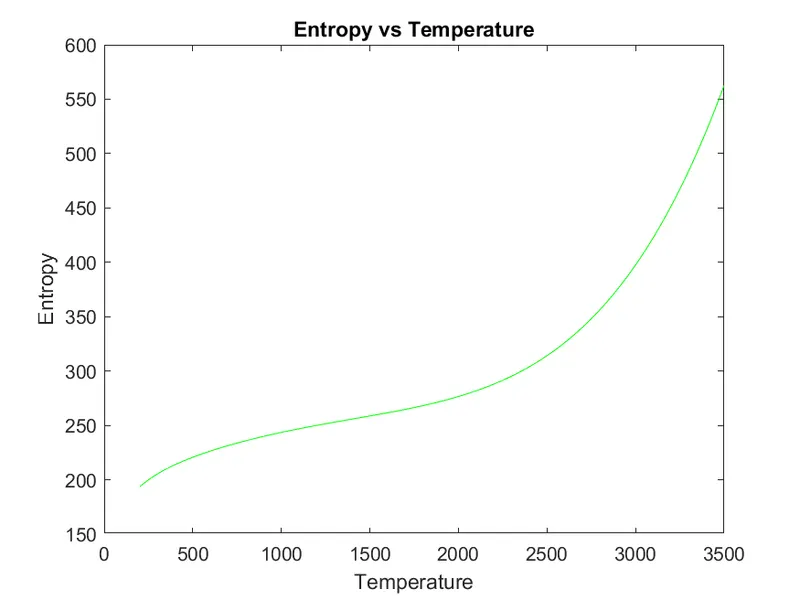
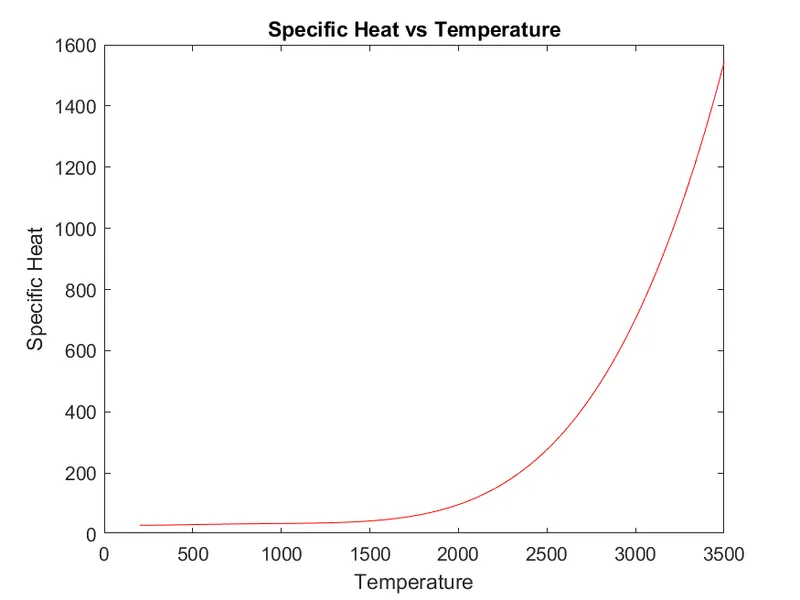
Molecular weight of O2-
Plot for N2-
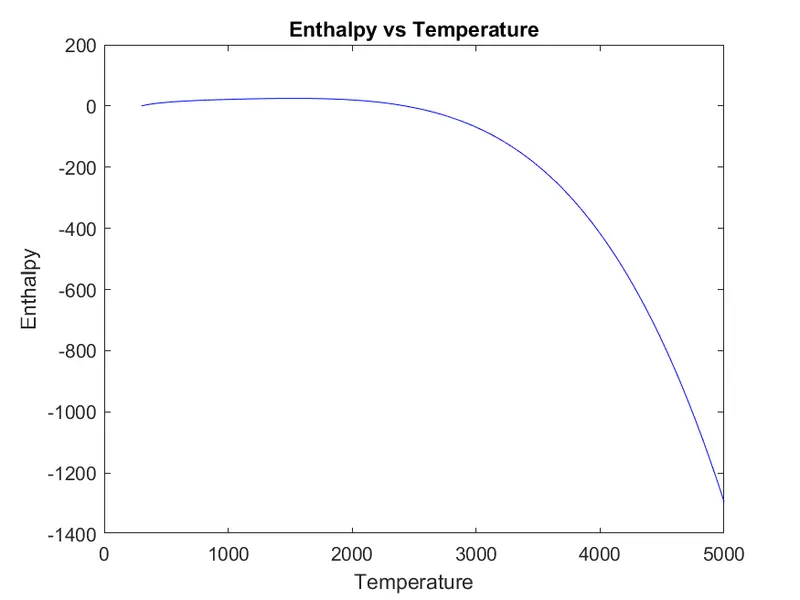
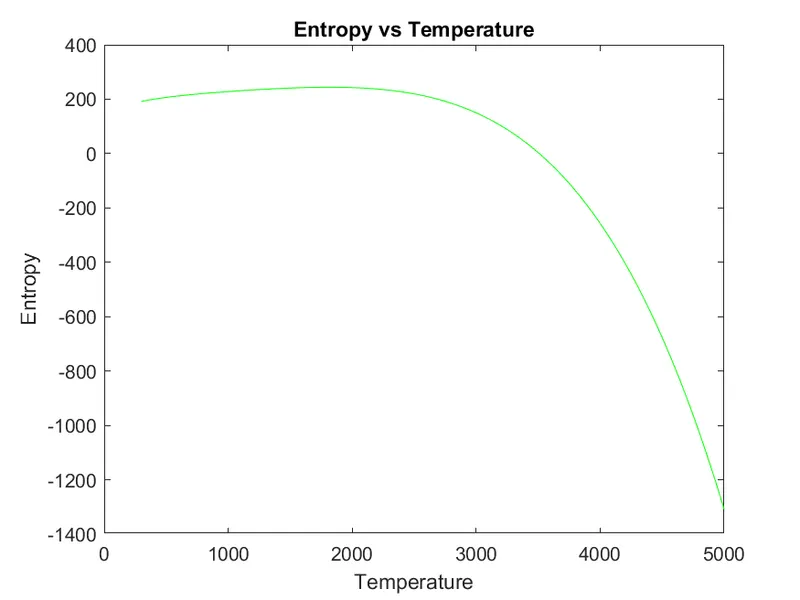
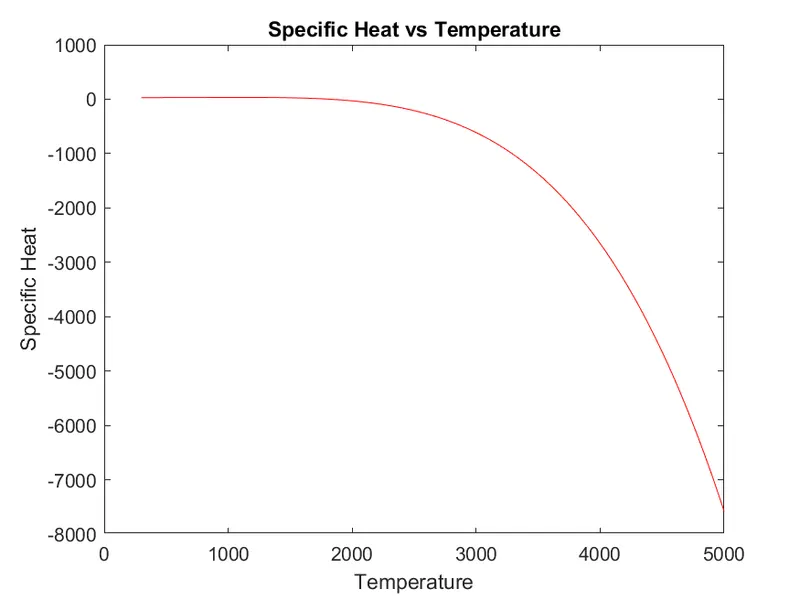
Molecular weight of N2-
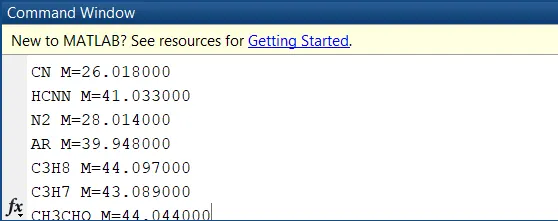
Plot for CO2-
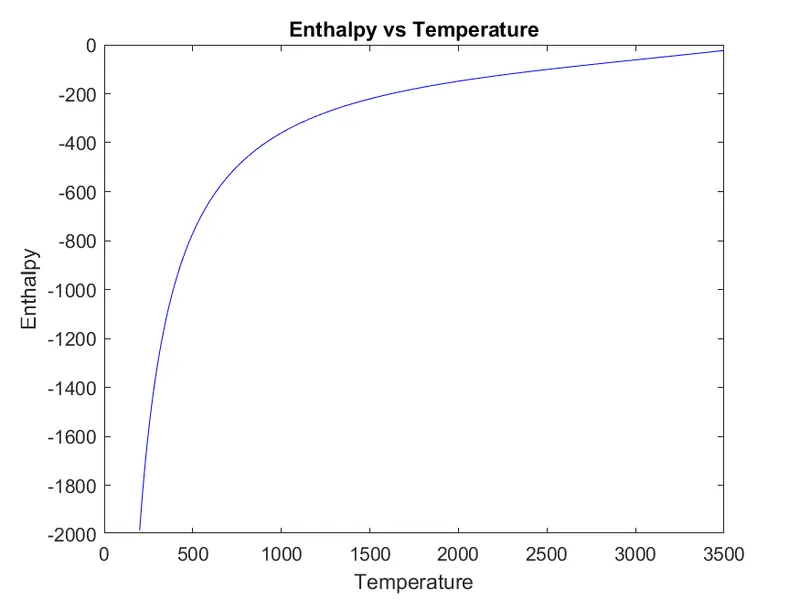
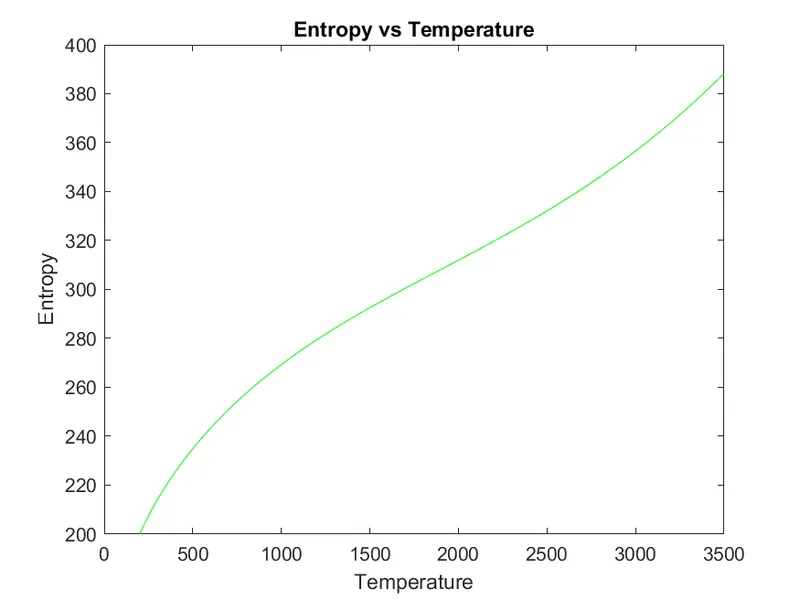
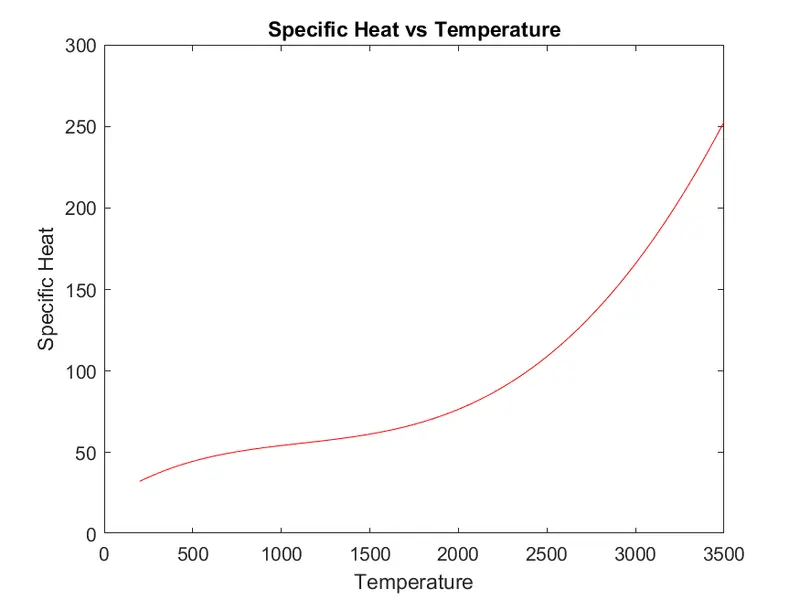
Molecular weight of CO2-
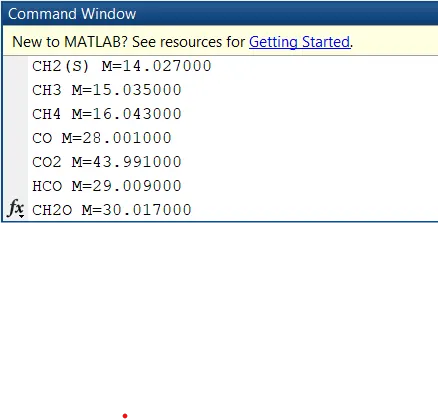
Screenshot of the folder
Encountered errors were due to some incorrect code writing and syntax which was fixed upon checking

References- Mathworks help section