Assignment 2-RADIOSS Engine File Editing & 3D Meshing Challenge
ASSIGNMENT NO 2
Engine File Snippet:
Questions:
1. Check the material properties of the rail component and calculate the speed of sound in steel rail=_______
2. The length of the rail is about 1000 mm.calculate the time takes for a shock wave to travel from one end of the rail to the other.
3.Time for sound to travel length of rail=______
4.Edit the engine file so that the stress wave can be monitored, moving from one end of the rail to the other during impact -this will require a termination time equal to the time it takes for the sound to travel the length of the rail(set on/RUN card)
5.Set the frequency of animation output to a time that will give 20 animation steps(/ANIM/DT)
6.Change /print -10.
7.3d meshing tetra mesh and hex mesh
- Repeat class examples and, maintain the quality.
- Target tet size=5mm,hex size=10mm,tet collapse=0.15
PROCEDURE AND DESCRIPTION:
7.3d meshing tetra mesh and hex mesh
- Repeat class examples and, maintain the quality.
- Target tet size=5mm,hex size=10mm,tet collapse=0.15
PART 1
1. OPEN HYPERWORKS AND OPEN ARM IN HYPERWORKS.
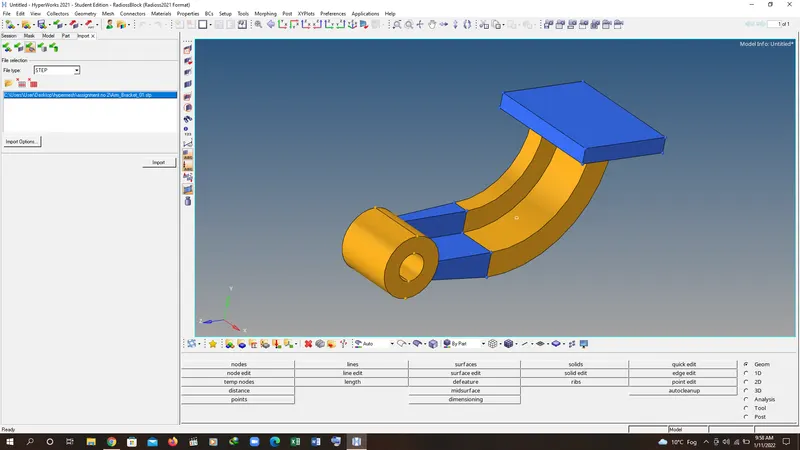
2. CHECK THE GEOMETERY IF IT NEEDS FOR CLEANUP.
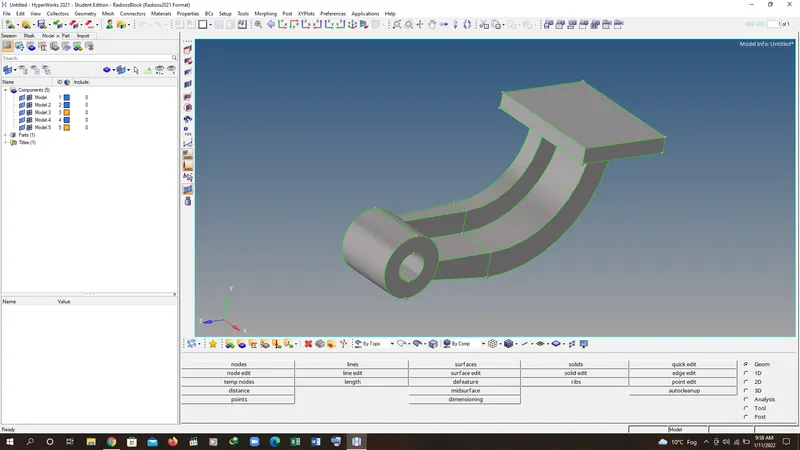
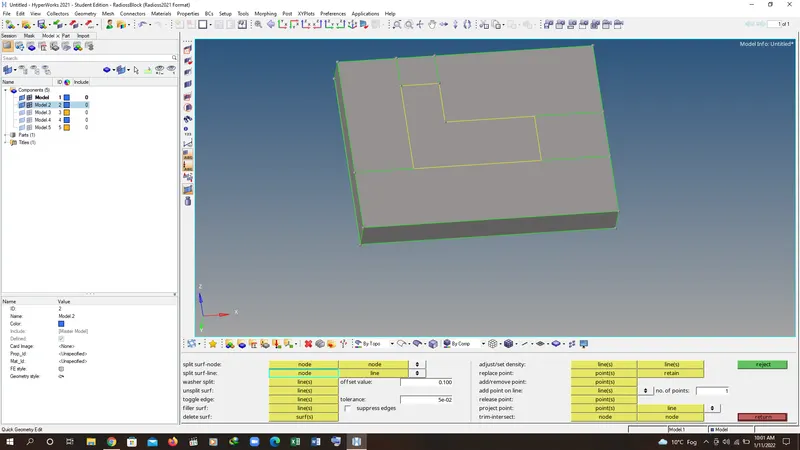
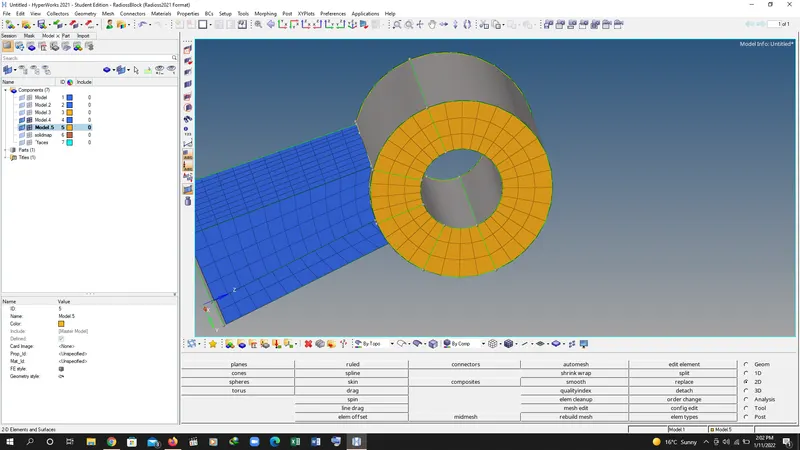
3. GO TO 2D MESH SELECT THE MESH STYLE TO HEX AND CREATE THE MESH KEEP THE SIZE OF HEX MESH IS 10MM.
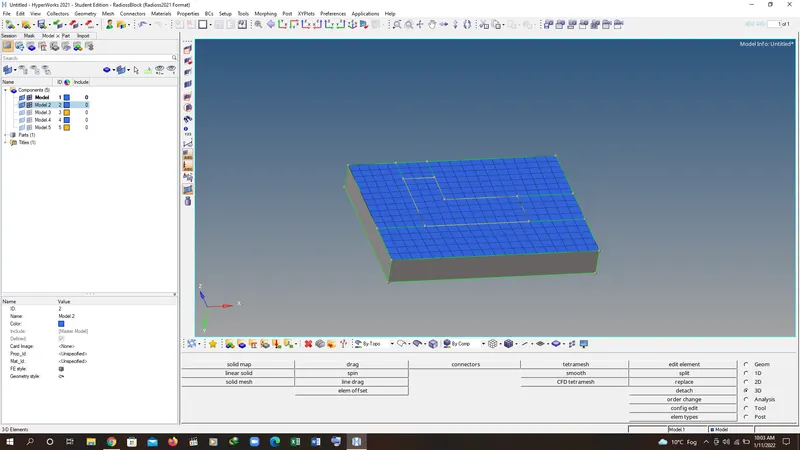
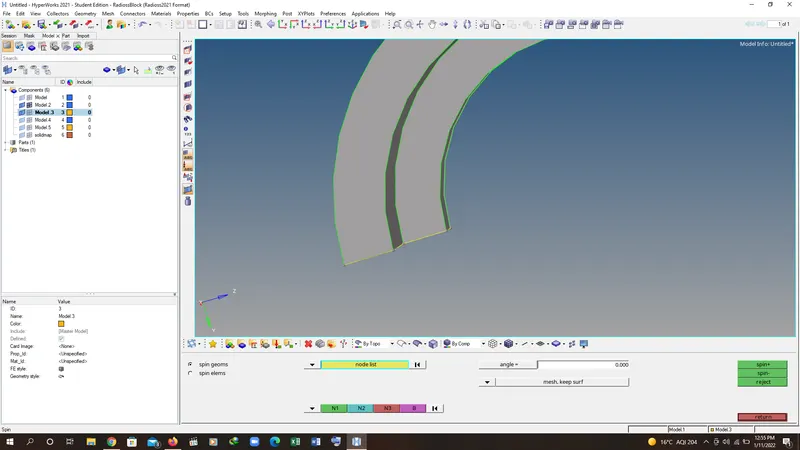
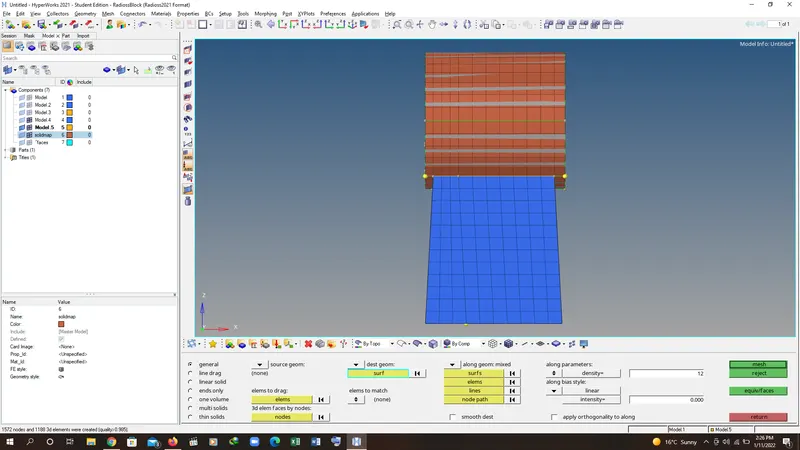
4. GO TO 3D MESH SELECT LINE DRAG COMMAND AND CREATE THE HEX MESH FOR THE PLATE.
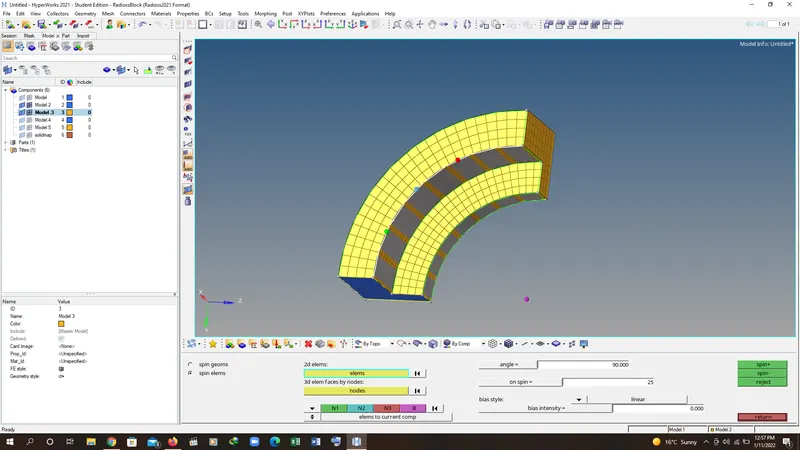
5. CREATE THE CENTER POINT FOR THE CURVE AND USE THE SPIN COMMAND TO CREATE THE HEX MESH IN THE NEXT PART OF THE COMPONENT.
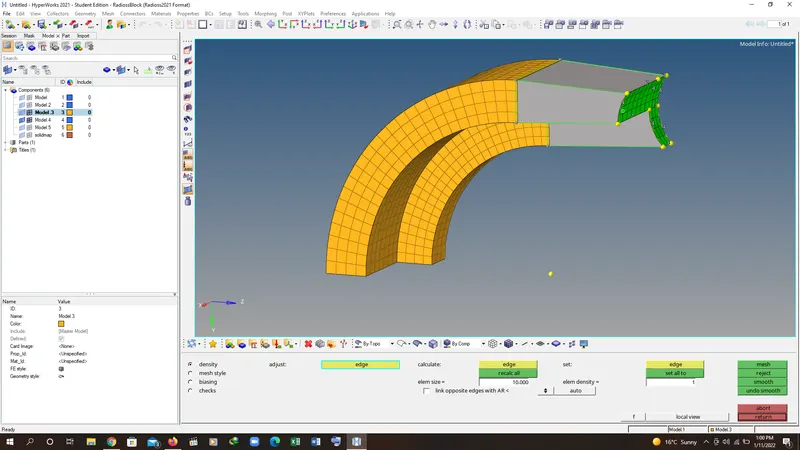
6. TO CREATE THE HEXMESH IN NEXT PART OF COMPONENT GO TO 3D MESH MOUDLE AND SELECT THE LINE DRAG.
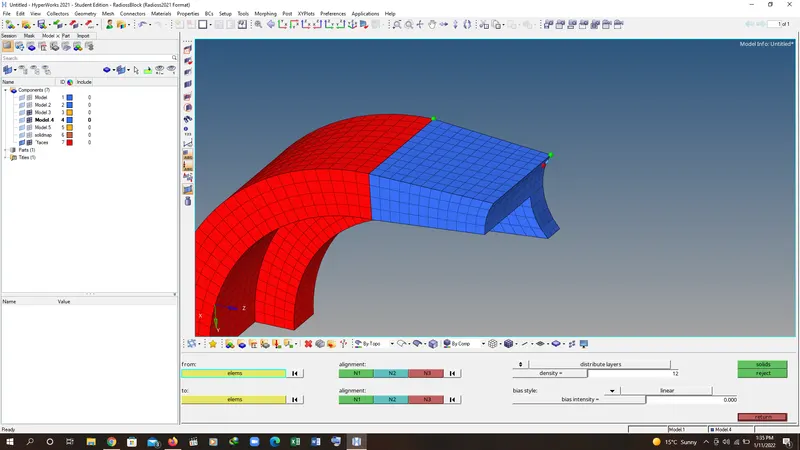
7. MESH THE CIRCULAR SECTION OF ARM ACCORDING TO THE NUMBERS WE REQUIRED. THEN GO TO LINE DRAG TO CREATE THE 3D HEX MESH AND SAVE THE ARM COMPONENT.
PART 2
1. OPEN THE HYPERWORKS AND OPEN THE 3D HOUSING COMPONENT.
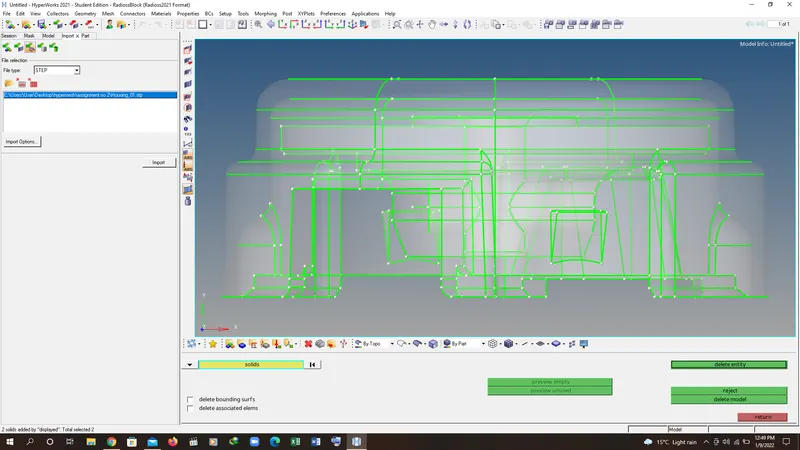
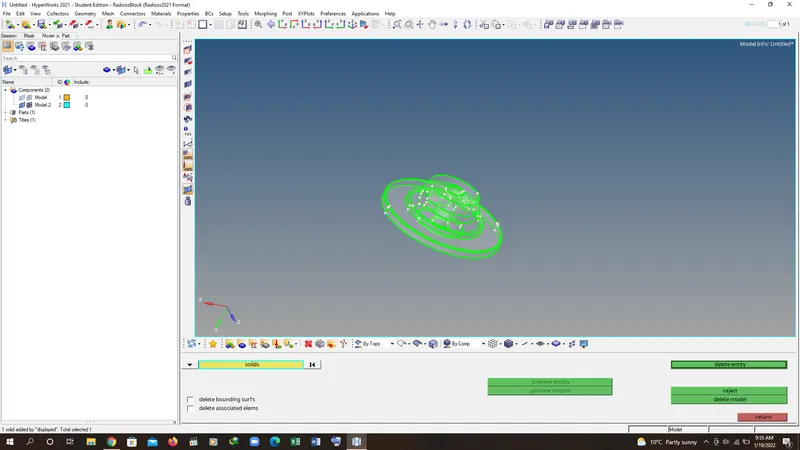
2. CREATE THE VOULME TATRA MESH BY KEEPING 5MM SIZE IN 3D MESH PANEL SELECT TETRA MESH AND GO TO VOLUME TATRA MESH AND SET THE PARAMETER IN PARAMETER SUB PANEL.
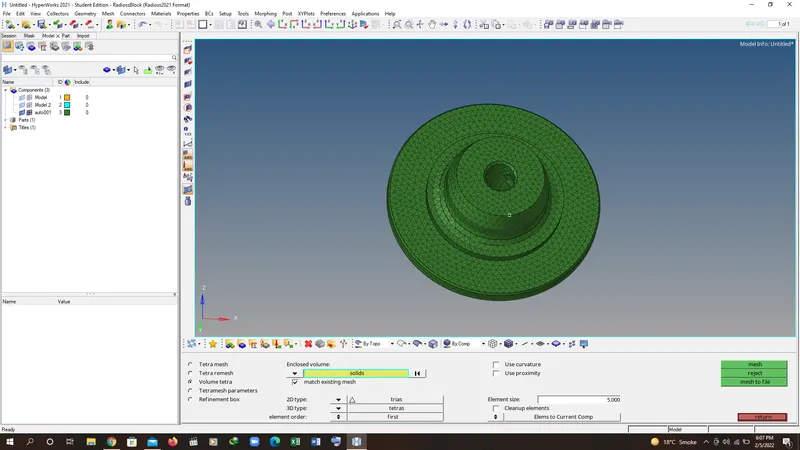
3. SELECT THE SOLID AND CRAETE THE MESH. FOR BOTH OF COMPONENT HUB AND ITS HOUSING.
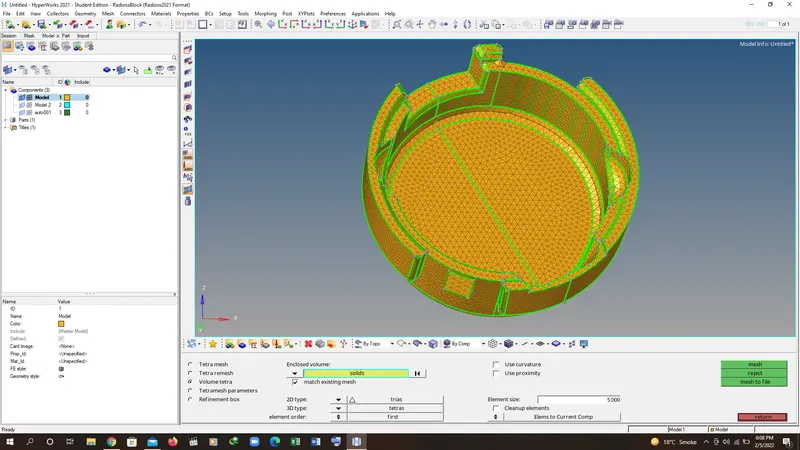
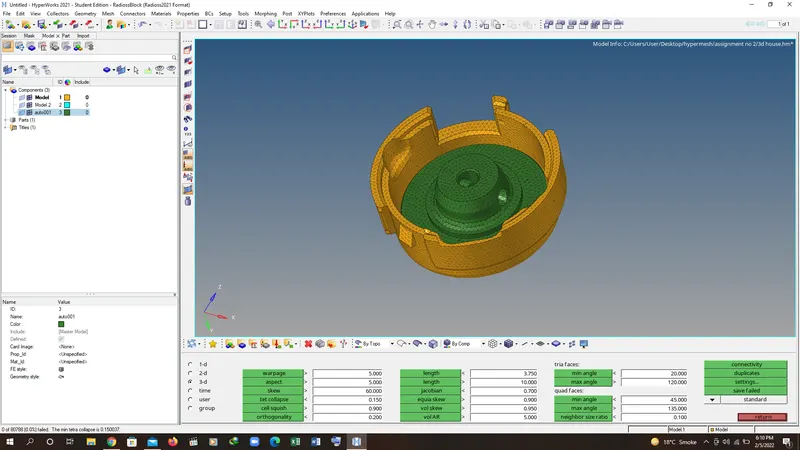
4. TO CHECK THE TET COLLAPSE GO TO CHECK ELEMENT AND GO TO 3D ELEMENT AND GO TO TET COLLAPSE BY KEEPING 0.15 AND CHECK THE ELEMENT. IF THEIR IS ANY COLLAPSE ELEMENT THEN IMPROVE THE MASH MANUALLY.
PART 3
ANSWER:
1. Check the material properties of the rail component and calculate the speed of sound in steel rail=_______
C=(E/RHO)^1/2 = (210000/.0078)1^2 = 5188.74mm/ms
2. The length of the rail is about 1000 mm.calculate the time takes for a shock wave to travel from one end of the rail to the other.
t=l/c = 1000/5188.74= 0.1927ms
3.Time for sound to travel length of rail=0.1927ms
4.
ANSWER:
/ANIM/DT
0.000000000000000 1.00000000000000
/PRINT/-10
/RFILE
5000
/RUN/FIRST_RUN/1/
60.0000000000000
/TFILE/0
0.100000000000000
/VERS/120
/ANIM/VECT/DISP
/ANIM/VECT/VEL
/ANIM/NODA/DMAS
/ANIM/ELEM/EPSP
/ANIM/ELEM/ENER
/ANIM/ELEM/VONM
/ANIM/ELEM/HOURG
/DT/NODA/0
0.900000000000000 0.000000000000000
5.Set the frequency of animation output to a time that will give 20 animation steps(/ANIM/DT)
1.00000000000000
6.Change /print -10.