Assignment 1-2D Meshing Challenge
Geometry Clean Up And FE Mesh Creation
Steps followed to clean up the geometry:
- Import the given geometry model .hm file
- Check for Single edges and unwanted topology lines in the geometry.
- In the Geom menu, go to edge edit, toggle Surface Set the required tolerance, and click on single edges to make topology lines. And then toggle the unwanted topology lines also.
- In Geom menu edge edit Filler surface option is used to fill the gaps in the geometry
- To remove extended unwanted surfaces, In the Geom menu, Surface edit, Trim surface with surface/plane option, select two surfaces to trim the surfaces, and then delete unwanted surfaces.
Steps followed to Extract Mid Surface:
- In the Geom, menu click on the mid surface option and selected the geometry to extract mid surface
Steps fallowed to clean Mid Surface:
- Followed edge edit options to clean single edge irregularities.
- Unsplit surface button in edge edit option is used to remove holes below 5mm diameter
- Clean the unwanted points using add/remove points option.
Steps followed to create mesh:
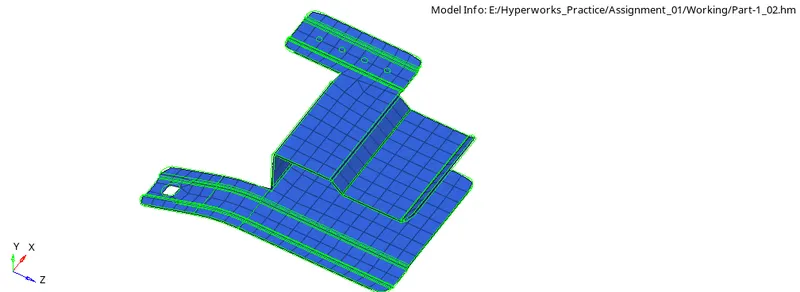
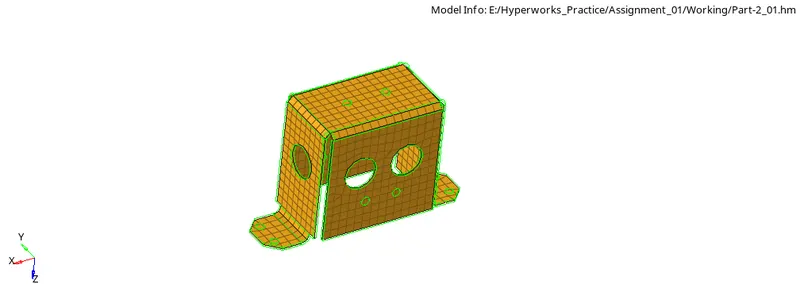
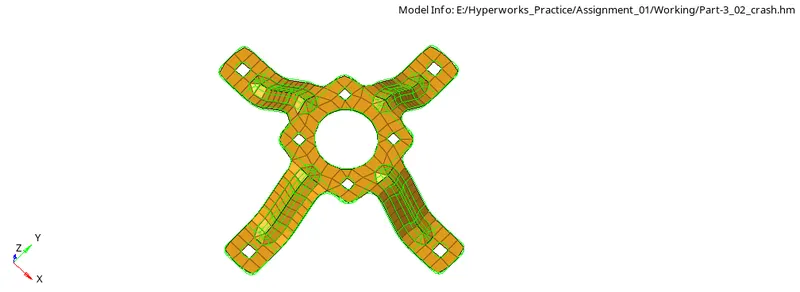
- In the 2D menu automesh option is used. Set the target element size 5mm then created mesh for each surface. Re meshed the elements to get a good
- Reflect option is used to make symmetry locally to reduce efforts
- Rotate option is used while creating mesh for the Mounting bracket component. Created mesh for one arm and rotated it to all the others.
- Connected the nodes using replace option.
- Checked the free edges in the model using the find edges option and equivalenced the detached nodes.
Quality Check: Quality checks are done using the following steps
- In the Tools menu check elements option is used to check the quality of elements by Setting the minimum element length 3.5mm and maximum length 7mm and appropriate values for other parameters.
- Corrected the failed elements using translate option and node optimize option in Quality Index.
Property Assignment:
- Using the measure option, the thickness of the geometry is measured.
- Property is created with proper thickness and assigned to components.
- https://drive.google.com/drive/folders/1BbF3GsRXm7O-dcEoB6Fc0CFVDxNiKBaM?usp=sharing