Assignment 1-2D Meshing Challenge
Objective :-
The objective for this assignment is to-
- Get a refined geometry by checking for any free edges on the geometry and fixing it.
- Extract Mid surface from the parent surface.
- Clean the mid surfaced geometry and ignore the holes less than 5mm.
- Deploy shell mesh on the mid surface of the element target length of 5mm, min 3.5 and max 7 mm length.
- Assign property to the elements.
Procedure:-
Part 1
Open .hm file either through direct open model option or by files>new>cad file.
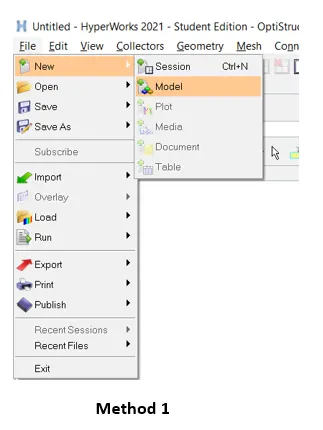
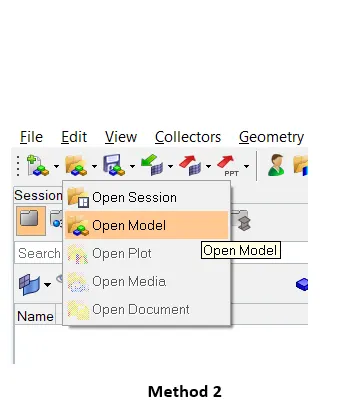
Now after the model is opened, we need to check for any solids present on the model, if any delete the solids.To access the delete command, perform delete>solids>displayed>delete entity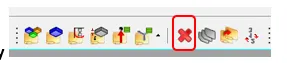 or F2>solids. Since for the given geometry there were no solids present so, we are set to go for geometry refinement by fixing all the free edges, unstitched surfaces on the model.
To start with, first enable topology view for the geometry so that this will show all the hidden , red, and green edges properly.
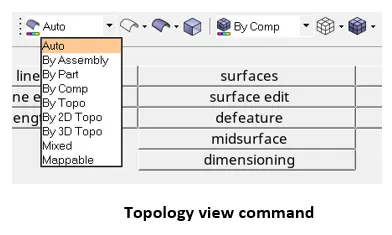
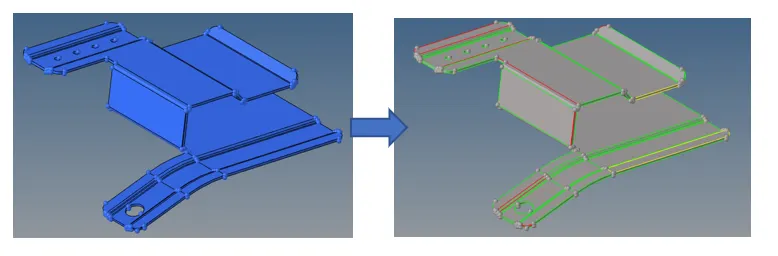
Now to enhance our view of finding the error, turn the geometry to wireframe mode from visualization toolbar.

So here, we can notice that there are many free edges, yellow edges present on the geometry which are due to deleted surfaces, unstitched surfaces, duplicate surfaces.
The surfaces with close free edges were treated with geometry>quick edit>toggle or F11>toggle
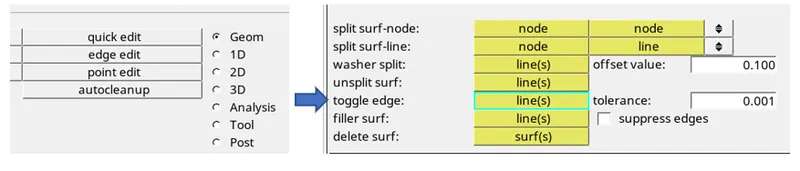
Now using the toggle command the edges that are not stitched properly were stitched. While performing this operation, the tolerance value provided might not be sufficient as the distance between two edges might be more than the tolerance which will be indicated at entity editor or on the toggle button itself.
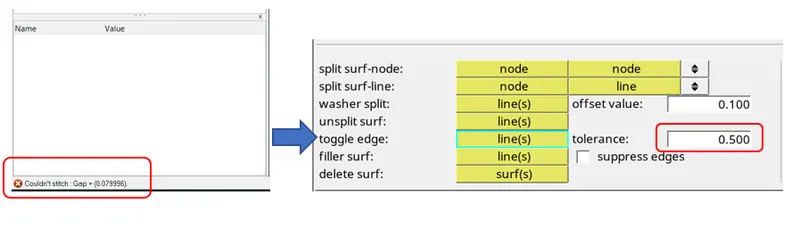
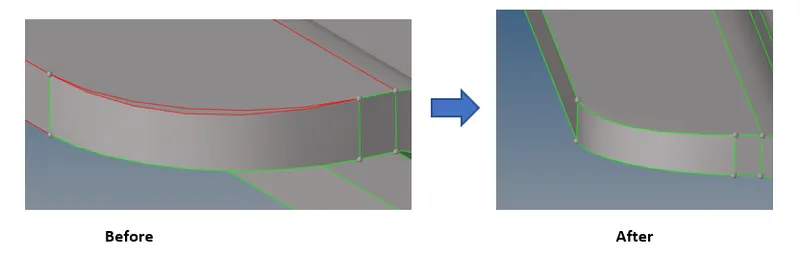
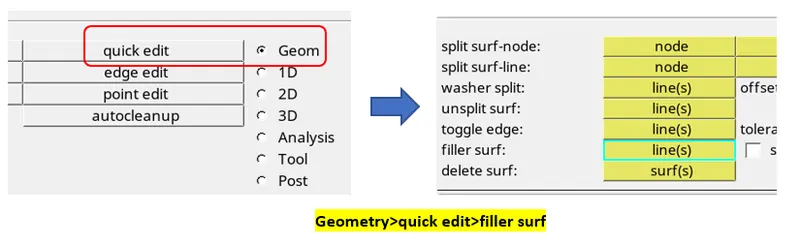
There many options available to create surfaces such as spline, ruled, but here each of them has its own significance of use. We chosen filler surf to fill the gap or create a new surface between the free edges. Geometry>quick edit>filler surf.
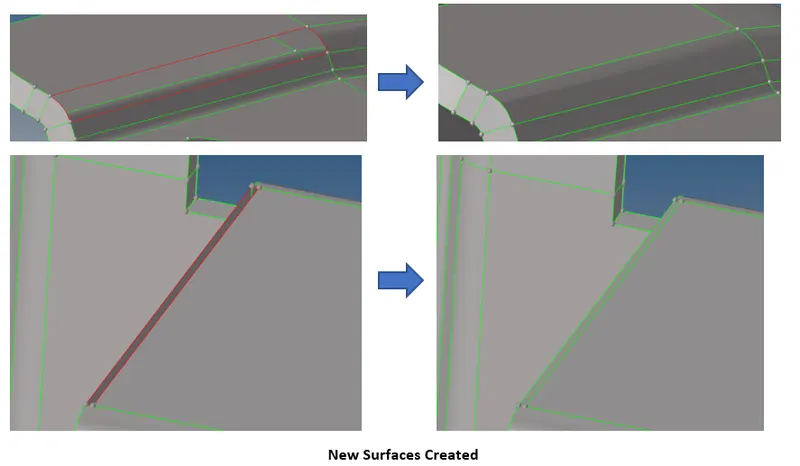
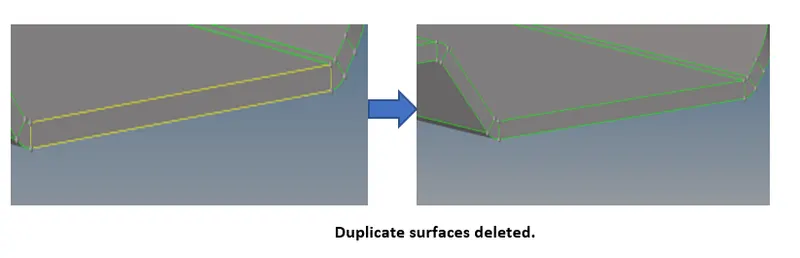
Extra surfaces over the edge fillet are first trimmed with trin to lines feature and then deleted the extra surface once trimmed. After this the free edges due to surface trimming and deleting were toggled.
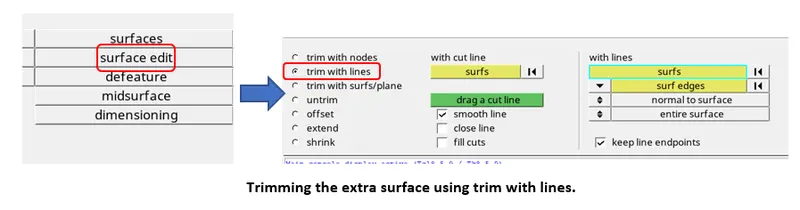
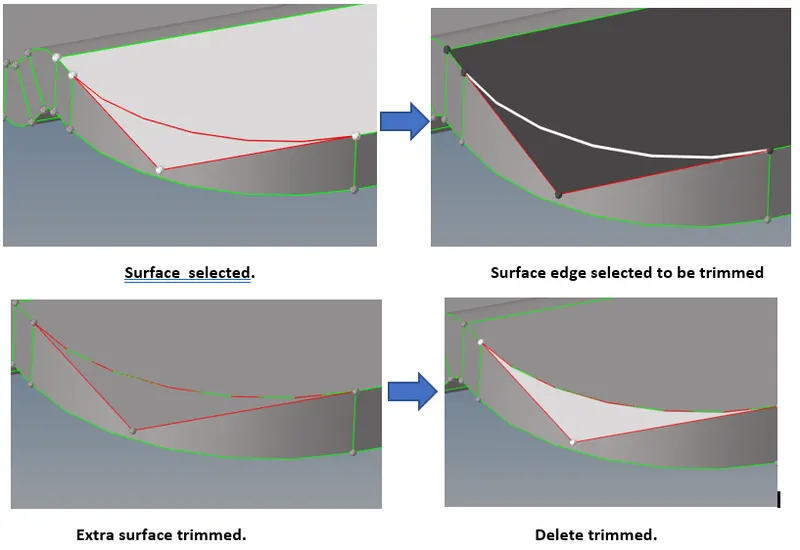
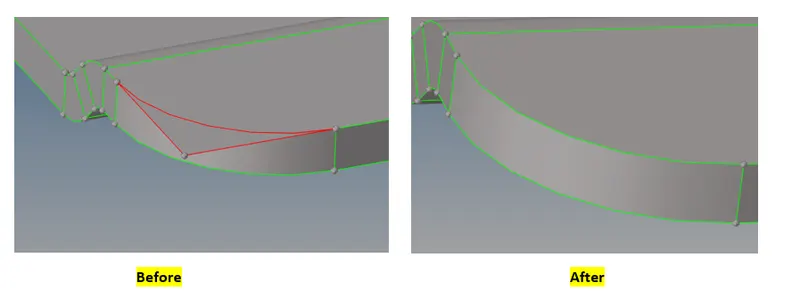
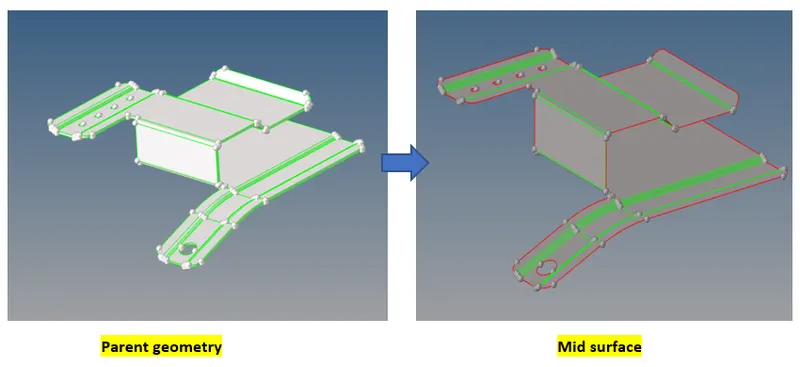
Now our first objective of cleaning the geometry is done. Next is to get a mid-surface out of the parent geometry. This can be done by geometry>auto mid-surface. Select the geometry and extract.
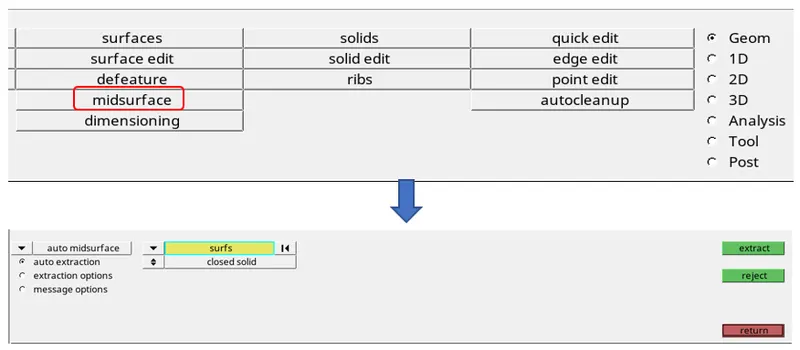
Result
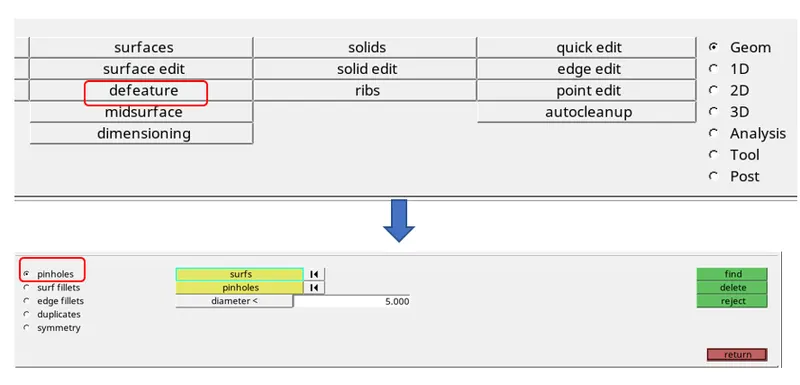
 Now next objective is to defeature all the holes less than mm on the surface. To do this, geometry>defeature>pinholes. Select the min and max radius. All the holes lesser than 5mm will be highlighted have a look at the selection and then delete it by delete option in the same panel.
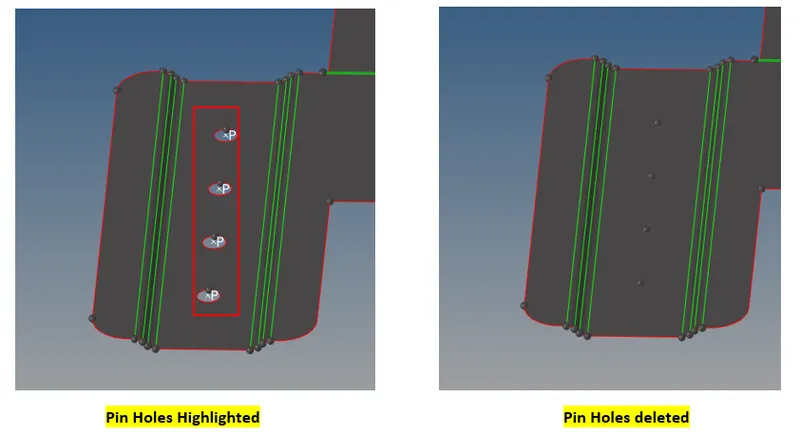
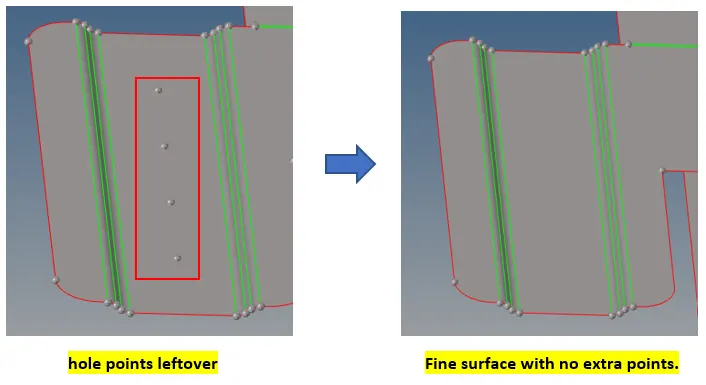
There are few points on the surface which will unnecessarily will create a disturbance in mesh flow so should delete those points. Geometry>quick edit>add/remove points.
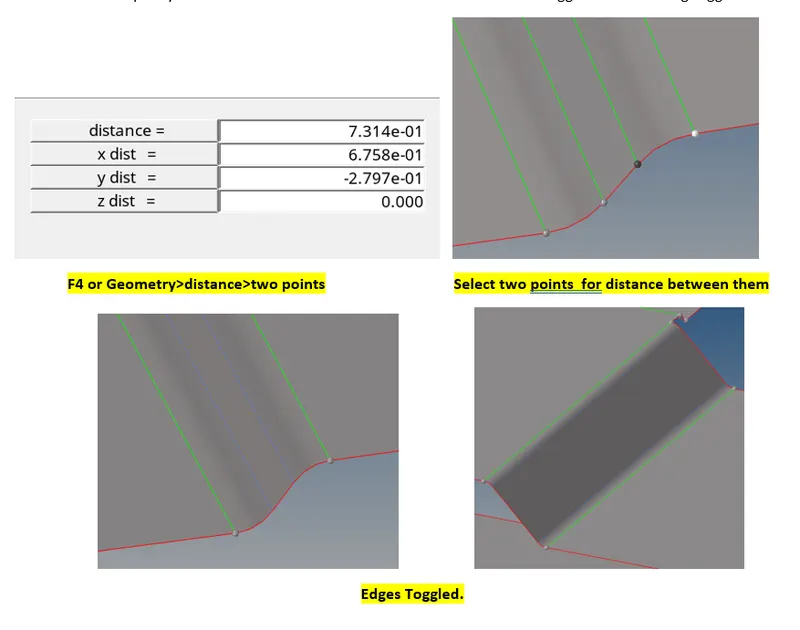
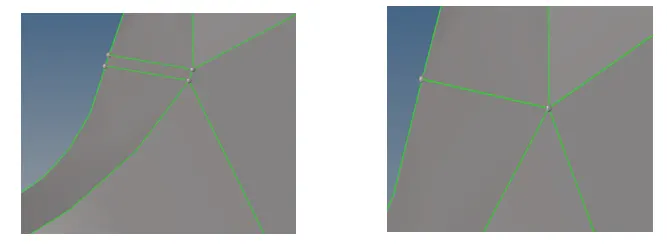
Now, need to perform geometry clean-up or topology clean-up. Supressed all the lines that may become a barrier for min element quality criteria. Measured the distance between the line and toggled the line using toggle feature.
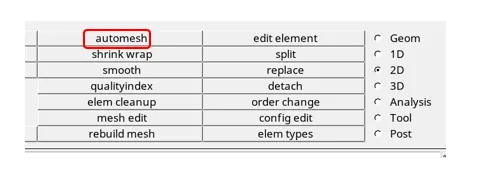
Now to generate 2D shell mesh on the surface.2D>automesh.Keep the element size to 5 mm, mesh type as mixed.Select the surface and mesh.

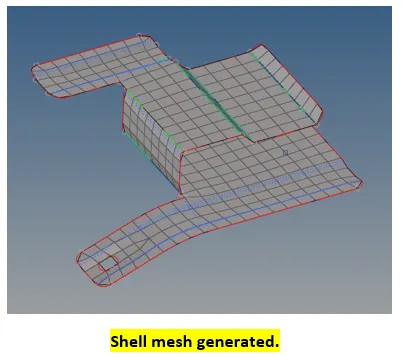
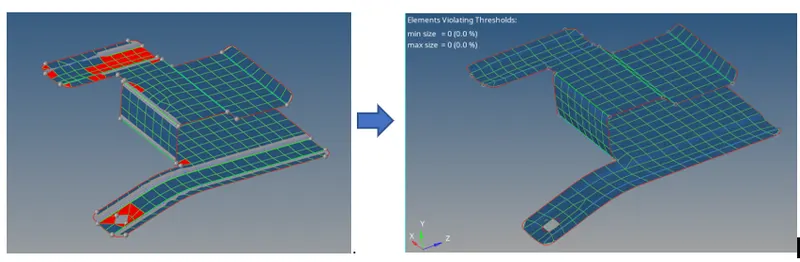
Now, once the mesh is generated need to check for its quality. Tools>check. Here specify the min and max length for element and click on the buttons. This will show all failing elements for length criteria. So using clean up tools from 2D>quality index>page4>clean up tools All the elements failed were treated with smooth, element optimize, place nodes.
. 
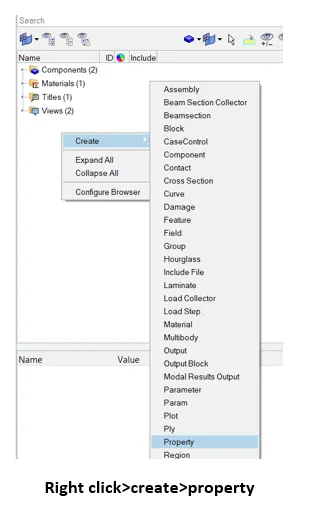
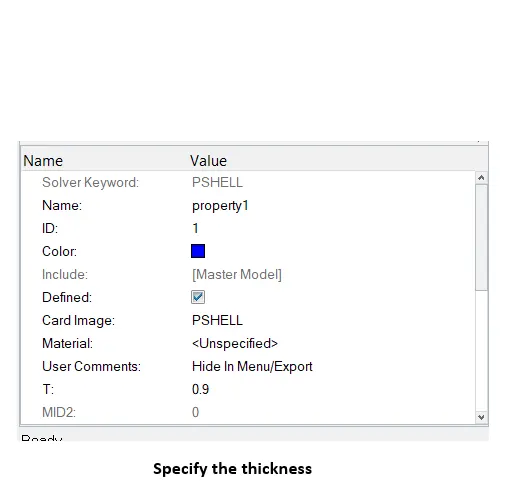
Now to create property card to the elements.
Now, similar procedures for part 2 and 3 are followed :-
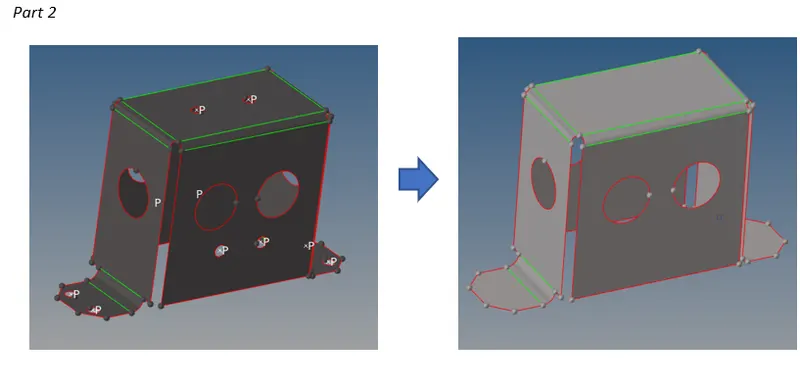
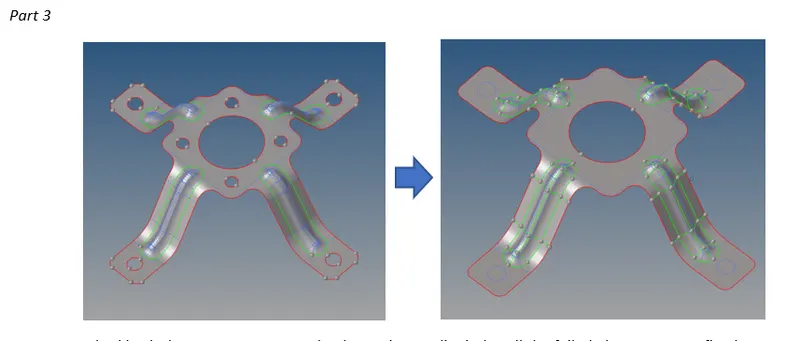
- Perfomed topo cleanup on the geometry by replacing close points.
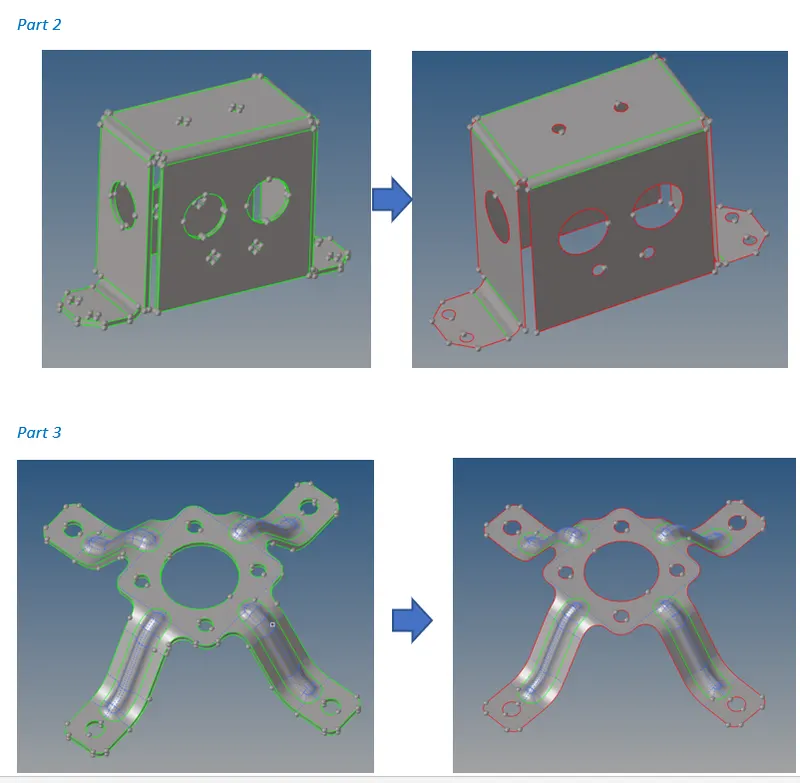
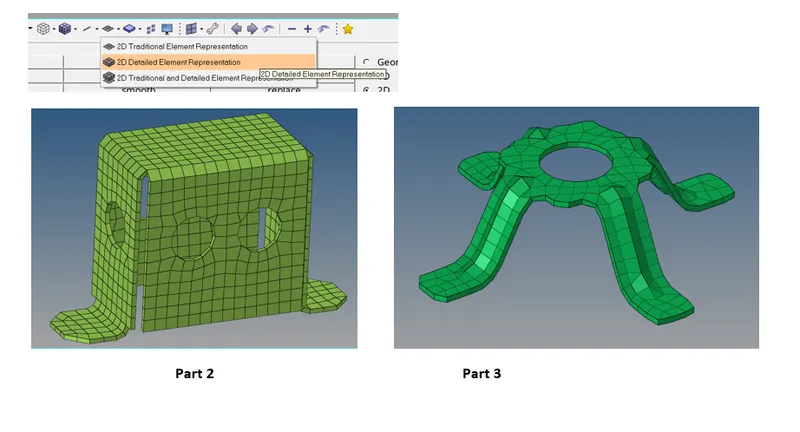
Part 2
Part 3
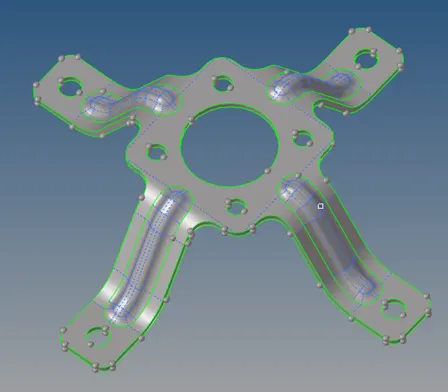
- Mid surface Extraction using geometry>mid-surface>auto mid-surface.
- Defeatured the pinholes less than 5mm.Geometry>defeature>pinholes.
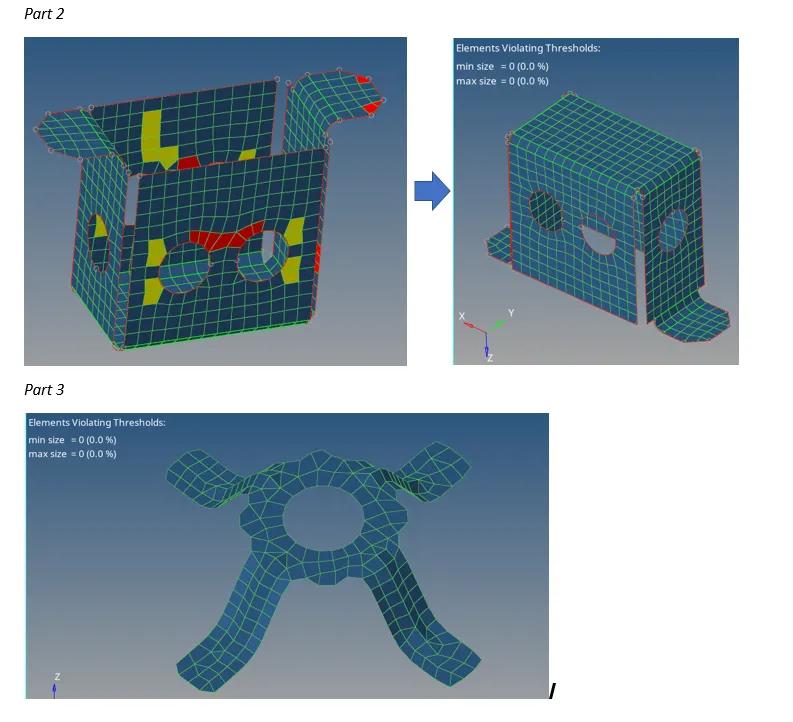
- Meshed both the parts 2D>automesh. Then using quality index all the failed elements were fixed.
- Thickness assigned to elements by creating property card.
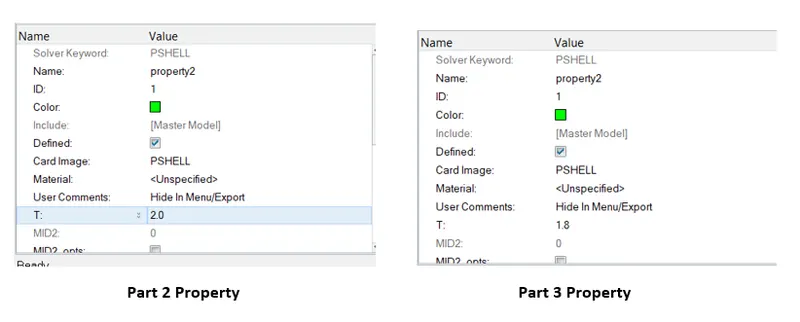
- Now, turning the 2D detailed element representation will show thickness assigned.
Learning Outcome:-
From this assignment learned how to do geometry clean-up, extract mid surface, and deploy shell elements and check for its quality and resolve the failed elements using clean-up tools.
Conclusion:-
From this assignment we can conclude that, geometry clean-up is the most important step to be performed before mid-surfacing. The surfaces should be properly toggled so that min and max element length can be maintained throughout the geometry.