Assignment 1-2D Meshing Challenge
#AIM: To perform geometry cleanup operations for the given models and extracting mid surface and create meshing for the extracted mid surface.
#OBJECTIVES:
- We have to carry out clean up operations on the given models
- extract mid surface for the cleaned-up models
- clean mid surface geometry models
- We can ignore the holes whose diameter is less than 5 mm
- we have to create a 2D mesh with a target length of 5mm, min 3.5 mm, and max 7.00 mm
- we have to assign proper thickness to the meshed surface
#PROCEDURE:
1. First we have to import the models by following the method (import-->import model-->choose file -->import).
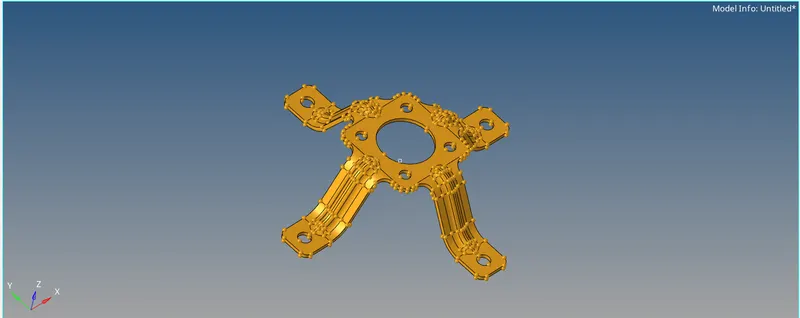
clip repair (model 3)
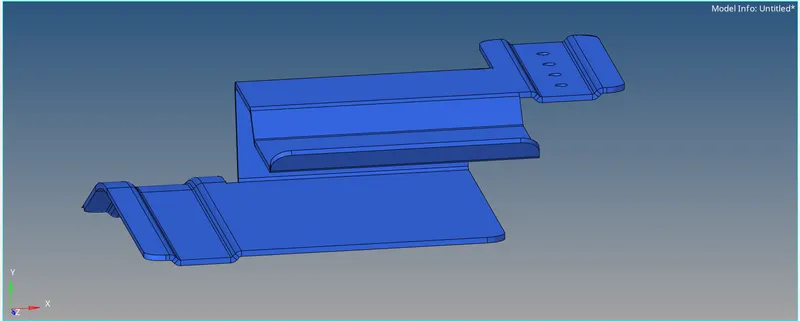
PRactice (model1)
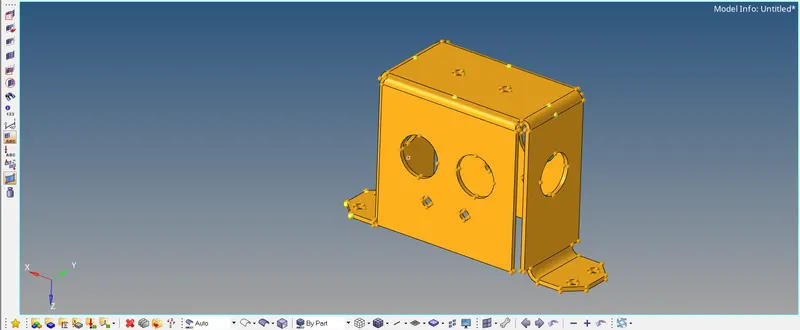
Mounting bracket (model 2)
2. The given model is viewed in topo mode to view the surface edges and free edges.
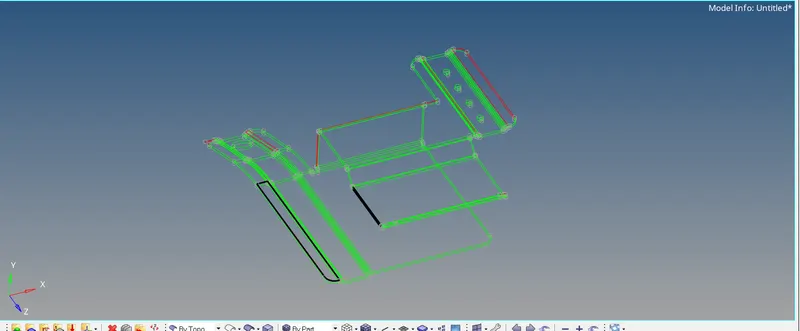
3. In the above figure
- Red color indicates--> Free edges
- black color indicates--> non-manifold surfaces
- green color indicates -->shared edges
- sky blue color indicates--> suppressed edges
3. In geometry clean-up, we have to remove all free edges and non-manifold surfaces.
- The non-manifold surfaces or duplicate surfaces are removed by using the>>delete option in the property manager
- The extra surfaces is removed and filled by using the >>geometry>>surfaces>>spline>>create
- The other free edges are cleaned up by going through the >>geometry>>quick edit>>toggle edge
- The other unfilled surfaces are filled up by using >>geometry>>surfaces>>ruled>>linelist>>create
- the extra lines are toggled by the toggle edge feature
4. After cleaning the surface, the surface is as shown
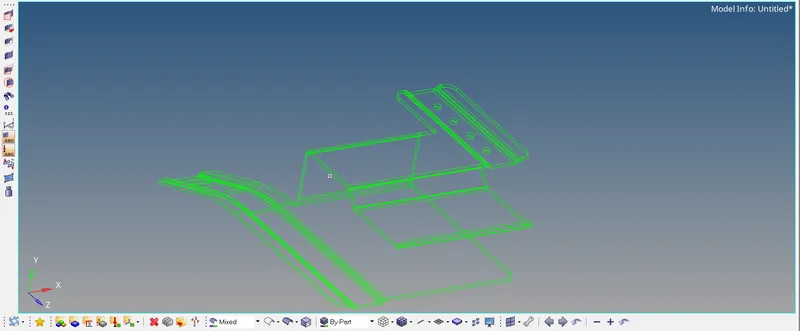
geometry cleaned up surface
5. Now, we can create the mid surface in different ways one of those methods is >>geometry>>midsurface>>auto extraction>>surfs>>closed surface>>extract
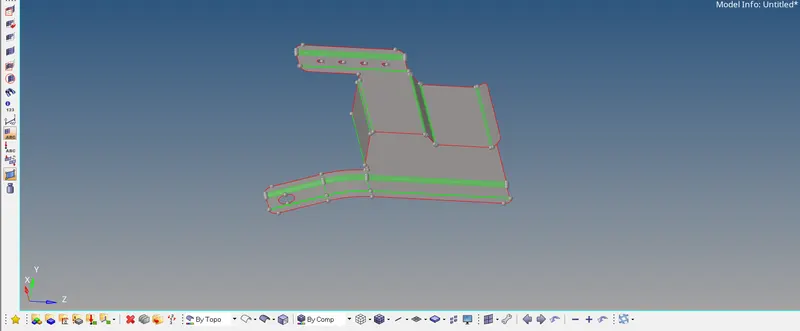
Midsurface
6. Now we have to perform clean up operations to the extracted mid surface
- The holes whose diameter less than 5mm is removed by >>geometry>>unsplitsurf
- The lines which are less than 3.5 mm are togged by >>geometry>>toggle edge
- The unwanted points to be removed by >>geometry>>add/remove point
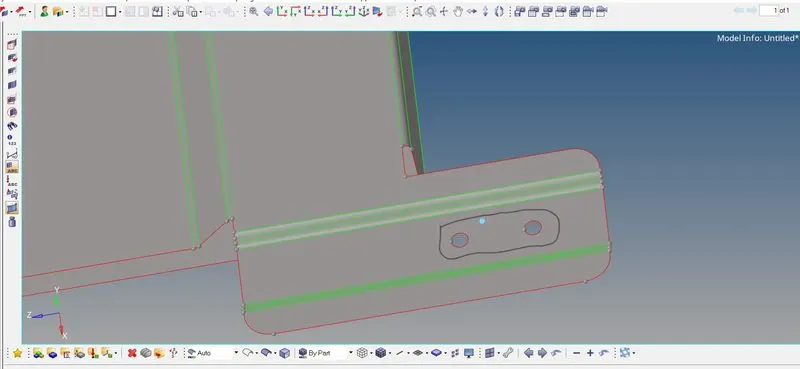
Holes less than 5 mm
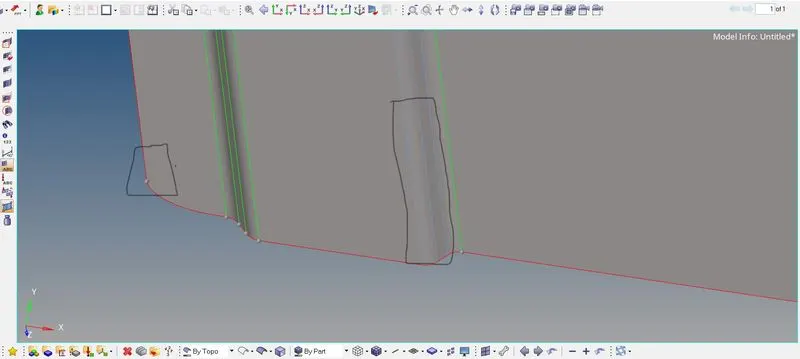
Unwanted points & unwanted lines
- The cleaned-up mid surface is as shown below
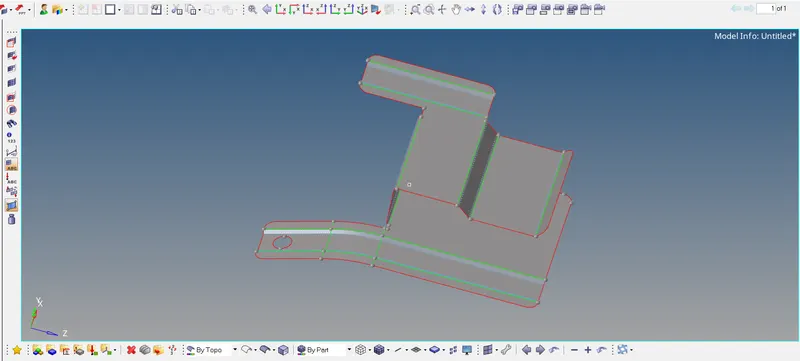
7. Meshing is created by <<2D<<automesh<<surf<<mesh
8. The meshed elements of the model is checked by quality index tool <<2D<<quality index and the results are as follows
- yellow color element --> min size failed elements
- red color element ---> Quality index>1 elements
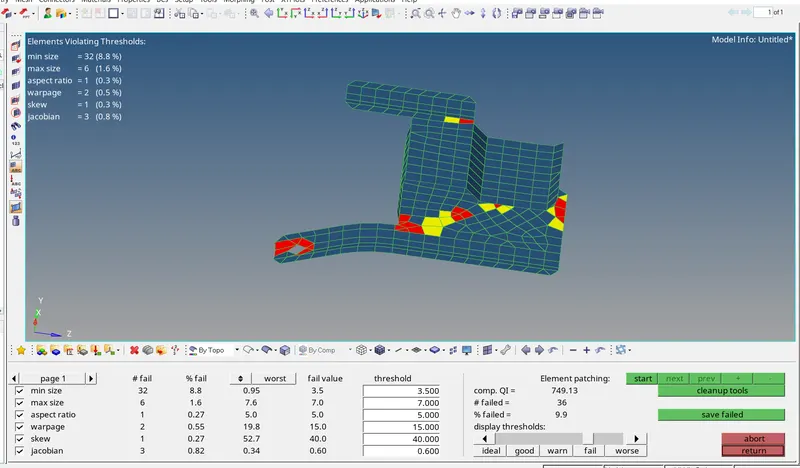
8. The failed elements are corrected by using rebuild mesh and element edit command which are available on the 2D command and we can add washer split or the correct number of points to hole we can get a smooth meshing surface.
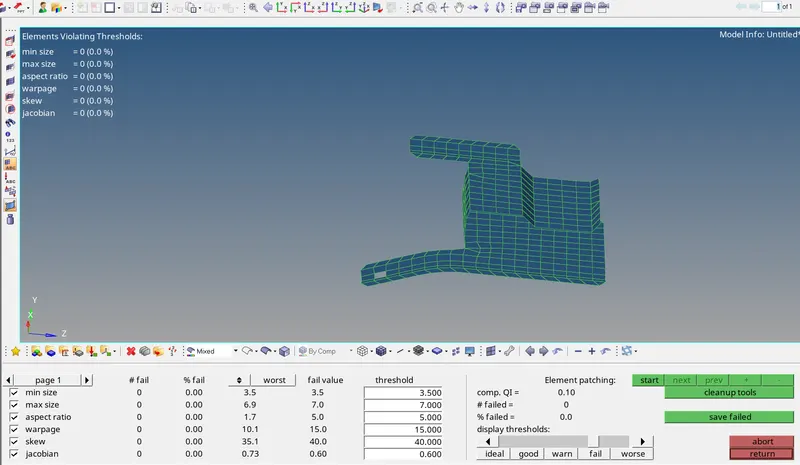
9. In the above figure
We can add thickness to the meshed surface by creating a generic property of the required thickness.
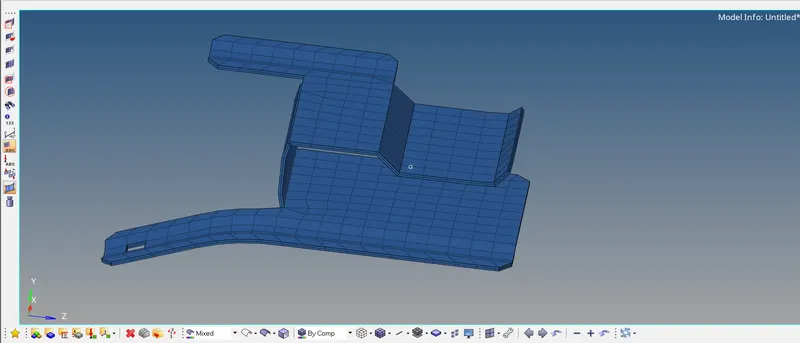
10. For model 2 and model 3 we can create a mid surface by <<geometry<<midsurface<<extraction option<<skinoffset<<auto extraction <<extract
11. After checking the quality index, The mid-surface clean-up operations are performed on model 2 and model 3 as required like removing less than 5mm diameter holes, toggling edges, and removing unwanted points.
12. After performing mid-surface clean-up operations we can create auto mesh as indicated before.
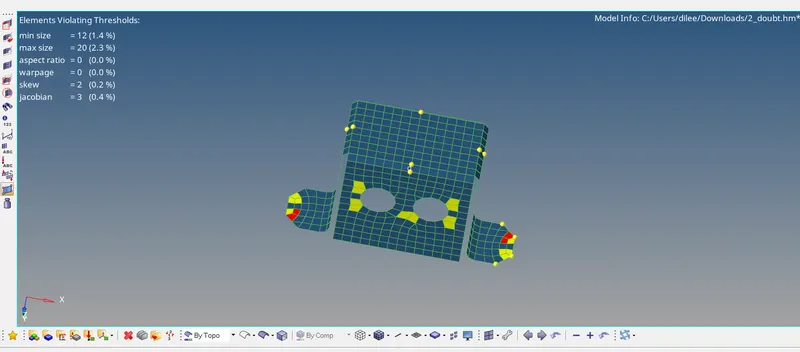
model 2
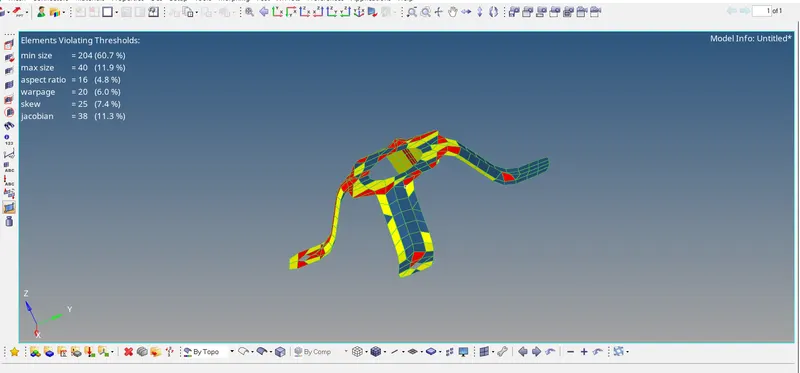
model 3
13. After cleaning the meshed surface, we have
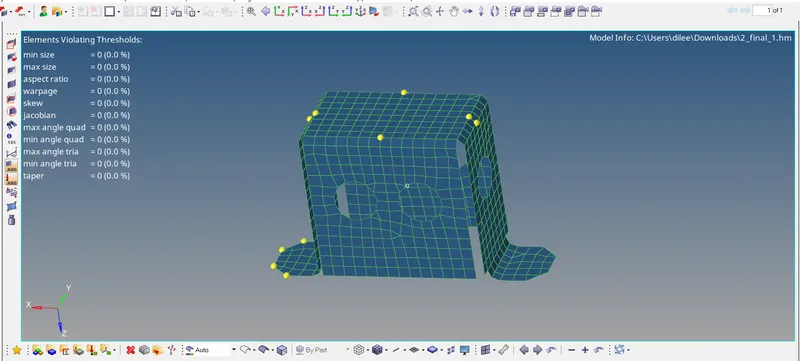
model 2
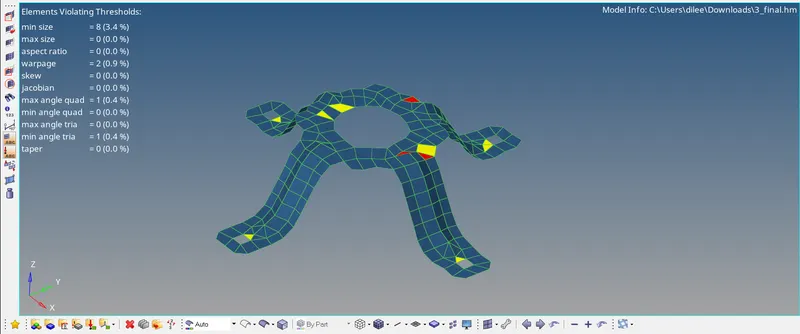
model 3
#RESULTS:
The meshed models are as follows
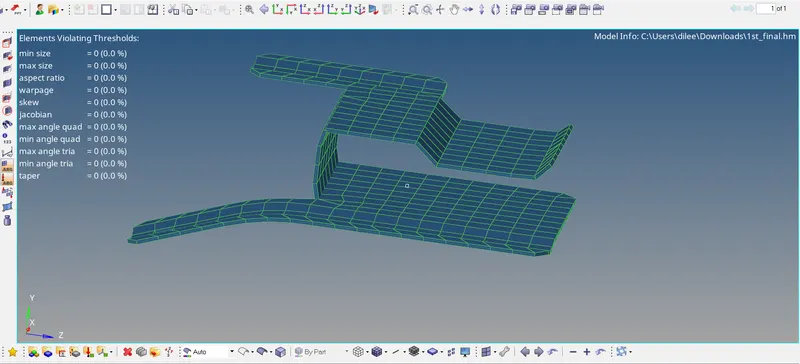
model 1
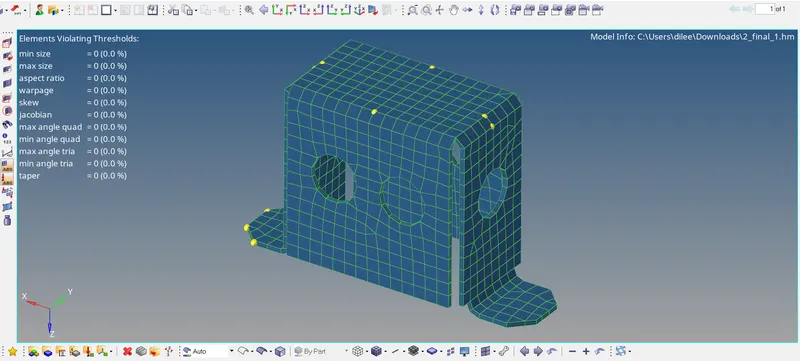
model 2
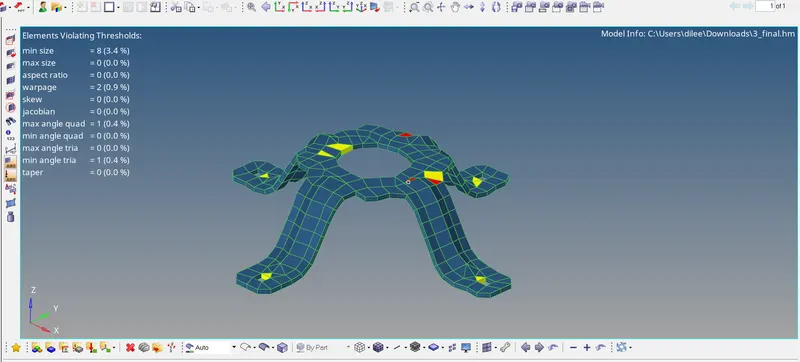
model 3
#CONCLUSION:
- Performed geometry clean-up operations for the given models and extracted mid surfaces for all the models.
- Created a 2D mesh for the given element quality criteria.
- Finally assigned the thickness to the mesh by using the creation of generic property.