Advanced Sheet Metal Design Using NX Cad Challenge_7_ Metal bracket-II
1. Title: Bracket II
2. Objective: To design the Bracket II with sheet metal from NX CAD
3. Introduction: The sheet metal working domain is widely used in industries because sheet metal can quickly get and does not require any type of machining process like turning, milling, boring or any other kind of process which can be done with the help of CNC or VMC machine. In the Sheet metal process, the power utilization and material wastage are very less. So it is money and time saving also, by which the cost of sheet metal parts little bit reduces. We can manufacture a part with good strength and rigidity like a part modelling.
Bracket II is a rigid sheet complex structure with sheet metal with respect to the manufacturing process and using that bracket to hold the components together or supporting structure or other.
4. Design Approach:
-- Draw the Sketch according to the given dimension on XY plane.
-- Draw the Sketch according to the given dimension on YZ plane.
-- use a contour flange and extrude 158 mm width and 3mm thickness from YZ plane.
-- Normal cut according to XY plane sketch through all.
-- Break the corner of 8x11 mm rectangle.
-- Unbend the sheet with respect to its folding edges and flatten the sheet.
-- 12.5 mm hole normal cut
-- Rebend the sheet from bending edges.
--Break the corners of the sheet according to the given position and dimension on XY plane.
-- Used the advanced flange on XY sketch according to the given dimension.
-- Unbend and flatten the sheet
-- Draw the sketch on XY plane and positioned the 3 holes according to the given feature of the model.
-- Normal cut according to XY plane sketch on 3 holes through all.
-- Rebend the whole part w.r.t its bending edges.
--Advanced flange on centre hole according to given features.
-- Apply the 4 gussets on most bending parts to provide strength and stop the accidental bending of the sheet.
-- Flat pattern to make drafting
5. Description:
Sketch: 2d sketch drawn for making the sheet metal of 1 mm and other features like dimples, and beads.
Normal Cut: Cut the sheet according to the requirements.
Bend: bend the sheet with respect to their bending lines.
Contour Flange: make the sheet from some complex shape sketches according to the requirements.
Advanced Flange: make the bending flange from some complex shape sketches according to the requirements.
Break the corner: rounded shape the edges.
Unbend: Make the flat sheet metal plate.
Hole: To make the hole for fastening the bolts & nuts.
Beads: To make this is also made to emboss the structure but a circle sketch is required.
Rebend: Rebend the sheet metal with respect to its bending edges.
Flat Pattern: To make flat sheet metal for drafting details.
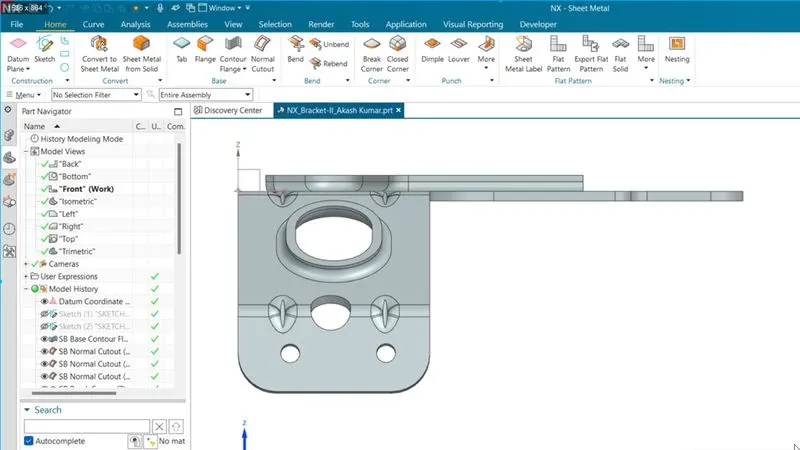
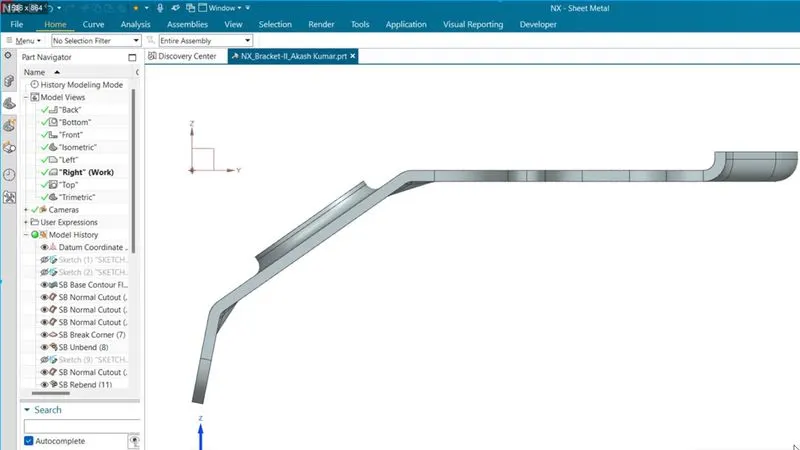
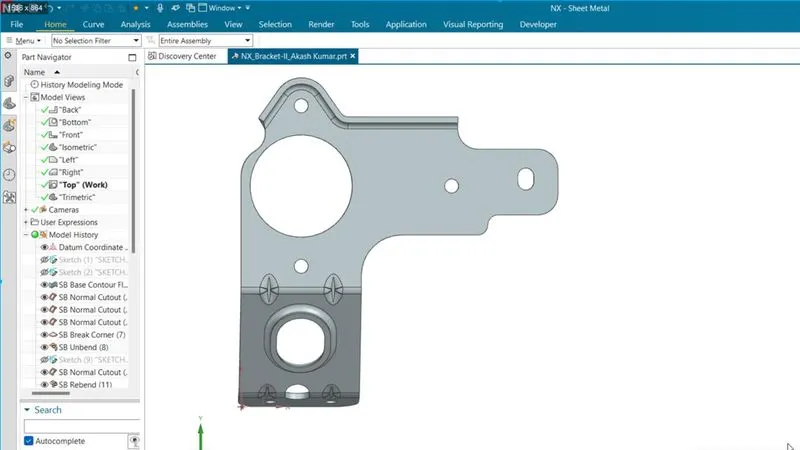
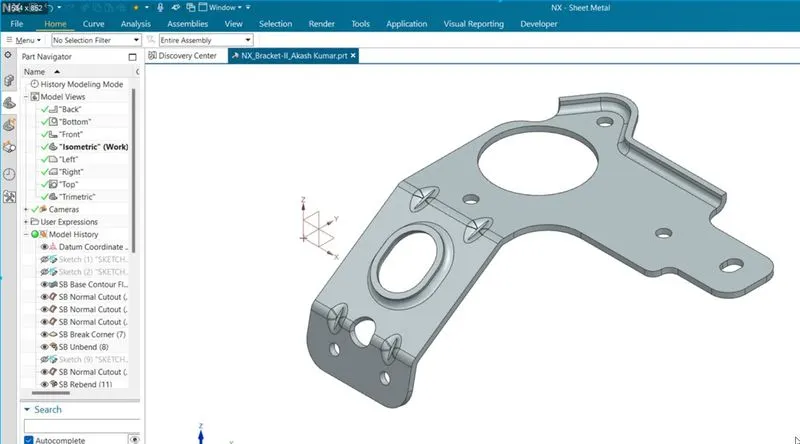
6. All Standard views
Front View :
Side View:
Top View:
Isometric View:
7. Detailed Drawing Sheet Image
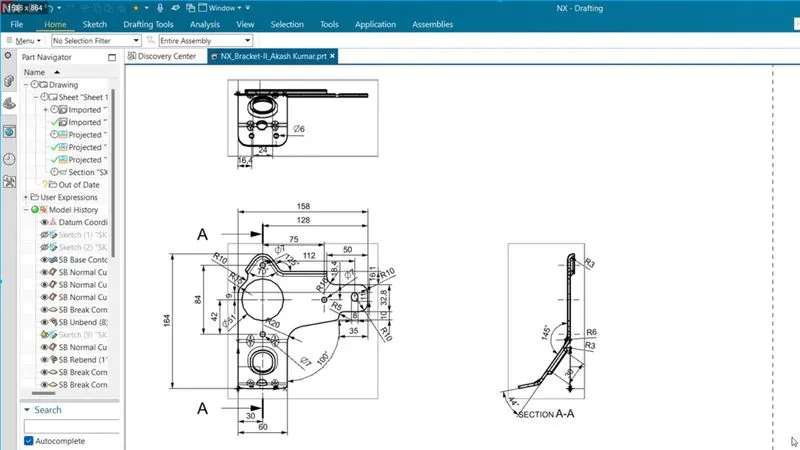
8. Conclusion: From this tutorial, we have learned how to make a complex part from the given data. we learned to make the drafting detail, and some advanced commands.