Advanced Sheet Metal Design Using NX Cad Challenge_7_ Metal bracket-II
Advanced Sheet Metal Design Using NX Cad Challenge_7_ Metal bracket-II
Objective
Write a detailed report on Sheet Metal Component with good explanation on Sheet Metal modelling tools applied throughout the modelling. Also attach the Final model Images (Min. 4 images) of Sheet Metal Bracket.
Introduction
Sheet Metal Fabrication is the process of forming parts from a metal sheet by punching, cutting, stamping, and bending. Parts are formed from a single sheet of metal, designs must maintain a uniform thickness. Parts used for low volume prototypes, and high volume production runs are most cost-effective due to large initial setup and material costs. Sheet metal parts are known for their durability, which makes them great for end use applications (e.g. chassis). They are used in different machineries, automobiles, and aerospace sectors.
Sheet metal components can be created in NX under sheet metal module. From a sketch it can create both simple and complex components using different features such as Tab, Bend, Flange, Hem, Jog, Bead, Dimple, Cutout, Louver, Punch, Unbend etc. Then it is converted in flat pattern for manufacturing purpose. In this project, A Bracket is created in NX using few of the previously mentioned operations.
Design Methodology
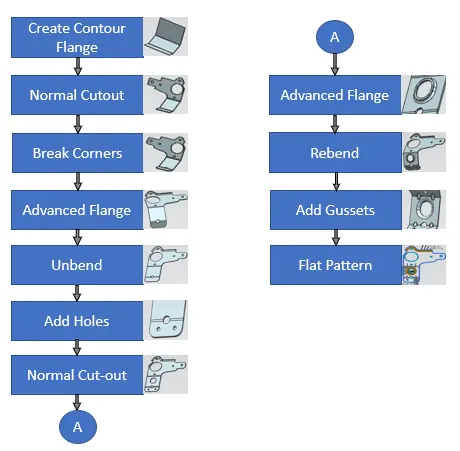
Description
- Contour Flange- It creates a base feature by extruding a sketch along a vector. We can provide thickness and width to the extruding sketch.
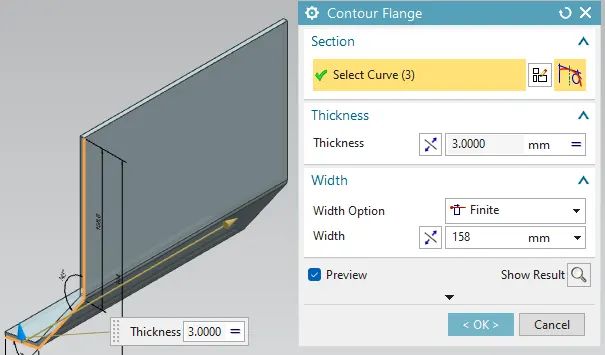
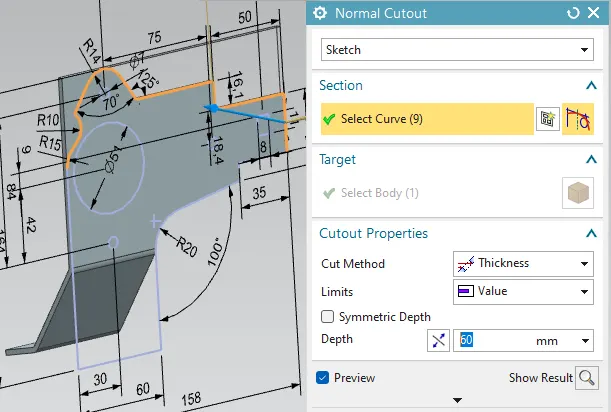
- Normal Cutout-It is used to cut material by projecting a sketch onto the model and then cutting perpendicular to the faces intersected by the projection till given depth.
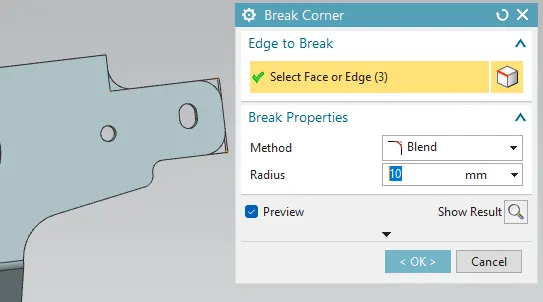
- Break Corner- Rounds or chamfers a sharp corner of a tab or flange as per given dimensions.
- Advanced Flange- It adds a flange along an edge using a bend angle or reference face. The edge and reference can be curved.
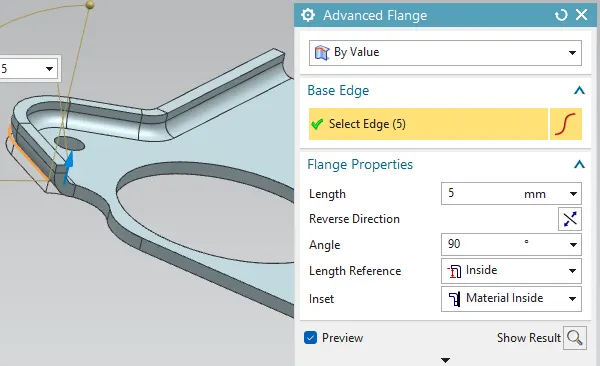
- Unbend- It flattens a bend and the material adjacent to the bend.
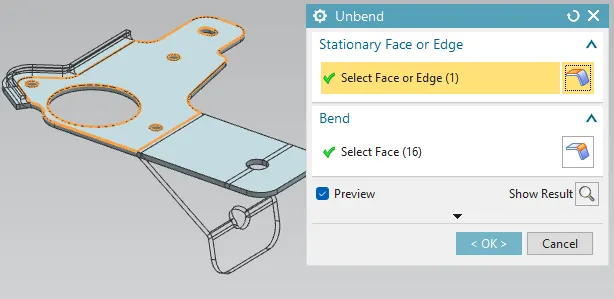
- Hole- It adds a hole to one or more solid bodies in a part at given point of required diameter, depth and style.
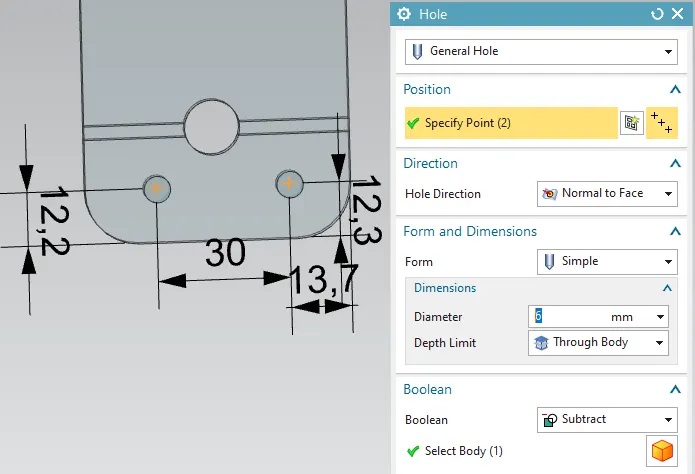
- Rebend- This feature restores an unbend feature to its previous bent state, along with any features added after the unbend feature.
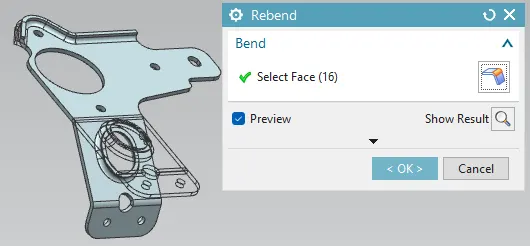
- Gussets- It creates a stiffening gusset on selected bend of the part. It can be modified as per required form, depth, width angle and radius.
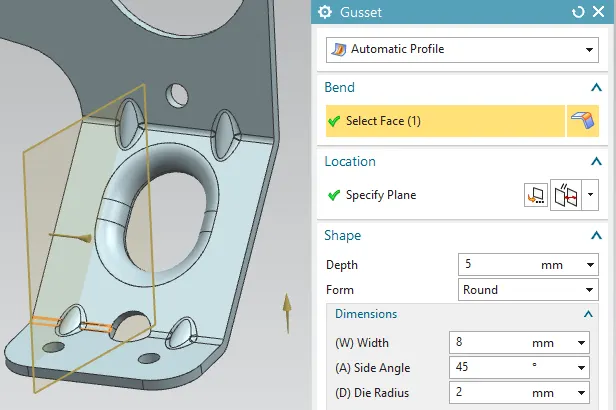
- Flat pattern- This feature is created in the end to create a flat pattern from the formed sheet metal part after performing all operations.
Output
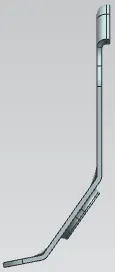
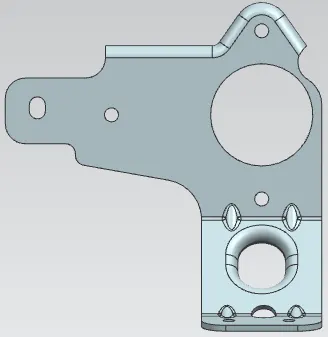
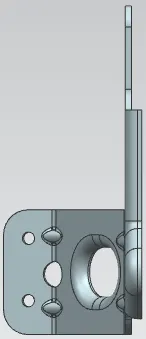
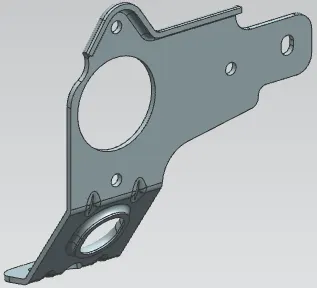
3D Model Views
|
Front
|
Side
|
|
Top
|
Isometric
|
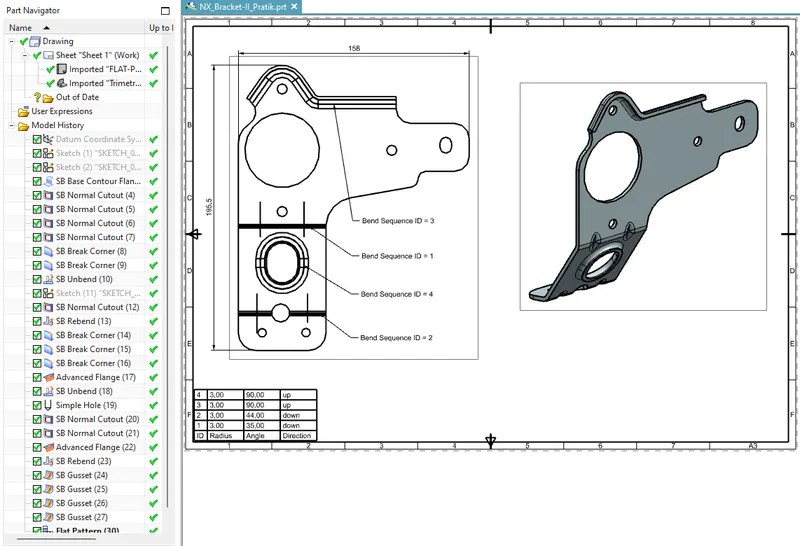
Drawing Sheet
Conclusion
A Sheet metal Bracket-II is created as per the given data in NX by using features such as Contour Flange, Advanced flange, Hole, Normal cutout, Unbend, Rebend etc to create component. And flat pattern is created in the end and created Drawing sheet.