Advanced Sheet Metal Design Using NX Cad Challenge_7_ Metal bracket-II
Title:-
Design of Metal Bracket
Objective:-
To design a metal bracket sheet metal by using NX CAD
Introduction:-
Sheet Metal – It is formed by an industrial process into thin, flat pieces which is mostly used in Machinery, Automotive, Aerospace, Agriculture, Mining, Shipping industry, etc. The thickness of Sheet Metal is in between 0.25 mm to 6 mm. There are many types of sheet metals available, e.g – Alloy Steel, Stainless Steel, Carbon steel, etc.
NX cad – It is normally known as “UNIGRAPHICS”. It is an advanced CAD software which is owned by Siemens. This software is used for Design, Analysis, manufacturing.
Design Methodology:-
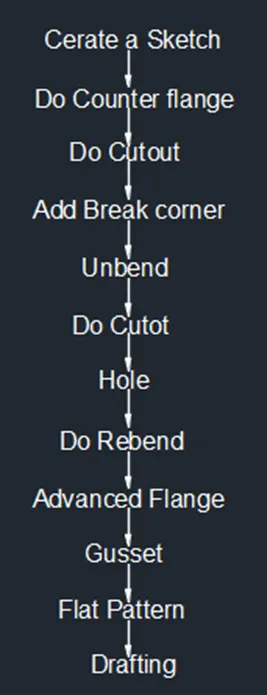
Description:-
Commands are used to complete the Model:-
Sketch - By using this command we can draw a 2D model.
Contour flange - By this command we can create a base feature by extruding a sketch along the vector or adds material by swiping a sketch along an edge or chain of edge.
Normal cutout - By this command we can cut the model perpendicular to the sketch
Break corner - By this command we can round the sharp corners to avoid the manufacturing tool to stop jerk.
Unbend - By this command we can flatten the 3D model by selecting one face as a stationary face.
Rebend - By this command we can flatten the sheet metal.
Advanced Flange – By this command we add the flange in curved sections.
Hole - By this command we can create a hole on the surface of sheet metal.
Gusset – By applying gusset on the bend edges of sheet metal to give the strength.
Flat Pattern - By this command we create a flat pattern feature from the formed sheet metal part.
Procedure:-
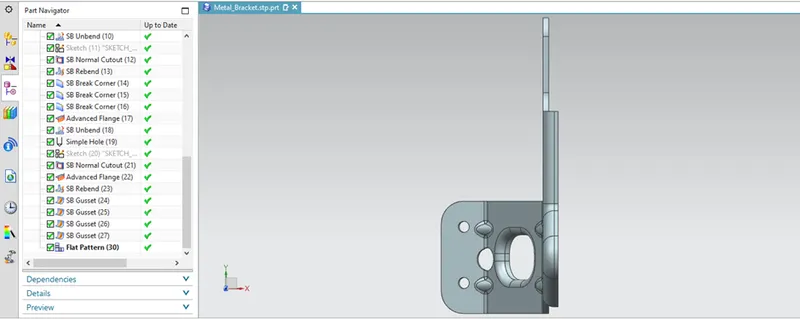
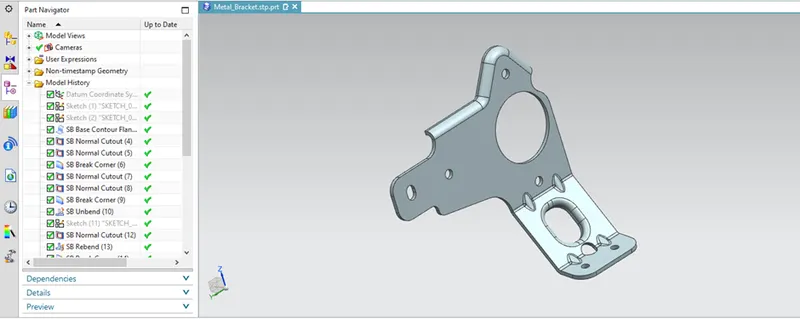
First draw the sketch in YZ and XZ plane as given drawings and do the counter flange.
Then do the normal cutout and remove the unwanted material and give the break corners.
Then do unbend the material and draw the circle and do the cutour and rebend it.
Then do the advanced flange top side of the sheet metal, then unbend it and do 2 no of holes on bottom side.
Do the normal cutout in between the bends and do the advanced flange and apply 4 gussets to the 2 bends 2 no’s each.
Then do the flat pattern and do the drafting.
Front View:-
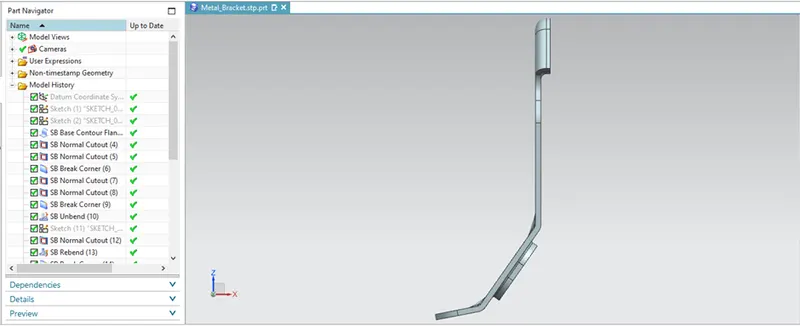
Side View:-
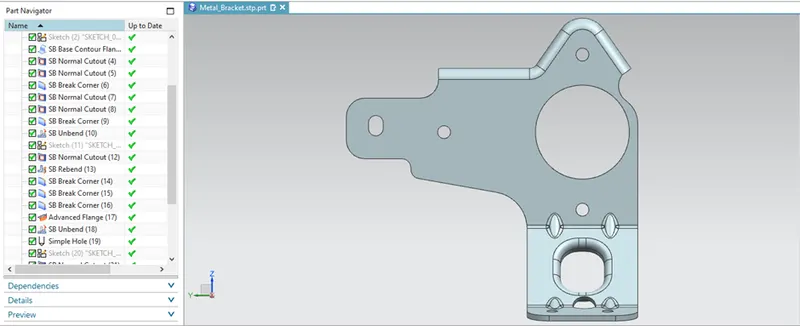
Top View:-
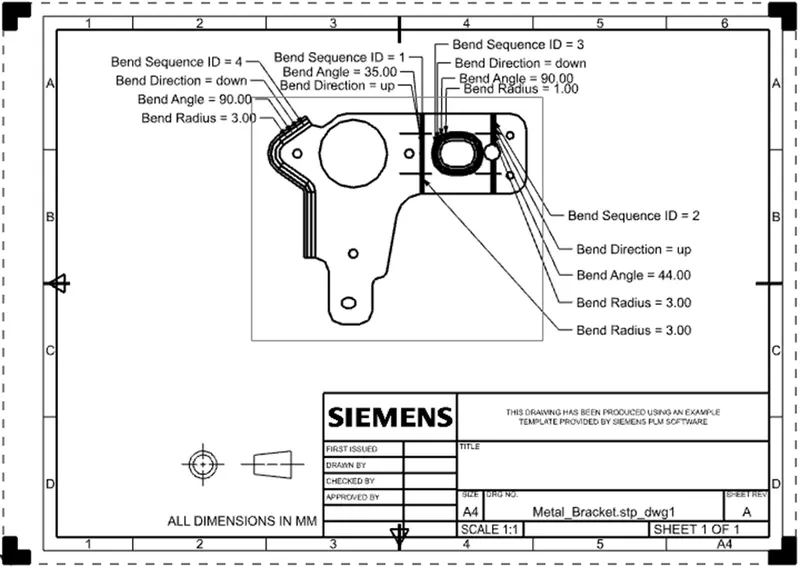
Drafting:-