Advanced Sheet Metal Design Using NX Cad Challenge_7_ Metal bracket-II
TITLE: To design a metal bracket using NX CAD.
OBJECTIVE: To create sheet metal bracket-2 using various operations performed in NX CAD using a 2D drawing.
INTRODUCTION:
Sheet metal is metal formed by an industrial process into thin, flat pieces. Sheet metal is one of the fundamental forms used in metal working and it can be cut and bent into a variety of shapes.
Sheet metal is available in flat pieces or coiled strips.Parts manufactured from sheet metal must maintain a uniform thickness for ideal results.
There are many different metals that can be made into sheet metal, such as aluminium, brass, copper, steel, tin, nickel and titanium. For decorative uses, some important sheet metals include silver, gold, and platinum.
Sheet metal is used in automobile and truck (lorry) bodies, airplane fuselages and wings, medical tables, roofs for buildings (architecture), and many other applications.
DESIGN METHODOLOGY:
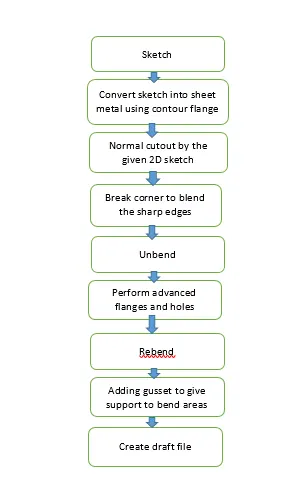
DESCRIPTION:
STEP 1:
SKETCH: This is the first and basic step for creating any model.To make a sketch we must select a plane according to prespective views.
STEP 2:
CONTOUR FLANGE: It is created by extending the sketch on its representative axis with thickness as required from the base.
STEP 3:
Using that sketch that has to be cutout from the profile with normal cutout.
NORMAL CUTOUT: It is used to remove the material from the base.
STEP 4:
BREAK CORNER: It is used to make the corners blemd with given radius in order to make corners smooth.
STEP 5:
UNBEND: It is used for unbending corners of the body.
STEP 6:
HOLE: It is used to create the holes on the model.
STEP 7:
REBEND: It is used to restore the model to its bended state.
STEP 8:
GUSSET: It is a feature that added to give stiffness to the bend sheet metal part hence increasing the strength of the part.
TOP VIEW:
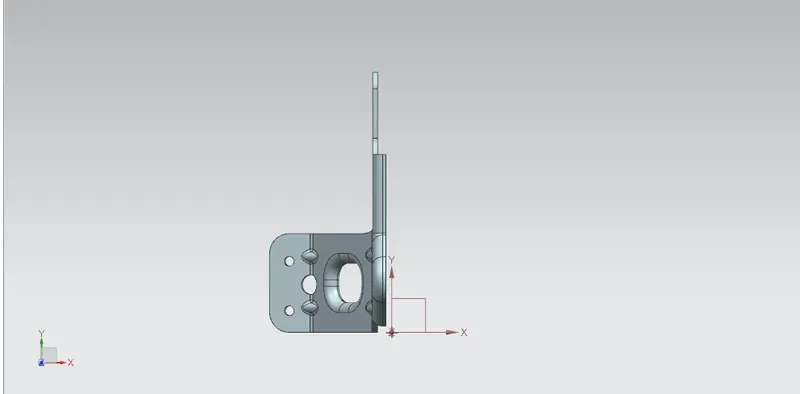
FRONT VIEW: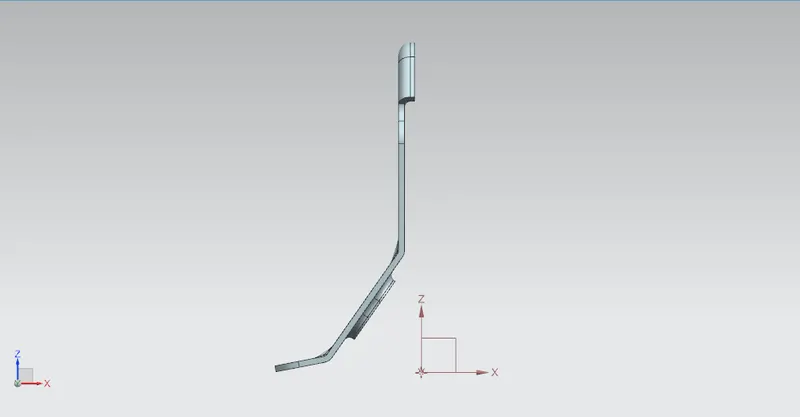
SIDE VIEW: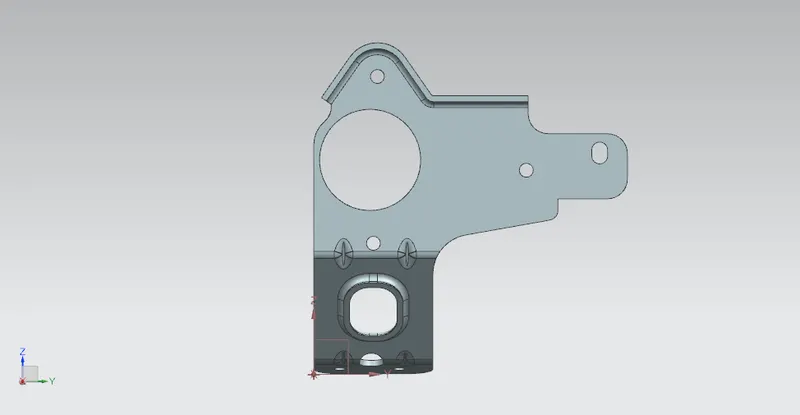
ISOMETRIC VIEW:
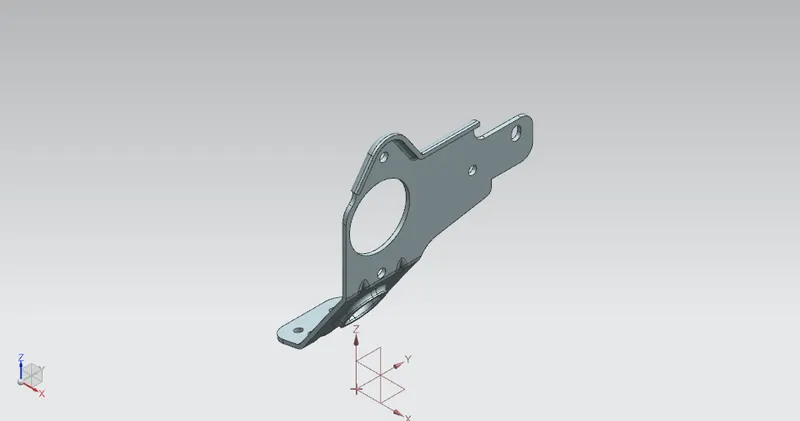
CONCLUSION:
Hence the designing of the sheet metal bracket 2 is completed using the various tools and commands that were available in NX CAD.