Advanced Sheet Metal Design Using NX Cad Challenge_7_ Metal bracket-II
ADVANCE SHEET METAL DESIGN USING NX12.0- METAL BRACKET FROM 2D SKETCH
INTRODUCTION:
Brackets which are made of sheet metal is widely used in mounting device like antennas, automobile unit etc.
OBJECTIVE:
The objective of this project is to design a sheet metal bracket using nx12.0 sheet metal application workbench, And for drafting the sheet metal bracket.
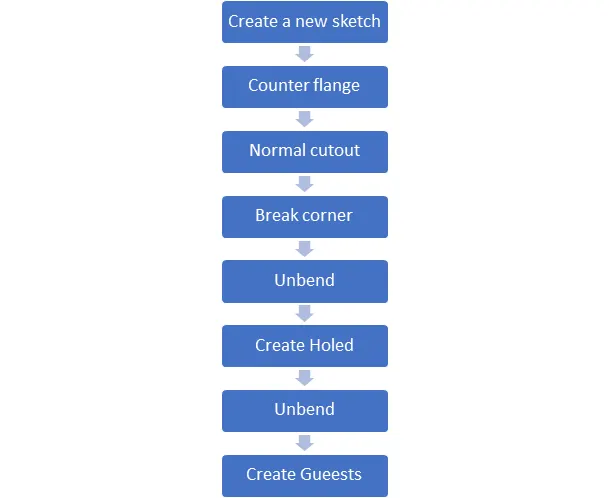
The following steps where undertaken while designing the design of bracket:
- Create a new sketch on defined planes as per the requirement.
- The user interference of the basic feature of the sheet metal application in NX like Counter flange, Tab, Normal cut-out Break corner, unbend, Rebend, creating screw holes and gussets.
DESIGN METHODOLOGY:
TOOLS USED TO CREATE BRACKET:
Sketch:
Sketch is a 2D representation of the model with respect to plane/view of the part. In NX there are sketch option to create a sketch. There are so many sketch tools available like circle, rectangle, arc, spline, line, ellipse etc. we can create a new sketch by selecting the plane or surface of part model or we can edit the previous sketch also. Every 2D sketch need to be fully defined/ constrained to convert into 3D model or a part.
Counter flange:
Counter flange command creates a base feature by extrude a sketch along a vector, or adds material by sweeping a sketch along an edge or chain of edges.
Break corner:
Break corner and chamfer tools are used to make some changes over sheet metal body. Both the tools provide a different activity in creation of parts. Rounds or chamfers a sharp corner of a tab or flange. Here by using this tool we can do two different operations. One is forming bend to part and secondary is forming chamfer.
Unbend:
This feature is used to unbend the adjacent bends and flatten them. This feature is used to create more features like dimple, creating holes etc. and work on more complicated designs of sheet metal. In this command we need to select a stationary face and select the adjacent bends to unbend the sheet metal.
Rebend:
After using the unbend command rebend command is used to bend to regain its original position.
Gusset:
Gusset is an alternative feature of making bend stiff. It is similar to stiffner but with round edges.
Flat pattern:
It flattens the sheet metal from the formed sheet metal part.
DESCRIPTION OF DESIGNING THE BRACKET:
- Create a complex sketch on YZ-Plane. This sketch is used for normal cut-out.
- Create another sketch on XZ-Plane and generate counter flange command whose width is up to 200mm.
- Generate normal cut-outs repeatedly with the help of first sketch on YZ-plane.
- Unbend the total obtained counter flange and generate a hole on bottom centre whose diameter is 12.5mm.
- Rebend all the edges.
- Generate Break corner command on the bottom edge corner with radius 12mm. apply same command for different edges with radius 12mm and 5 mm on the required edges as per the design.
- Create a advance flange on top edge whose length is 5mm and angle is 90degrees.
- Now unbend the advance flange and whole sheet metal part.
- Create a hole with proper dimensions and generate another advance flange whose length is 4mm and angle is 90degrees. And rebend all the edges.
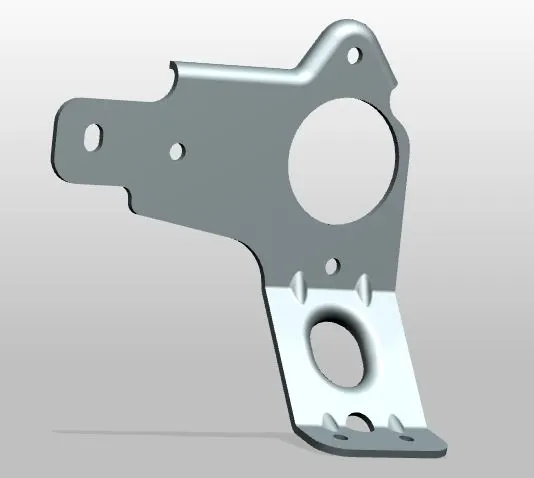
- Create two gussets on the bottom flange to make it stiff. The guessets are 15mm away from the outer edge whose depth is 5mm and width is 8mm
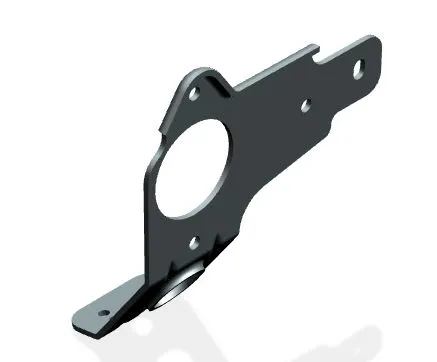
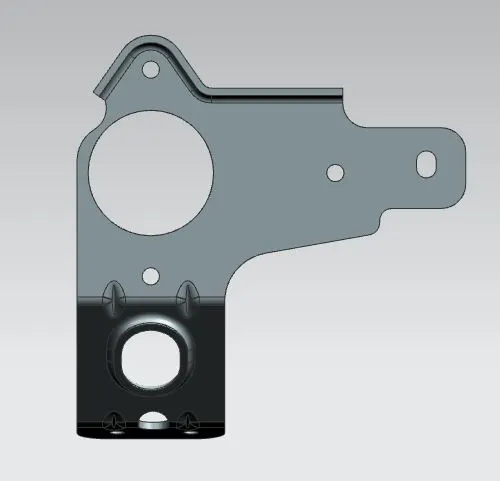
MODEL VIEWS OF BRACKET:
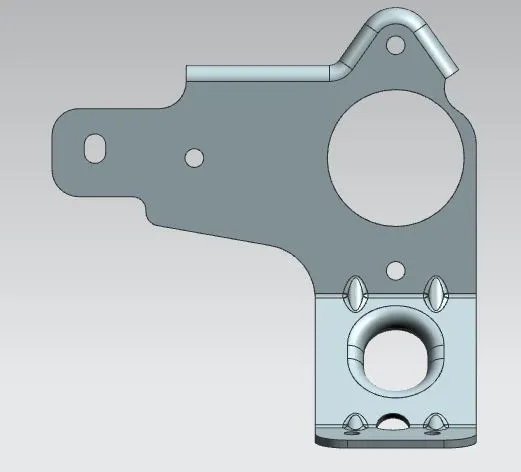
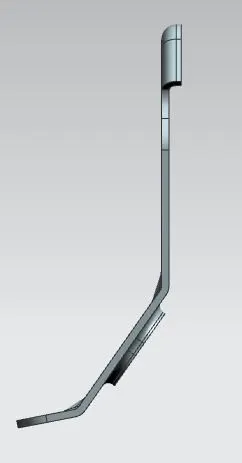
DRAWING SHEETS OF BRACKET:
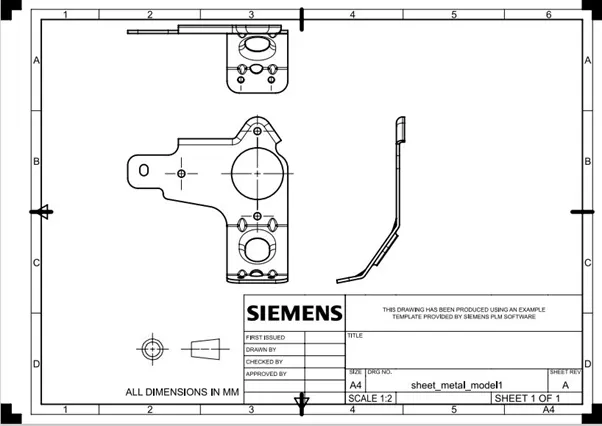
CONCLUSION:
- This sheet metal bracket is completely designed on NX12.0 software in sheet metal work bench.
- Gussets is designed to make the bracket stiff
- Holes are designed to mount on wall or any face.
- Finally the metal bracket is designed with the help of 2D sketch.