Advanced Sheet Metal Design Using NX Cad Challenge_5_Odd Shaped Enclosure
ADVANCE SHEET METAL DESIGN USING NX CAD- ODD SHAPED ENCLOSURE
INTRODUCTION:
Odd shaped enclosure structure plays an important role for protection of machine components which fitted along the structure or for the outer part of a machine. It is also used for safety purpose like heat, fluid flow, vibration etc. odd shaped enclosure is made of sheet metal. While designing these structures we have to aware of choosing a right material according to the structure based on its applications, weight considerations, resistance, corrosion, strength etc.
OBJECTIVE:
- To design an odd shaped enclosure structure as per the design requirement on NX12.0
- Conversion of solid model into sheet metal part for easy modelling
- Creating beads and holes for making structure stiff
DESIGN METHODOLOGY:
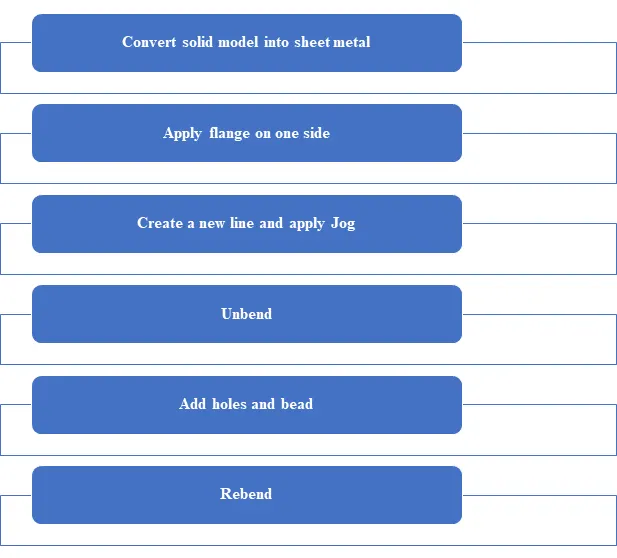
DESCRIPTION:
TOOLS USED TO CREATE ODD SHAPED ENCLOSURE STRUCTURE USING NX12.0
Sketch:
Sketch is a 2D representation of the model with respect to plane/view of the part. In NX there are sketch option to create a sketch. There are so many sketch tools available like circle, rectangle, arc, spline, line, ellipse etc. we can create a new sketch by selecting the plane or surface of part model or we can edit the previous sketch also. Every 2D sketch need to be fully defined/ constrained to convert into 3D model or a part.
Extrude:
Extrude command is used to generate a 2D sketch into 3D model solid part.
Sheet metal from solid:
This command generates a solid part into sheet metal component. It builds a sheet metal model that takes it shape from solid model or by collection of planar faces.
Jog:
Jog command is used to modify the model by lifting the selected area of part on one side of a sketched portion line by adding flanges between two sides.
Unbend:
This feature is used to unbend the adjacent bends and flatten them. This feature is used to create more features like dimple, creating holes etc. and work on more complicated designs of sheet metal. In this command we need to select a stationary face and select the adjacent bends to unbend the sheet metal.
Rebend:
After using the unbend command rebend command is used to bend to regain its original position.
Bead:
It is punch function used to stiffen the surface. It can create on the flat surface or in flanges and will extend in the direction of face.
Hole:
Hole command generates hole in the selected portions in standard size holes. Hole command add hole to one or more solid bodies in a part or assembly with options for counterbored, countersunk and threaded.
Flat pattern:
It flattens the sheet metal from the formed sheet metal part.
DESIGN OF ODD SHAPE ENCLOSURE:
- Create a sketch with 4 lines whose base width is 200mm and height is 100mm and make angles 60° in inner side of base line.
- Convert 2D sketch into 3D model part by using extrude command with 200mm length.
- Convert solid model into sheet metal form by using convert sheet metal command with top face as base face and all 4 edges along the face has selected as base edges to run the command.
- Add flange on one side whose length is 20mm and make an angle of 90°
- Make a new sketch on another side of slope face. Draw a line whose end points are touching edges of the model.
- Apply jog command by selecting the line. Give the value of height around 20mm to the designed jog model.
- Now unbend all the edges to add bead and holes.
- Draw a new sketch in top face and apply bead command whose depth is 3mm
- Now rebend the total part model
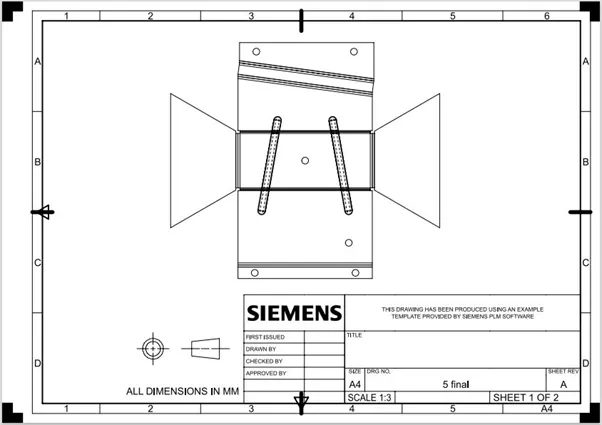
- Create a flat pattern view by selecting the top face of the model
- Create a new drawing sheet on the drafting work bench and generate a flat pattern view on the drafting space with 1:3 scale dimensions
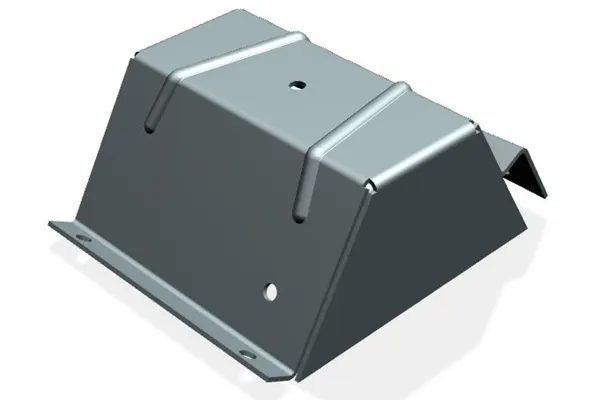
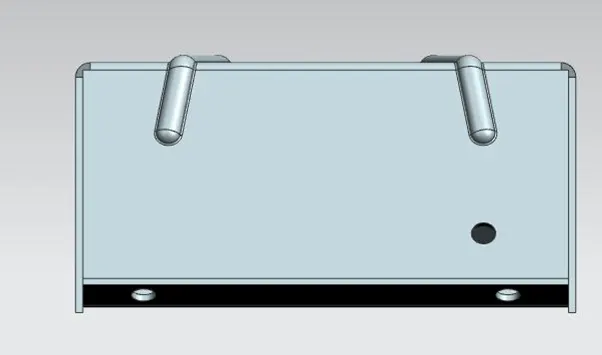
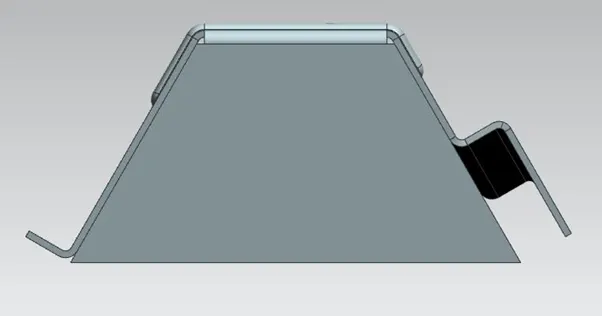
MODEL VIEWS OF ODD SHAPED ENCLOSURE:
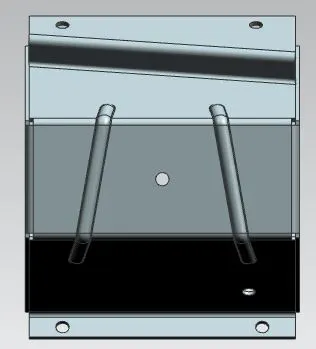
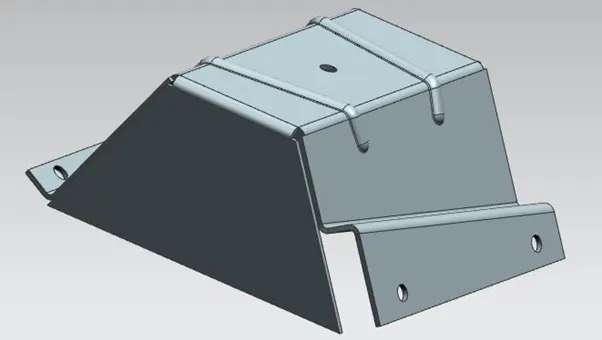
DRAFTING MODEL SHHET OF ODD SHAPED ENCLOSURE:
CONCLUSION:
- Conversion of solid model into sheet metal model is done.
- Successful completed the design of odd shaped enclosure that relevant to manufacturing process.