Advanced Sheet Metal Design Using NX Cad Challenge_1_Casing Design
ADVANCED SHEET METAL DESIGN USING NX CAD-CASING DESIGN
INTRODUCTION:
Casing is usually used as outer cover, a shell casing or tire casing, frame or frame work of a window or door, metal pipe or tube used as lining of water, oil, gas etc.
The project report contains detailed explanation about designing of sheet metal and tools used to create Sheet metal casing which designed in NX12.0 from modelling to drafting.
OBJECTIVE:
The objective of this project is to design a sheet metal casing using nx12.0 sheet metal application workbench, And for drafting the sheet metal casing.
The following steps where undertaken while designing the design of casing:
- Create a new sketch on defined planes as per the requirement.
- The user interference of the basic feature of the sheet metal application in NX like Tab, Break corner, unbend, Rebend, creating screw holes, dimple, mirror feature and flat pattern and bead.
TOOLS USED IN NX12.0 TO DESIGN SHEET METAL CASING:
Sketch:
Sketch is a 2D representation of the model with respect to plane/view of the part. In NX there are sketch option to create a sketch. There are so many sketch tools available like circle, rectangle, arc, spline, line, ellipse etc. we can create a new sketch by selecting the plane or surface of part model or we can edit the previous sketch also. Every 2D sketch need to be fully defined/ constrained to convert into 3D model or a part.
Break corner:
Break corner and chamfer tools are used to make some changes over sheet metal body. Both the tools provide a different activity in creation of parts. Rounds or chamfers a sharp corner of a tab or flange. Here by using this tool we can do two different operations. One is forming bend to part and secondary is forming chamfer.
Unbend:
This feature is used to unbend the adjacent bends and flatten them. This feature is used to create more features like dimple, creating holes etc. and work on more complicated designs of sheet metal. In this command we need to select a stationary face and select the adjacent bends to unbend the sheet metal.
Rebend:
After using the unbend command rebend command is used to bend to regain its original position.
Dimple:
Dimple is a punch operation. It used to create depression on the surface. Dimple can create on the flat surface or in flanges and will extend in the direction of face.
Mirror feature:
Mirror has a silent feature and important tool in NX. It reduces the sketch by selecting the mirror reference line. As you sketch entities, they are mirrored about the pre-selected sketch entity.
Bead:
It is punch function used to stiffen the surface. It can create on the flat surface or in flanges and will extend in the direction of face.
Flat pattern:
It flattens the sheet metal from the formed sheet metal part.
DESIGN METHODOLOGY OF SHEET METAL CASING:
DESCRIPTION OF CASING DESIGN:
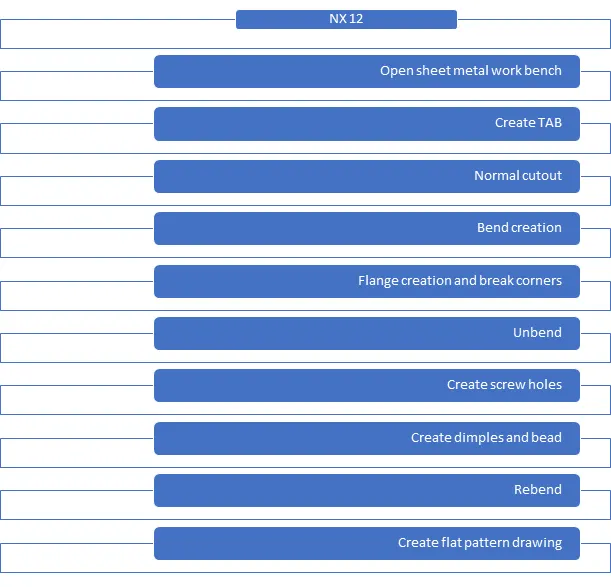
- Create a new sketch on XY plane. Draw the rectangle of length 60mm on x-axis and breadth 50mm on y-axis. Apply TAB command to that sketch and provide the value of thickness about 1mm.
- create another sketch on the same xy-plane. Draw the rectangle on the left edge of the created tab feature with dimensions 5mm of width and 40mm from centre of the orign and apply normal cut out command.
- create another sketch on the same XY-plane and draw two lines making the end points on the edge of created tab and give dimensions from horizontal edge for about 10mm on each side. Create a bend in upward direction for 90 ° angle by selecting a line which created in a new sketch. Repeat the same command for another line also.
- create a flange of length 5mm and angle 90° on the newly created bend to the inward direction. Repeat the same step for another side also.
- Create another new flange to the another side of created tab with length 5mm and angle is about 90 ° in the outward direction of casing
- Apply Break corner command to the edges of flanges and case as per the requirement with bend radius about 1mm.
- Unbend the total sheet metal part to apply the dimple and bead features to the casing part.
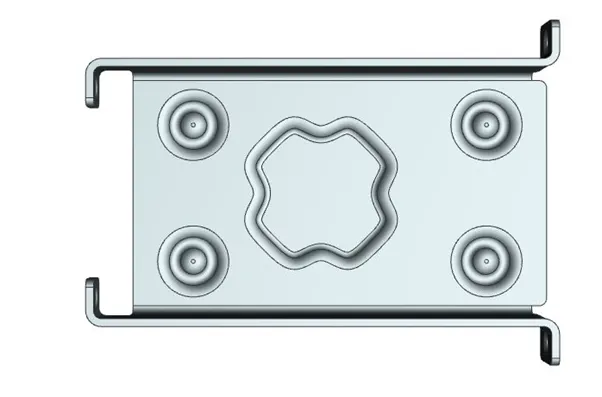
- create a new sketch on the inner flat surface of the casing with required dimensions as per the requirement. Select studio spline option and set the type of fields by bi-poles and click on closed loop option and select the all 16 points in a clockwise or anti clockwise manner. Click on more curve option and select the spline. Set the motion option to transform angle and give the value about 45 °. Apply dimple command and set the depth of dimple is around 1mm in the specific direction
- create a new sketch with 4 lines touching every midpoint of each and every flange. Apply hole command of and select 4 mids points of created new lines. Provide a hole type values like the type of hole is M2 and screw size is H13 and set the depth limit option through the body.
- Create a new sketch on inner surface of the casing and draw a circle of 5mm and give dimensions from corner of casing is about 8mm from both sides. Apply bead command and select the circle. Set the depth and radius for 1mm, expand the rounding field and provide die radius about 1mm.
- Apply the mirror feature option and select the bead as mirror body and select XZ- axis as a mirror plane. Repeat the same command also for XY-axis to get the beads on all four corners.
- Apply rebend command and select the planar face of casing to regain its original part
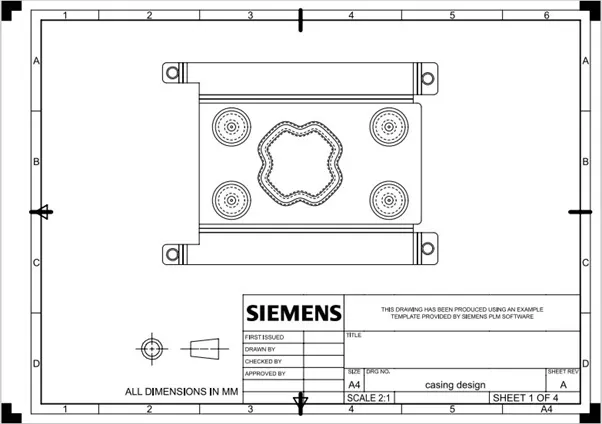
- apply pattern command and select the central flat face of the casing design. This will create a new flat pattern version of the sheet metal. Go to the part menu tree and expand the model view tree and double click on flat pattern view.
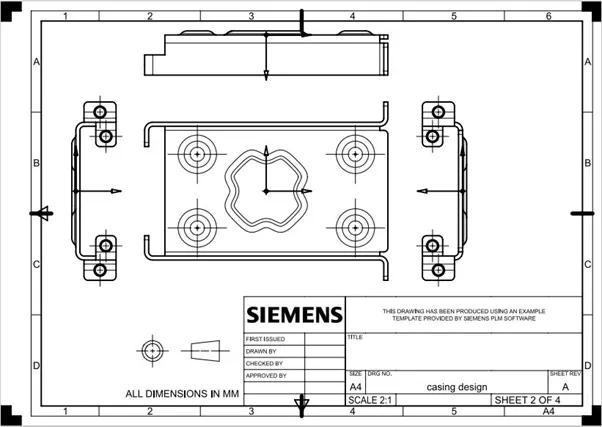
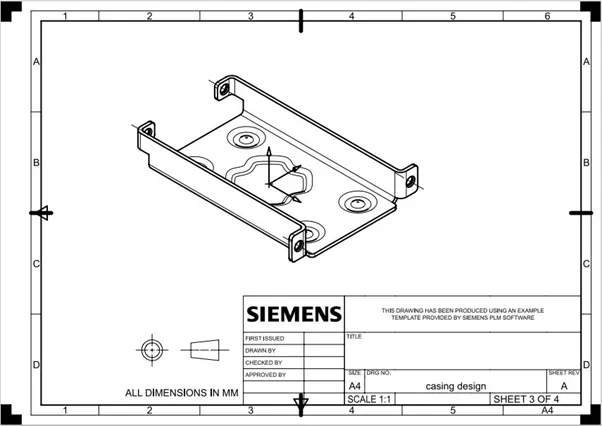
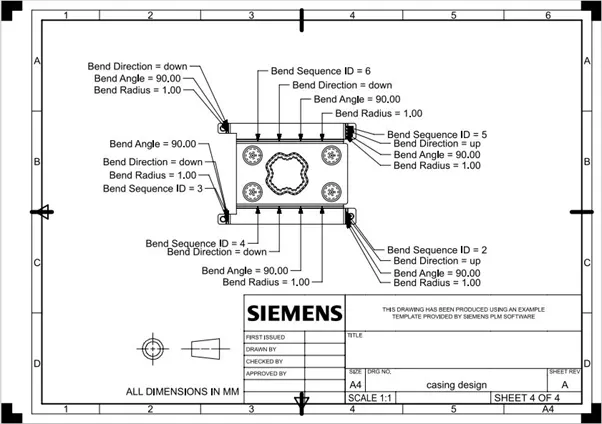
- Create a new drafting file on drafting on drafting workbench which available on application tool bar. Create a new sheet of size A4 and add a new base which can done by adding the new flat pattern view from the model views tree. Select the scaling ratio on 2:1 which can view clearly as per the dimensions.
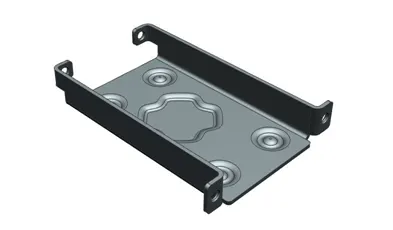
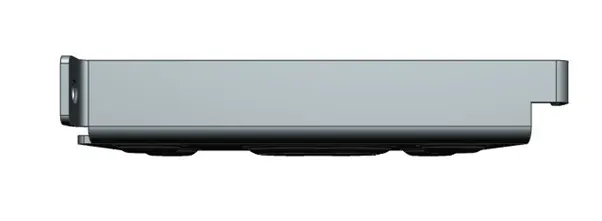
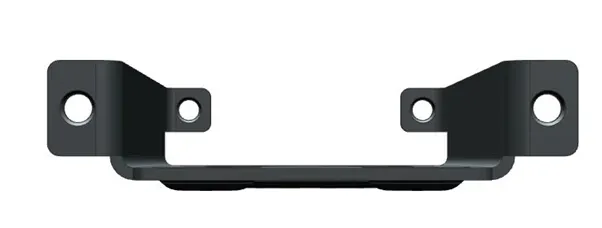
MODEL VIEWS:
DRAWING SHEETS:
CONCLUSION:
- The casing of the sheet metal is designed in simens NX12.0
- Tools and features are used for the casing and learned.