Advanced Sheet Metal Design Using NX Cad Challenge_7_ Metal bracket-II
Title: Metal Bracket - II
Objective: Designing a sheet metal Bracket-II using NX CAD tool
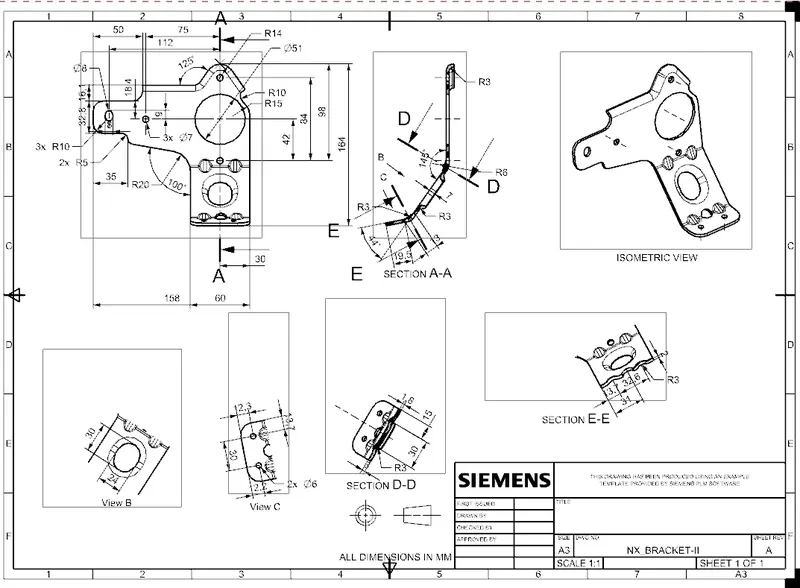
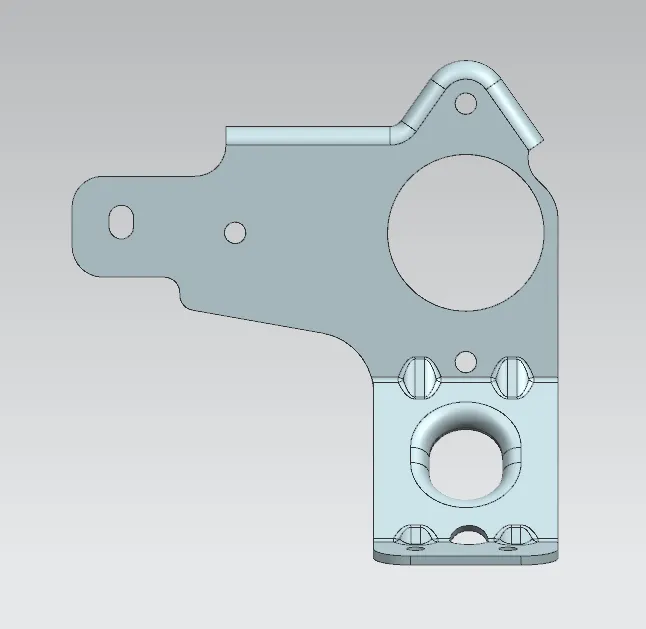
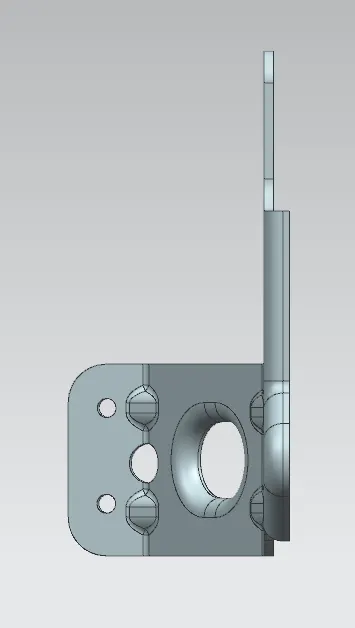
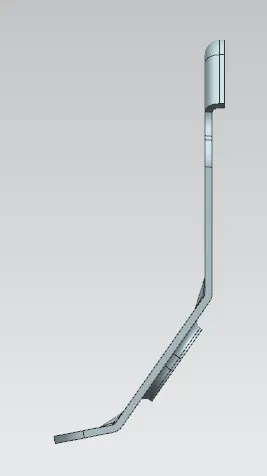
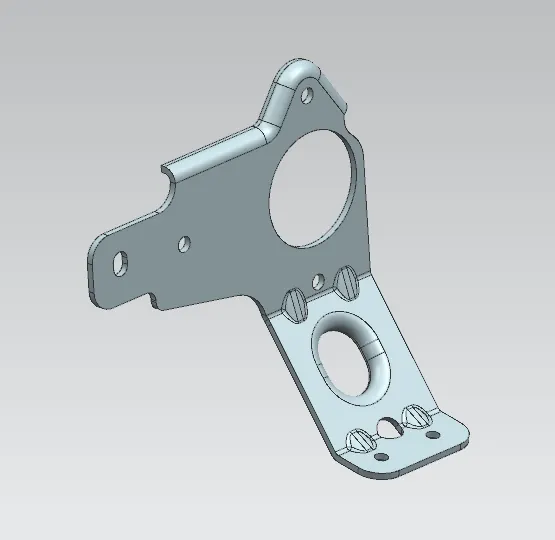
Introduction: This is a metal bracket which has a bend, holes, cut out and beads.
Design Methodology:
Base sketch is drawn on YZ plane>Another Base sketch is drawn on XZ plane> Creation of contour flange with latter sketch > Trimming the external and internal boundaries > Removal of all sharp corners> Creation of flange> Unbending of part> Making circular cut out> Creation of Holes> Creation of stamped oblong cut out> Re-bending of part> Creation of Gussets.
Description:
Base sketch is sketched on YZ plane. Another base sketch is sketched on XZ plane. Then it is made into 3D using Contour flange command. Trimming of external and internal boundaries like cut outs, Holes are done with the help of 1st Base sketch using Normal Cutout command. All sharp corners are removed using Break Corner command. Advanced Flange command is used to create a flange at the top area of the part. Unbending of part is done using Unbend command. Another sketch at the 2nd bend is drawn and trimmed using Normal Cutout command. Also holes are made using Hole command and type is Simple Hole. A new oblong sketch between 1st & 2nd bend is drawn and trimmed using Normal Cutout command and Advanced Flange command. Re-bending of part is done using Rebend command. Now, strengthening ribs are provided on both the bends by using Gusset command.
Conclusion:
Hence, above sheet metal Bracket - II has been design with minimum possible operations.