Advanced Sheet Metal Design Using NX Cad Challenge_6_Bracket
Title of the project - Advanced Sheet Metal Design Using NX-CAD Challenge - 6 - Bracket
Objective
To create and design a Bracket using NX CAD.
Introduction
A metal bracket is a fastener or connector designed to secure and hold two pieces or objects together. They are used to support shelves, stabilize equipment, fasten uprights, or serve as decorative accents. Metal brackets come with or without holes and can be threaded to allow screws to be attached. They are hardware products designed to hold pieces together, enable doors to be opened and closed, and can have hasps for locking an enclosure.
The versatility, strength, and durability of metal brackets make them adaptable to a wide range of applications from construction and manufacturing to automotive and aerospace industries. There are several methods available to manufacture metal brackets, which include CNC machining, casting, and sheet metal fabrication and stamping formin
Design Methodology
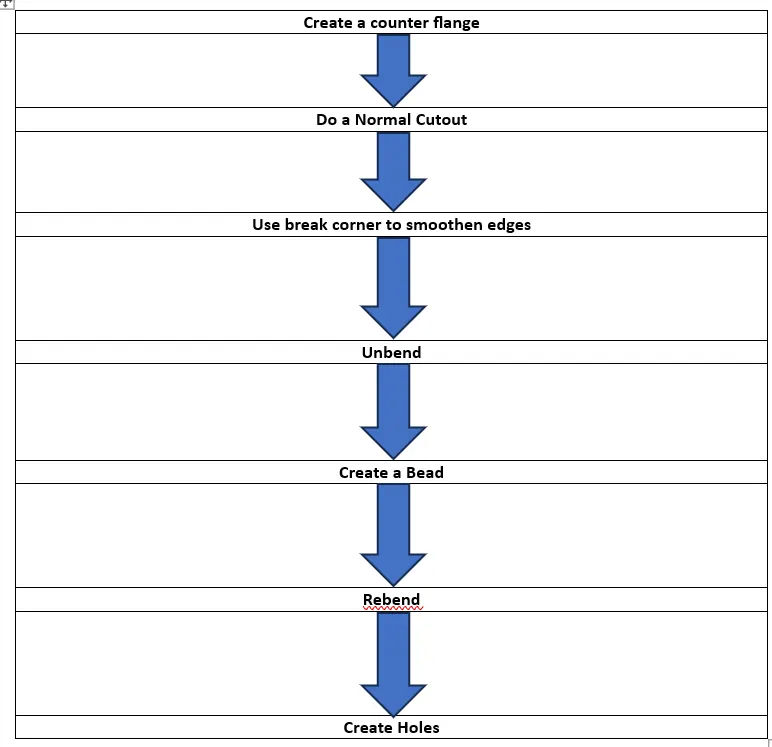
Description
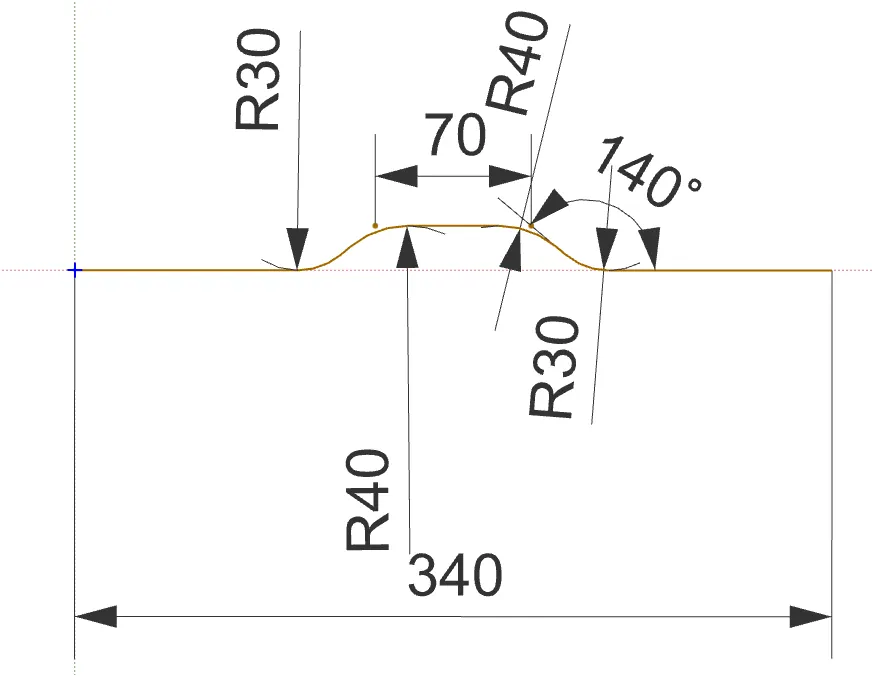
1. Draw a sketch as shown below.
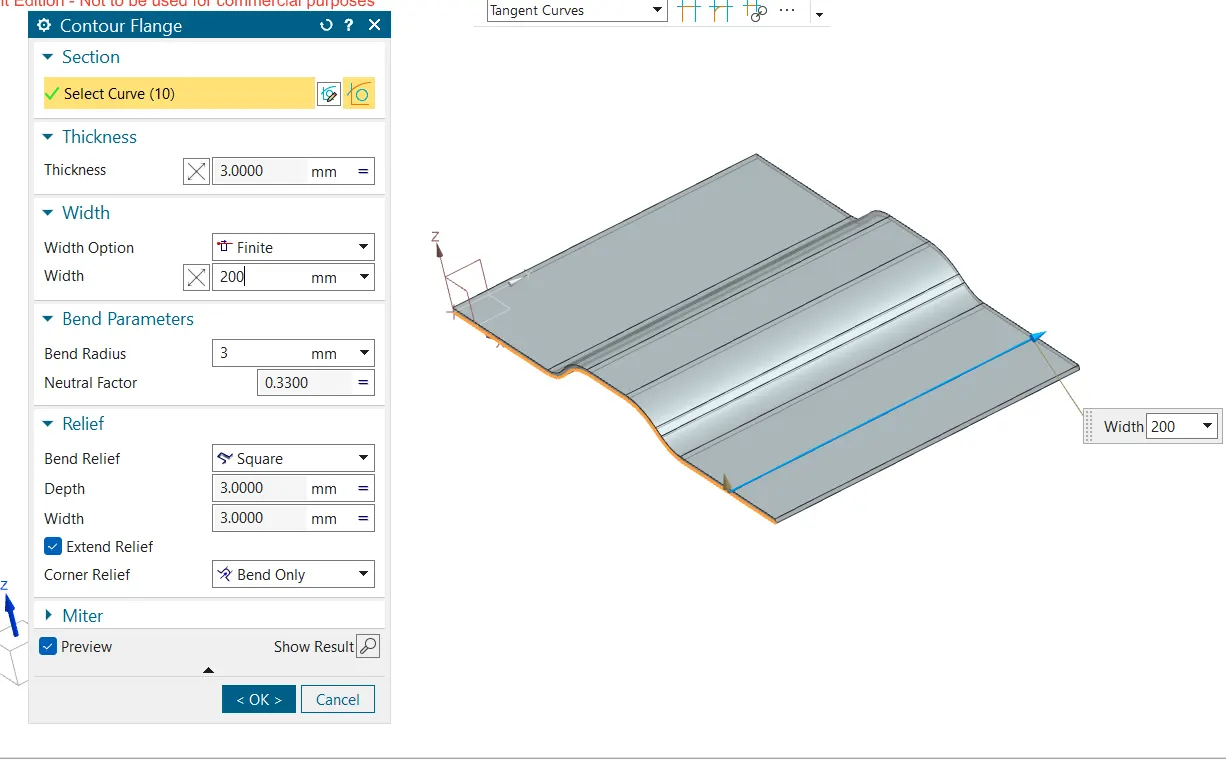
2. Using counter flange give a width of 200mm to the flange.
3. Draw a sketch for cutout
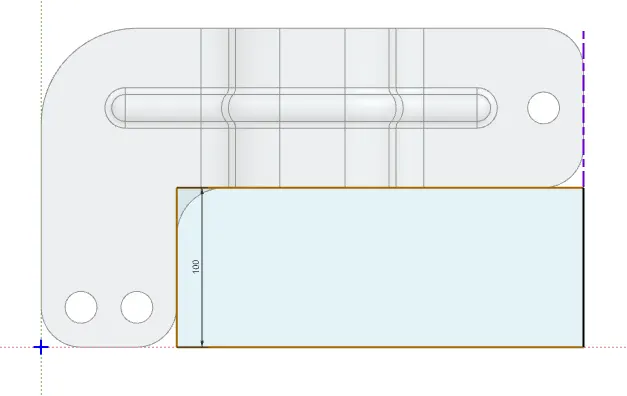
4. Using normal cutout remove the unwanted region.
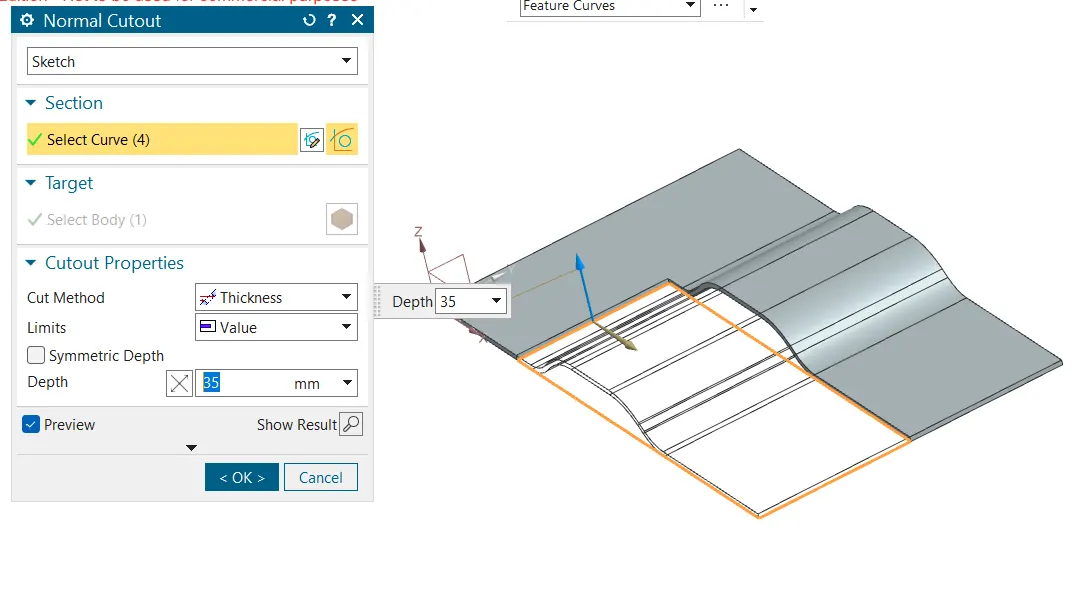
5. Using break corners smoothen the edges.
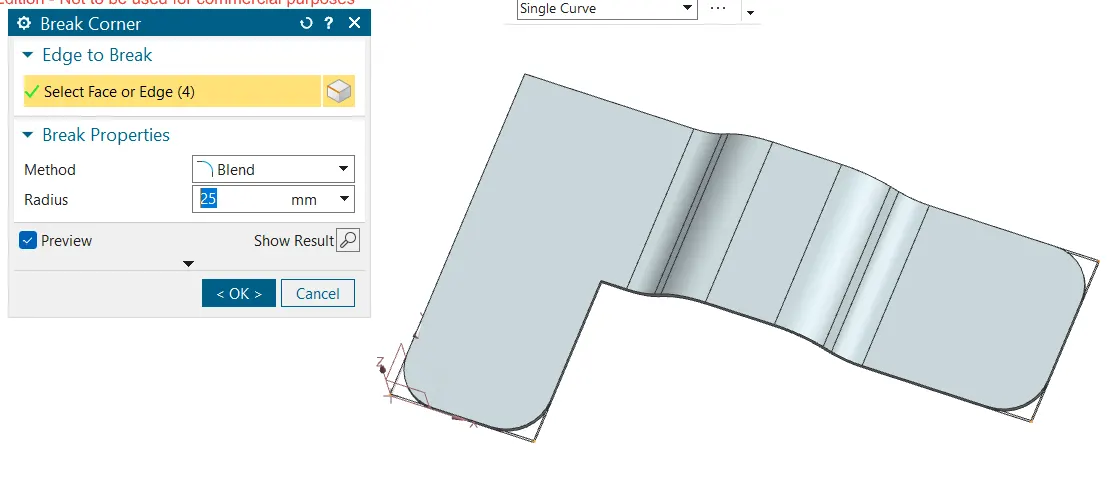
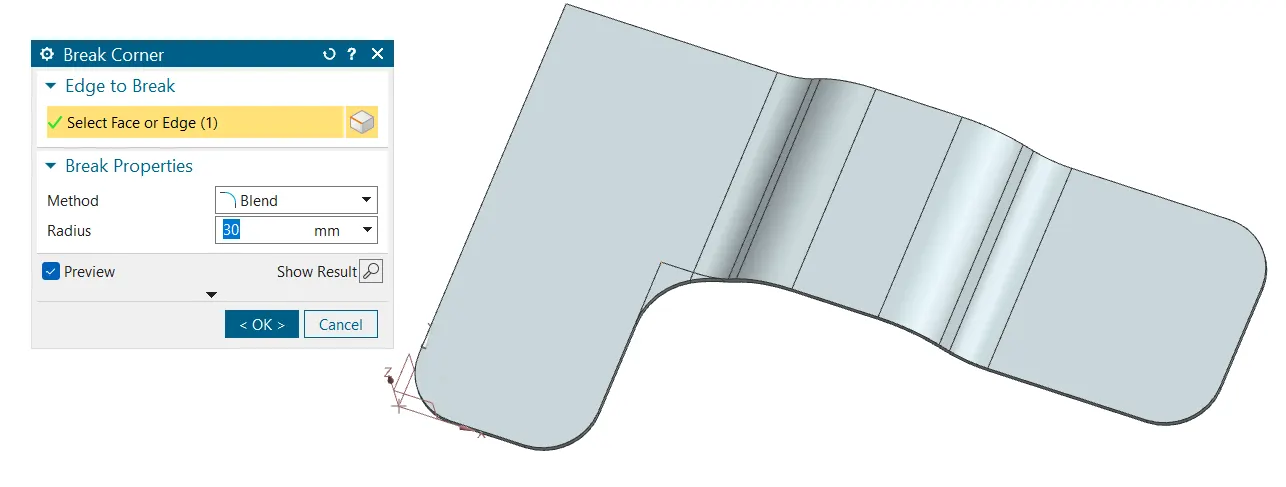
6. Unbend the design.
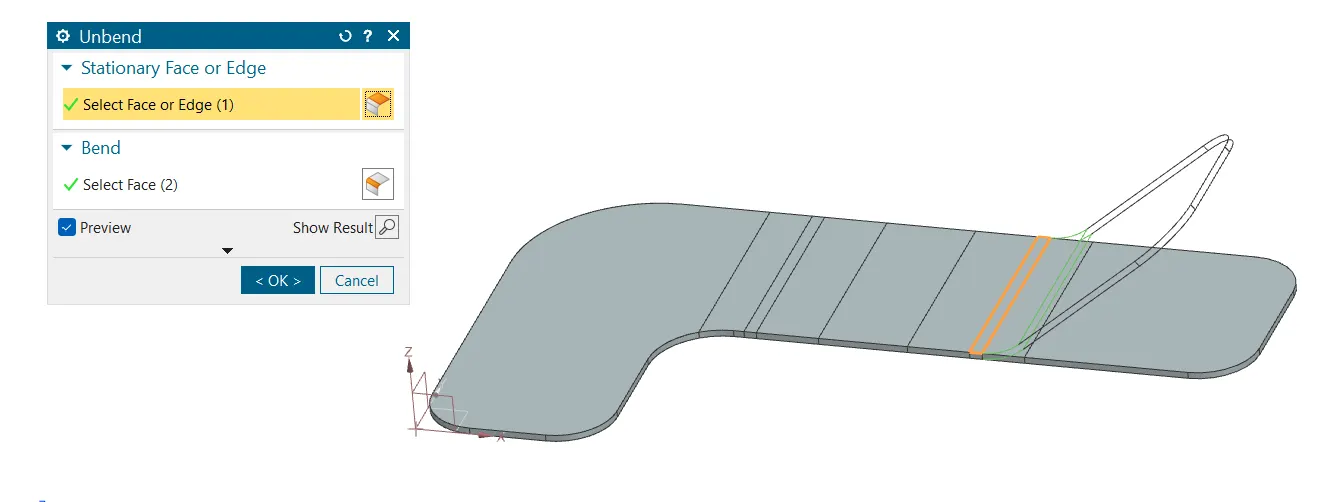
7. Create a bead on the bracket.
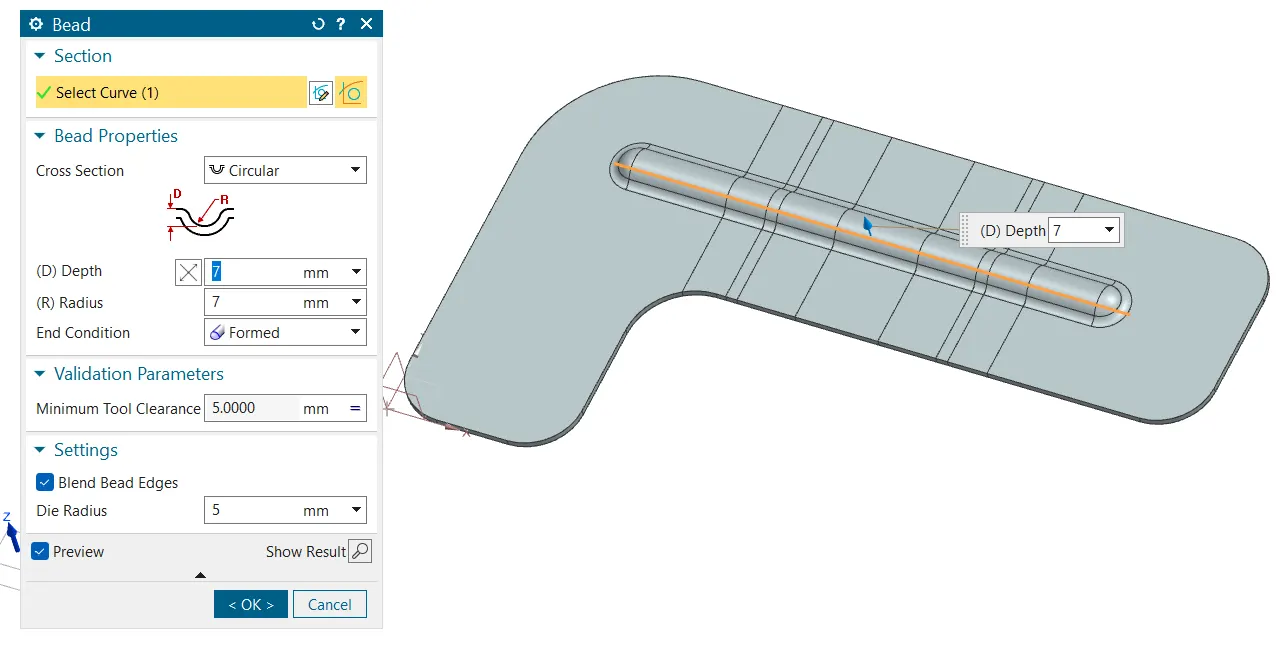
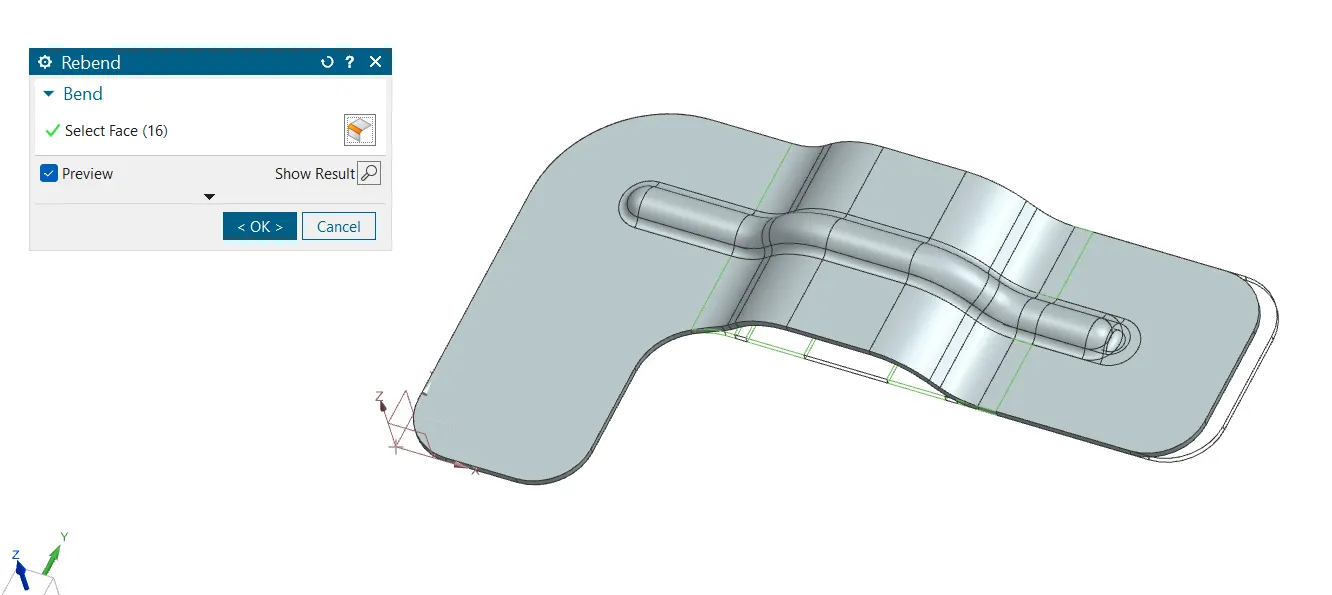
8. Rebend the model.
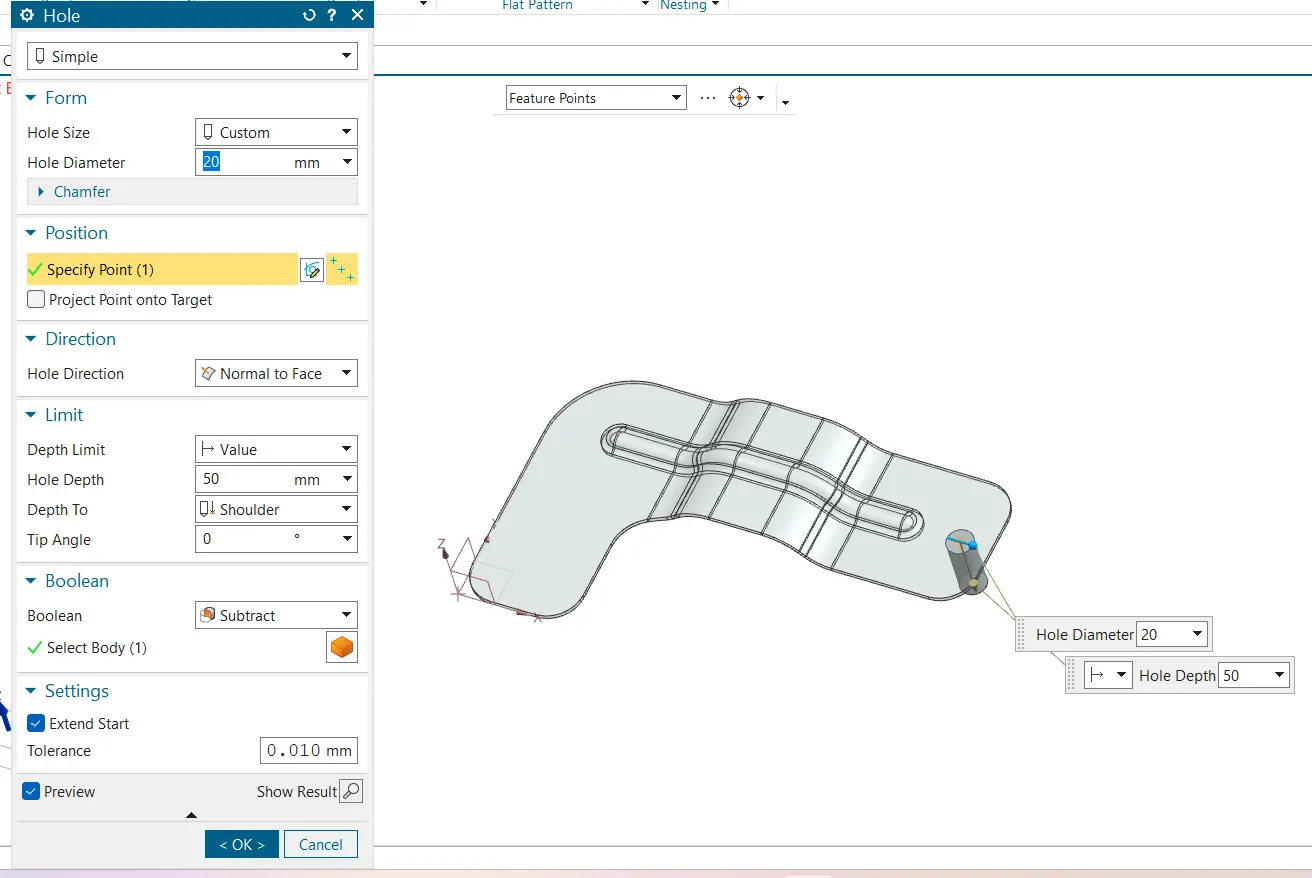
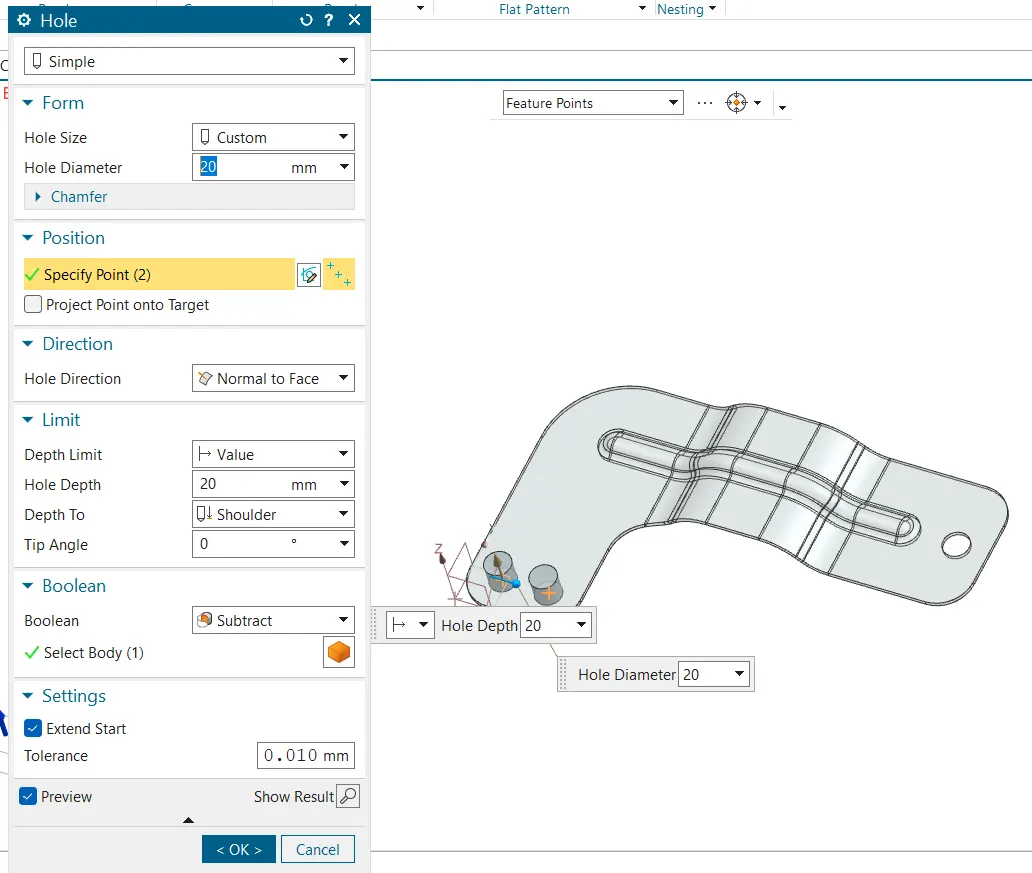
9. Create holes at the specified regions.
Results
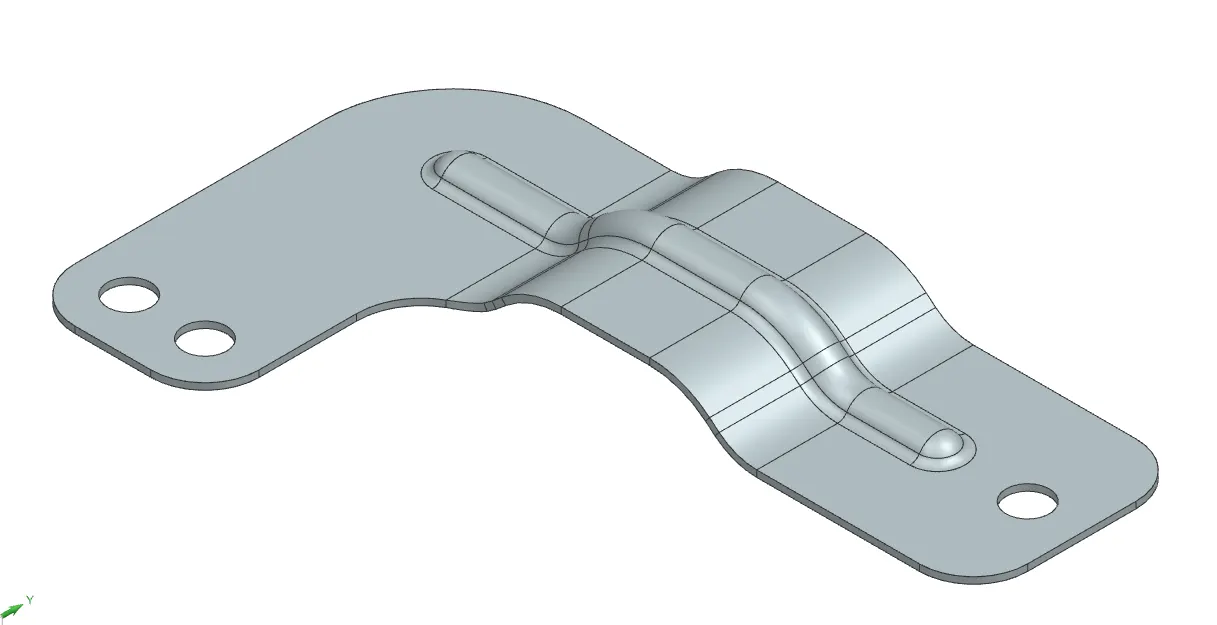
1. Isometric view
2. Front view

3. Side view

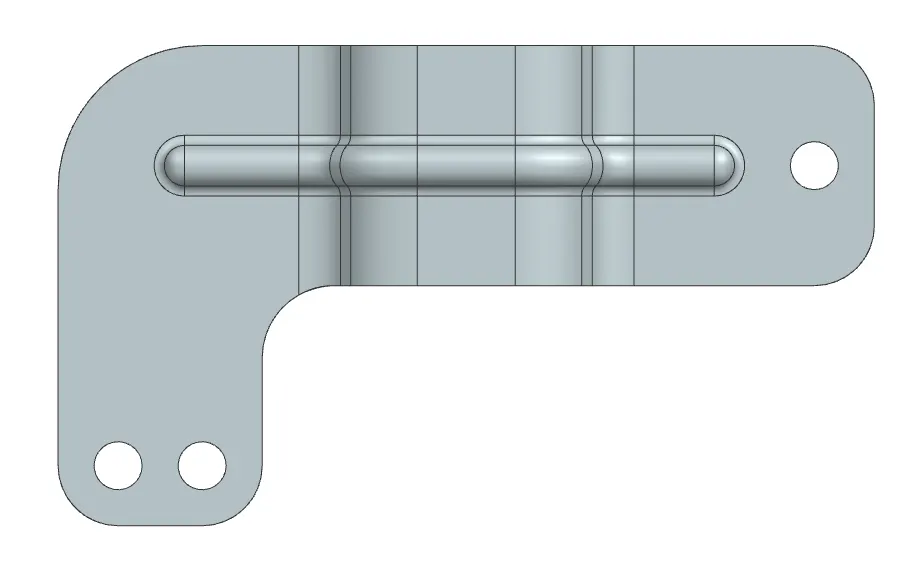
4. Top view
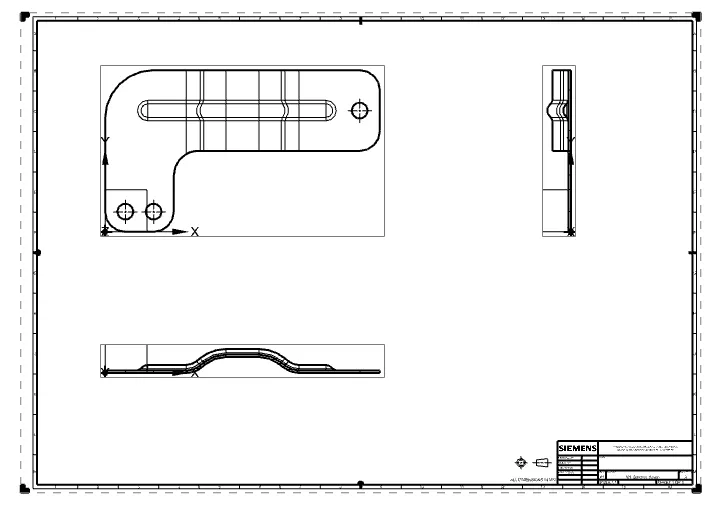
Drawing
Conclusion
A Bracket has been designed using NX CAD.