Advanced Sheet Metal Design Using NX Cad Challenge_6_Bracket
TITLE OF THE PROJECT
Design a Bracket Using NX Cad by following the design rules.
OBJECTIVE
Design a Sheet metal bracket and provide all the design feature to it according to the design rules.
INTRODUCTION
Brackets can support many architectural items, including a wall, balcony, TV antennas, pergola roof, window box, or a shelf. In addition to creating a connection between two parts, a metal bracket can be used to provide support
DESIGN METHODOLOGY
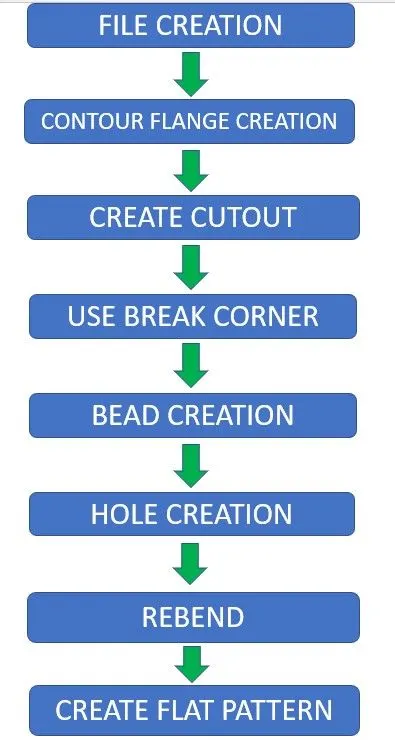
DESCRIPTION
FILE CREATION:- Create a sheet metal design file in Nx Cad and name it.
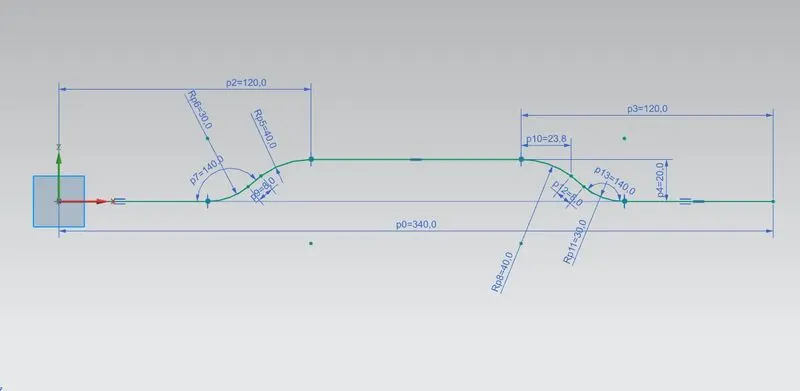
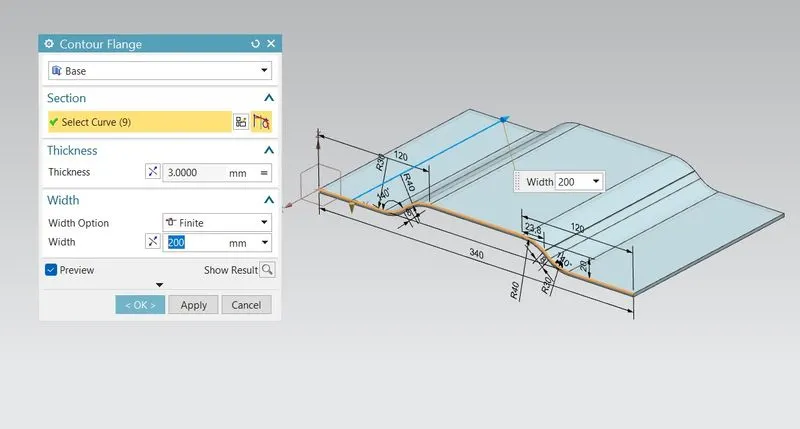
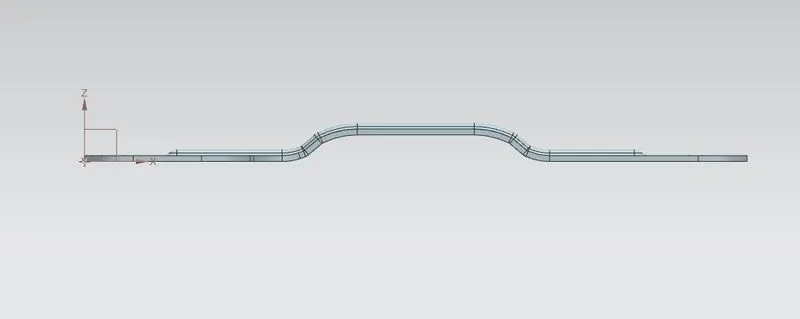
CONTOUR FLANGE CREATION:- Create a base sketch in XZ Plane to make the base of the Bracket, then use CONTOUR FLANGE command to create a 200mm Bracket.
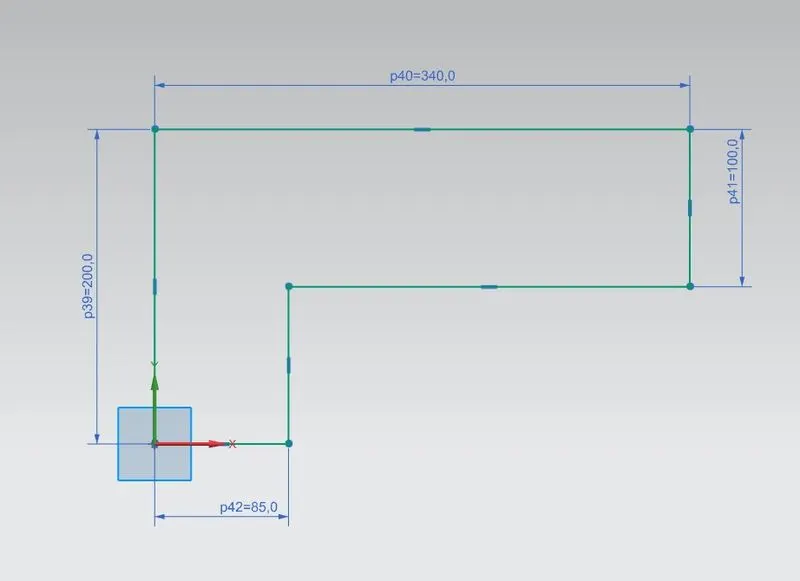
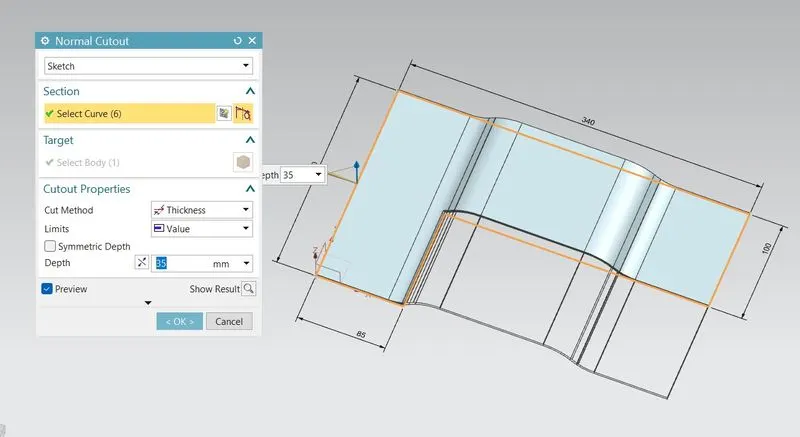
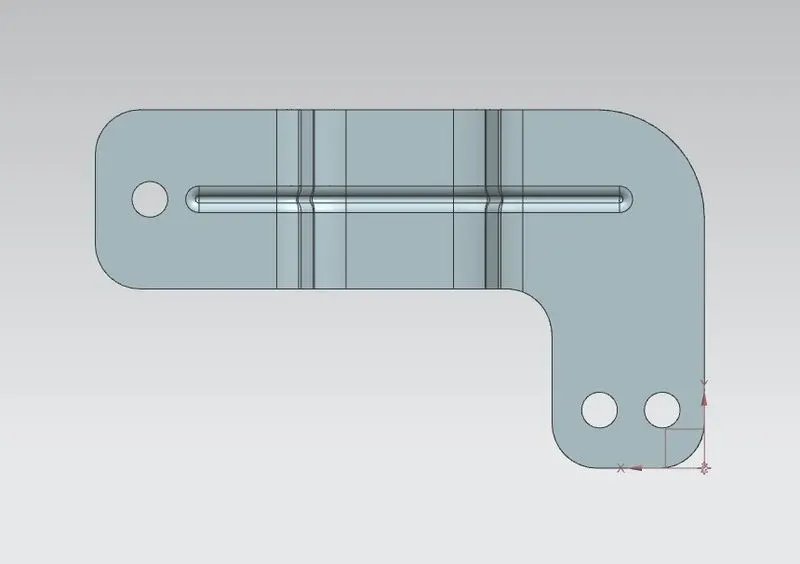
CREATE CUTOUT:- Create a Sketch for the cutout on the XZ plane and use NORMAL CUTOUT to cut the base model according to the cutout sketch.
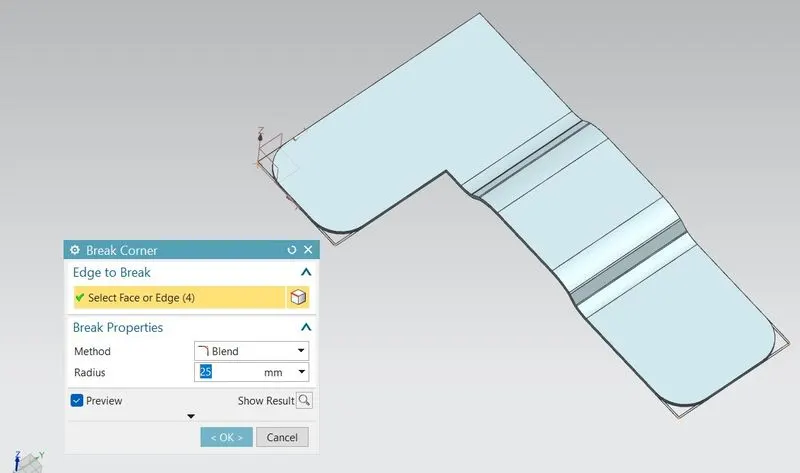
USE BREAK CORNER:- Use BREAK CORNER command to smoothen the sharp edges of the part and given the edge radius according to the design guidline.
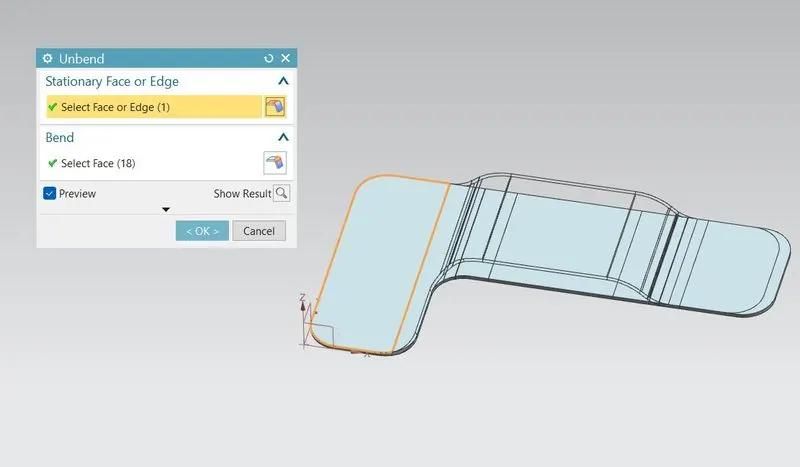
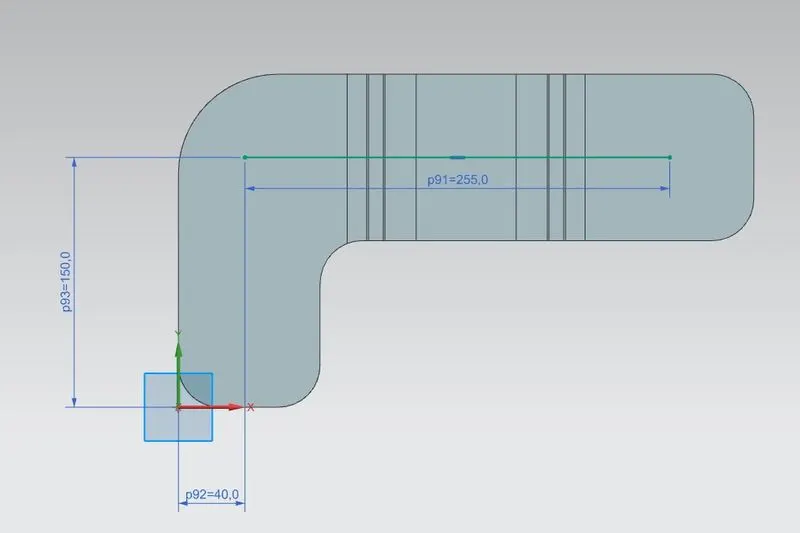
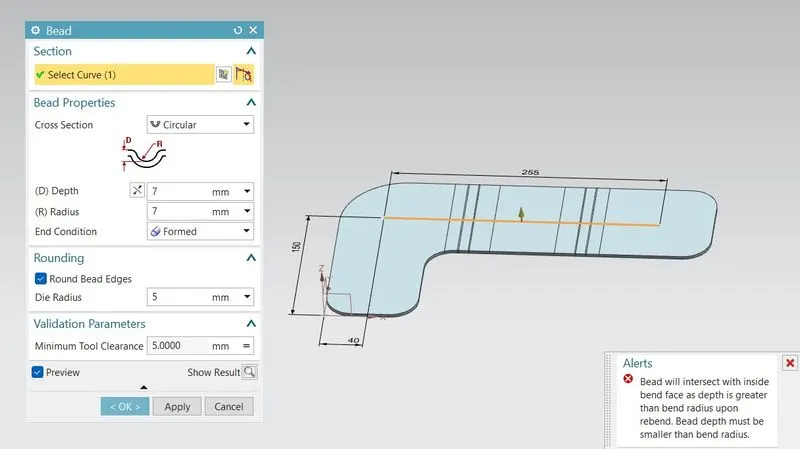
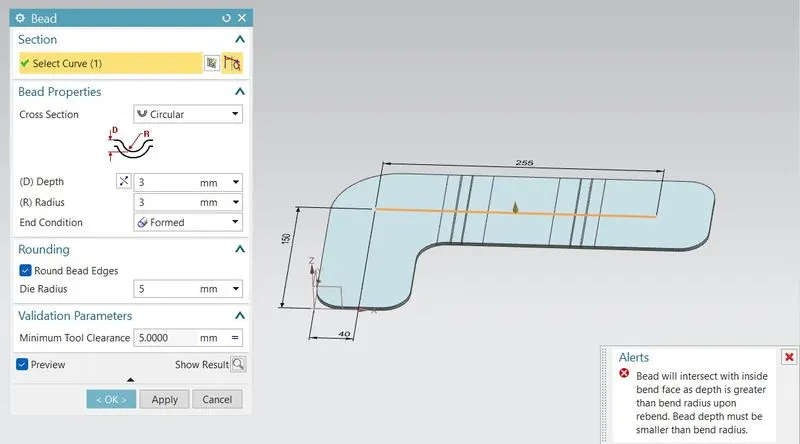
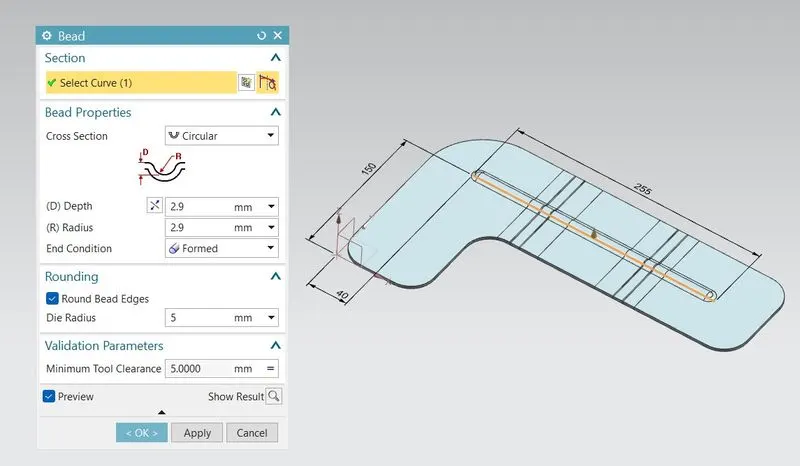
BEAD CREATION:- First use UNBEND command and flatten the model then create sketch of a line according to the design parameter, then use BEAD command to create bead using that line.
(ERROR CLARIFICATION:- I HAVE TRIED GIVING THE PARAMETER FOR THE BEAD ACCORDING TO THE DESIGN RULE BUT IT DIDN'T HAPPEND, I HAVE TRIED MANY DIFFERENT METHOD BUT STILL IT DIDN'T TOOK THE PARAMETER MENTIONED IN THE DESIGN GUIDLINE, IT WAS ONLY HAPPENING WITH THE VALUE BELOW 3MM, SO THAT I HAVE GIVEN 2.9MM FOR THE DEPTH AND RADIUS)
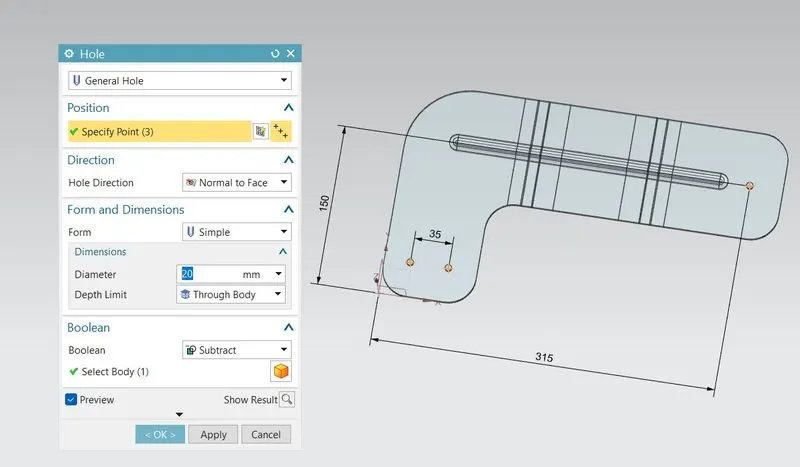
HOLE CREATION:- Create points on the part according to the design guidline and use HOLES commands to create holes of 20mm dia.
REBEND:- Use REBEND command and select the whole part to regain its original position
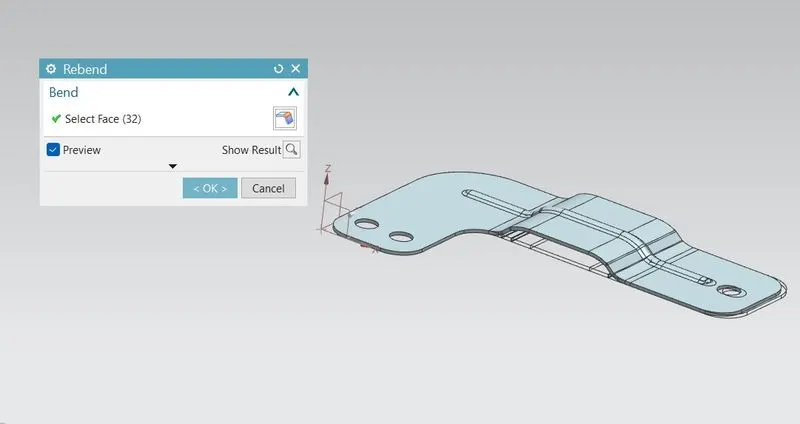
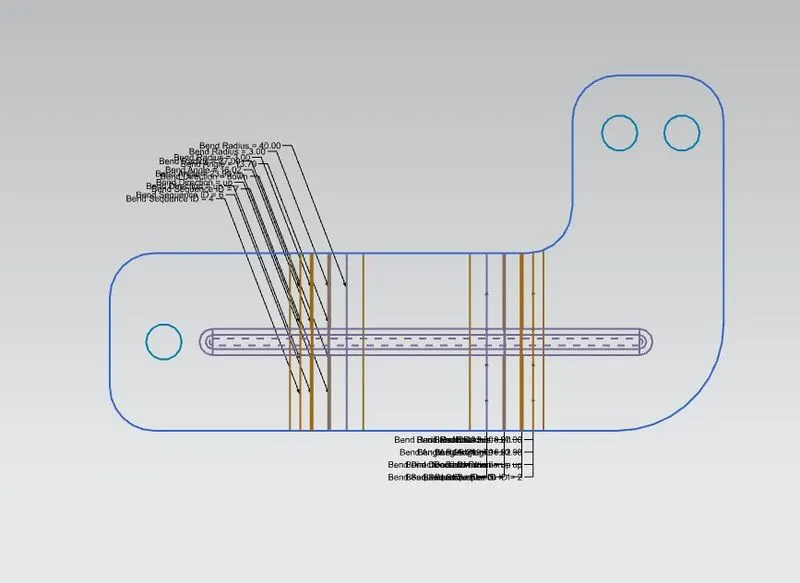
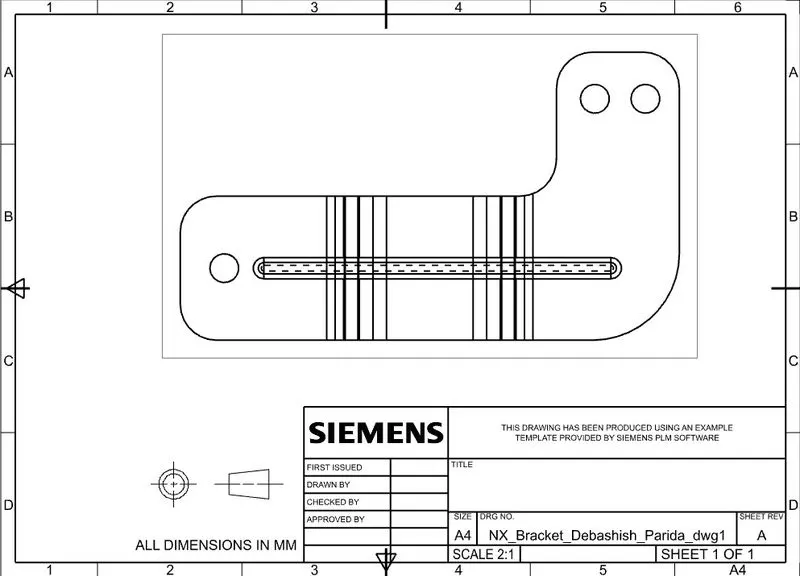
CREATE FLAT PATTERN:- Use FLATE PATTERN command and select a stationary face then after creating flate pattern we can create a Drawing sheet of that Flat pattern.
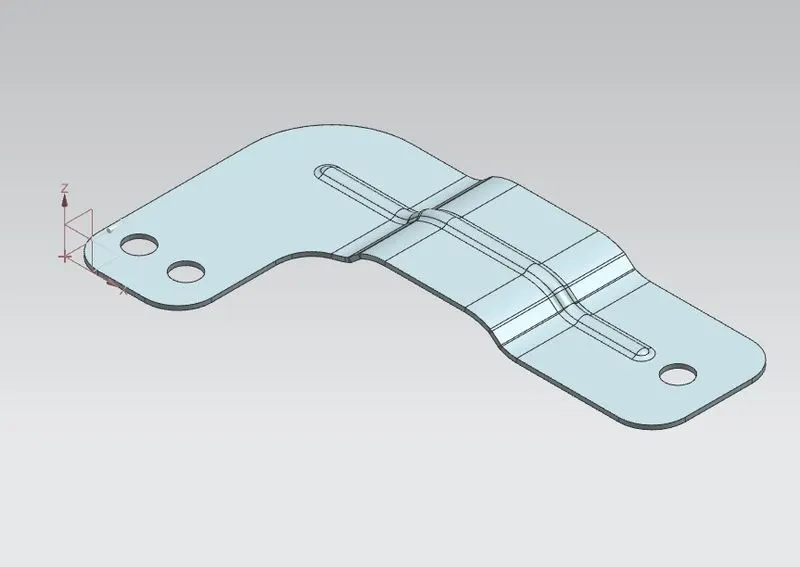
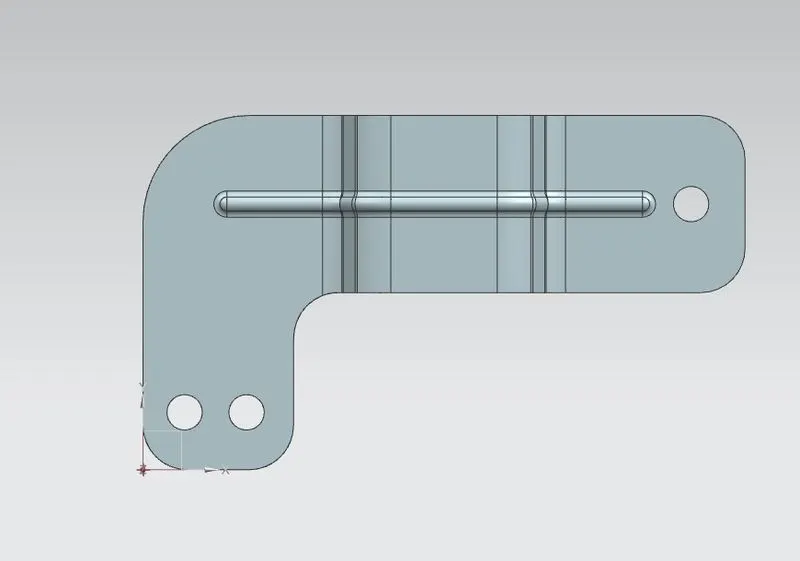
PART IMAGES
DRAWING SHEET IMAGE
CONCLUSION
This design of BRACKET model is created using nx cad by following the design rules.