Advanced Sheet Metal Design Using NX Cad Challenge_6_Bracket
Sheet Metal Bracket Design using NX CAD
Objective: The main purpose of this project is to design bracket as per 2D drawing through Advanced sheet metal tools in NX-CAD.
Introduction:
Sheet metal is a metal formed by an industrial process into thin, flat pieces. Sheet metal is one of the fundamental forms used in metalworking, and it can be cut and bent into a variety of shapes. Countless everyday objects are fabricated from sheet metal.
A Sheet Metal Bracket is nothing but a projection from a wall or overhangs from the wall to carry a weight. Brackets are often in the form of volutes, or scrolls, and can be carved, cast, or molded. These are manufactured by conducting stamping or die casting operation. These brackets found their application for mounting of any products starting from antennas to TV, projectors or street lights and many more.
Design Methodologies:
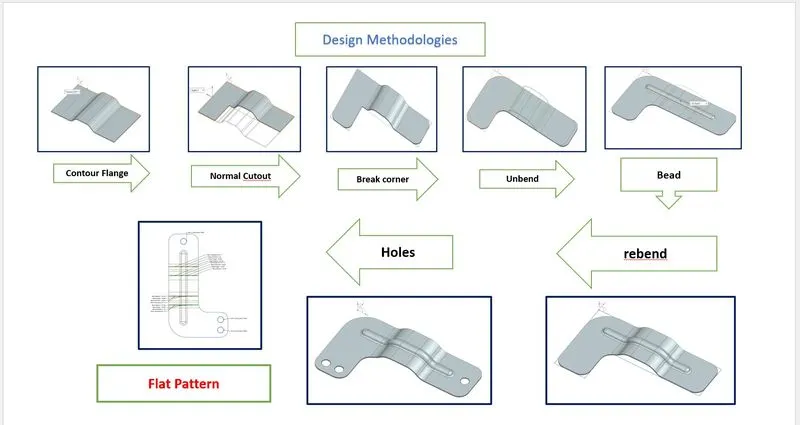
DESCRIPTION
- Setting Preferences
The First step in Sheet Metal Modeling isto validate the seet metal preferences and modifying the global values as per the project requirement.
Creating Contour Flange
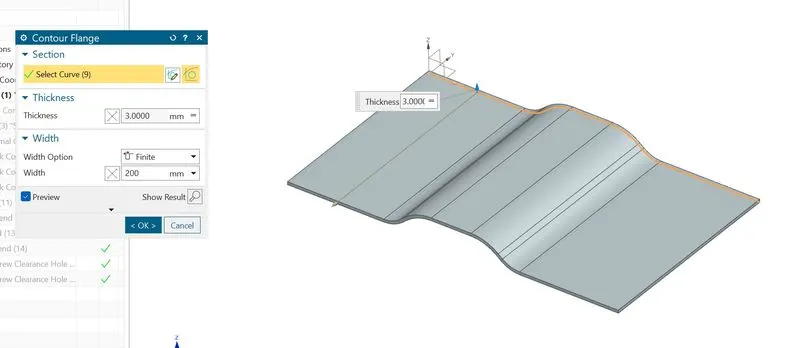
- The Next Step is to create a contour Flange.
- A New Sketch is created in 2D Plane and the this curve is used to create a flange with desired length.
Sheet Metal Cutout
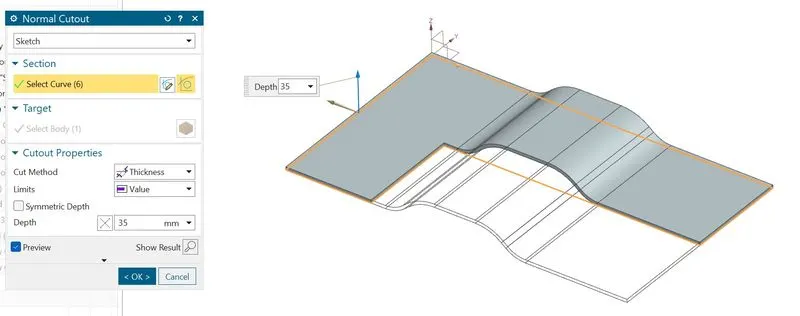
- The Next phase is to cut part of the sheet metal to desired shape. Normal Cutout is used which cuts the sheet metal model through projection of Sketch onto the model and cutting perepndicular to faces.
- After a 2D sketch is created it is then used to cutout the sheet metal part.
Creating Advanced Features
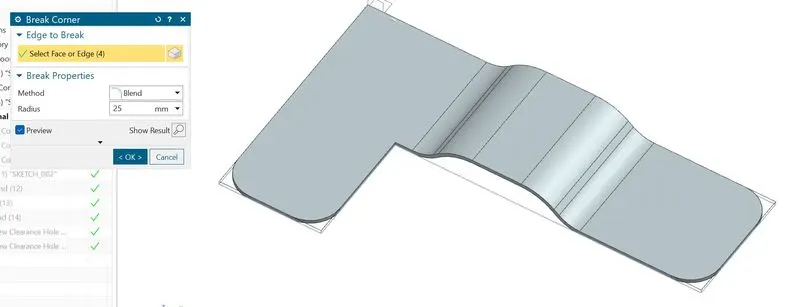
- The Next Phase is to break the sharp corners to allow easy faciltaion of tool path.
- The Sharp corners are applied with Break Corners which blends the model to its given radius.
- Then the sheet metal model is prepared for adding beads and holes.
Unbend and Rebend
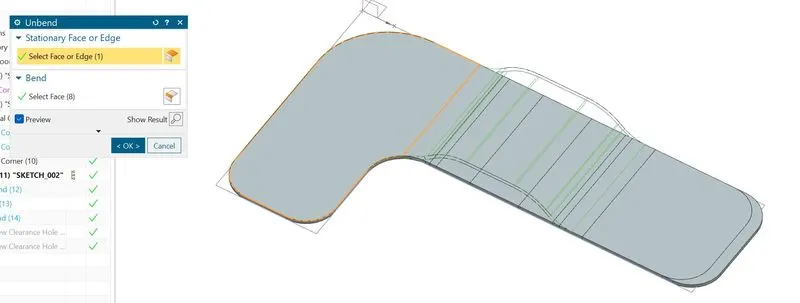
- Then the Sheet Metal model is unbend using a stationary face
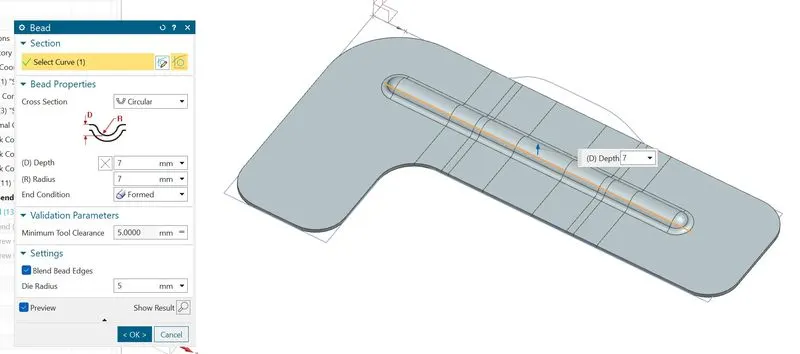
- The Main reason to add Beads after unbend option is to have smooth projection bead surface accross the bending faces.
- A 2D sketch is created for Bead profile and it is used to lift the material that simulates the stamping tool.
- A Circular Bead is desired for this model and the depth, radius and end condition are defined.
- The Next Step is to Add a simple Hole by specfying the points at three positions.
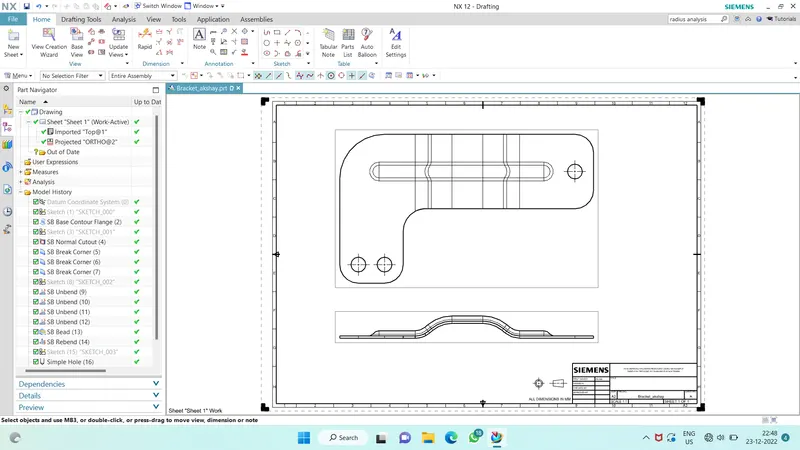
- Then the model is exported to Drawing
Sketch:
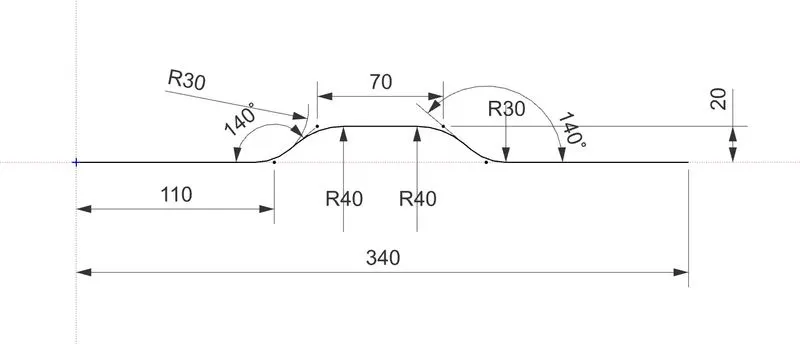
Contour Flange: In Siemens NX sheet metal, contour flange command used to create a base feature by extruding a sketch along a vector, or adds material by sweeping a sketch along an edge or chain of edge.
Normal Cutout: Normal Cutout command extract/removed volumes from sheet metal by using sheet metal production principles. Cutting faces will be perpendicular to the sheet metal surface.
Break Corner: This feature is used to smoothen the harmful corner of the sheet or to give an attractive look to the part.
Unbend: This feature is used to flatten the sheet metal part for further design operations.
Bead: The bead is like a raised rib in the sheet metal panel. It requires that you have at least one sheet metal panel in the active part as well as an open or closed-loop sketch.
The Bead is another feature that has only a button for Options on the CommandBar.
Rebend: Rebend feature is used to get the original bend shape after performing forming operations like a dimple, bead.
Hole: This feature adds holes to the sheet metal part.
Flat Pattern: This feature is used to create an instance of the flat shape and size of the sheet metal that required to create the final part.
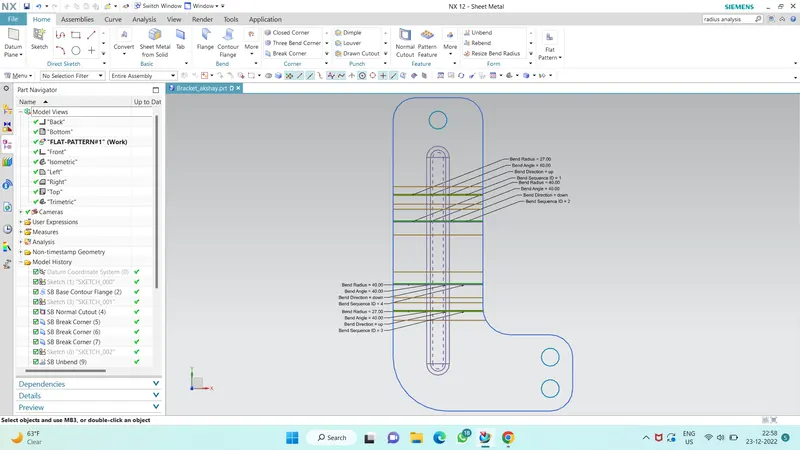
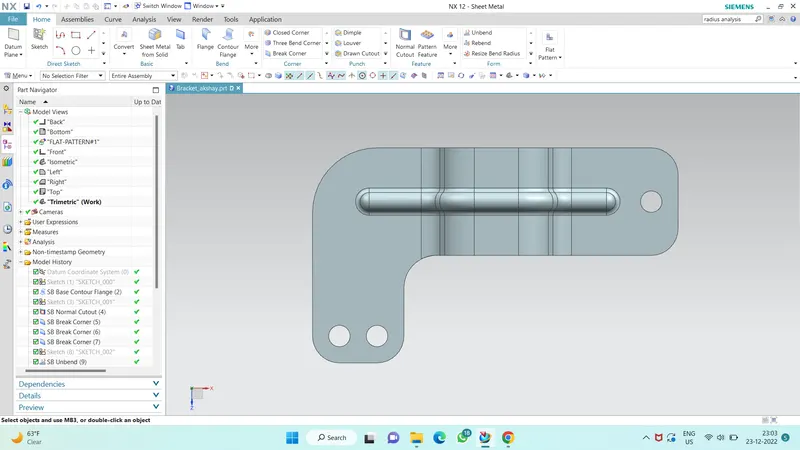
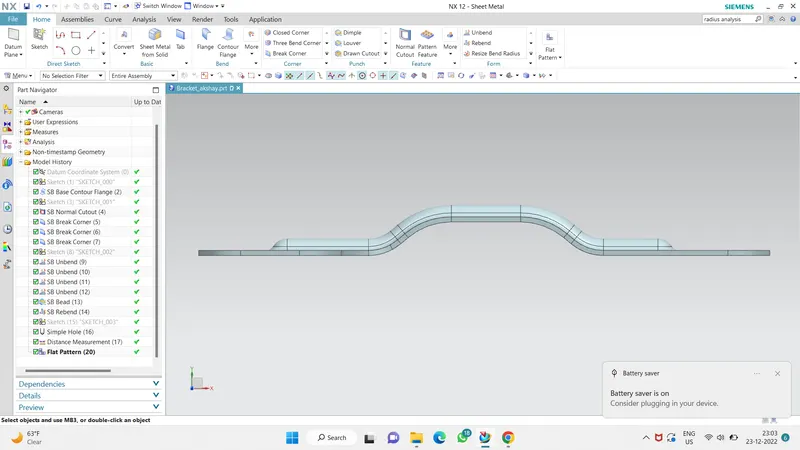
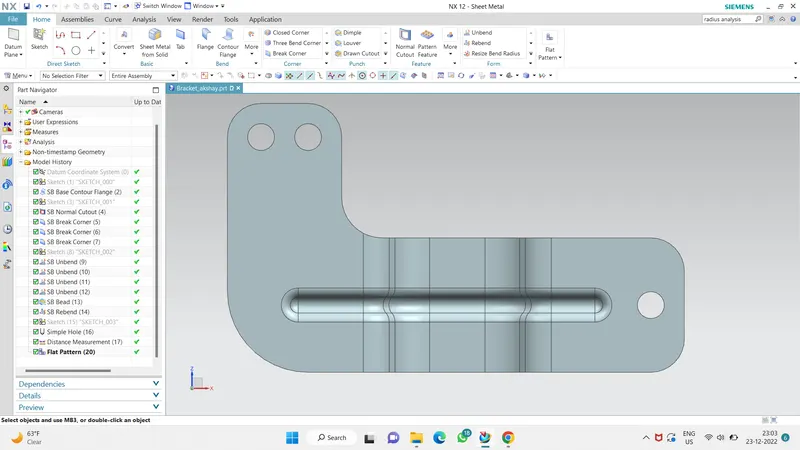
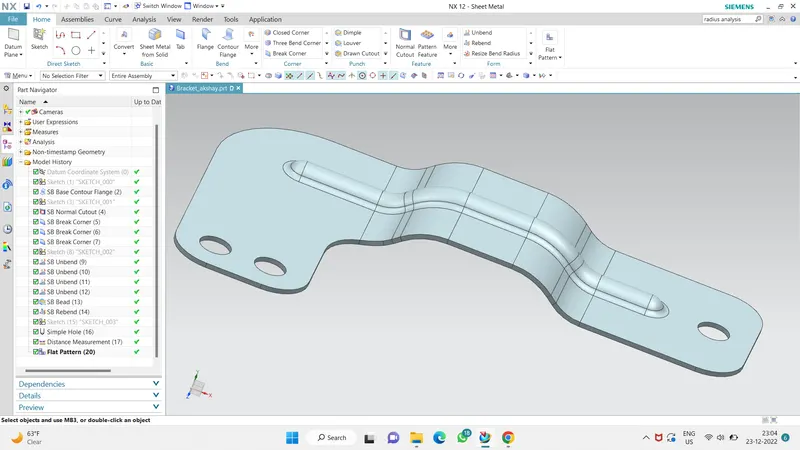
Images of Sheet metal bracket Designed in NX-CAD Student version Sheetmetal Environment -
Drawing sheet:
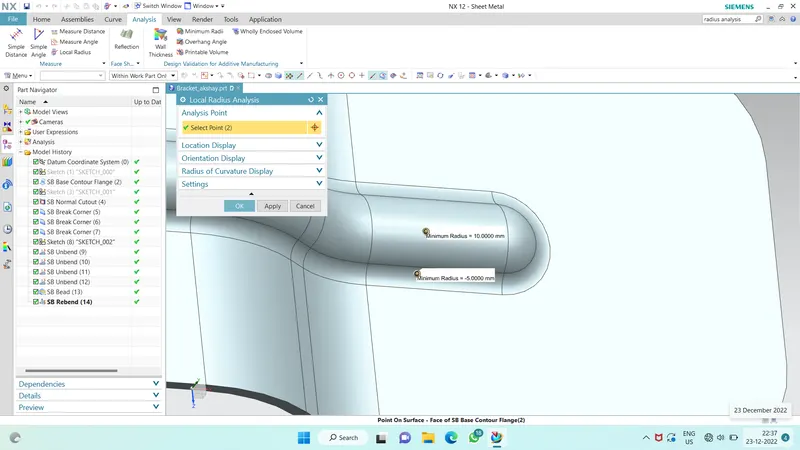
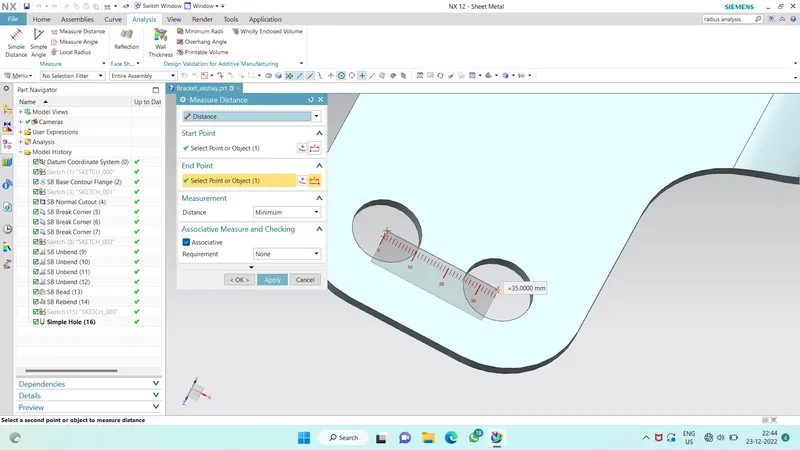
Radius and distance Analysis :
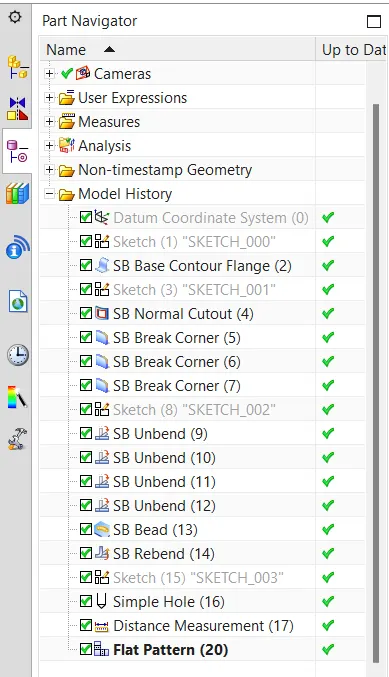
Part Navigator :
Conclusion:-
- Sheet metal Bracket is designed successfully in the NX-CAD Student version sheet metal environment.
- Basic Features of the sheet metal environment of NX-CAD like creating a sketch, 'Contour flange', 'Normal Cutout', 'Break corner, 'Unbend', 'Bead', 'Rebend' and, 'Hole' and the flat pattern are learned and applied in design