Week 3 - Solving second order ODEs
Solving 2nd order ODE :
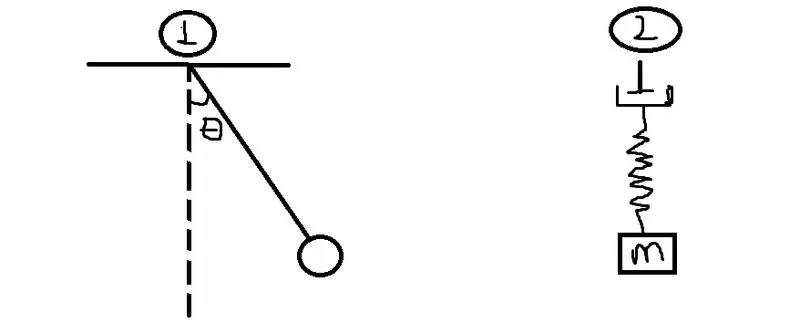
in the above fig.1 shows pendulum and fig.2 shows the damper, spring and mass.
here, the formula as shown in above question some parameters are present like, b,l,g,m and also there values are given in the qus.
where, b=damping coefficient - 0.05
l=lenth of the pendulum in m - 1metre
g= gravity in m/s2 - 9.81m/s^2
m= mass of the ball in kg - 1kg
when we solve this formula we obtain some characteristics.
here is the program for ODE :
clear all
close all
clc

% inputs
b=0.05
g=9.81
l=1
m=1

% initial conditions
theta_0=[0;3];

%time points
t_span=linspace(0,20,500)

%solve ODE
[t,results]=ode45(@(t,theta) ode_func(t, theta,b,g,l,m),t_span,theta_0)

%plotting
figure(1)
plot(t,results(:,1))
hold on
plot(t,results(:,2))
title('Damped Harmonic Motion of Pendulum')
legend('Angular Displacement','Angular Velocity')
xlabel('time')
ylabel('plot')
Function program is below,
function [dtheta_dt]=ode_func(t,theta,b,g,l,m);
theta1=theta(1);
theta2=theta(2);
dtheta1_dt=theta2;
dtheta2_dt=-(b/m)*theta2-(g/l)*sin(theta1);

dtheta_dt=[dtheta1_dt;dtheta2_dt];
end
here is the program for annimation of simple pendulum is given below :
clear all
close all
clc

%for loop
ct=1
for i=1:length(results(:,1))
    x1=0
    y1=0
    x2=sin(results(i,1))
    y2=cos(results(i,1))

    figure(2)
    plot([-1,1],[0,0],'LineWidth',4)
    hold on
    plot([x1 x2],[y1 y2],'LineWidth',3)
    plot(x2,y2,'O','MarkerSize',20,'MarkerFaceColor','r')
    axis([-1 1 -1 1])
    pause(0.03)
    hold on
    M(ct)=getframe(gcf)
    ct=ct+1
end
movie(M)
videofile=VideoWriter('Pendulum_annimation.avi','Uncompressed AVI');
open(videofile);
writeVideo(videofile,M);
close(videofile)
stepwise explanation of codes are as belows-
- add the values of given inputs
- solve the function and add in the program
- plotting the output results
- give the naming for x and y axis
for annimation-
- add for loop
- add the staring and ending point
- ploting the animation by using plot code
- linewidth code for broad line
- makersize code for fix the ball size
- makerfacecolor code for add the color of ball
- give the title for annimation by using title command
- movie code for annimation
- videowriter for create avi file
- writevideo code for run the annimation.
- open and close code s for open and close the avi file.
here is the youtube link of the annimation:
https://youtu.be/x48ZnlltJ9w