Advanced Sheet Metal Design Using NX Cad Challenge_6_Bracket
BRACKET:
INTRODUCTION:
SKETCHING:
- create the sketch on the X plane and Y plane:
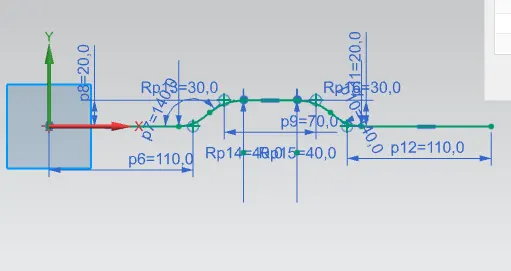
- provide the required angle to sketch.
- x is 340 mm and y is 20mm.
COUTURE FLANGE:
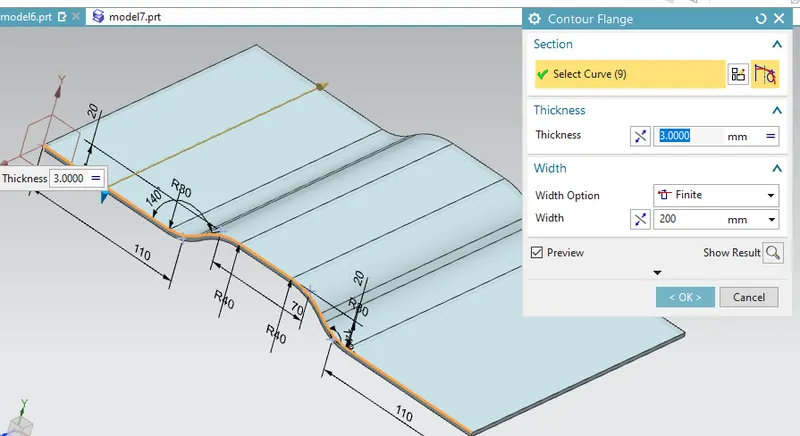
- SELECT THE CONTURE FLANGE COMMAND
- select the sketch
- thickness is 3mm,
- width is 200mm provide.
- Click the okay to apply.
NORMAL CUTOUT:
- Create the sketch on the surface.
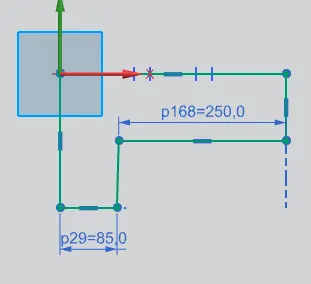
- provide the length of cutting requirement.
- exit the sketch
- if cutting is not happening to increase the depth of the cutting.
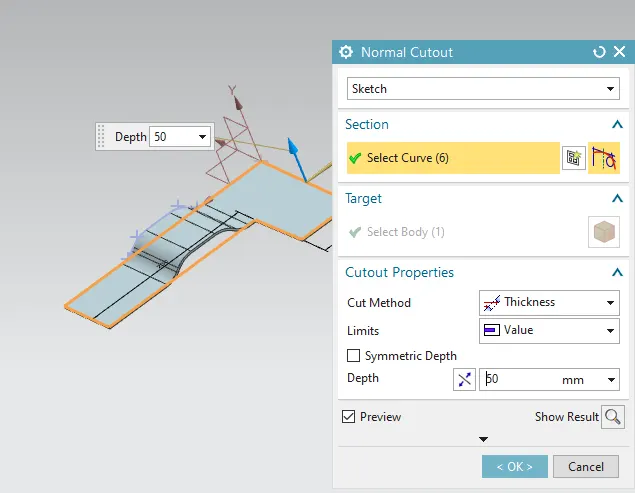
- after cutting.
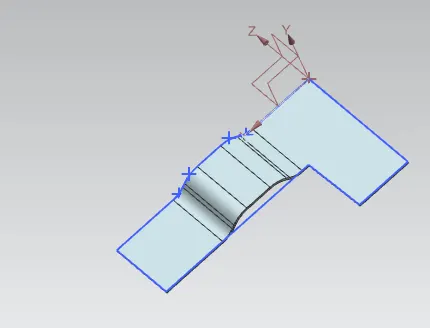
BEAD:
- Create the sketch on the surface:
- by using the required plane.
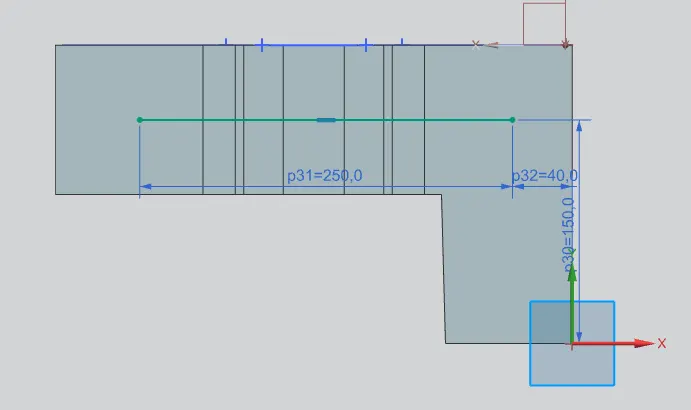
- select the sketch
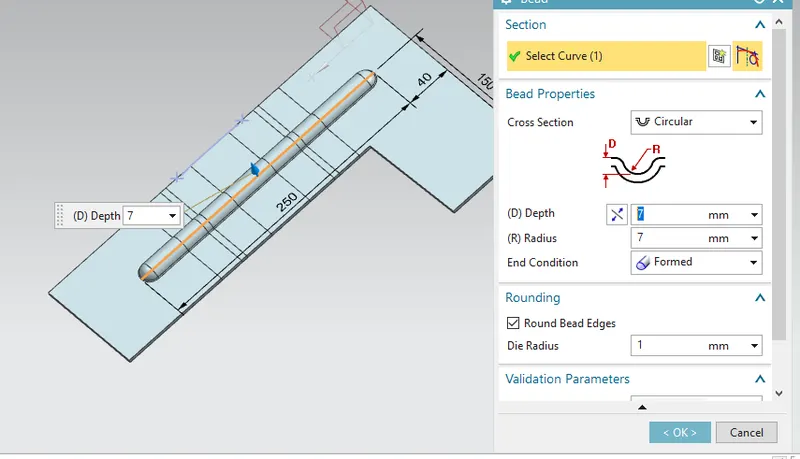
- depth is 7mm
- radius is 7mm.
- you can increase the depth of accounting to the requirement.
- after providing all values rebend the surface.
HOLES:
- Create the point on the surface.
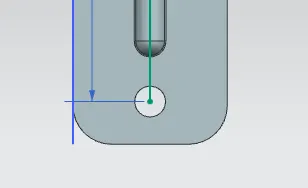
- The diameter of the hole is 20mm
- general hole is provide
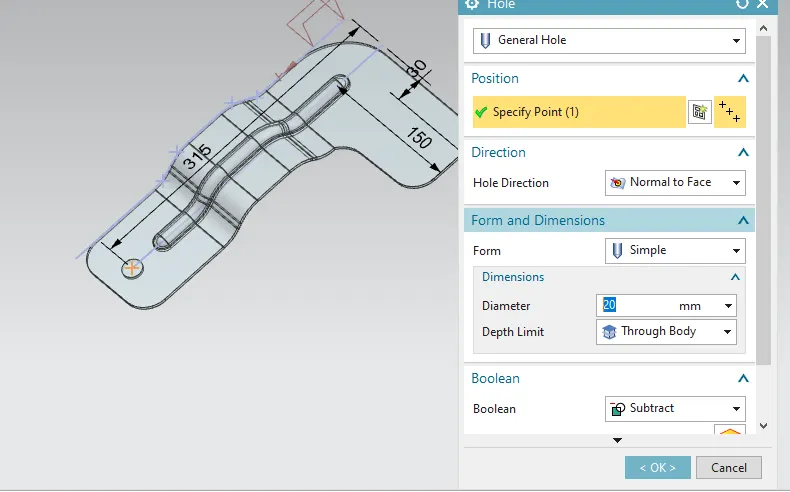
- In the form of simple.
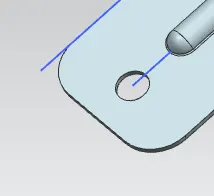
- do a similar operation on the other side.
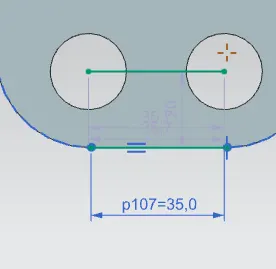
- between the two points length is provided 35mm.
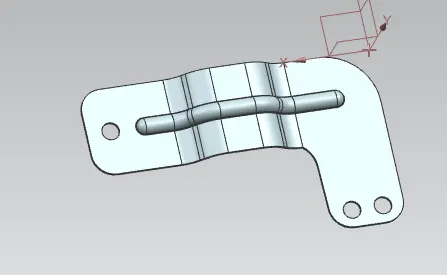
BREAK CORNERS:
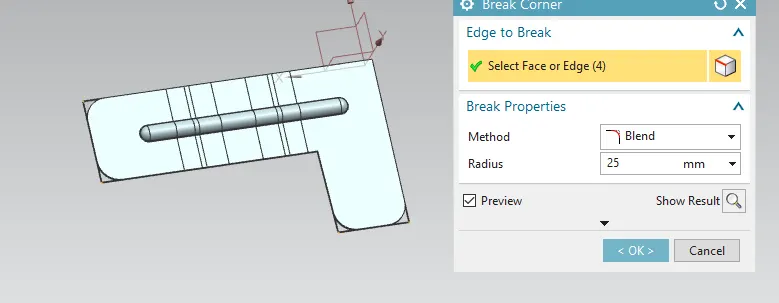
- Select the break command the command is used to remove the sharp edges.
- The radius is 25mm.
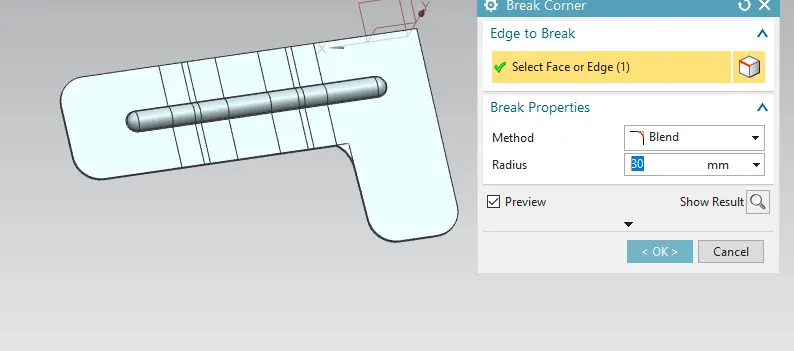
- The radius is provided is 30mm.
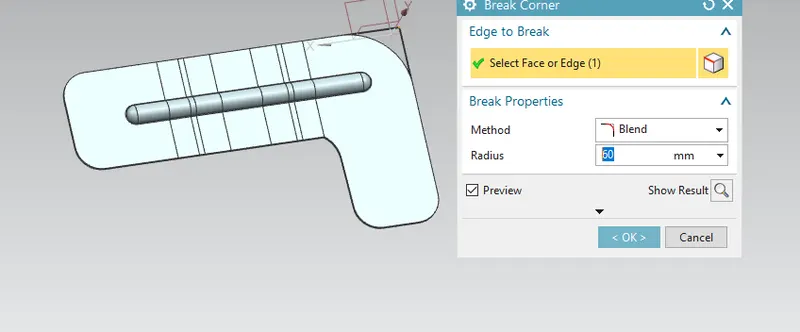
- the radius is provided 60mm.
- radius are provided accounting their requirement.
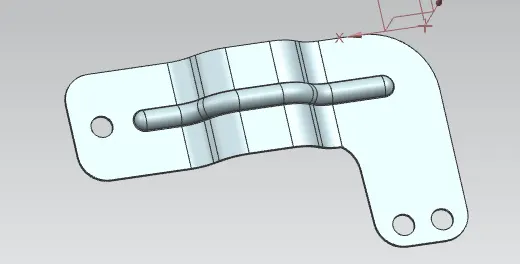
- final output.
flat pattern:
- select flat pattern command.
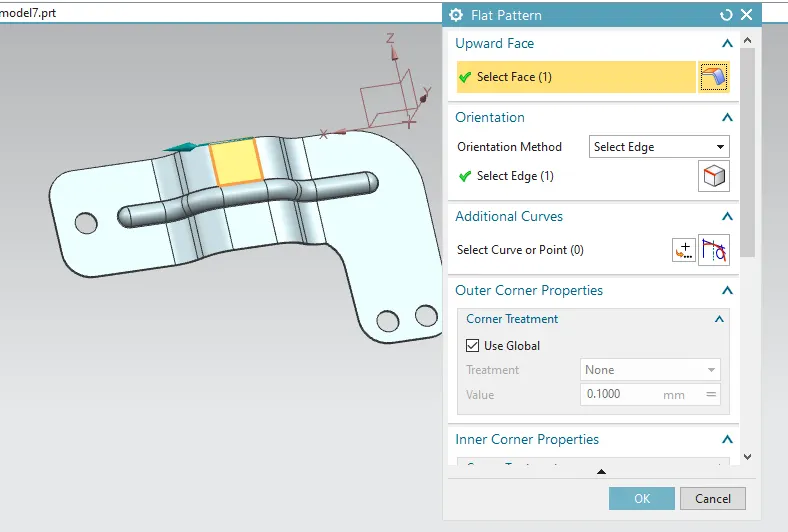
- select the face and the edge of the surface.
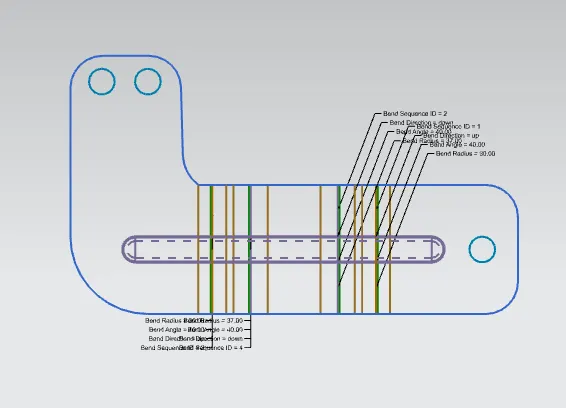
drafting:
- select the sheet of A3
- SET THE TITLE BAR.
- select the base view command.
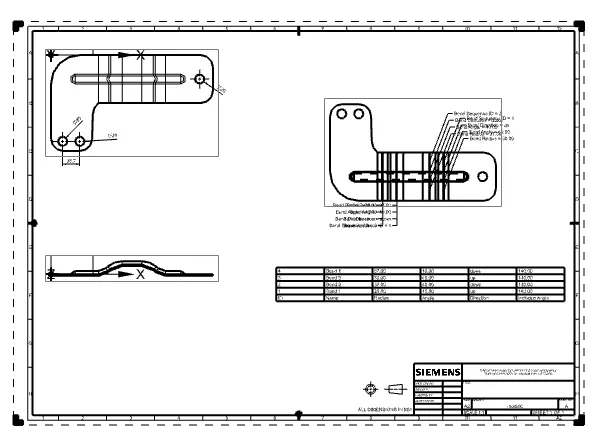
- set the top view and side view.
- place the flat pattern.
- for the table select the bend table.
- select the surface.