Advanced Sheet Metal Design Using NX Cad Challenge_6_Bracket
DESIGN OF BRACKET USING SIEMENS NX SHEET METAL APPLICATION
Objective:
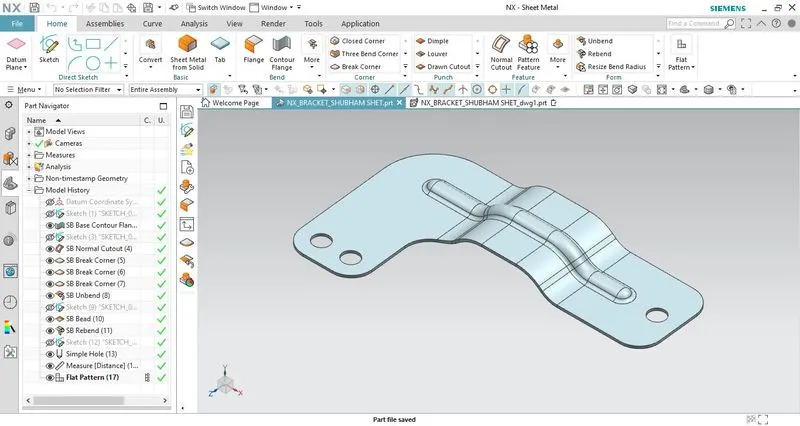
The objective is to create a sheet metal bracket by studying the given 2d drawing sheet using NX sheet metal features such as contour flange, hole, bead, normal cutout, unbend & rebend, etc.
Introduction:
Sheet metal is metal formed by an industrial process into thin, flat pieces. It is one of the fundamental forms used in metalworking, and we can obtain varieties of shapes using a wide range of processes, tools, etc. Sheet metals are available in flat pieces and coiled strips with thicknesses varying from 0.1mm to 10mm.
In this sheet metal bracket design we will follow all the design constraints and dimensions as mentioned in the 2d drawing sheet.
Design methodology:
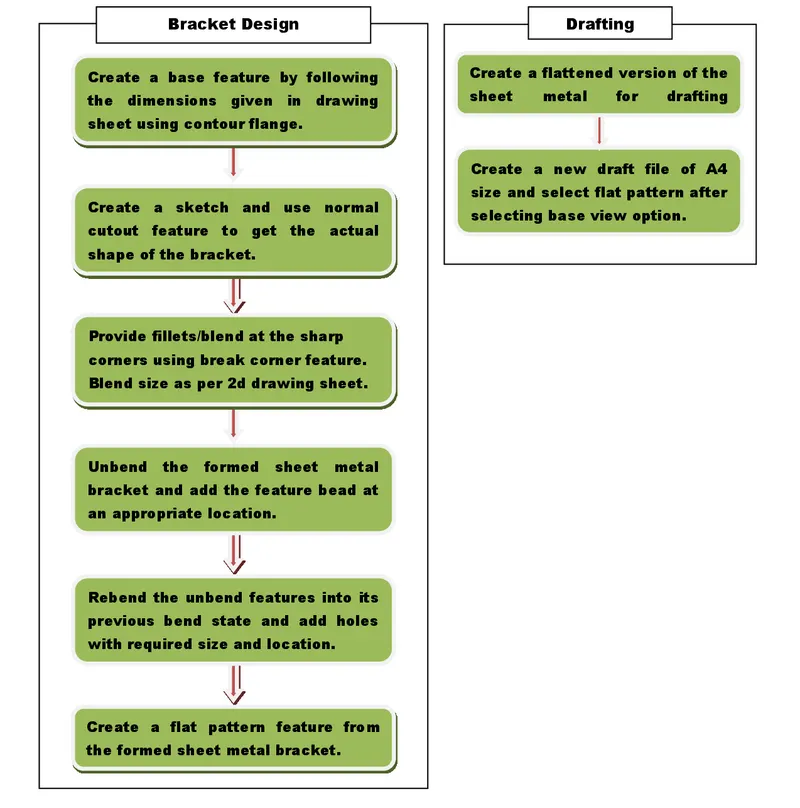
Description:
1. Bracket design:
- To begin with the bracket design, first, create a base feature by extruding the sketch up to the distance mentioned in the drawing sheet using the contour flange feature.
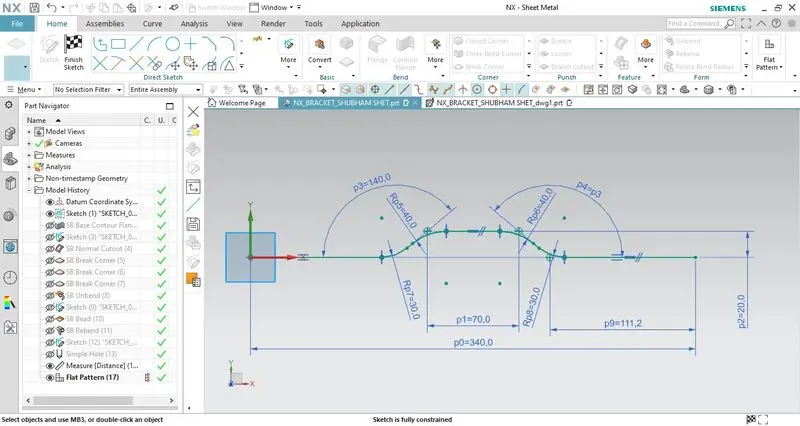
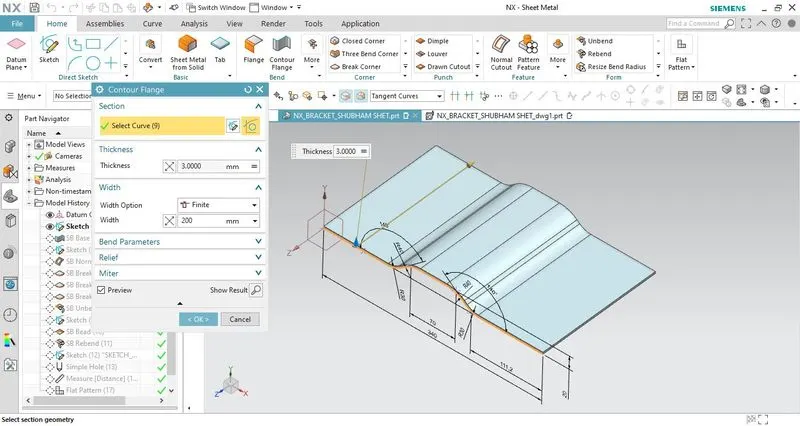
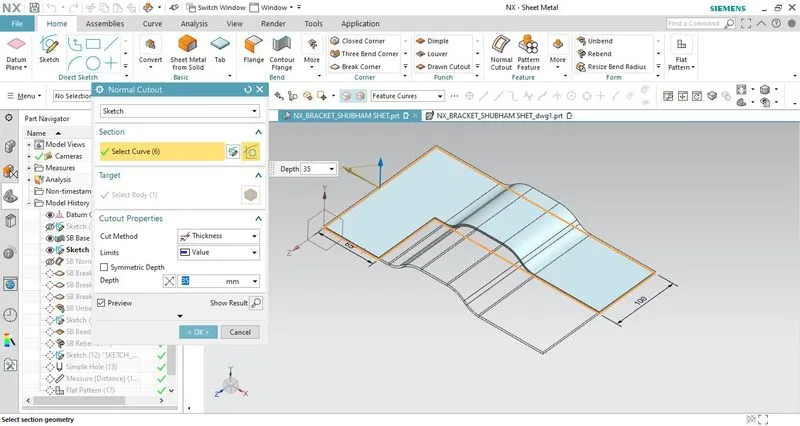
- After creating the base feature remove the excess material using a normal cutout feature. This will provide us the required bracket design as shown in the drawing sheet.
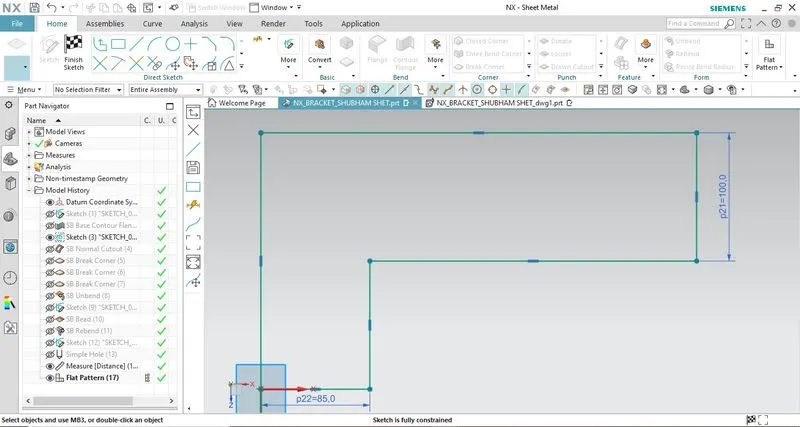
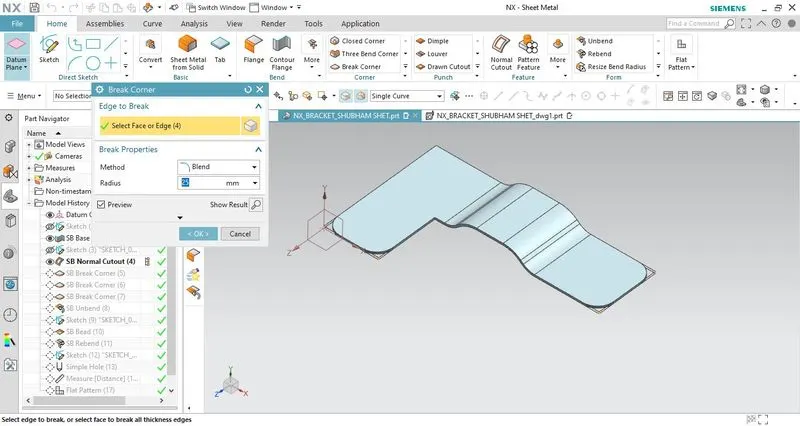
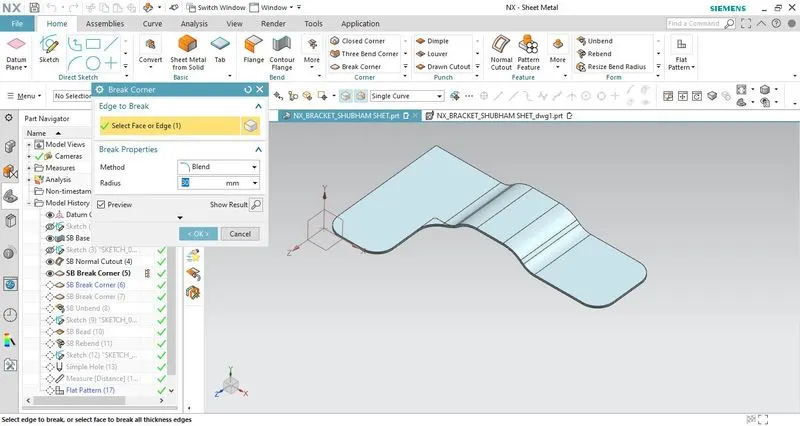
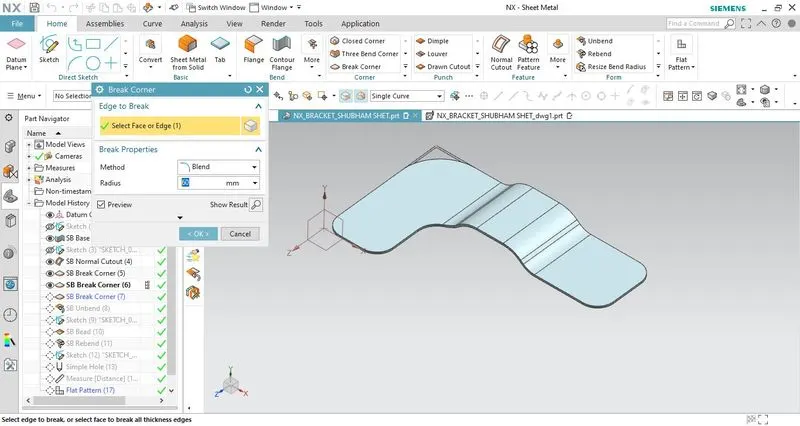
- Then provide fillets/blend on the sharp corners using the break corner feature.
- After providing the fillets flatten the sheet metal object created using the unbend feature so that we can add other features like a bead, holes, etc.
- After the sheet metal is unbent, create a line sketch that will help us add a bead to the sheet metal bracket.
- Use appropriate dimensions for the bead. In case there's an error, try manipulating the parameters in the bead feature.
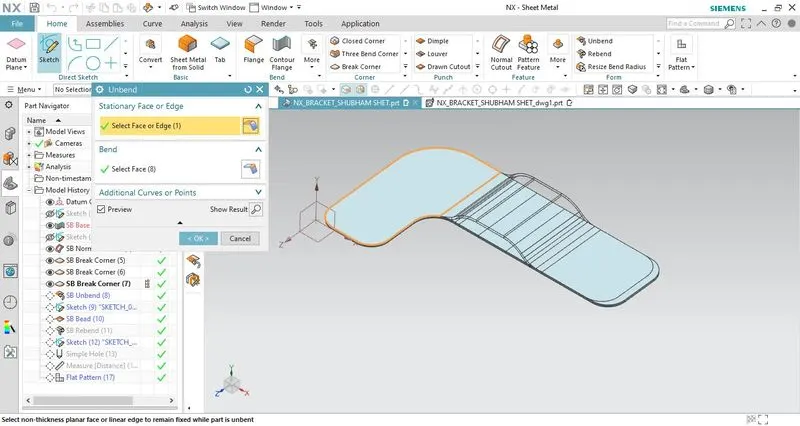
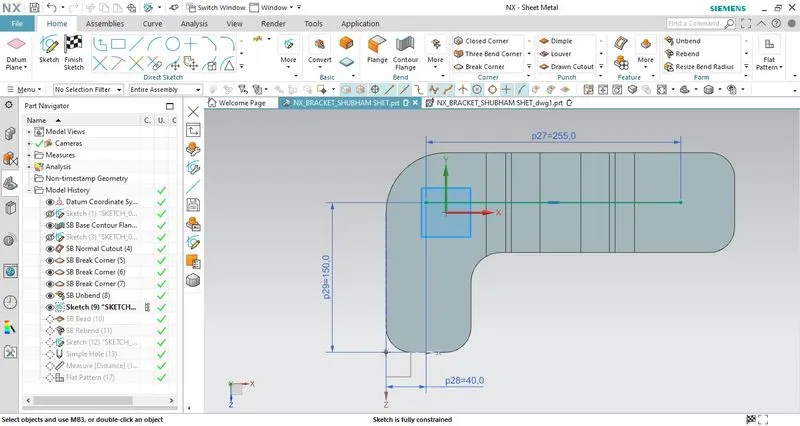
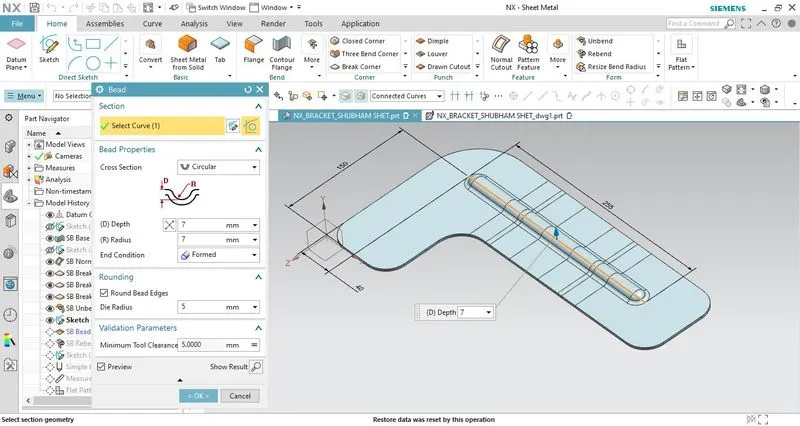
- Once the bead is created rebend the unbend features along with the newly added feature (i.e bead) to its original shape.
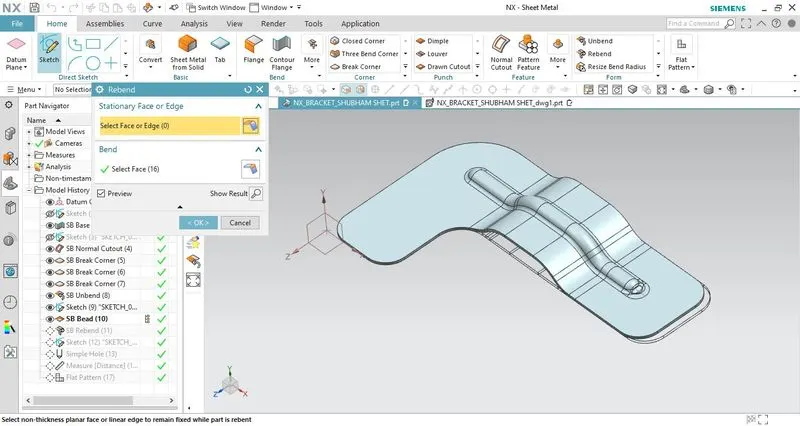
- After rebending the bracket to its actual state create a hole by adding sketch points at given locations.
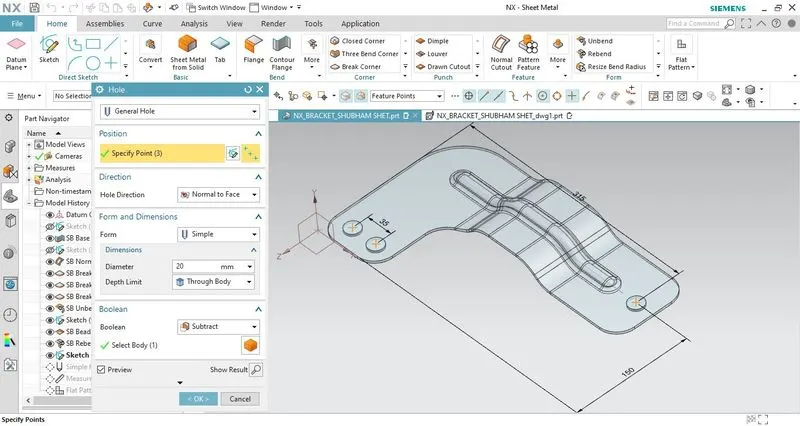
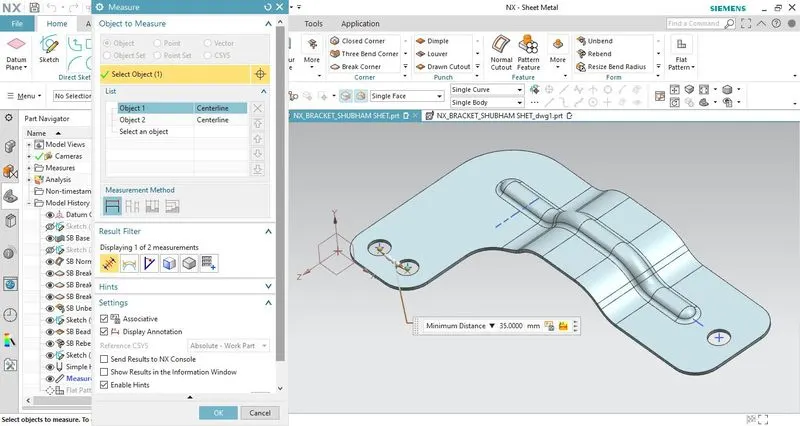
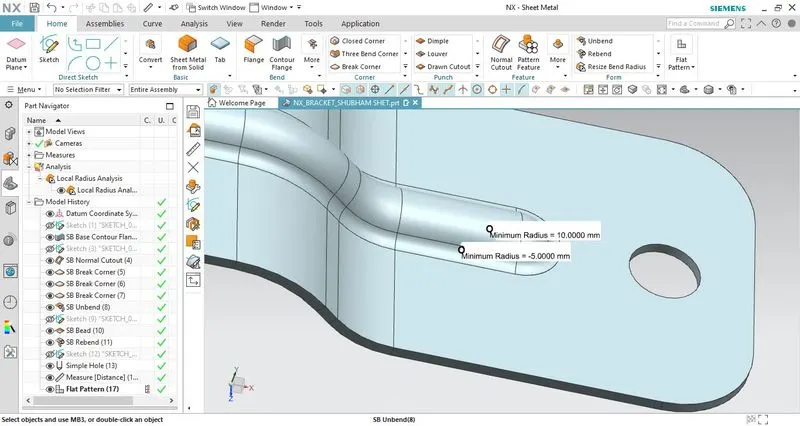
- To measure the distance between the hole use the measure distance command and use local radius command to measure the radius of the bead.
2. Drafting:
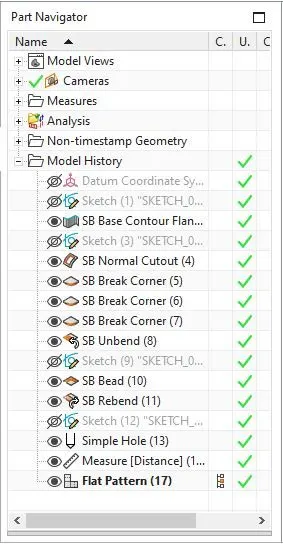
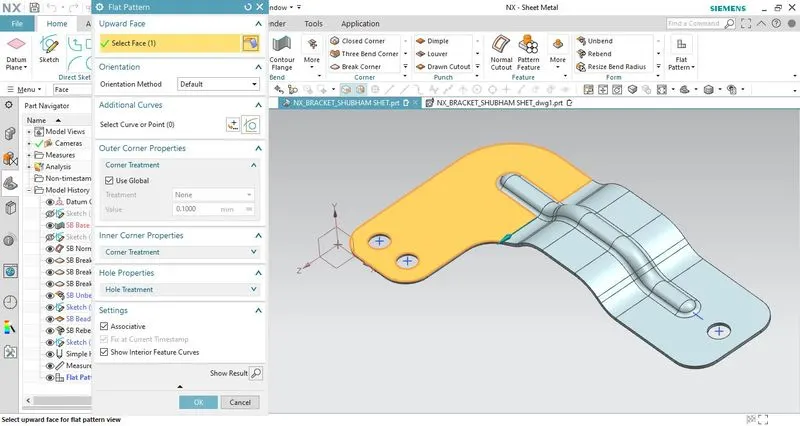
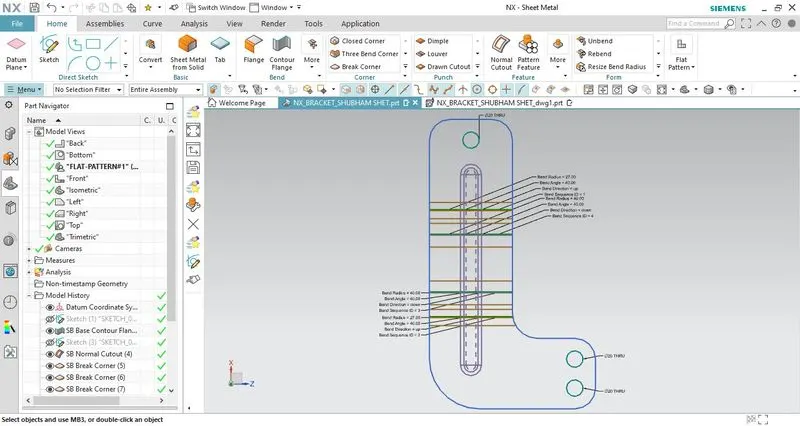
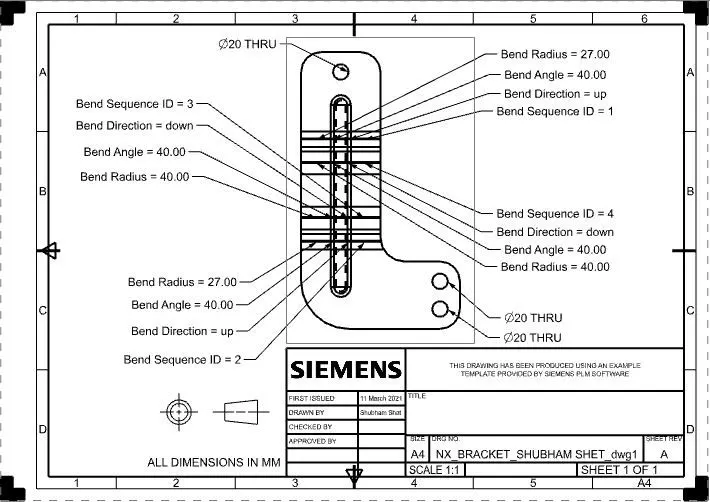
- The flat pattern feature is used to generate the 2-D representation of the formed sheet metal object that consists of annotations such as bend radius, bend angle, bend direction, hole size, etc. The flat pattern view is available in the model views of the part navigator.
Detailed drawing sheet:
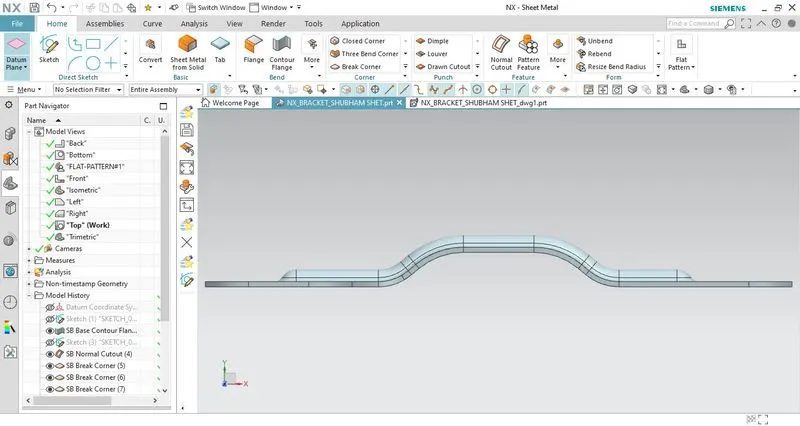
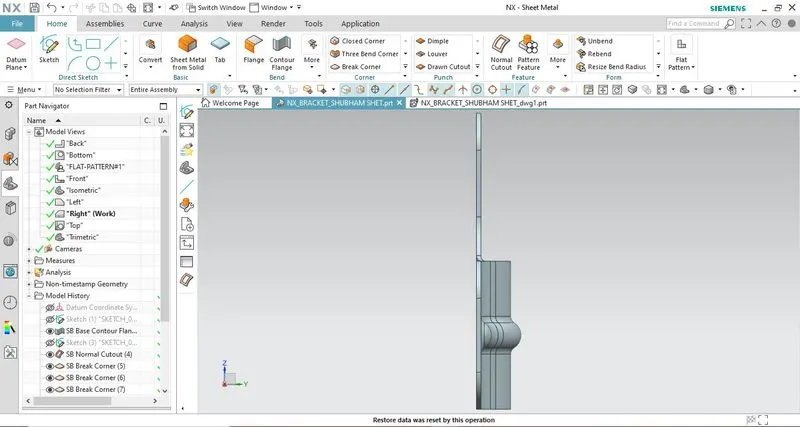
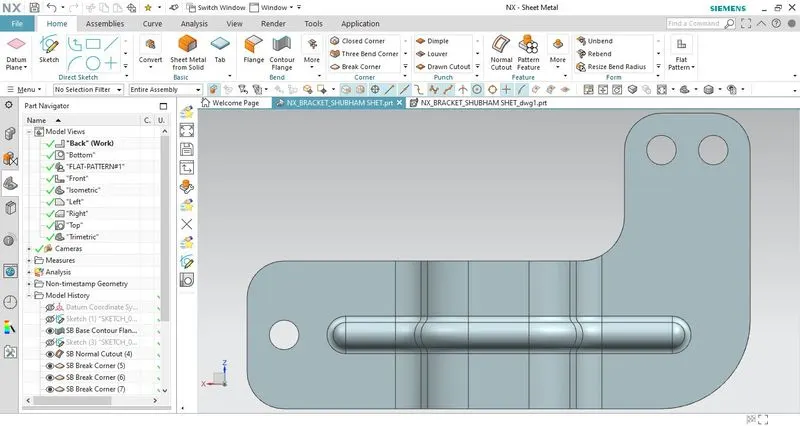
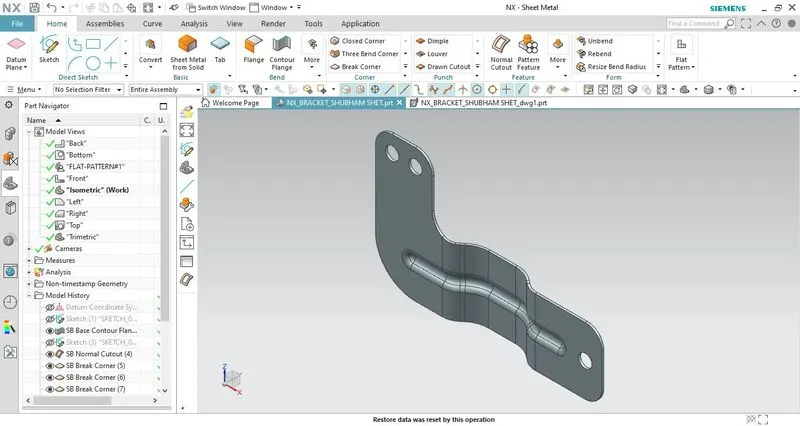
Standard views of sheet metal bracket:
Front View
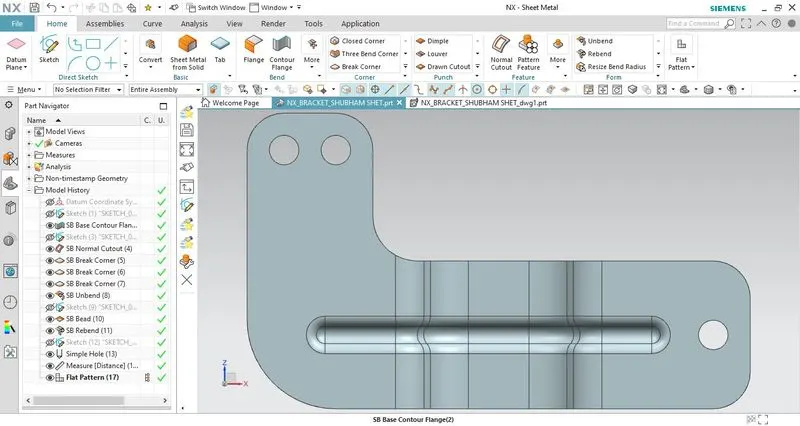
Top View
Side View
Back View
Isometric View
Conclusion:
- In this design challenge, I have learned how to create a sheet metal bracket using various features such as contour flange, bead, hole, normal cutout, etc from a 2d detailed drawing sheet.