Advanced Sheet Metal Design Using NX Cad Challenge_2_Box Assembly
DESIGN OF SHEET METAL BOX ASSEMBLY USING SIEMENS NXCAD
Objective:
The objective is to develop a sheet metal box assembly using various sheet metal features like tabs & flanges,
corner, bend, punch, etc, in NX CAD and following the product design workflow to achieve the final desired output(i.e sheet metal box assembly).
Introduction:
Sheet metal is metal formed by an industrial process into thin, flat pieces. It is one of the fundamental forms used in metalworking, and we can obtain varieties of shapes using a wide range of processes, tools, etc. Sheet metals are available in flat pieces and coiled strips with thicknesses varying from 0.1mm to 10mm.
Extremely thin sheets (0.1mm) are considered foil or leaf, and metal sheets thicker than 6mm are considered plate steel or structural steel.
In this sheet metal product design we will follow the design methodology to get the desired product by using various sheet metal design tools and shortcuts.
Sheet metals are used in automobile industries, aerospace(fuselage and wings), HVAC, daily utensils.
Design methodology:
Description:
1. Box assembly design:
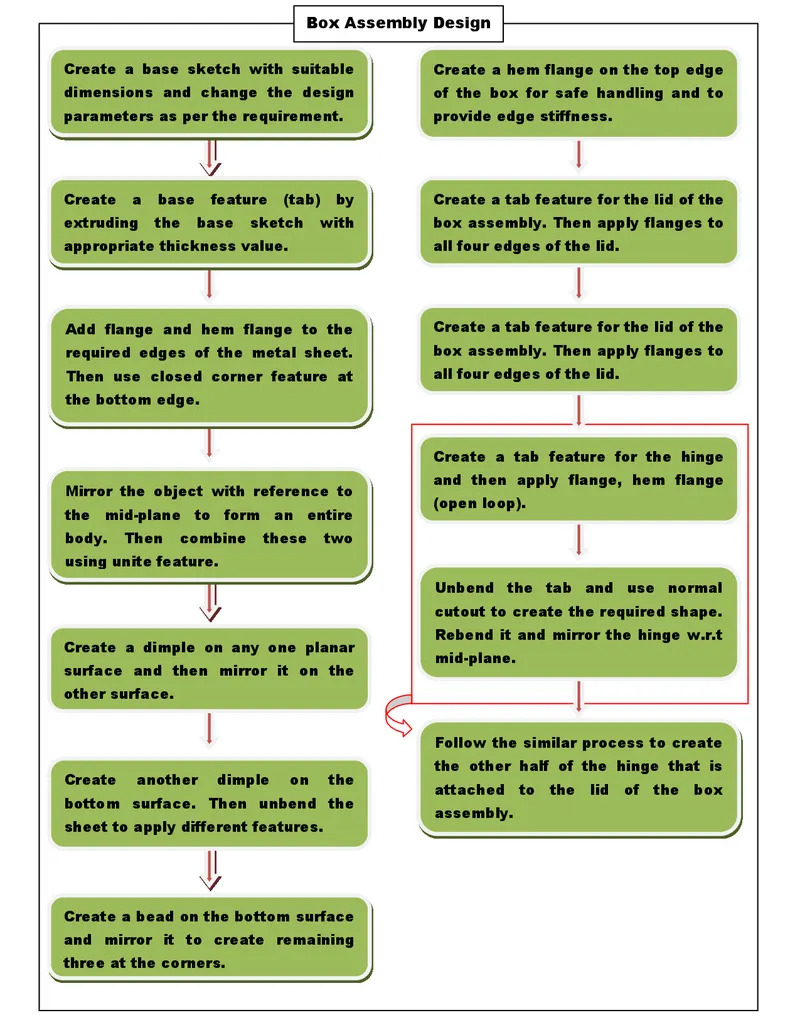
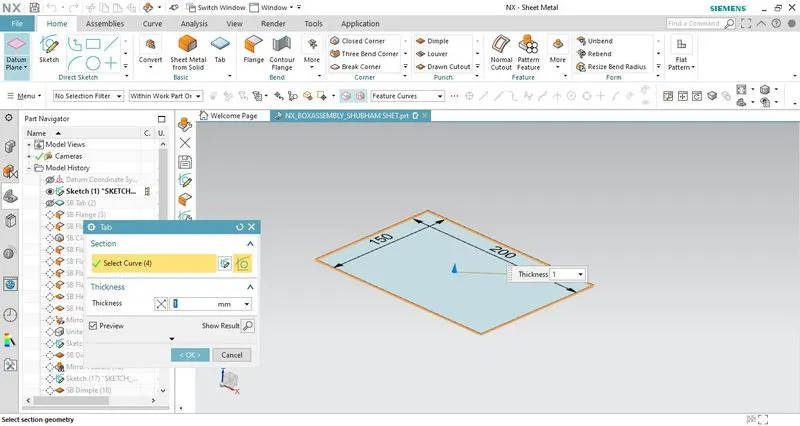
- To create a sheet metal object base feature(tab) needs to be created first which is also known as the base flange of the object. The base sketch with the required constraints and dimensions is created and extruded to a given thickness value using the tab feature.
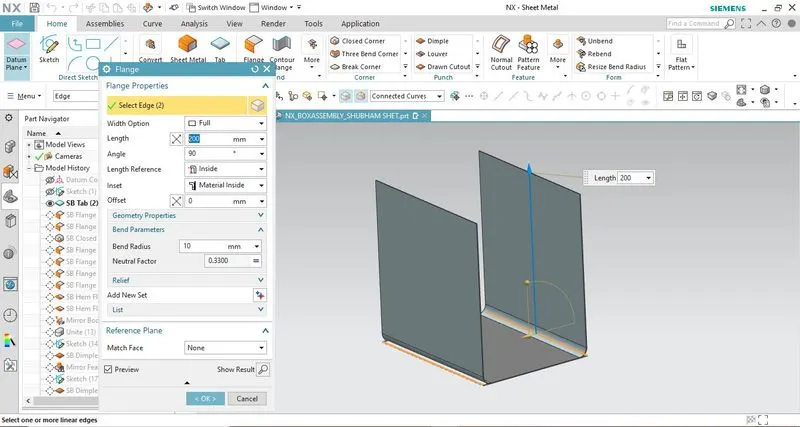
- 4 flanges are provided on the edges using the flange feature. We can adjust the angle and length of the flange.
- The bottom edges are treated with the closed corner feature.
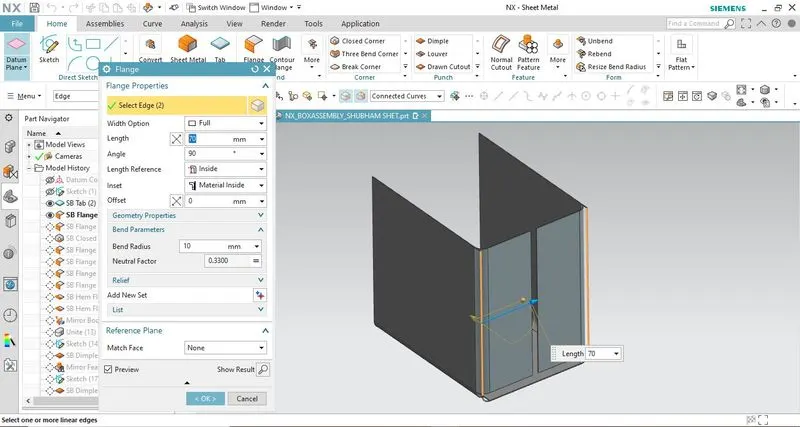
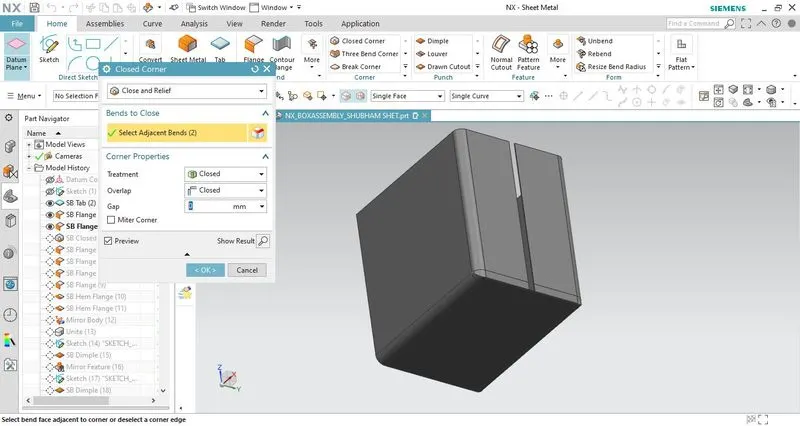
- Flanges and hem flanges are provided at the gap between the two flanges as shown in the image given below. The combination of these two flanges on both sides forms an S-shaped structure.
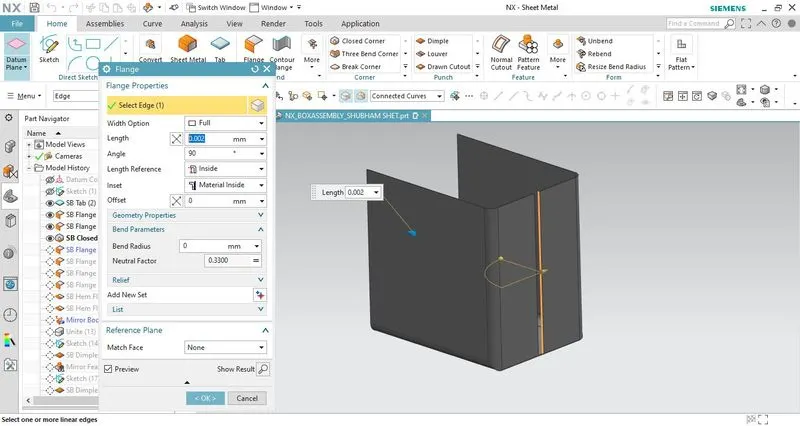
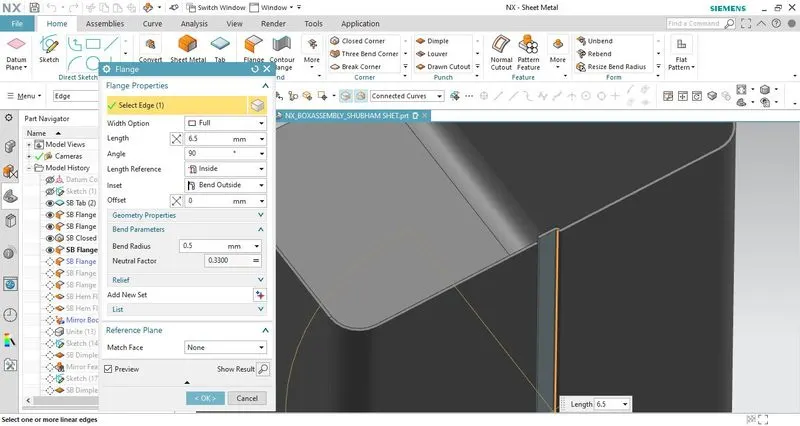
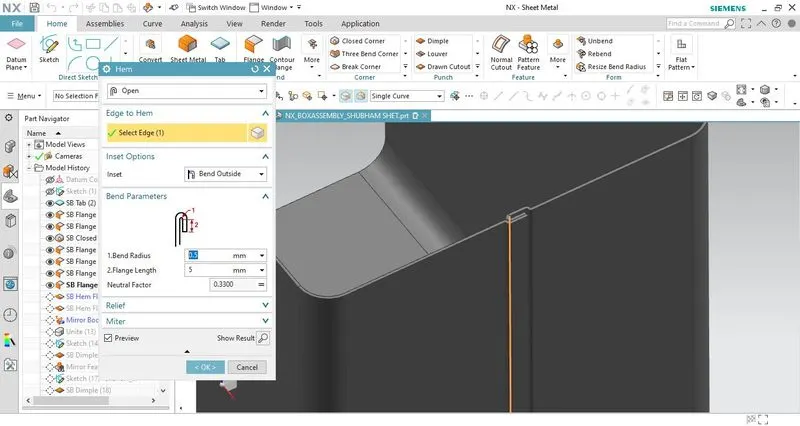
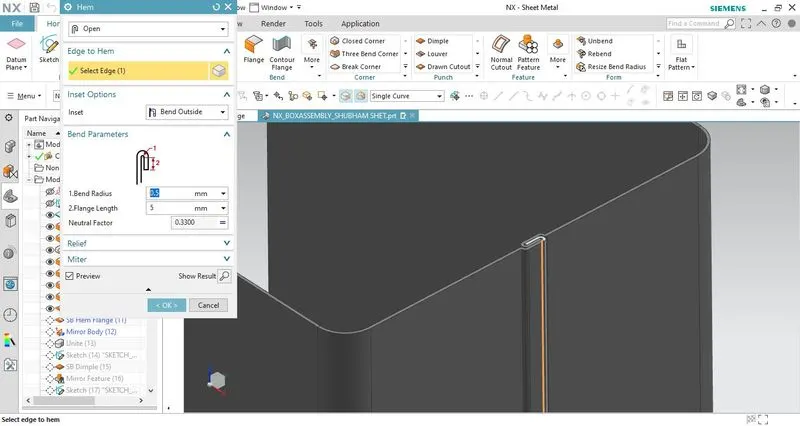
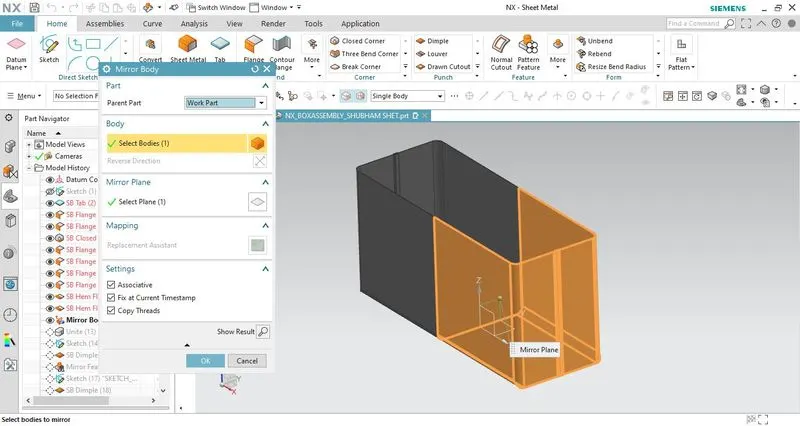
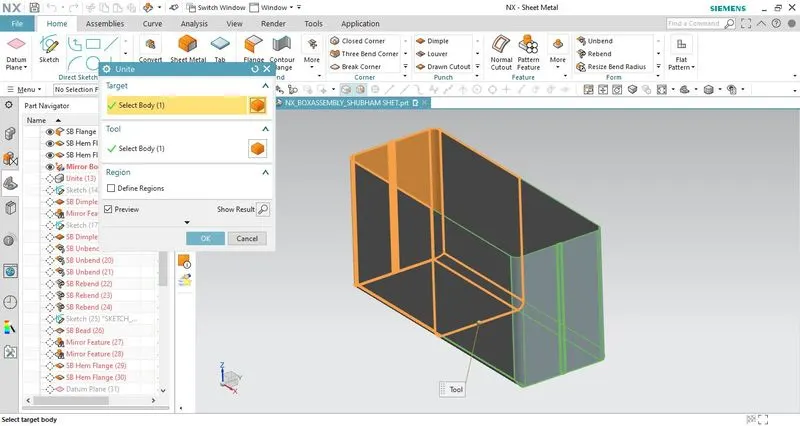
- After creating these following features mirror the formed object about its mid-plane and then combine the entire sheet metal object using unite feature to form a single body.
- Create a dimple on one of the faces parallel to the Z-X plane using the dimple feature and mirror it across the mid-plane. Also, create a dimple on the bottom surface of the box assembly.
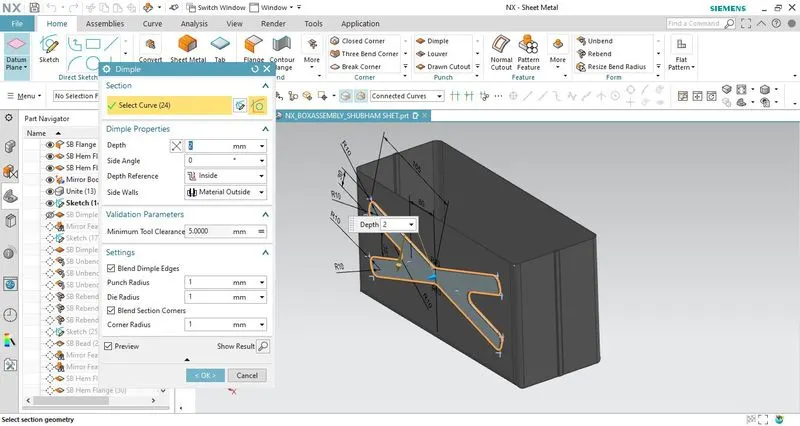
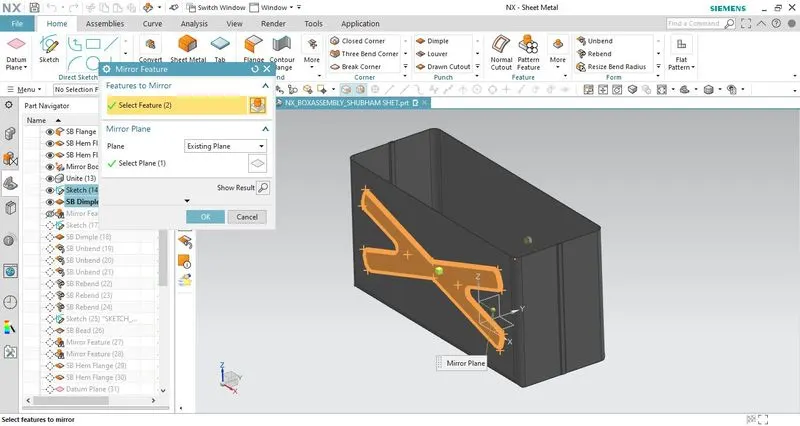
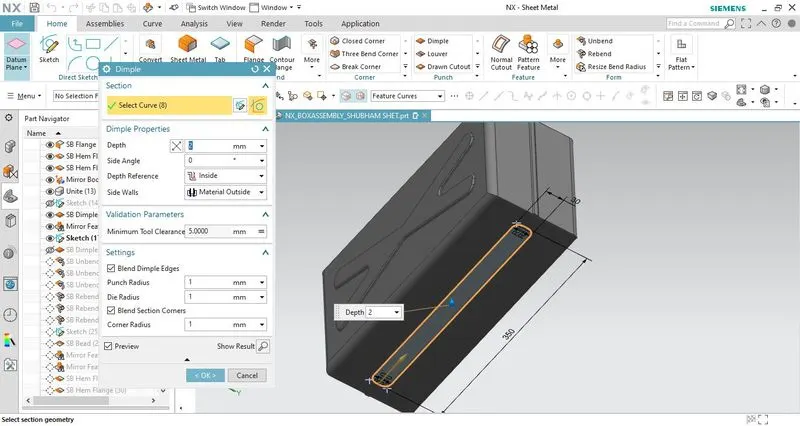
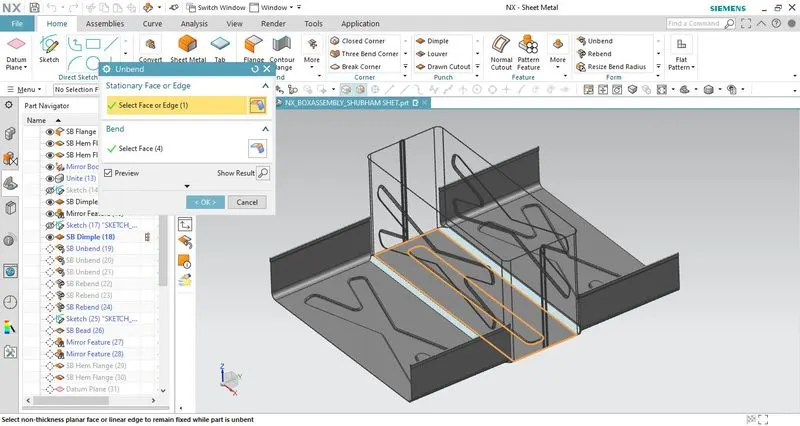
- Irrespective of this project features like unbend and rebend are used in case we have to modify the model by adding beads, louvers, or dimples in the bend region flatten model view is required.
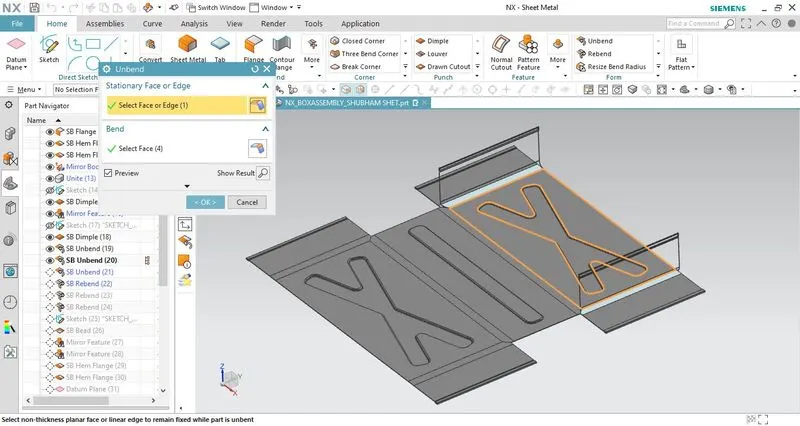
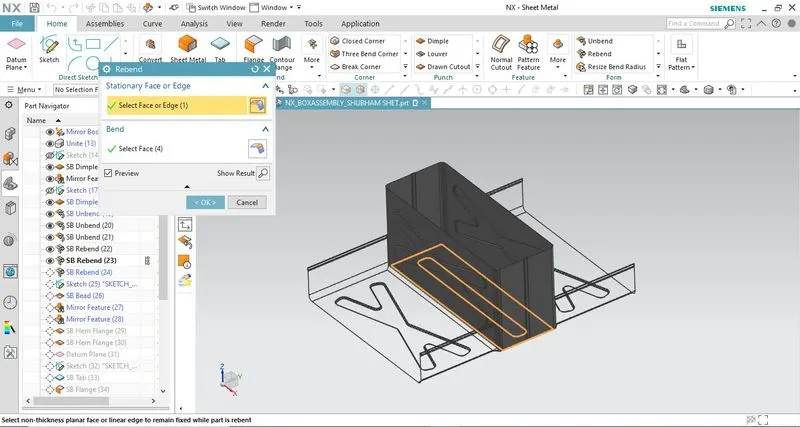
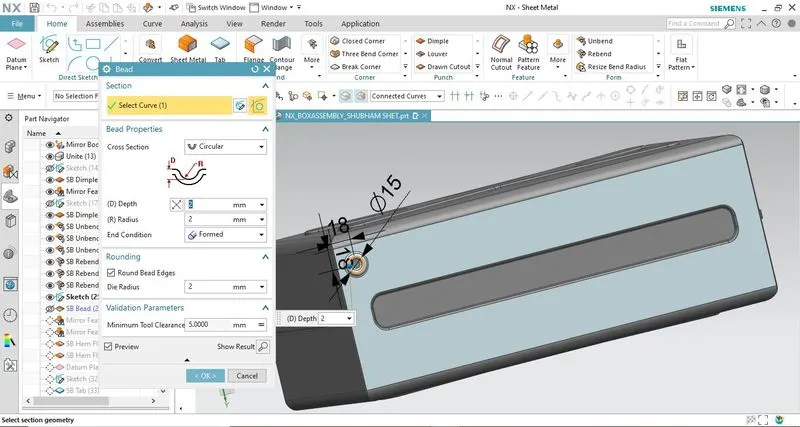
- Create a bead on the bottom surface and then mirror it on three different corners using the bead feature. This feature lifts the material along the contour of the sketch.
- Also, hem flanges are provided on the top edges of the box assembly for the purpose of safe handling or to increase the edge strength.
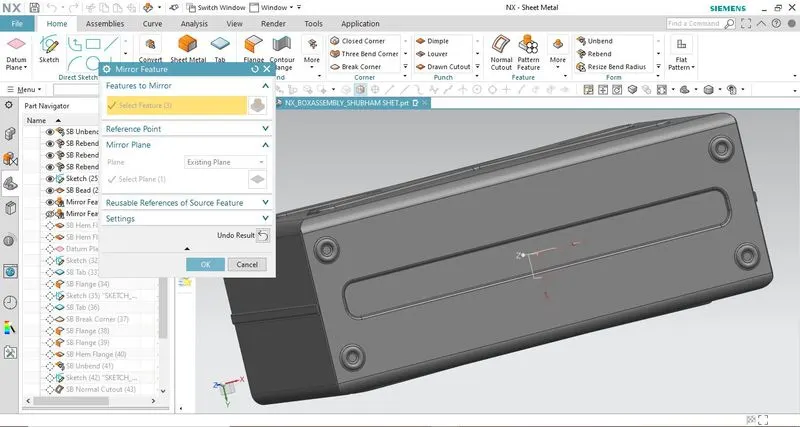
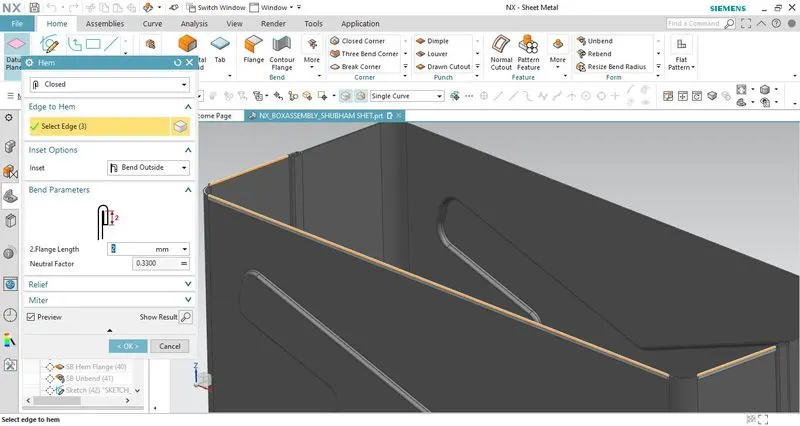
- After designing the sheet metal box we will be designing the lid and the hinge for completing the box assembly.
- Again we will start by creating the base feature (tab) for the lid and then use different features to complete the lid for the box assembly.
- After creating the base feature we will create flanges on all four edges so that it can be easily placed and removed from the top of the box.
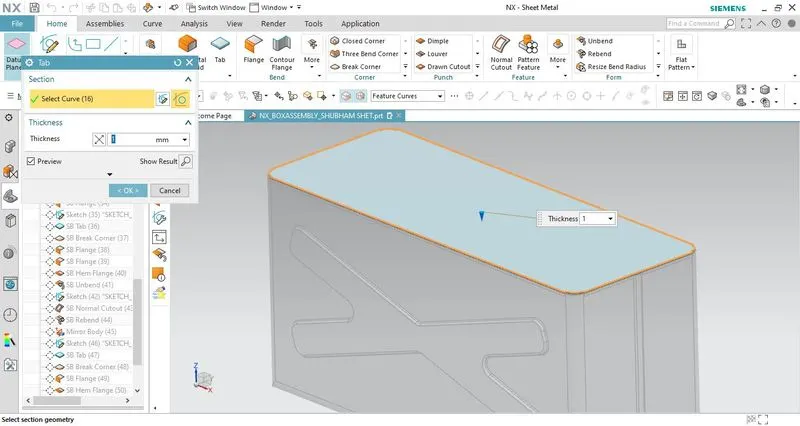
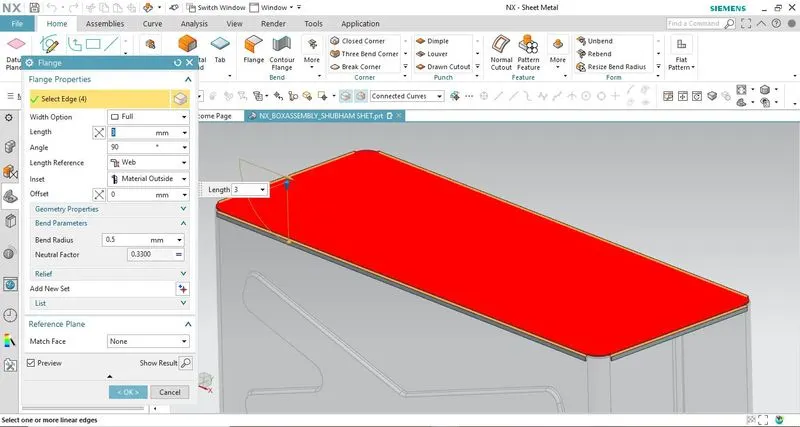
- Next, we will create hinges that will help us to open and close the lid. One portion of the hinge is attached to the lid and the other half is attached to the box.
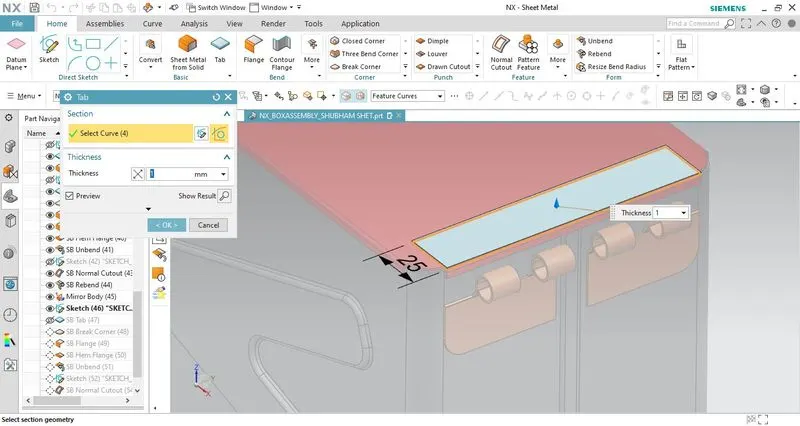
- Again we will start by creating a base feature on the lateral surface (parallel to the Z-Y plane). Then using the break corner feature we will provide fillets on the bottom edge corner of the tab.
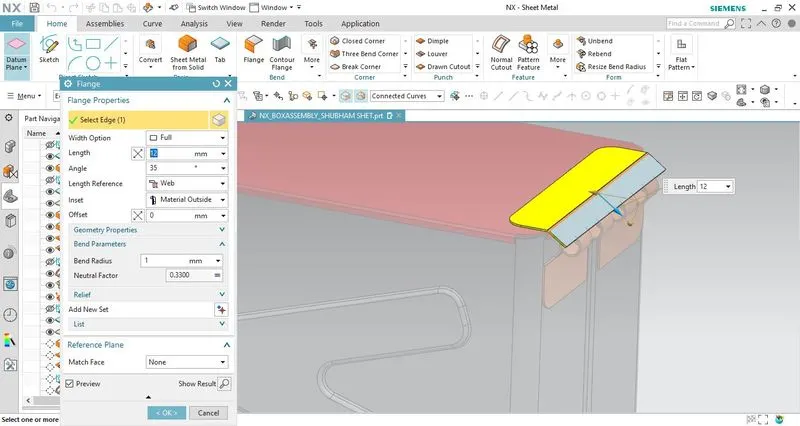
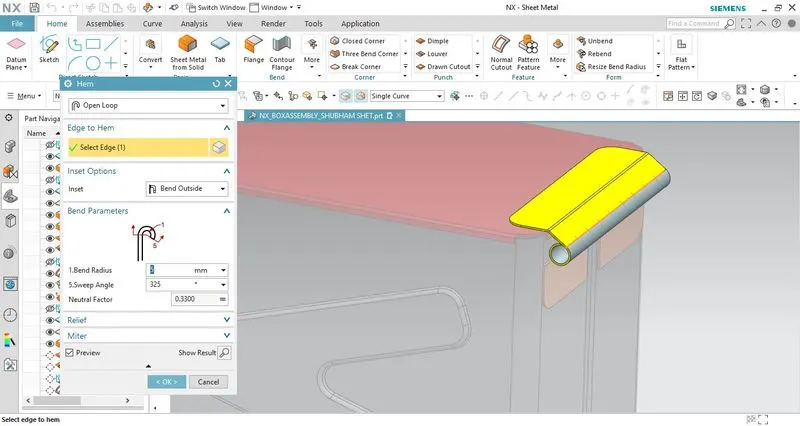
- Then a flange and hem flange is introduced on the top edge of the base feature using appropriate conditions and dimensions.
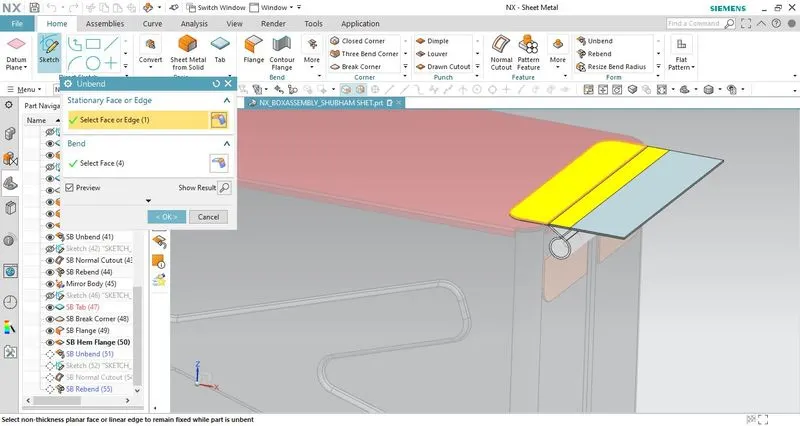
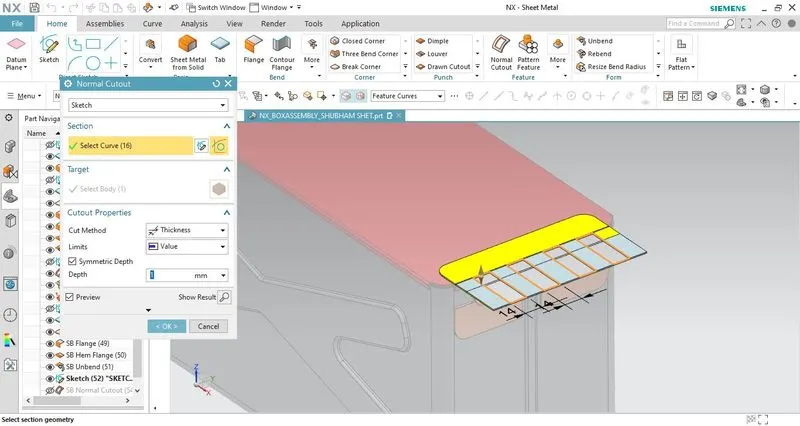
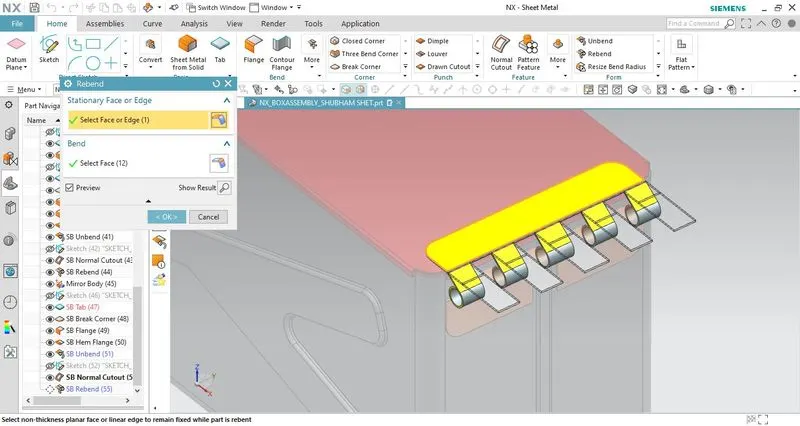
- Unbend the flanges and create a rectangular cutout using the normal cutout feature. Then rebend all the bends to get the final hinge model. Mirror the hinge across the mid-plane that creates hinges on both sides.
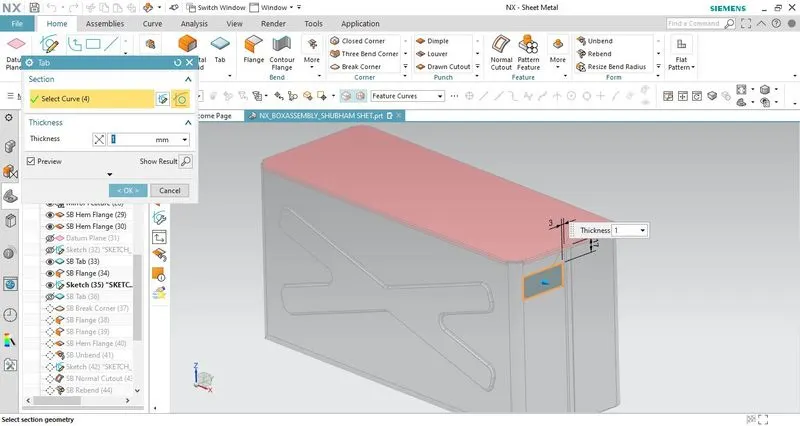
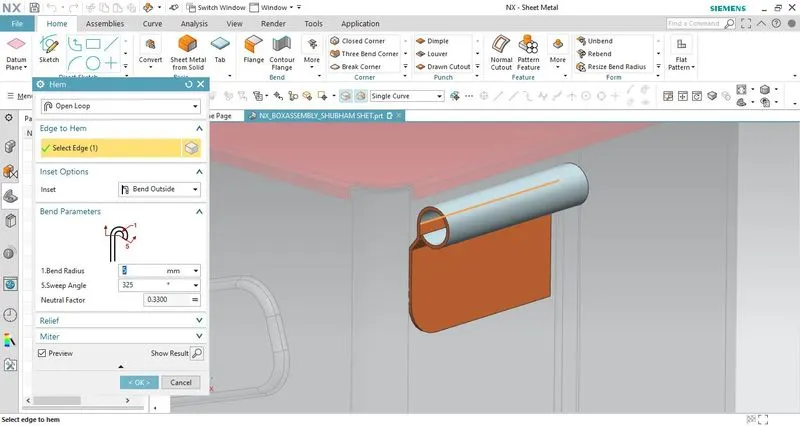
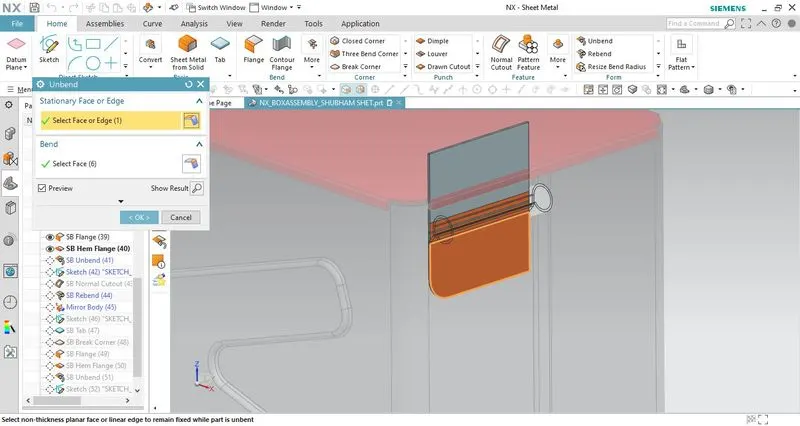
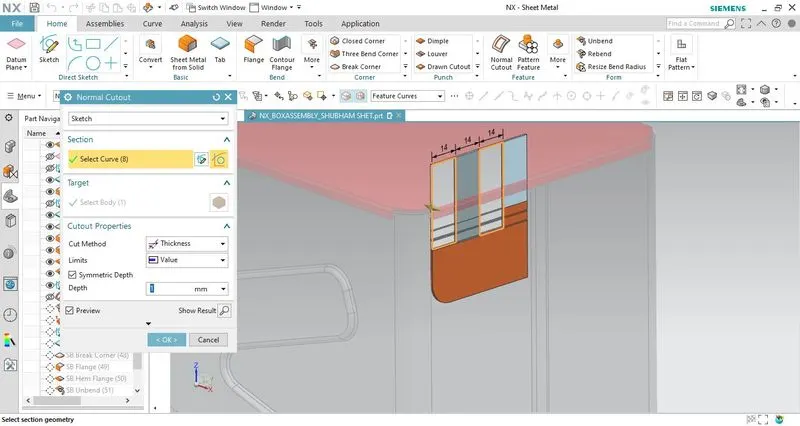
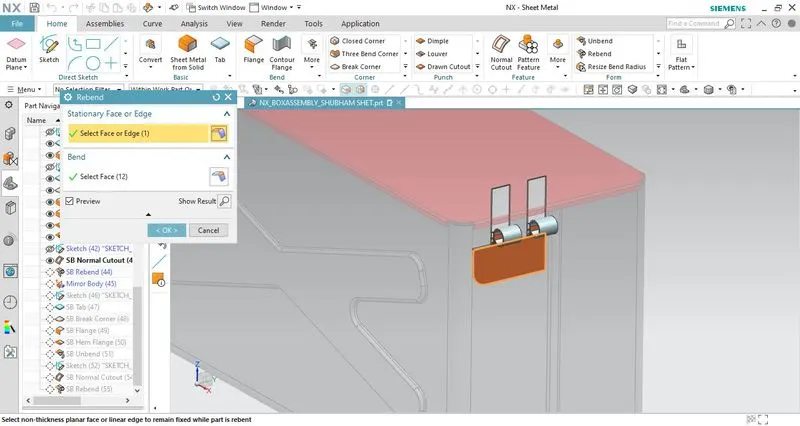
- Follow the same process to create the other half of the hinge attached to the lid of the box assembly. The only difference is instead of using the mirror feature entire hinge is created at a time.
- In case you have to edit or add some new features on any bend region of the box you can simply unbend - add the feature - rebend.
- This completes the design of the sheet metal box assembly.
2. Drafting:
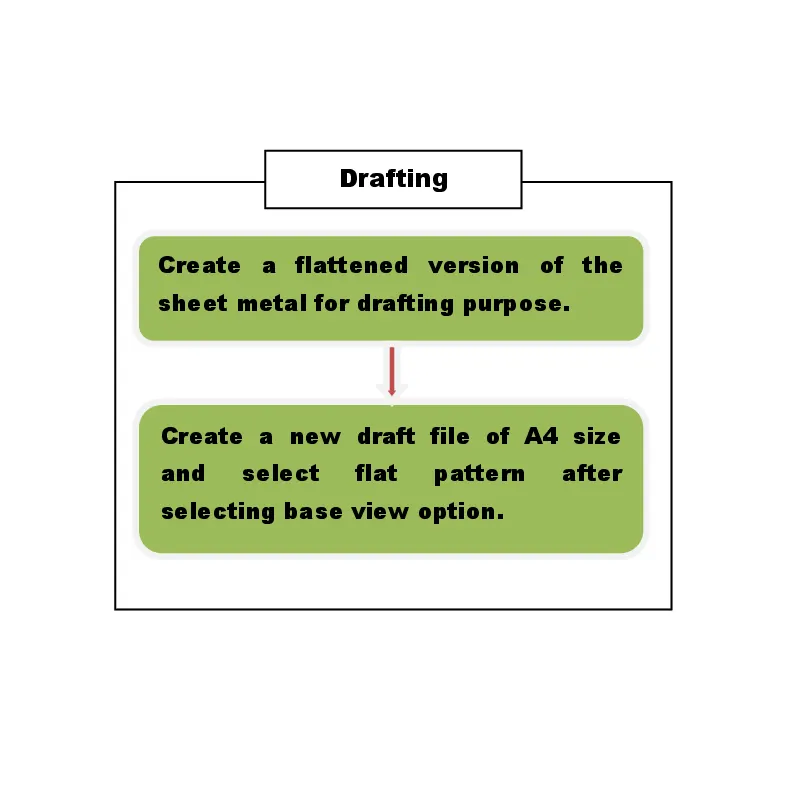
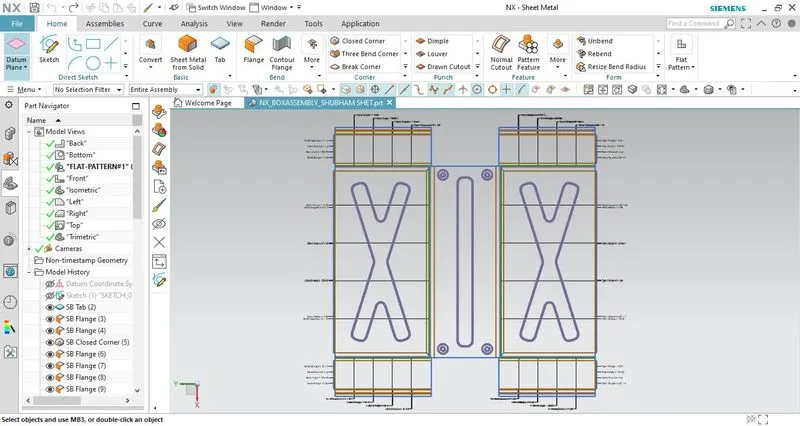
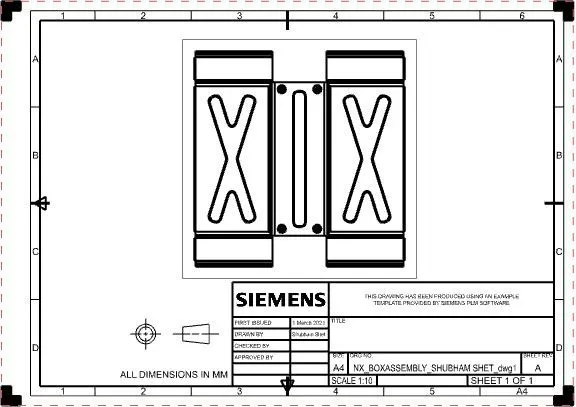
- The flat pattern feature is used to generate the 2-D representation of the formed sheet metal object that consists of modeling features such as bend radius, bend angle, bend direction, hole size, etc. The flat pattern view is created in the model view tree of the part navigator.
Standard views of sheet metal casing:
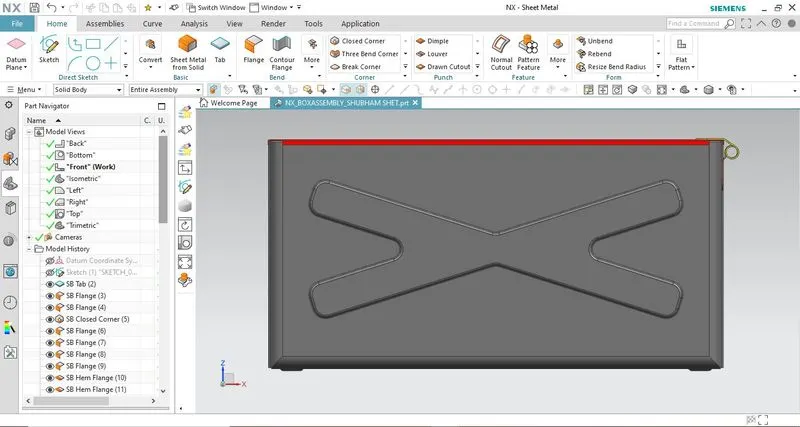
Front View
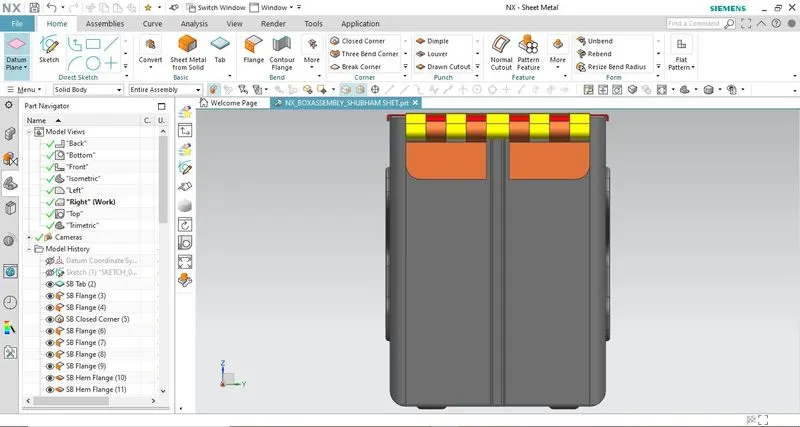
Side View
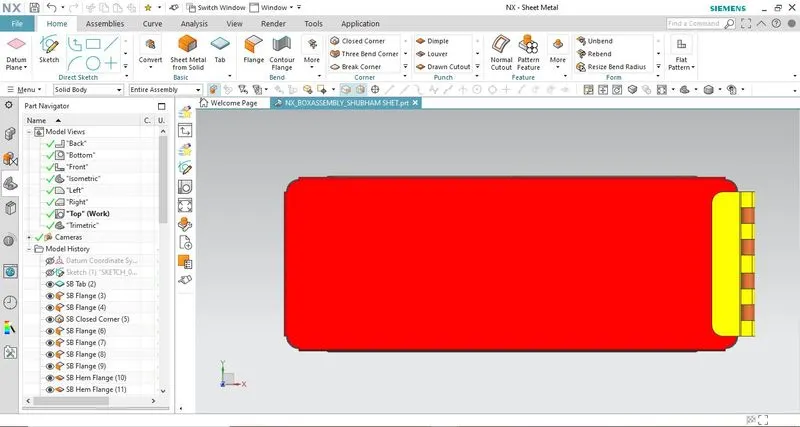
Top View
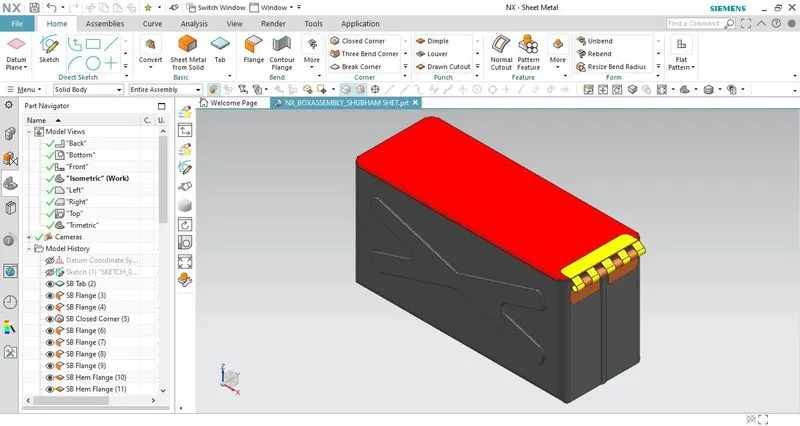
Isometric View
Conclusion:
- Unlike the previous sheet metal casing design, I have learned to design different parts of the box assembly like box(container), lid, and hinge using features such as tabs & flanges, dimple, bead, unite, flat pattern, etc.
- Assigning proper color appearance to identify the component easily and make any changes if required without wasting any time.
- Learned how to create detailed drawing sheets for production purposes.