Photo Realistic Rendering
DEVELOPING SOLID MODELS AND RENDERS OF AMERICAN CHOPPER
Objective:
- The objective is to create various components of the American chopper.
- Assembling all these components to get the final chopper model.
- Obtain high quality rendered images of the American chopper.
- The primary objective is to learn various modeling techniques, sketch tools, sketch features that help us to create complex geometries with ease and easily modify any component in the future.
Introduction:
This project is about creating different components of an American chopper, assembling these components, and then rendering the model to obtain photorealistic images of the American chopper.
Design Methodology:
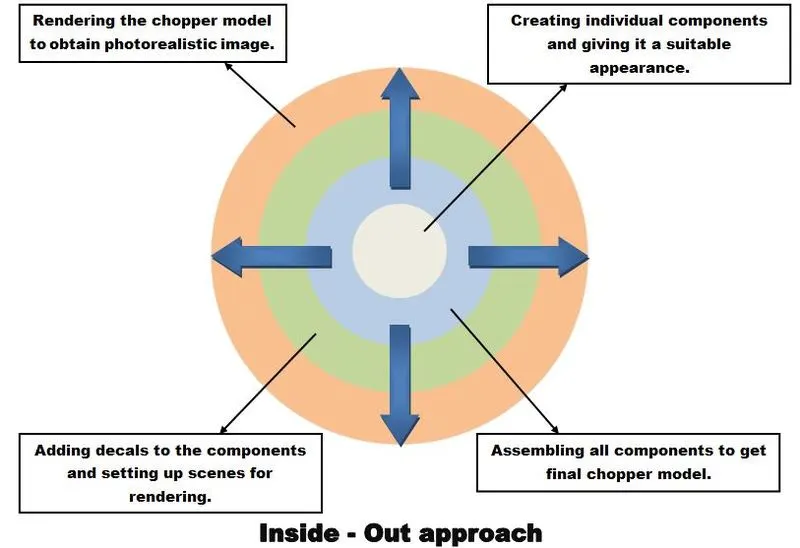
There are many ways one can approach to design an American chopper. We will be using the Inside-Out approach to model the American chopper.
- First, individual components will be designed with the required dimensions, and all the sketches for each and every component must be fully-defined.
- Assemble all the components with proper mates and relations to get the final American chopper model.
- Then add decals to the components and set up scenes to get the perfect environment for rendering.
- Once the scene and other settings are set up perform the final rendering in SolidWorks photo view 360 and SolidWorks visualize to obtain photorealistic images of the American chopper.
List of components in American Chopper:
- Transmission Belt
- Kickstand
- Front Fender
- Rear Fender
- Chain
- Pedal
- Oil Tank
- Front Wheel
- Rear Wheel
- Front Fork
- Chassis
- Engine
- Gas Tank
A. Transmission Belt
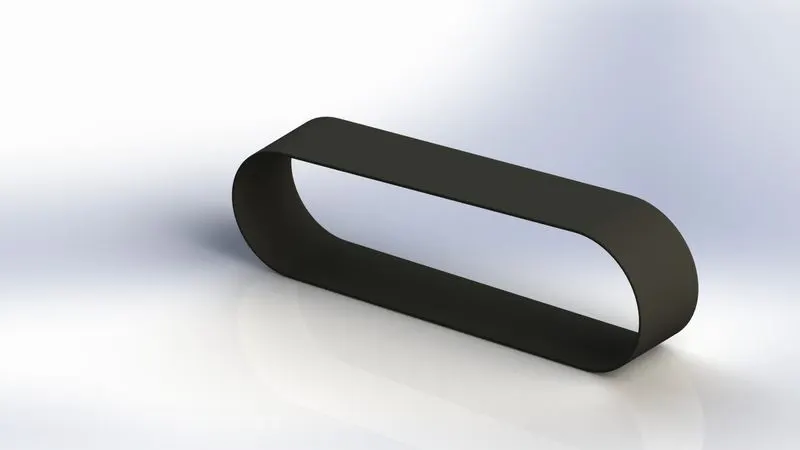
Used to transmit power from the driver unit(engine) to the driven unit. Made of rubber or any alternate flexible material.
Procedures and features used:
- Firstly, set the dimensions as per your requirement(our case MMGS) and other settings too.
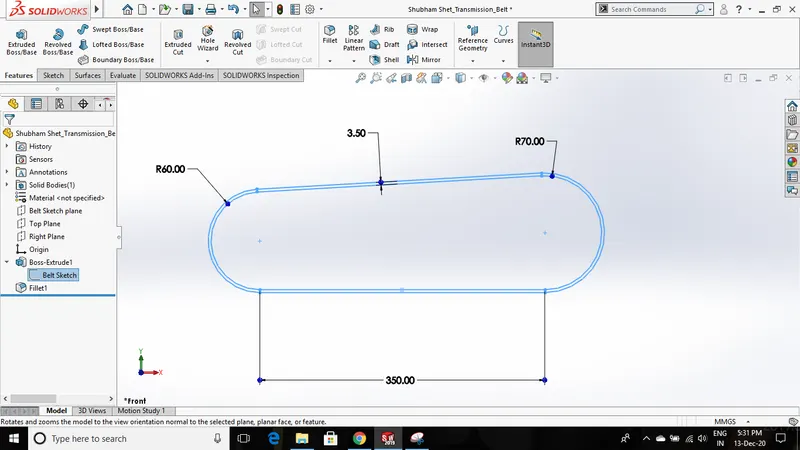
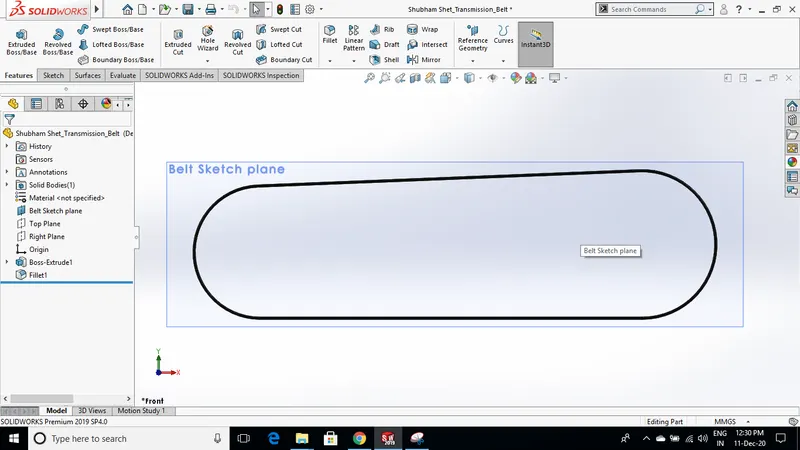
- Renamed the sketch plane on which the 2D sketch of the belt is constructed. This will save us time and also provide a better understanding.
- Constructed a sketch with all required dimensions and constraints which makes the sketch fully defined.
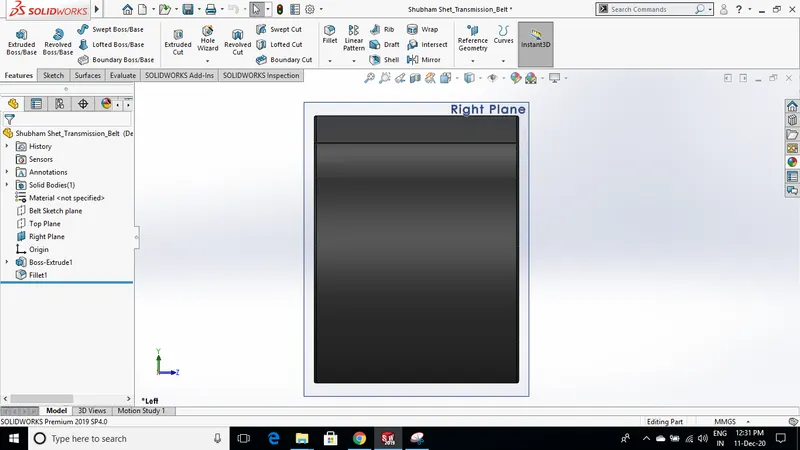
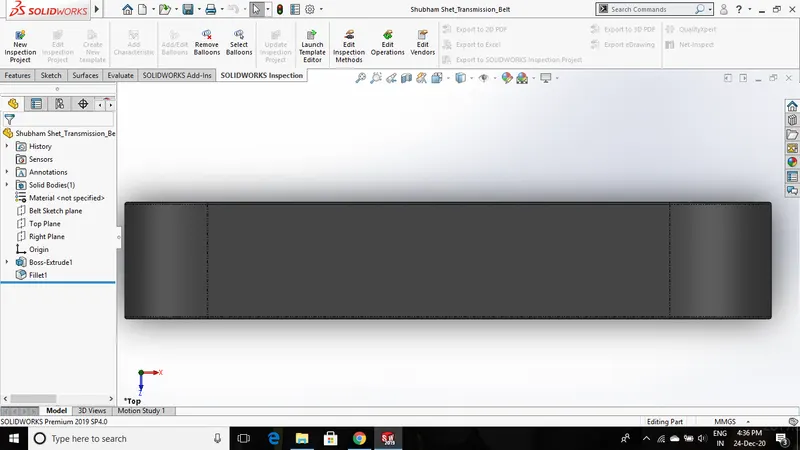
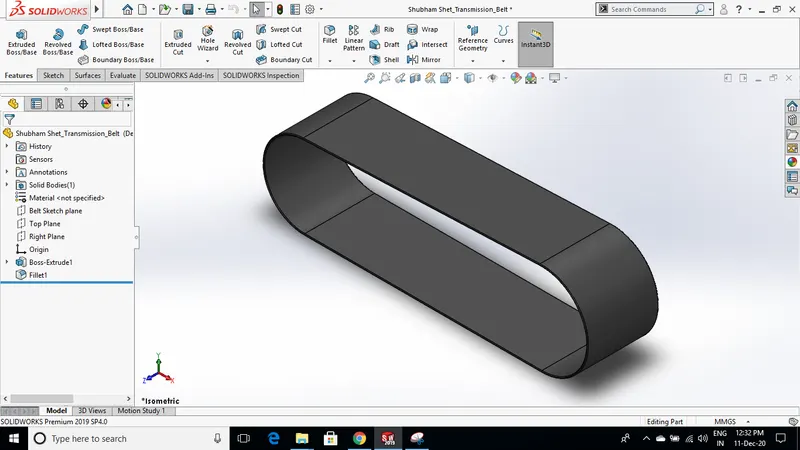
- After constructing a fully defined sketch using boss extrude feature simply develop a 3d model followed with appropriate material and appearance. Apply fillets to the edges to avoid sharp edges using the fillet feature.
- Features,relations, and constraints used - line,3-point arc,tangency,midpoint relation,fillet,boss extrude.
B. Kickstand
It is used to support the chopper from falling on the ground when not used. Also, it can be kept horizontal while riding the chopper.
Procedures and features used:
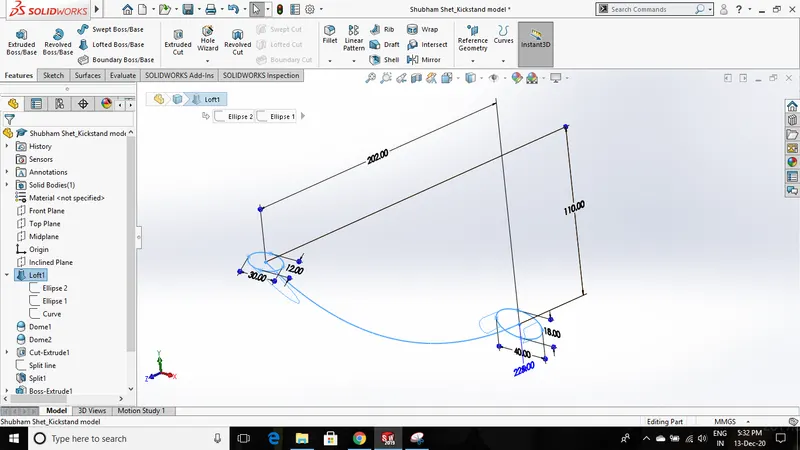
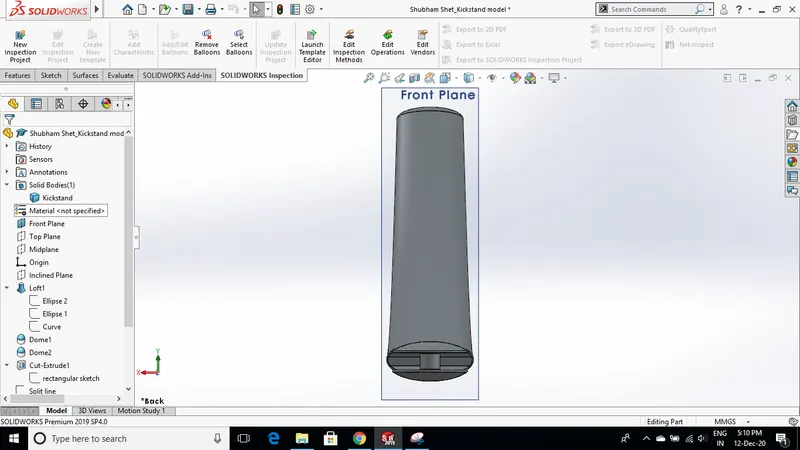
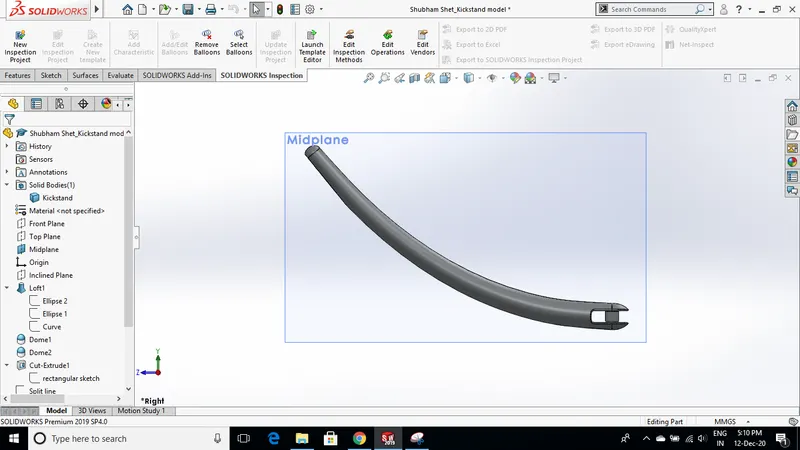
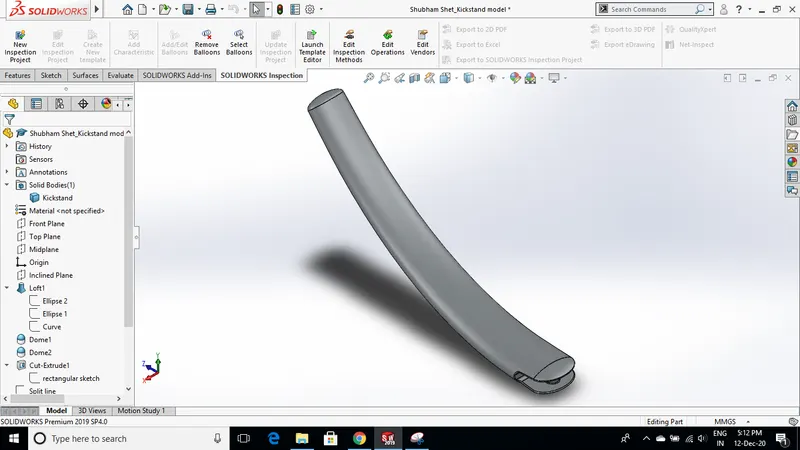
- First, draw an ellipse of the appropriate size on the front plane. Then on the side plane draw a spline starting from the center of the ellipse.
- Create a new plane that is normal to the spline. Create another ellipse on the new plane with the required dimensions.
- Then by using the lofted boss feature create a solid feature between these two profiles of the ellipse with the help of spline which is a centerline reference.
- Create a dome structure at both ends. At the thicker end(bigger ellipse) cut a rectangular slot using the cut extrude feature and then create a cylindrical body in the slot that connects the stand and the chassis.
- Provide fillets in the slot and the cylindrical body.
- On the other end create a flat surface at the bottom by drawing a line and using the split tool to ensure proper contact with the ground.
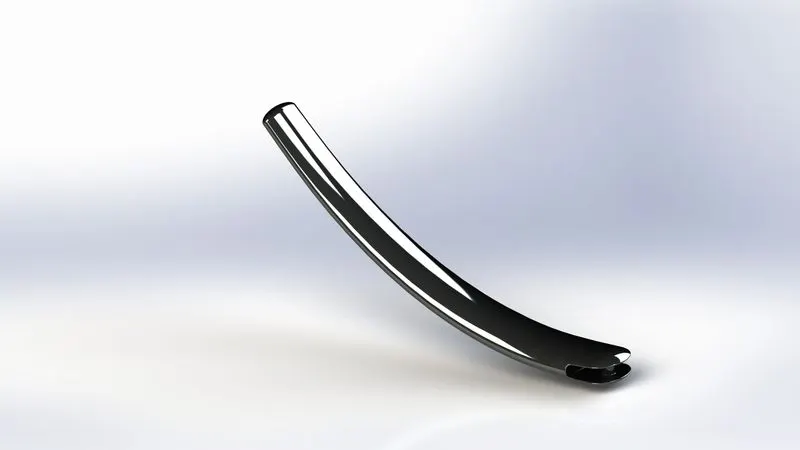
- Use chromium plate as appearance.
 7
7
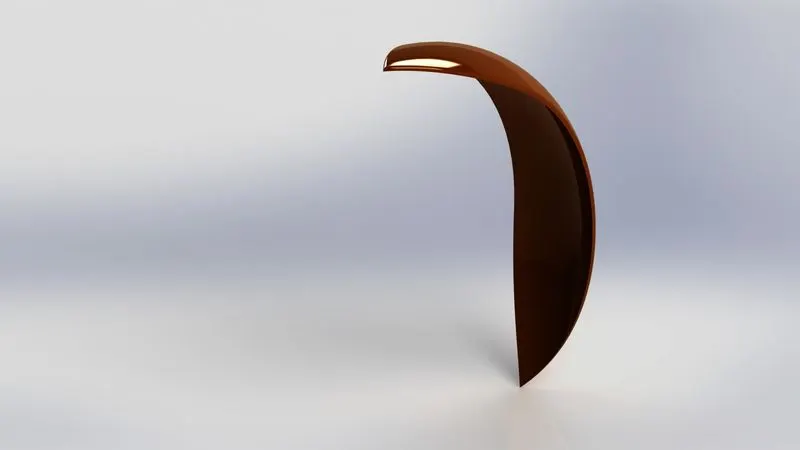
C. Front Fender
Protects the rider and the chopper from the dirt and other particles when the wheel rotates.
Procedures and features used:
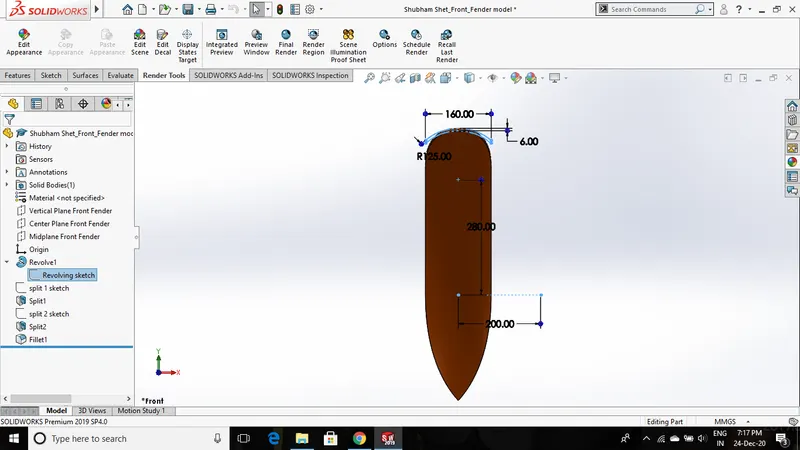
- First, create a sketch of the front fender using the 3-point arc feature on the front plane and give appropriate dimensions. Provide a thickness using offset entity tool.
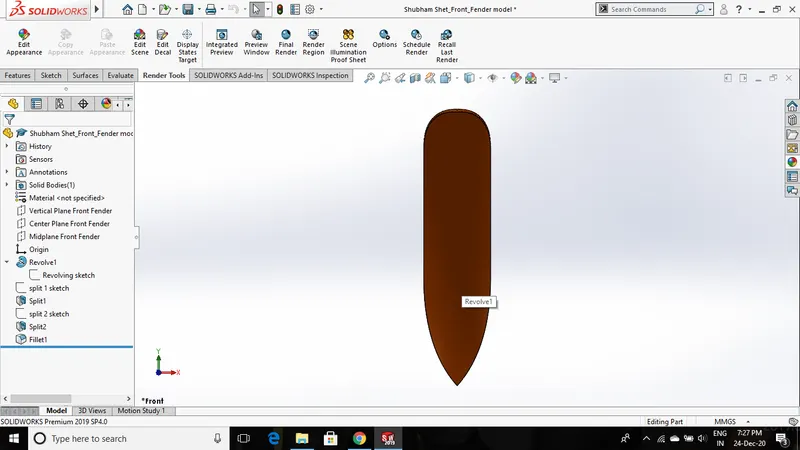
- Revolve the sketch in both directions at different angles using the revolved boss feature. This will create a solid feature of the front fender.
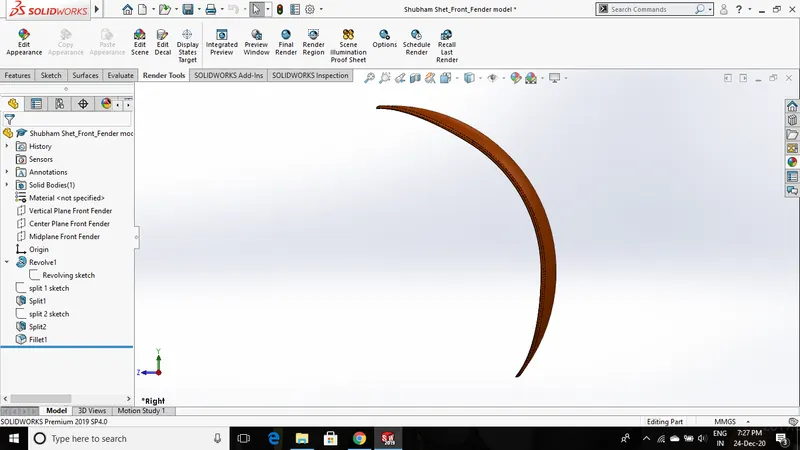
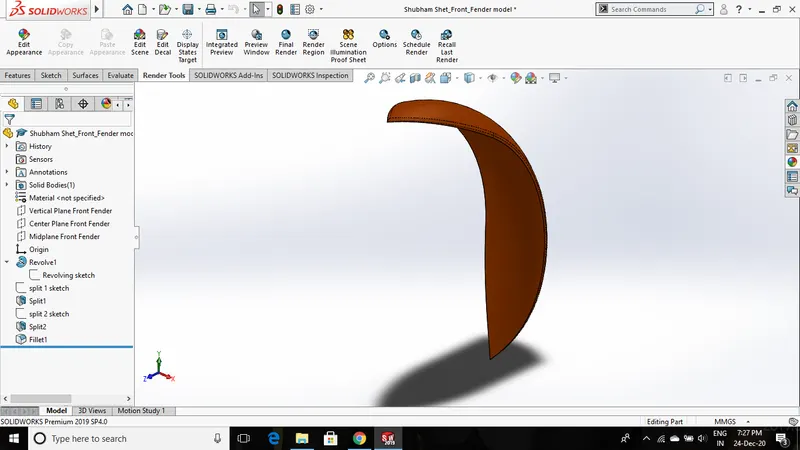
- Create two different sketches on the front plane and top plane which will alter the front fender and give us the final required shape. Use a split tool that will use these sketches to get the required shape.
- Provide fillets on the edges and corners. Set appearance to painted Siena.
D. REAR FENDER
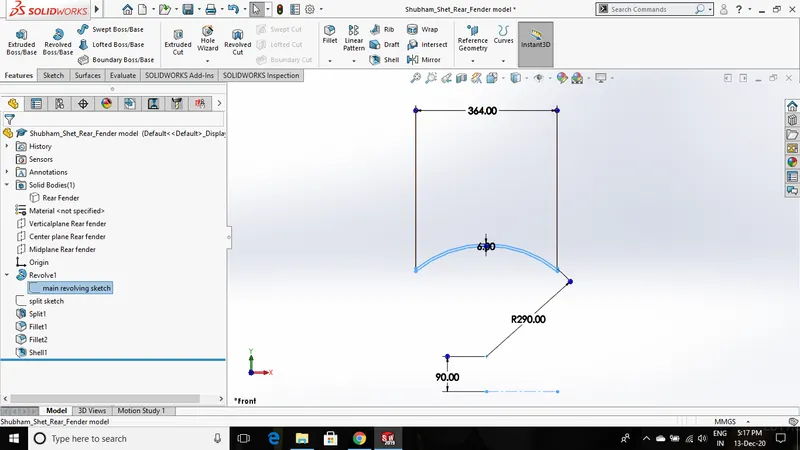
Protects the rider and the chopper from the dirt and other particles when the wheel rotates.
Procedures and features used:
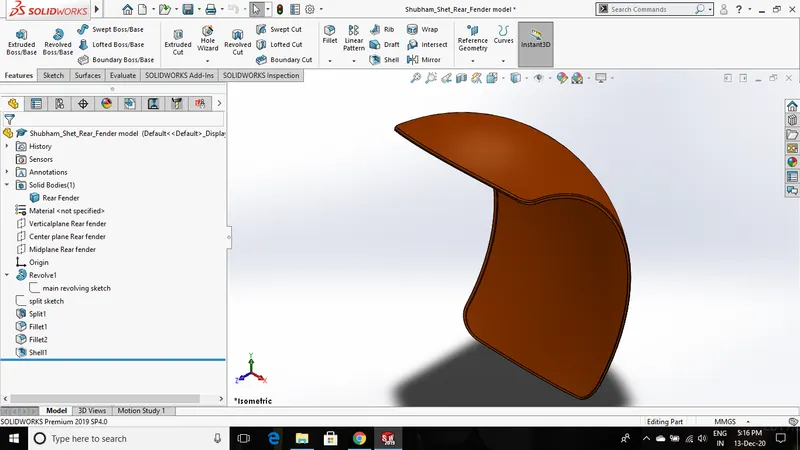
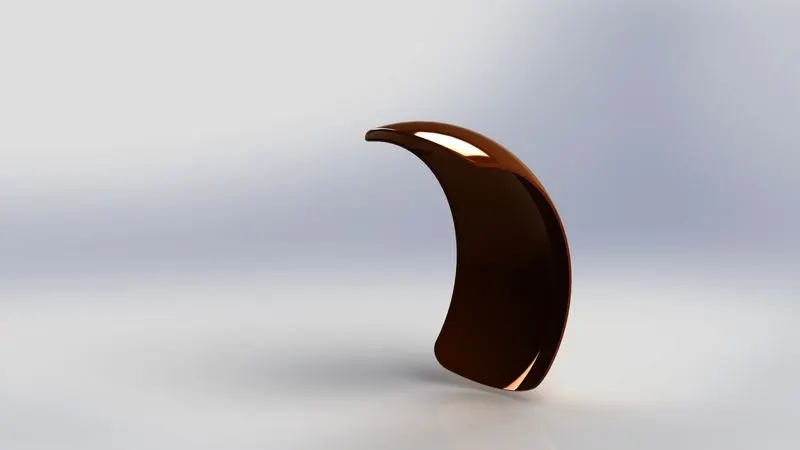
- First, create a sketch of the Rear fender using the 3-point arc feature on the front plane and give appropriate dimensions. Provide a thickness using offset entity tool.
- Revolve the sketch in both directions at different angles using the revolved boss feature. This will create a solid feature of the Rear fender.
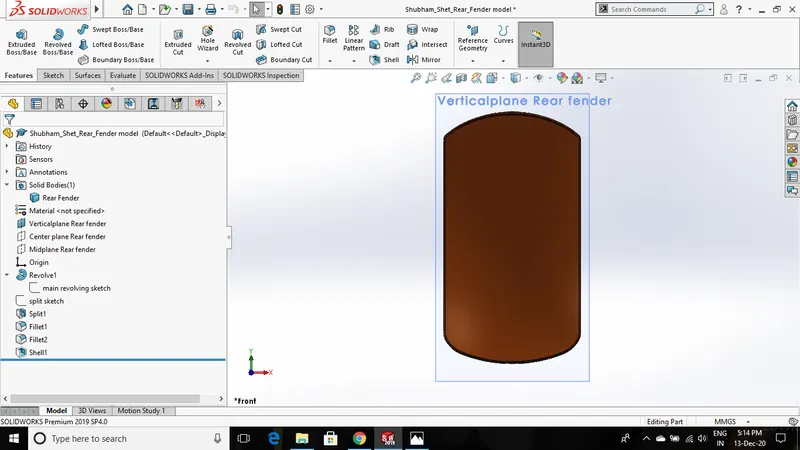
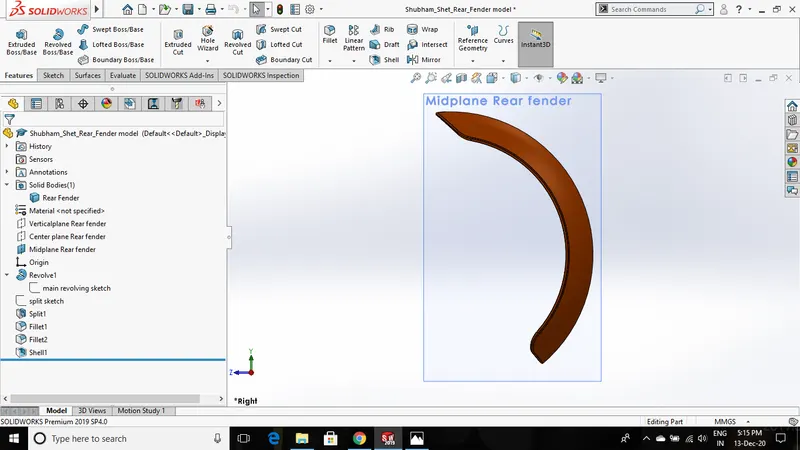
- Create two different sketches on the front plane and top plane which will alter the rear fender and give us the final required shape. Use a split tool that will use these sketches to get the required shape.
- Provide fillets on the edges and corners. Use shell feature on the inner surface to get rid of some material. Set appearance to painted Siena.
E. Oil Tank
Lubricating/Cooling oil is stored in the oil tank that is supplied to moving parts to absorbs the heat generated due to friction.
Procedures and features used:
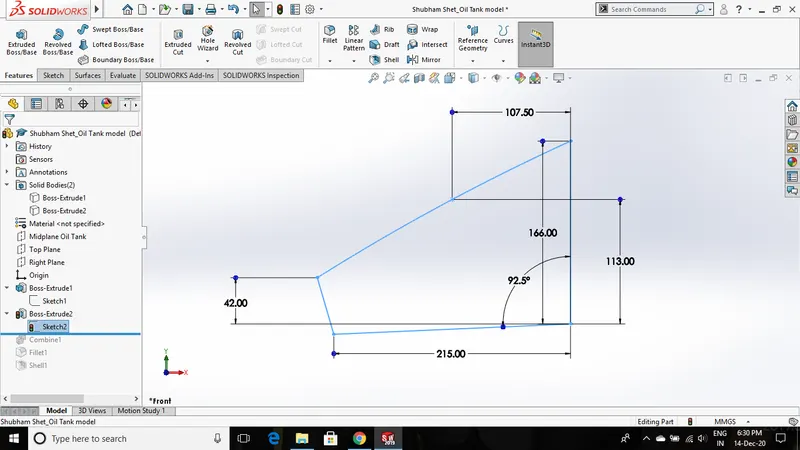
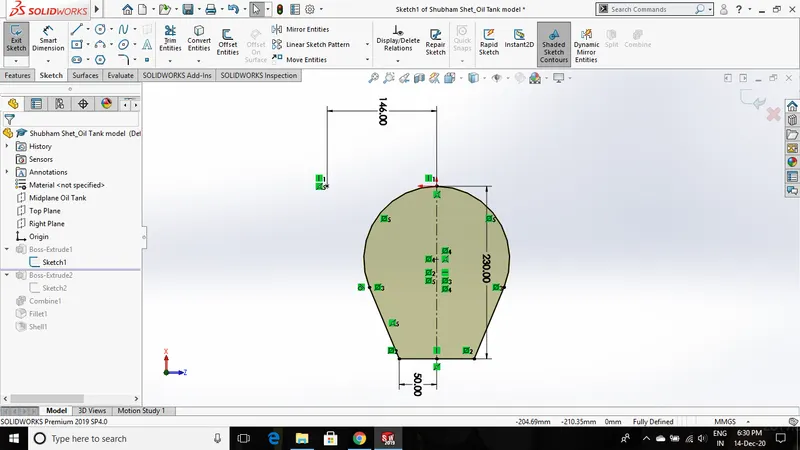
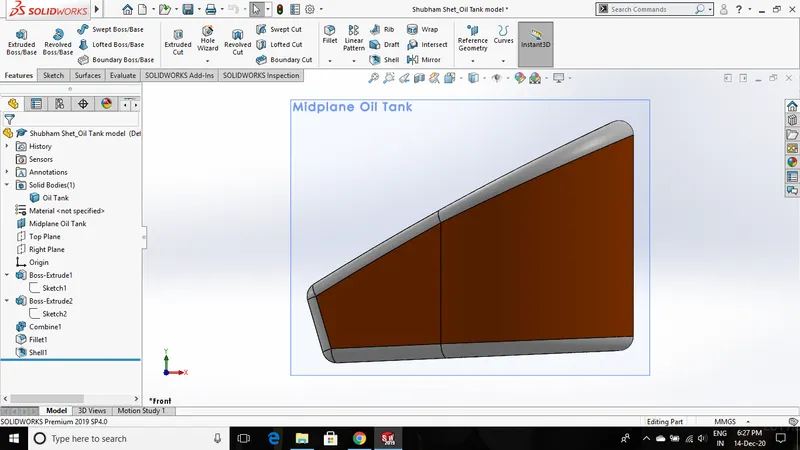
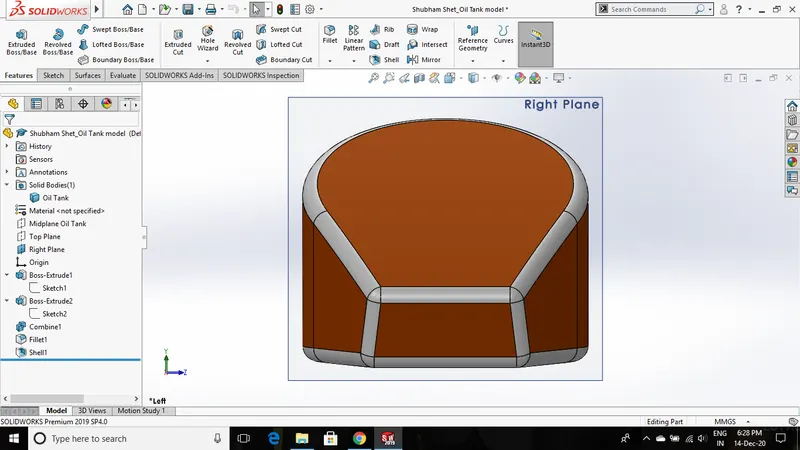
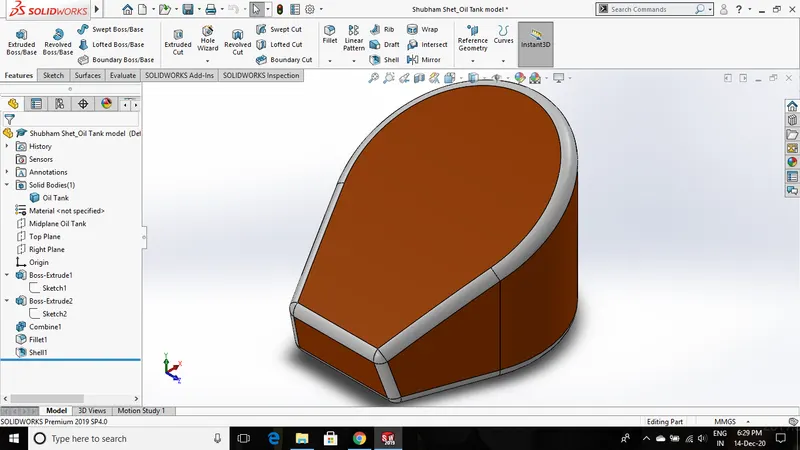
- The oil tank has been modeled using a different approach rather than simply developing the sketch and extruding it.
- Here, two different solid bodies are made which intersect each other. Then combine feature(select common option) is used to obtain the final required solid body.
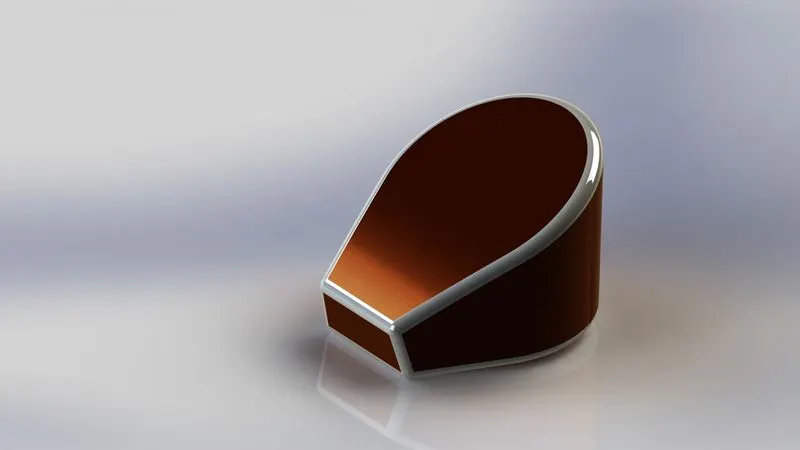
- Apply fillet to all edges and apply painted Siena appearance to the body. Then apply white color to the fillet edges.
- Use shell feature to make the oil tank hollow with the required thickness.
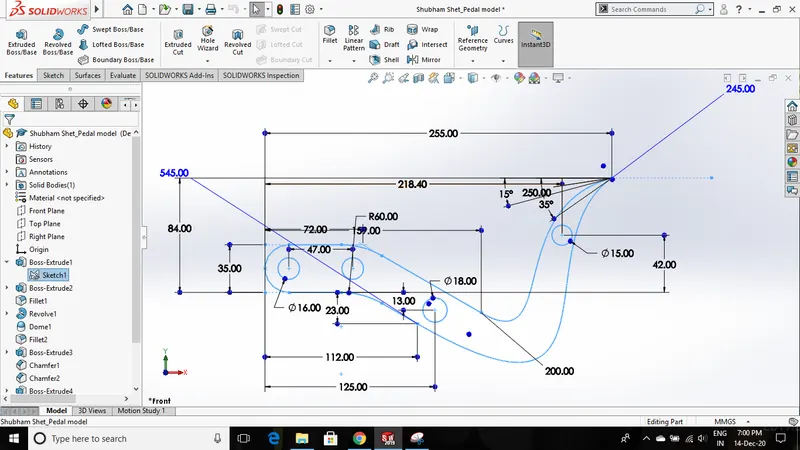
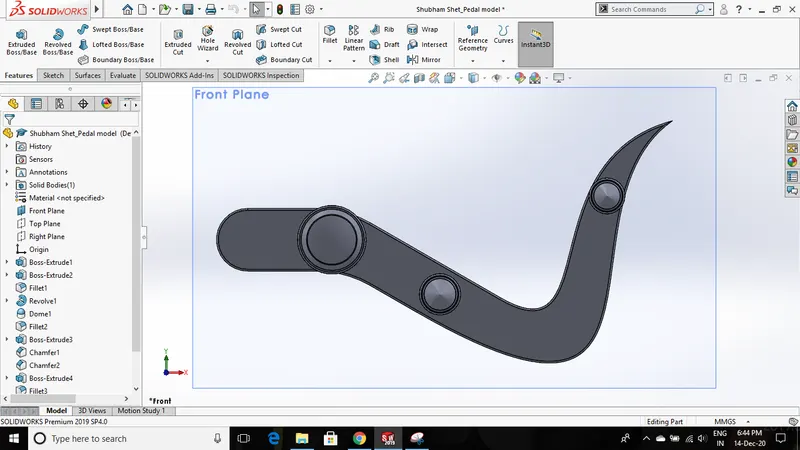
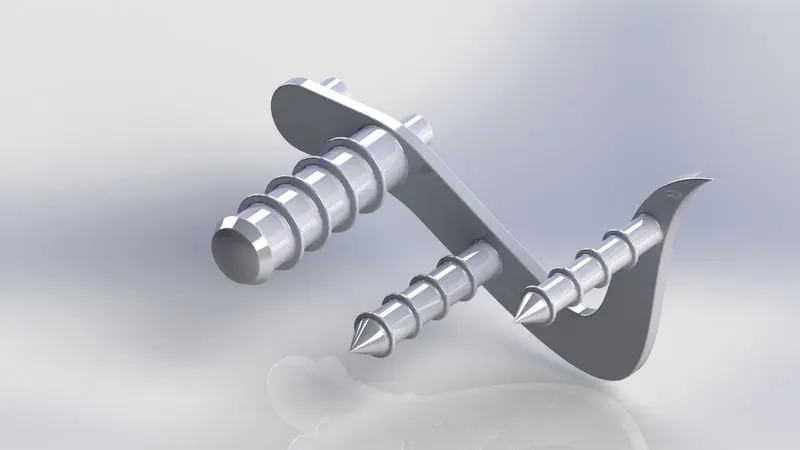
F. Pedal
The pedal is connected to the gear shifting mechanism as well as used as a footrest for the rider.
Procedures and features used:
- First, create a sketch on the front plane and use the extruded boss feature to provide the required thickness. Provide a fillet on the edges.
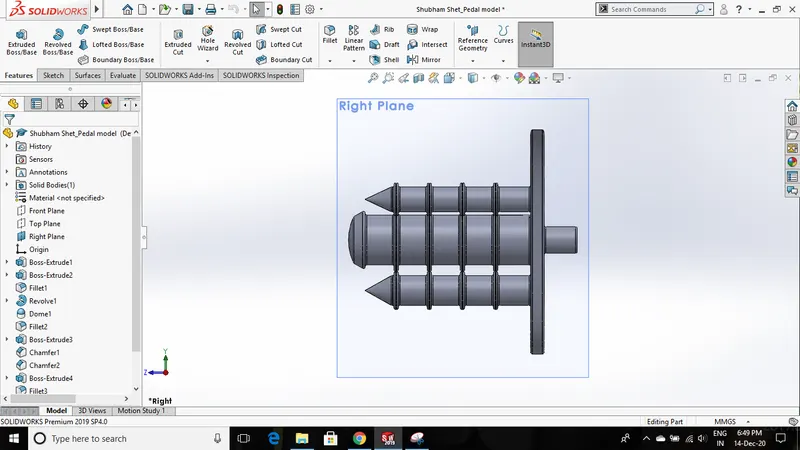
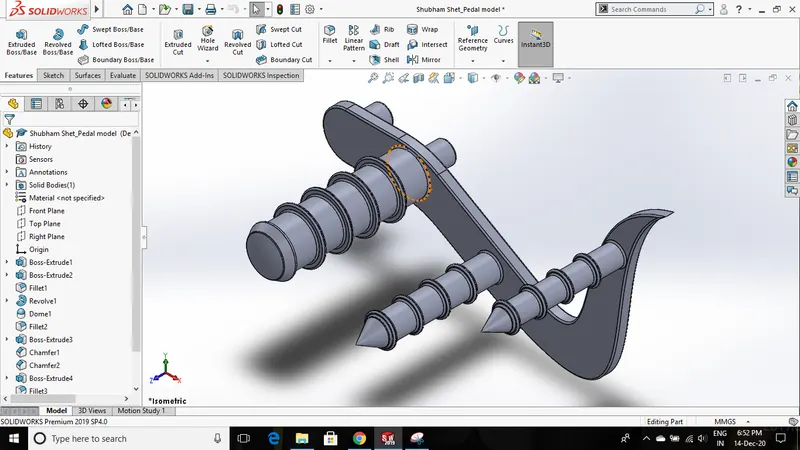
- On the front face of the model create a circular sketch and extrude it to create a footrest. Similarly, create two different extrudes on the same face for the gear shifting mechanism.
- Create a collar on all 3 extruded bodies and use a linear pattern feature.
- Create a dome at the end of the footrest cylindrical body using the dome feature. Also, provide a chamfer at the end of the other two cylindrical bodies.
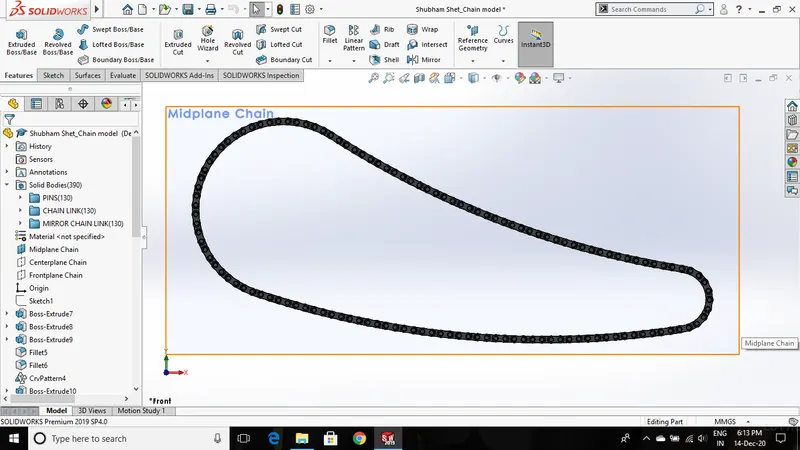
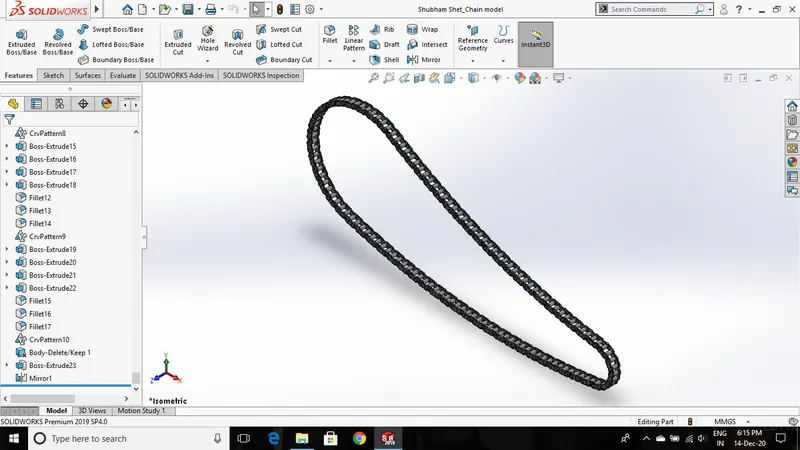
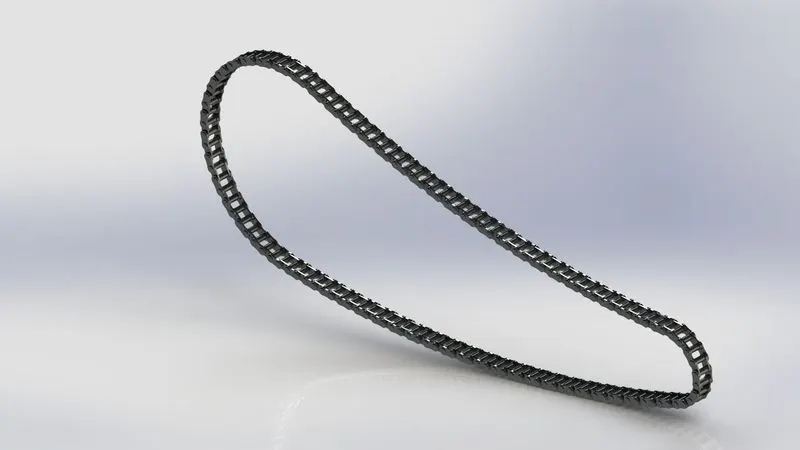
G. Chain
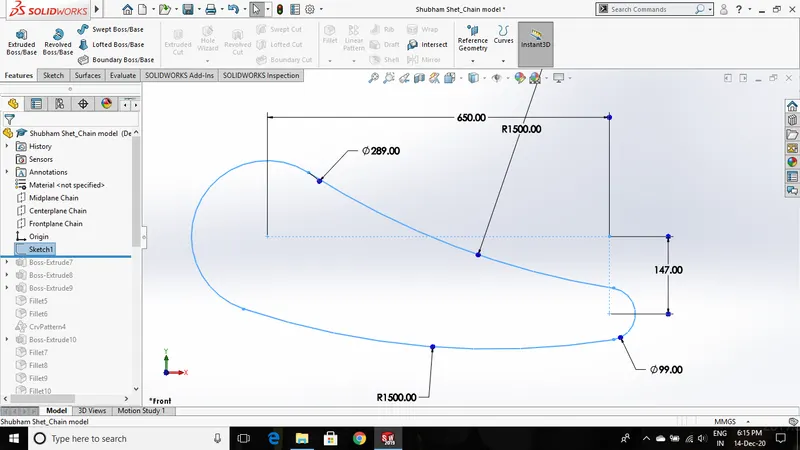
Chain and sprockets are used to transmit power from the engine shaft(driving shaft) to the rear wheel(driven unit). The chain consists of multiple links that transmit a high amount of power.
Procedures and features used:
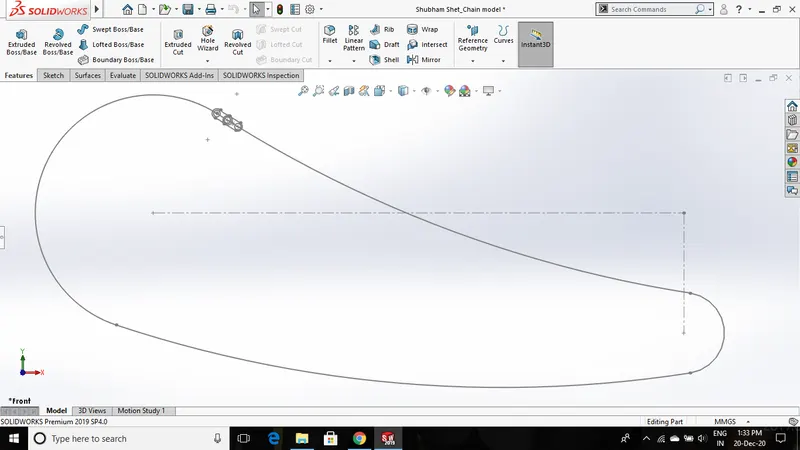
- The new feature introduced in this chain model is block. The chain consists of several smaller links that are made of two different blocks.
- First, create a chain sketch and also create two sketches of links separately and save it as blocks.
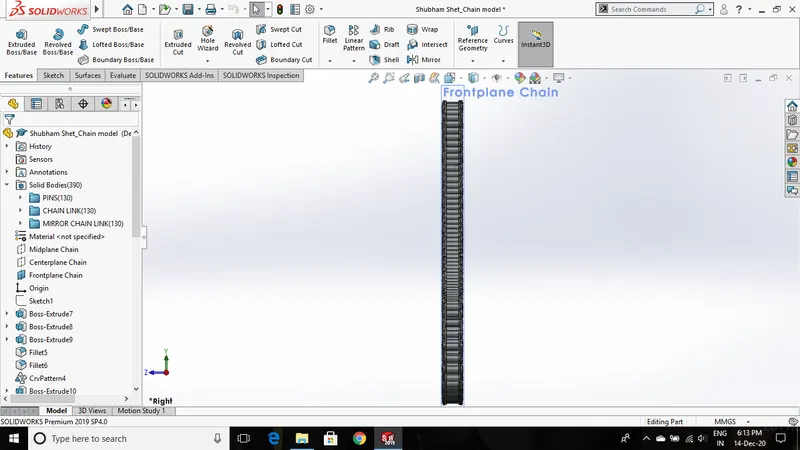
- Then place these two blocks on the curve(chain sketch) and extrude it to a given thickness. Using curve driven pattern feature multiple chain links can be patterned on the curve.
- Provide fillets to the edges before using curve driven pattern. Then mirror the links that are created to complete the chain structure.
- Apply Chromium plate appearance to the chain body.
H. Front Wheel
Front-wheel is connected to the chopper body with the help of a front fork.
Procedures and features used:
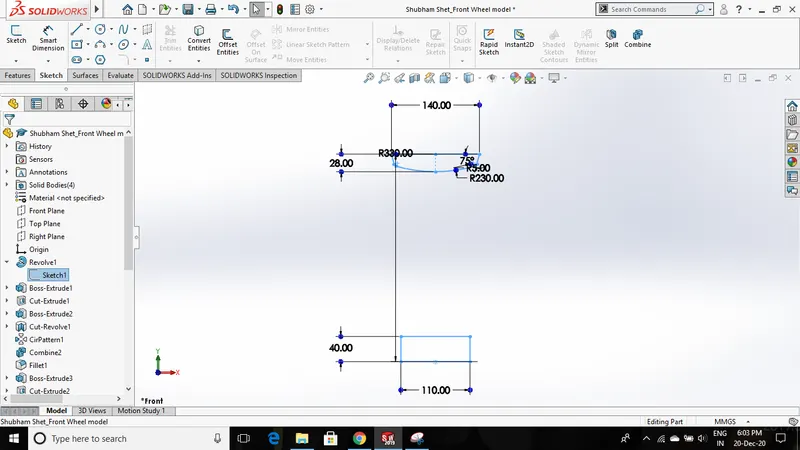
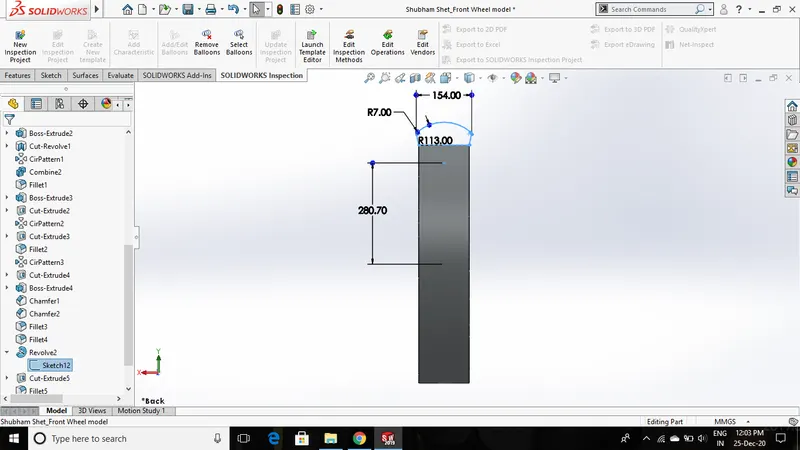
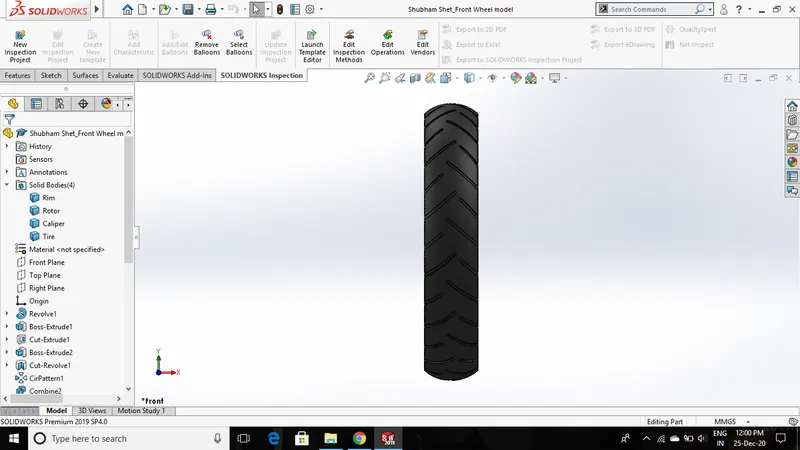
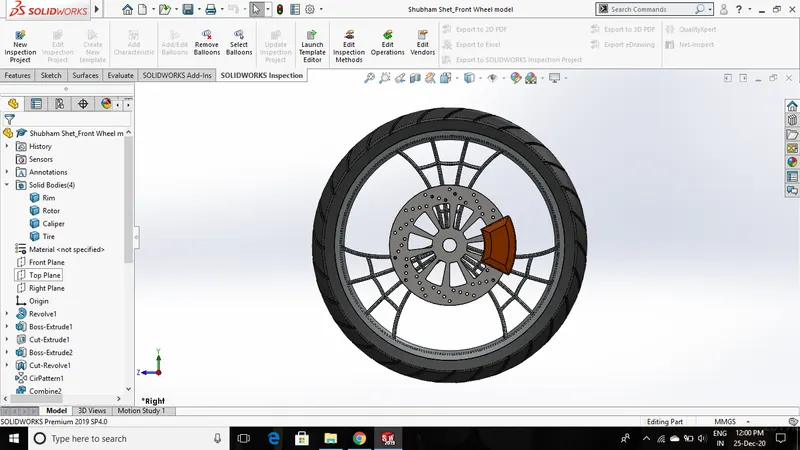
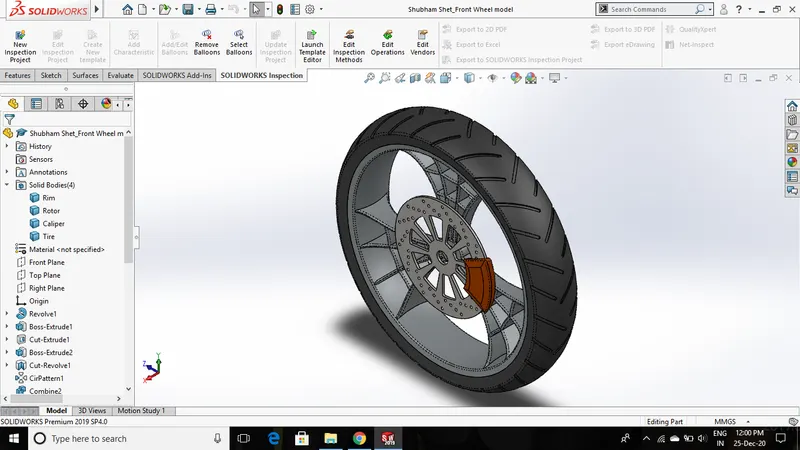
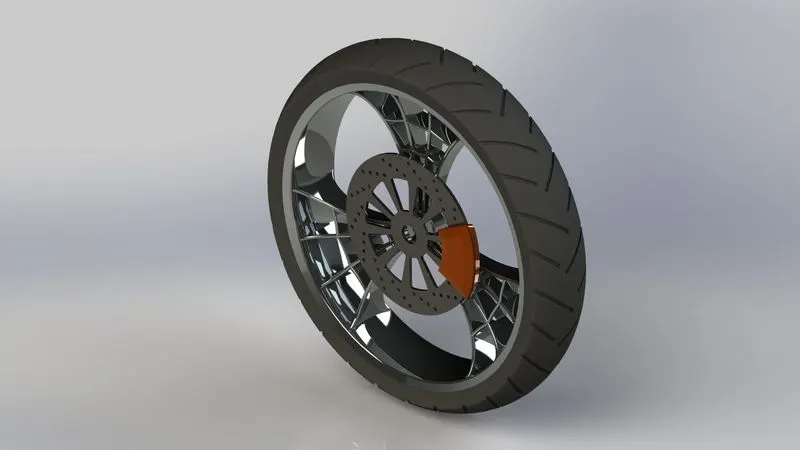
- Front-wheel consists of 4 different parts - Rim, tire, rotor disc, and caliper.
- First Rim sketch is created with suitable dimensions and then using the revolve boss feature circular rim body is created. Then create another sketch that will develop spokes for the revolved rim body.
- Use circular pattern feature to generate a suitable amount of spokes for the rim.
- Use combine feature to combine the spokes and the outer circular body. This will create Rim as a single solid body.
- For the tire, create another sketch using the 3-point arc and other sketch tools. Use the revolve boss feature to get the tire body over the circumference of the rim. With the help of other sketches, and extrude cut feature treads are cut on the tire body.
- Rotor disc and caliper sketches are created using required dimensions. While extruding these bodies select the unmerge option to give a separate appearance to the rotor disc and caliper.
- Give fillets to all sharp edges. Give Siena appearance to caliper, matt rubber to tire, chromium plate appearance to rotor disc and rim.
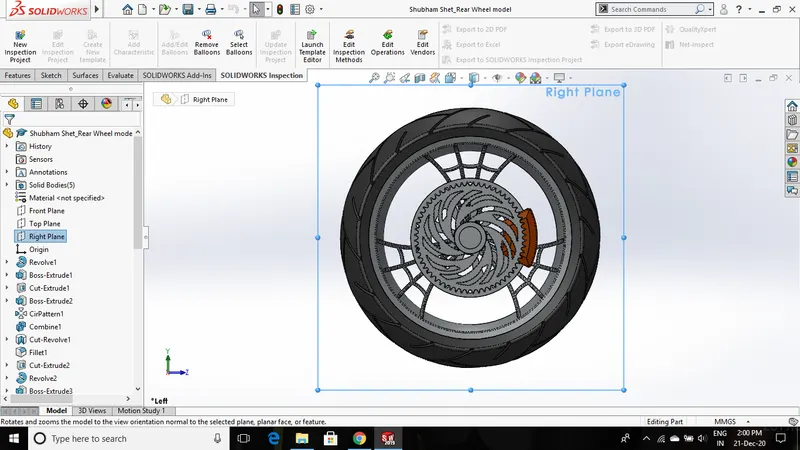
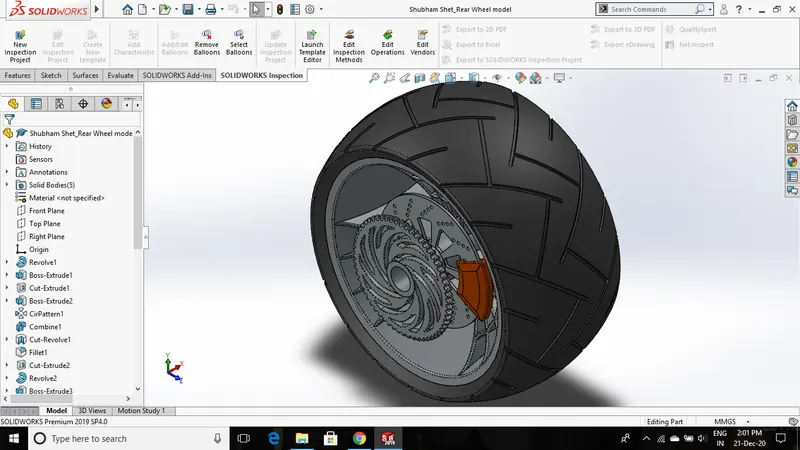
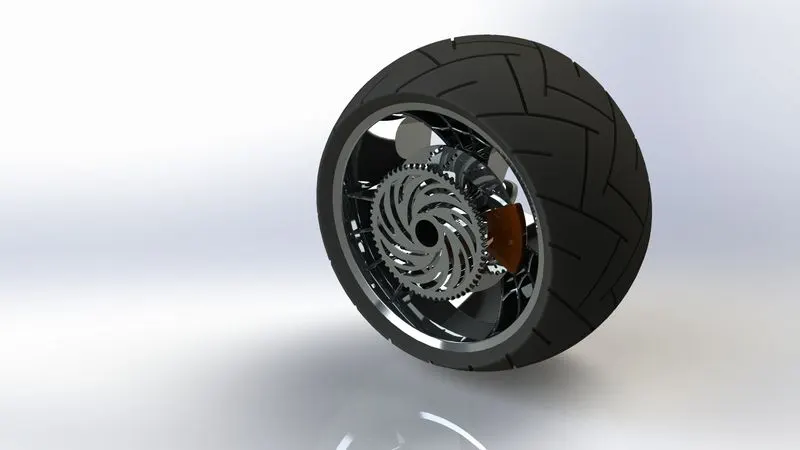
I. Rear Wheel
ear-wheel is connected to the rear side of the chassis. Using a chain sprocket mechanism power is transmitted from the engine(driver) to the rear wheel(driven) which results in the motion of the chopper.
Procedures and features used:
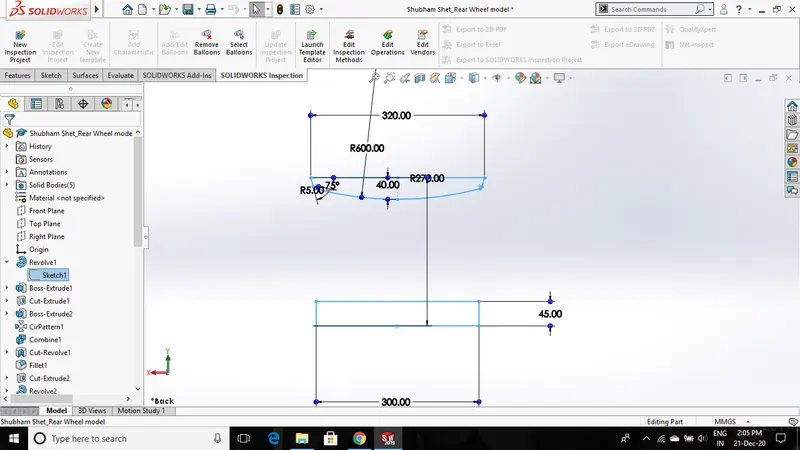
- Design procedures are similar to the front wheel but with different dimensions. First, the rim sketch is revolved, and then rim spokes are created which is further patterned along its circular path.
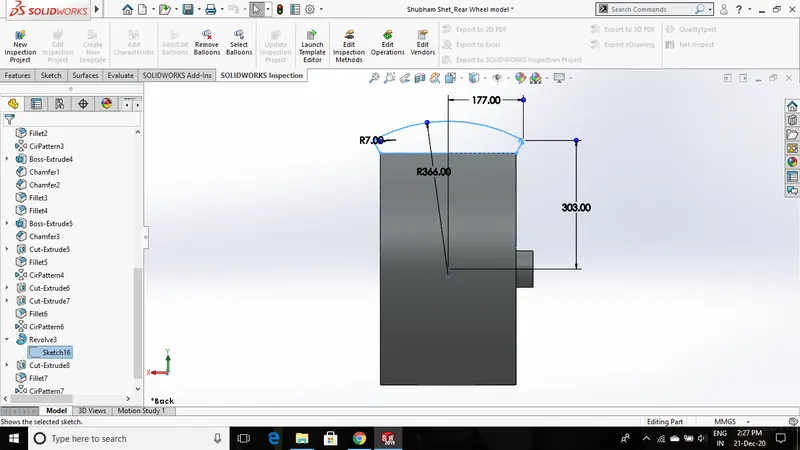
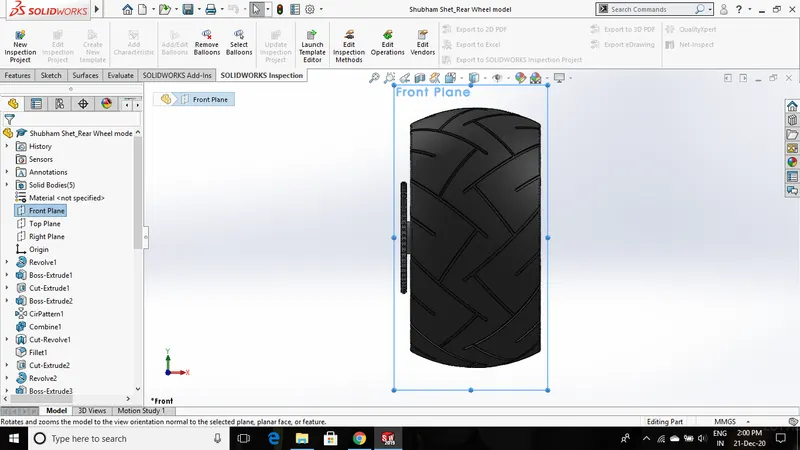
- Tire sketch is created on the right plane which is revolved around the circumference of the rim. Then tread cuts are created using an extrude cut feature on the tire surface.
- Rotor disc, caliper, and sprocket are created on one side of the rim. A single profile of the tooth is created using an extrude cut feature and then a circular pattern around its circular body. Another profile is cut extruded on the sprocket face.
- Chromium plate appearance is applied to the rim, sprocket, and rotor disc, Sienna appearance is applied to the caliper, matt rubber is applied to the tire.
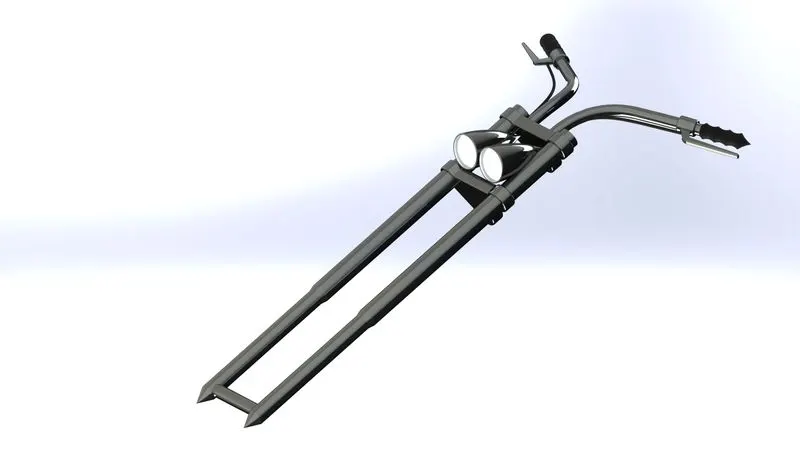
J. Front Fork
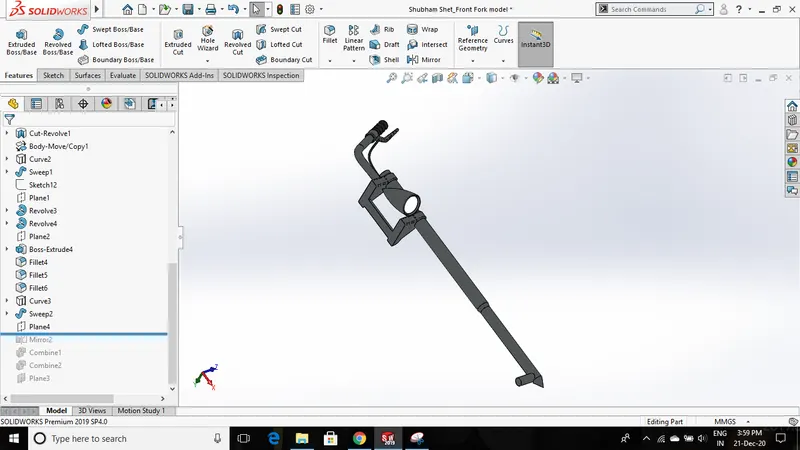
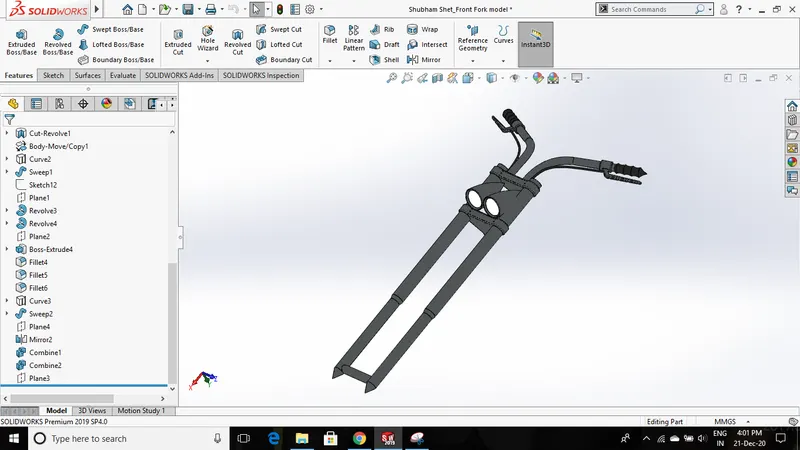
The front fork connects the chassis and the front wheel which helps the rider to maneuver the chopper. Also, brake controls, accelerator control, headlight switch are assembled on the front fork handle.
Procedures and features used:
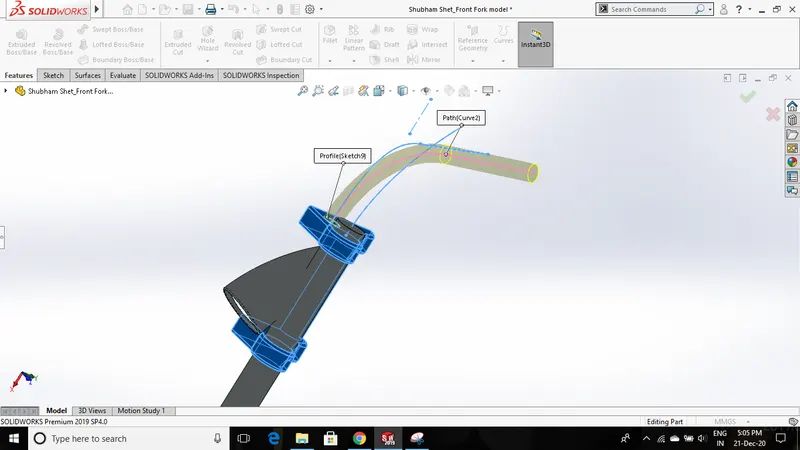
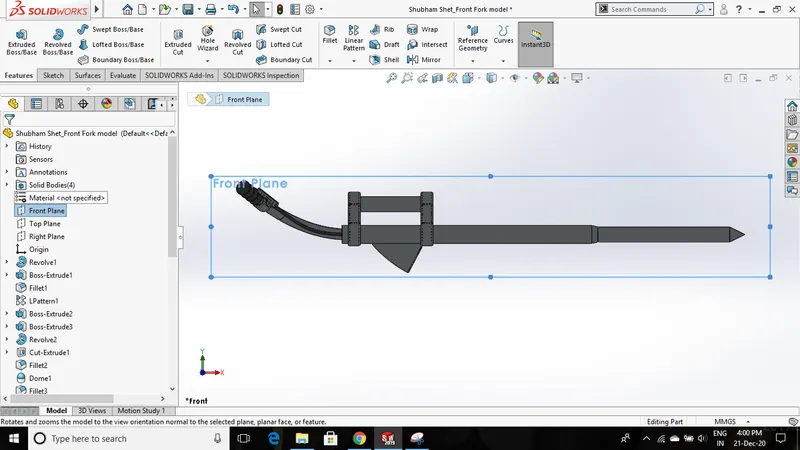
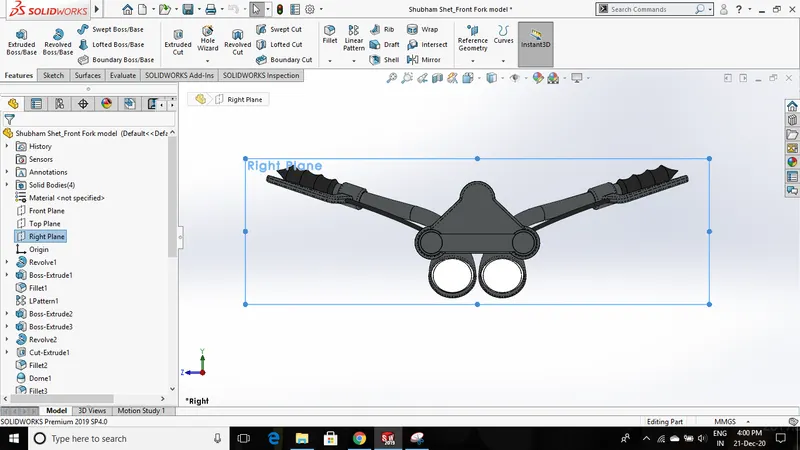
- As the model is symmetric around its mid-plane, half the portion of the front fork will be created and the other half will be mirrored and then combined.
- First, the fork rod is created using the revolve boss feature. To create a headlight a conical shape sketch is revolved on the front plane which is then moved to a certain distance using the move body feature.
- For handlebars and connecting wires swept boss feature is used. This feature creates a 3d object using two 2d sketches, one of which is a closed sketch and the other will be a guide curve/path.
- To create a path for the wires we require a 3d sketch that does not belong to any plane. There are two options to create a 3d sketch - the first one is to simply select 3d sketch option, but giving constraints to such 3d sketches is difficult.
- So, in this case, we'll be using the projected curve feature that will create a 3d curve using two 2d curves. The intersection of these 2d curves gives a resultant 3d curve.
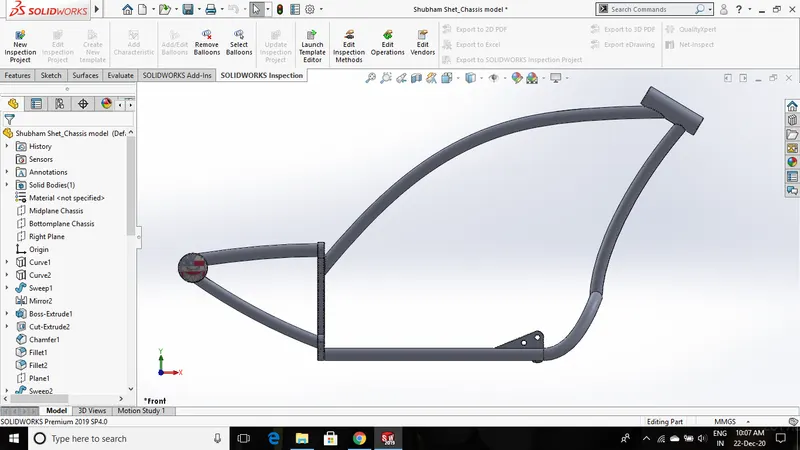
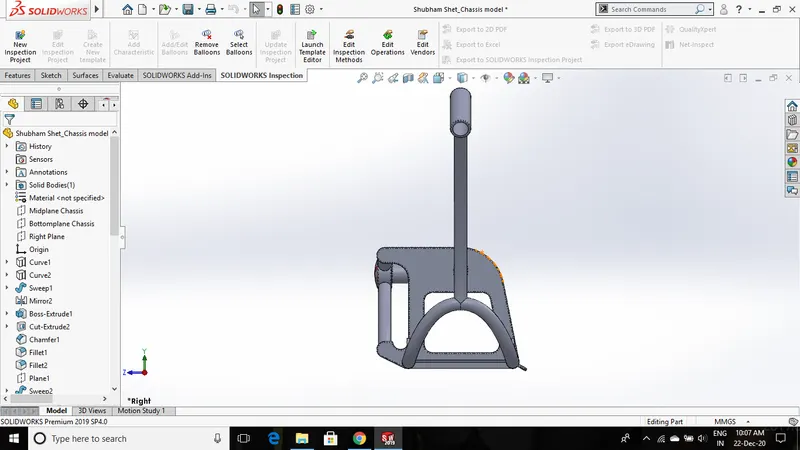
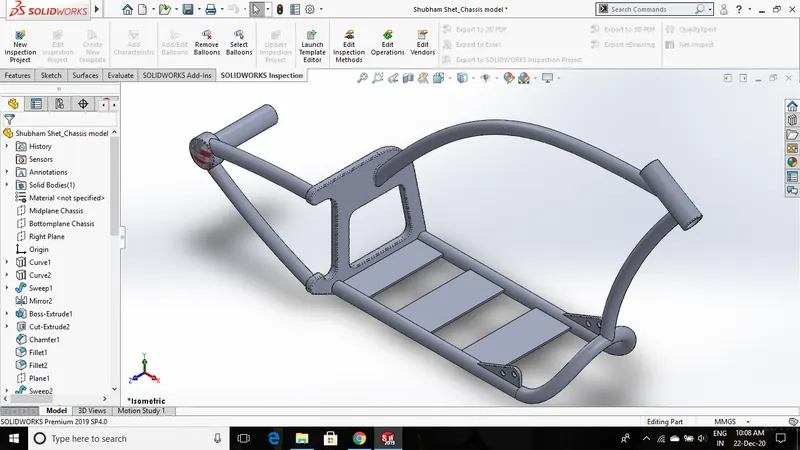
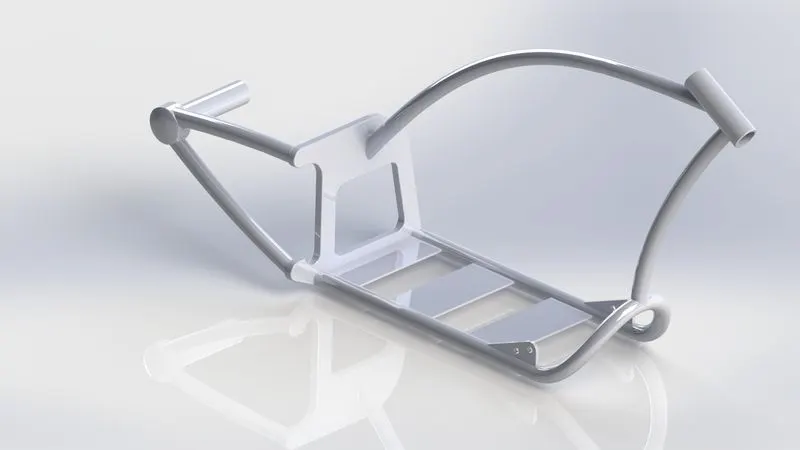
K. Chassis
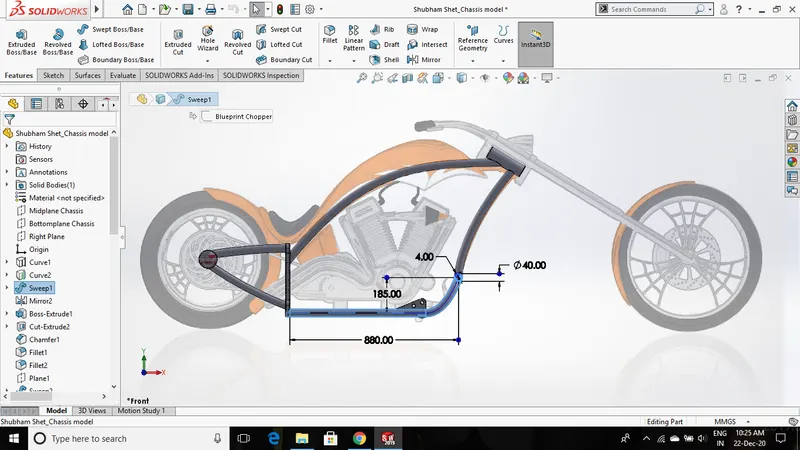
Chassis is the main structure of the chopper body on which all other components are assembled. The load is evenly distributed on every element, welds of the chassis structure so that it can bear maximum load without any failure.
Procedures and features used:
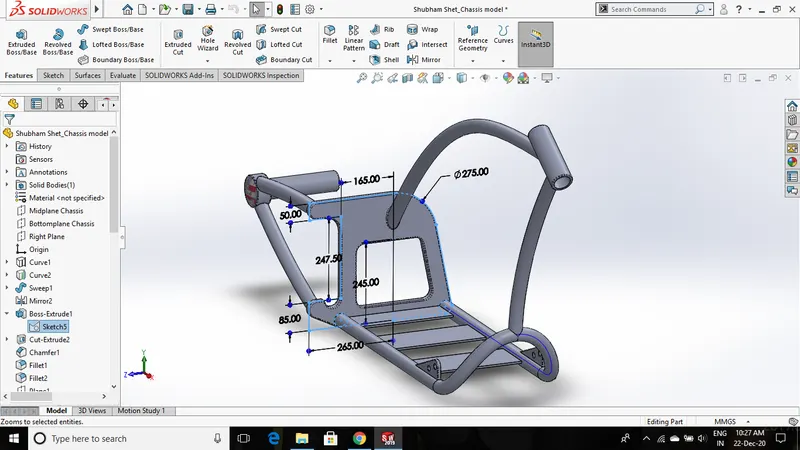
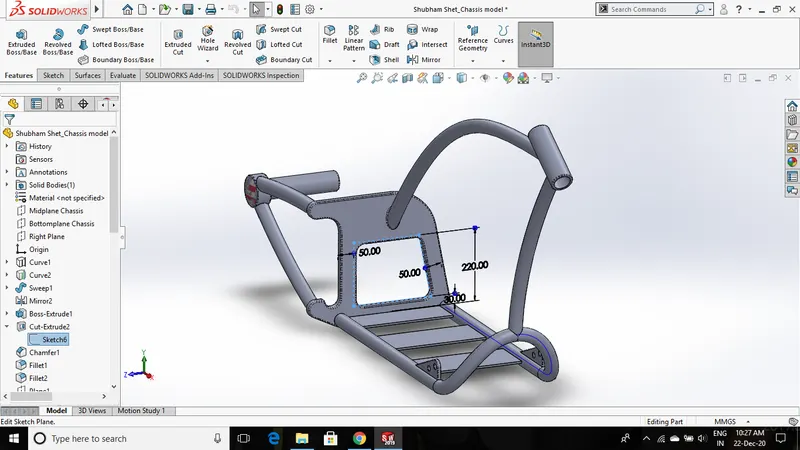
- Using the projected curve, swept boss, extrude boss, and extrude cut features entire chassis structure is designed.
- Blueprint of the chopper is used as a reference to develop a 2d sketch. All sketches must be fully defined. These 2d sketches are used along with other sketches to create a 3d projected curve. Using this projected curve a circular sketch profile is extruded using the swept boss feature.
- Provide fillets on most of the edges to get a smooth surface.
- Engine mounting plates, fixtures for the kickstand, and pedal are developed on the base of the chassis structure.
- Painted Siena appearance is given to the chassis body.
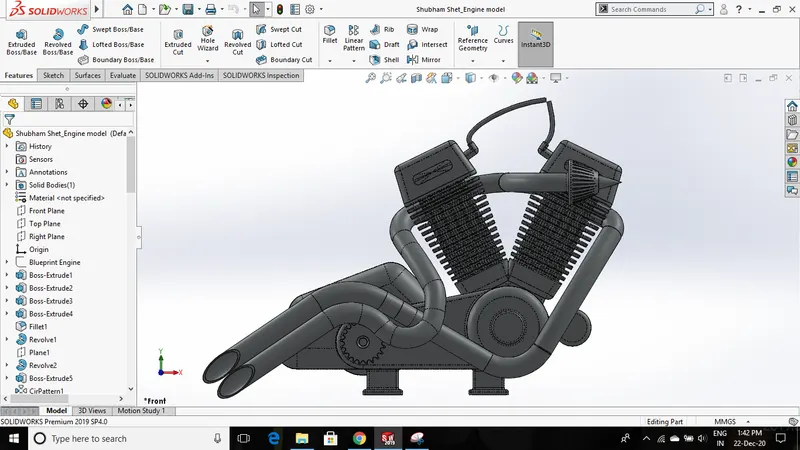
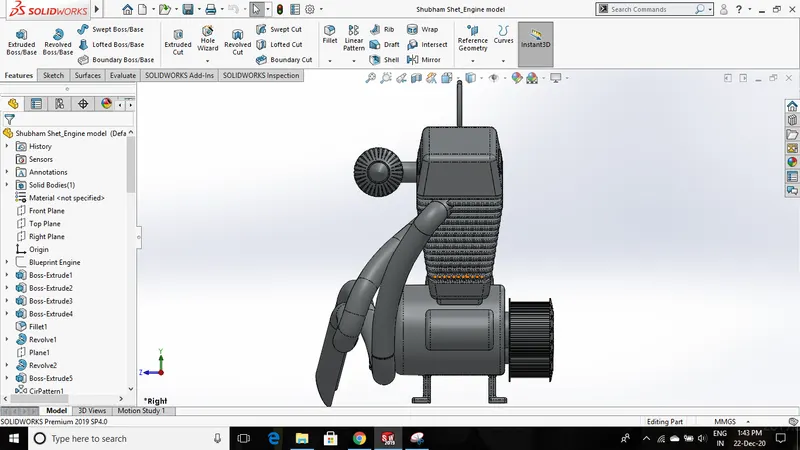
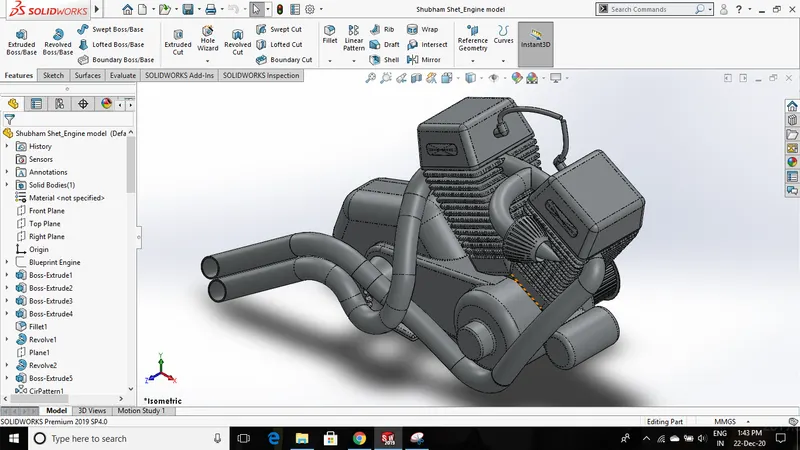
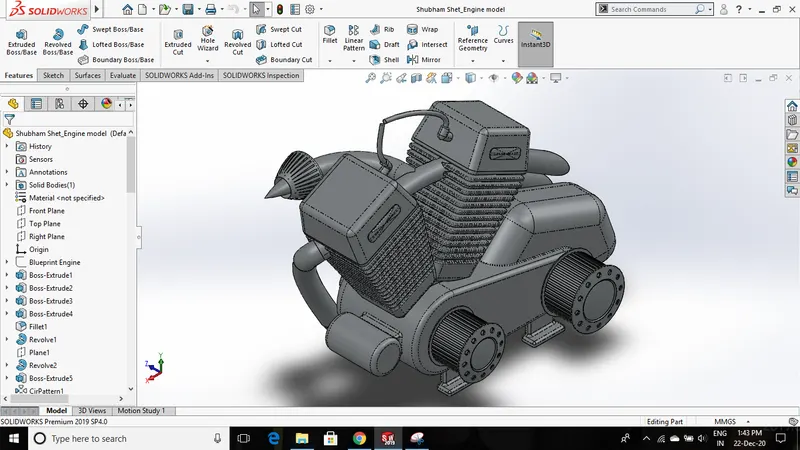
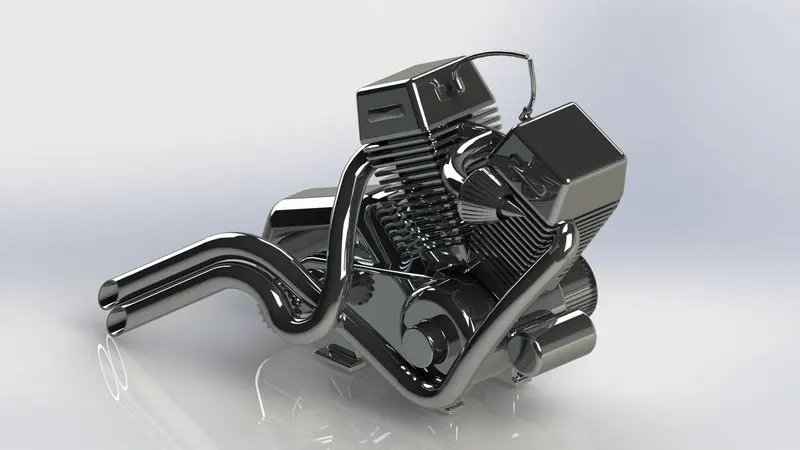
L. Engine
Engine(IC Engine) is the powerhouse of the American chopper. It burns fuel through the combustion process which generates a sufficient amount of power to drive the chopper.
Procedures and features used:
- Again the chopper blueprint is used as a reference to create an engine model. Various features are used to create this engine model.
- The engine casing and the transmission pulley are modeled using the extrude boss feature. The sprocket is modeled in a similar way as it was designed in the rear wheel.
- On the engine casing, only one cylinder is designed with the appropriate dimension. Then a single fin is created on the cylinder using an extrude cut feature and fillets are applied to its edges. Using the linear pattern feature multiple fins are created on the cylinder.
- For exhaust and filter pipes, a projected curve feature is used. Using this projected curve circular section pipe is created with the help of the swept boss feature.
- For other detailing, dome and fillet features are used.
- Chromium plate appearance is given to the engine.
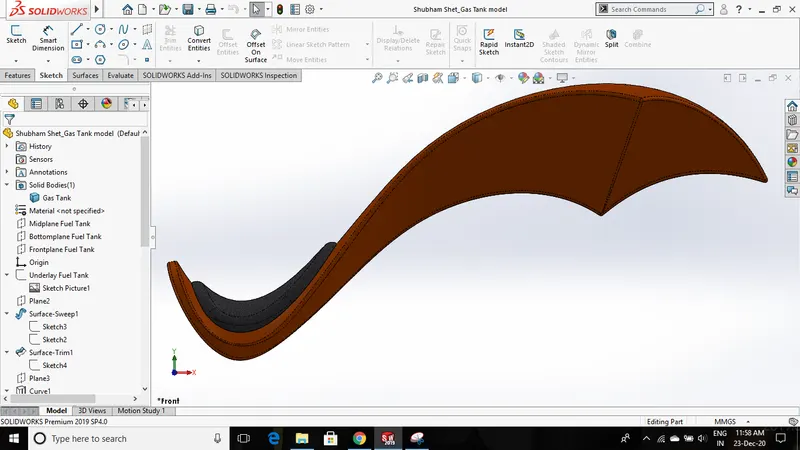
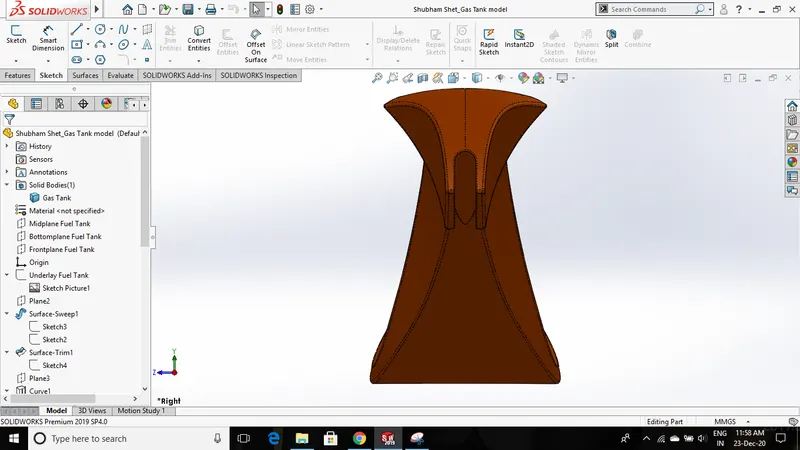
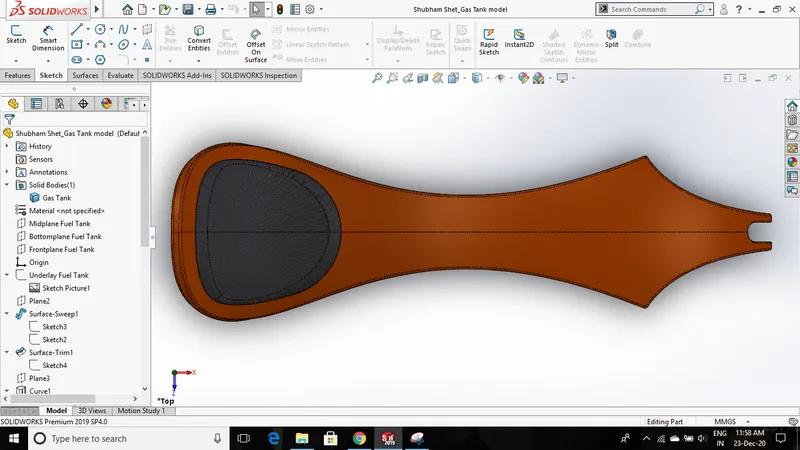
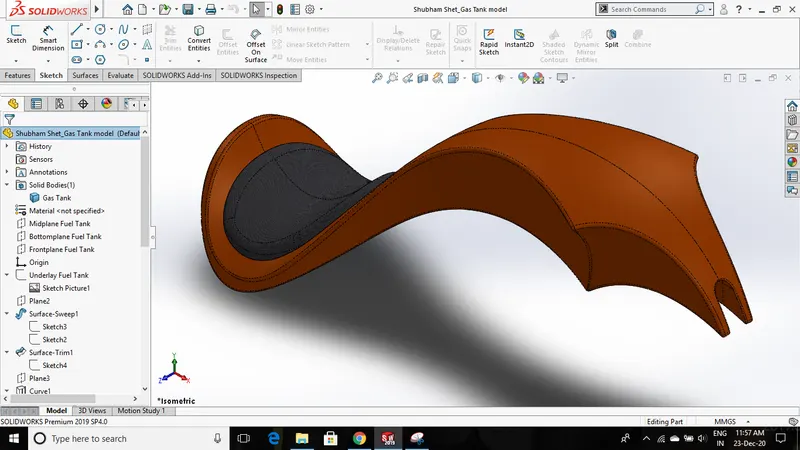
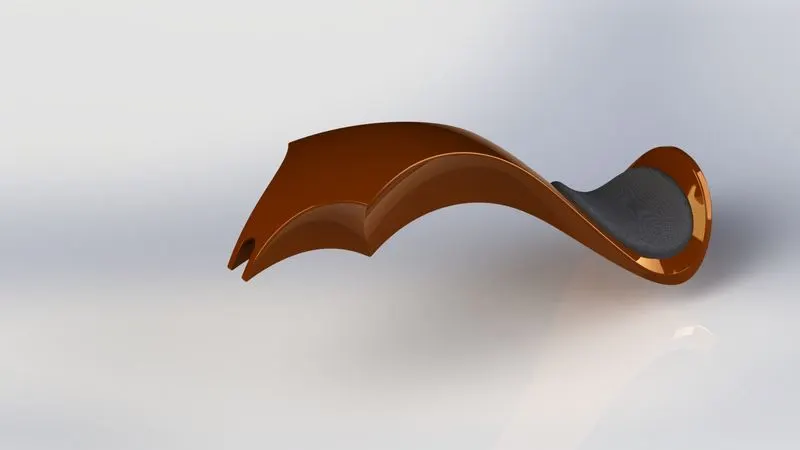
M. Gas Tank
A gas tank is used to store the required amount of fuel that is supplied to the engine that drives the chopper.
Procedures and features used:
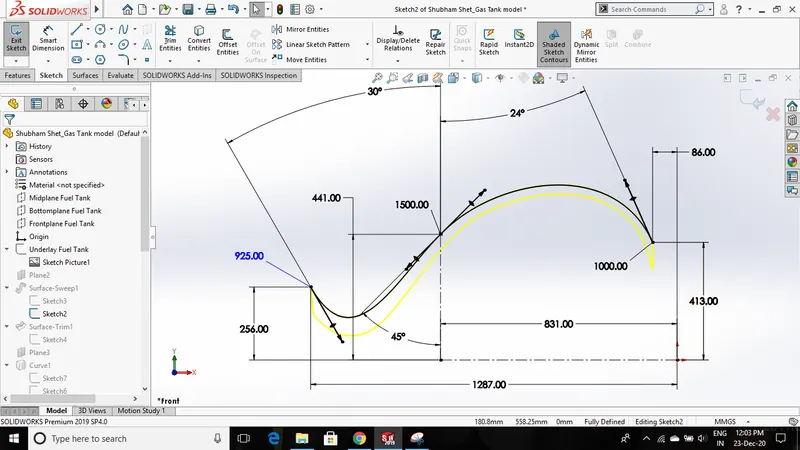
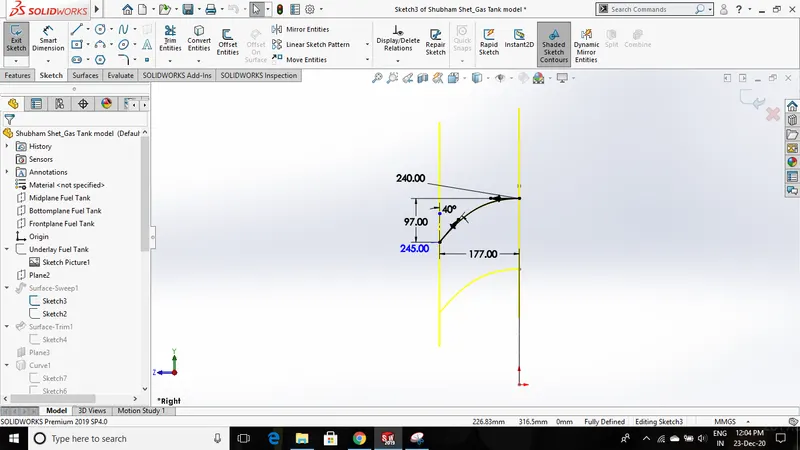
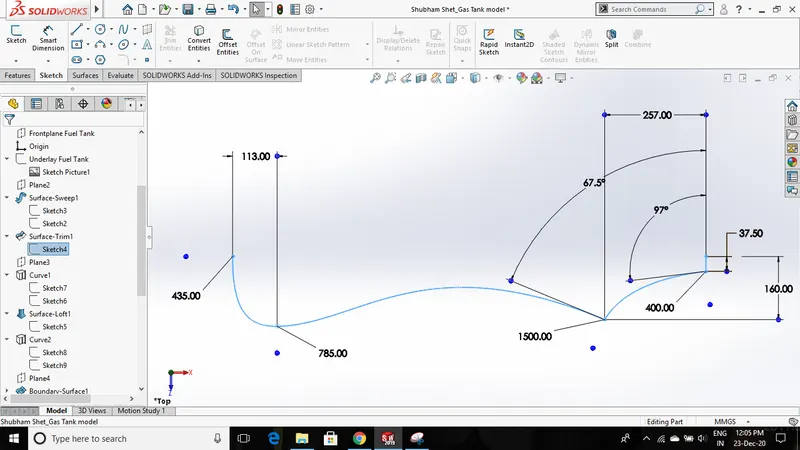
- The entire model of the gas tank is designed using the surface tool features and at the end, it is converted into a solid body using a knit surface feature followed by a shell feature.
- To begin with the modeling, the blueprint of the chopper is taken on the front plane and used as a reference to create the sketches for the gas tank.
- Two different sketches are created on two planes that are used to generate a surface body using a swept surface feature.
- Another sketch is drawn on the top plane to trim the generated surface body using the trim surface feature.
- The projected curve feature is used to create a sketch for the bottom half of the gas tank. Using this curve, the surface is generated with the help of the lofted surface feature.
- To create the remaining portion of the gas tank again the projected curve feature is used and with the help of the boundary surface feature the surface is generated.
- These surfaces are then mirrored to create an entire model of a gas tank and then combined together using a knit surface feature.
- To create a seat, a sketch is created on the bottom plane that is used to cut the surface body using a split line tool. After obtaining that shape on the surface it is then extruded to a given thickness using the extrude surface feature.
- Edges are treated with fillets that gives an aesthetic look. A slot is cut at the bottom of the gas tank to connect it with the chassis.
- Painted Siena appearance is given to the gas tank and grey cotton appearance to the seat.
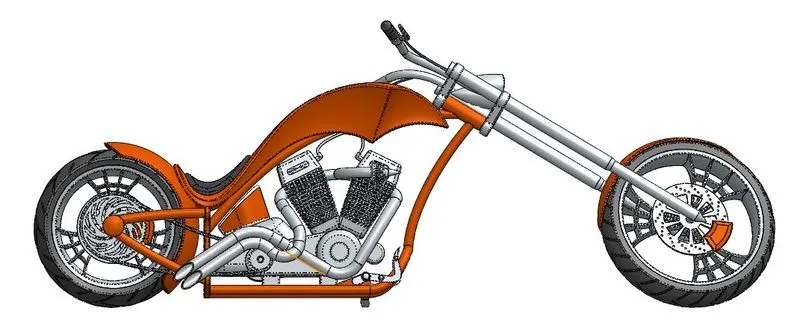
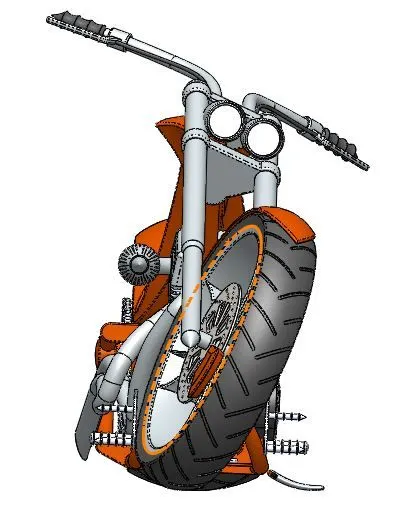
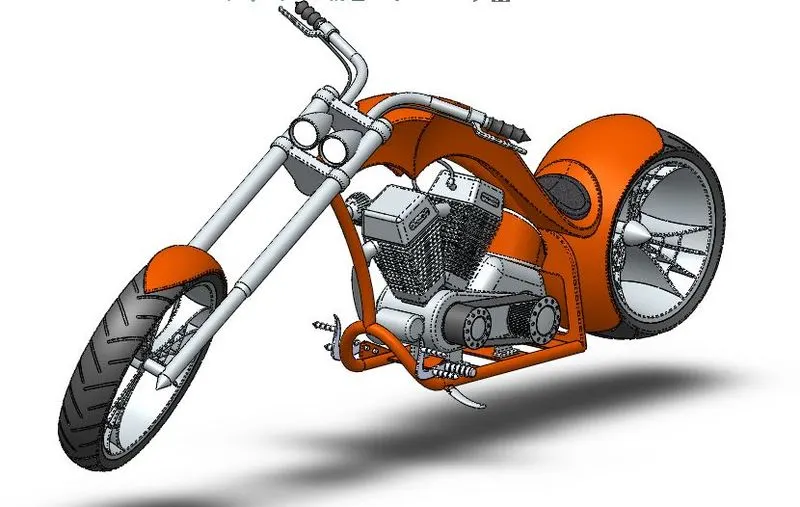
Assembly of American Chopper Model:
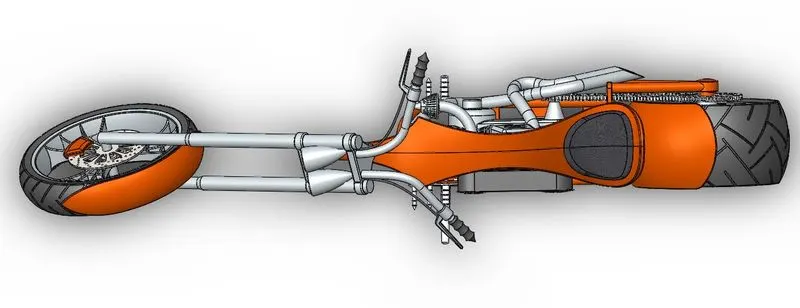
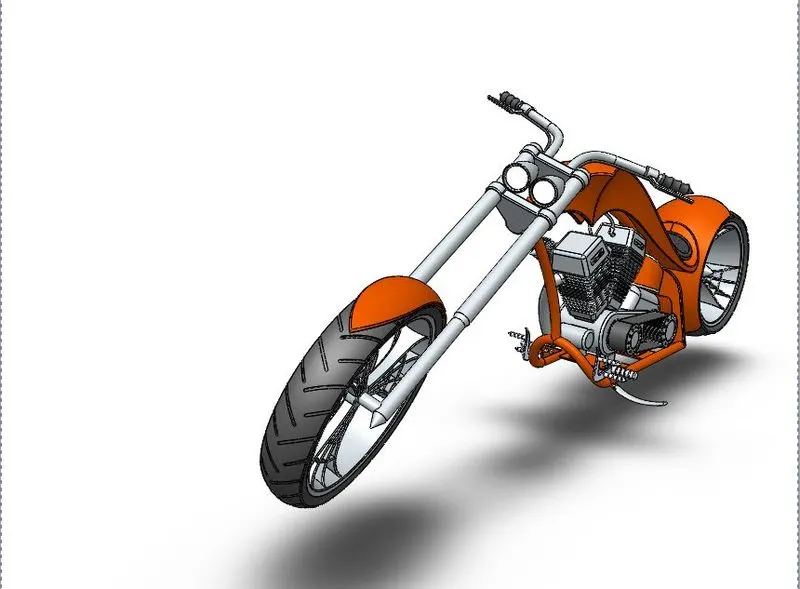
- First, create a new assembly file tab to start the assembly of the American Chopper. Then open all the parts that are to be assembled. This makes it easy to insert any part in the assembly.
- The first part to be inserted is the chassis model which is to be kept fixed and all other parts are assembled by giving mates with respect to the chassis.
- Mates used in the assembly - coincident, concentric, parallel, width mate, angle mate, distance mate, limit angle, tangent mate.
Adding Decals and Setting up Scenes:
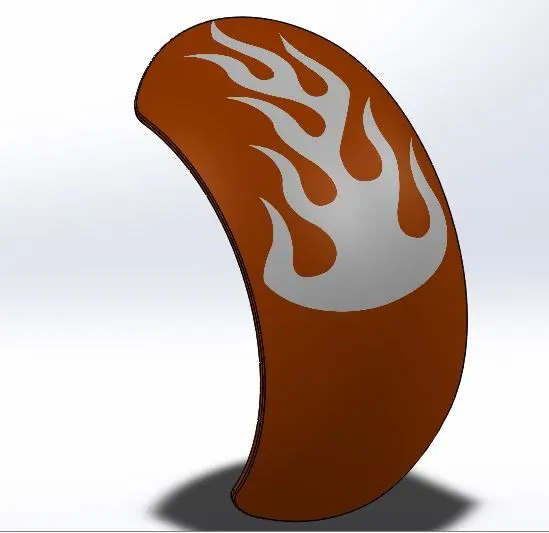
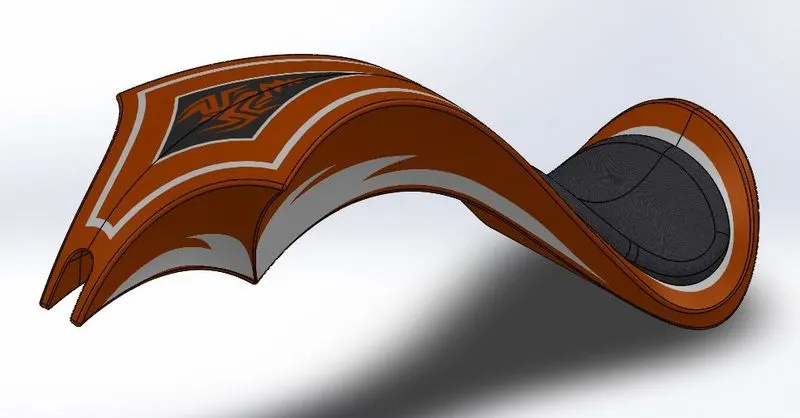
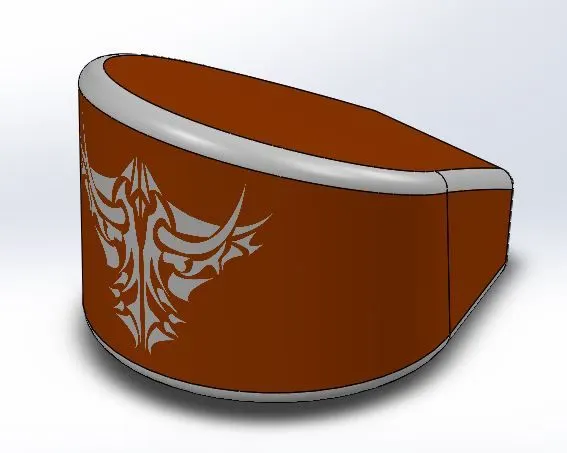
- Decals are graphic art printed on any components for an aesthetic look. It is added on the surface of the components in solidworks. Below images represents the decals added to gas tank, rear fender, oil tank.
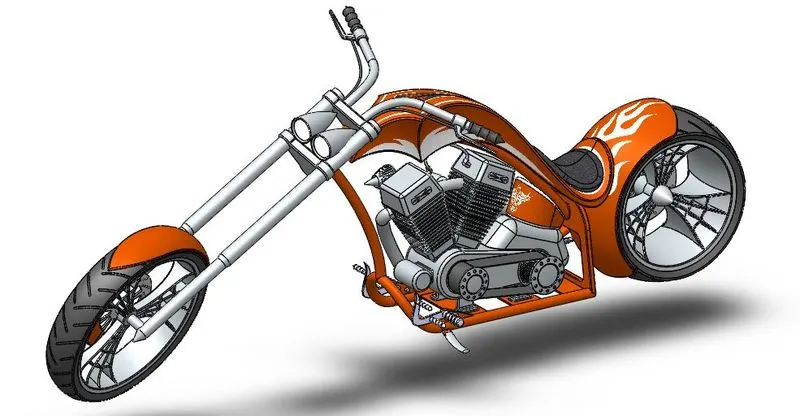
- For Setting up scenes, various pre-installed scenes can be used which are available in SolidWorks. You can adjust the brightness, environment, camera view, shadows in the edit scene option.
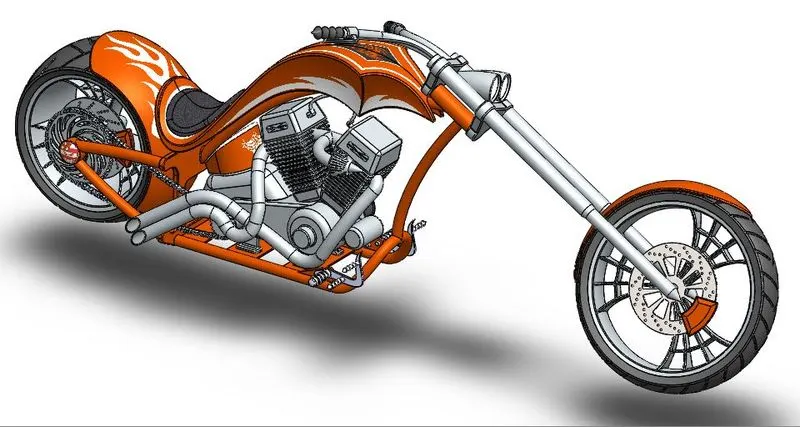
- You can also add multiple lights according to the environment/background used to get a perfect rendered image. A camera can also be added to get a perfect view for rendering.
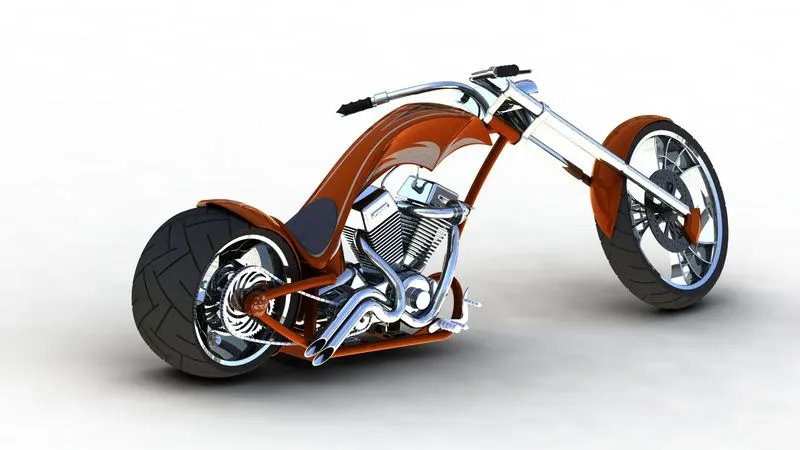
- American chopper placed in the 3-point white scene is shown below.
Detailed Rendering of American Chopper:
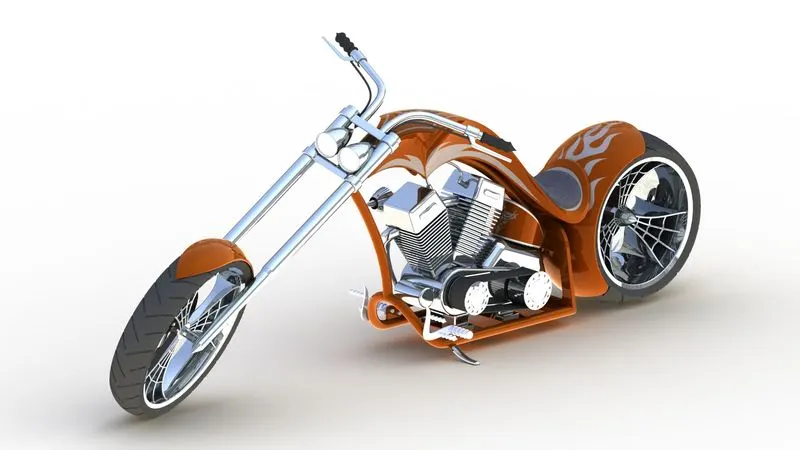
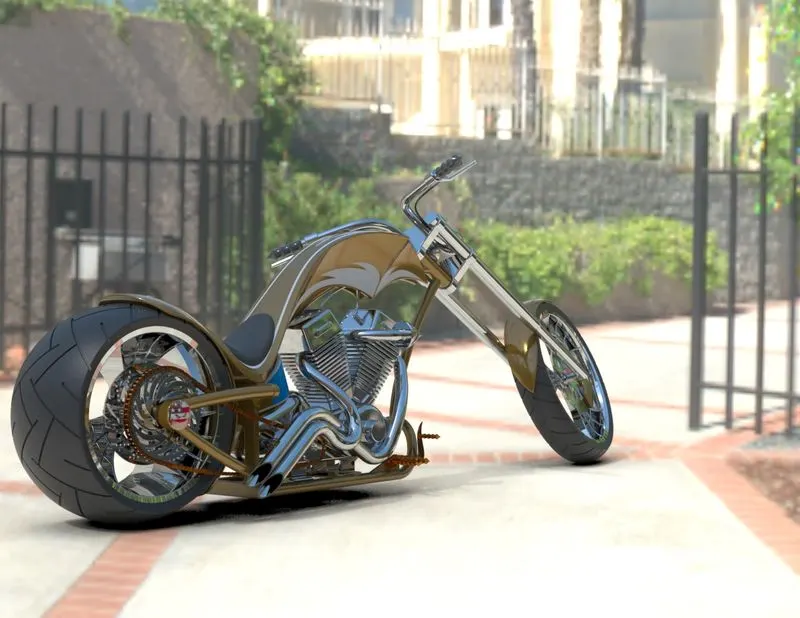
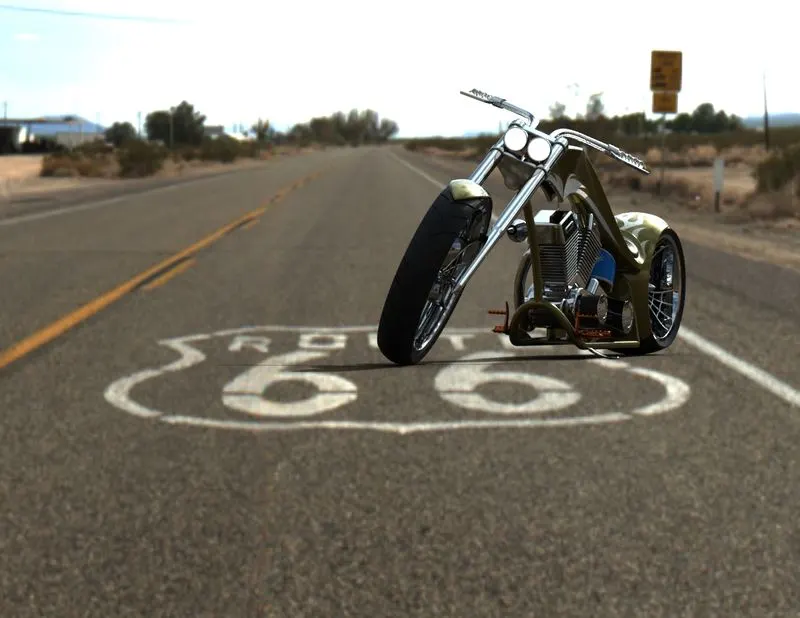
- Rendering is basically creating a photorealistic and non-photorealistic images of the 3d models. We will present the rendered images of this model in various environment, scenes setup using SolidWorks Photoview 360 and SolidWorks Visualize.
- There are various rendering tools, softwares that will make the images more realistic.
Conclusion:
- While creating the solid models of complex geometries of American chopper I've learned about various features and methods that simplifies the technique to develop a CAD model.
- Understanding the assembly methods using different mates like simple, advanced, and mechanical mates.
- Understood how to create an photorealistic images by trying out different environment, scene setup, camera positions, lights, shadow variation in light/dark condition in SolidWorks photoview 360 and SolidWorks visualize.
- Learned how to add decals and how to use display state for different renders.