Advanced Sheet Metal Design Using NX Cad Challenge_1_Casing Design
DESIGN OF SHEET METAL CASING USING SIEMENS NXCAD
Objective:
The objective is to develop a sheet metal casing using various sheet metal features like tabs, corner treatment, bends, punch, etc in NX CAD and also knowing the GUI of NX CAD.
Introduction:
Sheet metal is metal formed by an industrial process into thin, flat pieces. It is one of the fundamental forms used in metalworking, and we can obtain varieties of shapes using a wide range of processes, tools, etc. Sheet metals are available in flat pieces and coiled strips with thicknesses varying from 0.1mm to 10mm.
Extremely thin sheets (0.1mm) are considered foil or leaf, and metal sheets thicker than 6mm are considered plate steel or structural steel.
Sheet metals are used in automobiles, aerospace(fuselage and wings), HVAC, daily utensils.
Design methodology:
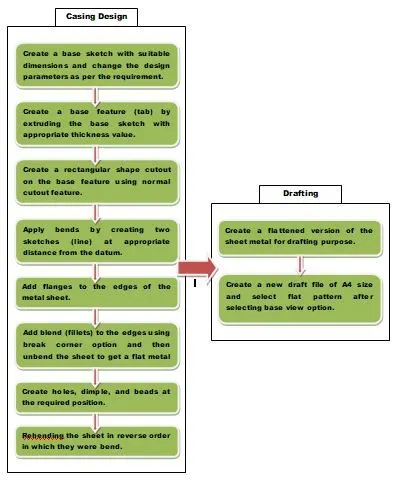
Description:
1. Casing design:
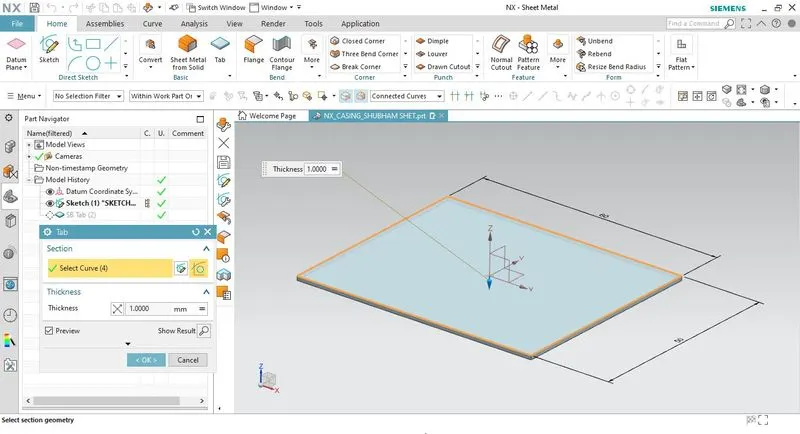
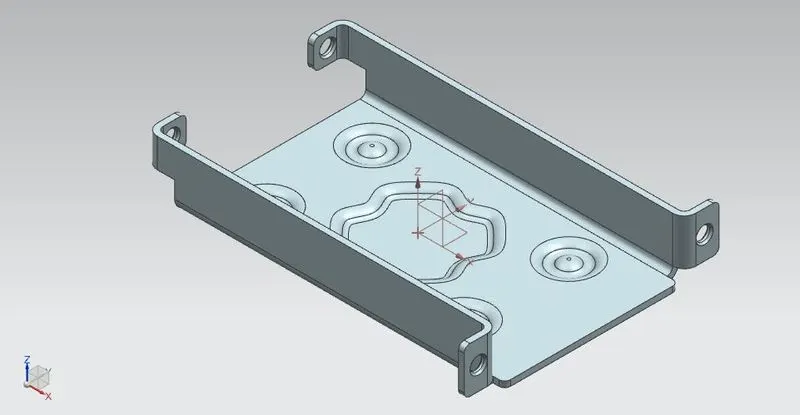
- To create a sheet metal object base feature(tab) needs to be created first which is also known as the base flange of the object. The base sketch is created and extruded to a given thickness using the tab feature.
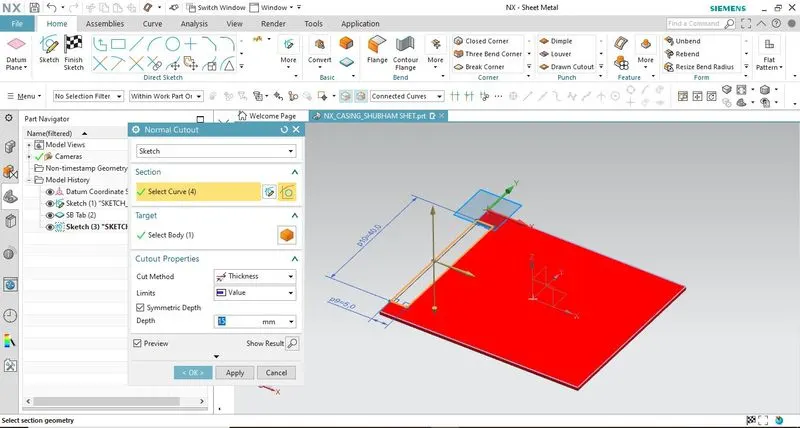
- A rectangular shape cutout is introduced on the tab using the normal cutout feature. This feature projects the sketch onto the model and removes the material in the direction perpendicular to the tab surface.
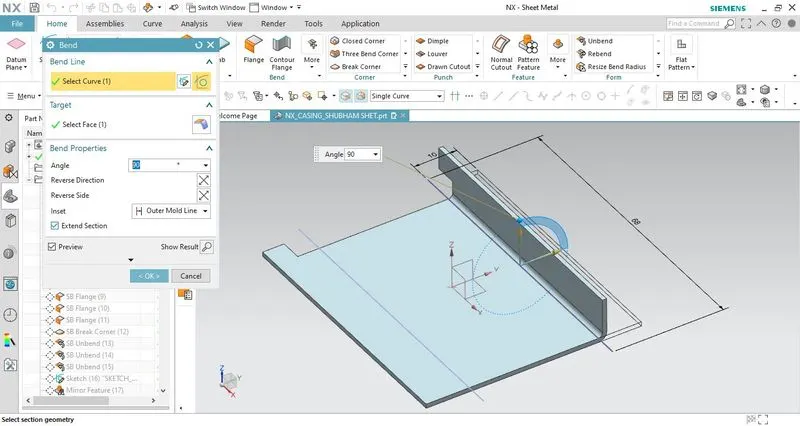
- Further two bends are introduced on the tab surface using the bend feature. The bends are created on any one side of the line sketch.
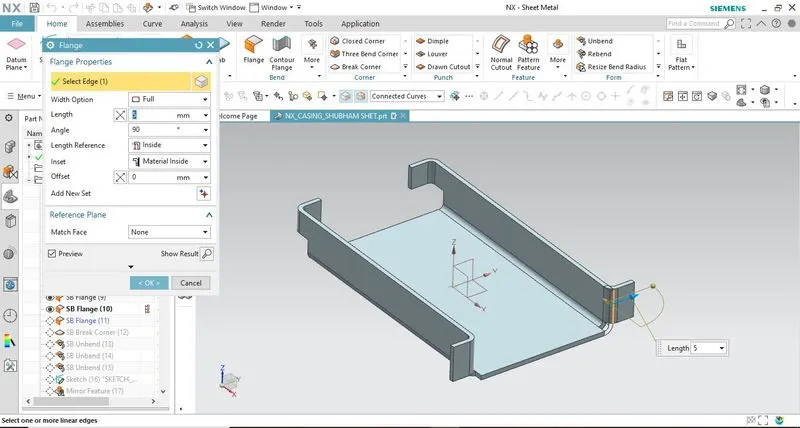
- 4 flanges are created at the corner edges using the flange feature. We can adjust the angle and length of the flange w.r.t the planar face.
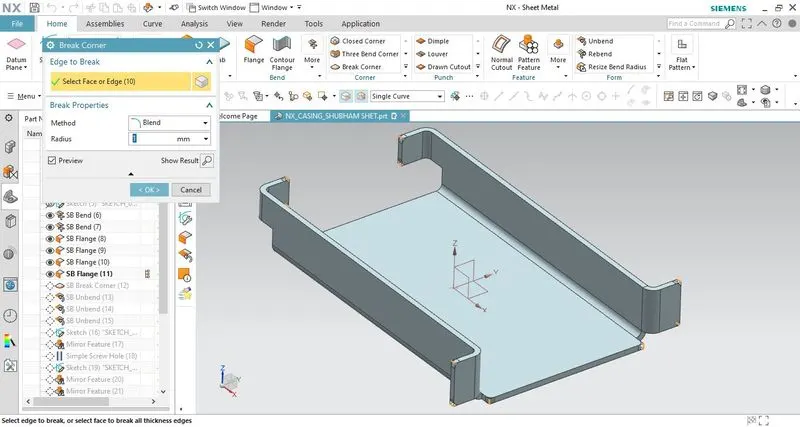
- The sharp corner edges are treated with a blend(fillet) using the break corner feature. To avoid any hazard due to sharp edges fillets are provided.
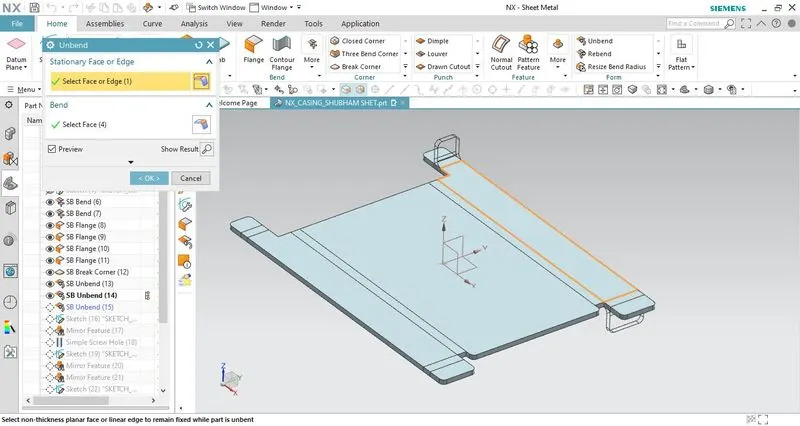
- All the bends are flattened in order to provide holes at the required positions. Unbend feature is used to flatten the bends. The flat surface is considered a stationary surface and then the bends are selected that need to be flattened.
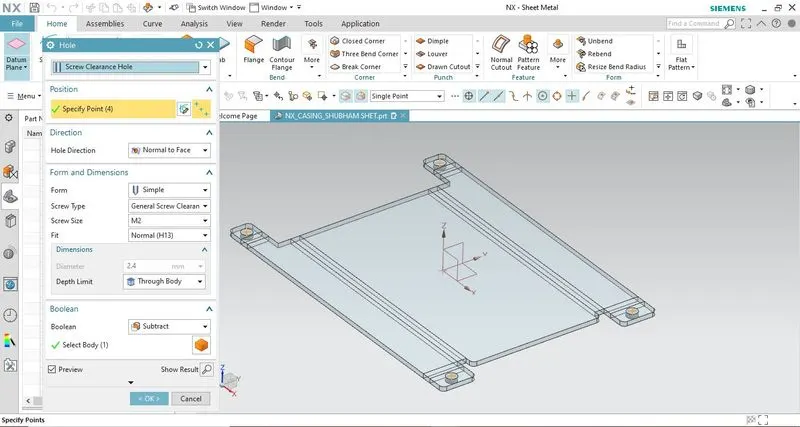
- Holes are added at the required position using the hole design feature. Points are specified as the input parameter for creating a hole. Different types of holes can be created as per the design requirement.
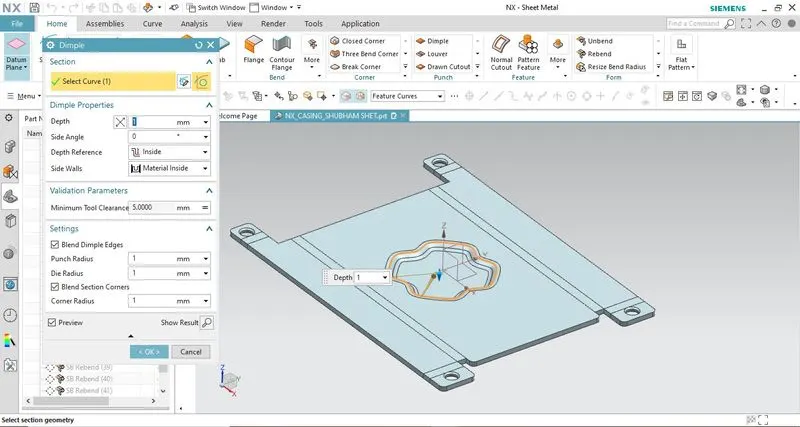
- Dimple is created exactly at the center of the tab surface using the dimple feature. This feature lifts the area within the sketch that simulates the stamping tool. The dimple sketch is created using studio spline and move curve features. The sketch must be closed type.
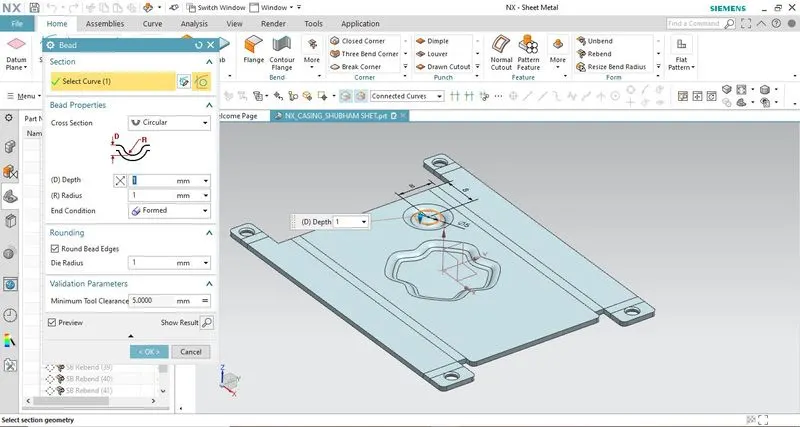
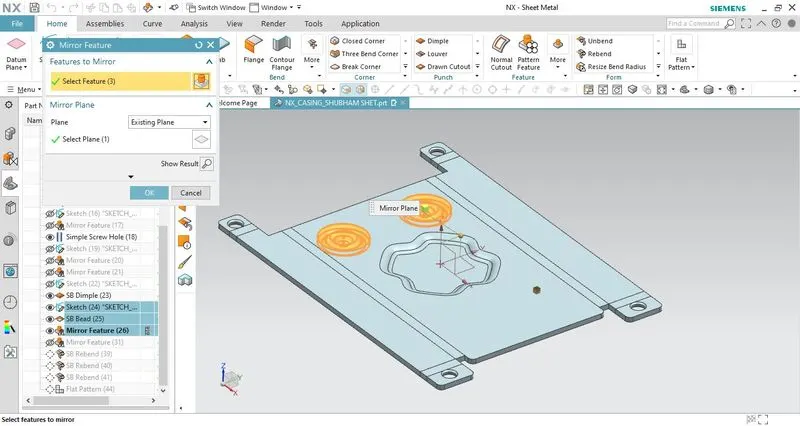
- Beads are introduced onto the surface to increase the strength of the sheet metal casing. The bead feature lifts the material along the sketch contour. A circular sketch is drawn to create a bead. Using the mirror feature remaining beads are created. In order to mirror the bead its parent sketch also needs to be mirrored along with it.
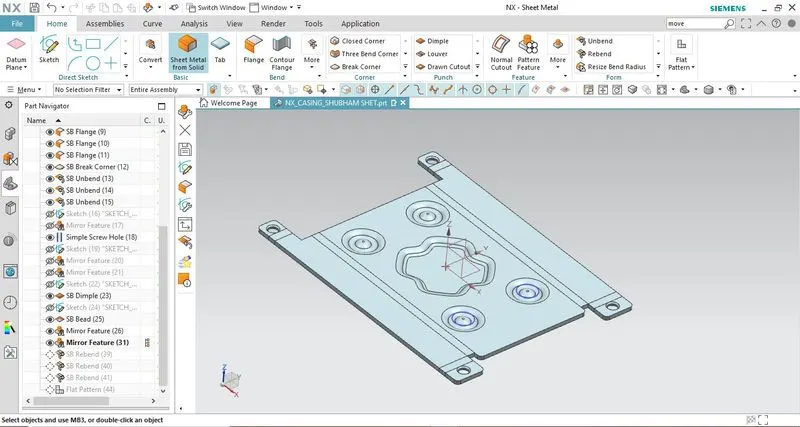
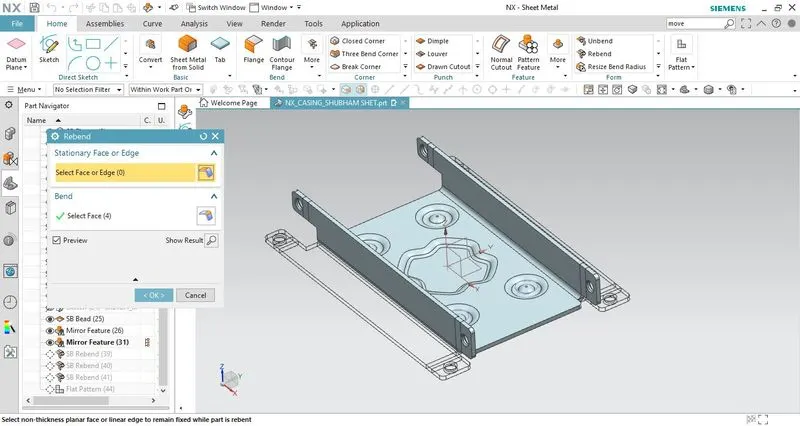
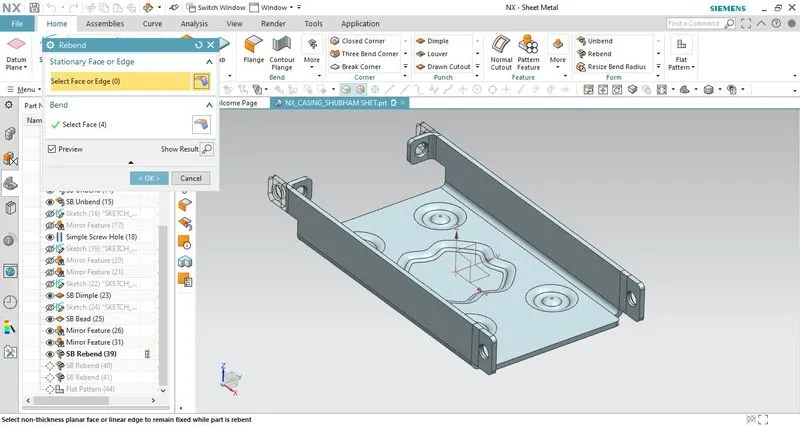
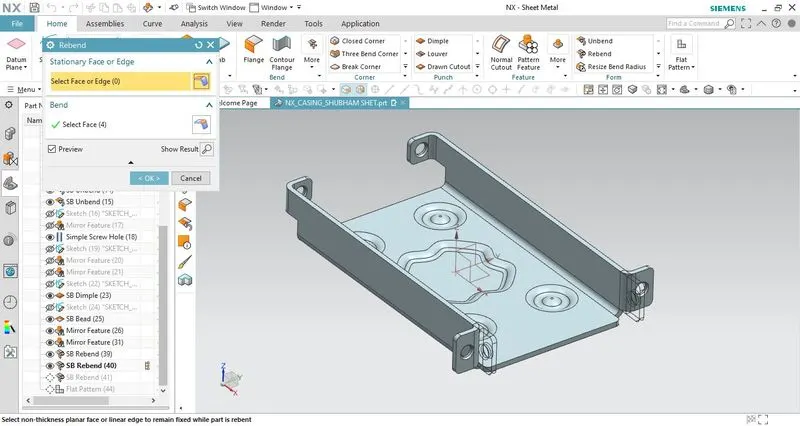
- After introducing all the required features into the flattened sheet metal in order to create a casing, it is then rebent to its original shape (i.e before unbend feature was used) using rebend feature. You can select individual bend to rebend or simply select the entire metal sheet by dragging the cursor from left to right.
- This completes our casing design.
2. Drafting:
- The flat pattern feature is used that generates a 2-D representation of the formed sheet metal casing that consists of details such as bend radius, bend angle, bend direction, hole size, etc. The flat pattern view is created in the model view tree of the part navigator.
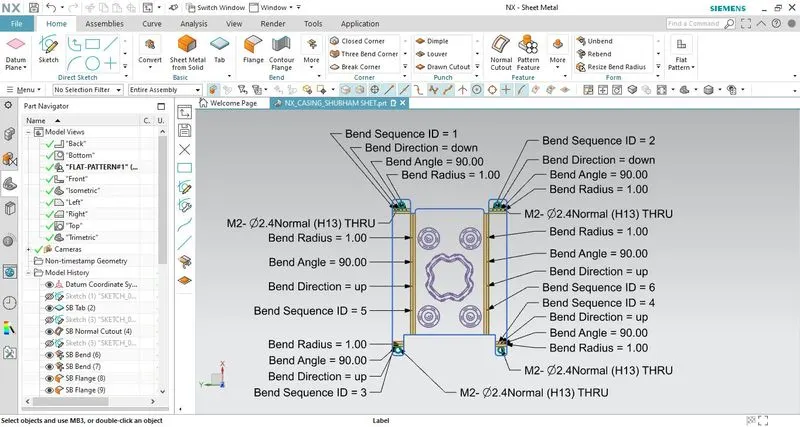
- For the production of the casing A4 size drawing sheet is created by using the flat pattern view that is already created.
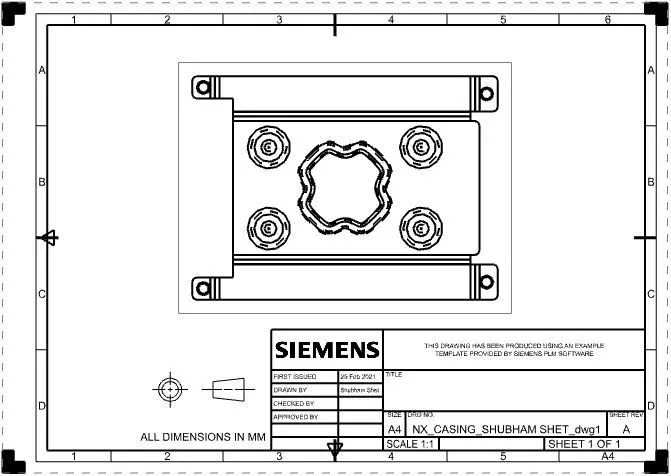
Standard views of sheet metal casing:
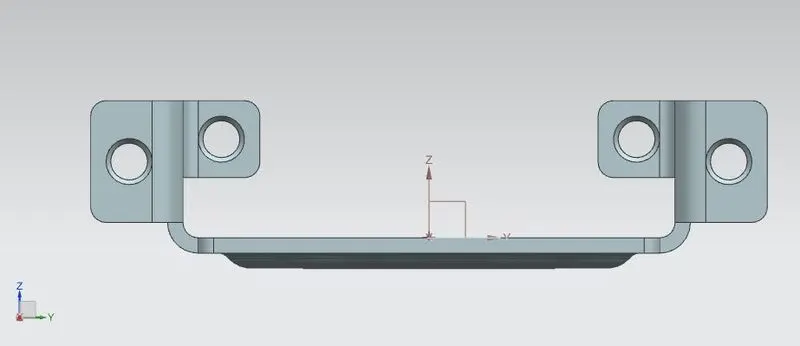
Front View
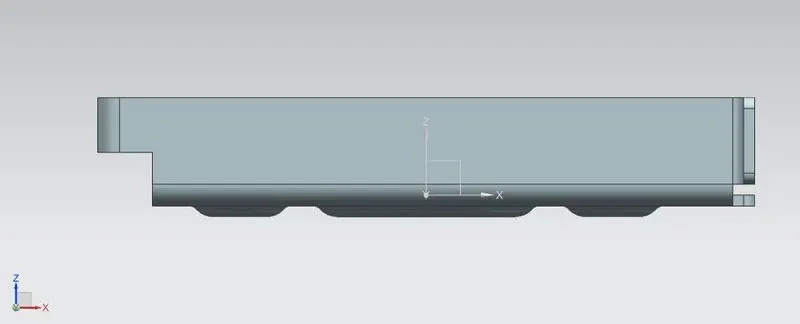
Side View
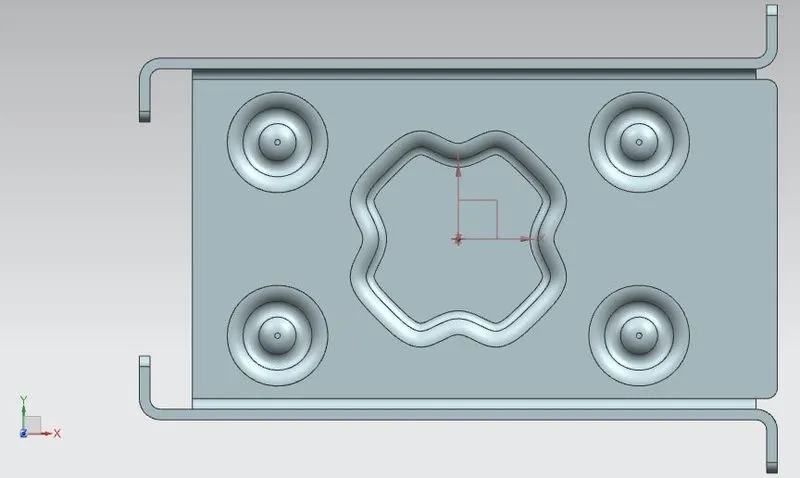
Top View
Isometric View
Detailed drawing sheet:
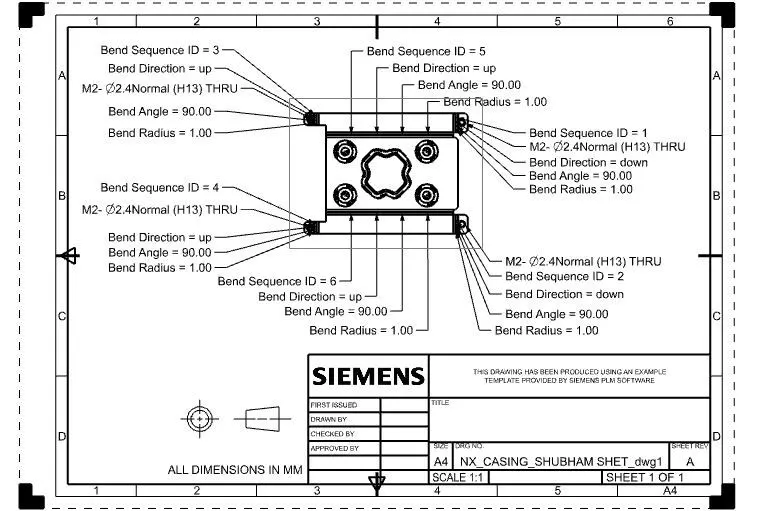
Conclusion:
- While completing the sheet metal casing design I have learned and implemented various sheet metal tools such as tabs & flanges, corner treatment, punch tools, form, flat pattern, and other features.
- Knowing GUI and shortcuts that optimizes the designing time.