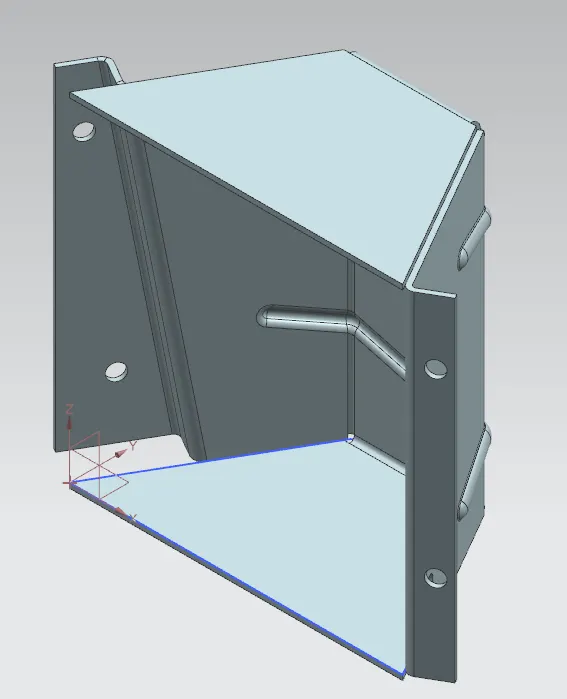
Advanced Sheet Metal Design Using NX Cad Challenge_5_Odd Shaped Enclosure
CREATING ODD SHAPED ENCLOSURE WITH NX SHEET METAL APPLICATION
OBJECTIVE:
To create Sheet metal part from a solid body and create features on the Sheet metal part. Also to create the flat pattern of the Sheet metal model so formed.
INTRODUCTION:
This project is focused on creating a Sheet Metal part from a solid body and add features to the Sheet Metal Part as required.
DESIGN METHODOLOGY:
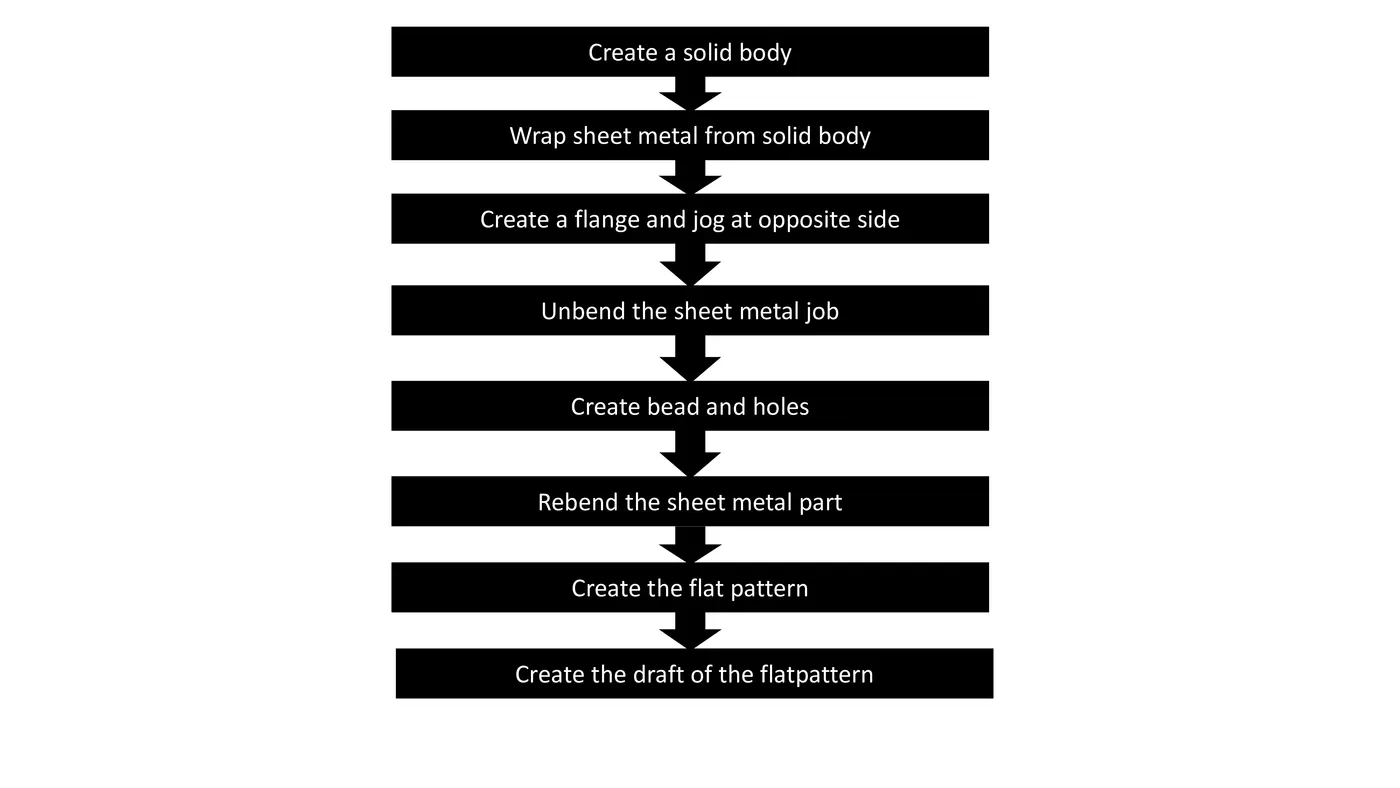
PROCEDURE:
- Create Sketch on XY- plane of the solid body to be formed.
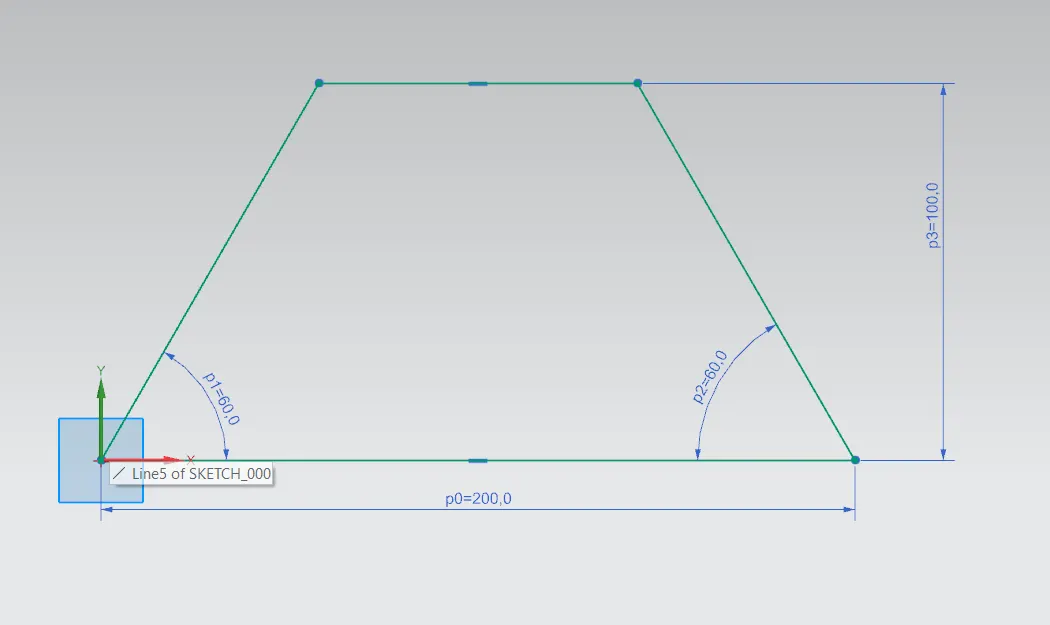
- Using extrude option to Create the solid body required.
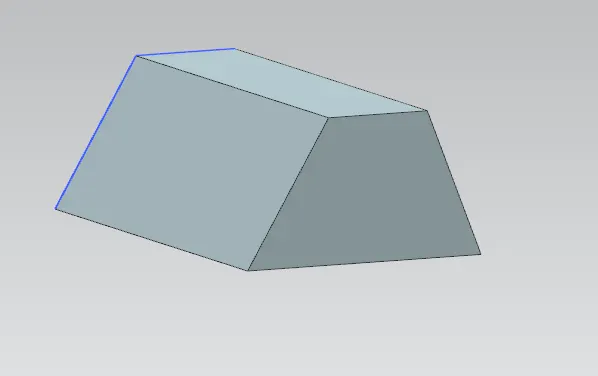
- Wrapping Solid body with Sheet Metal by using Sheet metal from solid option.
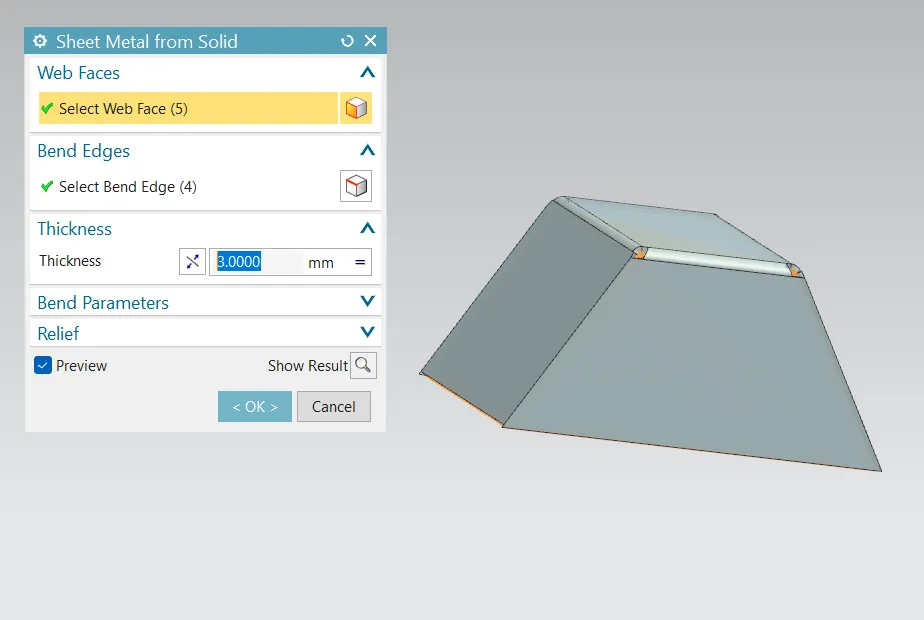
After the Sheet metal part is created, Features are added as follows:
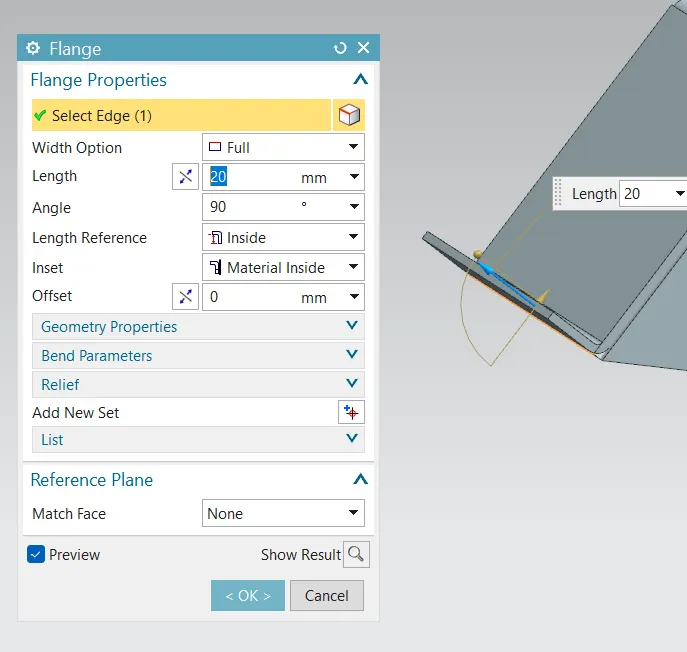
- Adding flange at one end of the Sheet Metal part.
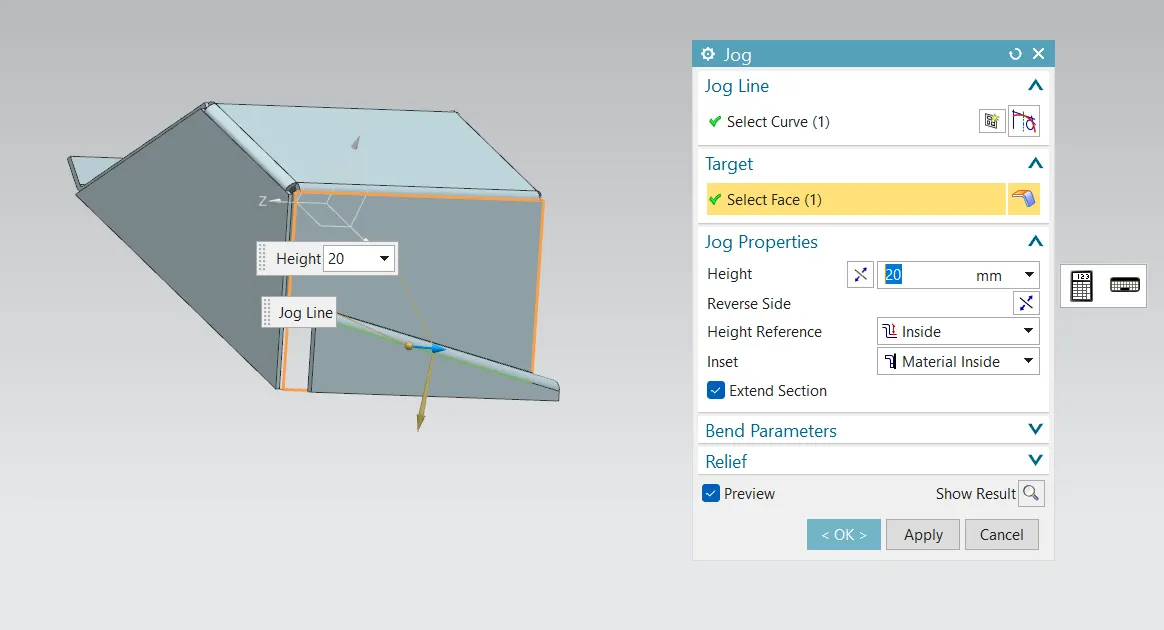
- Sketching a slant line in the opposite side of the Sheet Metal part in order form a jog.
- Using the jog option to create jog with respect to the sketch created.
- Using Unbend option to unbend the created Sheet Metal part.
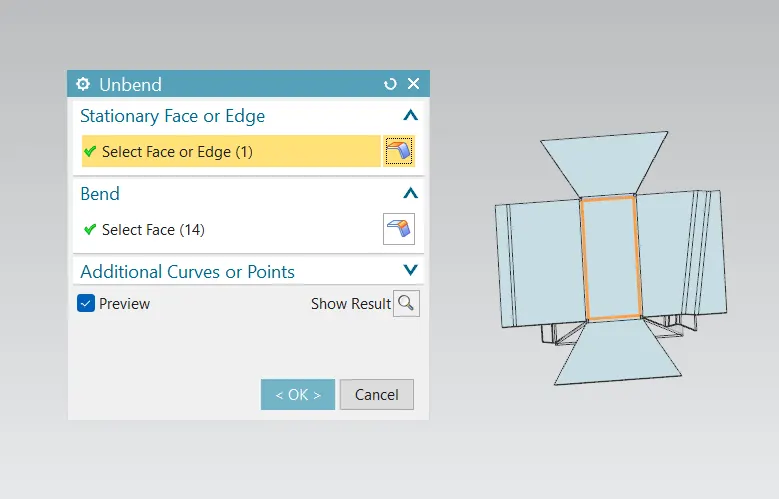
- Once the Sheet Metal part is unbend, 2 lines are sketched on the base face as datum plane where bead is to be formed.
The created lines are selected, and Bead option is used to form the required bead as follows:
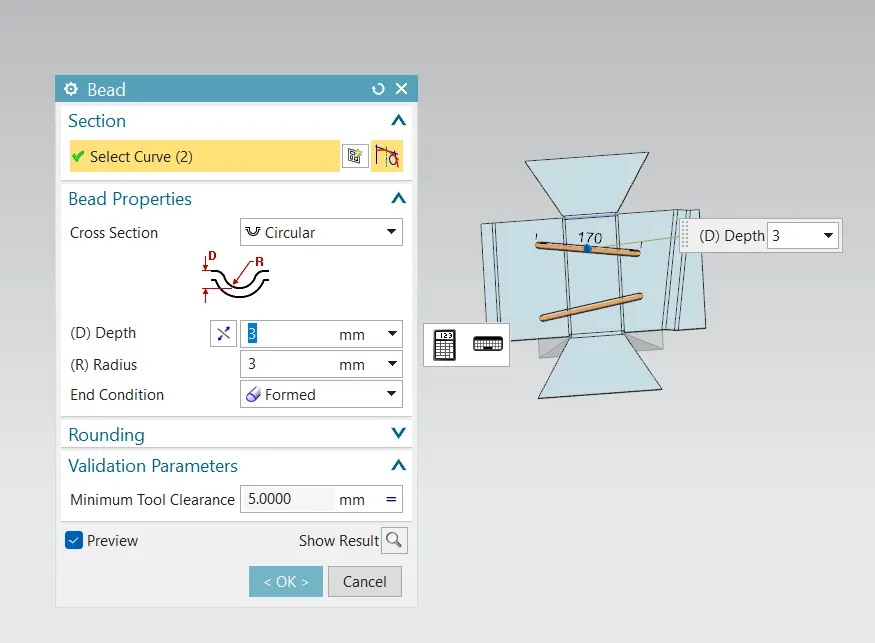
In order to create general hole, Hole option is used, and point is sketched at the faces where holes are required, and the holes are created as shown below:
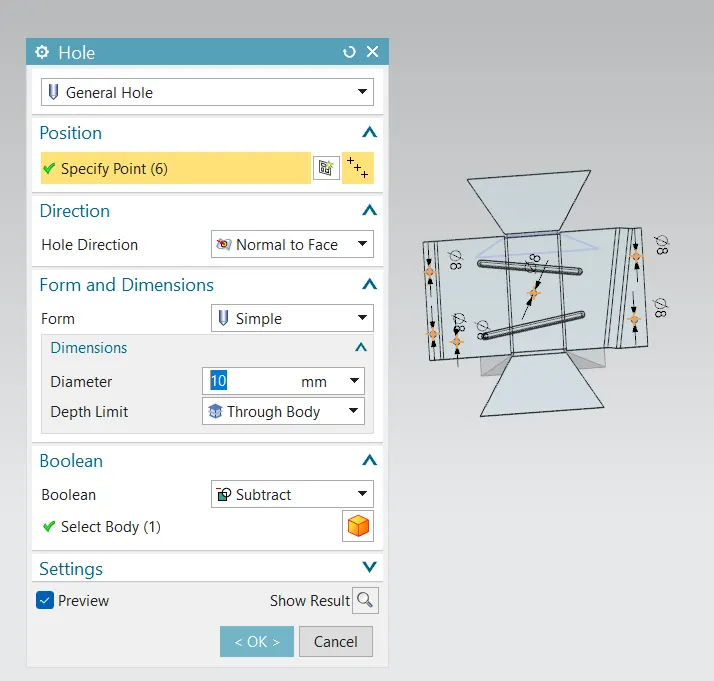
- Once all the features are made, Rebend option is used to regain the shape of the Sheet Metal part created.
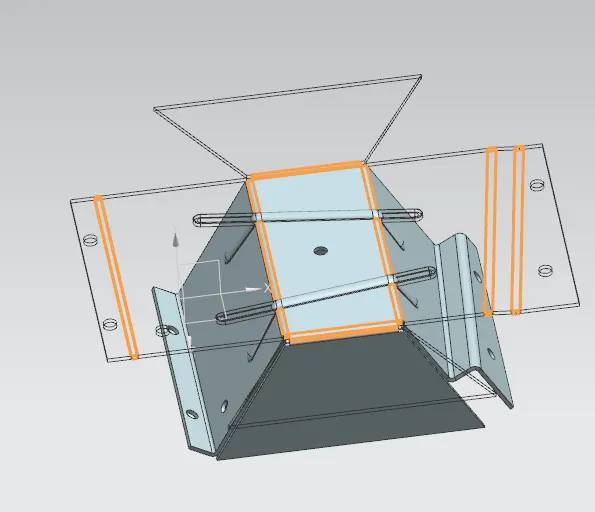
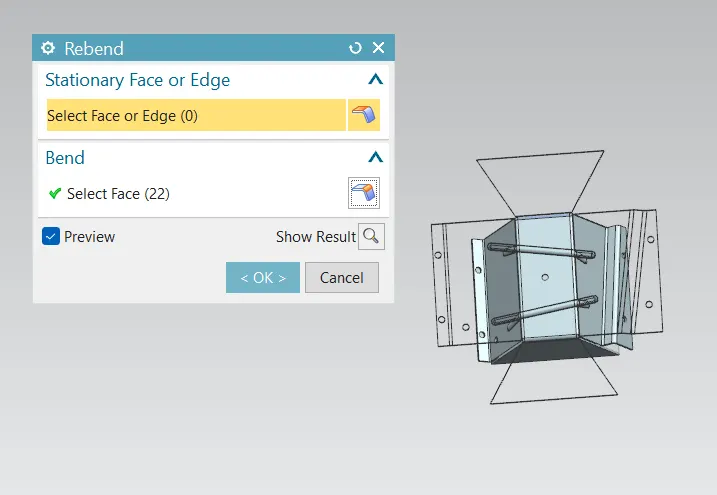
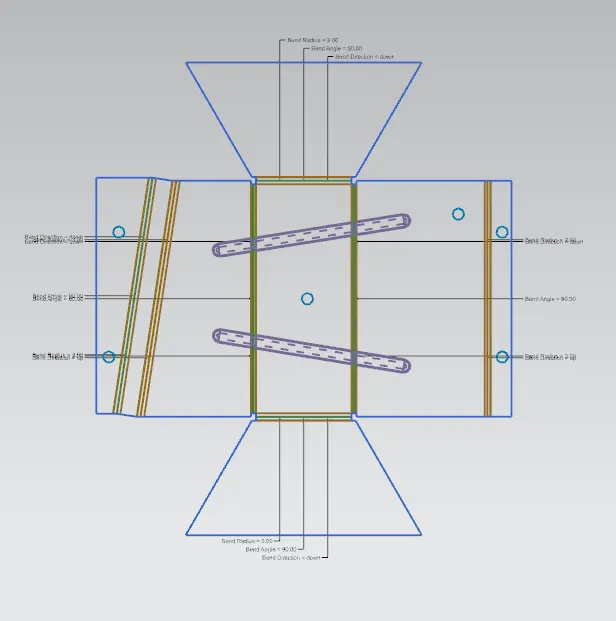
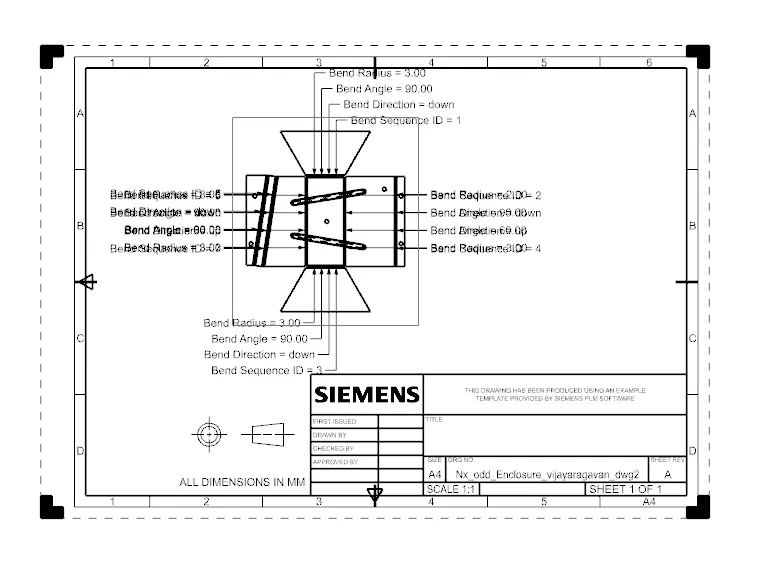
- Flat Pattern option is selected and only the bend radius angle and direction are turned on.
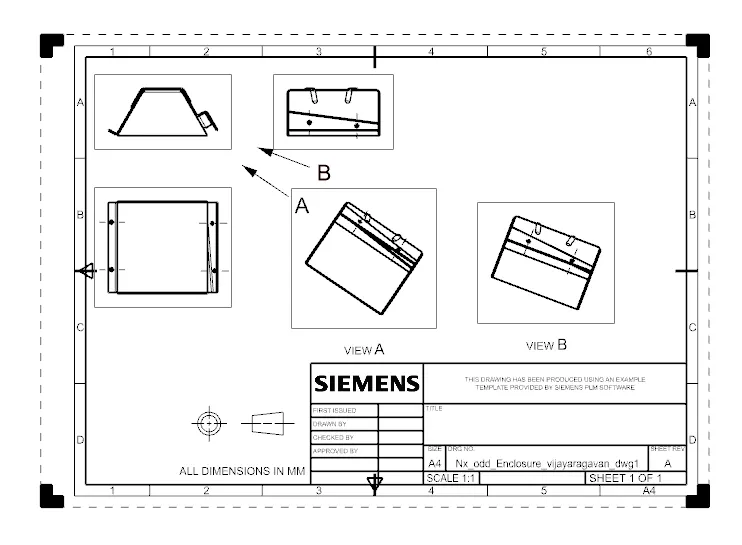
- Using the flat pattern created, drafting Image of the flat pattern is also created.
CONCLUSION:
- Hence the required Sheet metal Part is created from a solid body.
- Features like Flange, Jog, bead and General hole is added to the part
- Finally, the flat pattern of the Sheet metal part created is also generated.
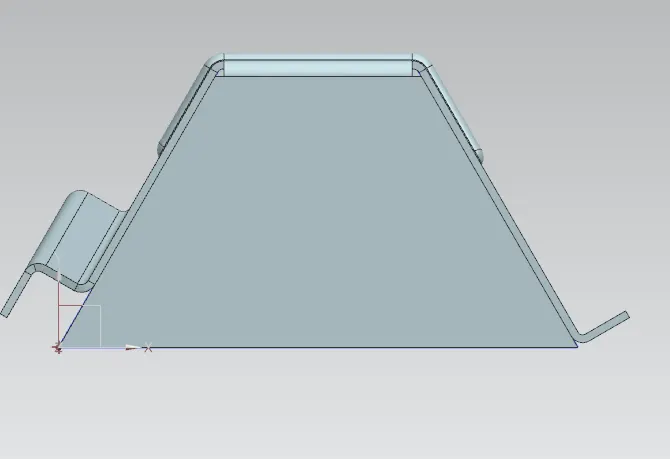
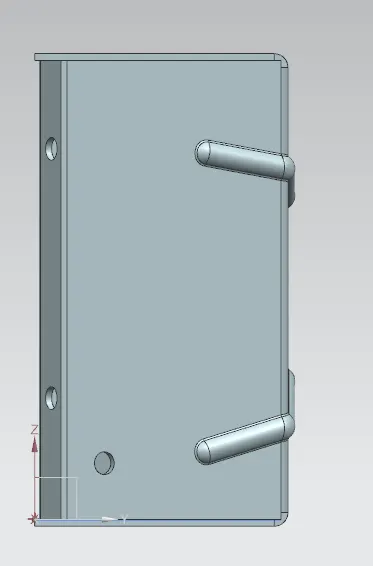
SIDE View:
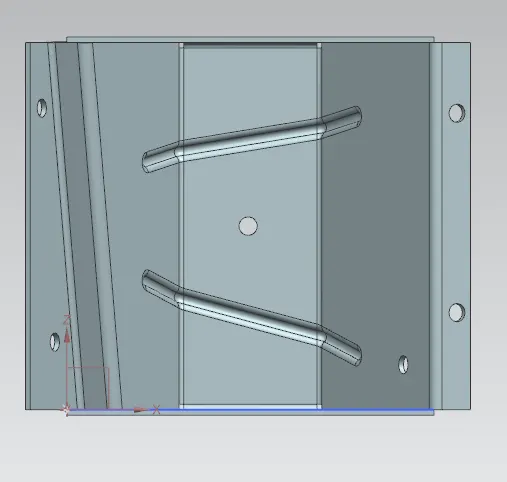
TOP View:
ISOMETRIC View: