Advanced Sheet Metal Design Using NX Cad Challenge_5_Odd Shaped Enclosure
Title of the project - Advanced Sheet Metal Design Using NX-CAD Challenge - 5 - Odd Enclosure
Objective
To create and design an odd enclosure using NX CAD.
Introduction
An odd enclosure is mainly used as a protective enclosure for machines. It protects it from unwanted impacts from external forces, protects it from water or other liquids getting in contact with the machine etc. An enclosure should be made of materials which are anti corrosive, good strength, light weight and cheaper.
Design Methodology
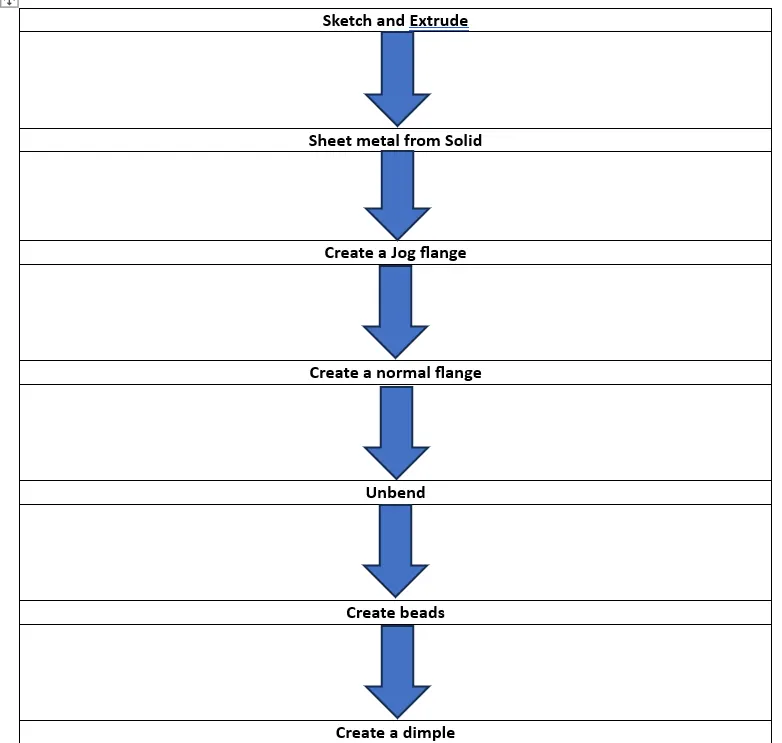
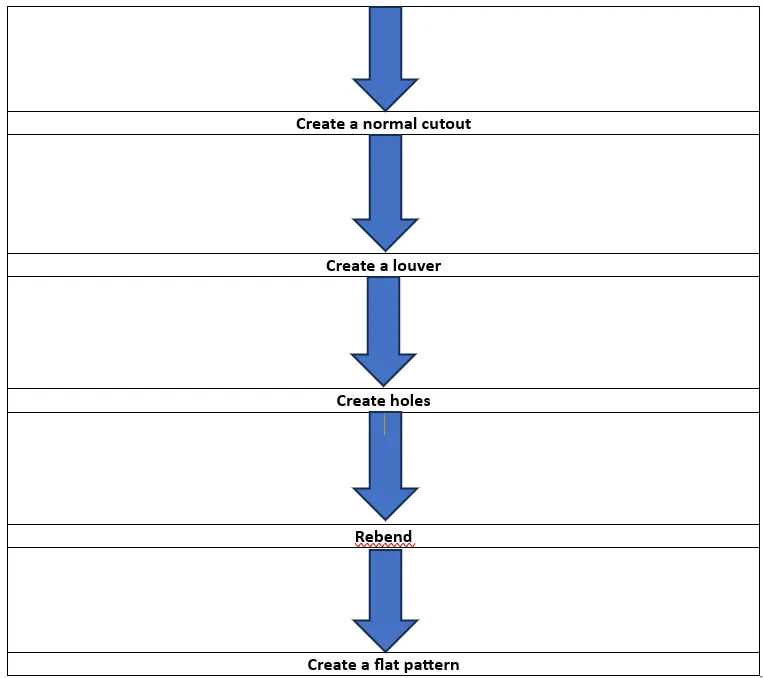
Description
1. Draw a sketch as shown below.
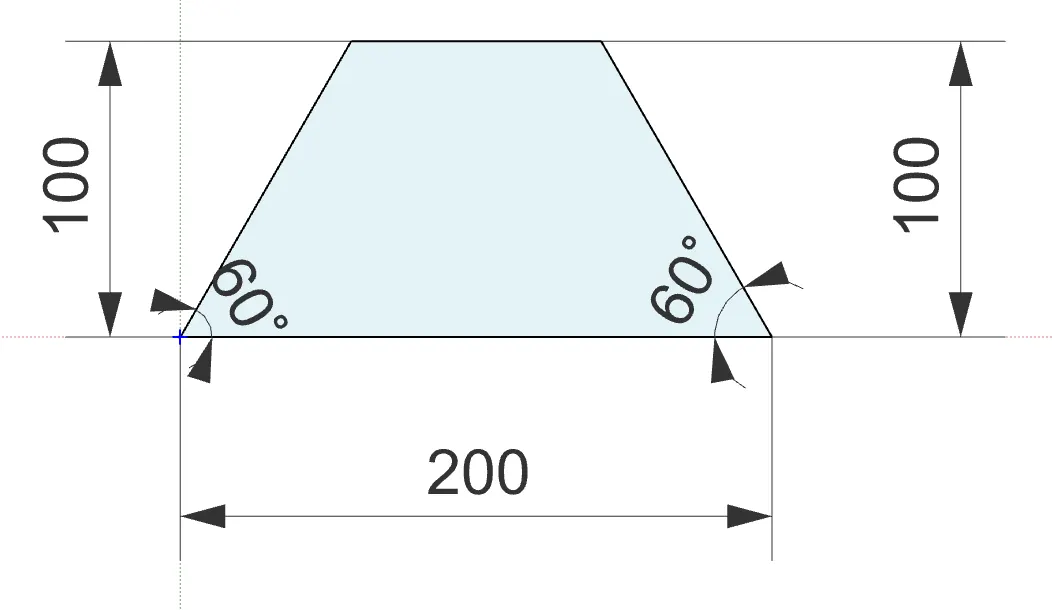
2. Select the Extrude option and extrude the sketch for 200mm.
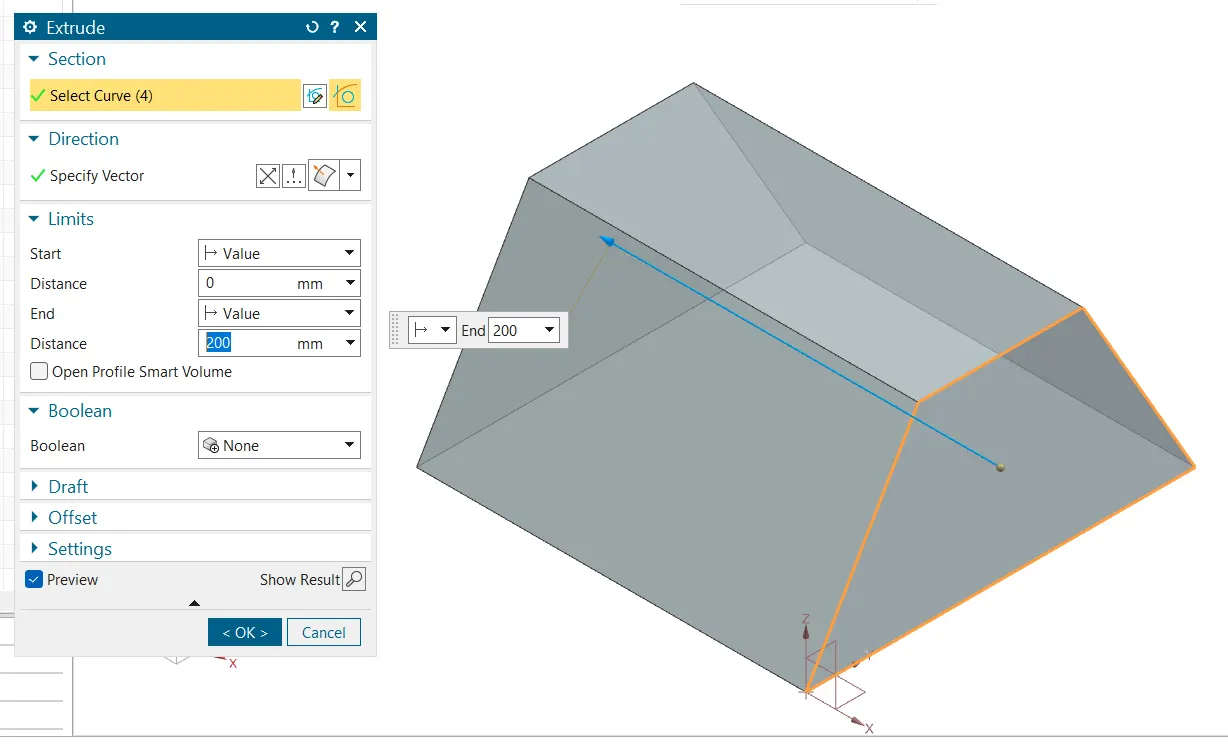
3. Then Click on sheet metal from solid option to convert the solid into a sheet metal.
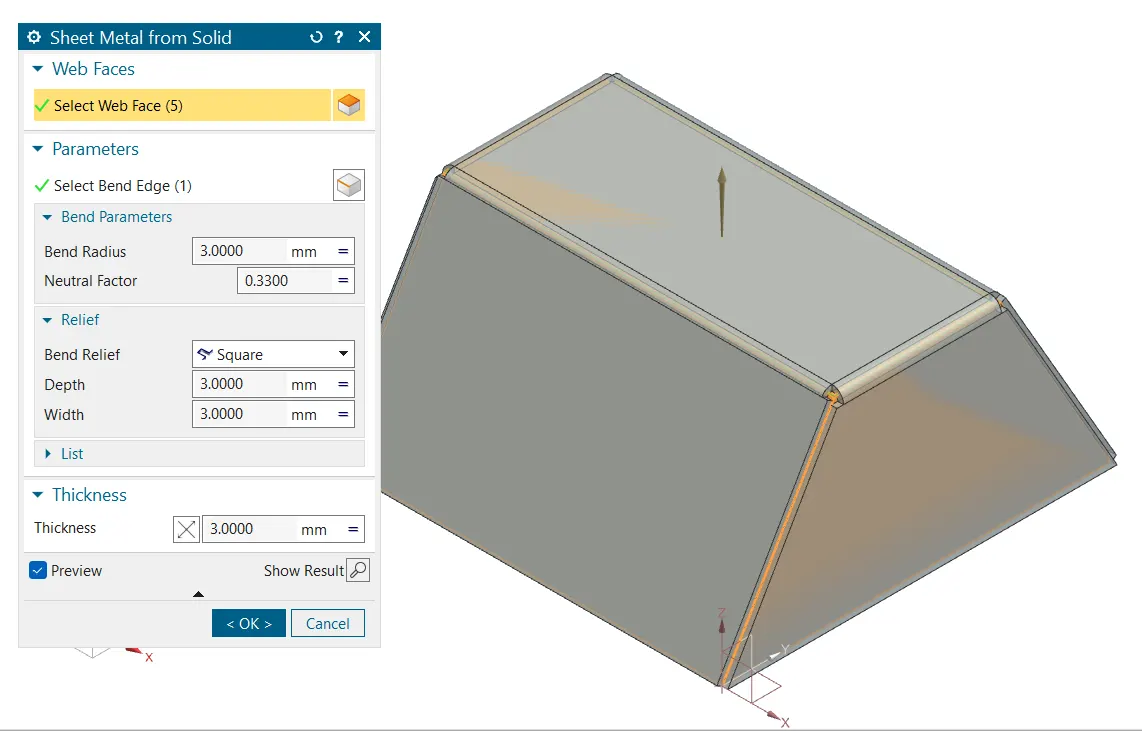
4. Create a jog line and apply jog to create a jogged flange of height 20mm.
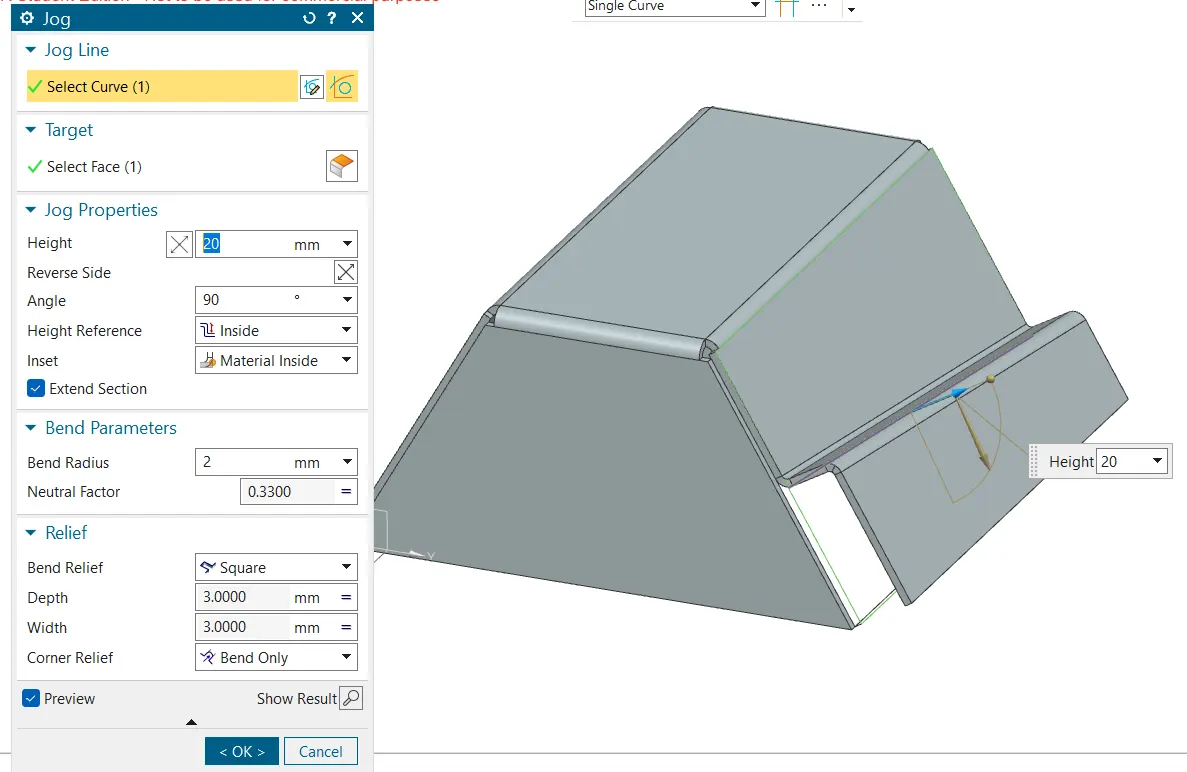
5. Click on flange and create a flange on the opposite side where we created the jog. Here too the length of the flange is 20mm.
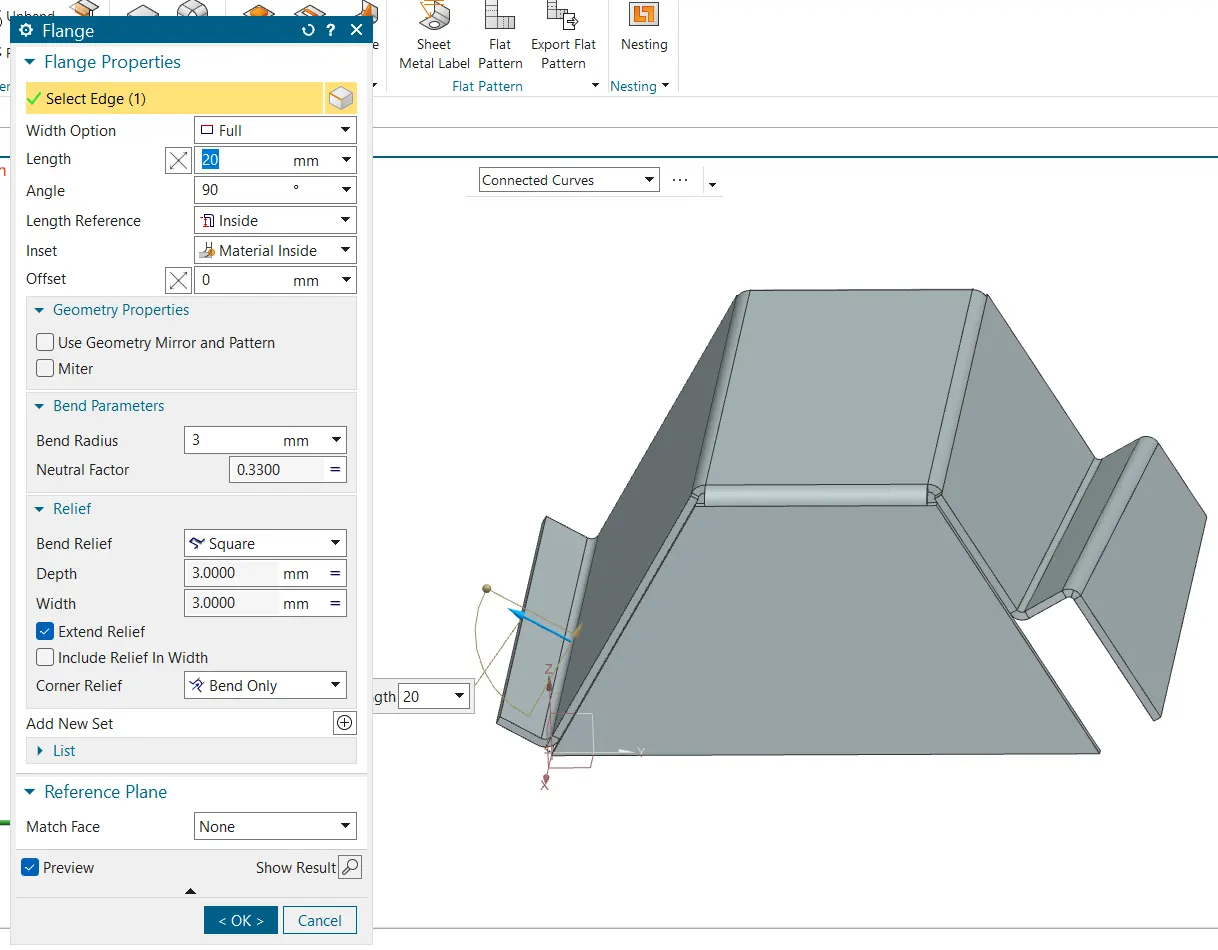
6. Click on Unbend and unbend the whole body.
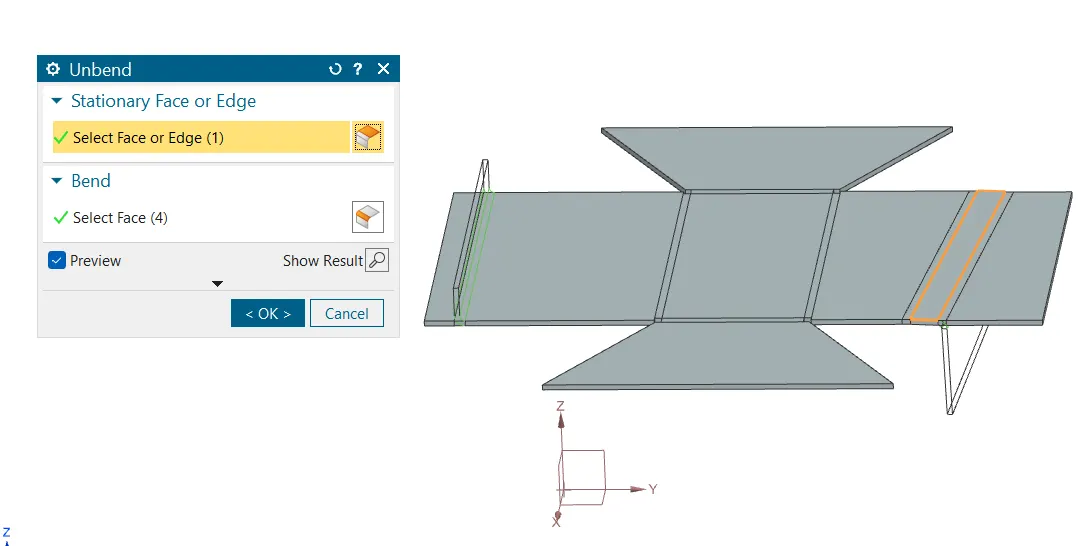
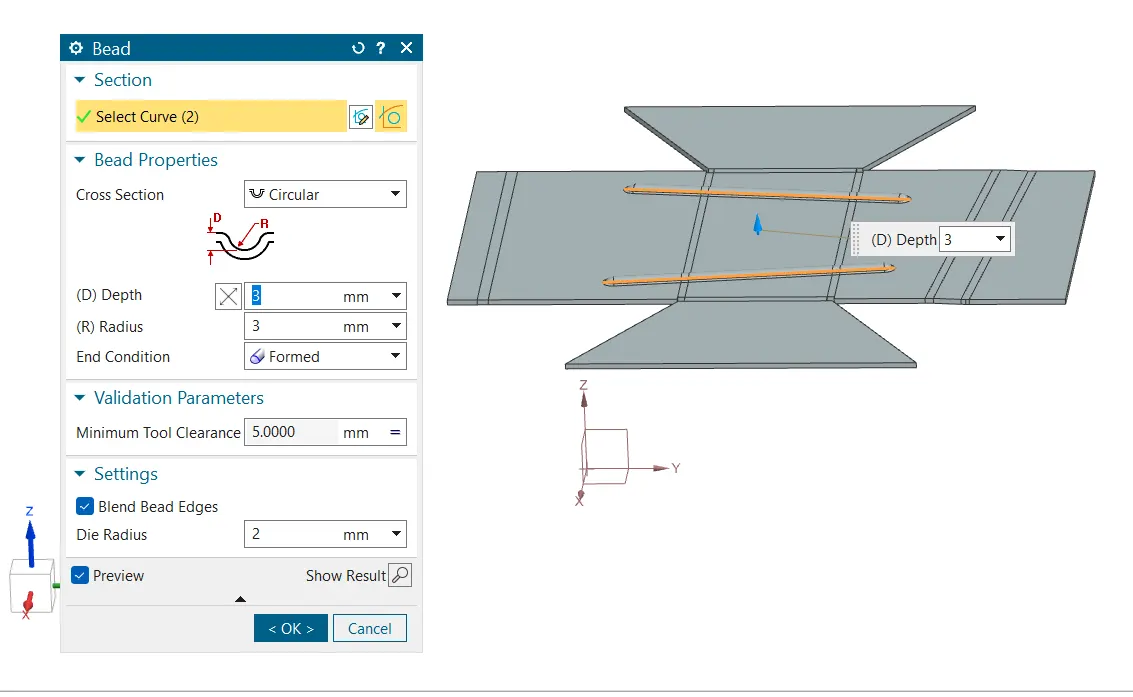
7. Draw two bead lines and create bead of depth 3mm.
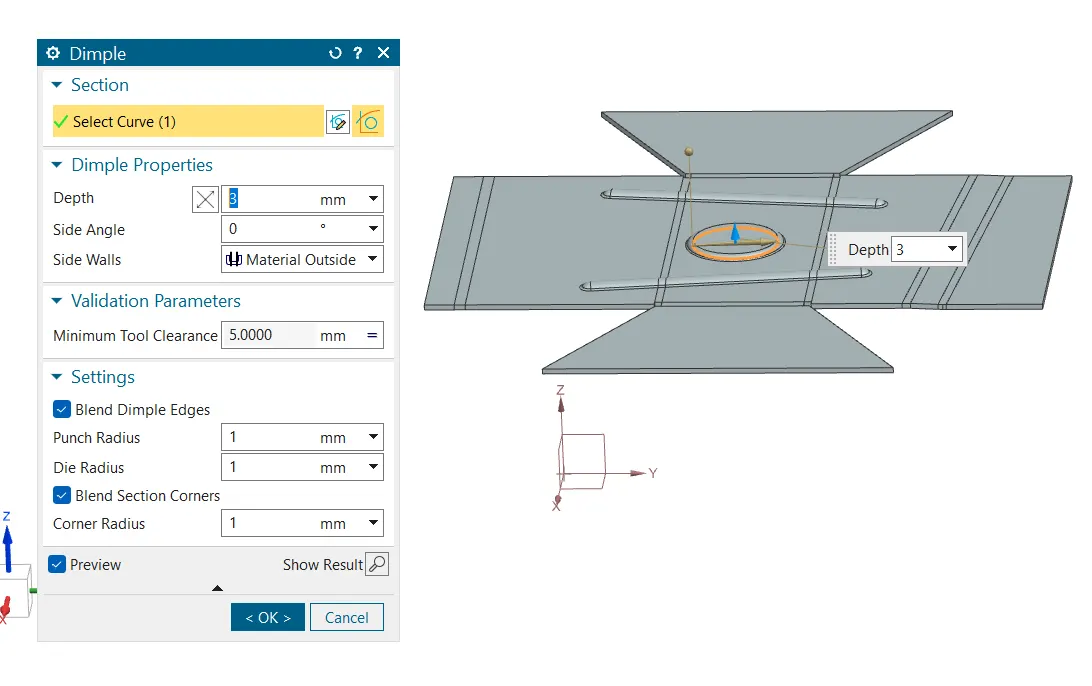
8. Then create a dimple of depth 3mm.
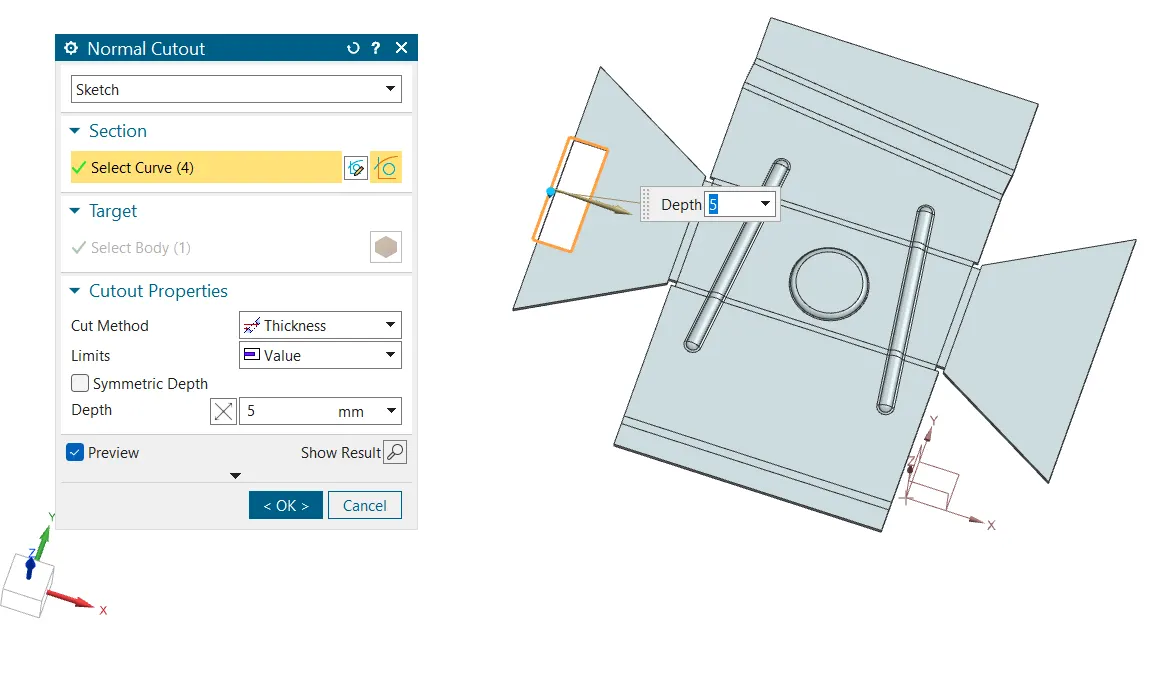
9. Create a normal cutout.
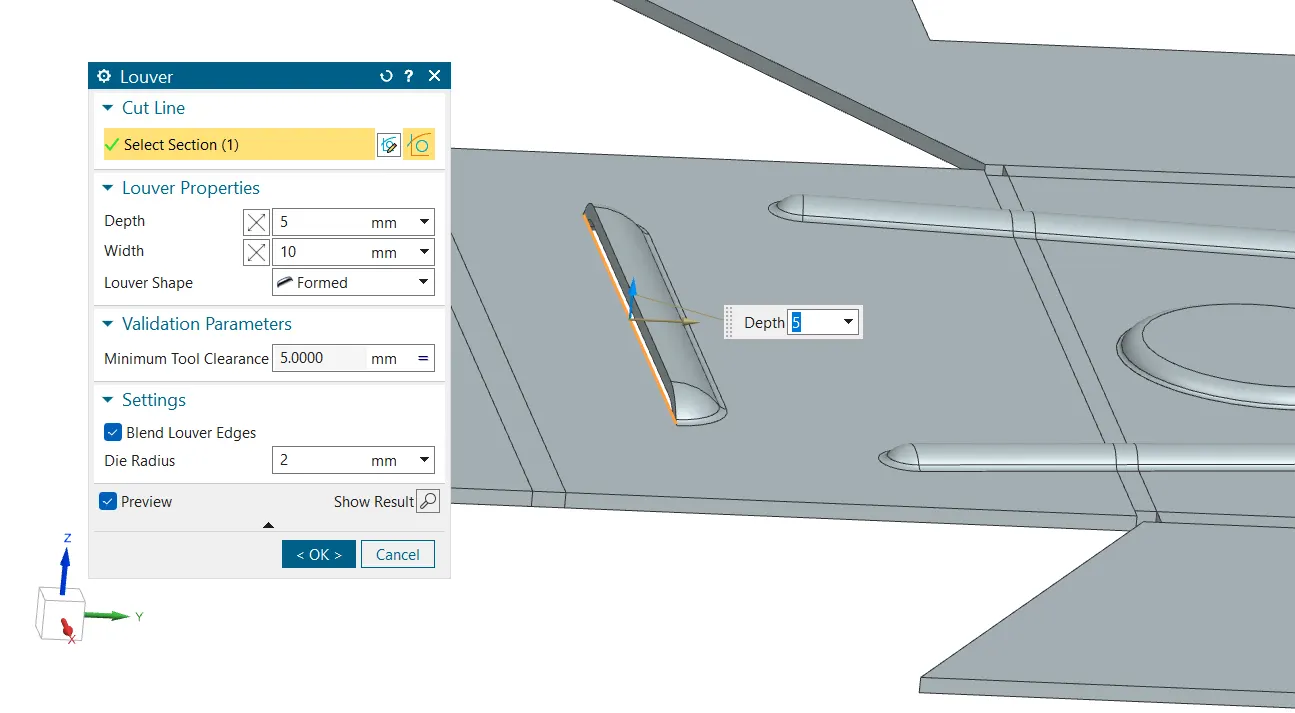
10. Create a louver of depth 5mm and width 10mm which is formed.
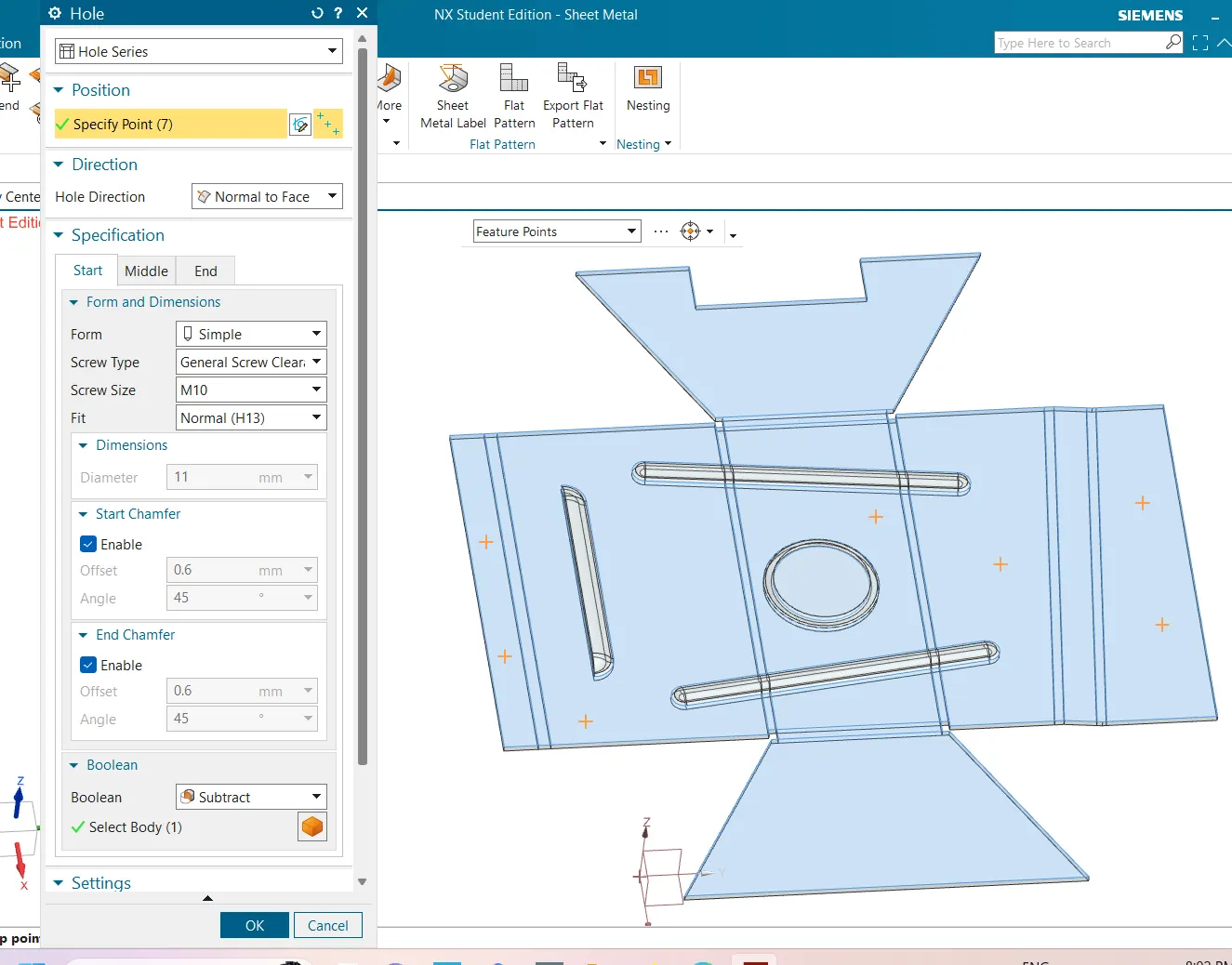
11. Create multiple holes throughout as shown below.
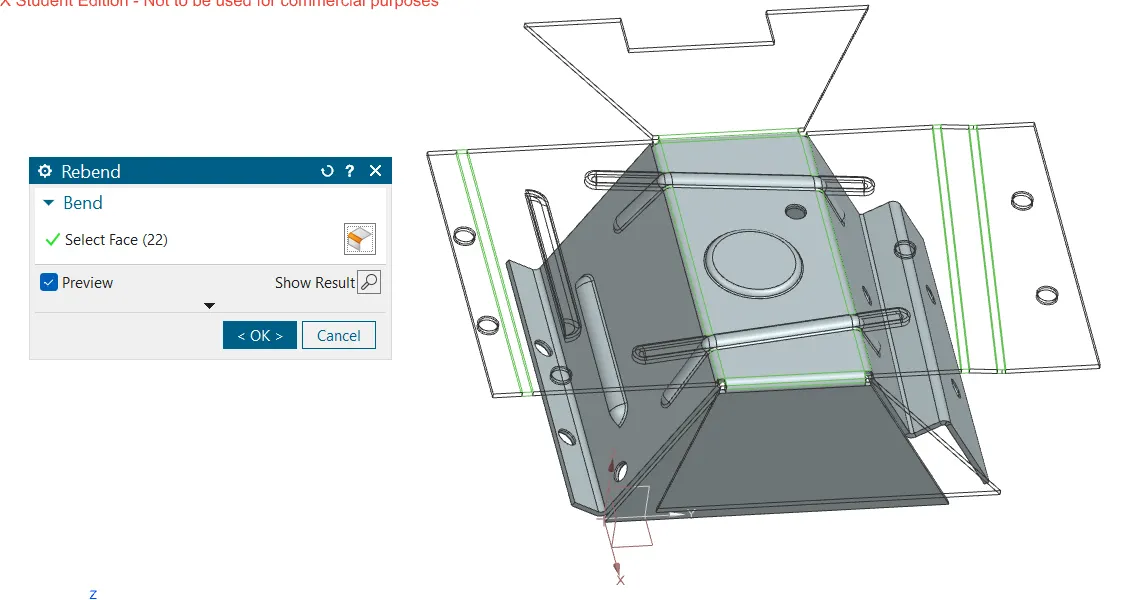
12. Rebend the entire sheet to its orginal form.
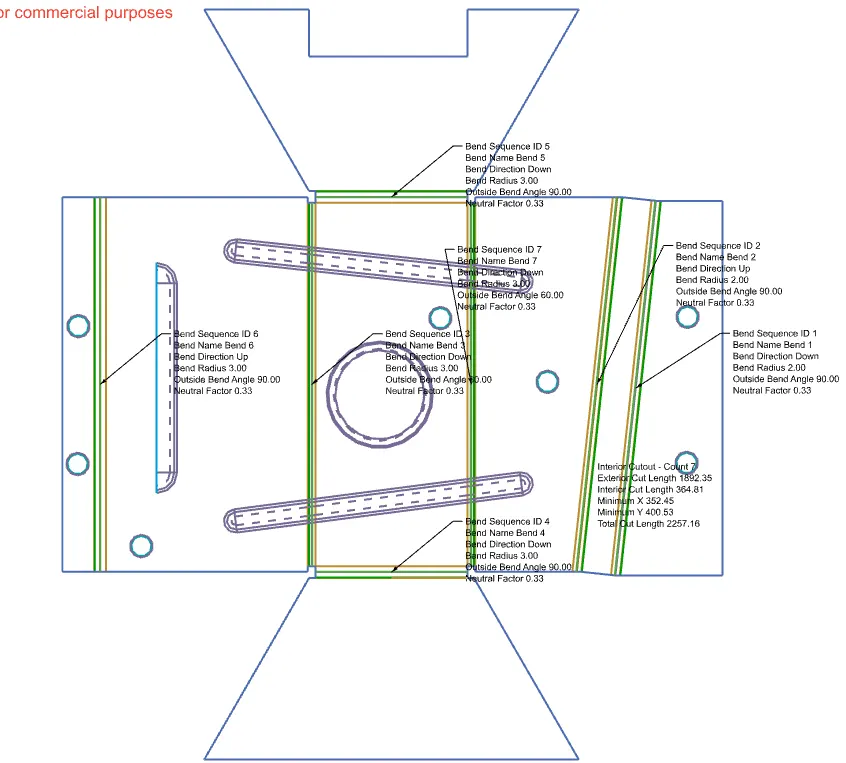
13. Click on flat pattern and select the face and the edge.
Result
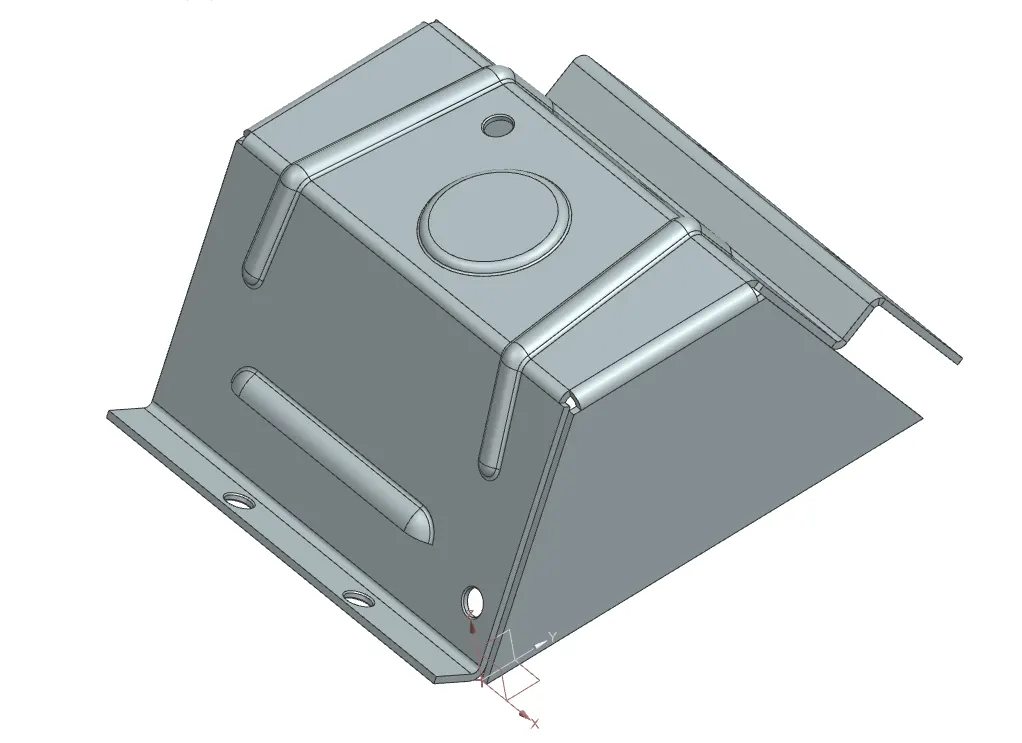
1. Isometric view
2. Front view
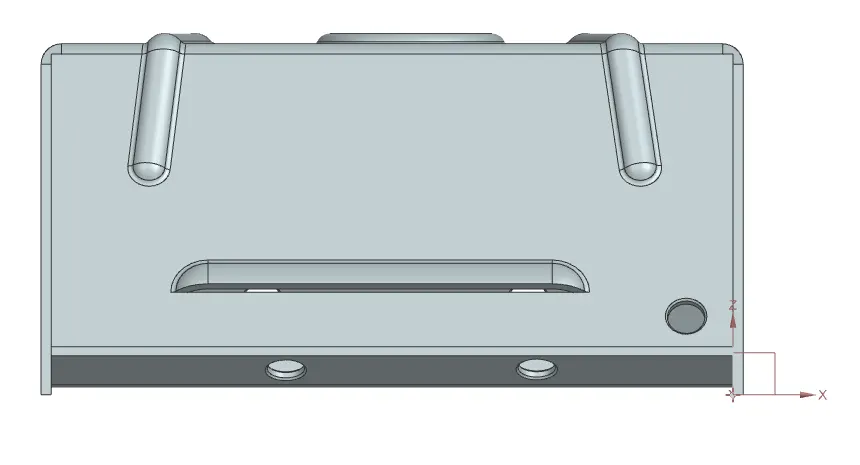
3. Side View
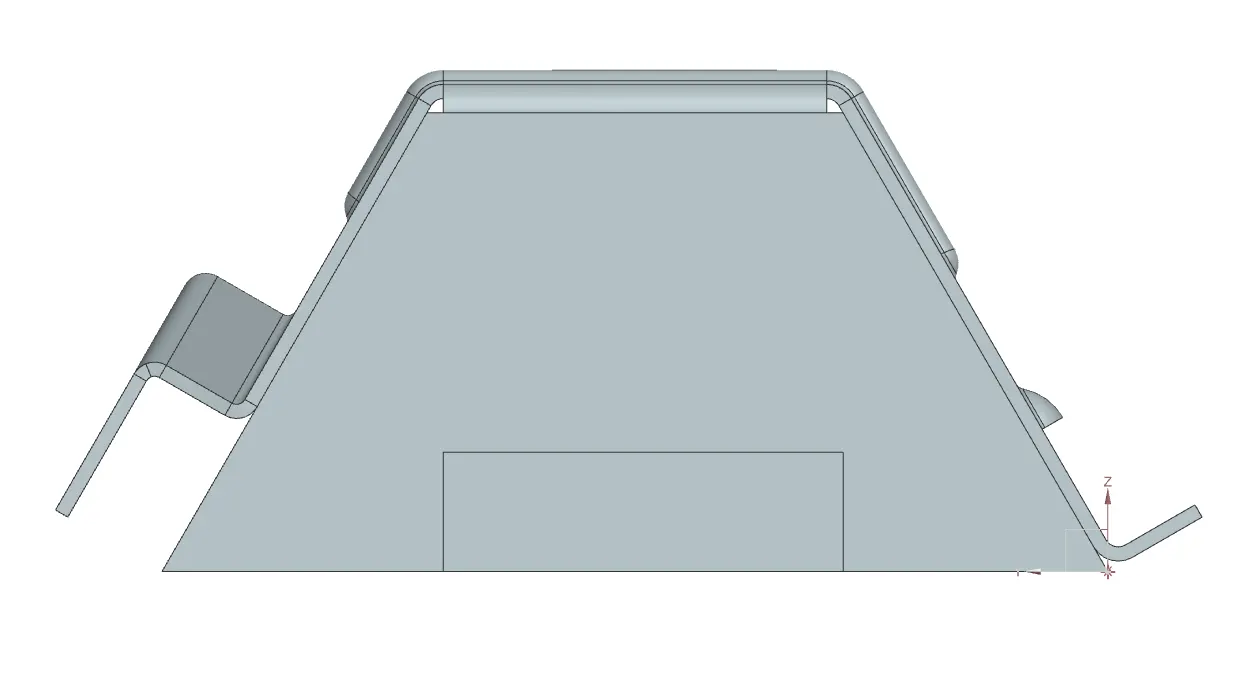
4. Top view
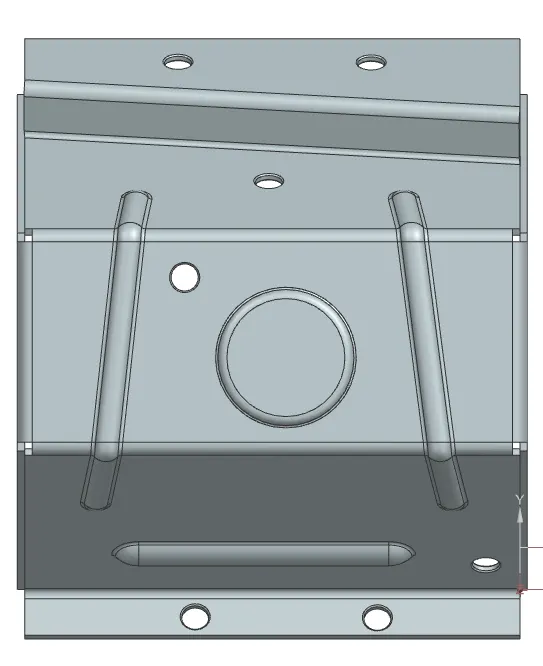
Drawing
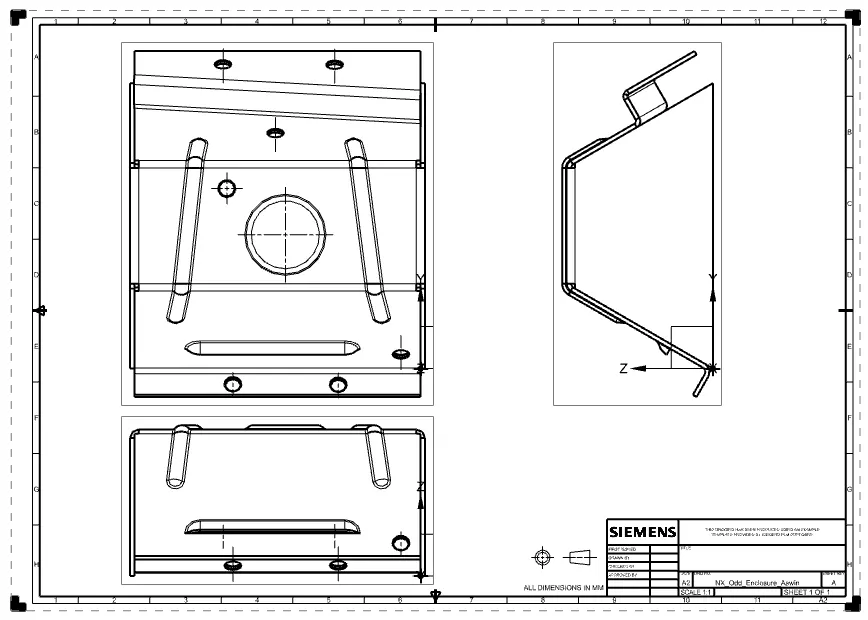
Conclusion
We created and designed an odd enclosure using NX CAD