Advanced Sheet Metal Design Using NX Cad Challenge_5_Odd Shaped Enclosure
OBJECTIVE
Design a odd shaped enclosure in NX CAD by following the design rules.
DESIGN METHODOLOGY
DESIGN DESCRIPTION
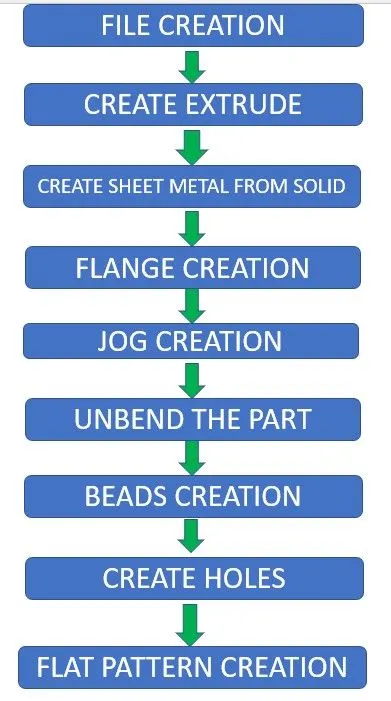
FILE CREATION:- Create a sheet metal design file in Nx Cad and name it.
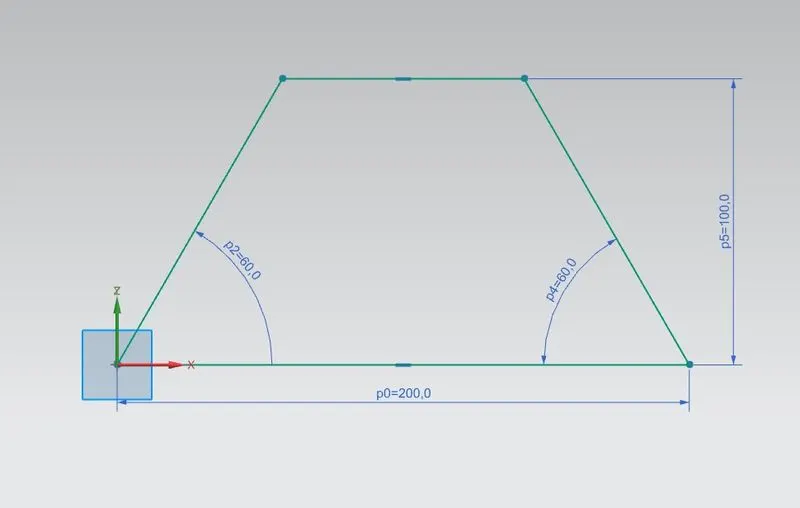
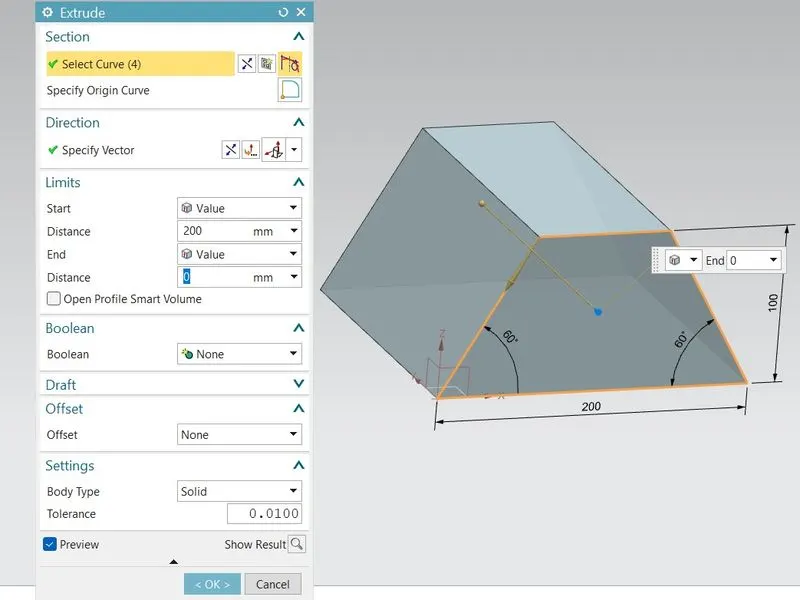
CREATE EXTRUDE:- First create a base sketch of the model and Use EXTRUDE command to create a solid model, length of the model should be 200mm.
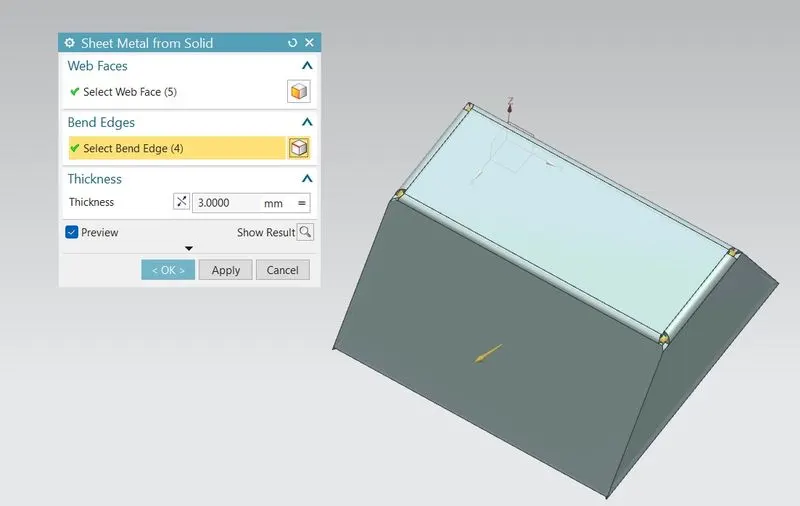
CREATE SHEET METAL FROM SOLID:- Use CONVERT SHEET METAL FROM SOLID command, then select the Face and edges.
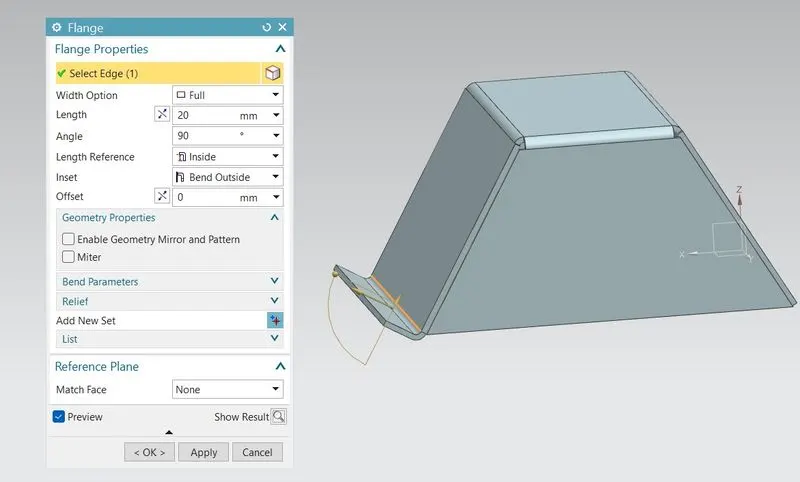
FLANGE CREATION:- Create a flange of 20mm at one side of the model.
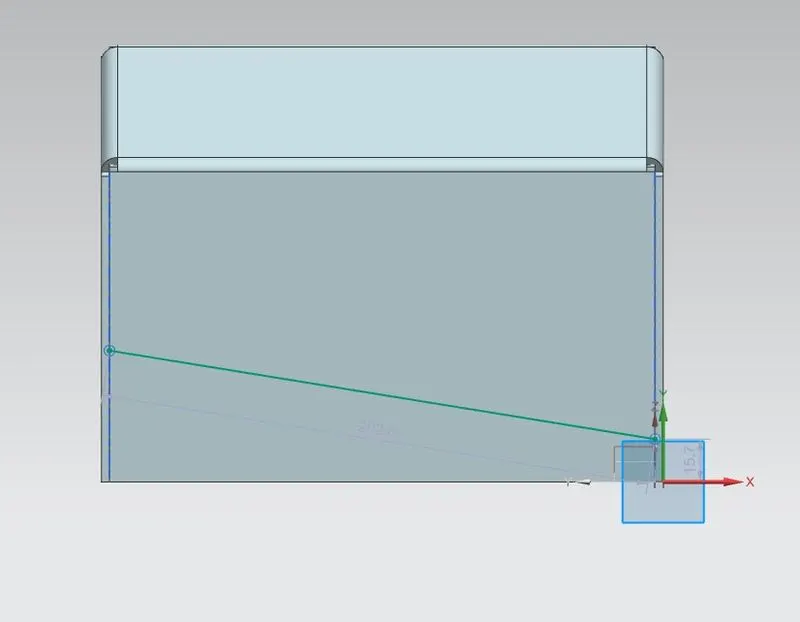
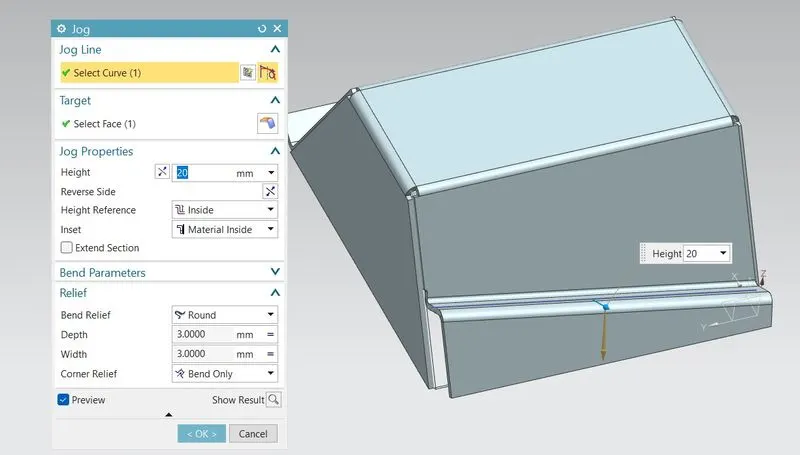
JOG CREATION:- First sketch a line on the surface and use JOG command to create a jog bend by using the line and its heigth should be 20mm.
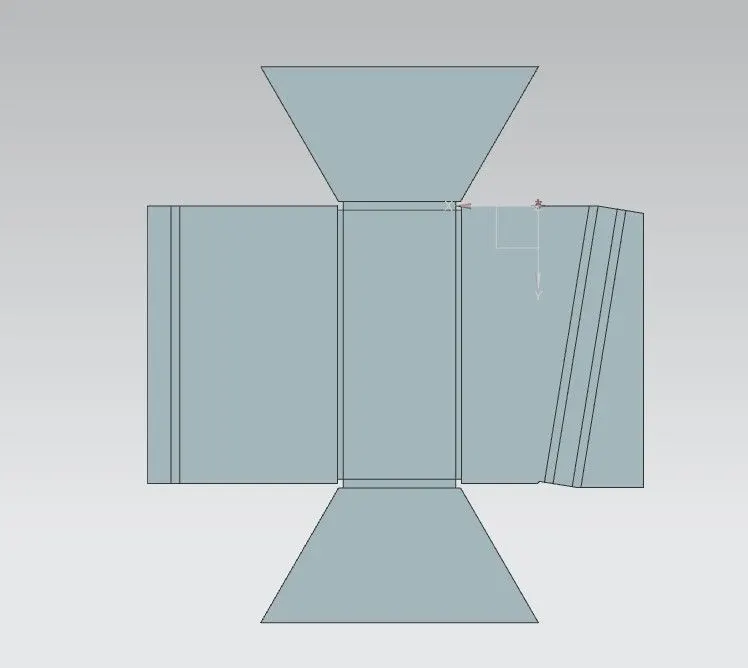
UNBEND THE PART:- Use UNBEND command and select a stationary face then select the bend faces to unbend it.
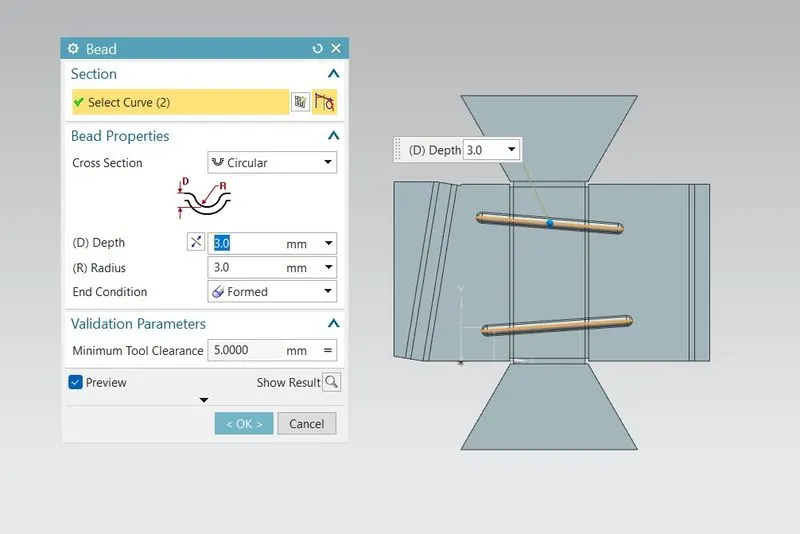
BEADS CREATION:- Sketch 2 lines on the surface and Use BEADS command to make beads.
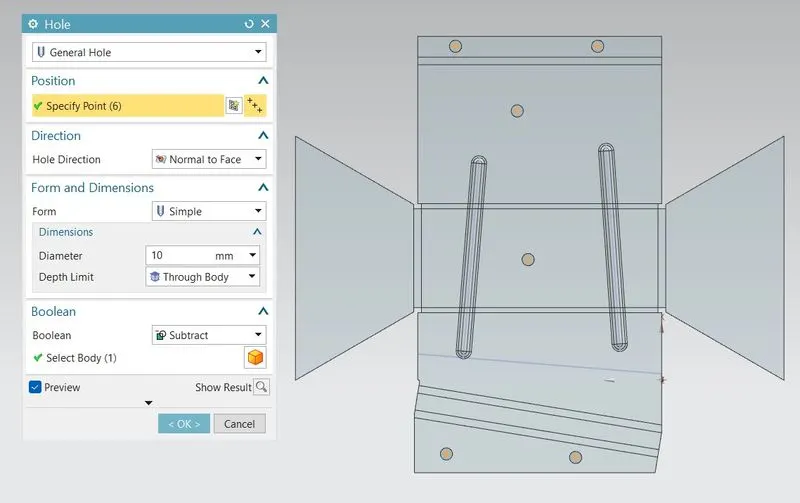
CREATE HOLES:- Create random points on the surface of the part and use HOLES command to create 10mm holes on the surface.
REBEND:- Use REBEND command and select the hole Part so it will return to its original Size.
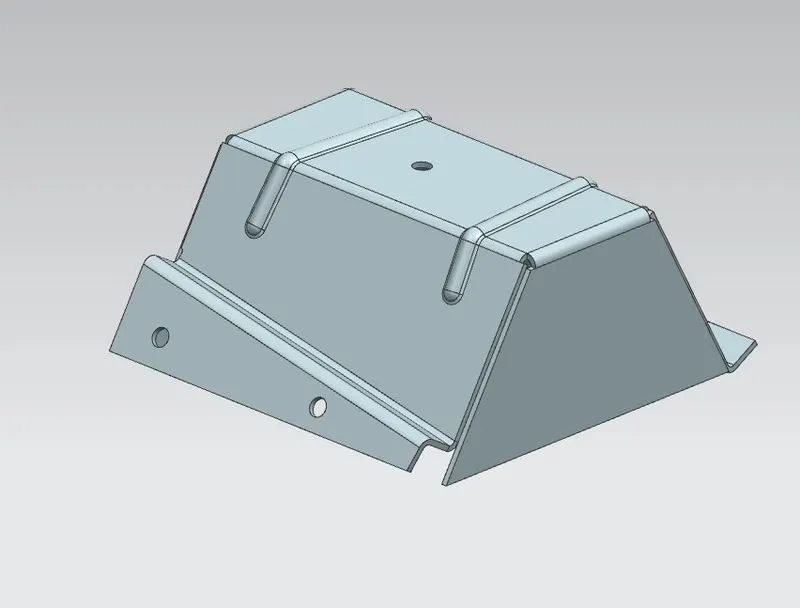
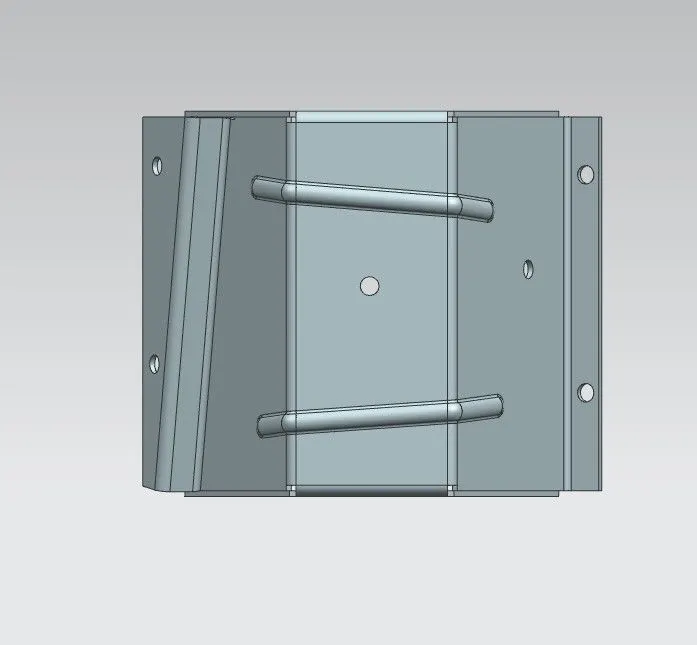
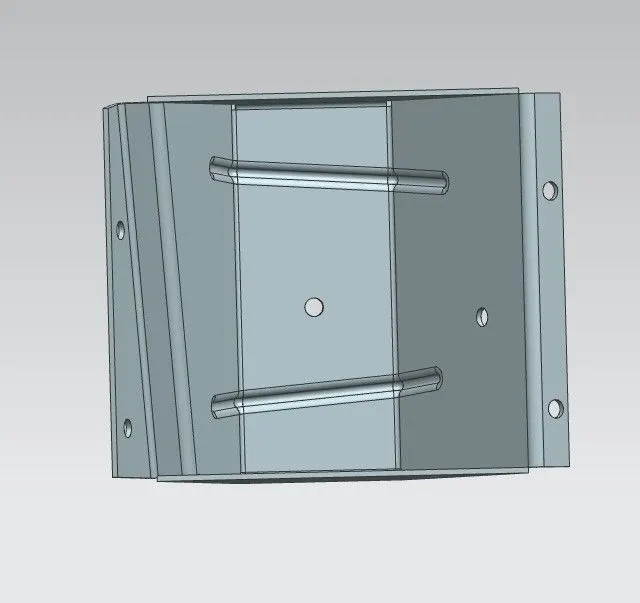
PART IMAGES
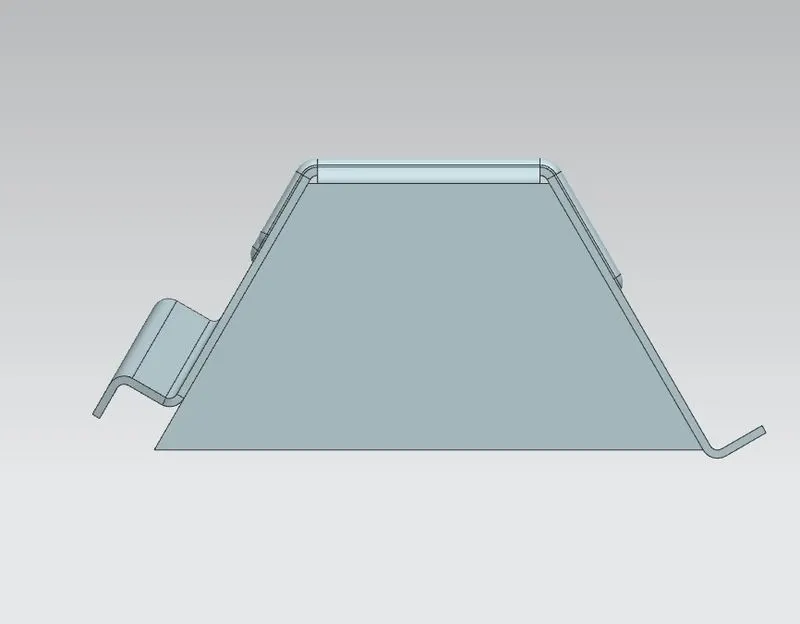
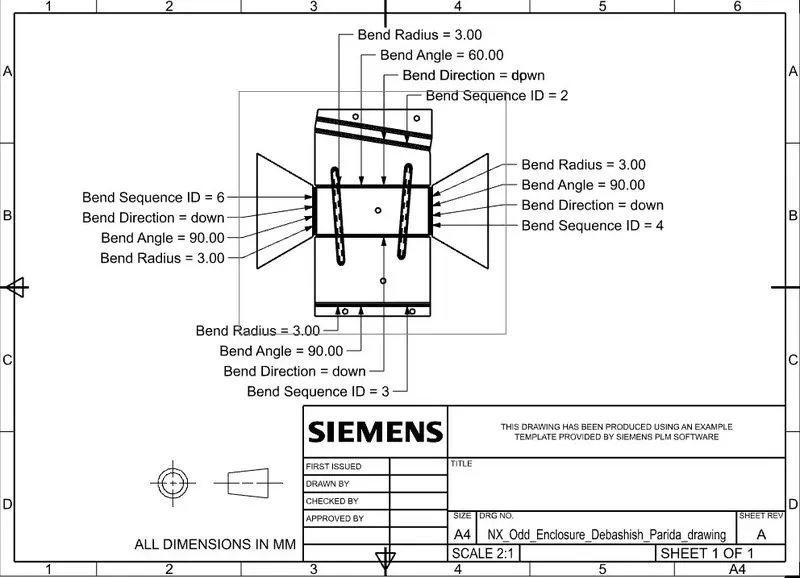
DRAWING SHEET IMAGE
CONCLUSION
This design of odd shaped enclosure model is created using nx cad by following the design rules.