Advanced Sheet Metal Design Using NX Cad Challenge_5_Odd Shaped Enclosure
Sheet metal part for odd shape
Aim :
To create the sheet metal part from the odd shape and add some features such as flanges,jogs and bends and also create the drawing file for it.
Objective :
- To create the solid part first and from that design the sheet metal.
- Then create the extra features such as flanges, jogs and bends from the base sheet metal.
- Make flat pattern of the part for Drafting.
Design approach :
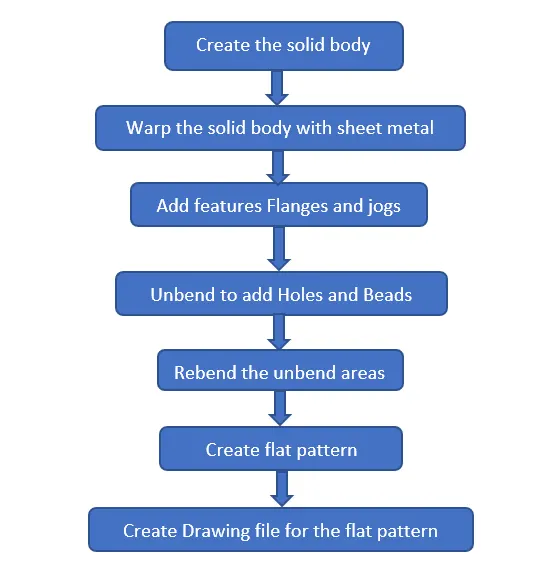
Design Procedure :
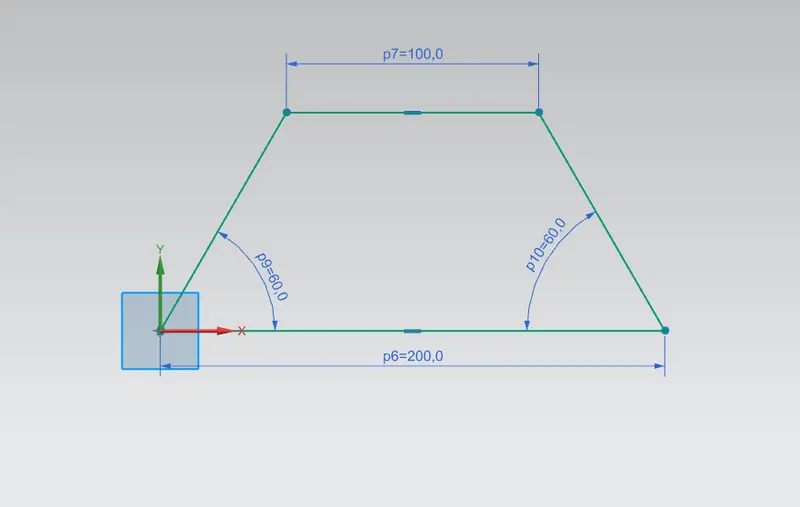
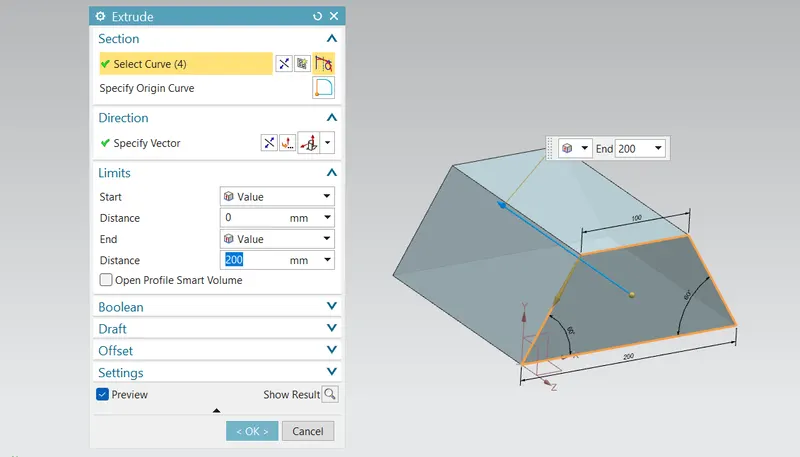
First step is to create the sketch for create the solid body so create the sketch as shown in figure. And after finish the sketch extrude the sketch for 200mm length as shown in figure.
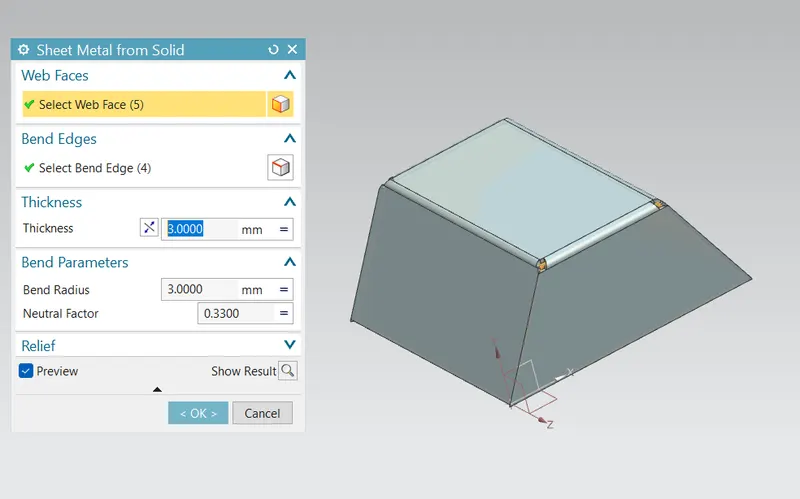
Now we going to create the sheet metal by warping the solid body. For the we use the tool called sheet metal from solid by using this option select the required faces to sheet metal and next select the edges to bend as shown in figure.
Then create the flange for 20mm with 90Deg from one edge and also create the jog from opposite side as shown in figure.
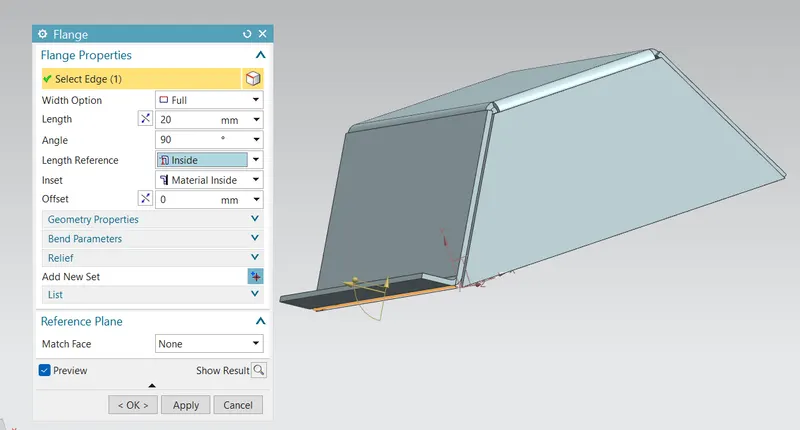
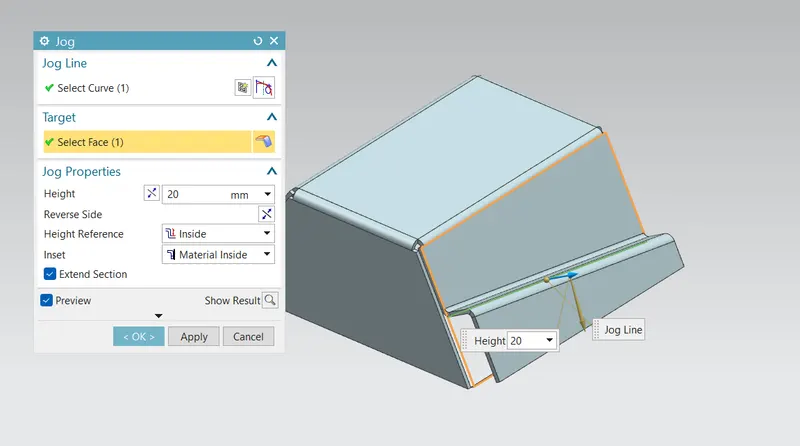
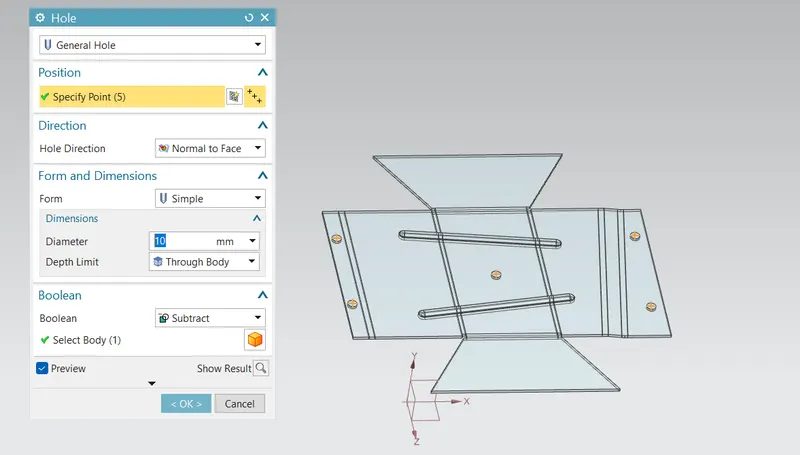
And next step is to create the holes and bead for that first unbend the sheet metal. And create the bead by using the line and create five holes with 10mm diameter as shown in figure.
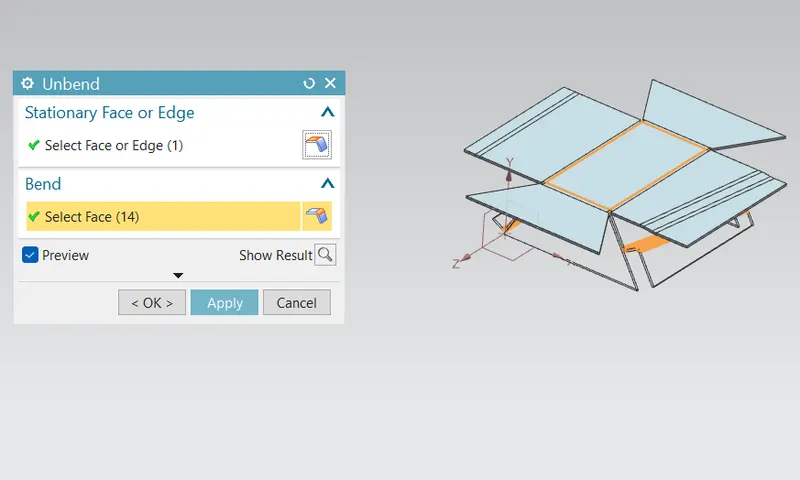
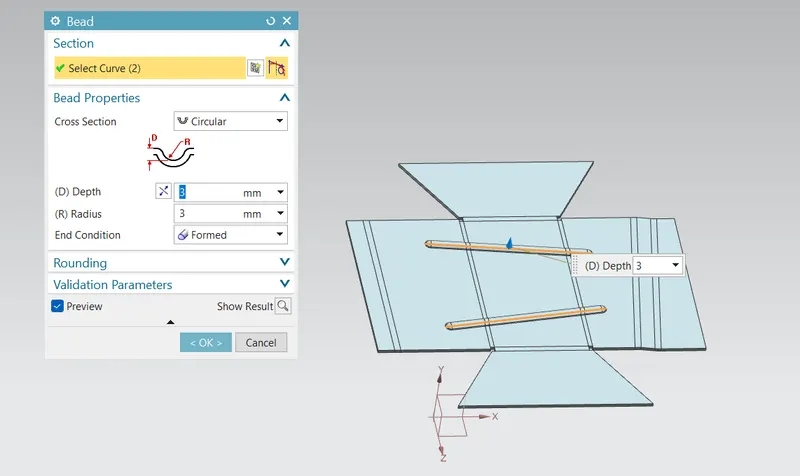
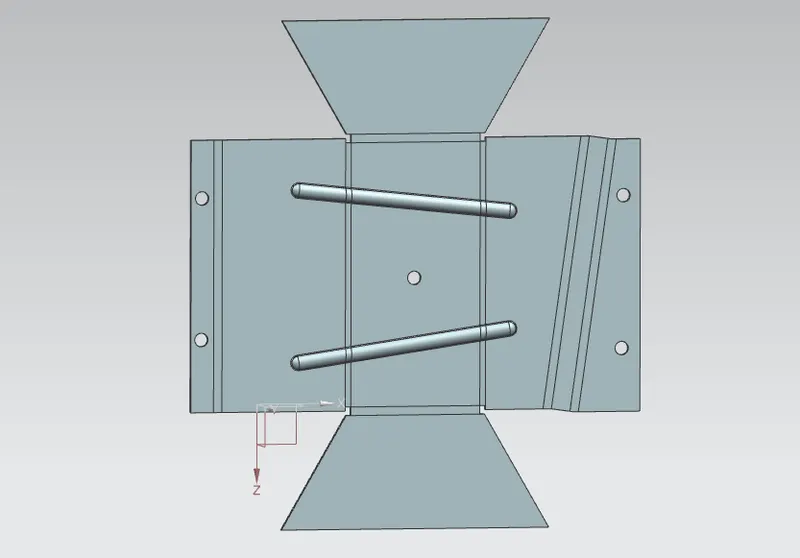
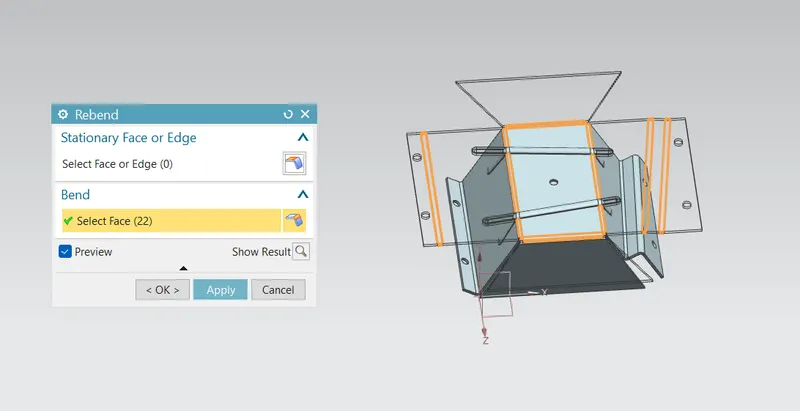
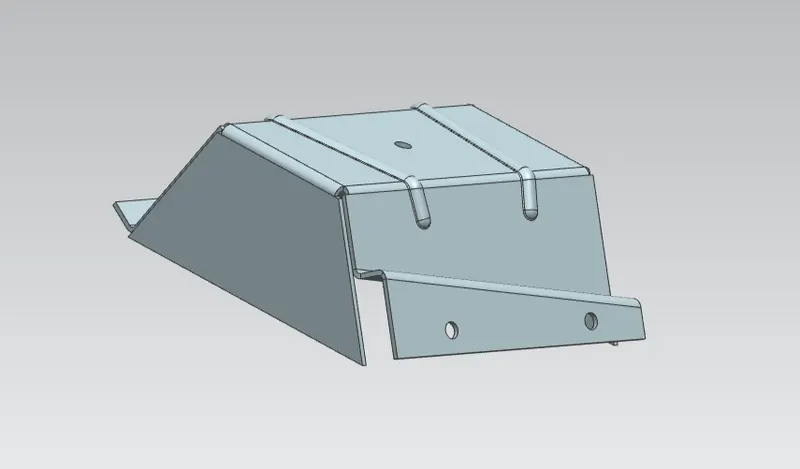
After create the holes and beads rebend the unbend part as shown in figure. And this is the final feature we required to make.
For Drafting :
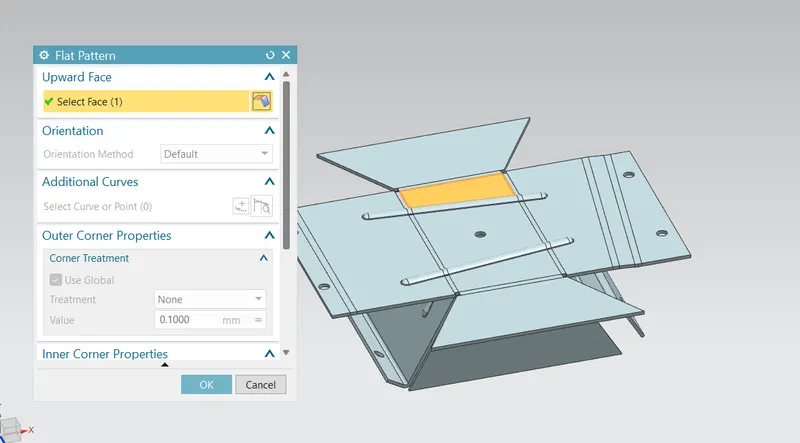
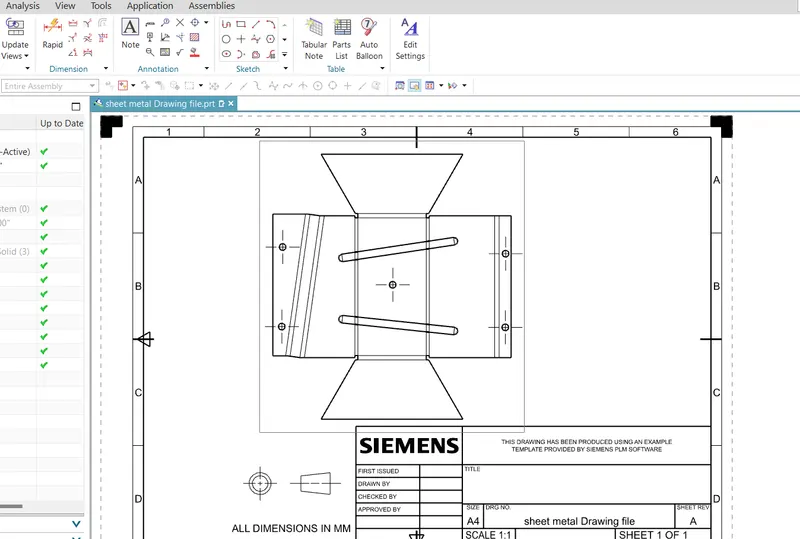
After create the part we create the drawing for that apply flat pattern for create the Drafting for the part as shown in figure. And after the create the Drawing sheet with A4 sheet and scale of 1:3 as shown in figure.
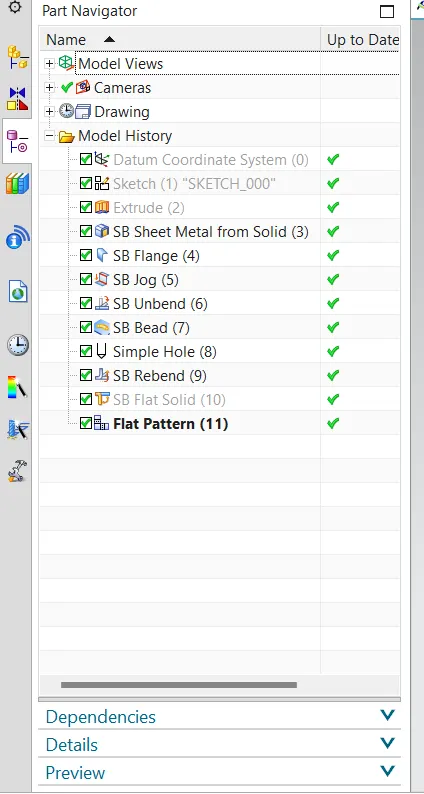
Model Feature Tree :
Different Views :
Front view :
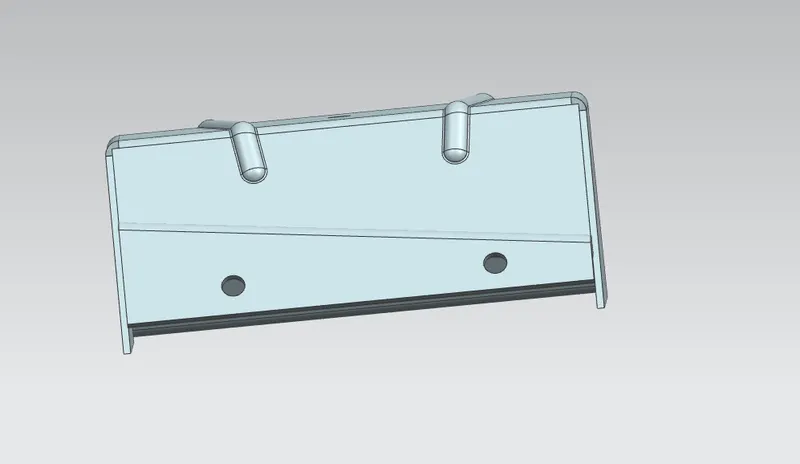
Side view :
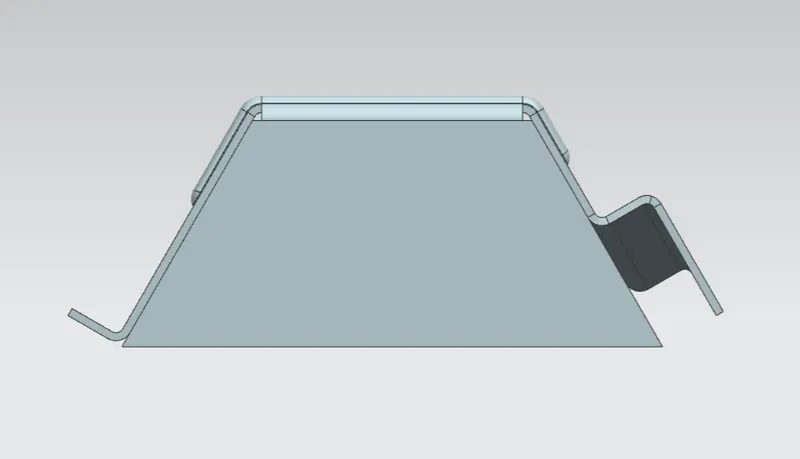
Top view :
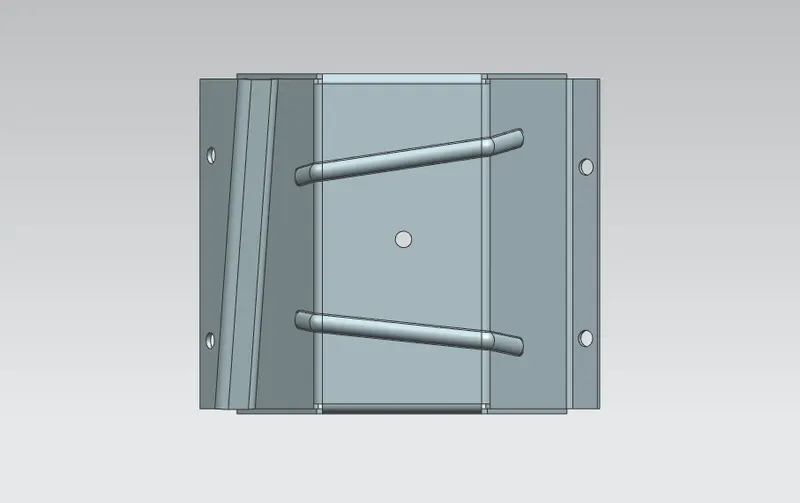
Bottom view :
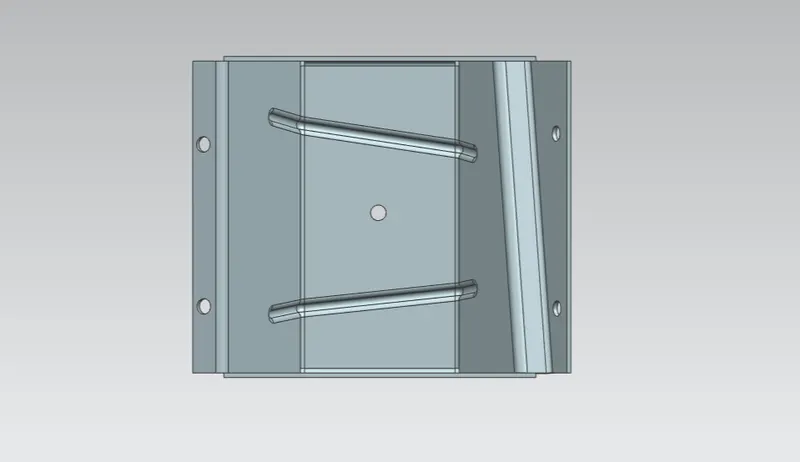
Iso-metric view :
Conclusion :
Hence the sheet metal part designed from the odd shape and add some features such as flanges, jogs and bends by using the various tool such as Extrude, flange, Jog, unbend, rebend and flat pattern. And also create the drawing file for it successfully.