Advanced Sheet Metal Design Using NX Cad Challenge_5_Odd Shaped Enclosure
Odd Shaped Enclosure Using NX CAD
Title: Odd Shape Enclosure
Aim/Objectives: To design a 3D CAD Model 'Odd Shaped Enclosure' using sheet metal workbench.
Introduction: In this project we will learn the recommended work flow procedure for designing for sheet metal part 'odd shaped enclosure' using NX Sheet metal operation. NX is the most powerfull, flexible & innovative product development solution in the industry. NX for design has the feature, performance & the capabilities to get the product in market faster then ever before.
Methodology/Approach: In this simple & easy design approch is follows the following are the flow chart below:-
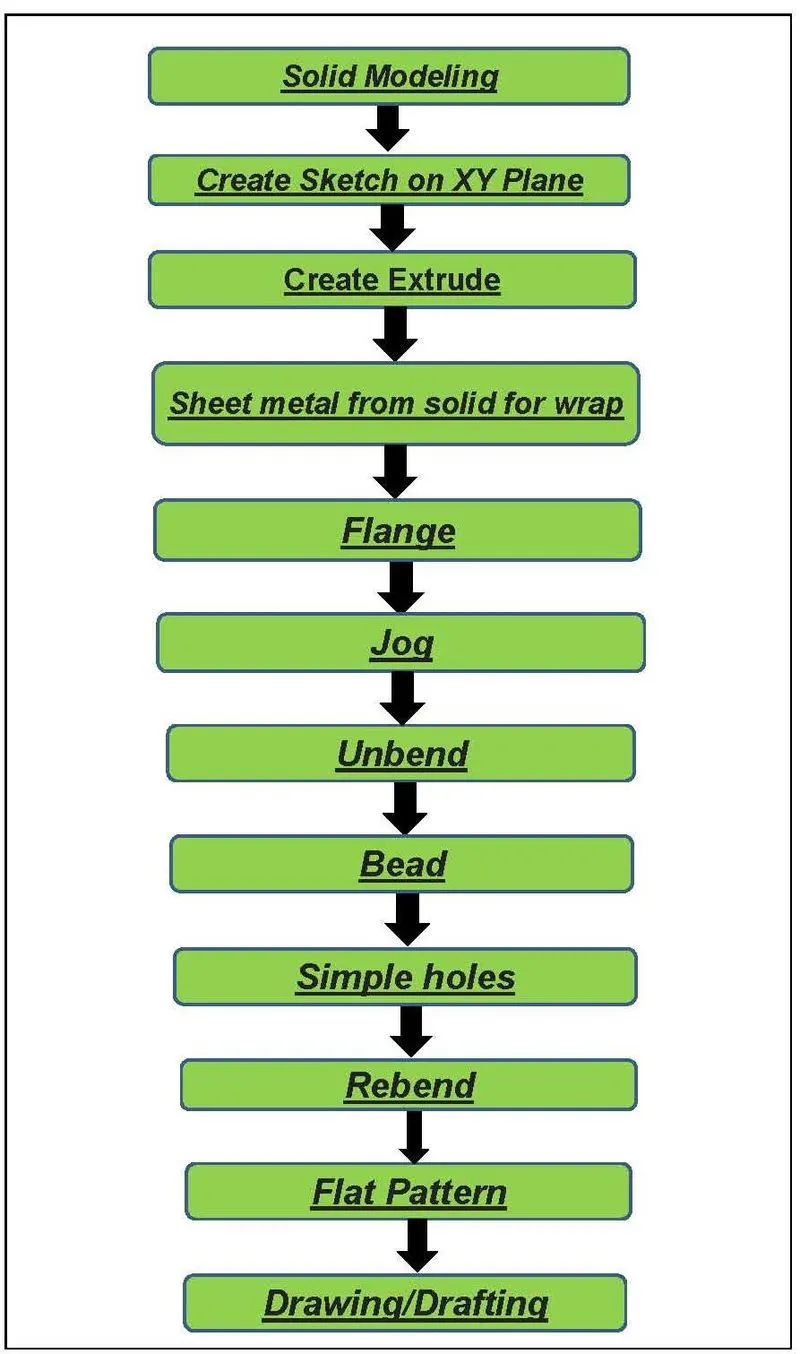
Description/Procedure: The Design procedure for 'odd shaped enclosure' are follows the steps below:-
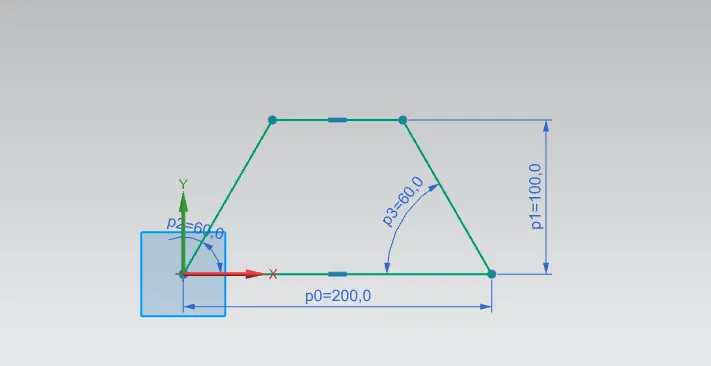
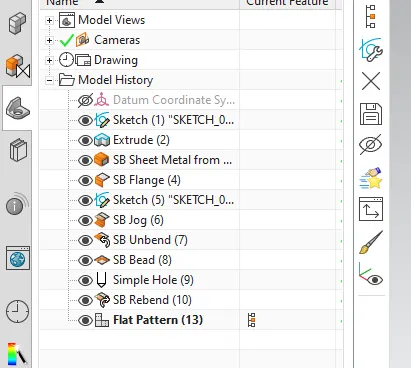
1). Sketch: For making solid model create first the sketch in XYX Plan with dimension L =200mm H = 100mm & Angle = 60
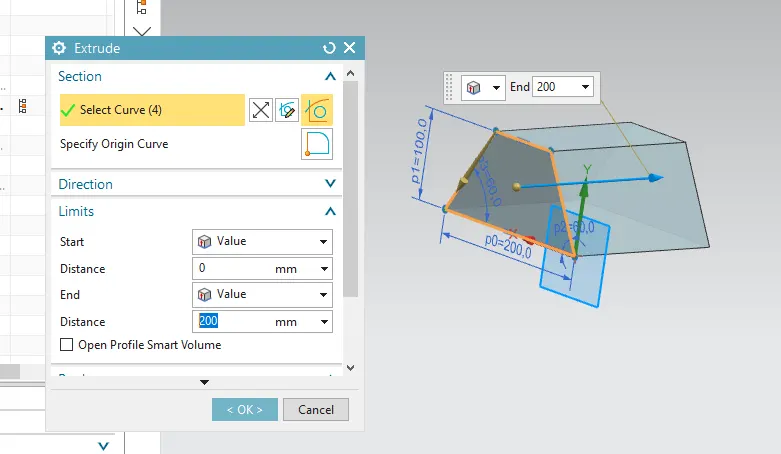
2). Extrude: This is the main feature convert the 2D Skect into 3D Solid Model by extruding it with the Length 200mm.
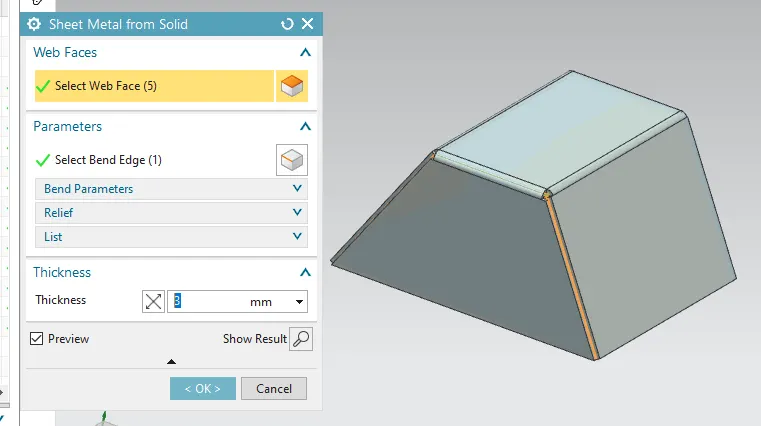
3). Sheet metal from Solid: With this feature for wrapping the sheet metal we have to convert the solid into sheet metal with this command with the dimension applied thickness 3mm & Radius 3mm.
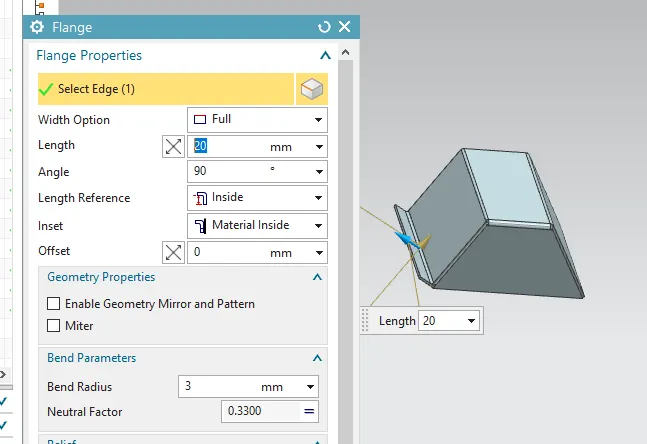
4). Flange: with this feature we added extra material by extending the edges with 20mm length and angle 90 with bend radius 3mm.
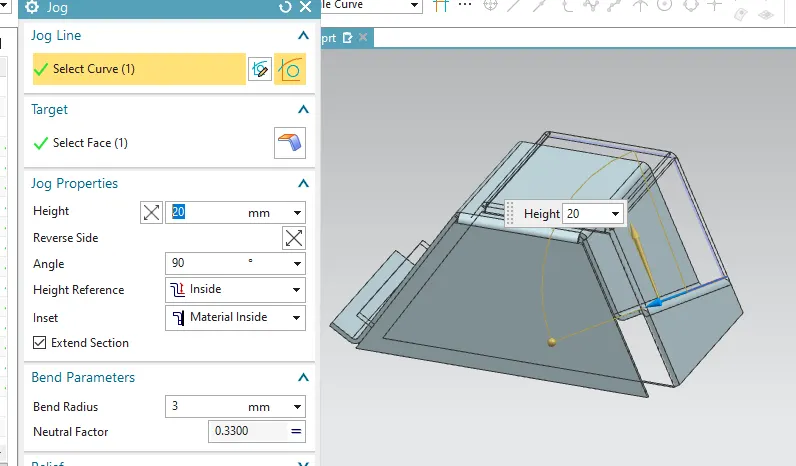
5). Jog: This feature is used to modify the model by lifting up of material along the one side of sketch line. and adding a flange between two sides, here i first create jog line on the face of extrude surface the applied jog.
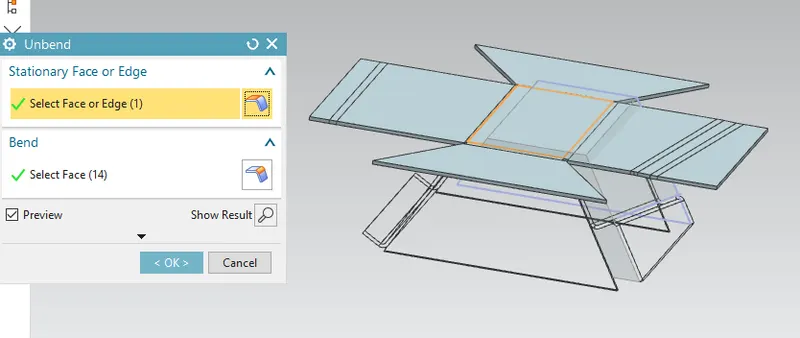
6). Unbend: This feature is useful whenever we are not able to create any complex geometry on the bend or some enclosed surface so we first have to unbend the model then create the desired sketch on that model
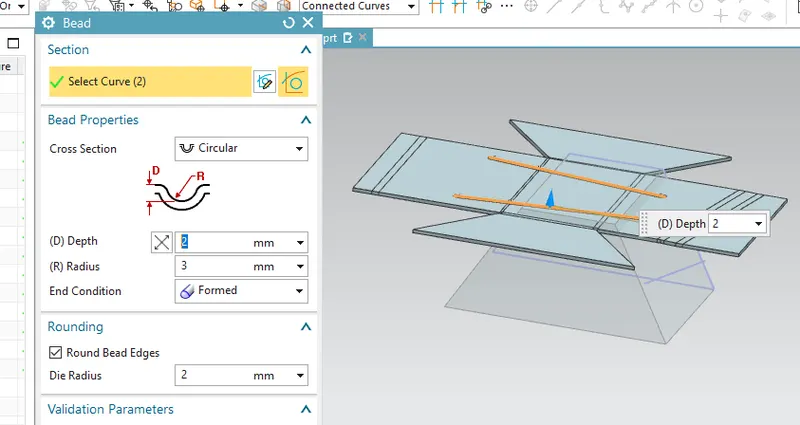
7). Bead: this feature is used for lifting some meterial from the surface. it is just like embossing/Dimple which provide the stiffness/Strength to the sheet metal
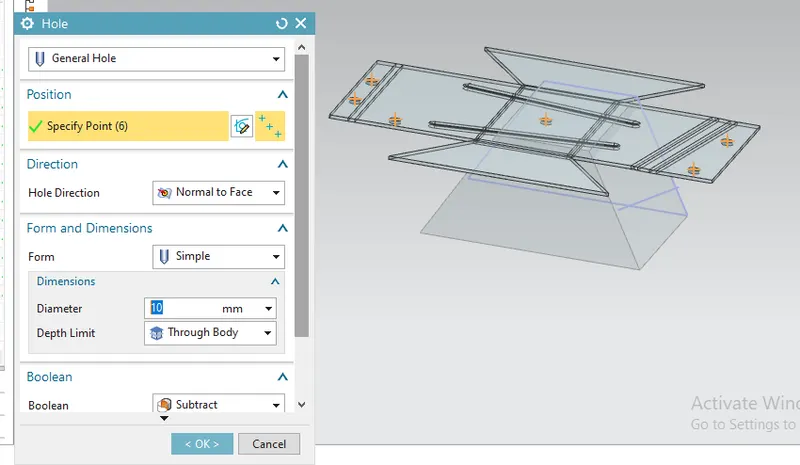
8). Holes: By using this feature we create some screw clearance hole either for the mounting purpose or For reducing stress concentration
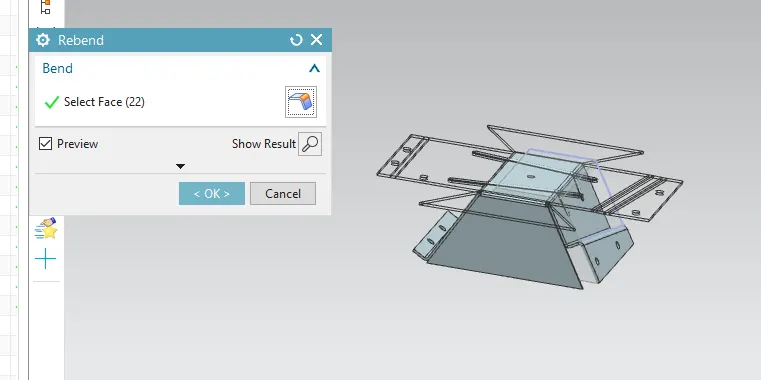
9). Rebend: Rebend feature is used to Restore the unbend feature to its previous bend shape along with any feature added after unbending operation and ready to be manufacture after conformation
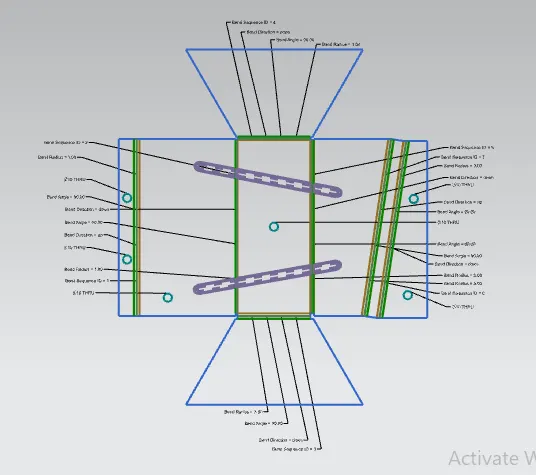
10). Flat Pattern: This Feature allows to convert 3D CAD Model into the 2D Sheet metal Componenet Shape.Using this flat pattern feature we can easily avoid the error like intreference or collision
11). Drawing/Drafting: After Designing the 3D Model for further process of manufacturing we will convert the entire sheet metal component into 2D Repersentaion format for easy understanding the component dimension
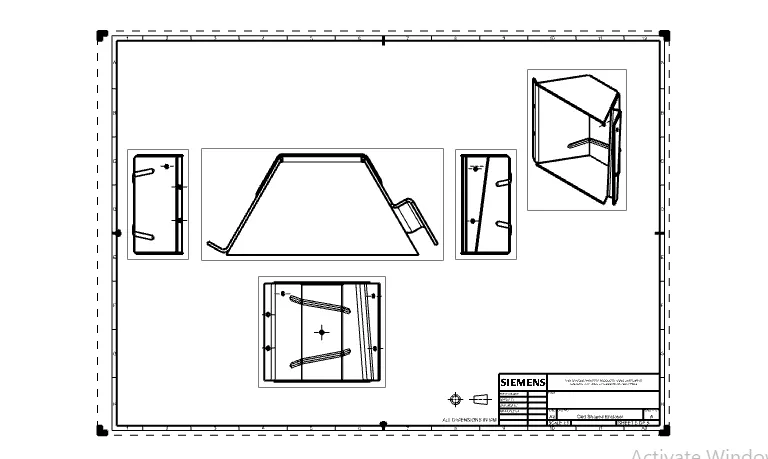
All View of Enclosure
1) Feature Tree
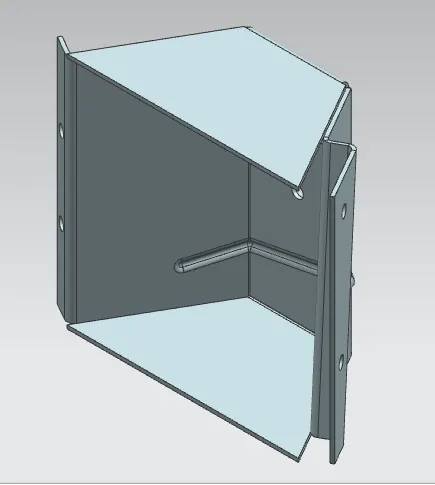
2) Isometric View
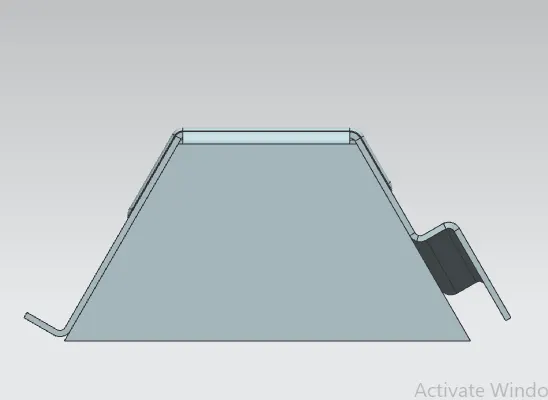
3). Top View
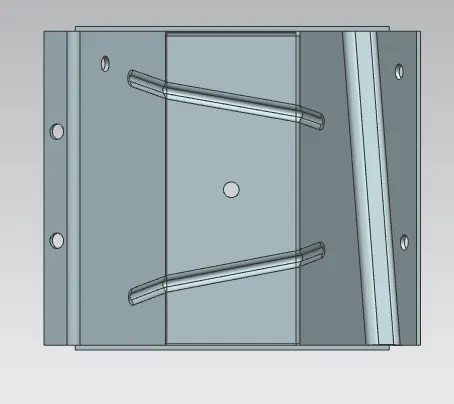
4). Front View
5). Left View
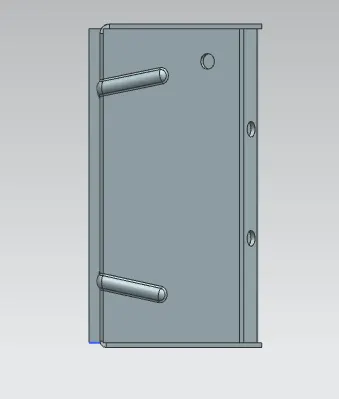
6). Right Side View
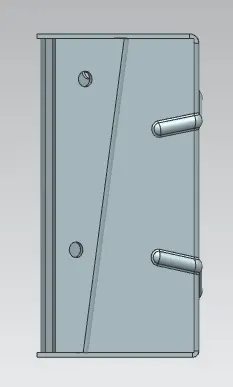
7). Back Side View
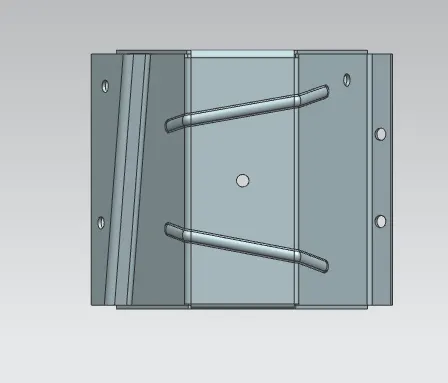
Conclusion: Thus By using this NX CAD Softwarte on sheet metal workbench i successfully designed the odd shaped enclosure using different desing approach/methodology