Advanced Sheet Metal Design Using NX Cad Challenge_5_Odd Shaped Enclosure
Title of Project:-
Odd Shape Enclosure
Objective:-
Design a sheet metal of Odd Shape Enclosure using NX CAD
Introduction:-
Sheet Metal – It is formed by an industrial process into thin, flat pieces which is mostly used in Machinery, Automotive, Aerospace, Agriculture, Mining, Shipping industry, etc. The thickness of Sheet Metal is in between 0.25 mm to 6 mm. There are many types of sheet metals available, e.g – Alloy Steel, Stainless Steel, Carbon steel, etc.
NX cad – It is normally known as “UNIGRAPHICS”. It is an advanced CAD software which is owned by Siemens. This software is used for Design, Analysis, manufacturing.
Design Methodology:-
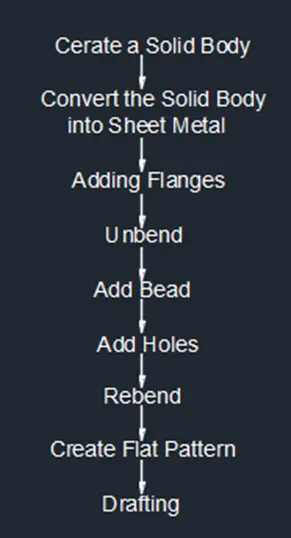
Description:-
Commands are used to complete the Model:-
Sketch – By using this command we can draw a 2D model.
Flange – By this command we can extend sheet metal through the edges of the tab.
Jog – By this command we can modify the model by lifting material on one side of sketch line adding a flange between two sides.
Unbend – By this command we can flatten the 3D model by selecting one face as a stationary face.
Bead – By this command we can give strength to a sheet metal at a particular shape at a certain point.
Hole – By this command we can create a hole on the surface of sheet metal.
Rebend – By this command we can flatten the sheet metal.
Flat Pattern – By this command we create a flat pattern feature from the formed sheet metal part.
Procedure:-
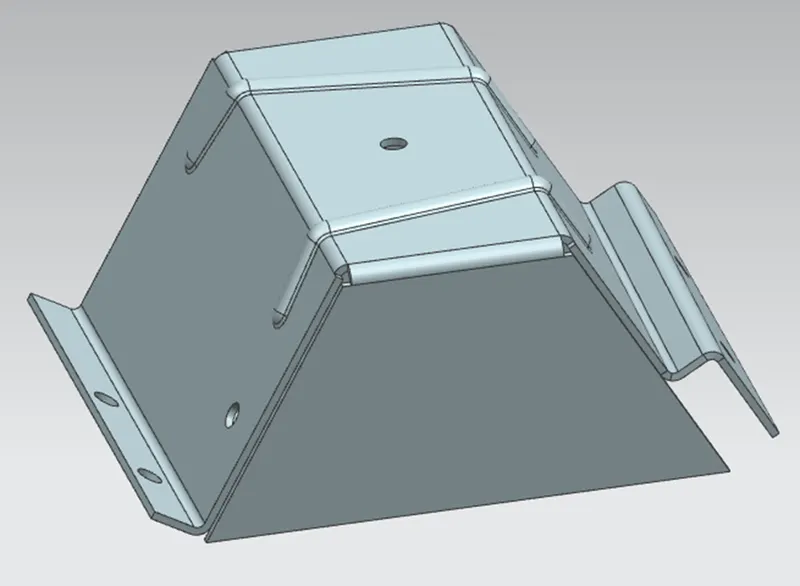
Create a solid body that encloses the interior volume with l = 200, h = 100mm, with 60 degree angle in both side, after that extrude it up to 200mm.
Then convert the solid body in to a sheet metal, then hide the extrude body.
Then do the flange of 20mm with 90 degree at the left side and in right side do a jog by creating a sketch which is an angular type and the height is 20mm.
Then unbend the entire body and do the bead which is a circular type and the depth and radius is 3mm.
Then do the 6nos 0f hole with diameter of 10mm and rebend the sheet metal.
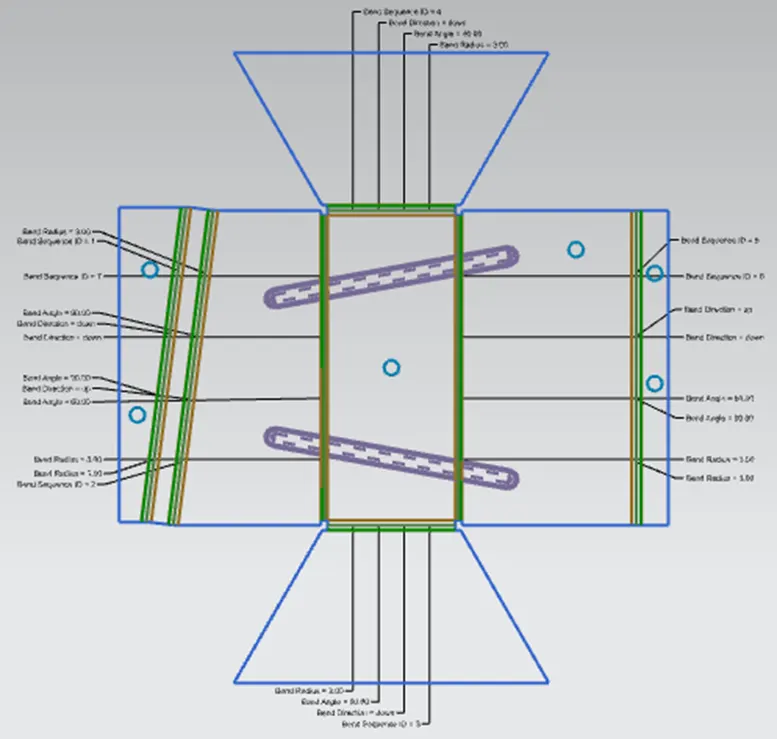
Create a flat pattern by selecting the face and direction of the sheet metal.
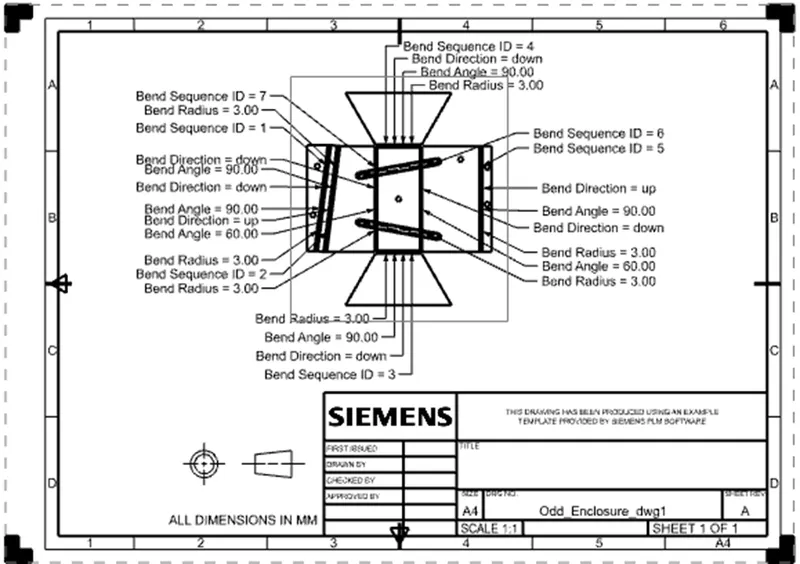
For draft the drawing we will flat the component and draft it on an A4 size sheet.
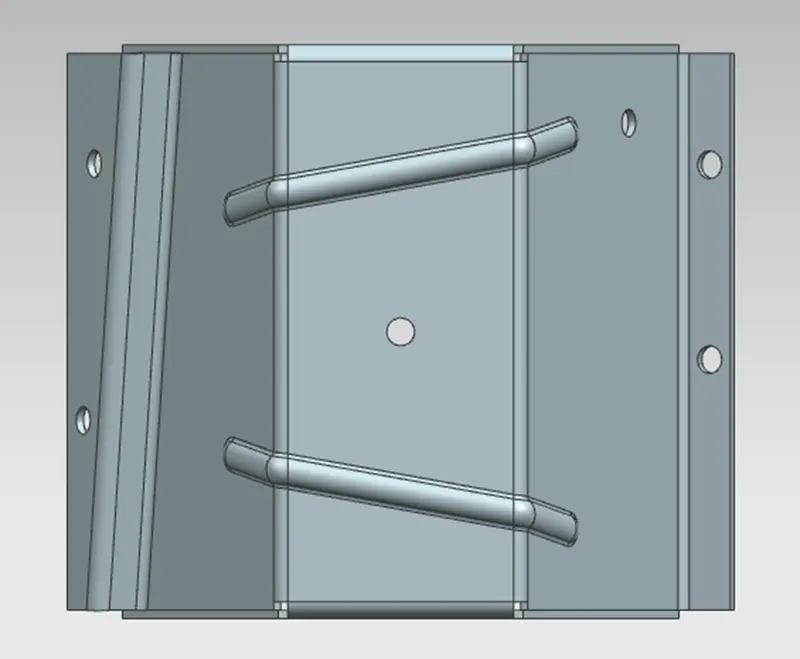
Top View:-
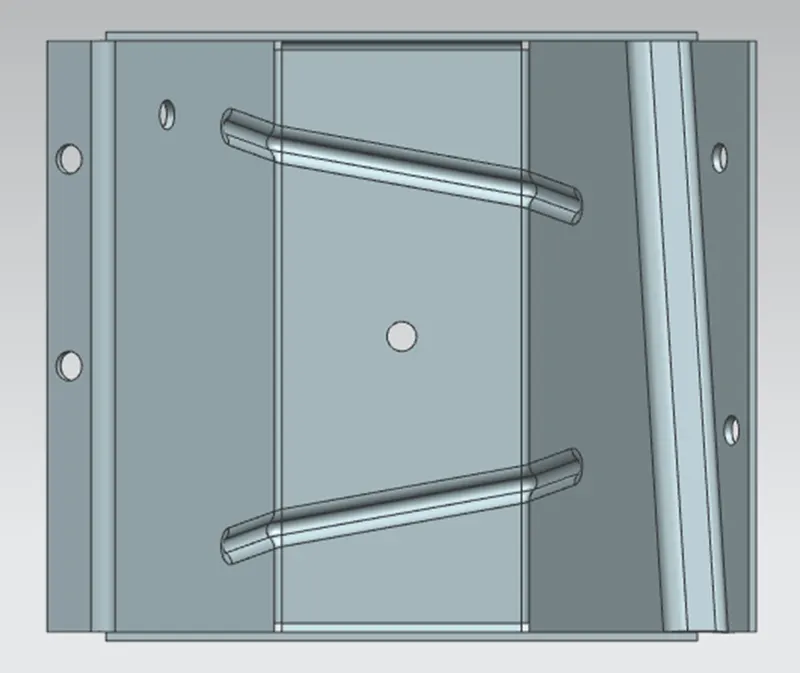
Bottom View
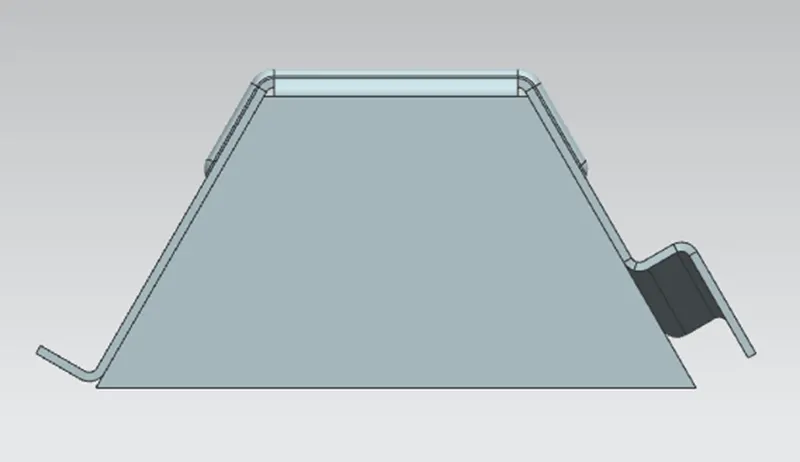
Front View:-
Isometric View:-
Flat pattern View
Drawing Sheet