Advanced Sheet Metal Design Using NX Cad Challenge_5_Odd Shaped Enclosure
DESIGN OF SHEET METAL ENCLOSER USING NX CAD
Objective :
The objective is to design a sheet metal Encloser using NX CAD
Introduction :
Sheet metal is metal formed by an industrial process into thin, flat pieces. Sheet metal is one of the fundamental forms used in metalworking, and it can be cut and bent into a variety of shapes. Countless everyday objects are fabricated from sheet metal.Thicknesses can vary significantly; extremely thin sheets are considered foil or leaf, and pieces thicker than 6 mm (0.25 in) are considered plate steel or structural steel.
Sheet metal is available in flat pieces or coiled strips.he coils are formed by running a continuous sheet of metal through a roll slitter.
Design methodology :
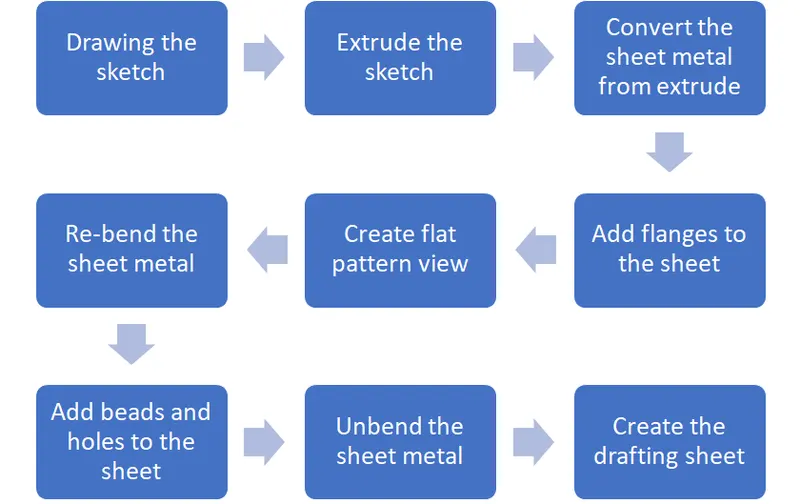
Description :
Sketch : In this feature we will draw the basic shapes of the profile which we are designing by selecting repective plane.this feature is on the top left side of the screen when you open the application.
Extrude : In this feature the 2D sketch will be converted to 3D model.
Flange : select the flange command, in the dialogue box select the edge to add the flange give the length as 5mm and angle as 90 degrees repeat the same procedure for the remaining three sides.
Jog : Jog is a tool it is also like a flanges it up lift the material along the line or curve.
Hole : This hole feature s under the more button of the feature field tab.this is used to make holes of desired size and desired tyoe of hole, in the dialogue box use screw clearance hole as type of hole, with screw size of M2 and a H13 fit.select the depth as through body.
Bead : The bead is like a raised rib in the sheet matal panel.it just requires only one sheetmetl face which is active.change the depth, radius and die radius in round bead edges to 1mm for our application.
Unbend : This unbend option is used to unbend the sheetmetal to make it flat.in this select the stationary face and next select all other faces or simply drag a rectangle over all the faces. this is used to obtain a flat metal sheet.
Rebend : It is used to rebend the metal sheet into its original shape by selecting all the faces except the stationary face or it can be done simply by draging a rectanle over it.
Flat pattern : Flat pattern option is under the flat pattern feature , select the stationary face and click ok.
screenshots of Model :
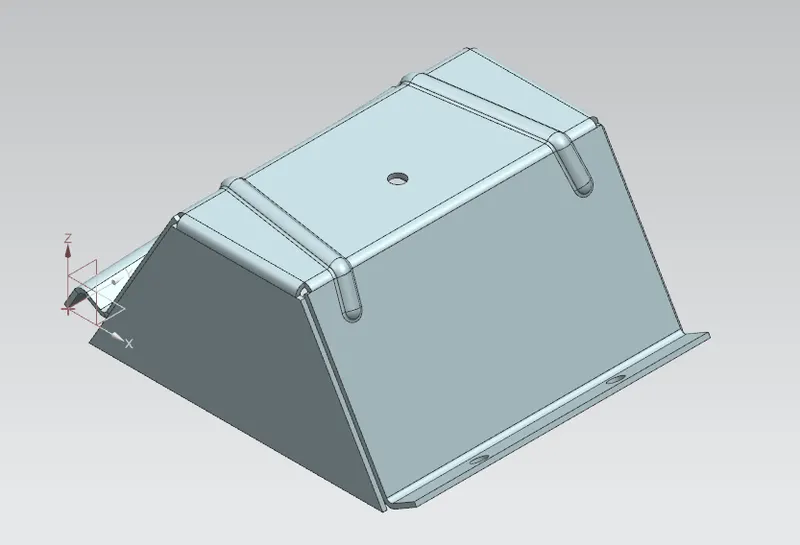
Isometric view
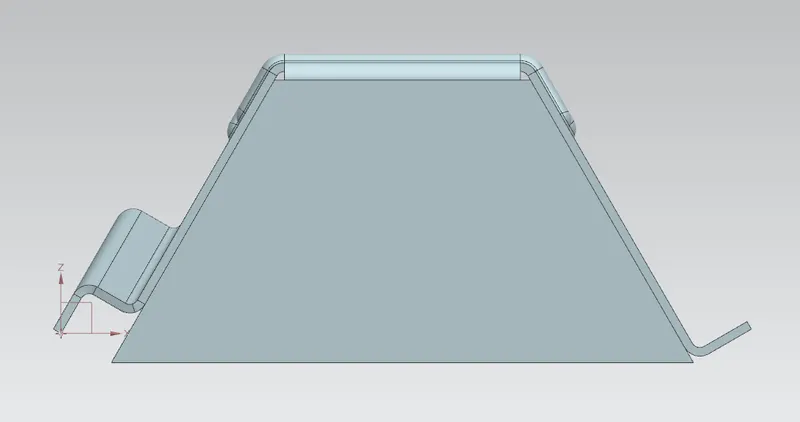
Front view
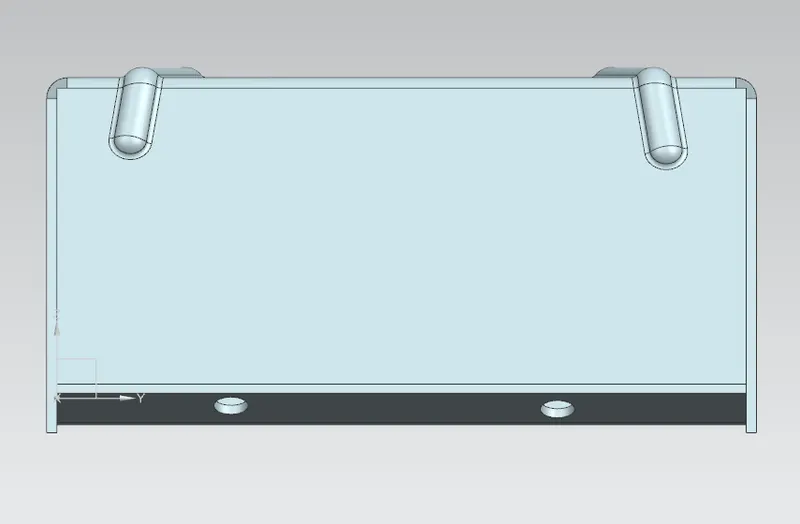
Side view
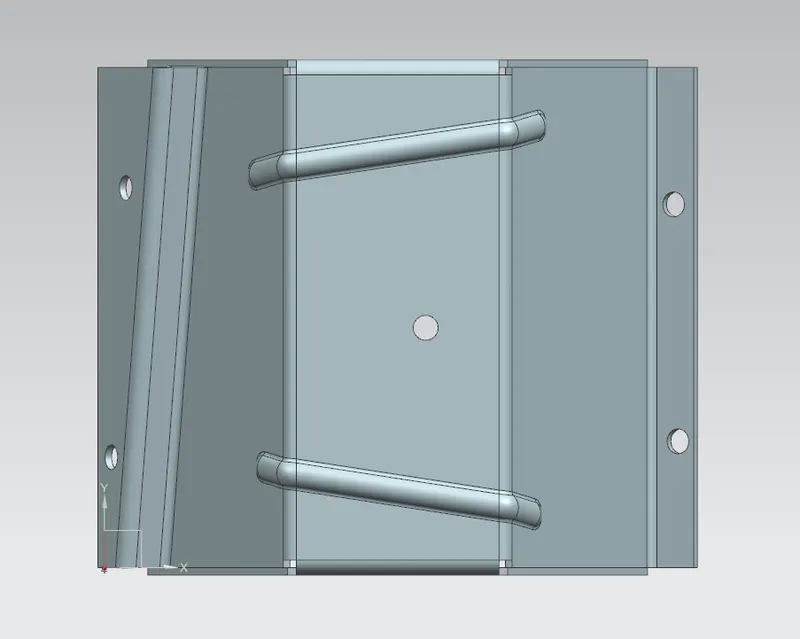
Top view
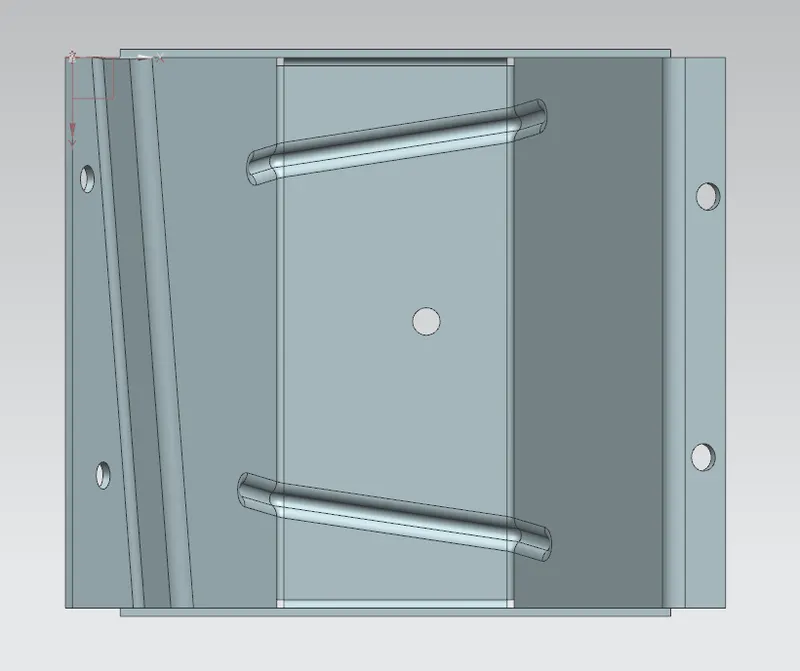
Bottom view
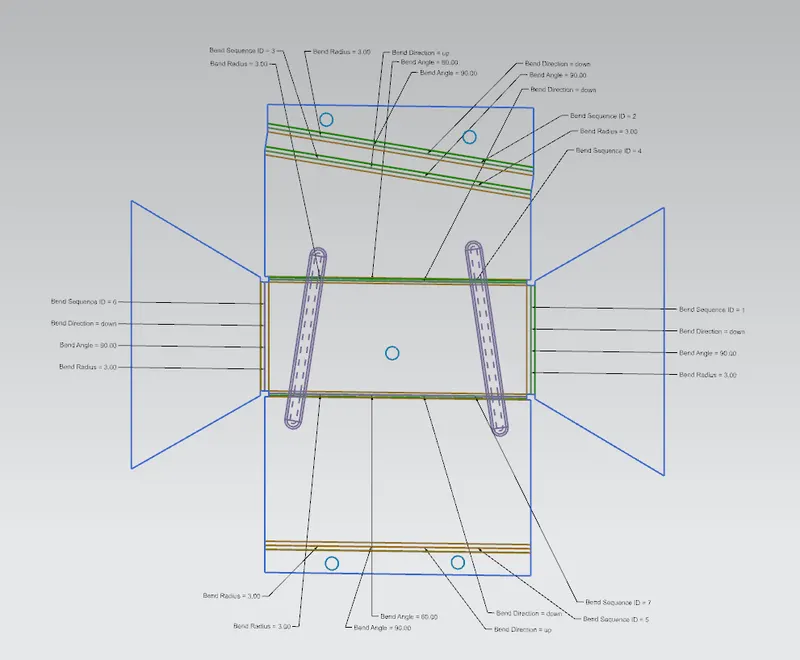
Flat pattern
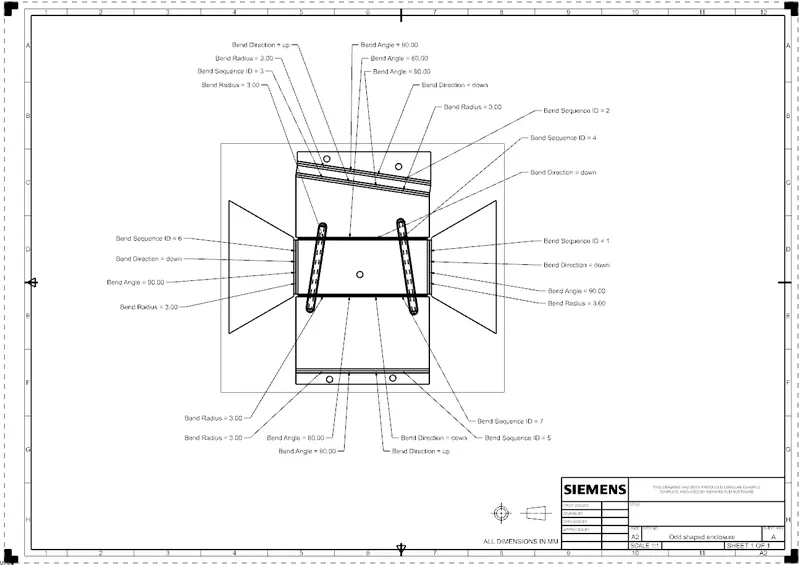
Drawing sheet
conclusion :
The objective of the project has achieved. The sheet metal Encloser has desigend using NX CAD and the drafting is done on Encloser.