Advanced Sheet Metal Design Using NX Cad Challenge_5_Odd Shaped Enclosure
Odd Shaped Enclosure:
INTRODUCTION:
SOLID PART:
- Select the datum plane and create the sketch on the surface.
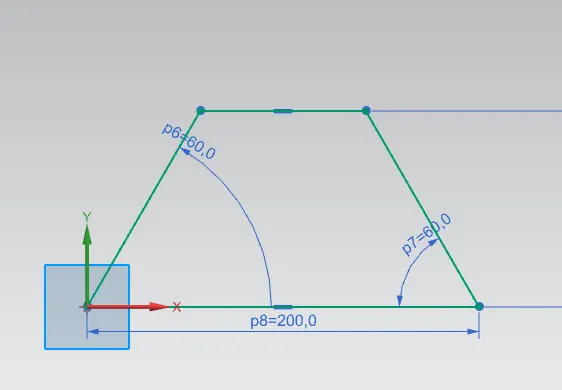
- select the solid extrude command.
- extrude the sketch by using the sketch.
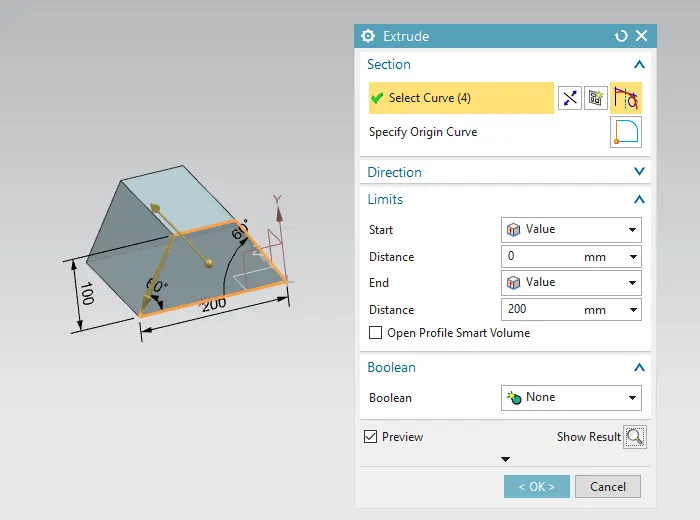
- end distance is 200mm.
- Solid by converted into sheet metal.
- select the SHEET METAL FORM SOLID command.
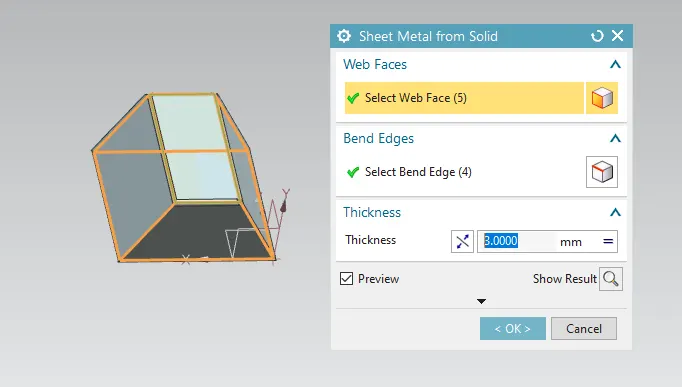
- select the top surface of the solid body surface and then select the edges of the body.
- do the same operation to the other surfaces and select the edges.
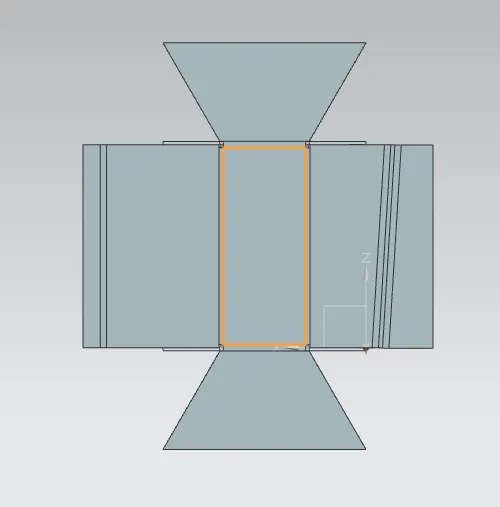
- unbend command is used on the sheet metal surface .
- to check the corners of the surface.
flange command :
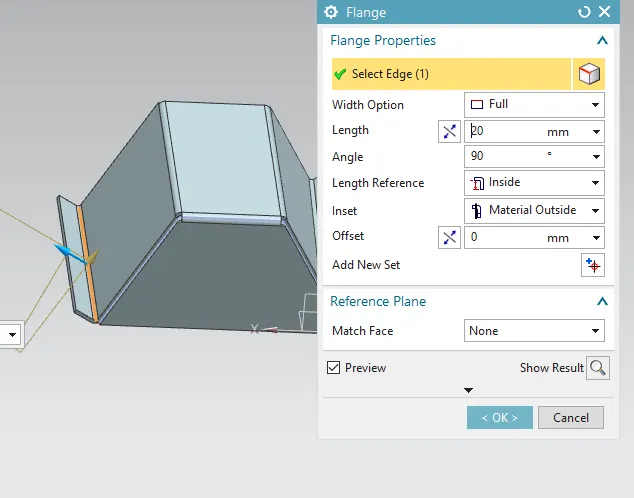
- select the edge of the sheet metal surface.
- provide the length of 20mm and angle of 90 degress.
jog:
- create the sketch on the surface on the required plane.
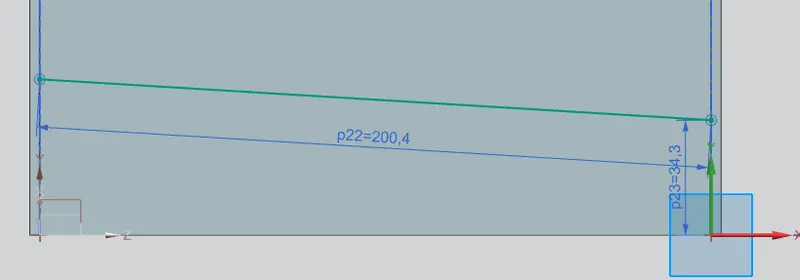
- select the jog command and select the sketch and flange that is provided.
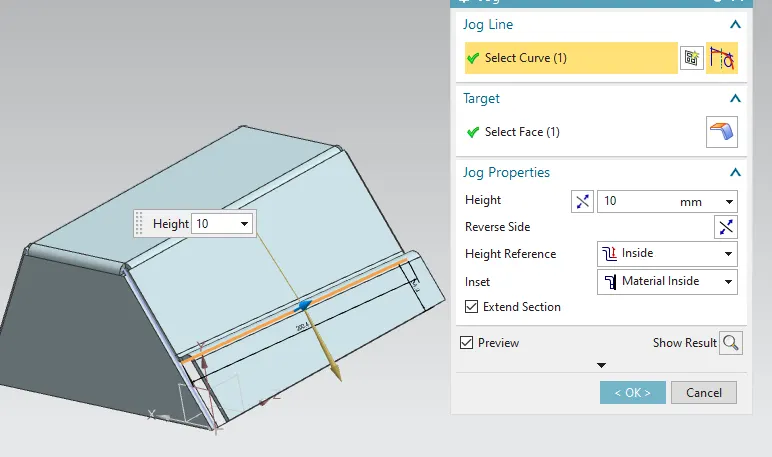
- provide the height of 10mm.
- height can be increased.
Bead command :
- first, unbend the sheet metal surface and create the sketch on it .
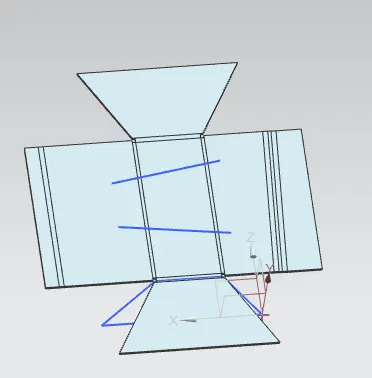
- select the bead command.
- select the line.
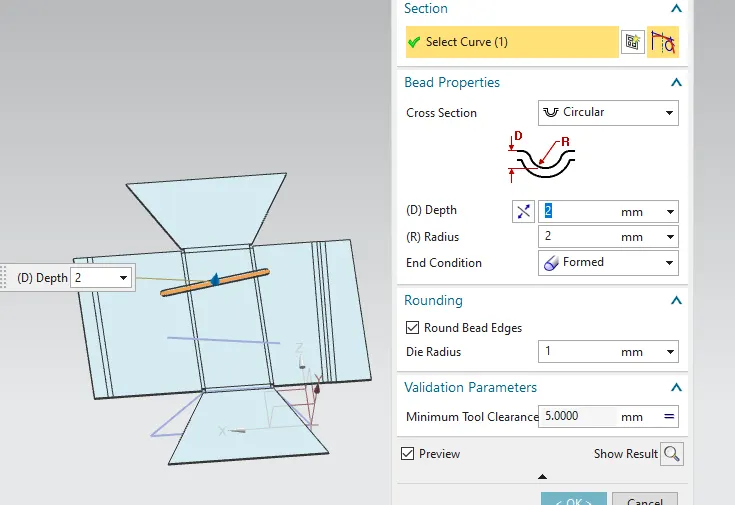
- depth of 2mm.
- the radius of 2mm.
- do a similar operation to another line create the line and select the bead command and go depth and radius.
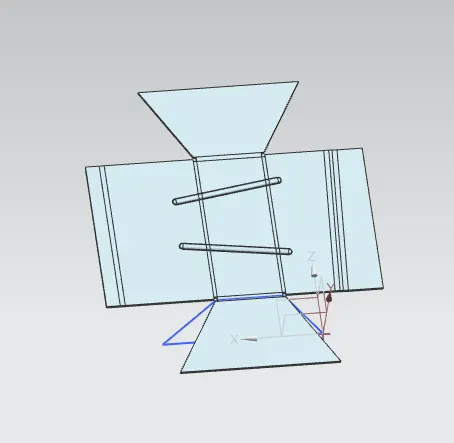
HOLES:
- Select the hole command by using the sketch to create the points on the surface.
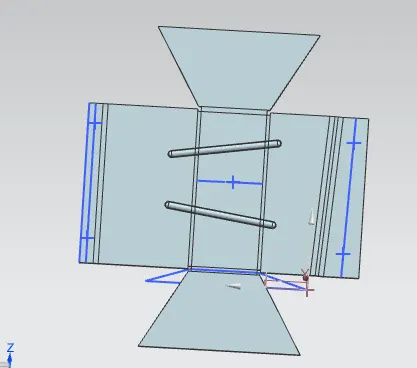
- select the point.
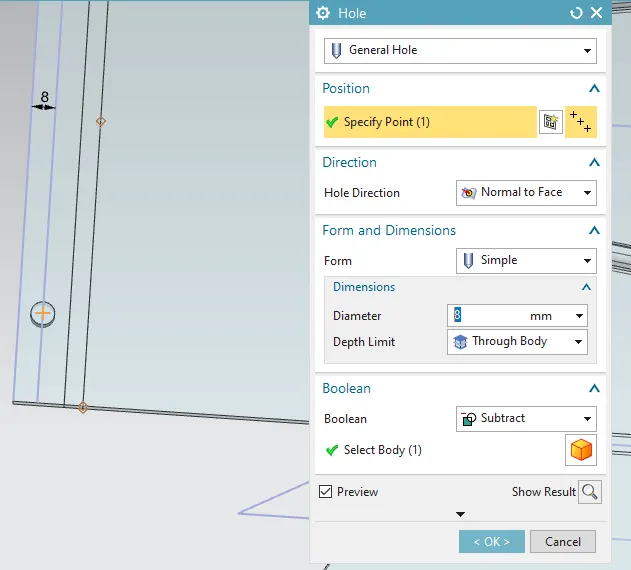
- give the required diameters to the holes.
- do a similar operation to the surface.
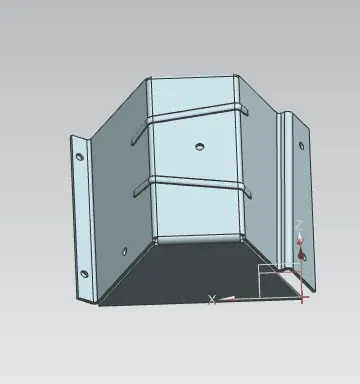
- rebend the surface by using the rebend command.
- after completing all operations.
- go to a flat pattern and select the surface and the edge.
DRAFT:
DRAWING SHEET:
- select the drafting sheet and select the size.
- select the base view and set it on the sheet.
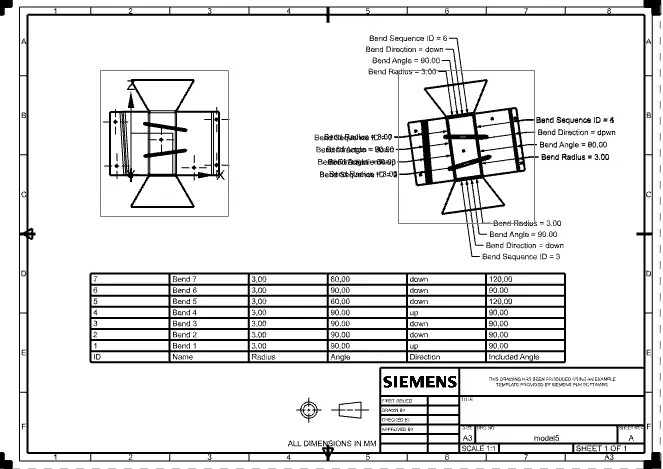
- to create the table select the bend table and sketch the table will be provided.