Advanced Sheet Metal Design Using NX Cad Challenge_5_Odd Shaped Enclosure
Odd enclosure in sheet metal design
Objective-
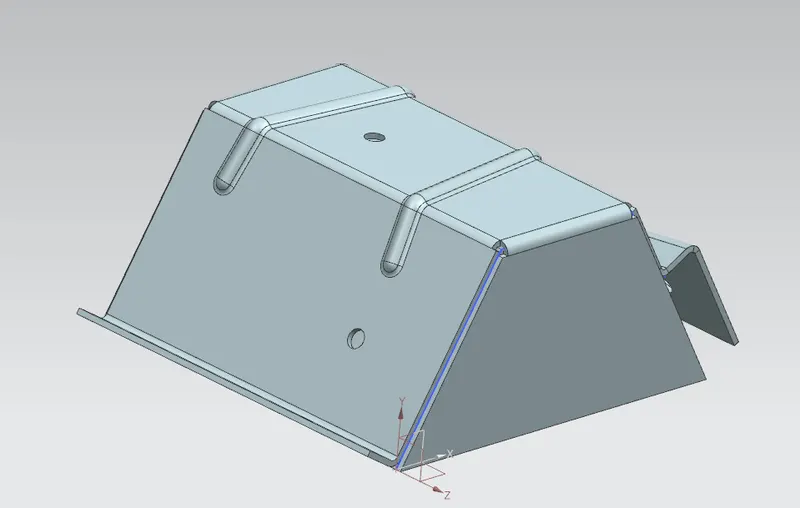
In this assessment, I have learnt to create a sheet metal from an existing solid body. And have added features like flanges, jogs, beads, holes and finished with flat pattern.
There is nothing specific in this model. It is only for practising in an odd way and mixed features.
Introduction
In this firstly, I created a solid body, then I added a 3mm sheet metal over that like wrapped it around. I then added a flange and a jog around the side. I unbent the sheet and added beads and holes by sketching. And re-bent it back and created a flat pattern.
Design methodology-
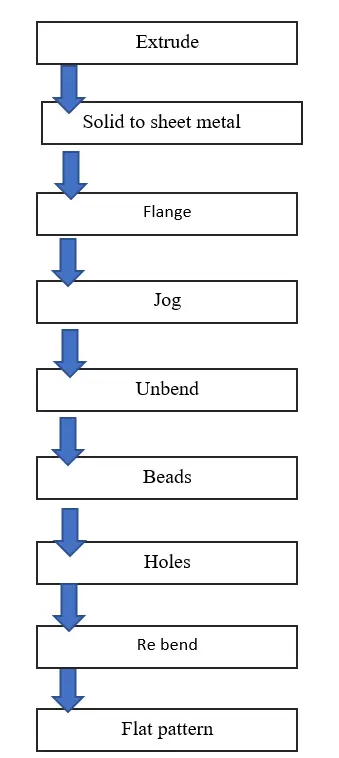
Description-
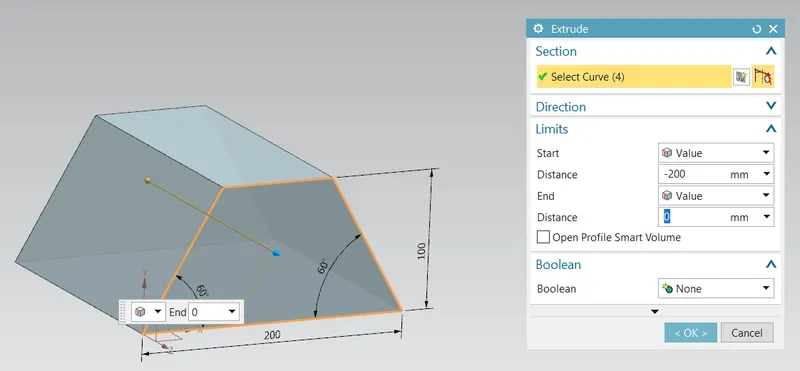
Extrude-
A solid body was created at first using a sketch and then extruding it for 200 mm.
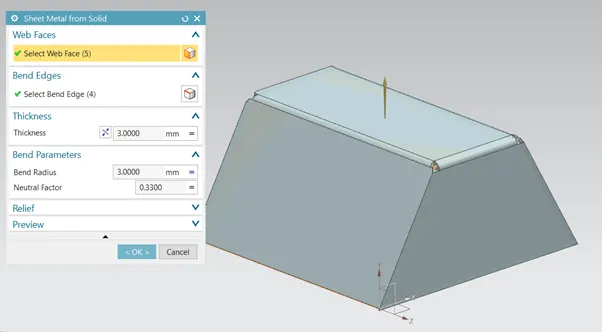
Sheet metal from solid-
From the solid extruded in last step, by using the Sheet metal from solid command I was able to create sheet metal above the solid body if a similar shape. The sheet metal is given a thickness of 3mm.
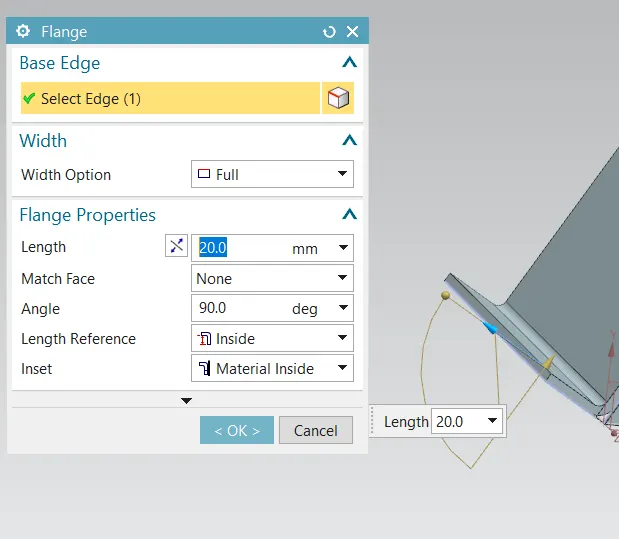
Flange-
A flange was added to the left leg side of a 20 mm length perpendicularly.
Jog-
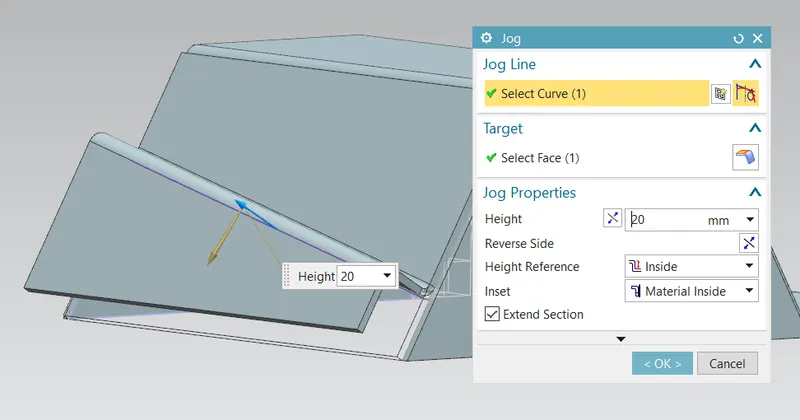
A jog was added on the right side of the surface by drawing a line on the surface, and was given a 20mm length the jog.
Beads-
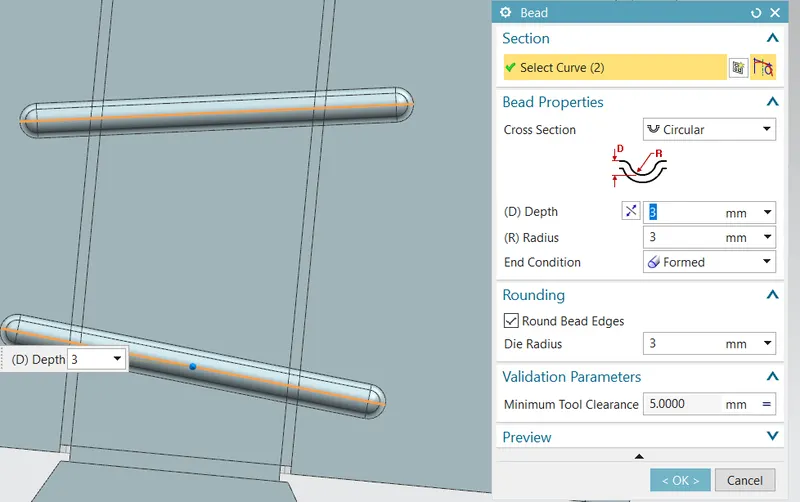
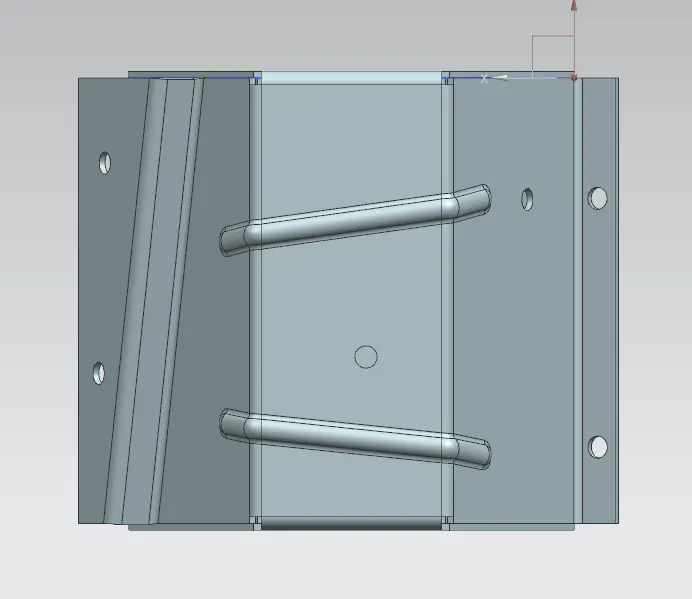
Before adding beads we need to unbend the sheet metal, so we unbent the sheet and added the beads by adding a sketch on the top surface.
Holes-
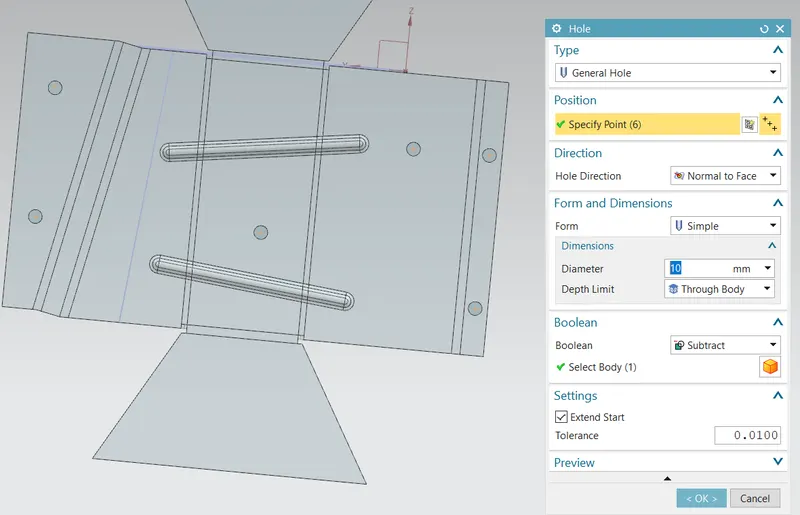
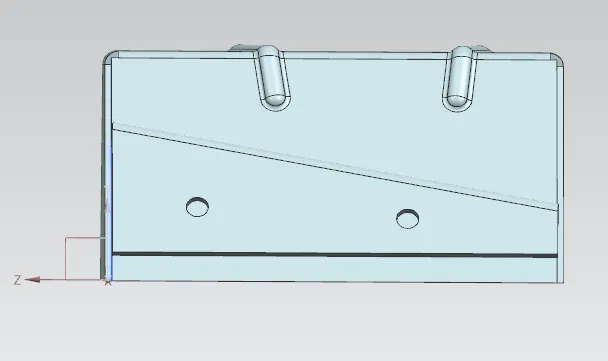
Beads were followed by holes, in the unbent mode itself the general holes were added around different faces.
Flat pattern-
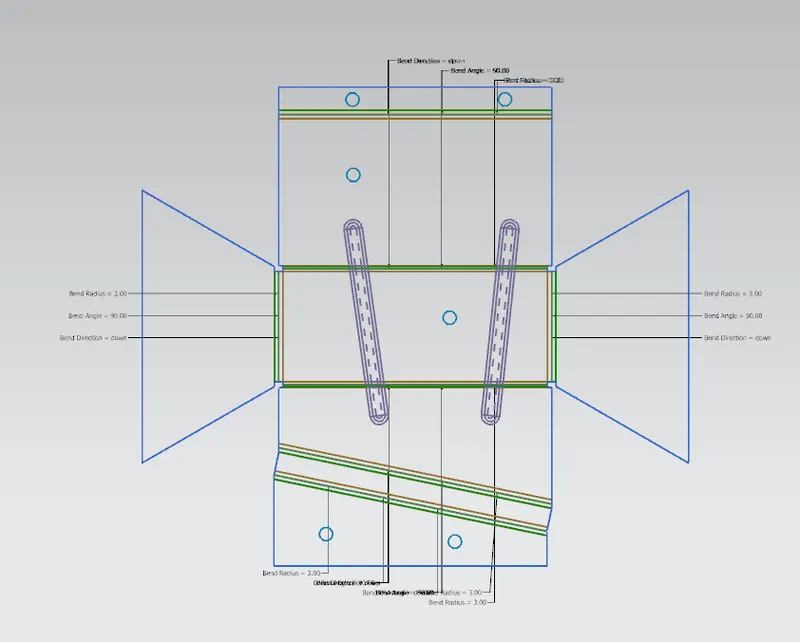
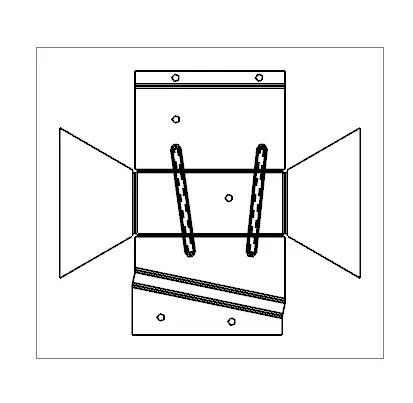
We re-bent the faces and metal and then the metal was given a flat pattern command was given to the metal and was pasted in the drawing sheet.
Other images-
Conclusion-
In conclusion, the basic features and tools are used to create a sheet Metal part with odd and irregular shapes.
With all the necessary features and following proper sequence/ work flow I successfully created this model.