Advanced Sheet Metal Design Using NX Cad Challenge_5_Odd Shaped Enclosure
AIM: To create a Odd Close Enclosure.
OBJECTIVE: To design a 'Odd Close Enclosure' using Siemens NX Sheetmetal Application.
INTRODUCTION:
Sheet metal is metal formed by an industrial process into thin, flat pieces. Sheet metal is one of the fundamental forms used in metal working and it can be cut and bent into a variety of shapes. Countless everyday objects are fabricated from sheet metal.
Applications: Aircraft bodies, Automobile bodies, Utensils used for domestic purpose, Bevarage Cans.
The Sheetmetal Application provides an environment for the design of sheetmetal parts used in Machinery,Automotive,Aerospace etc.
By using Sheetmetal Application We can do:
- Import, clean up, and convert a non-sheetmetal part to a valid sheetmetal part.
- Export lat pattern data of sheetmetal part to a valid sheetmetal part.
Design Methodology
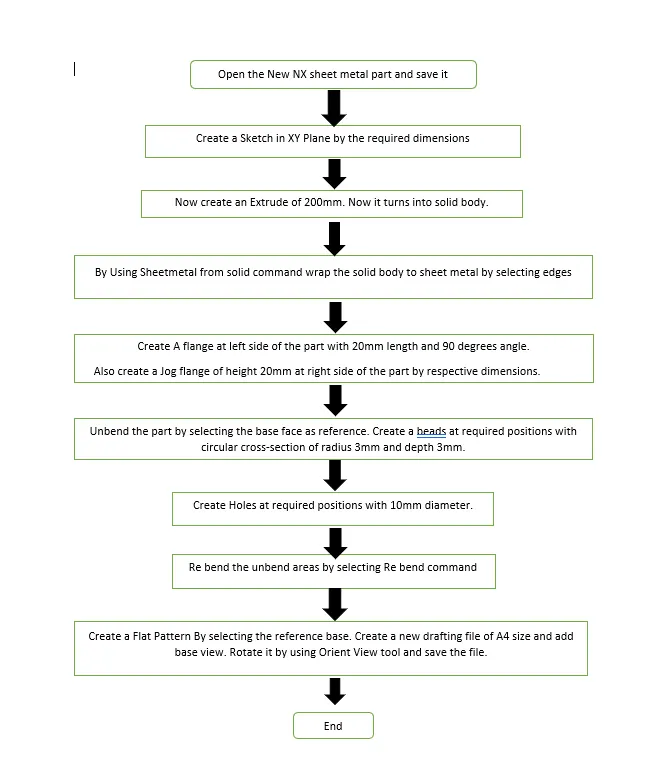
Description:
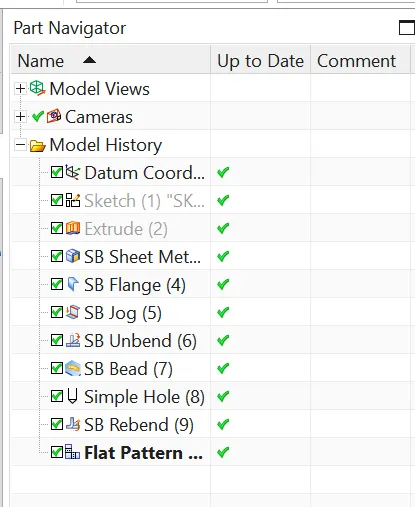
Sketch: It is basic comand to draw to dra 2d models
Extrude: This command is used To make the 2d Sketch in to 3-dimensional body.
Sheetmetal from Solid: This command is used to convert solid body to sheet metal bys selecting the base and edges. We can aso apply additional geometry for conversion.
Flange: This command is used to add a flat flange at a angle to the planar face and add a bend between the two. A flange consists of bend region and a web.
Jog Flange: This command is used to create an offset or a step in tab. The section for the jog must consist of a single line across a planar face. NX creates the jog by lifting material on one side of the jog line and adding a flange between the two sides.
Unbend: This command is used to faltten the 3D model by selecting one stationary face.
Bead: This command is used to lift material along contour of a sketch that stimulates a stamping tool. Bead can also be created to stiffen shhet material.
Hole: This command is used to create a different type of holes by selecting the screw size and fit.
Rebend: This command is used to rebend the flattern sheet material.
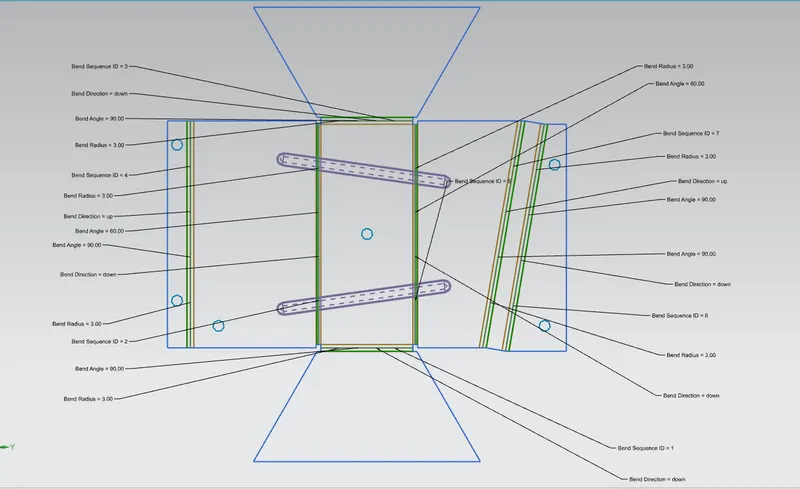
Flat Pattern: This Command is used to create a 2D representation of a 3D sheetmetal part.
Model Images:
Front View
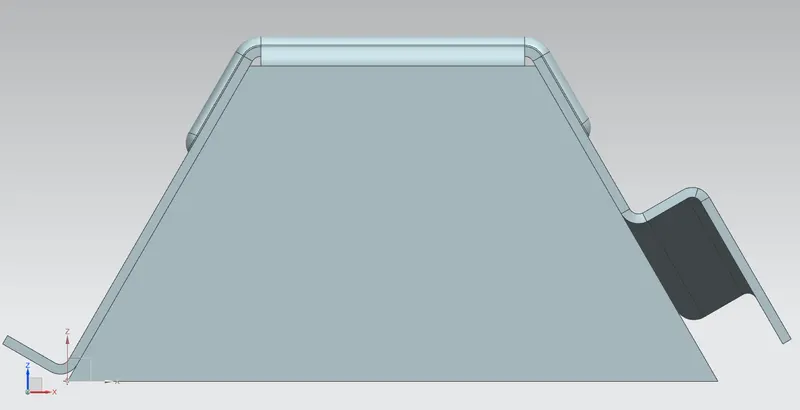
Side View
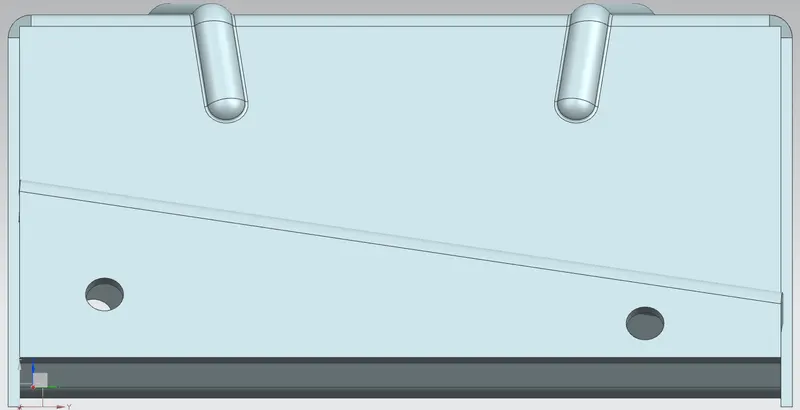
Top View
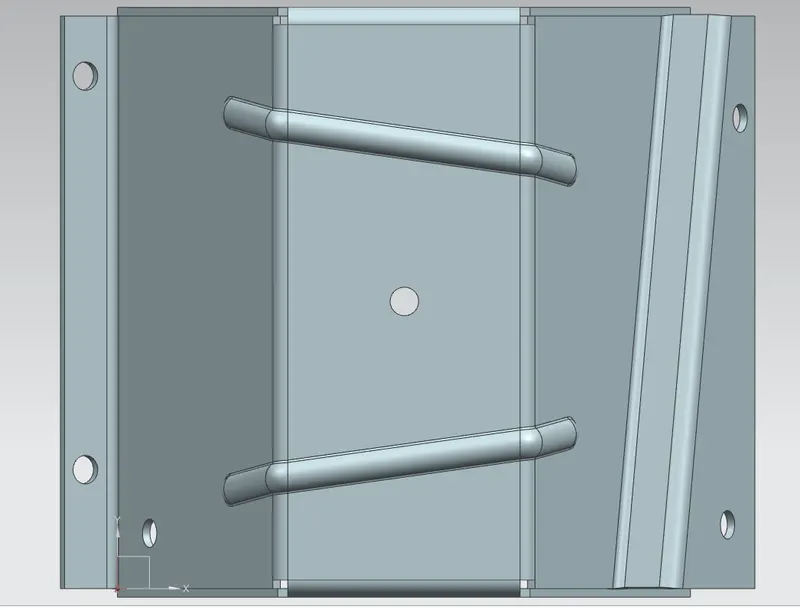
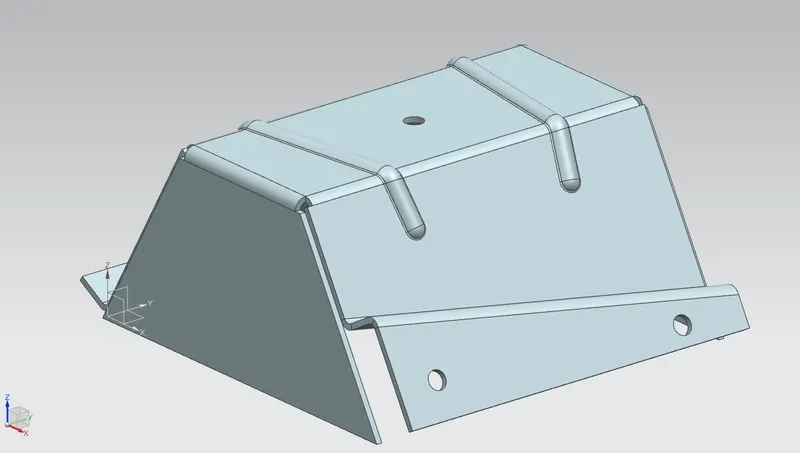
Isometric View
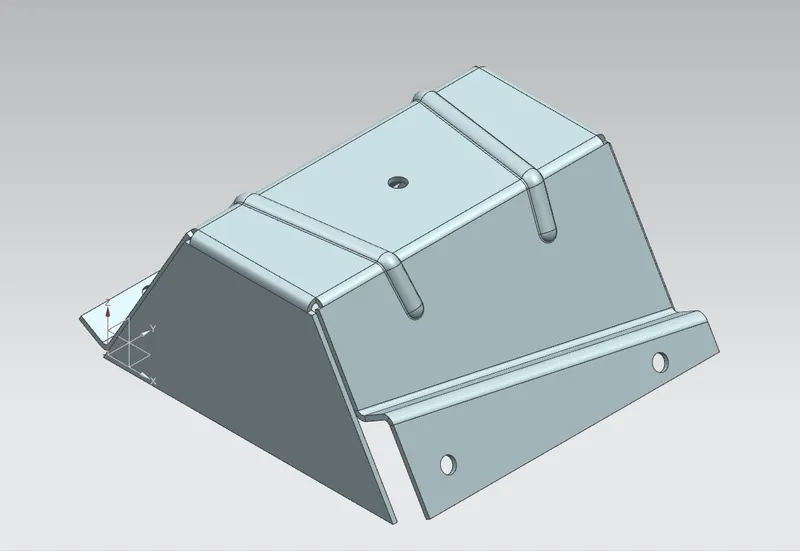
Trimetric View
Feature Manager Tree
Flat Pattern:
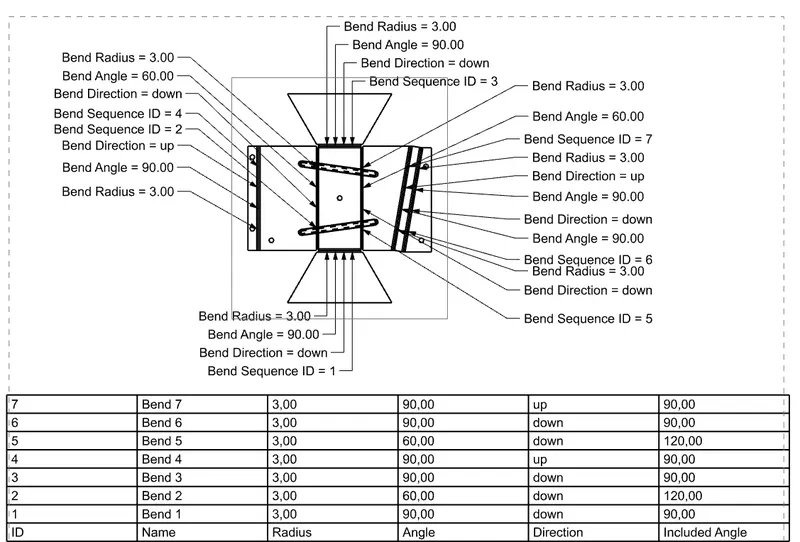
Drawing Sheet:
Conclusion:
By using NX application The 'Odd Shaped Enclosure' has done. By this challenge we learn about the how to use various commands and the result is satisfactory.