Advanced Sheet Metal Design Using NX Cad Challenge_5_Odd Shaped Enclosure
Title of the Project : Design a odd shaped enclosure using NX CAD Sheetmetal
Objective : Create an odd shpaed enclosure in sheetmetal NX CAD
Introduction:
Sheet metal is one of the most versatile and widely used manufacturing methods. It has a significantly lower cost than machining cavities into metal blocks. For making a sheet metal component following steps are performed:
- Material selection
- Wall thickness
- Bend radii
- Bend allowance
- K Factor
- Bend reliefs
- Manufacturing process
- CAD platforms
Design methodology:
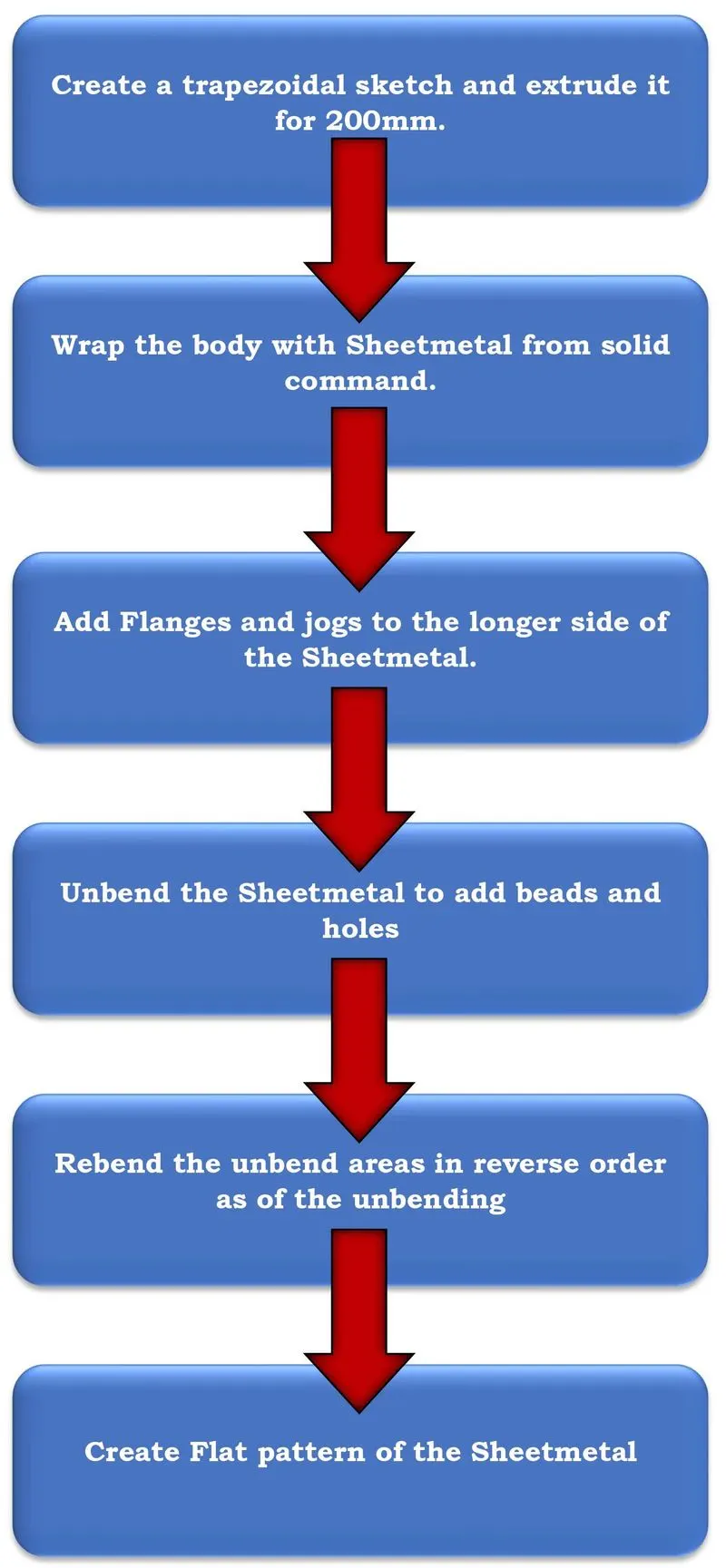
Description:
All the tools and features used are as below:
1. EXTRUDE:
It creates a solid body Normal to the sketch.
2. SHEETMETAL FROM SOLID:
Creates a sheet metal enclosure on the solid body according to the faces selected bends are created.
3. FLANGE:
This command creates a flange or extension on the edge of the body selected.
4. UNBEND:
It is used to flatten a bend to its reference surface.
5. HOLE:
Used to create holes in the given body according to the size of the body and screw fit type.
6. BEAD:
Lifts a material along a counter of a sketch to make punch or stamp around it.
7. REBEND:
Restores a bend from its flattened section to the original.
8. Flat pattern:
Creates a flat pattern feature from the formed sheet metal part.
9. Jog:
Creates a bend twice over the given linear sketch
Views:
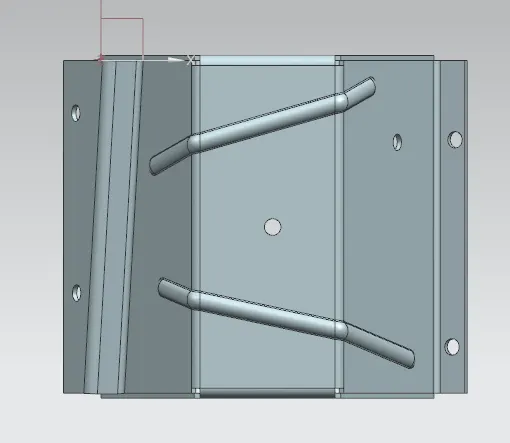
Top view:
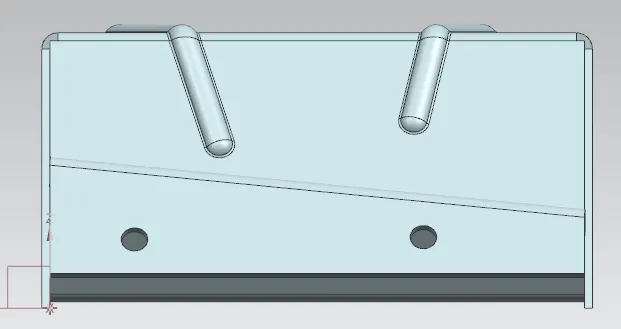
Side View:
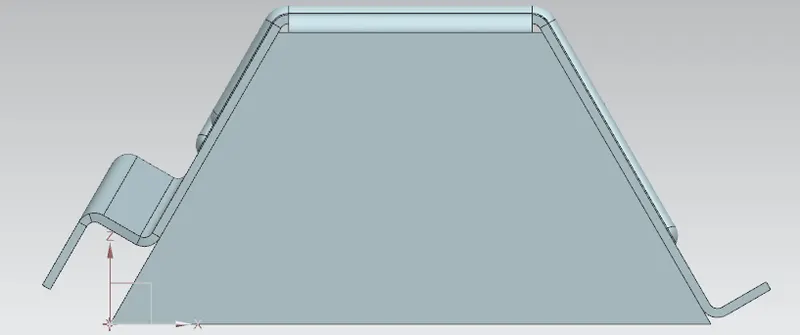
Front View:
Isometric View:
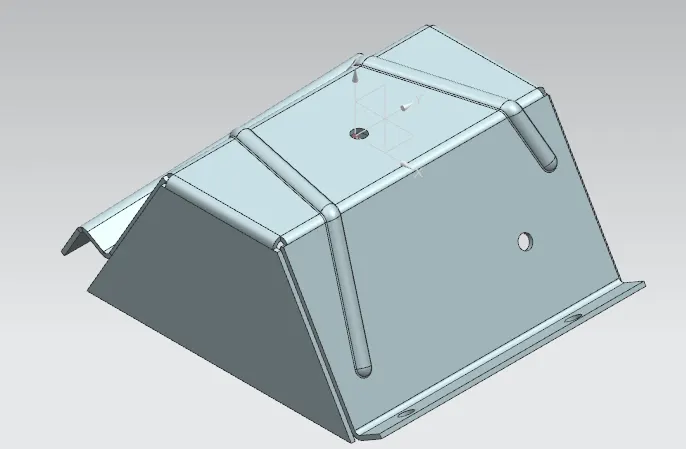
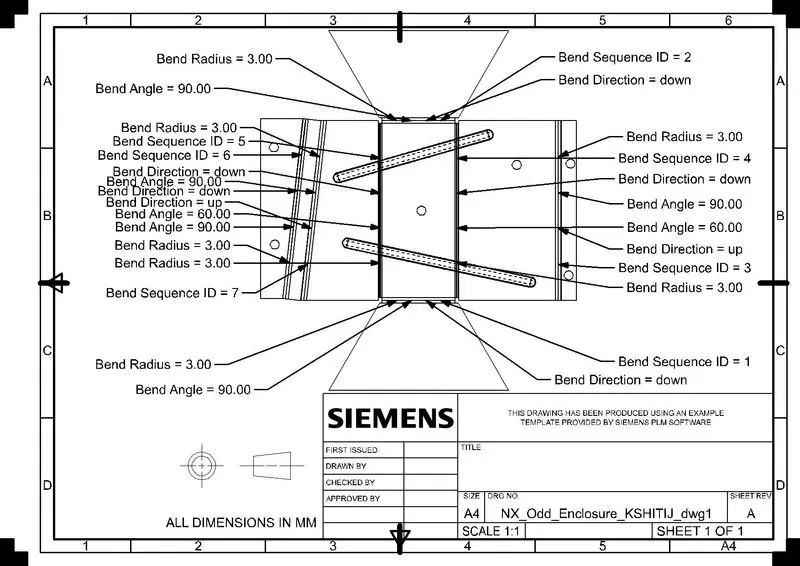
Drawing Sheet:
Conclusion:
Odd Shaped Enclosure was successfully created in NX CAD sheet metal Application using the various tools and features.