Advanced Sheet Metal Design Using NX Cad Challenge_5_Odd Shaped Enclosure
Advanced Sheet Metal Design Using NXCAD (Challenge 5 Odd Shaped Enclosure)
Objective:
This challenge aims to create an “Odd Shaped Enclosure” using different types of tools/features.
What is NX CAD?
NX CAD is an advanced high-end CAD/CAM/CAE software used for designing models etc. It was formerly known as Unigraphics owned by Siemens PLM Software.
What is Sheet Metal?
Sheet metal is a thin and flat piece of metal formed by rolling or hammering, sheets are available in many different metals, namely aluminum, copper, brass, steel, gold, silver, etc.
Tools used to create the Odd Shaped Enclosure:
- Sketch
- Extrude
- Flange
- Sheet Metal from Solids
- Jog
- Unbend
- Rebend
- Bead
- Simple Hole
- Flat Pattern
Here,
- Flange: This command is used to create an extended part (bend) of the sheet metal, it is created on on edge of the model, the angle, length, width of the flange can be changed according to the determined requirements.
- Extrude: This command is used to create a solid feature by extruding a sketch profile along a given direction thereby adding volume to the extruded part.
- Sketch: This command is used to sketch the required shape design.
- Jog: This command is used to create an offset or step in the tab, you can use small jogs to provide clearance or rigidity to a part.
- Bead: The bead command is used to create the long-drawn-out impression which is impressed to increase stiffness in Sheet metal.
- Unbend: This command is used to unbend the whole model into a flattened sheet.
- Rebend: This command is used to rebend all the joints as previously stated to finally complete the sheet metal model.
- Flat Pattern: This command is used to flat the model or sheet metal design into a flattened shape to be used in drafting.
- Sheet Metal from Solids: This command is used to convert a solid part/body/model into sheet metal with numerous options to play with, this command was used in this challenge.
- Simple Hole: This command is used to create a hole on one or more solid bodies in a part or assembly with various options of which one being “Simple Hole” this comes under the category of Holes.
Design Methodology
- Sketch the required shape
- Extrude it.
- Use the command Sheet Metal from Solids
- Add some flanges
- Draw required sketches
- Add Jog
- Unbend the sheet metal part
- Add Bead
- Add multiple holes
- Rebend it
- Lastly, create a Flat Pattern of it
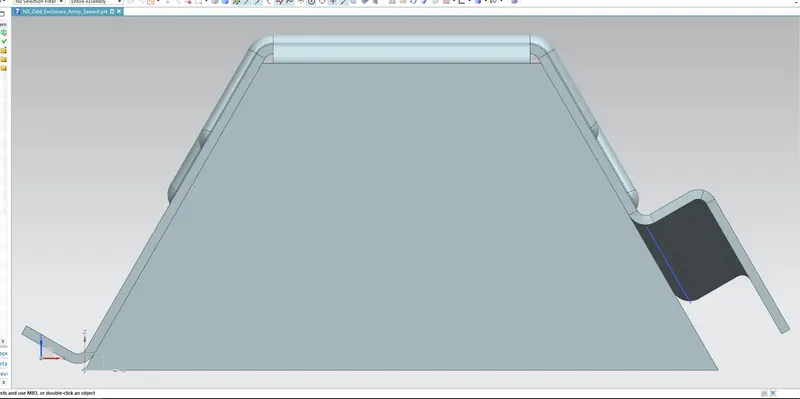
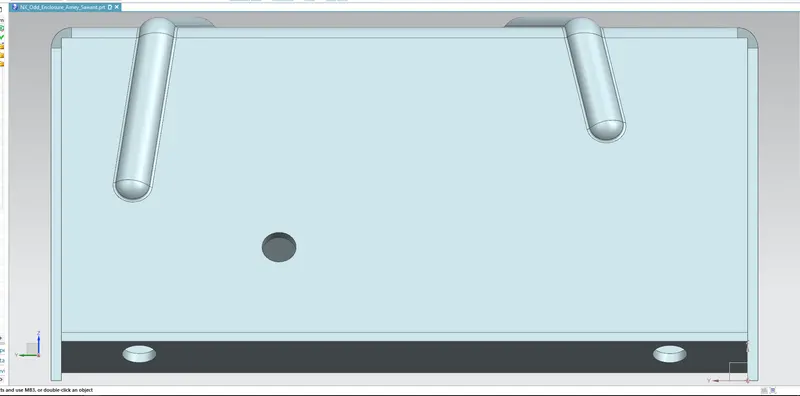
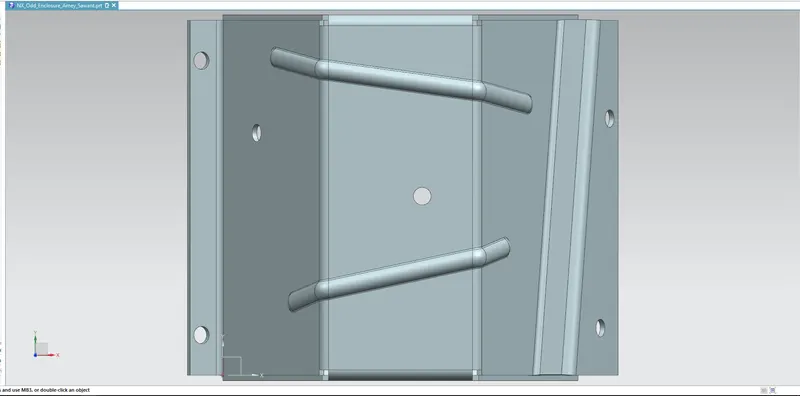
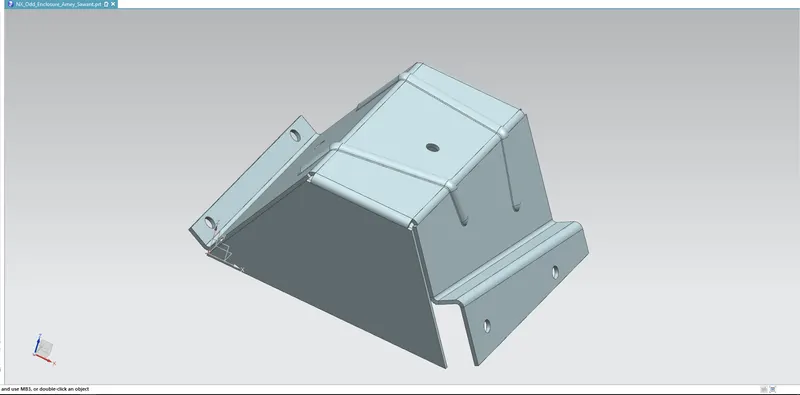
Below are the images of Odd Shaped Enclosure
FRONT VIEW
SIDE VIEW
TOP VIEW
ISOMETRIC VIEW
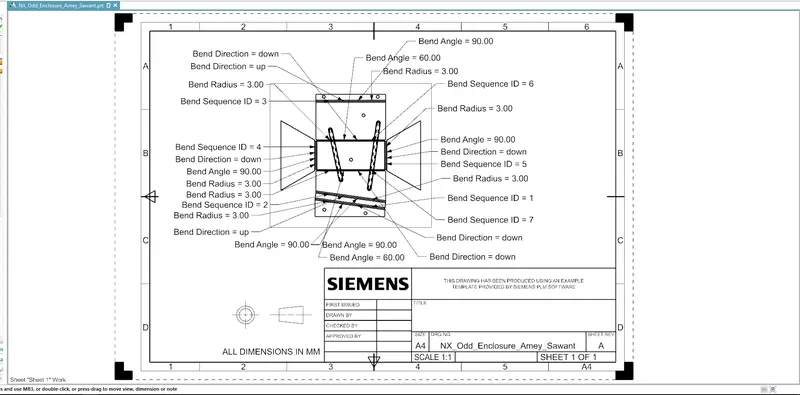
Detailed Drawing Sheet
Conclusion:
- This report concludes that the “Odd Shaped Enclosure” is created by using various tools/features mentioned above by using the NX CAD software.
- And a detailed drawing sheet has been attached to the report as well.