Advanced Sheet Metal Design Using NX Cad Challenge_5_Odd Shaped Enclosure
Advanced Sheet Metal Design Using NX Cad Challenge _Odd Shaped Enclosure
INTRODUCTION :
In this project we are going to design odd shape enclosure in sheet metal using NX CAD.
OBJECTIVE :
Is to learn how we can convert a non sheet metal part to sheet metal part by using some features.
And to use some bend features which gives the bend shape to the model.
DESIGN METHODOLOGY
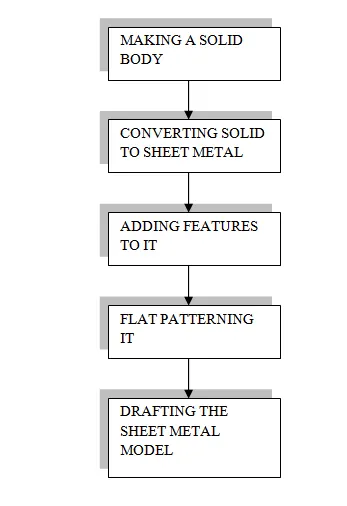
FLOWCHART
DESCRIPTION :
As we are going to make a solid model converted into a sheet model.
So for that we will make the solid model first or import the model from other software the goal is here to make the solid model into a sheet metal part so that we can bend ,unbend and rebend it.
In this we are going to make the solid model so after making the model we are going to use the features that convert the model to sheet metal and we add some features to it.
That all will be explain below as follows.
FEATURES/TOOLS USED
- Sketch
- Extrude
- Sheet metal from solid
- Flange
- Jog
- Unbend
- Bead
- Hole
- Rebend
- Flat pattern
- Drafting
So for making our solid model we are going to sketch it first in the model application of the NX CAD.
And we will use the extrude feature to it and it will be extruded in a vector direction.
After making of the model we will change the application from modeling to sheet metal from that we can start to convert the solid body to sheet metal and we will use the feature sheet metal from solid it will basically will rip the edges and cuts it out and so that we can bend unbend and rebend and use the some of the features of the sheet metal and it will convert the solid body to sheet metal.
After converting to sheet metal we can now add some flanges to it we used the normal flange on the one side.
And then we used a jog flange on the other side of the sheet metal.
And then we used the unbend feature to flat the sheet metal.
After that we will add beads to it bead actually lift up the material and gives the stamping tool effect.
And we will be also adding some holes to the sheet metal part by using hole feature.
After that we will rebend the part by using the rebend features.
We will flat pattern the sheet metal using the flat pattern feature and then we will draft the sheet.
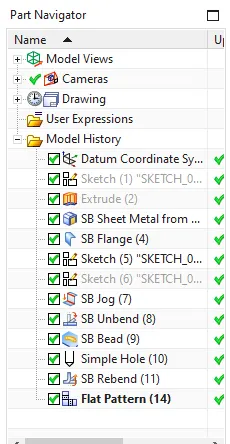
Feature tree
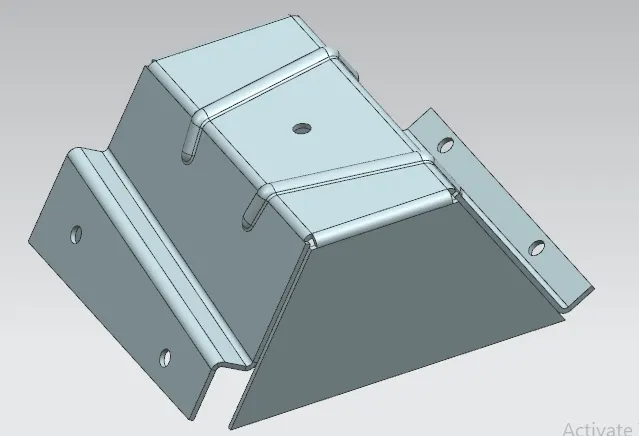
Odd shaped model
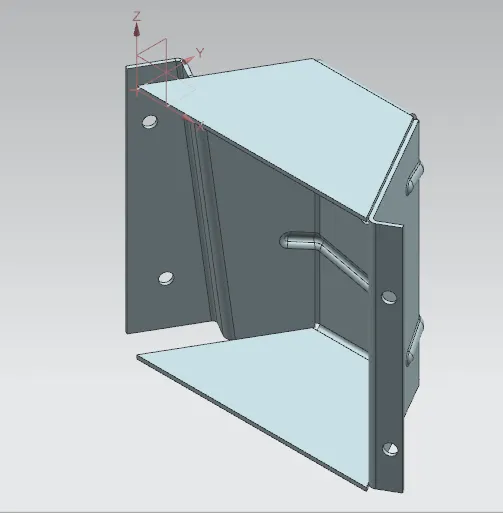
Isometric view
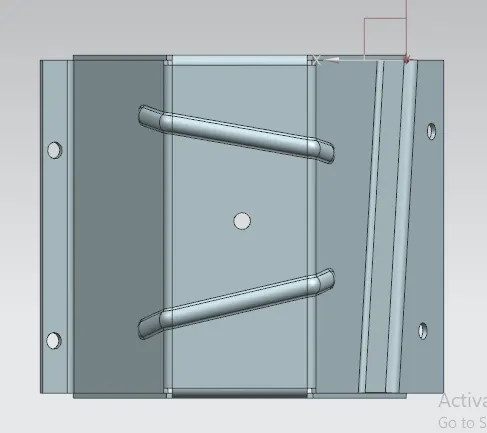
Back view
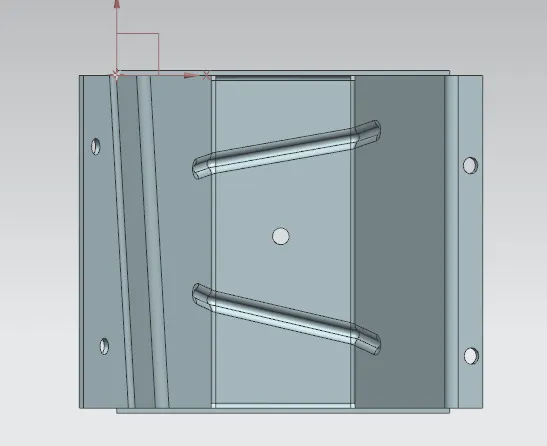
Front view
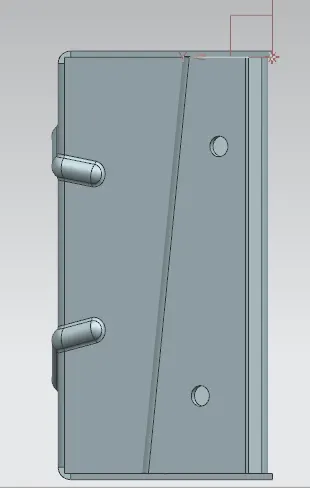
Left view
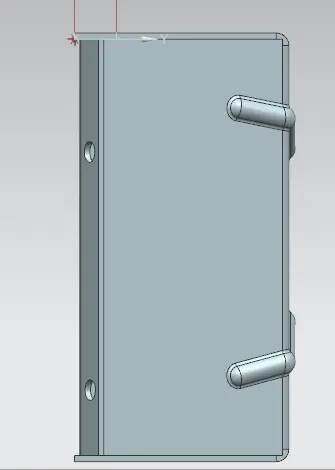
Right view
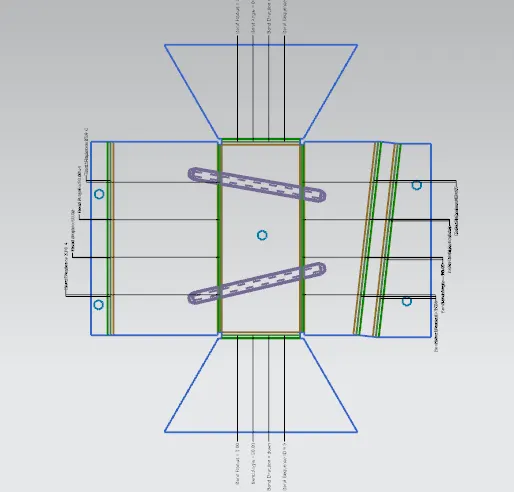
Flat pattern
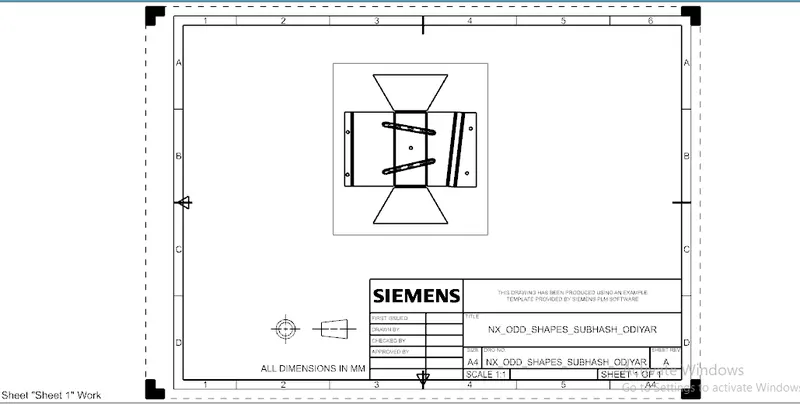
Drafting sheet
CONCLUSION :
We have learned how to convert a solid model into sheet metal.
Also we are able to model it properly as per the given information by using NX CAD.