Advanced Sheet Metal Design Using NX Cad Challenge_2_Box Assembly
Assignment :-Second_Tool Box
Objective: To design Box Assembly
Perform various operations on It like [flange,hem,closed corner,Mirror body,unite,SB Dimple,Bead,Normal Cutout,Unbend,Re-bend.
Steps taken while drawing Box Assembly-
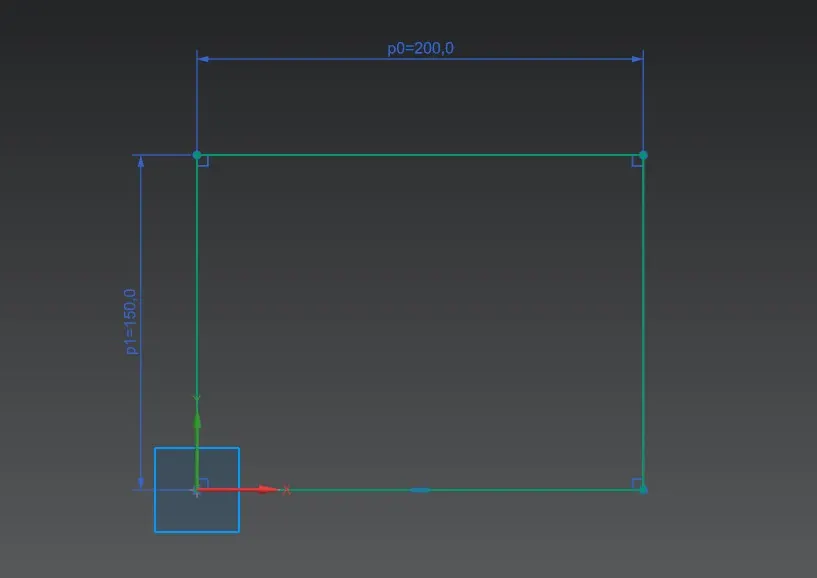
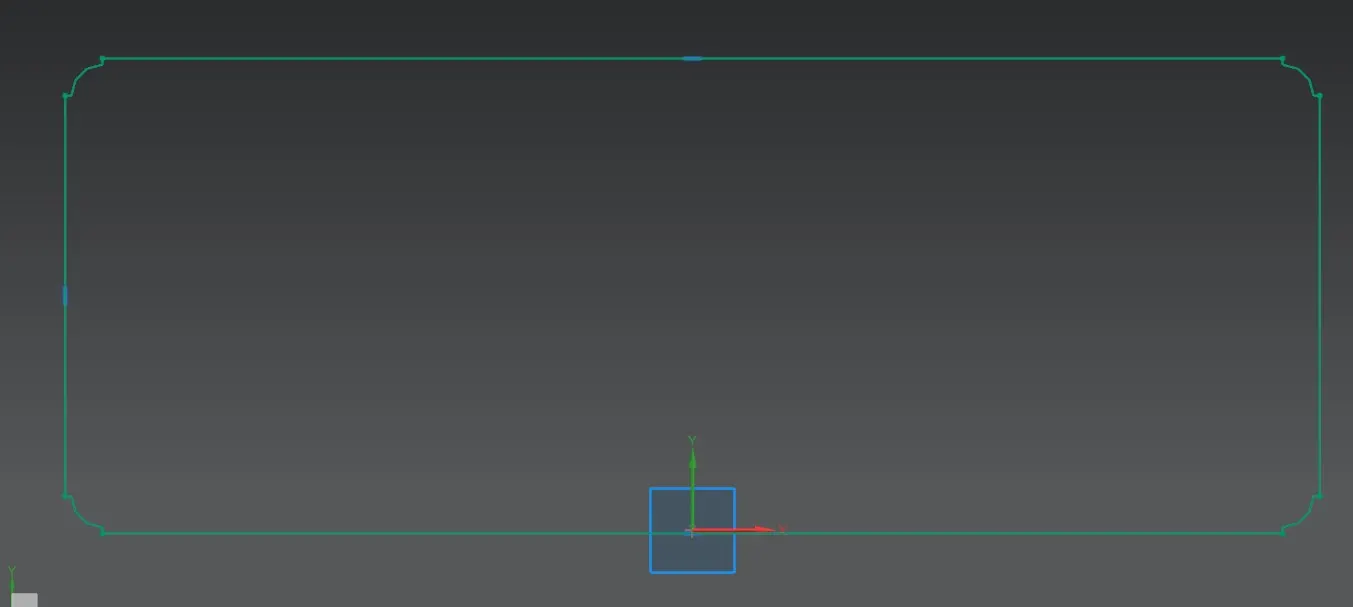
Step 1: Draw a sketch in XY plane of rectangle having dimensions 200*150.
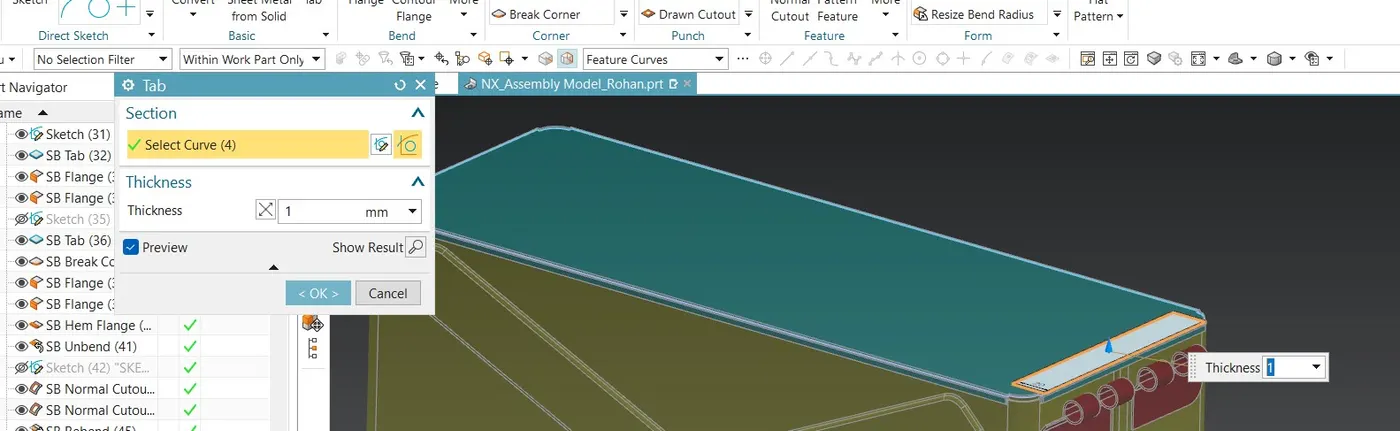
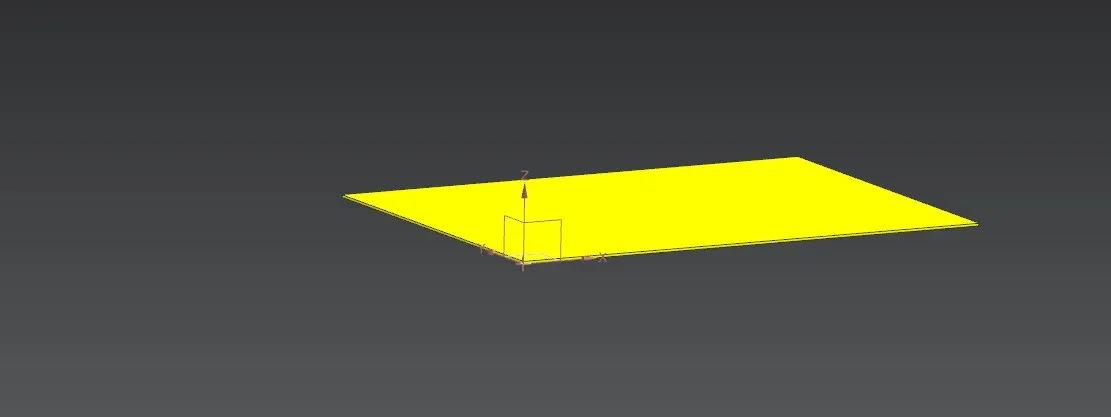
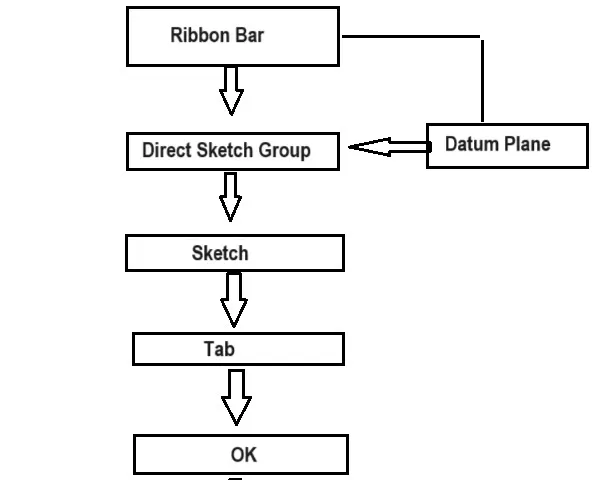
Step 2: Tab: Create a base feature by extruding a sketch along vector by a thickness value Additional Planer sections can be added to generate a bends as part of base feature
Use Tab option for extrude that sketch by 1mm.
Step 3:Flange-
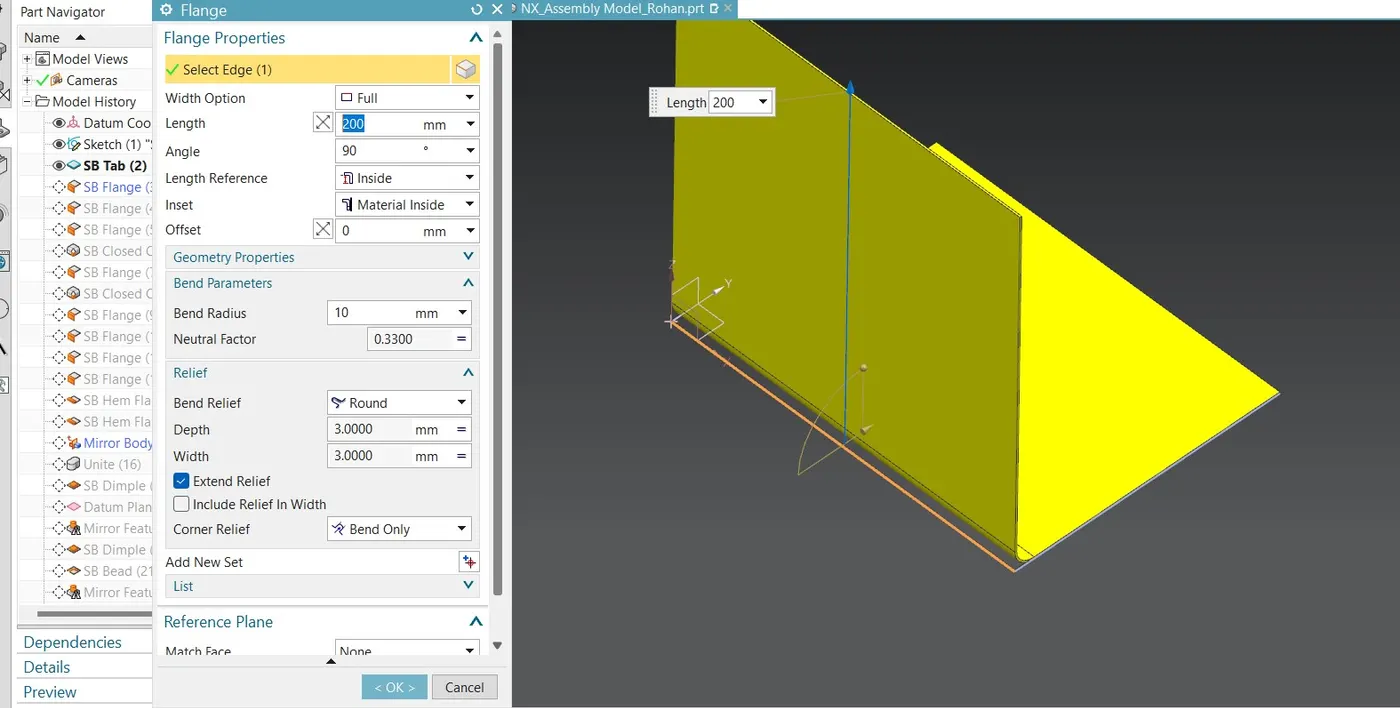
Use flange command for create walls of this box assembly width option full ,length angle 90deg ,length 200mm and length reference material inside ,inset outside,bend radius 10mm then
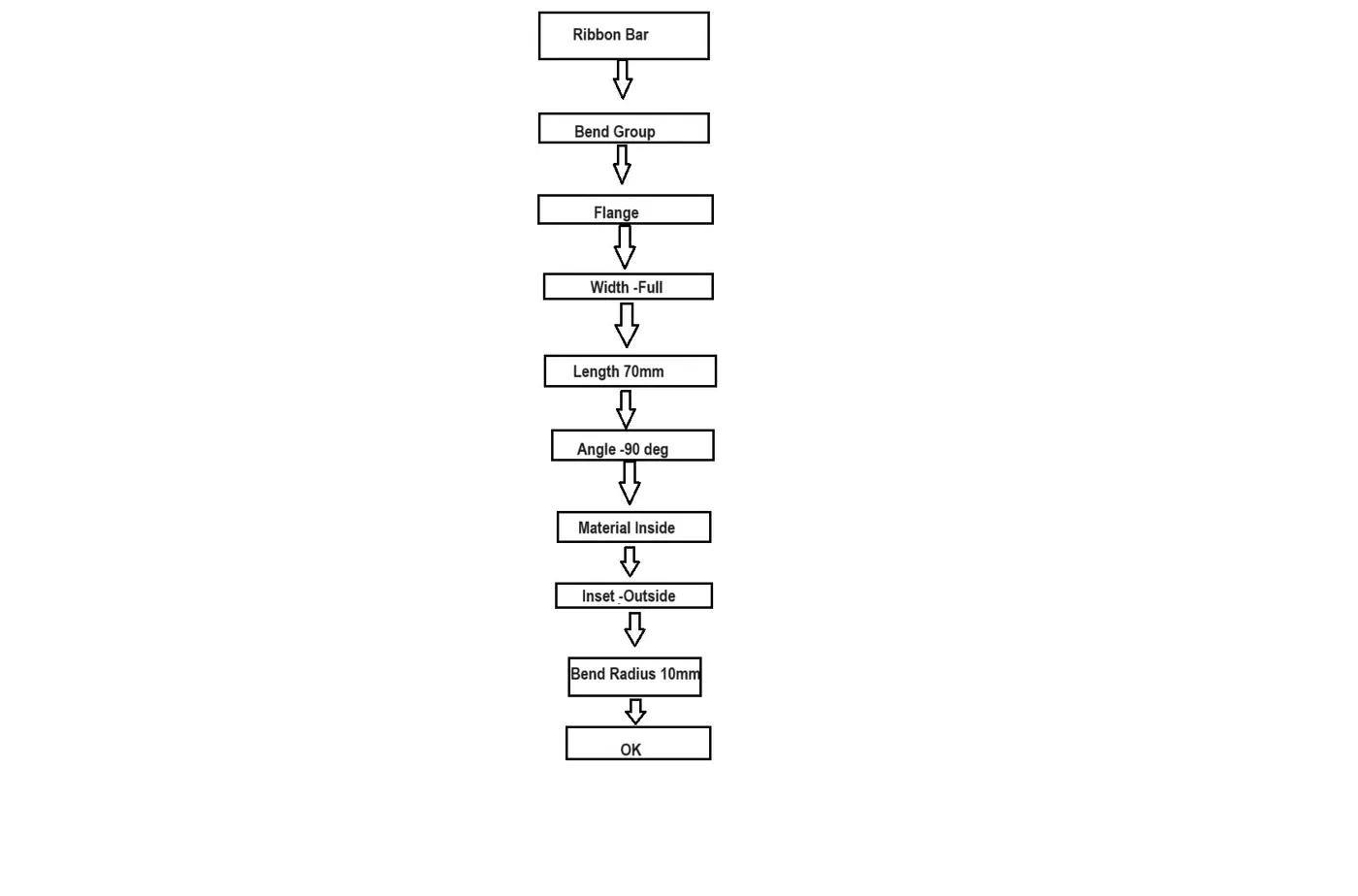
use flange again to create side flange of 70mm height and 90 deg angle with width option full and length reference material inside and inset outside bend radius 10mm.
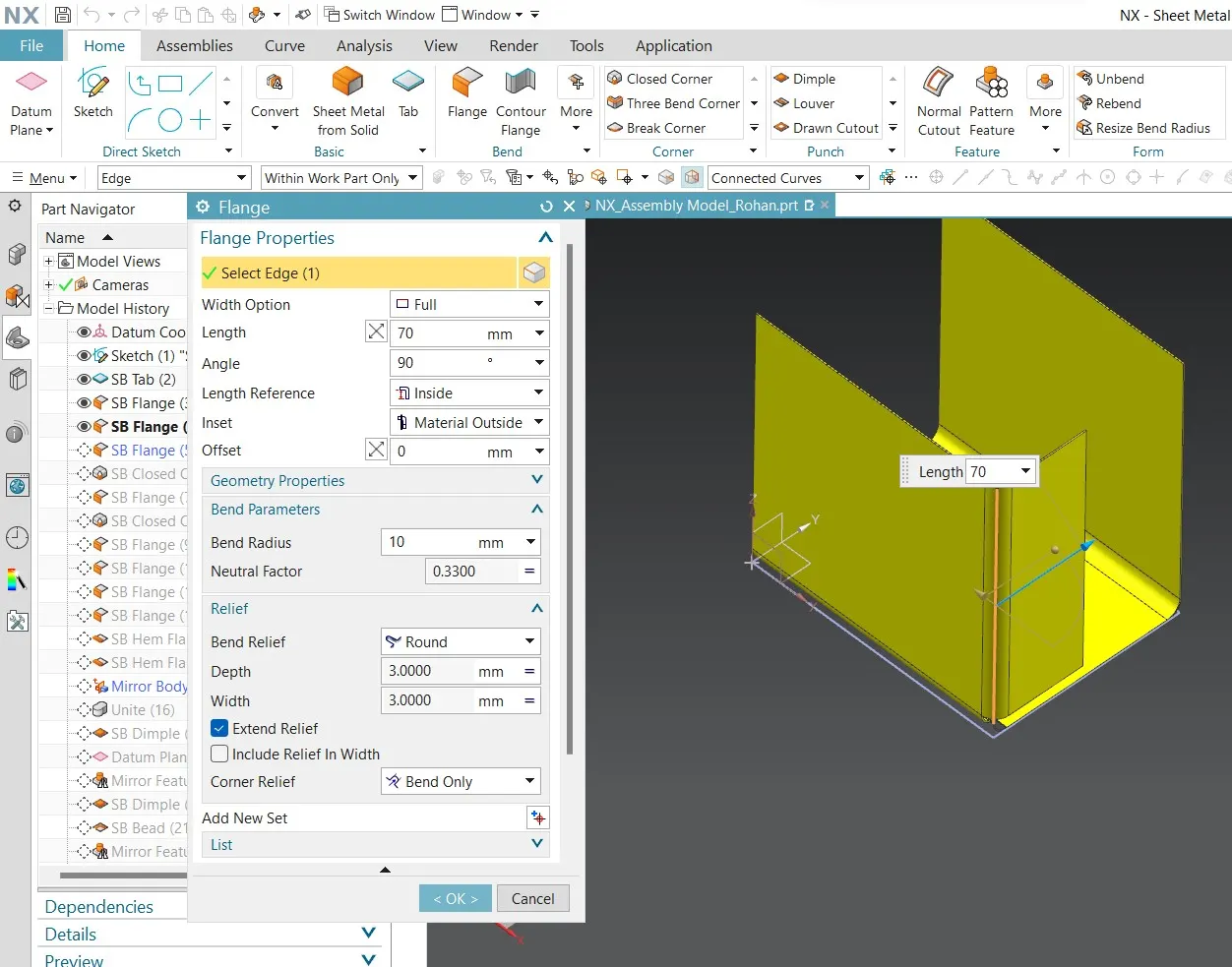
Use it for other side also .
Step 3 :Closed Corner:
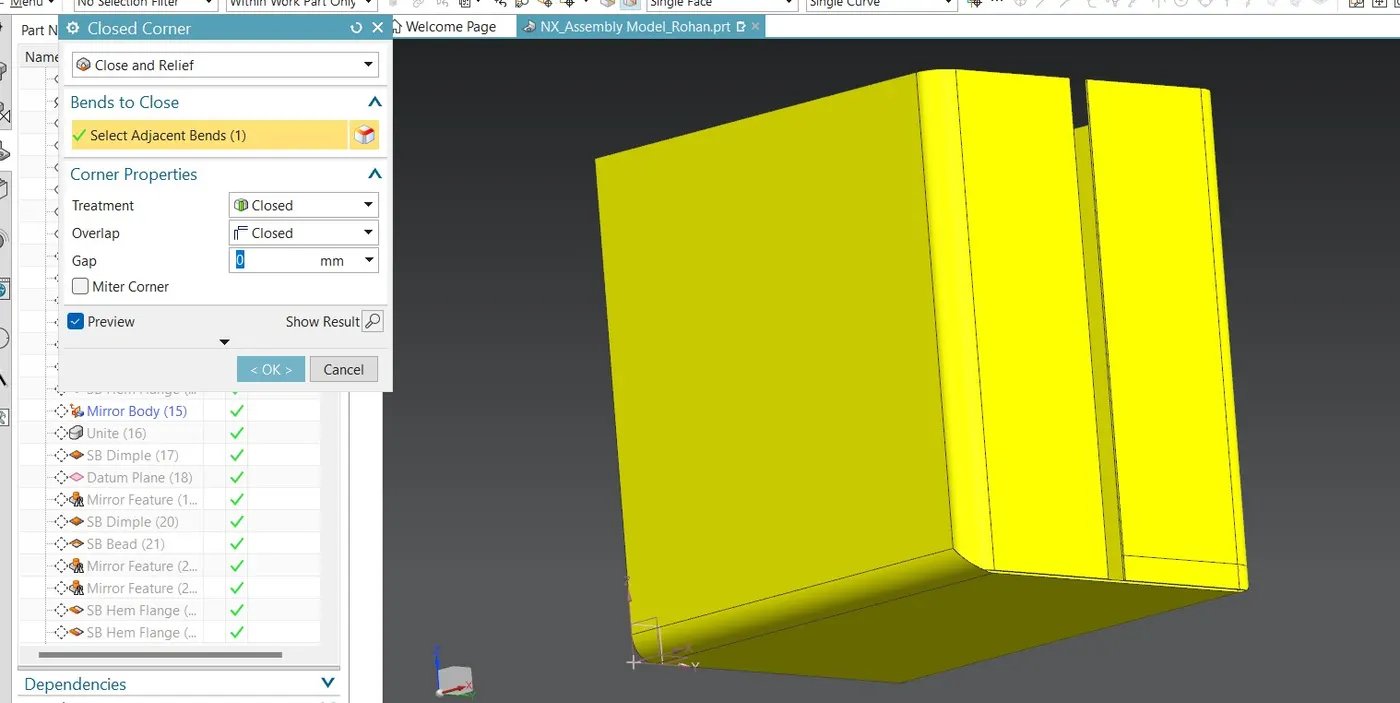
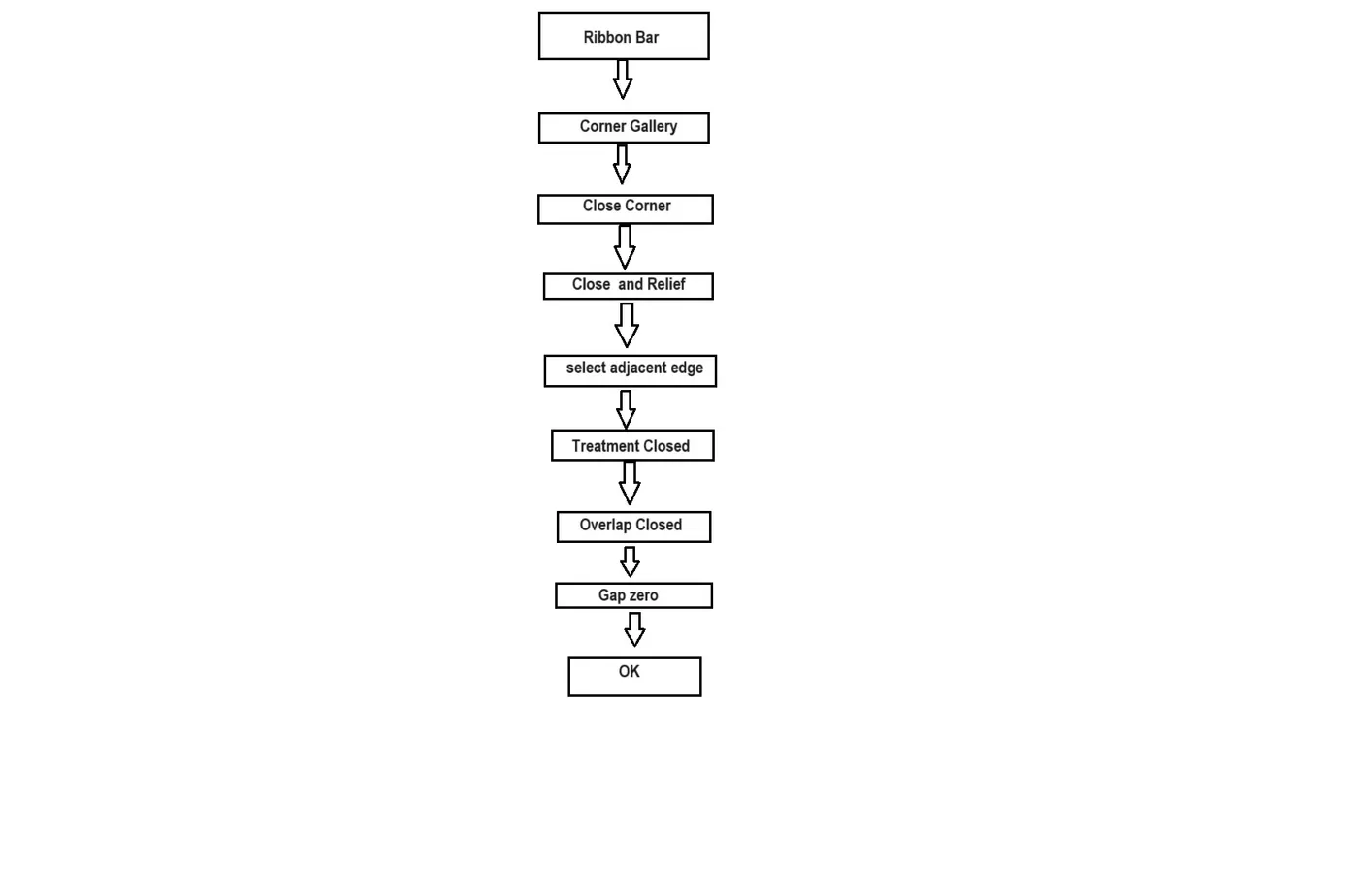
In the ribbon bar there is Box for Corners call it corner gallery use Closed corner from that use close and relief then chose bends to close select adjacent edges and corner properties treatment close overlap close and gap zero.
Step 4: flange
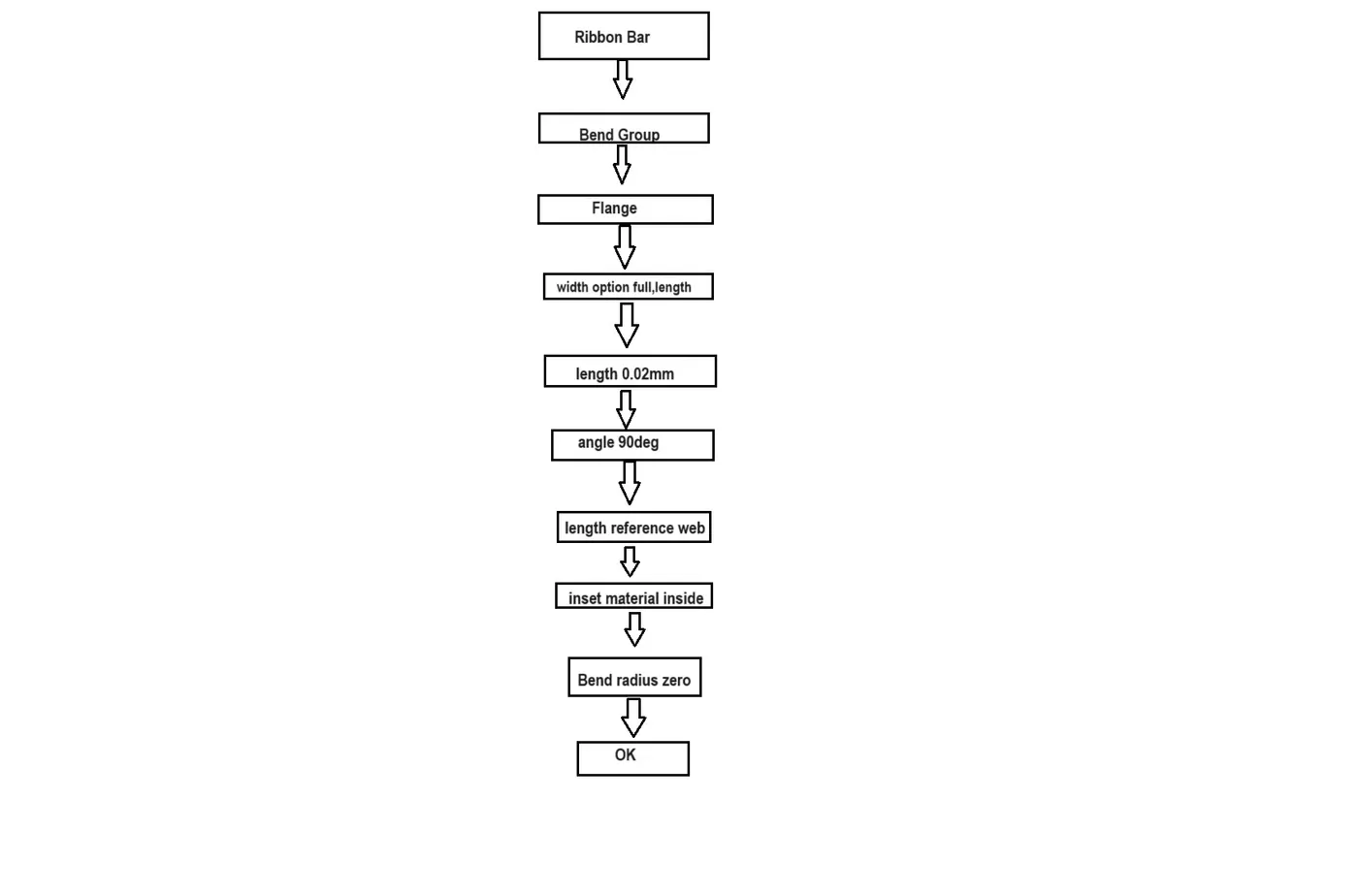
Use flange by taking width option full,length 0.02mm and angle 90deg,length reference web,inset material inside,Bend radius zero.
Do same for other side also.
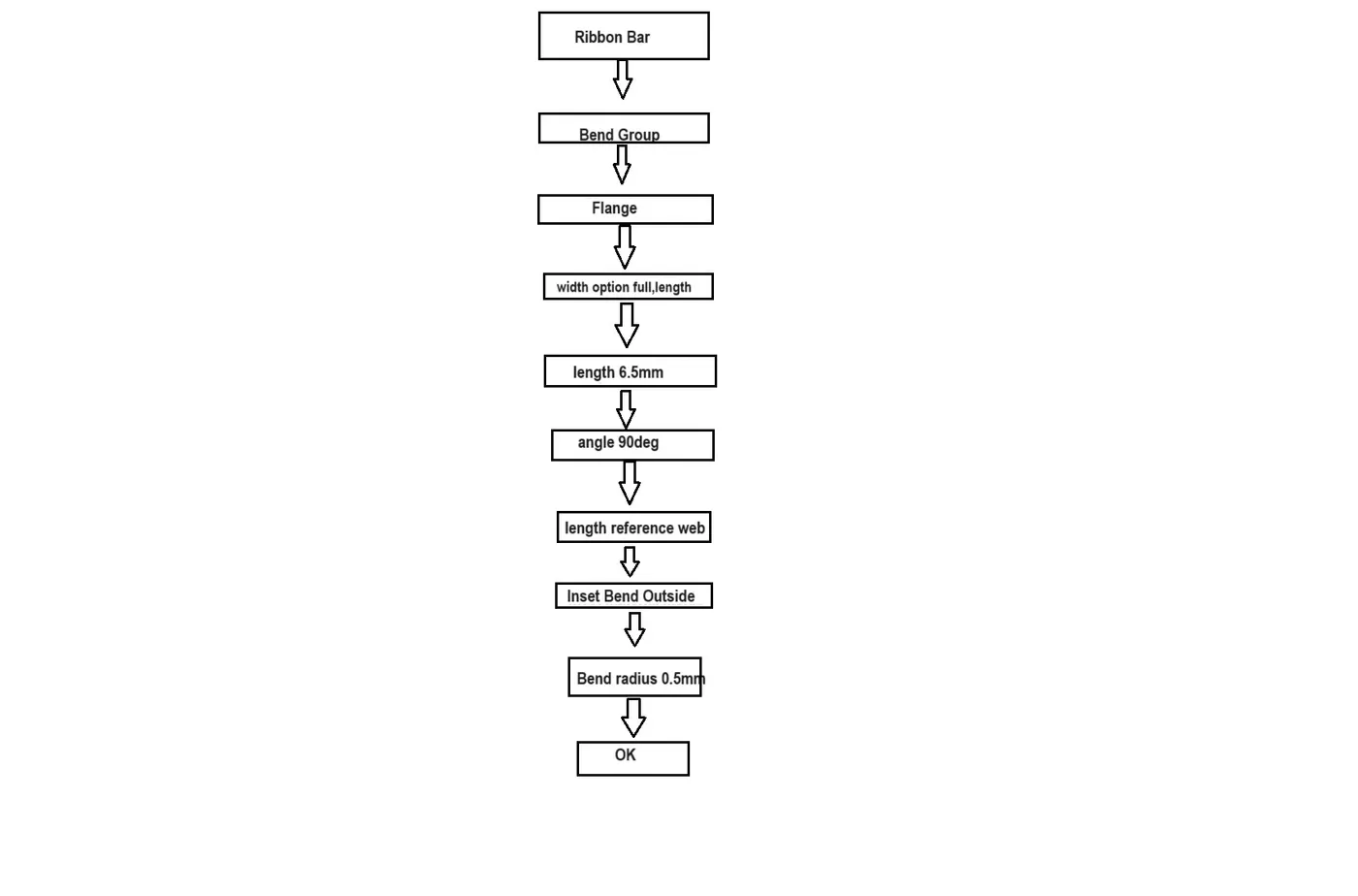
Step 5:Flange again for width option full, length 6.5mm ,angle 90 deg,length reference web,Inset Bend Outside,Bend radius 0.5mm.
Do same for other side also.
Step 6:Hem
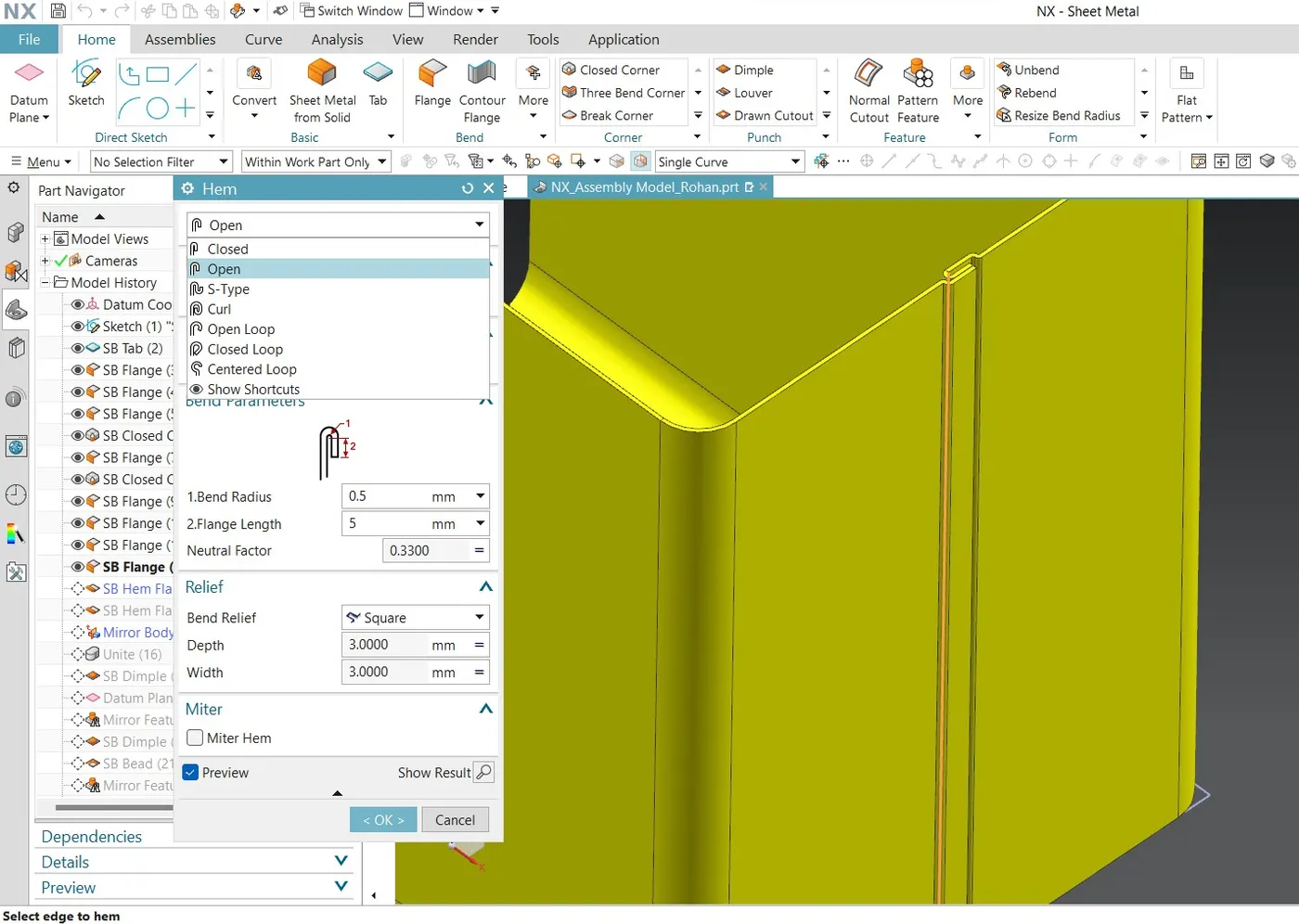
Select Edge for Hem,Inset option is Bend Outside,Bend Parameters -Bend Radius 0.5,Flange length 5mm,Neutral factor 0.3300,and bend relief square.
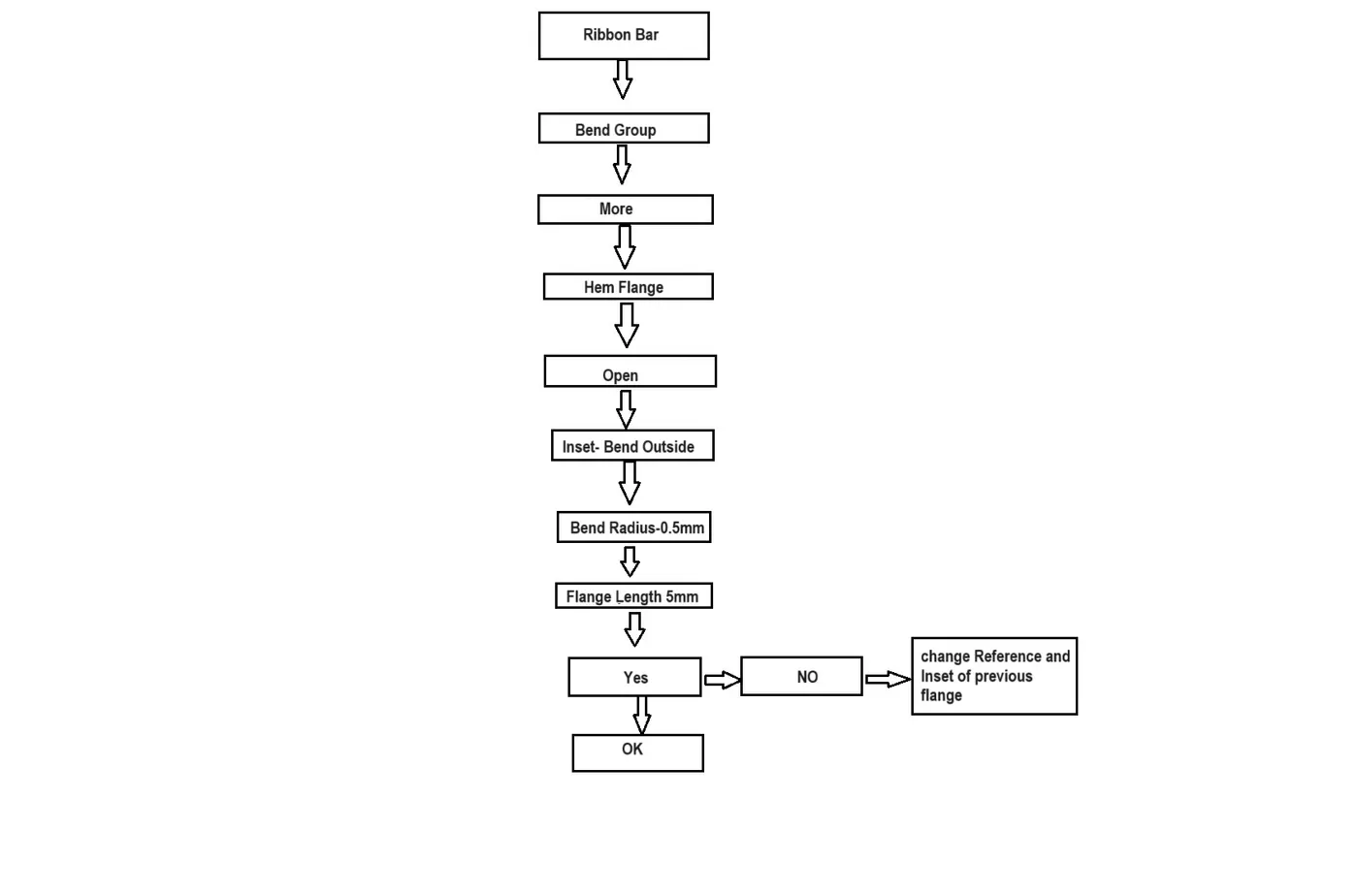
Do this for other side also.
If hem does intersects with each other then change length reference and inset for flanges.
Step 7: Mirror Body
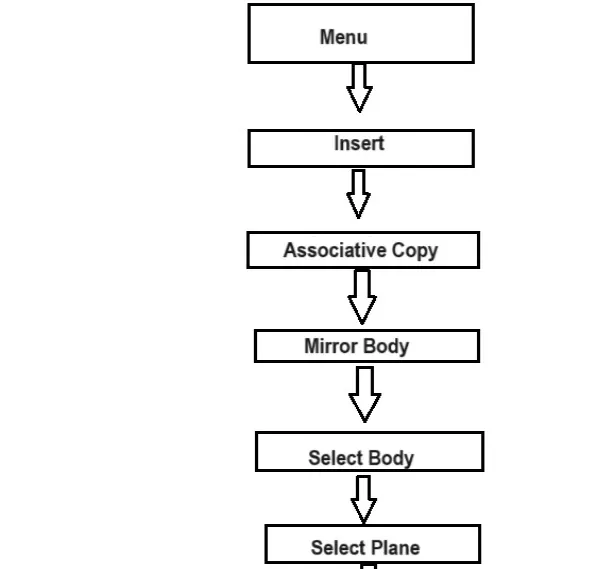
There is More Gallery which contain Mirror body option or can use menu -insert-Associative copy -Mirror body.
Select it then select body and plane along which mirror operation has to perform.
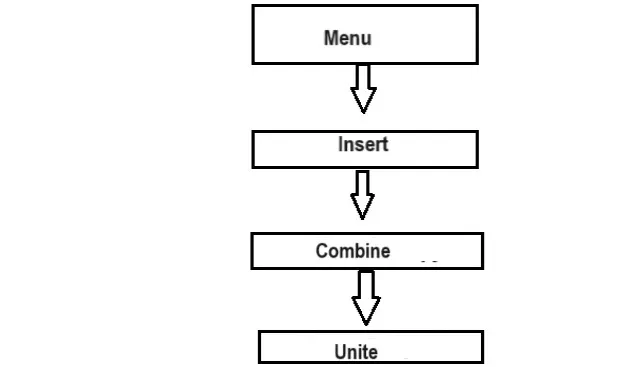
Step 8:Unite-Combine the volume of two or more solid bodies into single body.
There is mirror gallery which contain unite command use it and combine two bodies which are mirror recently.
There are two option Target body and tool body -so target body is that which is created and tool body is that which is mirrored.
Step 9:Dimple- Lift an area of the model inside a sketch that stimulate a stamping tool
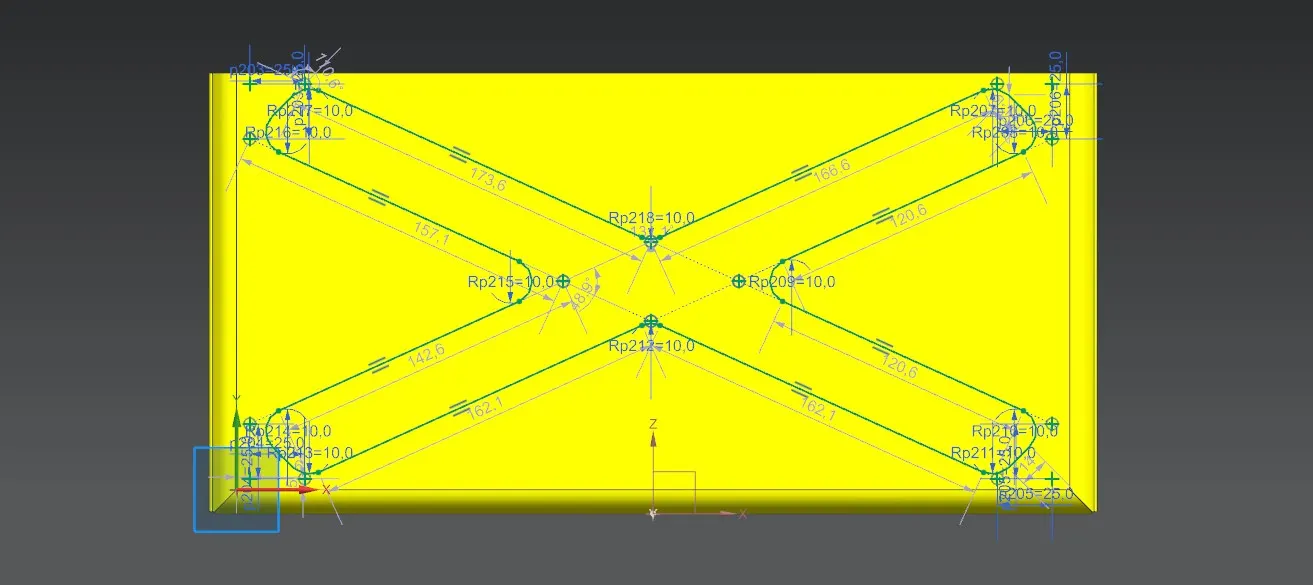
Go to punch gallery of ribbon bar and choose dimple drew a sketch for this with radius of 10mm fillet and come out of this keep depth 2mm angle zero depth reference inside and side walls material out side punch,die and corner radius kept as one.
Step 10:Mirror feature-insert -associative copy-mirror feature.
Now take one datum plane which is half of width the go to mirror feature option from more and chose it then mirror it along that plane.
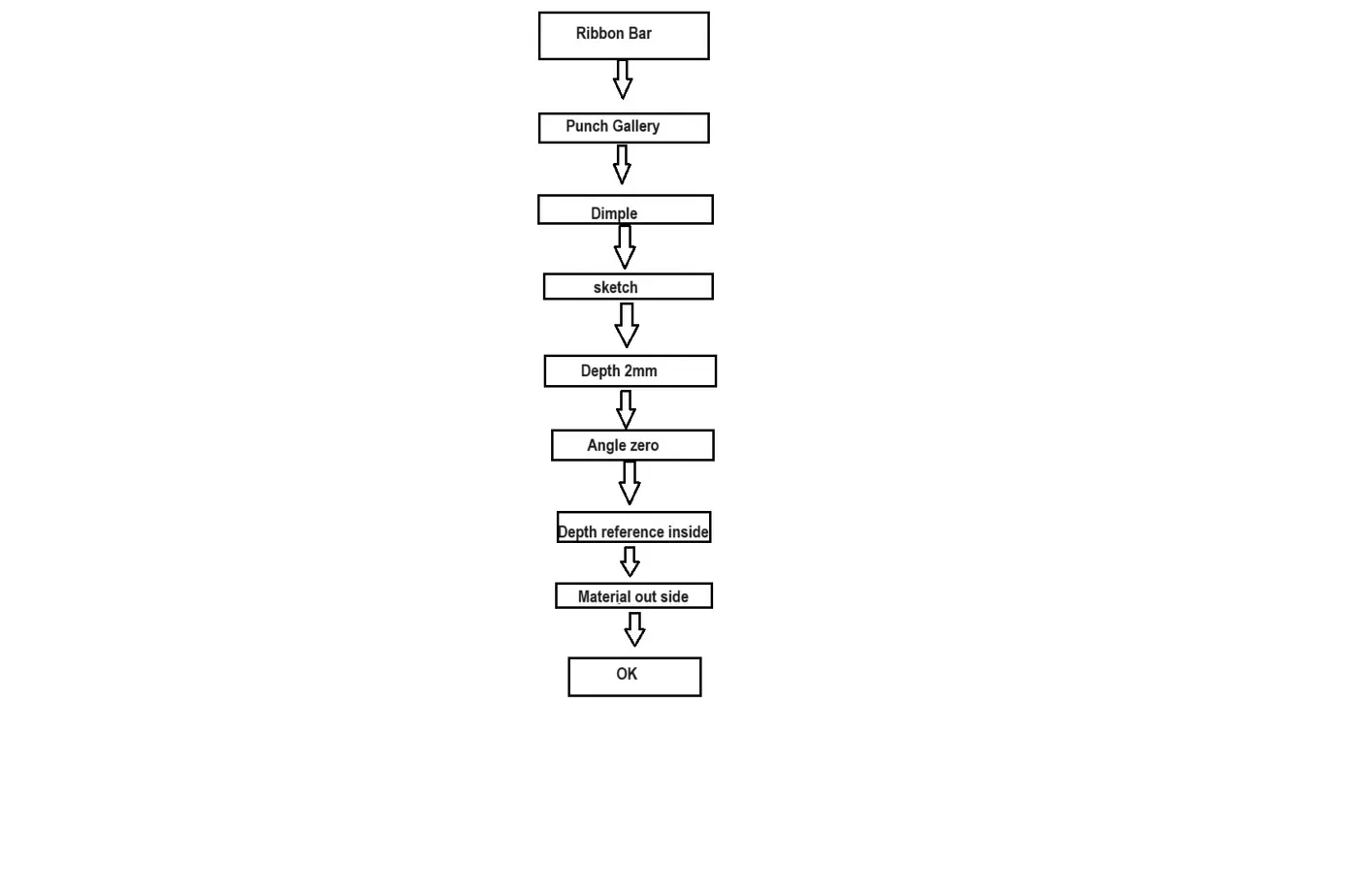
Step 11: Dimple:go to ribbon bar -punch gallery -dimple.
Drew a sketch for bottom surface of rectangle of size 350 by 35 ,radius as 10mm take it to middle then select sketch as curve and dimple properties depth 2mm ,Angle 0deg depth reference as inside and inside material outside punch radius and corner radius as 1mm .
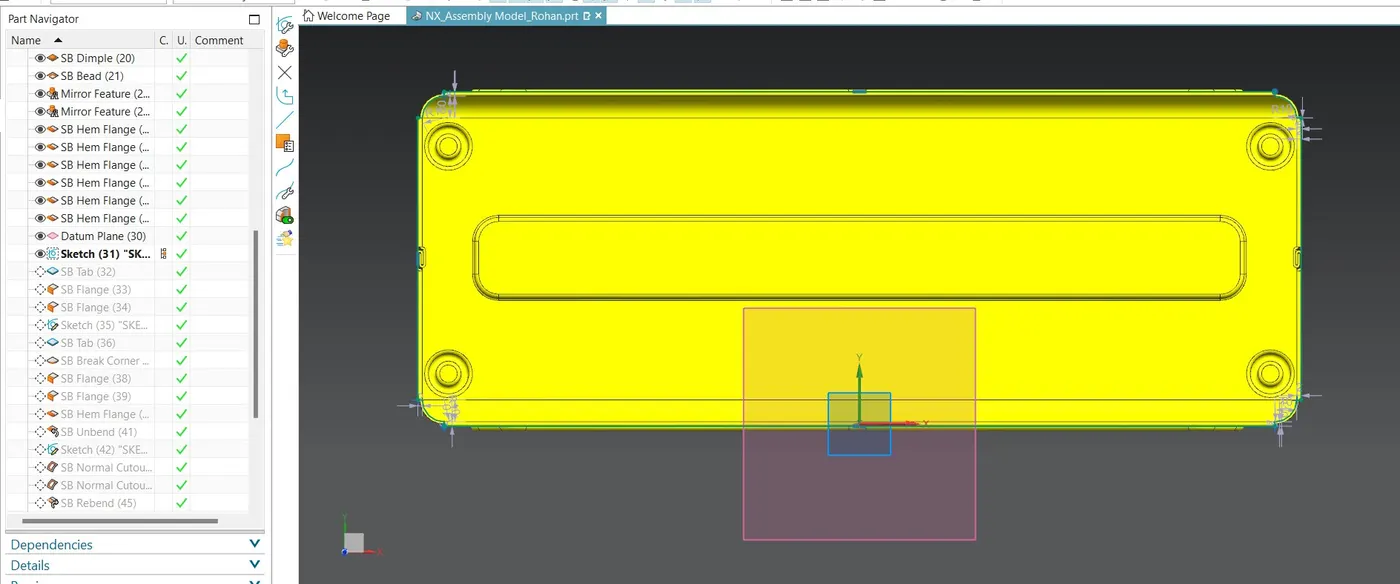
Step 12: Bead: Ribbon bar-Punch Gallery -Bead.
Lift material along the contour of a sketch that stimulates a stamping tool.
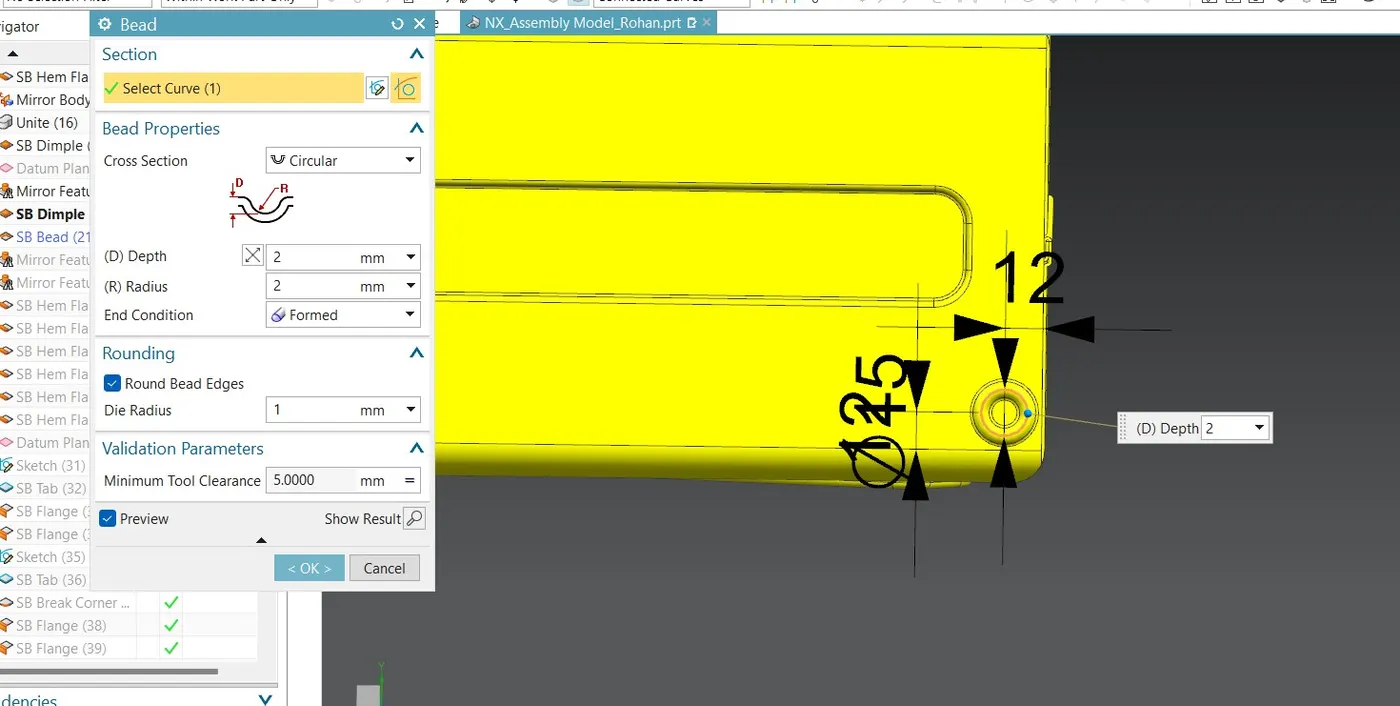
Drew a sketch for bead of circle have diameter 15mm at (X12,Y12) come out of sketch section select that circle and then bead properties cross section circular Depth and radius of 2mm End condition is formed and die radius is one.
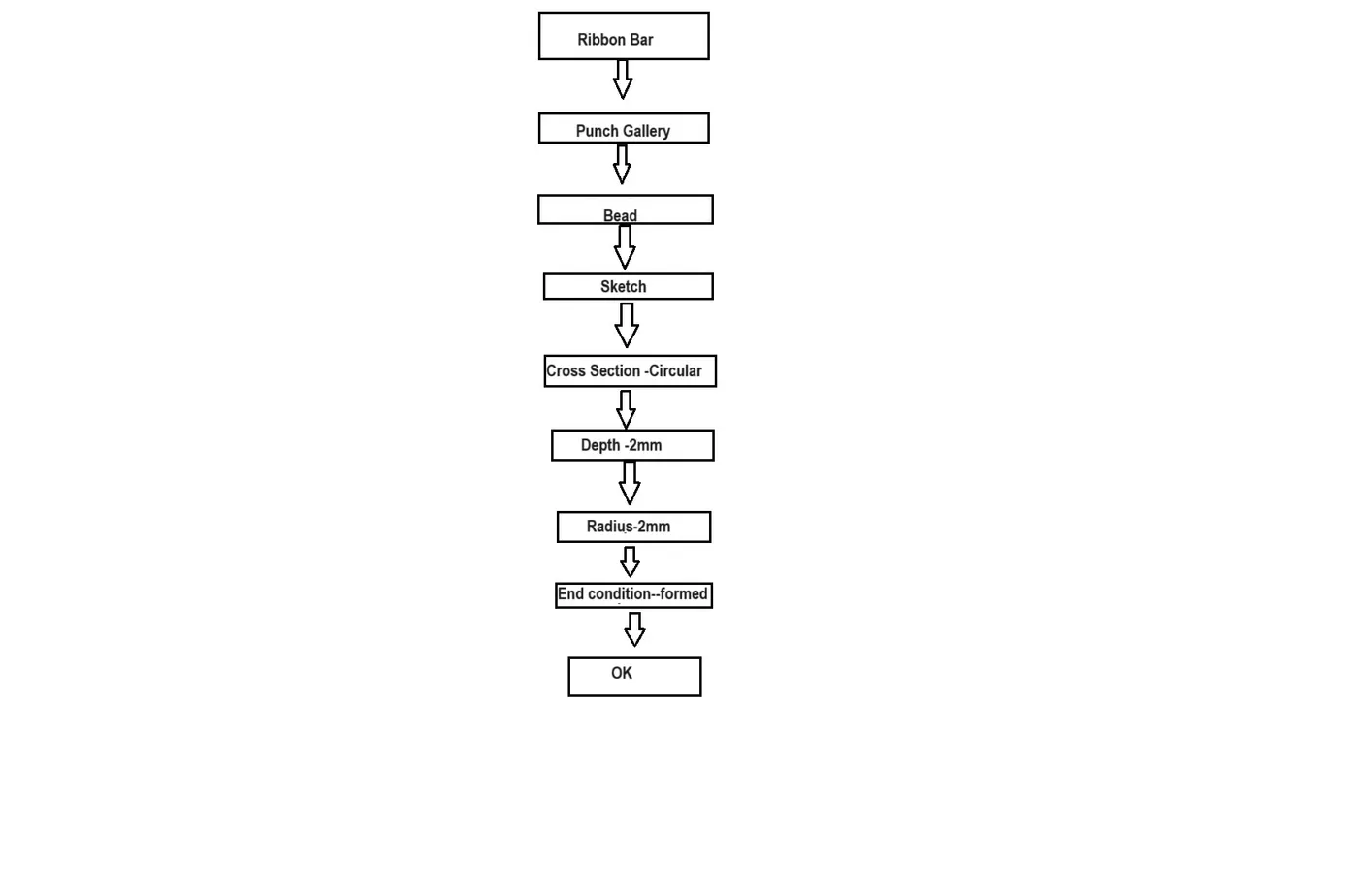
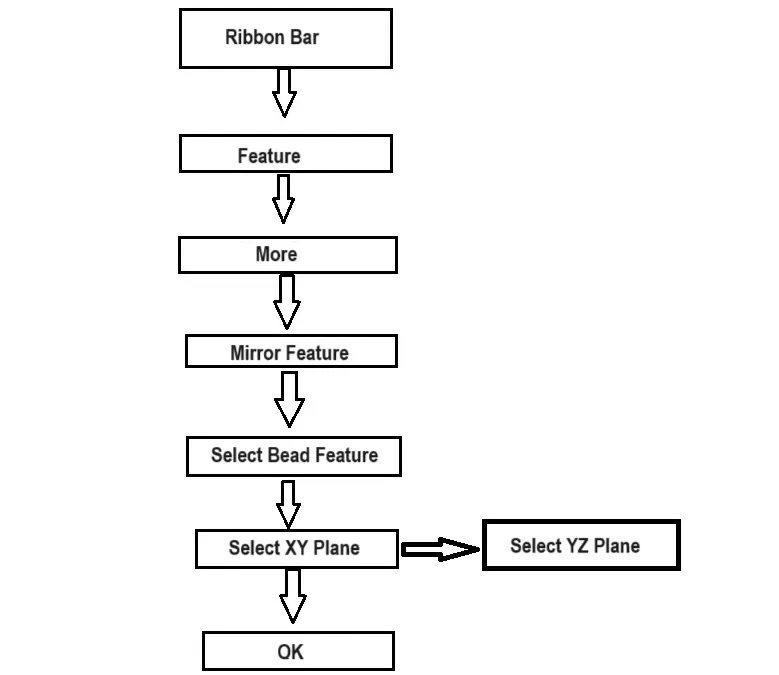
Step 13: Used Mirror feature for create associative copy of Bead along plane YZ and XZ
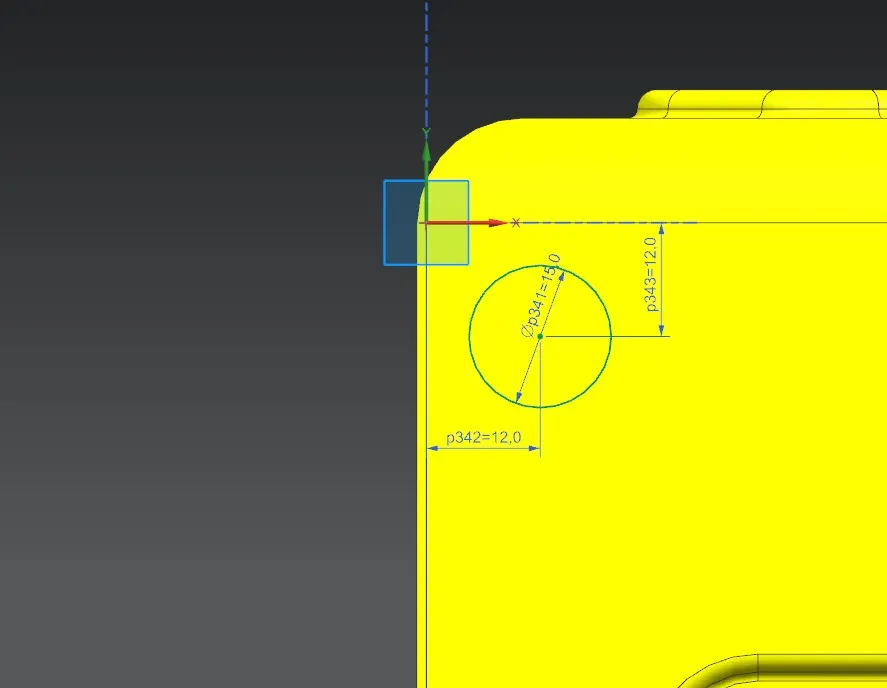
Go to Menu -insert -associative copy--Mirror Feature.
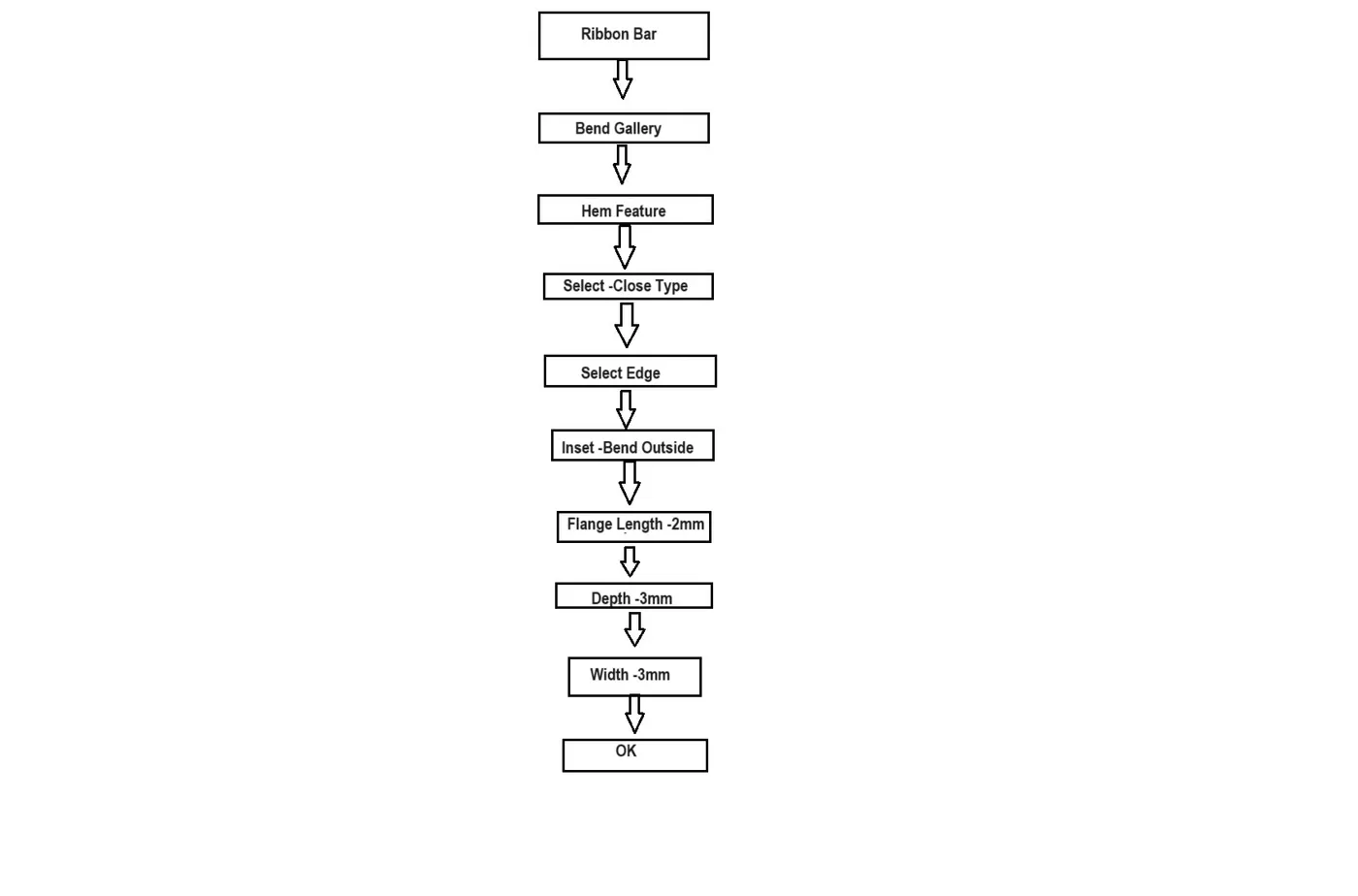
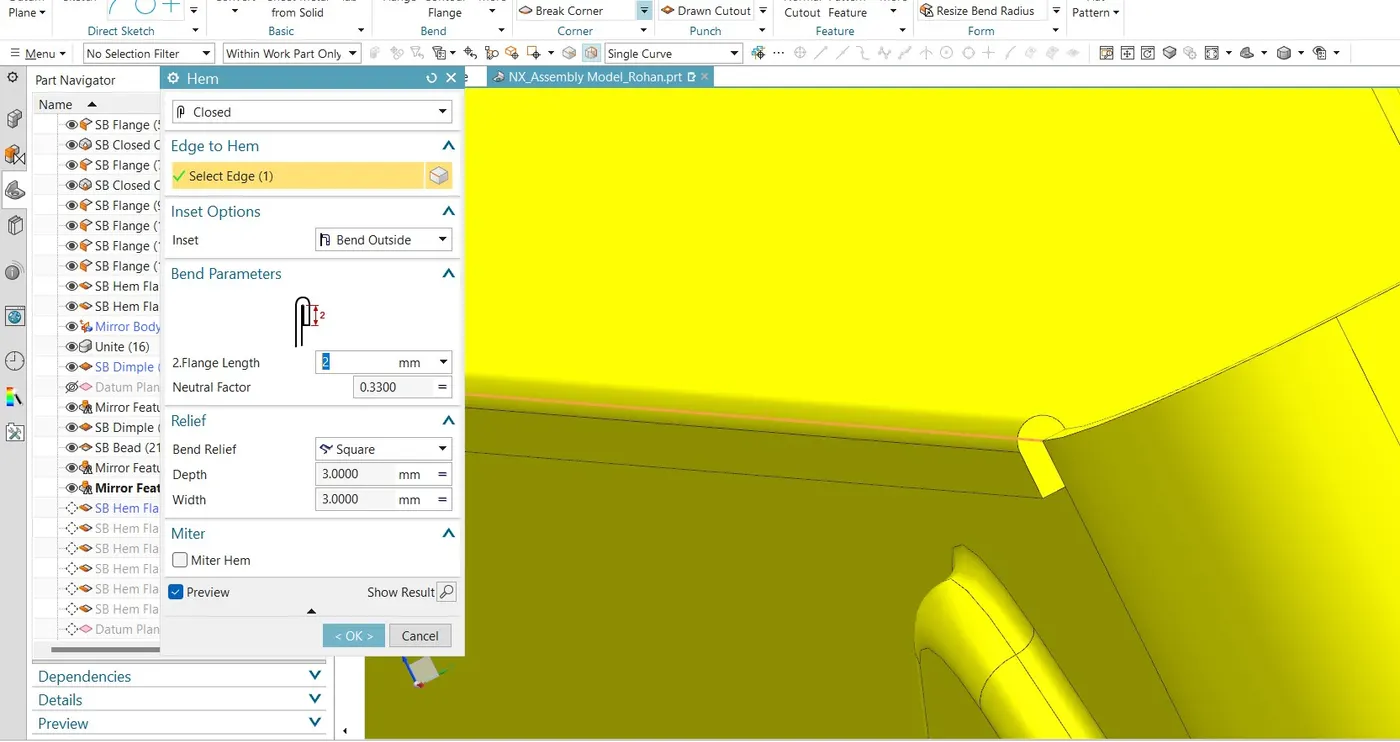
Step 14:Hem-Modifies the model by folding the edge of sheet metal flange over on to itself for the purpose of safe handling.
Type of hem is closed select edge then Inset options inset bend outside Bend parameters -flange length 2mm,Neutral factor 0.3300,bend Relief Square.
Do this process for all Six edges of box assembly .
Step 15:Top Surface
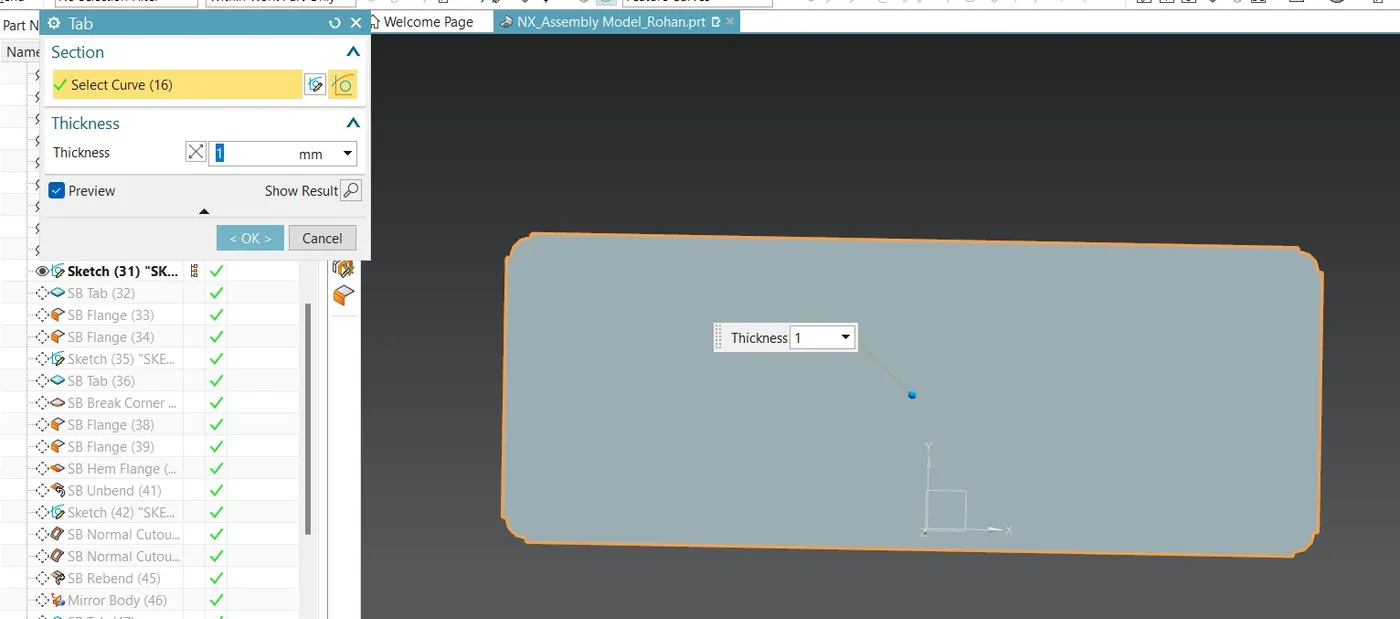
Take new datum plane at a distance of 203mm from bottom surface,Draw a rectangular sketch for it 200 by 150mm and then give fillet at four corners of 10 mm radius.
Go to tab and extrude this sketch by 3mm.
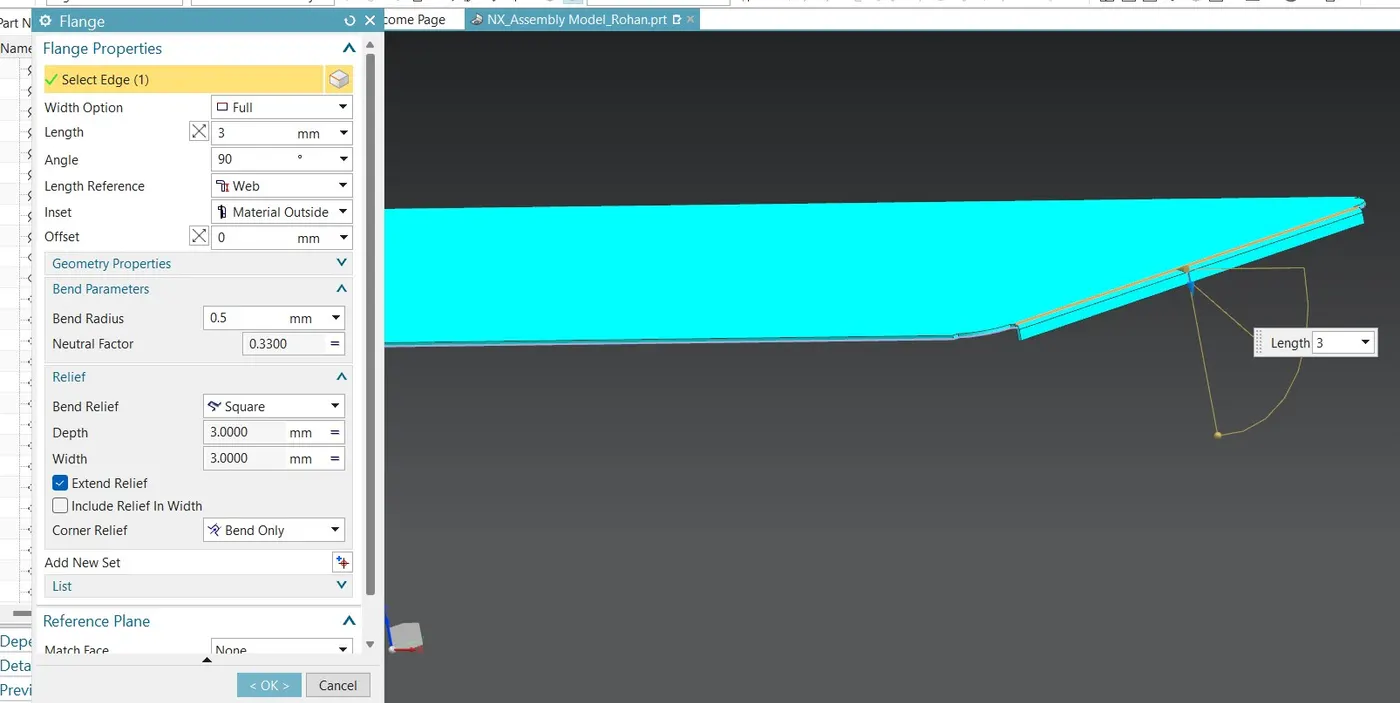
Step 16:Flange:Adds a flat flange at an angle to a planar face and adds a bend in between two.
Flange properties: select edge -width option full -length 3mm-angle 90 deg,length preference web,inset-material outside,Bend radius 0.5mm.Do same for all four edges.
Step 17:Side Holder
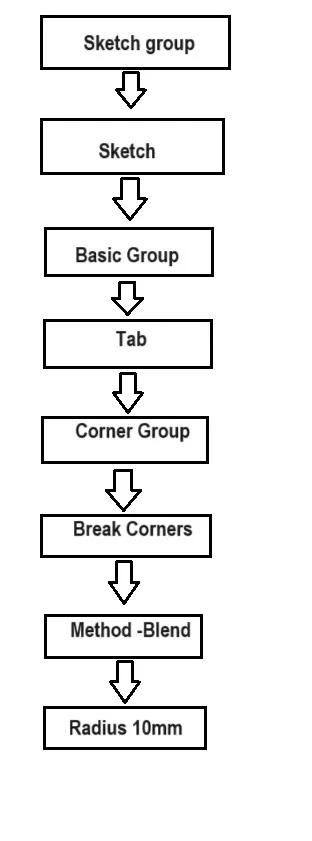
Draw a sketch for side holder of rectangle 55 by 20 at a distance of 17 mm form top surface and 3mm from side wall not get out of sketch and tab it by 3mm .
Break corner : Use break corner and break its corner by radius 10mm method blend.
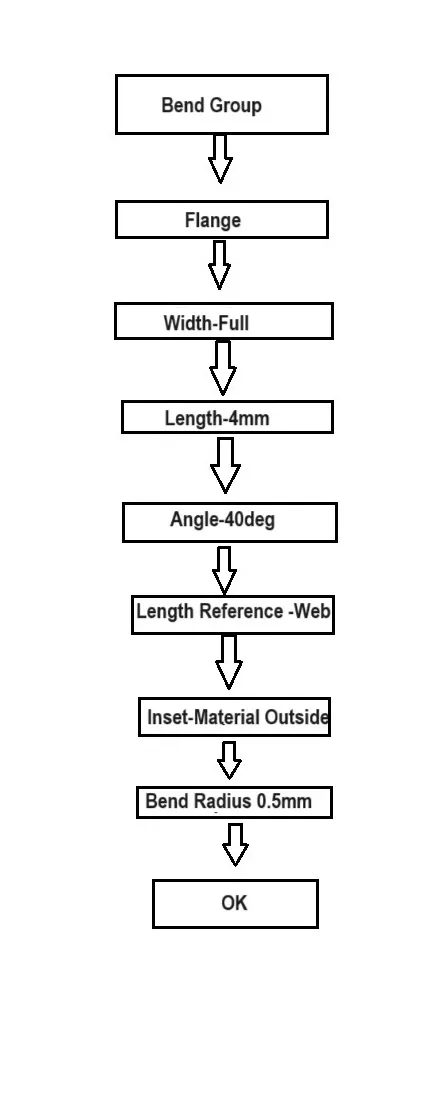
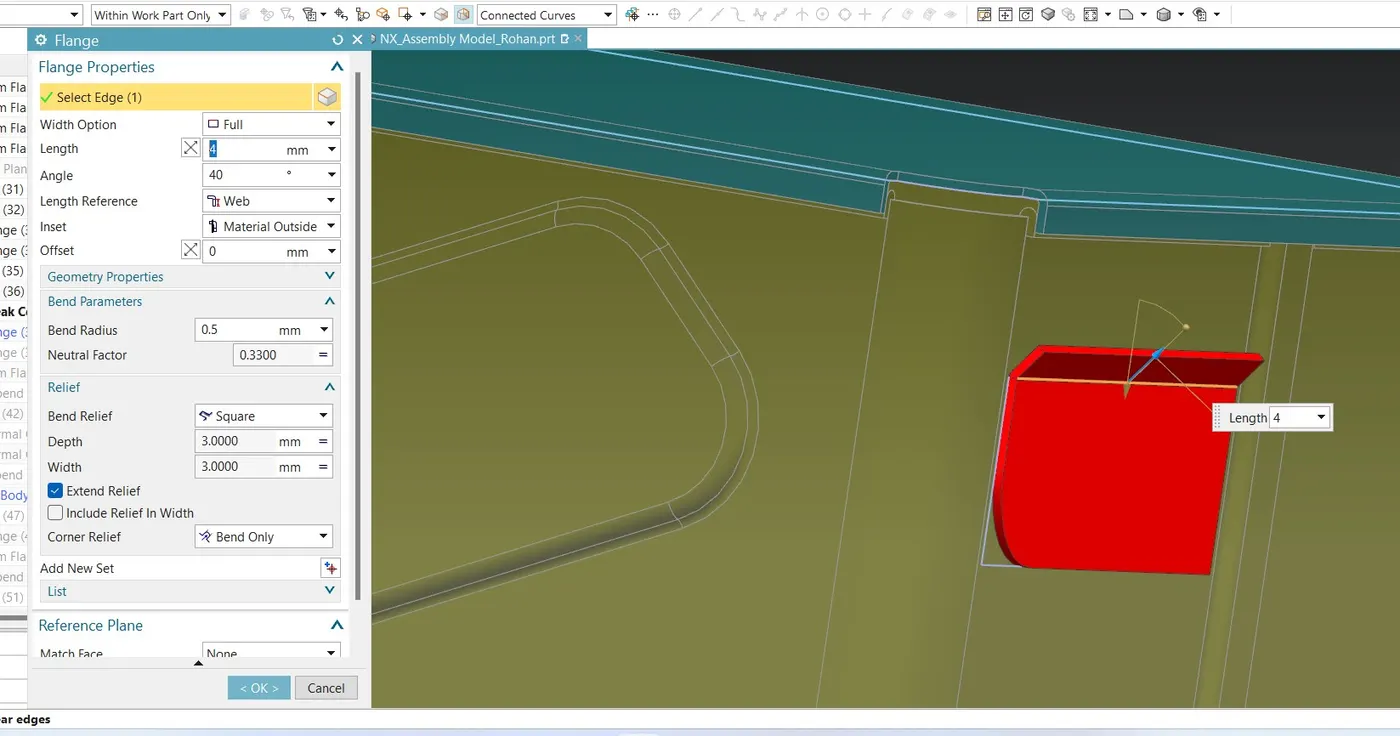
Flange : use flange to its top surface of width -full,length 4mm ,angle 40deg,Length reference web ,inset material outside and bend radius is 0.5mm.
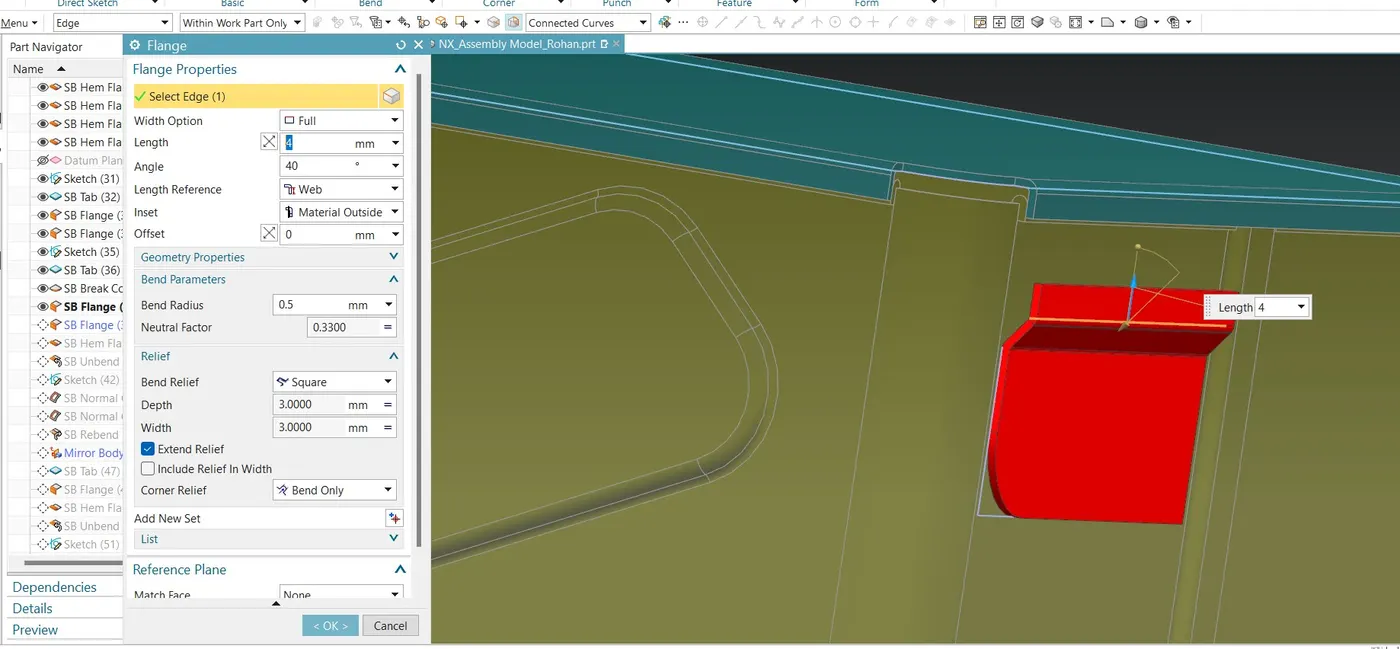
Flange : Again use flange option to bring back that plane horizontal position width -full,length 4mm ,angle 40deg,Length reference web ,inset material outside and bend radius is 0.5mm.
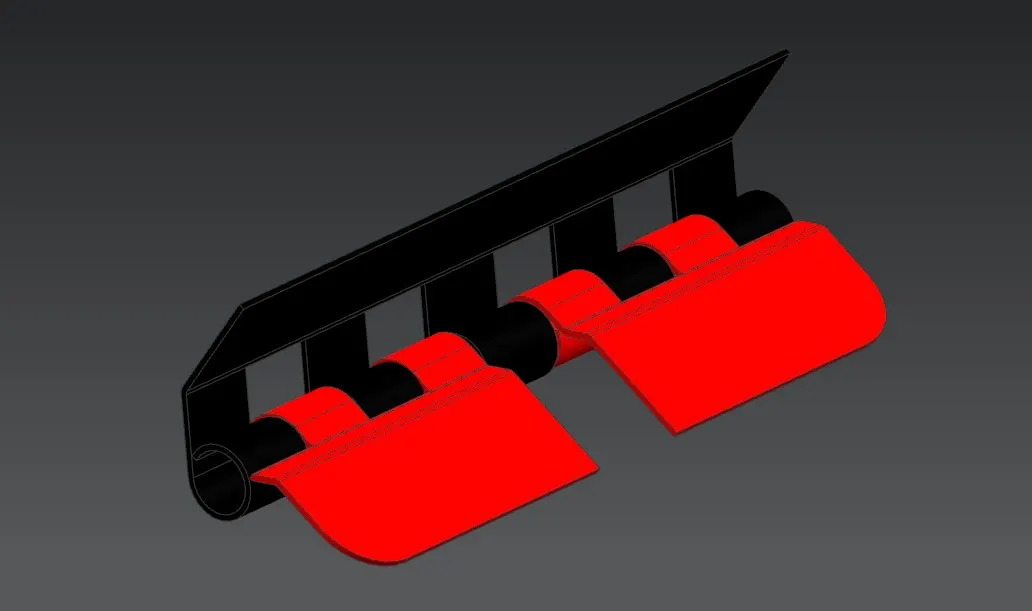
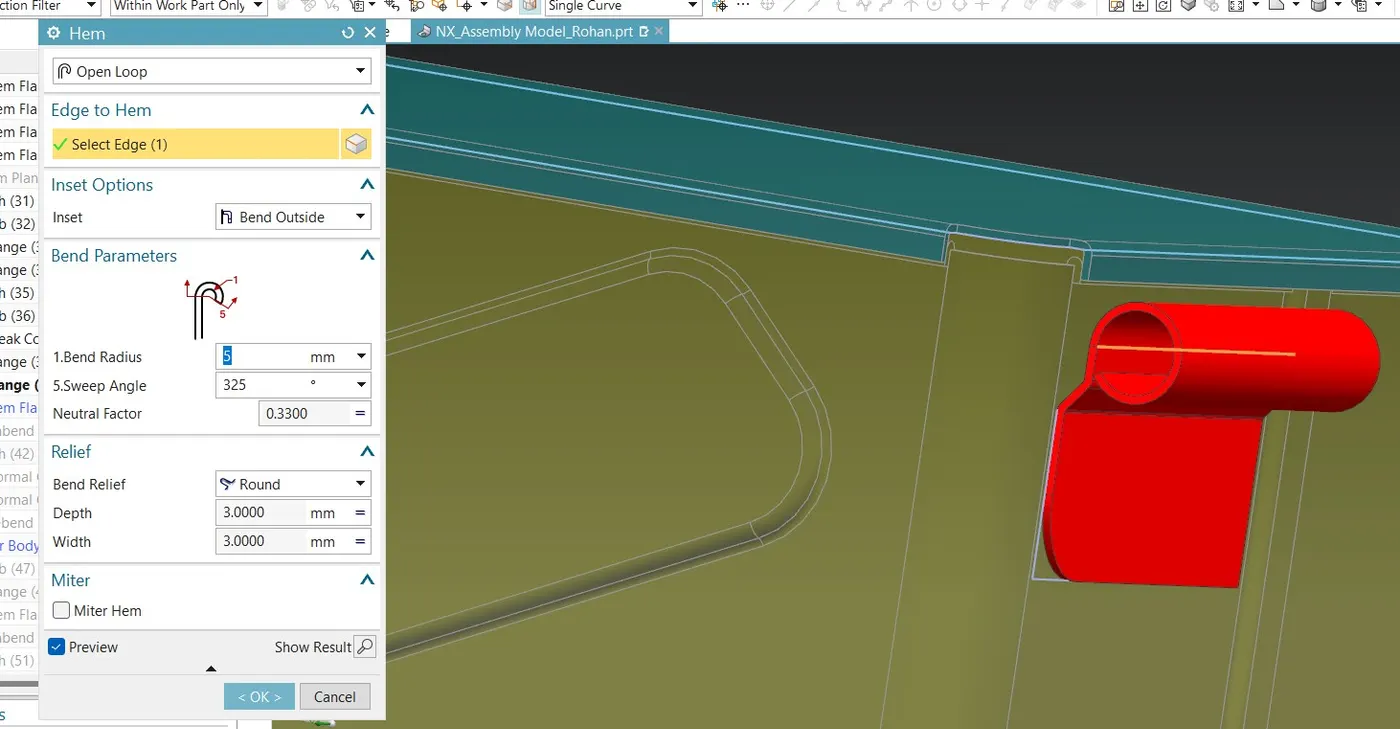
Hem Flange: for rounding up wrap up excess sheet to make a handle.
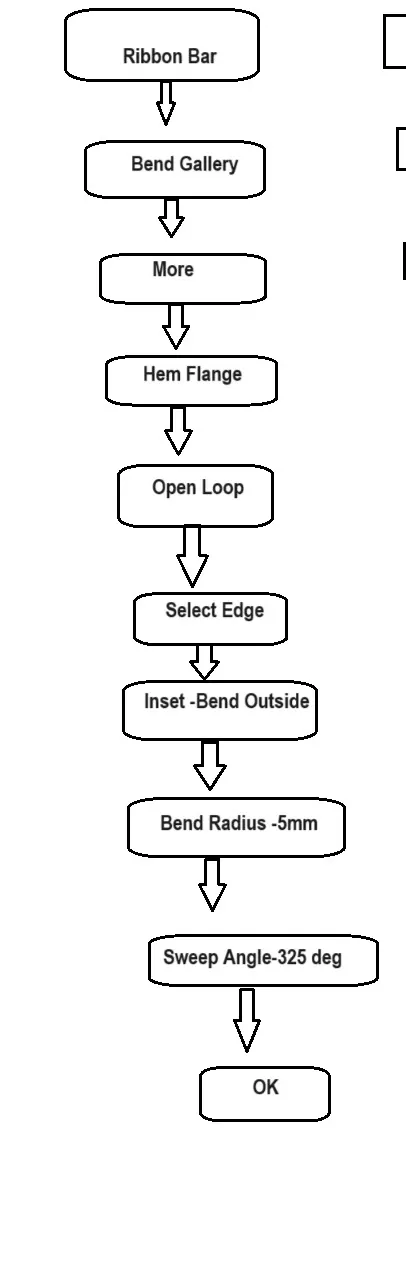
Use hem flange type of open loop ,select edge then inset options bend outside ,bend parameters- bend radius 5mm and sweep angle 325 deg.Bend relief round.
Unbend this to draw a sketch on it of equal distance of 14mm to make ring shape holders
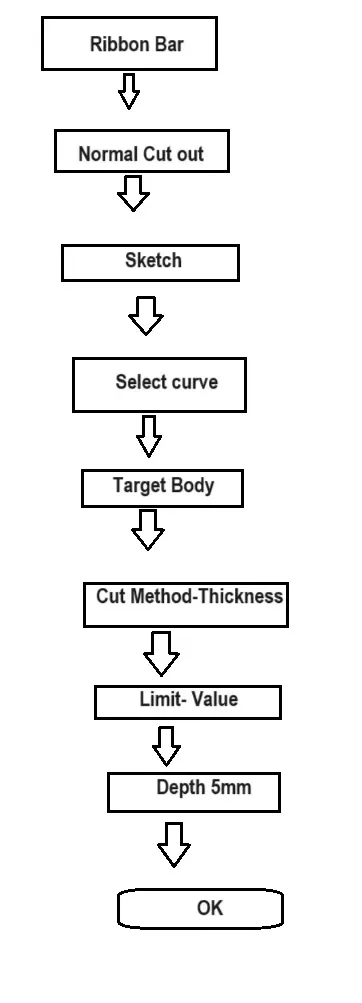
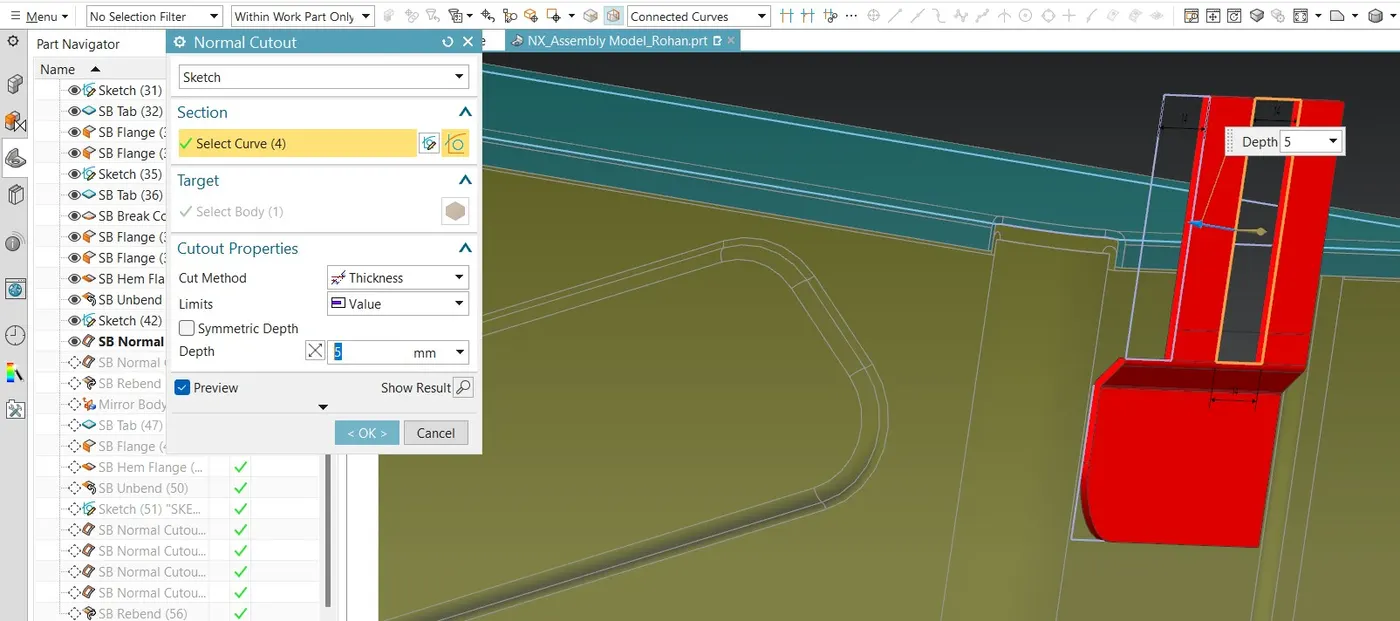
Normal cut out :Use normal cut out to cut that sketches select curve as four rectangular shapes which has to cut and target body as plane or unbend surface then normal cut out properties are cut method thickness and limit values ,depth 5mm.
Then use Re bend option for winding it to its previous position.
Mirror Body : To Mirror body beside of previous one.
Menu-Insert -Associative copy-Mirror Body.
Step 18:Top Holder:
Go to tab select sketch and draw a rectangle of sides 128 by 20mm,then tab it by 1mm,
Flange: go to flange and select bottom edge of tab keep width full,length 13mm,angle 40 deg,
Length reference as web,inset as material outside and bend radius of 1mm.
Hem Flange: for rounding up wrap up excess sheet to make a handle.
Use hem flange type of open loop ,select edge then inset options bend outside ,bend parameters- bend radius 5mm and sweep angle 325 deg.Bend relief round.
Unbend this to draw a sketch on it of equal distance of 14mm to make ring shape holders
Normal cut out :Use normal cut out to cut that sketches select curve as four rectangular shapes which has to cut and target body as plane or unbend surface then normal cut out properties are cut method thickness and limit values ,depth 5mm.
Then use Re bend option for winding it to its previous position.