Advanced Sheet Metal Design Using NX Cad Challenge_2_Box Assembly
Advanced Sheet Metal Design Using NX Cad Challenge_2_Box Assembly
OBJECTIVE
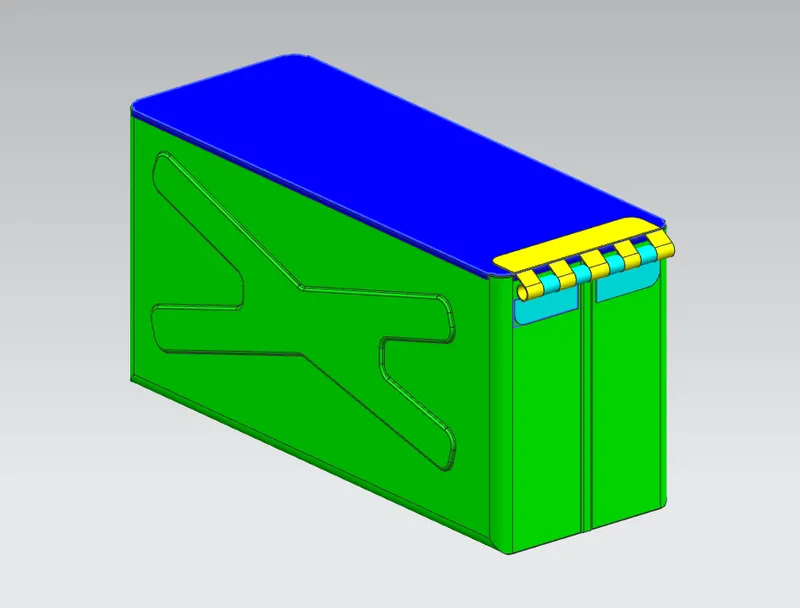
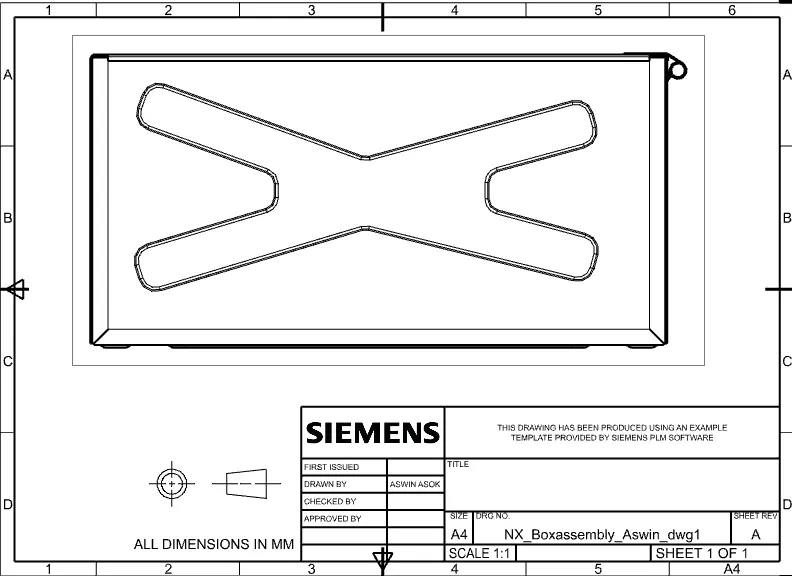
To design a box assembly and create a draft of it using Siemens NX Sheet metal application.
INTRODUCTION
NX Sheet Metal provides a set of tools within the NX design environment that allows for simple and fast design of sheet metal parts, dependent on their material and manufacturing process. NX sheet metal design software incorporates material and process information in sheet metal-specific modelling features: bends, flanges, tabs, cutouts, beads, dimples, louvers, corner and edge treatments, patterns and other formable features.
We can also quickly convert solid models to sheet metal components, and create sheet metal parts that enclose other components.
NX Sheet Metal-specific features such as flanges, tabs, jogs, corner conditions, and drawn cutouts & many more along with productivity enhancements such as - automatic bend reliefs.
So, in this project I am going to design a Box assembly by using sheet metal tools and commands.
DESIGN METHODOLOGY
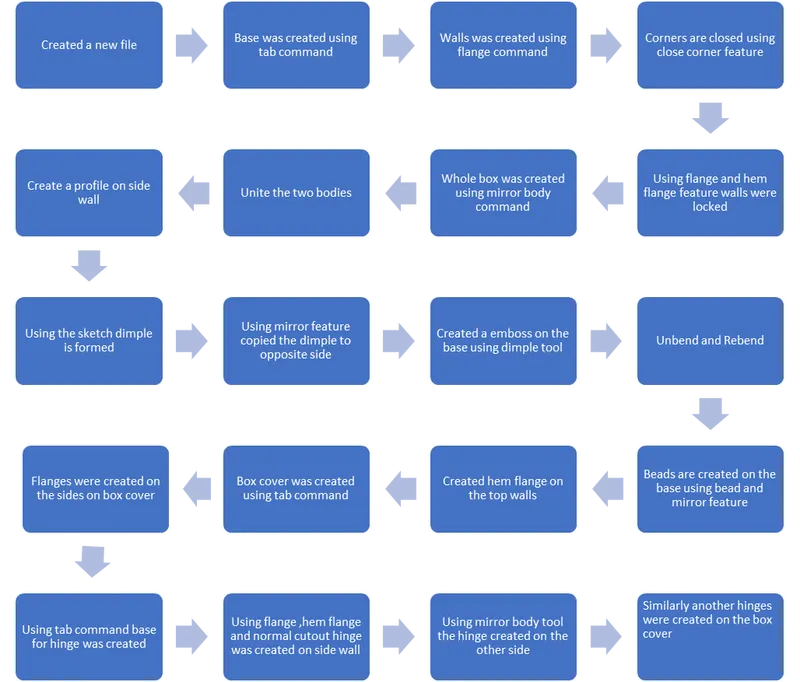
DESCRIPTION
- SKETCH:
Sketch tool was used for creating the sketch required for tabs, cut outs, dimples, beads etc....
- TAB:
Tab is the base feature of sheet metal modelling. Tab is created by extruding a sketch along a vector by adding a thickness value.
- FLANGE:
A flange is external or internal ridge. Flanges were used to create the side walls of the box as well as hinges.
- HEM FLANGE:
This feature is used to fold the sheet metal flange back to the body itself. It was applied on the edges of box assembly for safe handling. It also improves the toughness of edges and prevent the damages that may occur to the edges of the box.
- DIMPLE:
Dimples are used to lift the material according to a sketch that simulates a stamping tool.
- BEAD:
Beads are used to enhance the strength of the sheet metal part. It lifts the material according to a sketch that simulates a stamping tool. Here, four beads were used at the bottom of the box assembly.
- MIRROR BODY:
It is used to mirror an existing body across a plane.
- MIRROR FEATURE:
It is used to mirror a feature across a plane. Here the features such as beads were mirrored using this feature.
- NORMAL CUT-OUT:
This tool is used to cut the material by projecting a sketch onto the model and then cutting normal to the faces intersected by the projection.
- UNBEND:
This feature is used to unbend the adjacent bends and flatten them.
- REBEND:
It is used to rebend the unbended corners after adding any features on the faces.
- CLOSED CORNER
Used to close the corner where two adjacent flanges meet by extending the bends and flanges. It eliminates the gap between adjacent flanges which were used to create walls of the box assembly.
- BREAK CORNER:
It is used to round or chamfer the sharp corners of a tab or flange.
- DATUM PLANE:
Here, datum plane was used to create lid of the box. Datum plane is used to construct additional features.
- UNITE:
It combines the two or more bodies into a single body. It was used to combine the body which was mirrored across a plane.
- FLAT PATTERN
Flat pattern is the representation of the entire sheet metal component in the 2D form of the flat sheet metal with all the bends, cut-outs, holes and additional features in the form of lines or edges. The flat pattern ensures the ability to cut the sheet metal out of the raw sheet metal plate. It removes the possible errors such as interference or collision with in the same component.
VIEWS
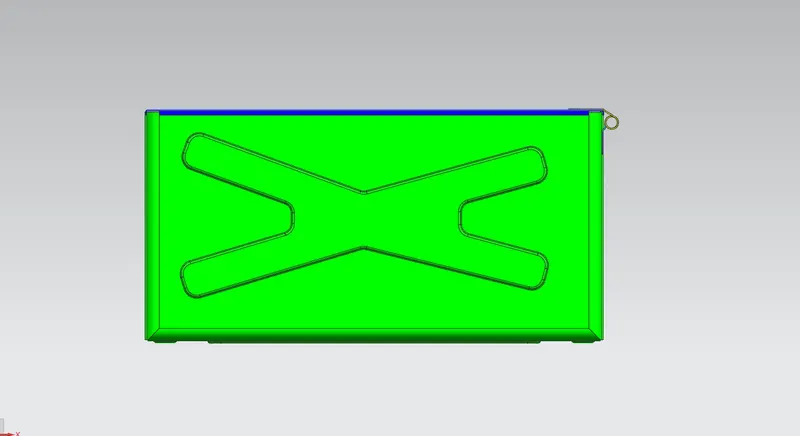
FRONT VIEW
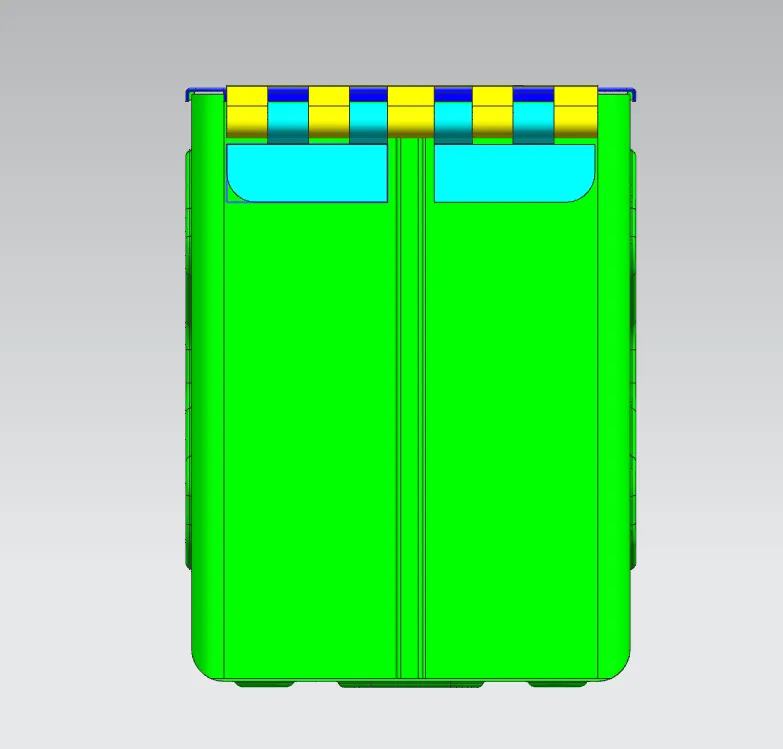
SIDE VIEW
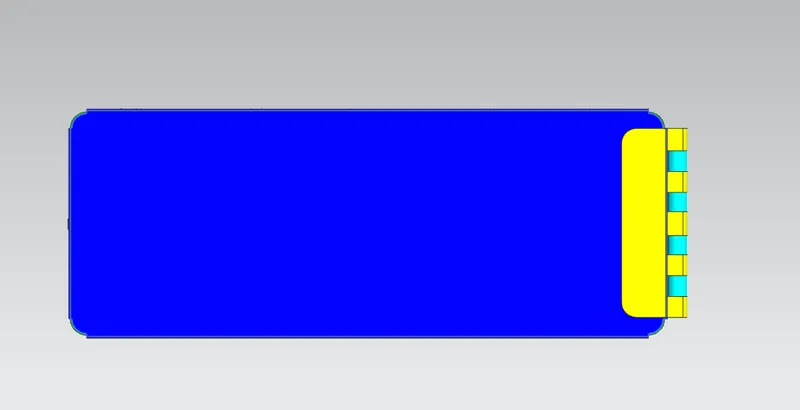
TOP VIEW
ISOMETRIC VIEW
DRAWING SHEET
CONCLUSION
Finally the box assembly of the sheet metal is designed on the Siemens NX12. The tools and features used for the box assembly is learned.