Advanced Sheet Metal Design Using NX Cad Challenge_2_Box Assembly
Box Assembly Design On Siemens NX Cad
Objective:-
- To design 3-D cad model of box assembly using NX 12.
Introduction:-
- Sheet metal is one of the fundamental forms used in metalworking, and it can be cut and bend in variety of shapes. Everyday countless objects are made from sheet metal.
- Inside industry sheet metal plays major role, and different operation work on their like heming, bend, unbend, rebend, flange, dimple etc.
This project consist of 3 parts
- Box (Main Body).
- Lid.
- Hinge.
Design Methodology:-
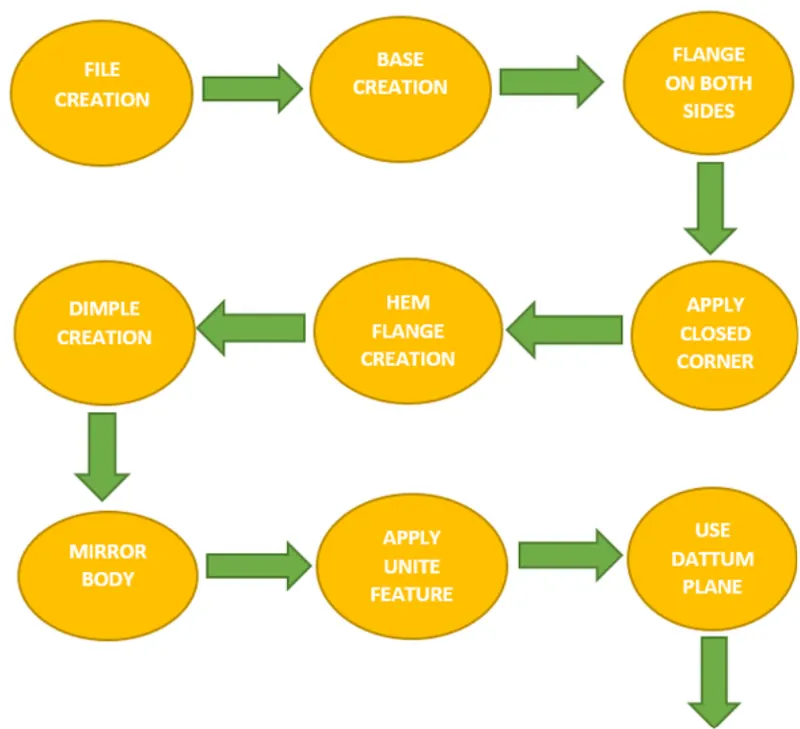
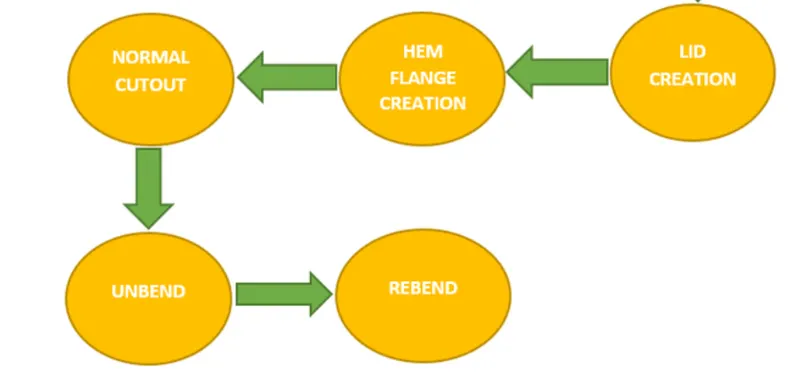
Tools Used:-
Tab: This command is use to create base feature by extruding a sketch along a vector by a thickness.
Add Flange: By using this tool we create flange, only selection of edge is necessary.
Closed Corner: Closed corner by selecting two flanges.
Mirror Body: This feature is use to create a copy of same sketch to opposite direction.
Normal Cutout: This command is use to create hole or cutout using sketch on a sheet metal.
Bend: It is modify the model by bending material on one side of a sketch line.
Flange: By using this command we add flange. it consist bend and web region.
Break Corner: It provides chamfer or blend to the sharp corners.
Unbend: It will flatten the bend region.
Rebend: After unbend, the rebend command will be use to bend region to its original form.
Dimple: It is punch operation, it create depression on the surface.
Bead: It is also punch operation but it is use to stiffen the surface
Pictures:-
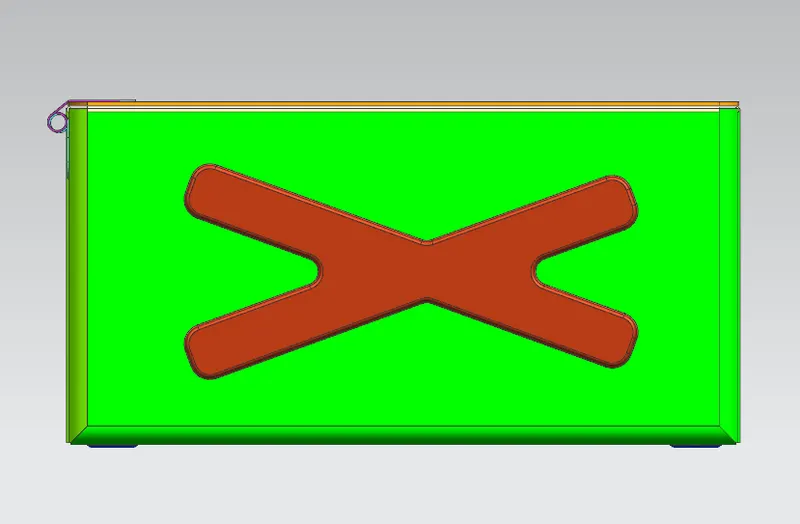
Front View:
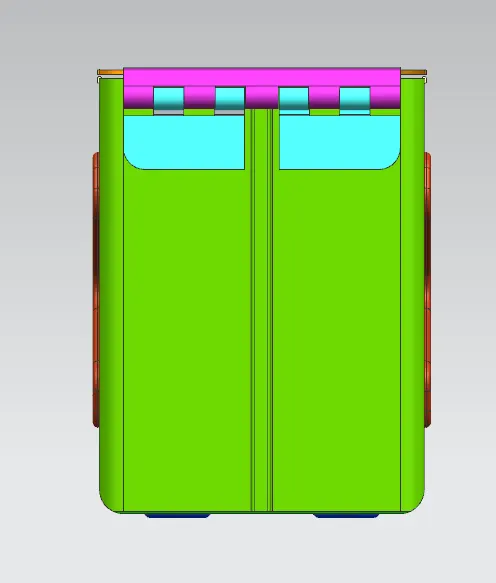
Side View:
Top View:
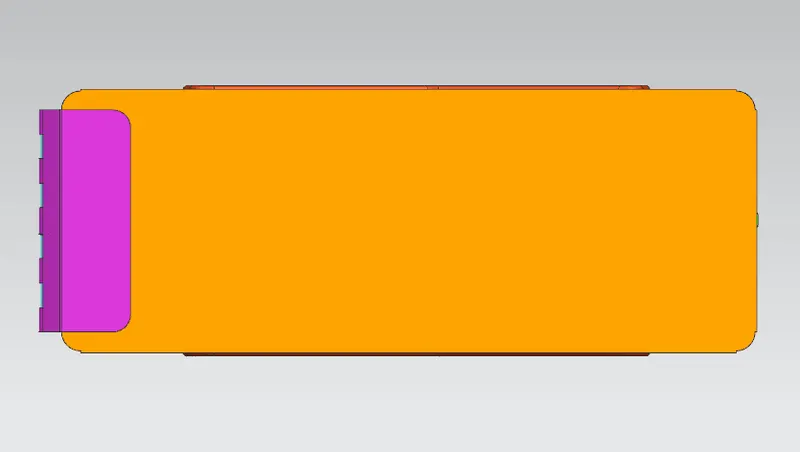
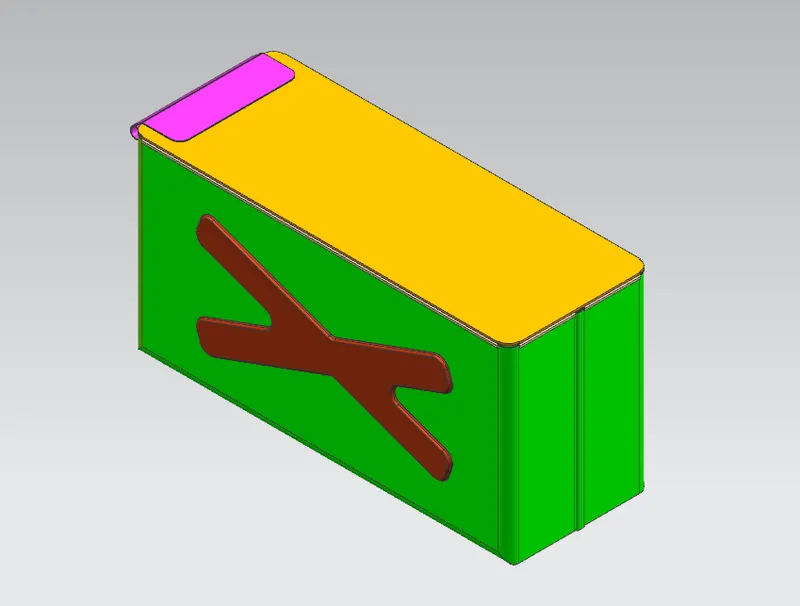
Isometric View:
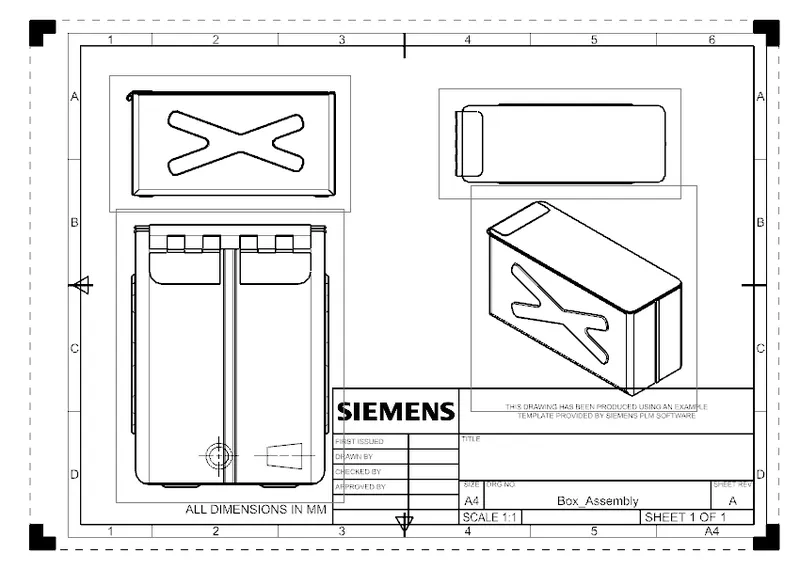
Draft view:
Conclusion:-
- In this challenge i learned the fabrication of sheet metal box by using advance sheet metal features.