Advanced Sheet Metal Design Using NX Cad Challenge_2_Box Assembly
BOX ASSEMBLY USING NX
OBJECTIVE: - Understanding on various commands of sheetmetal module of NX CAD with the help of designing a Box Assembly.
INTORDUCTION: - Sheetmetal involves work piece with high ratio of surface area to thickness. Sheetmetal thickness is less than 6mm.Unigraphics CAD software highly preferable for sheetmetal designing due to its user friendly interface of modules.
In NX CAD sheetmetal module have many command for designing sheetmetal components.
- Tab & Flanges
- Corners – closed corner, three bend corner & break corner
- Dimple punch
- Hem
- Normal Cut-out
- Bead
DESIGN METHODOLOGY AND APPROACH:-
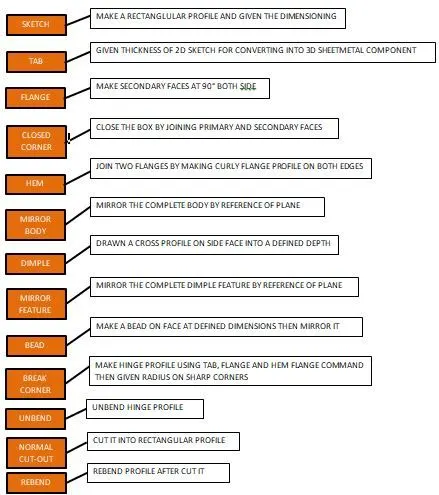
DESCRIPTION: - During the modelling of Assembly Box I have used many sheetmetal commands which are descriptions below:
- TAB: - Creates a base of the sheet metal by using a sketch.
- FLANGE: - Ads flange on an edge and create a bend between two walls. The flange can only be made on a straight edge.
- NORMAL CUT-OUT: - Extracts volumes from sheet metal by using sheet metal production principles. Cutting faces will be perpendicular to the sheet metal surface.
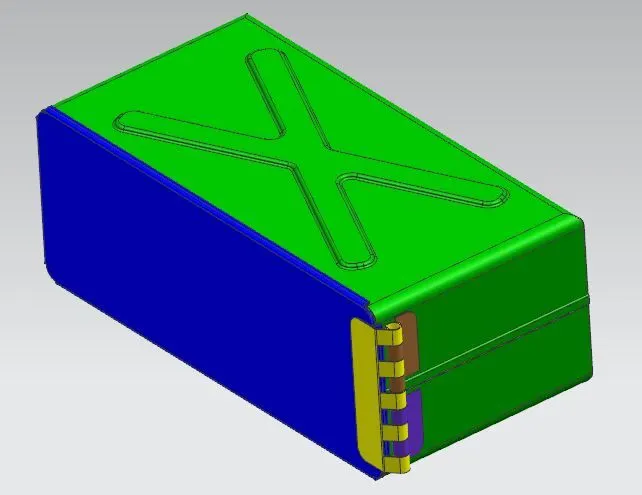
- HEM FLANGE: - Use this command to add various curly shapes on edges of the sheet metal model, the thickness is same as the sheet metal model.
- BREAK CORNERS: - Break corners use for remove sharp corners and convert into in radius.
- UNBEND: - Flattens sheet model through selected bends.
- MIRROR BODY: - Use the Mirror Body command to mirror an entire body across a datum plane.
- DIMPLE: - The Dimple command adds a dimple to a flat sheet by deforming it.
- BEAD: - It lifts material along the contour of a sketch that simulates a stamping tool, it is used for giving strength to the sheet metal.
- REBEND: - Rebends, unbended feature of the sheet metal model. It uses after the “Unbend” command if needed.
- MIRROR FEATURE: - “Mirror Feature” is the command, copies, and pastes features on the model by mirroring through plane or surface.
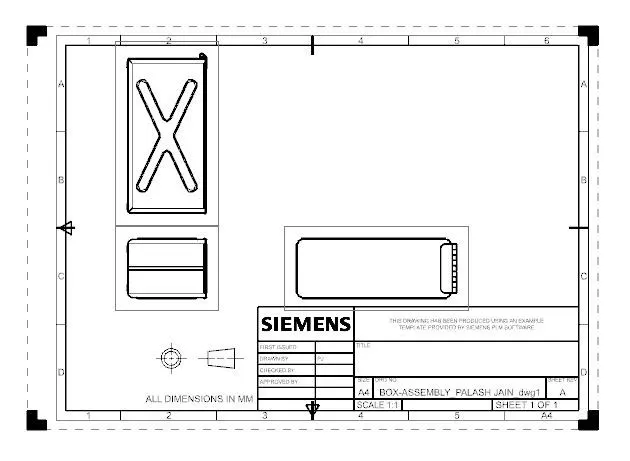
- FRONT VIEW
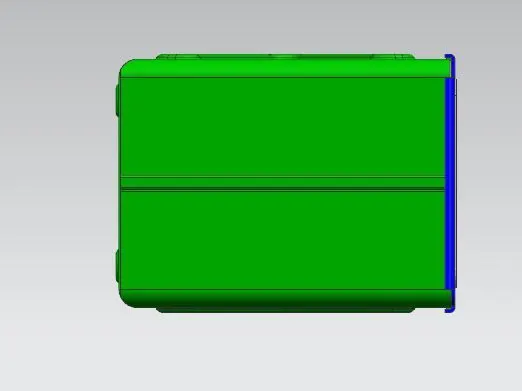
- SIDE VIEW
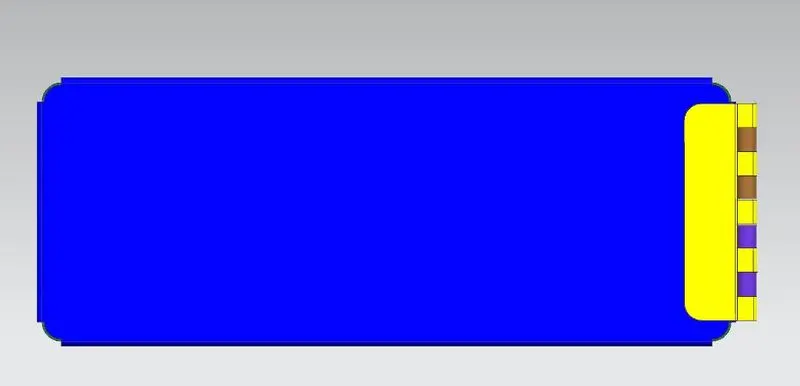
- TOP VIEW
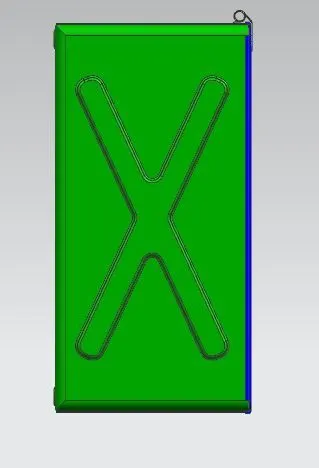
- ISOMETRIC VIEW
DETAILED DRAWING SHEET
CONCLUSION: - After completing this project I have learned many more command of sheetmetal module in NX CAD.