Advanced Sheet Metal Design Using NX Cad Challenge_5_Odd Shaped Enclosure
ENCLOSURES WITH ODD SHAPES OR ANGLES
OBJECTIVE: -Understanding on workflow to create enclosures with odd shapes or angles using various sheet-metal commands in NX.
INTORDUCTION: -In sheet-metal we can create different shapes using brainstorming method for making brackets and casings which is used in various applications. In NX CAD sheet-metal module have many commands for designing sheet-metal components.
- Flange
- Jogs
- Bends
- Unbend
- Sheet-metal from Solid Body
DESIGN METHODOLOGY AND APPROACH:-
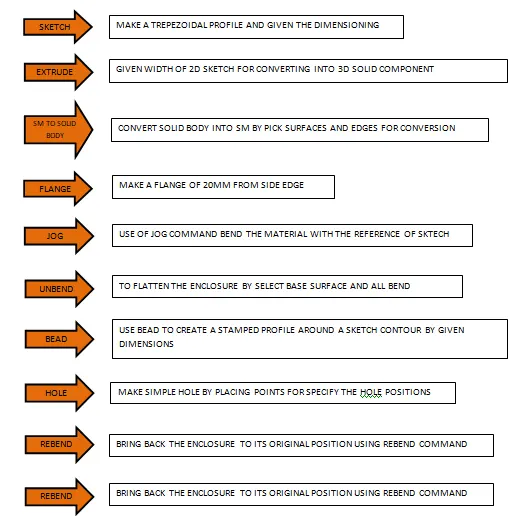
DESCRIPTION: -During the Sheet-metal modelling I have learned the workflow for create enclosures with odd shapes and use many commands to create odd shapes in enclosures like:-
WORKFLOW SHOULD BE CONSIDERED DURING DESIGNING A SHEETMETAL ENCLOSURE:-
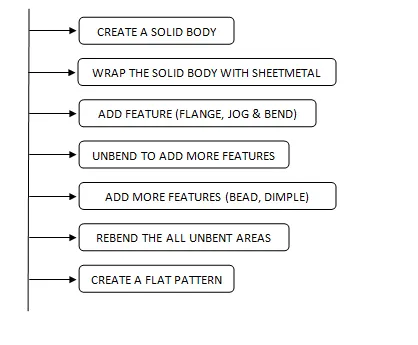
- SHEETMETAL TO SOLID BODY: - Create a sheet-metal body by the conversion from a solid body using this command.
- FLANGE: - Flange command use to create to create a base or secondary feature between two sections.
- JOG: - Lifts one side of the sheet metal part through a defined line. Ads flange between the stationary side and the lifted side.
- UNBEND: - Flattens sheet model through selected bends.
- BEAD: - It lifts material along the contour of a sketch that simulates a stamping tool; it is used for giving strength to the sheet metal.
- HOLE: - For remove material in circular shape.
- FRONT VIEW
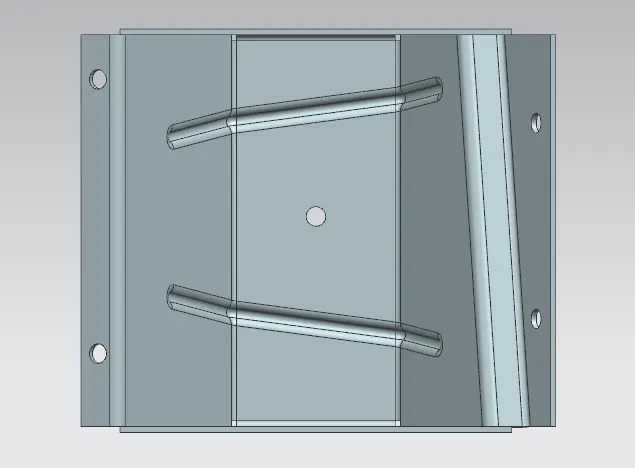
- SIDE VIEW
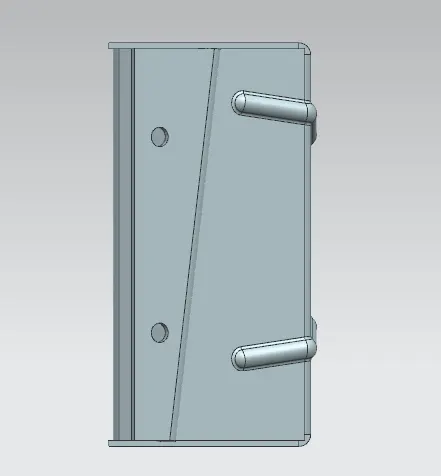
- TOP VIEW
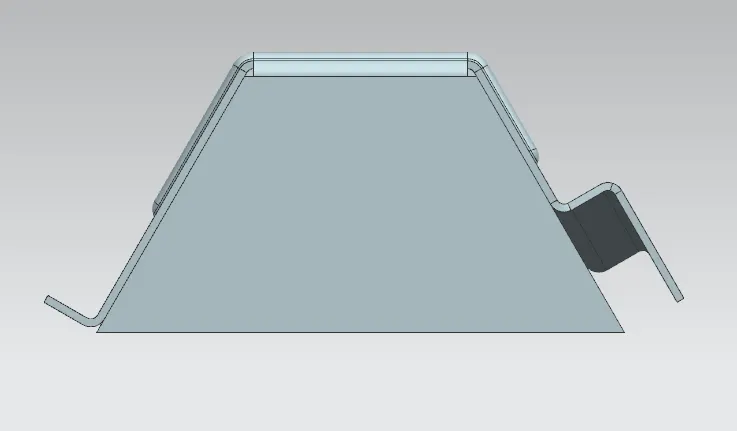
- ISOMETRIC VIEW
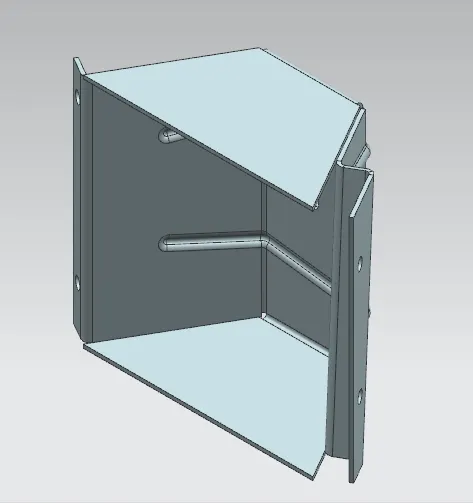
CONCLUSION: - After completing this project I have learned workflow to create any enclosures or brackets with odd shapes.