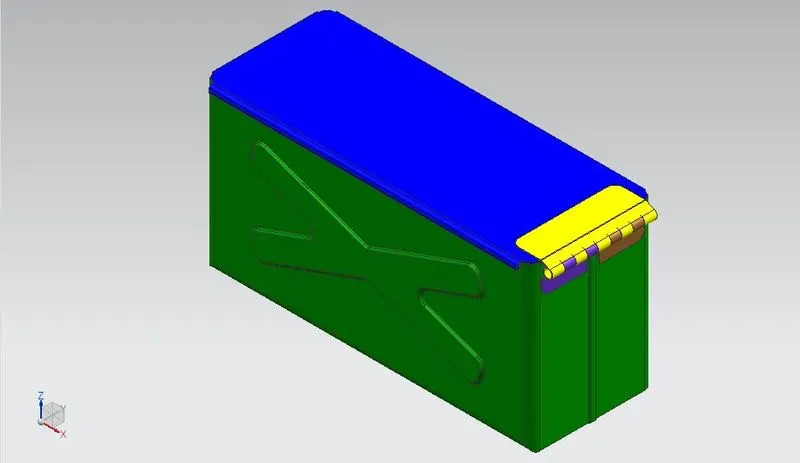
Advanced Sheet Metal Design Using NX Cad Challenge_2_Box Assembly
MODELING OF BOX ASSEMBLY ON NX CAD
Objective :
To create Sheet metal box assembly by using of NX CAD software.
Introduction :
Sheet metal is metal formed by an industrial process into thin, flat pieces. Sheet metal is one of the fundamental forms used in metal working, and it can be cut and bent into a variety of shapes. Countless everyday objects are fabricated from sheet metal. Thicknesses can vary significantly; extremely thin sheets are considered foil or leaf, and pieces thicker than 6 mm (0.25 in) are considered plate steal or "structural steel".
Design methodology :
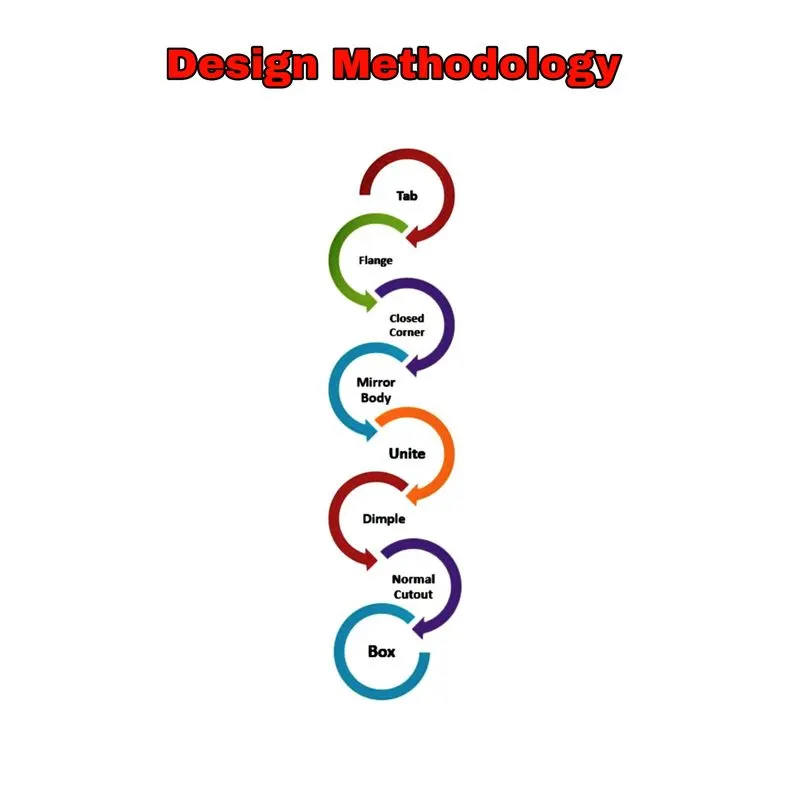
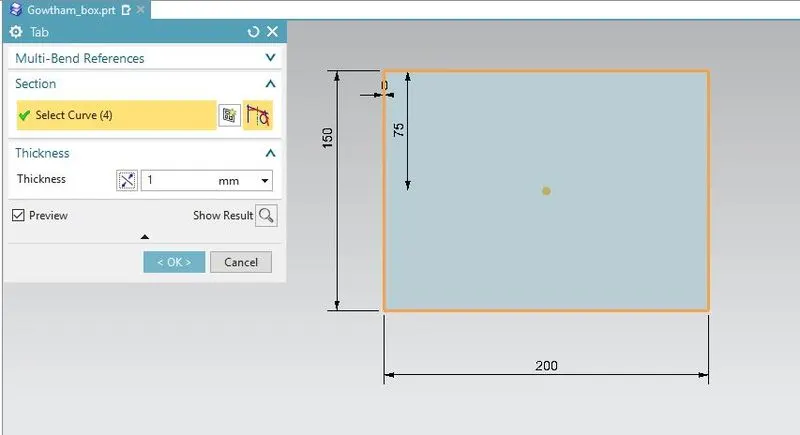
Tab
Workflow :
Create 2d sketch on given dimension (L- 200mm b - 200mm)
select tab option and also select 2d sketch
Give thickness of tab 1mm and click ok
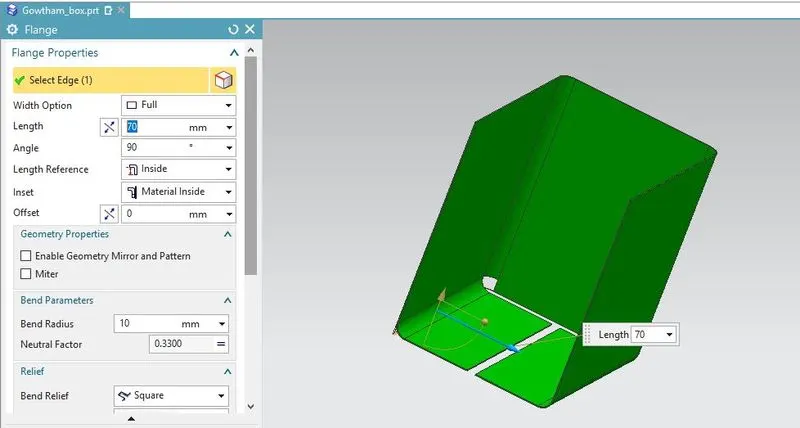
Flange
Workflow :
Select flange optiotion and select required edge to bend
Give length and angele (L- 70mm , Angle - 90° )
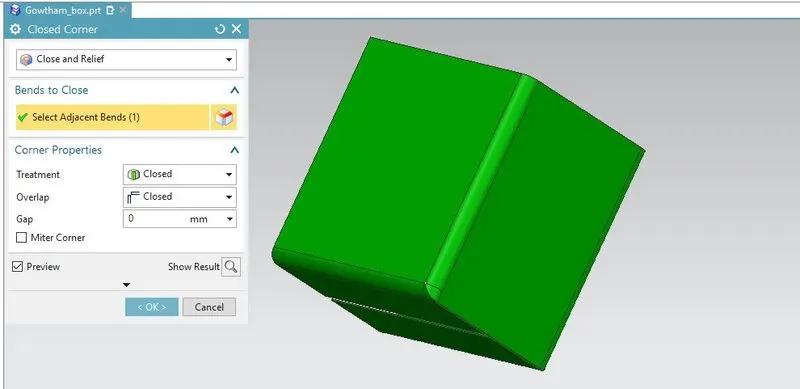
Closed Corner
Workflow :
Select closed corner option and select close relief optition
Select two Adjacent bend face and click ok
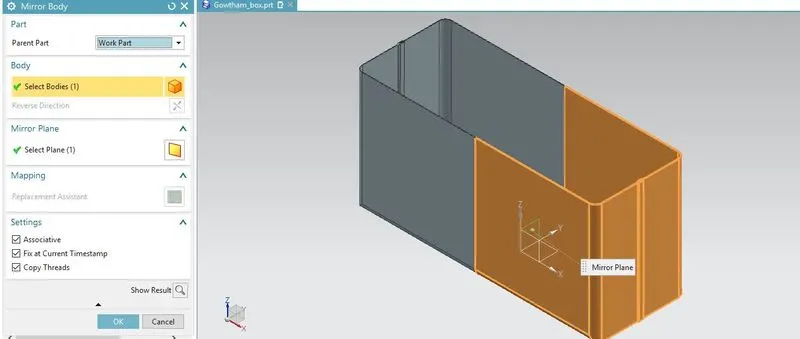
Mirror Body
Workflow :
Select mirror body optition
Select required body to mirror and plane
Unable associative and fix at current timestamp
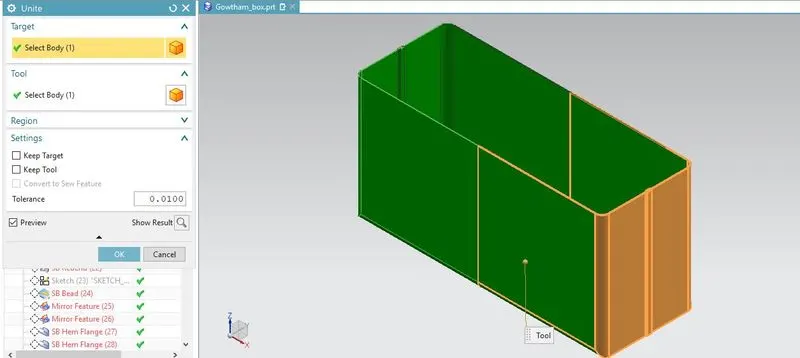
Unite
Workflow :
Select unite optition
Select two body need to merge and click ok
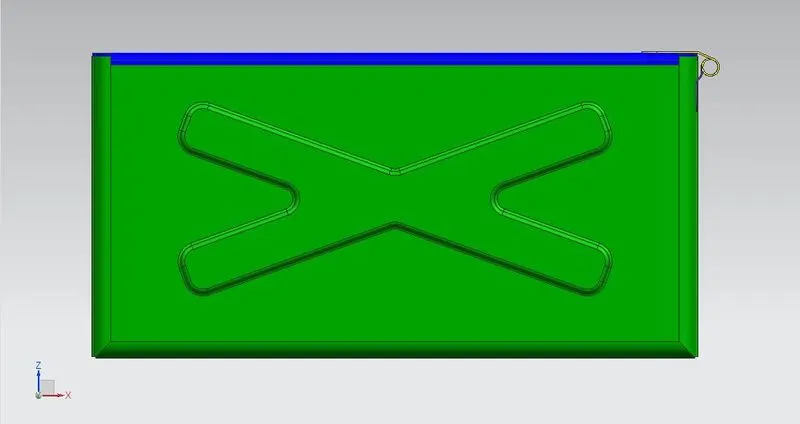
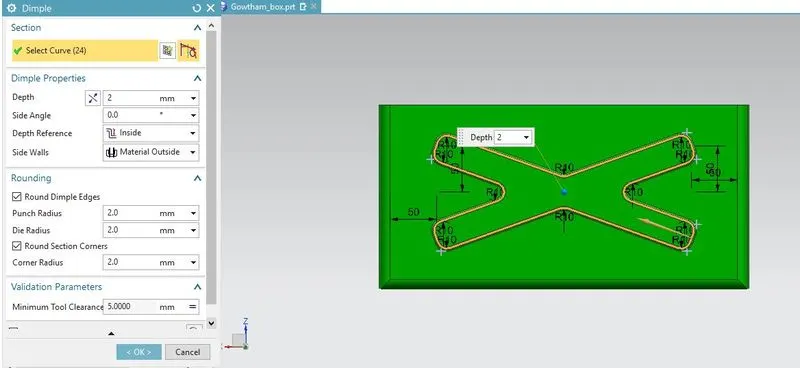
Dimple
Workflow :
Draw 2d sketch on given dimension (Radius 10mm)
Select dimple optition
Give depth and radius to punch (2mm)
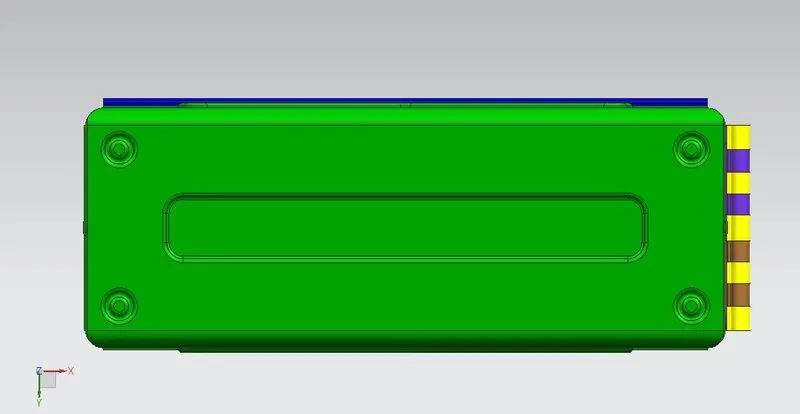
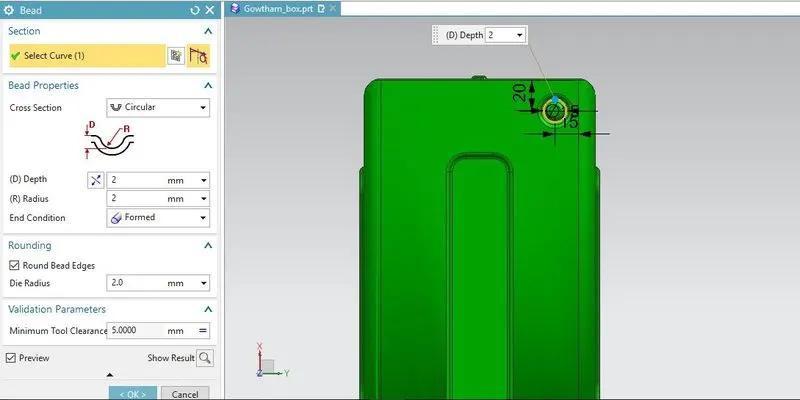
Bead
Workflow :
Draw 2d sketch (dia 10mm circle )
Select Bead optition
Select 2d sketch need to bead and click ok
create mirror of bead feature other three side (Reference Bottom plane)
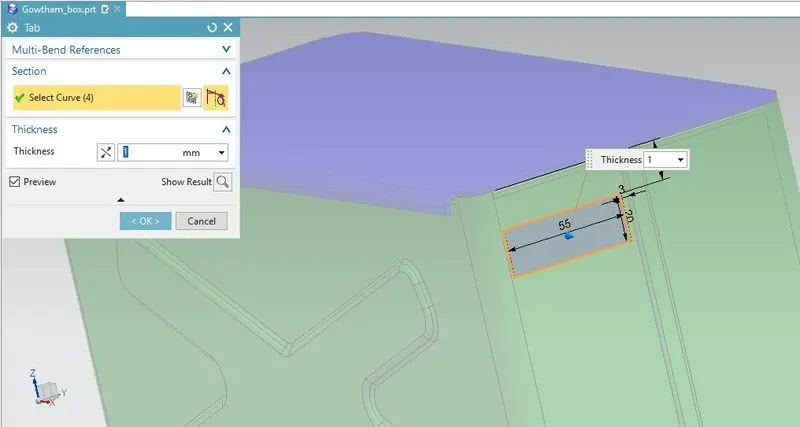
Tab
Workflow :
Create 2d sketch on given dimension (L- 20mm b - 55m)
Select tab option and also select 2d sketch
Give thickness of tab 1mm and click ok
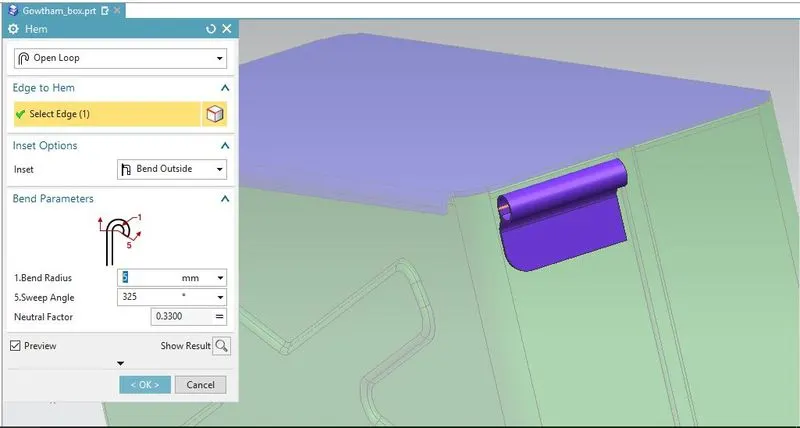
Hem Flange
Workflow :
Select hem flange optition
Select edge need to make hem flange
Give bend radius and sweep angle (Radius - 5mm Angle - 325°)
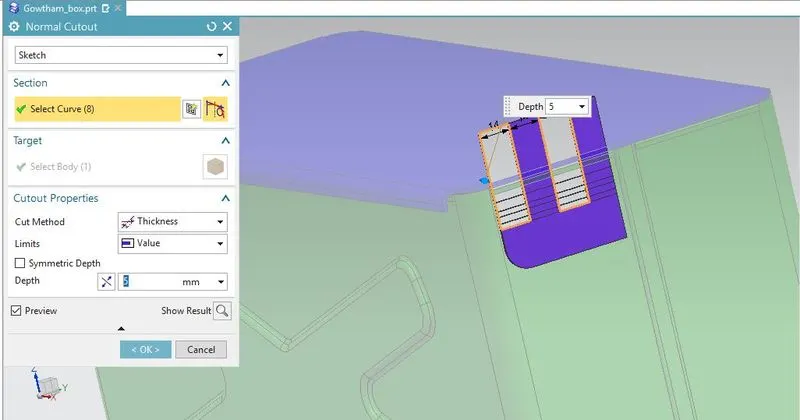
Normal Cutout
Workflow :
Create 2d sketch on given dimensio (spacing b/w line two 14mm)
Select normal cutout option and also select 2d sketch
Give depth 5mm and click ok
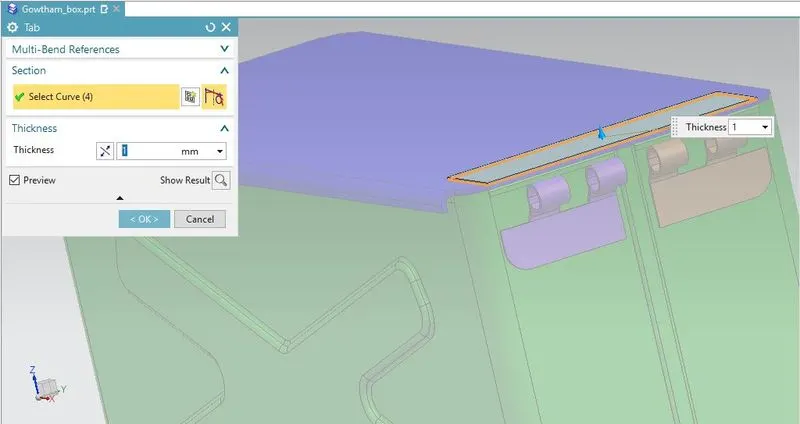
Tab
Workflow :
Create 2d rectangle on required dimension
Select tab option and also select 2d sketch
Give thickness of tab 1mm and click ok
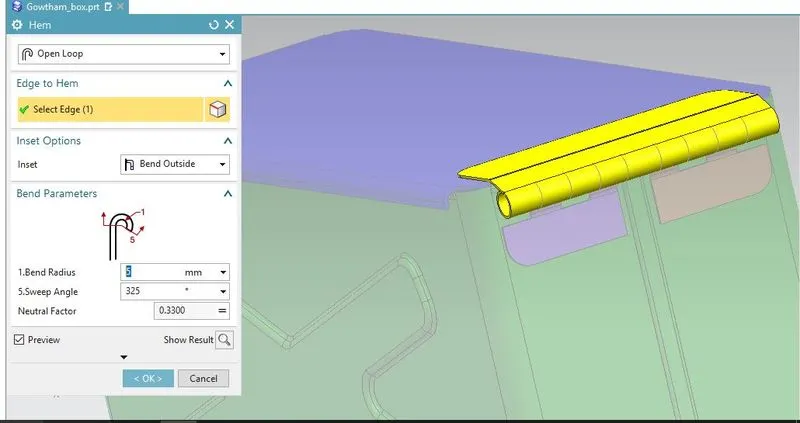
Hem Flange
Workflow :
Select hem flange optition
Select edge need to make hem flange
Give bend radius and sweep angle (Radius - 5mm Angle - 325°)
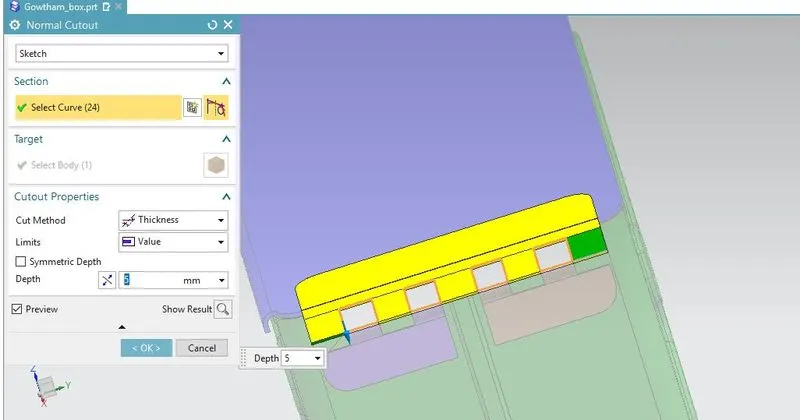
Normal Cutout
Workflow :
Create 2d sketch on given dimensio (spacing b/w line two 14mm)
Select normal cutout option and also select 2d sketch
Give depth 5mm and click ok
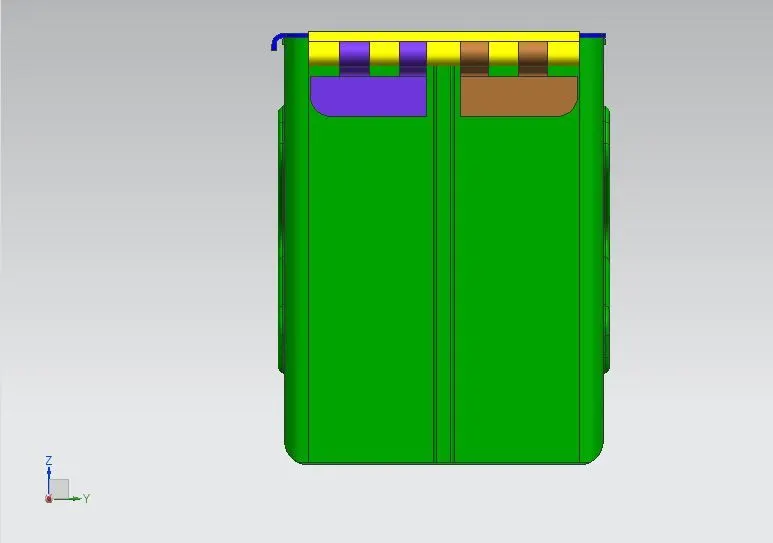
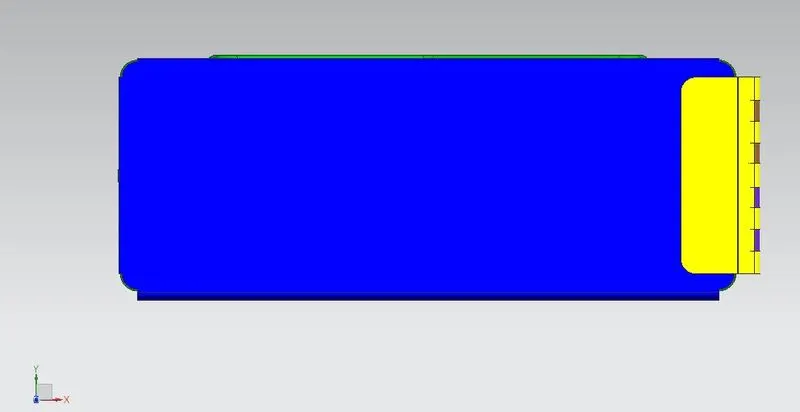
Different Views Of Box