Advanced Sheet Metal Design Using NX Cad Challenge_2_Box Assembly
TITLE: Advanced Sheet Metal Design Using NX Cad Challenge_2_Box assembly
OBJECTIVE: To design a sheet metal Box using NX CAD
INTRODUCTION:
Sheet metal is one of the most versatile and widely used manufacturing methods. It has a significantly lower cost than machining cavities into metal blocks. For making a sheet metal component following steps are performed:
- Material selection
- Wall thickness
- Bend radii
- Bend allowance
- K Factor
- Bend reliefs
- Manufacturing process
- CAD platforms
An example of sheet metal design is as below.
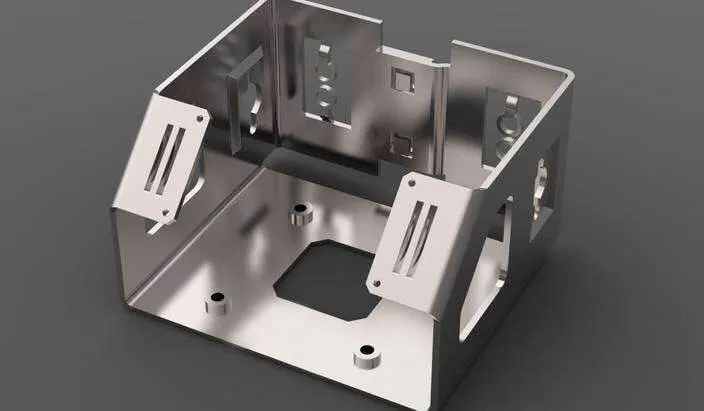
In this Challenge, I used NX CAD for sheet metal design.
DESIGN METHODOLOGY:
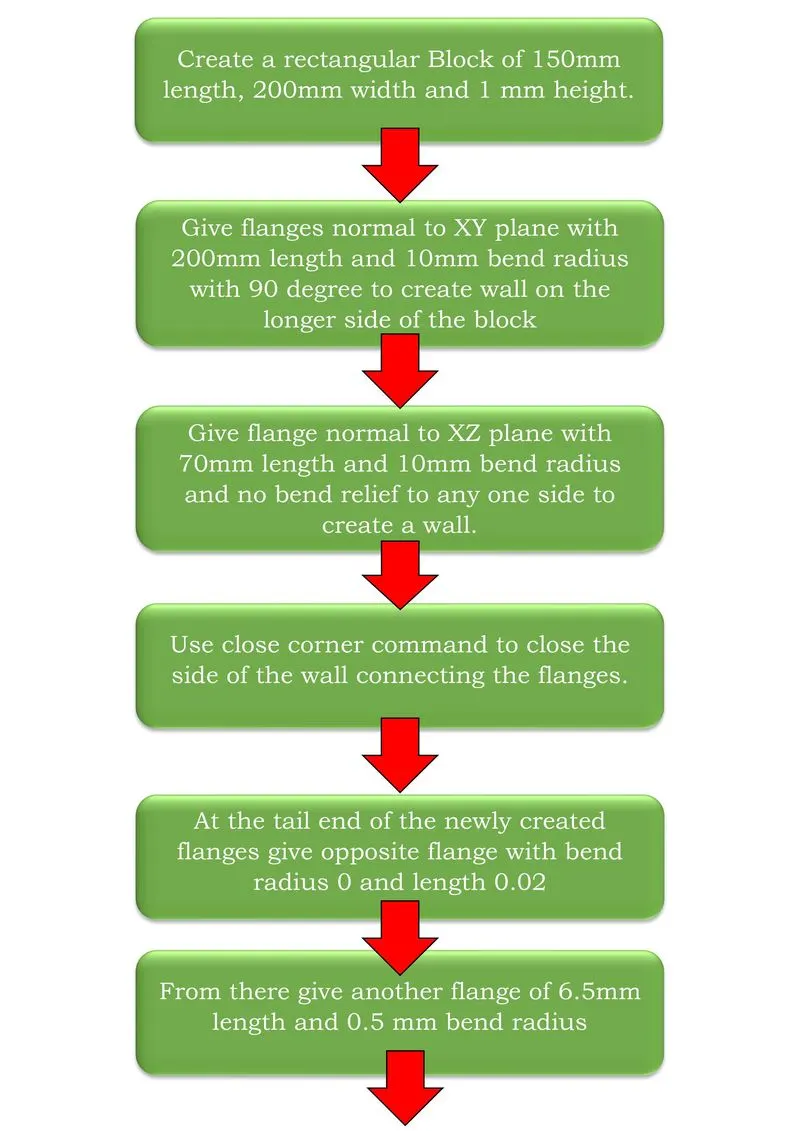
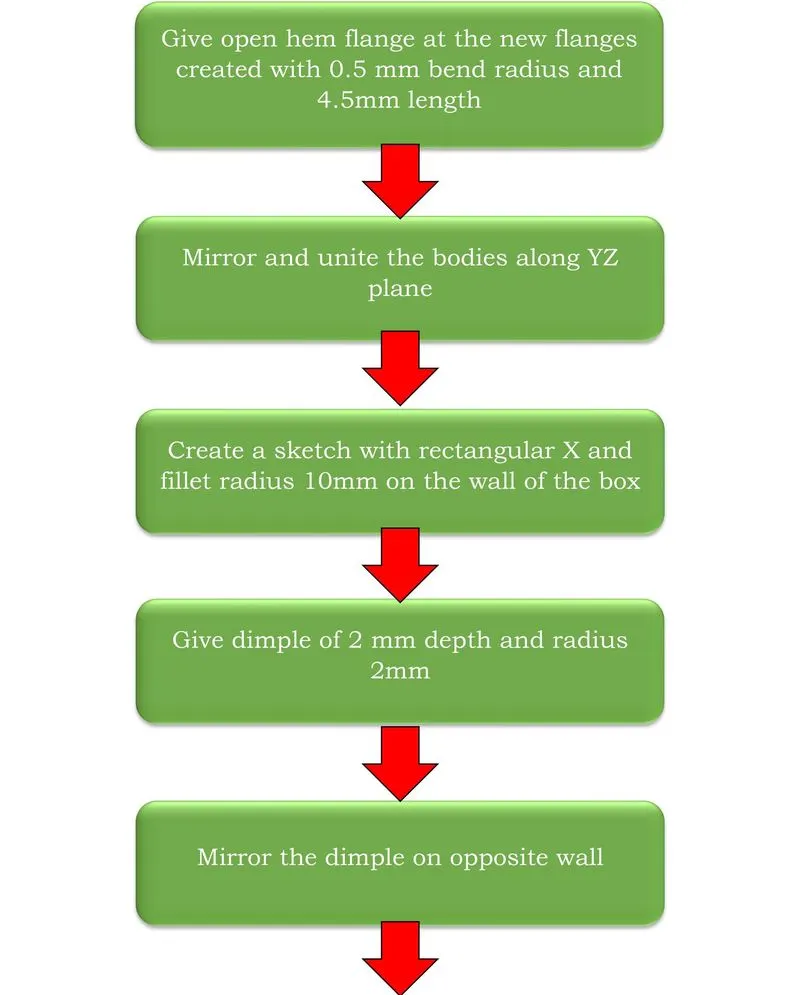
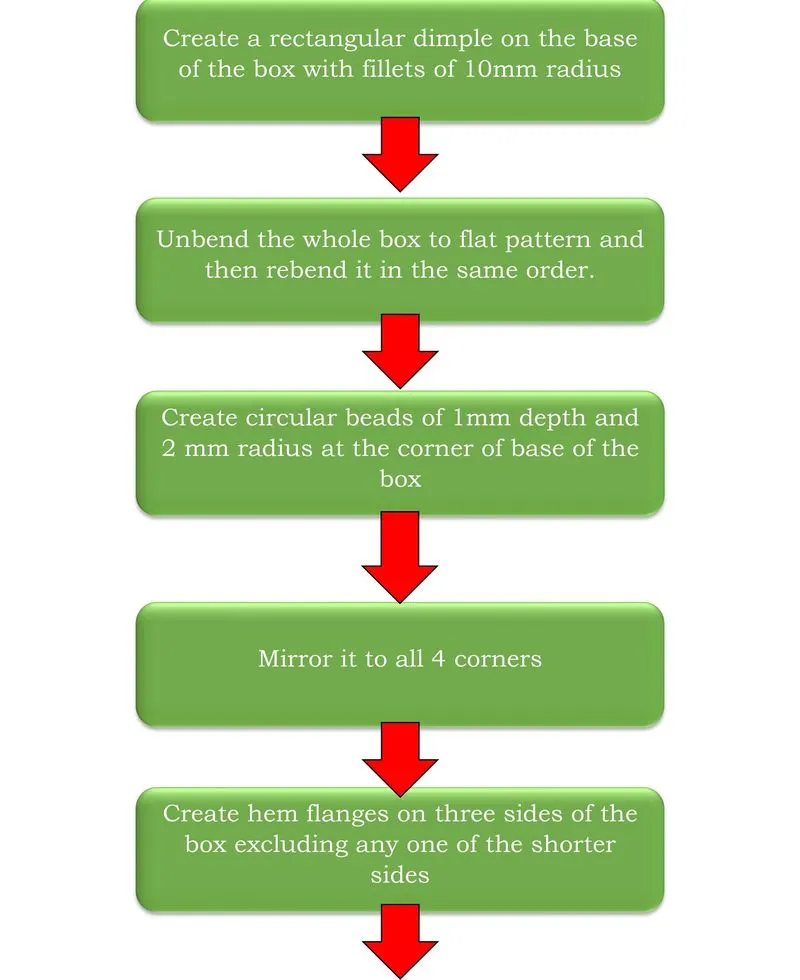
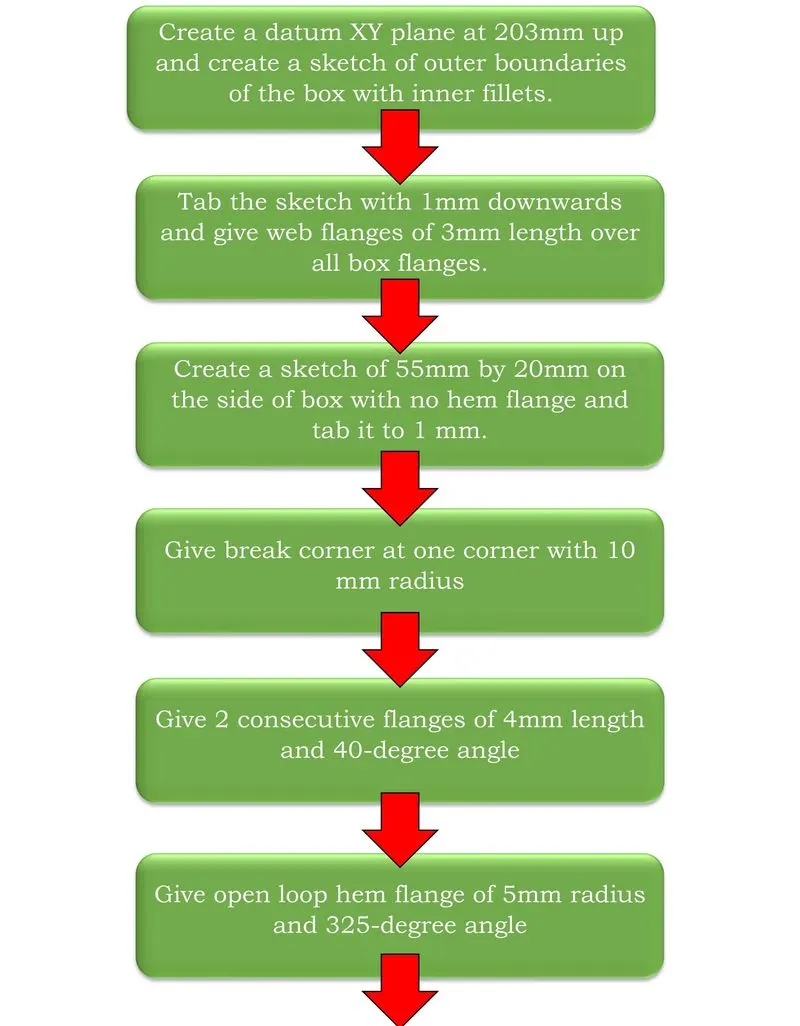
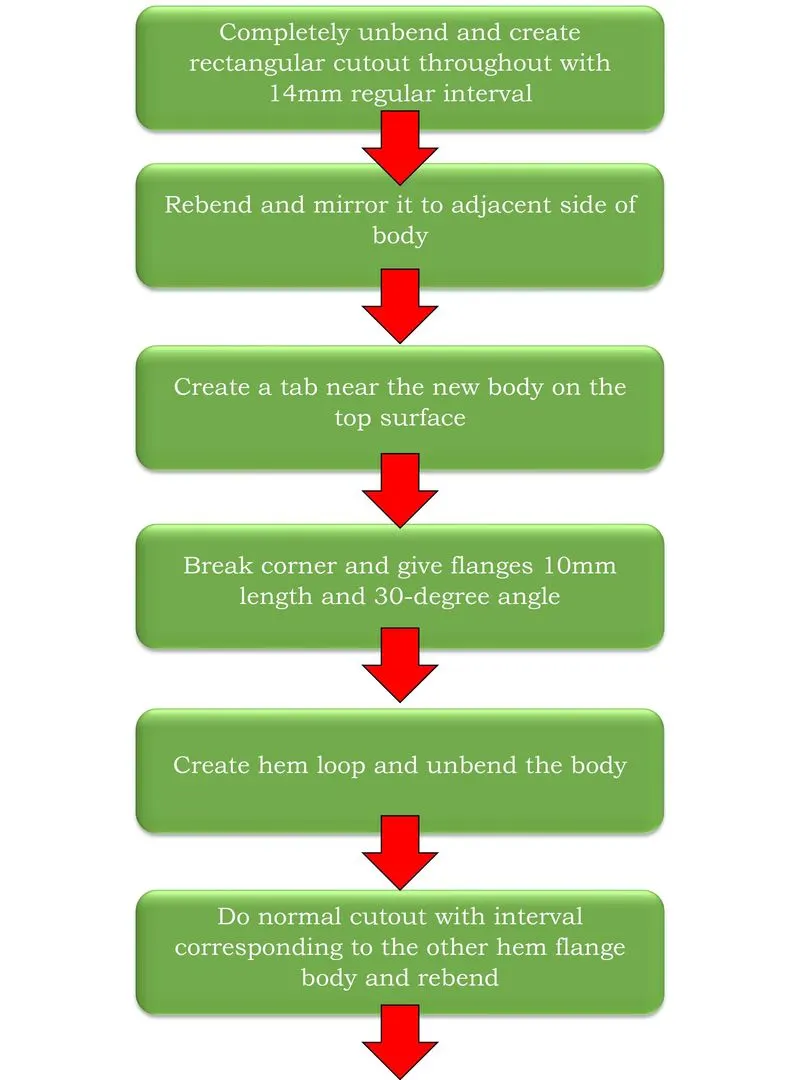

DESCRIPTION:
All the tools and features used are as below:
1. TAB:
Use this command to create a base feature by extruding a sketch along a vector by a thickness value.
2. BEND:
Modify the model by bending material on one side of the sketching material with a line as reference.
3. FLANGE:
This command creates a flange or extension on the edge of the body selected.
4. NORMAL CUTOUT:
Cuts the model perpendicular to the sketch provided.
5. BREAK CORNERS:
This commands rounds a sharp corner to avoid the manufacturing tool to stop a rigid motion.
6. UNBEND:
It is used to flatten a bend to its reference surface.
7. HOLE:
Used to create holes in the given body according to the size of the body and screw fit type.
8. DIMPLE:
Lifts/Drops an area of the model to create a stamping/punch on the body.
9. Hem flange:
The hem flange command is used to create a mechanical joint which is used for joining inner and outer closure panels.
10. BEAD:
Lifts a material along a counter of a sketch to make punch or stamp around it.
11. REBEND:
Restores a bend from its flattened section to the original.
12. Flat pattern:
Creates a flat pattern feature from the formed sheet metal part.
IMAGES:
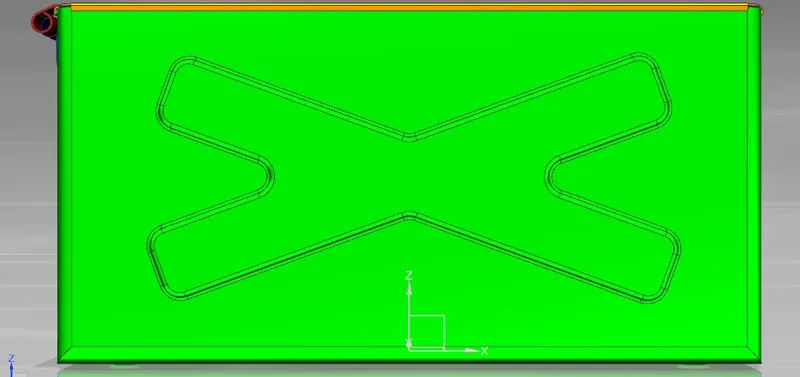
Front View:
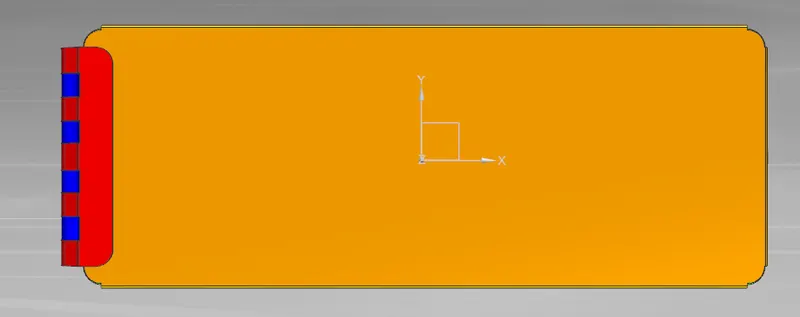
TOP VIEW:
SIDE VIEW:
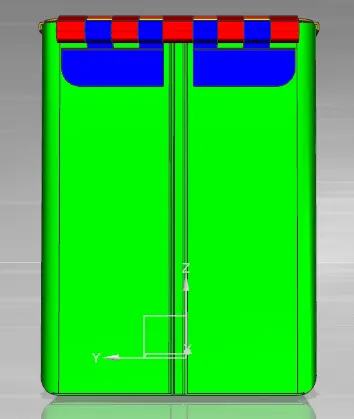
ISOMETRIC VIEW:
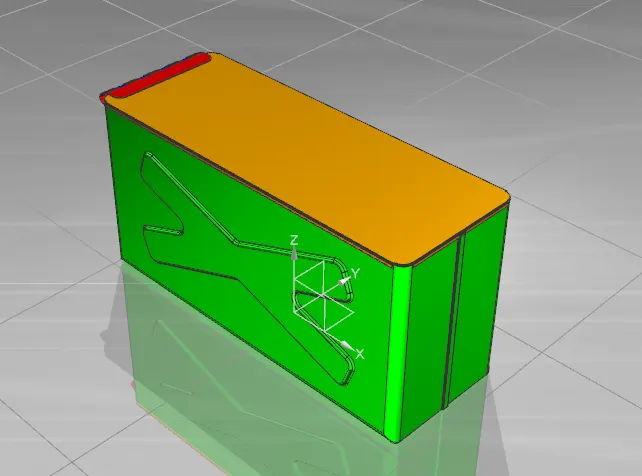
CONCLUSION:
The Box assembly design was successfully created with NX CAD using the various tools and features mentioned in the description.