Advanced Sheet Metal Design Using NX Cad Challenge_1_Casing Design
OBJECTIVE : To design an advanced casing using the sheet metal application in siemens NX.
Introduction
Sheet Metal Design is a vast domain in the design of any sheet metal industry,it is used many sectors including the aeronautics & automotive sectors , in this sheet metal casing design we will look at the design approch using NX (CAD) SOFTWARE through various design , images , explaination and images .
NX Sheet Metal: Creating fast, accurate flat patterns is the goal of any organization that manufactures products which contain sheet metal parts. NX Sheet Metal provides a set of tools within the NX design environment that allows for simple and fast design of sheet metal parts, dependent on their material and manufacturing process, the most common of which is straight brake sheet metal forming.
With NX Sheet Metal, formed and unformed representations of the parts are created closely following the industry workflows and best practices for bending calculations, tooling, and sheet metal features. The value lies in improving quality and reducing cost of sheet metal parts by producing an accurate sheet metal pattern as the correct input for part manufacture, whether internally or to a supplier.
Design Approach
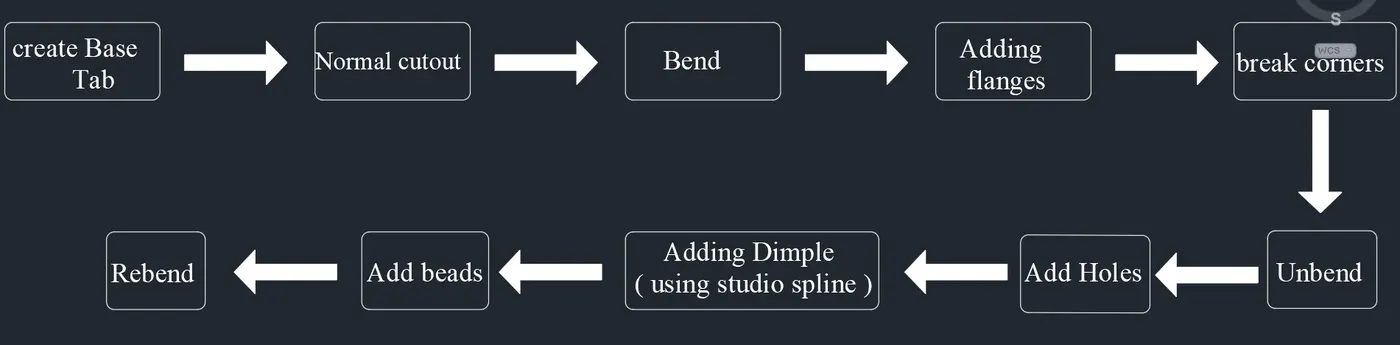
DESCRIPTION
Sketch:- It is the basic of any design.
Tab:- It is used to create base feature of a sheet metal by extruding a sketch along a vector by a thickness value. Here tabs were created as the base of the top and bottom hinges as well as the base of the box.
Flange:- It is used to create an extended part (bend) of a sheet metal. There are total twelve flanges created in the box assembly.
Unbend:- This feature is used to unbend the adjacent bends and flatten them. Here it is used to create cut outs for the hinges.
Rebend:- It is used to rebend the corners that were bent before along with any features added after the unbend feature.
Dimple:- It lifts an area of the model inside a sketch that simulates a stamping tool. Here three dimples are created,i.e., in the middle of the base and two at the sides of the box.
Bead:- It lifts material along the contour of a sketch that simulates a stamping tool, it is used for giving strength to the sheet metal. There are total four beads created around the dimple at the base.
Mirror feature:- It copies a feature and mirrors it across a plane. Here the dimple on the side wall and beads on the bottom of the tab are created using this feature.
DIFFERENT VIEWS
FRONT
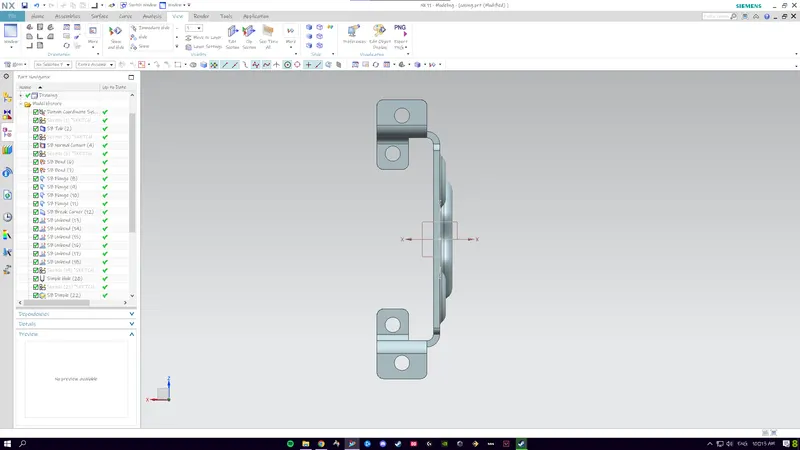
TOP
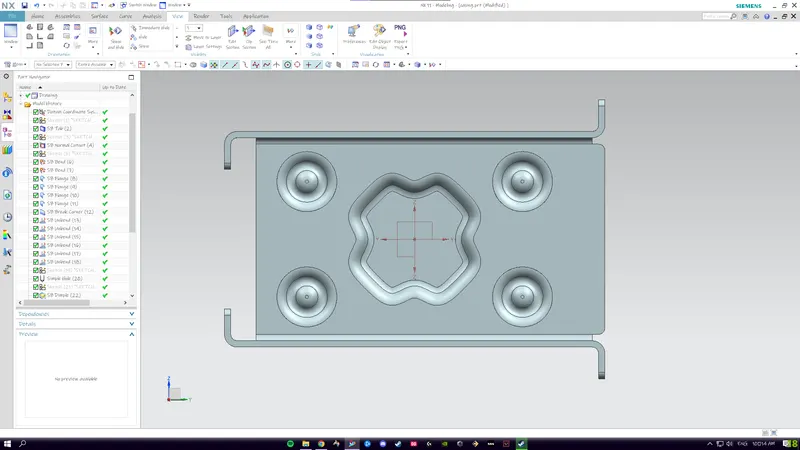
BOTTOM
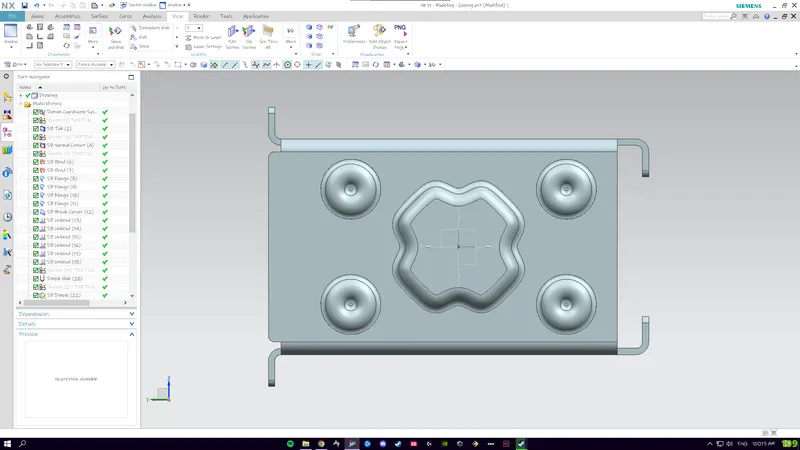
SIDE
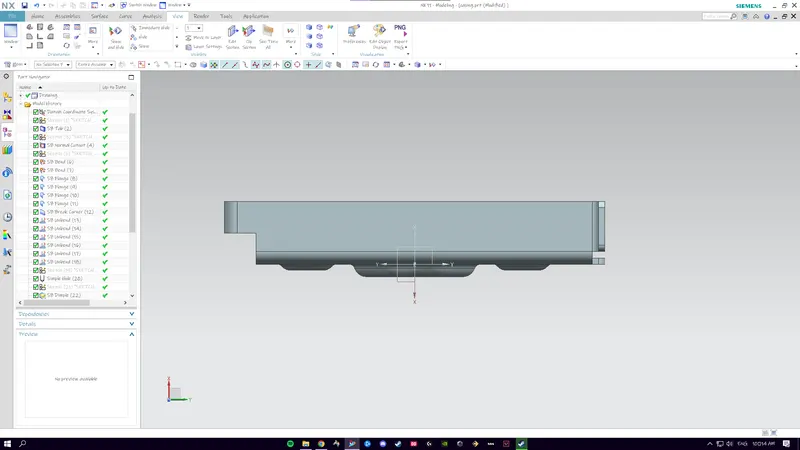
ISOMETRIC
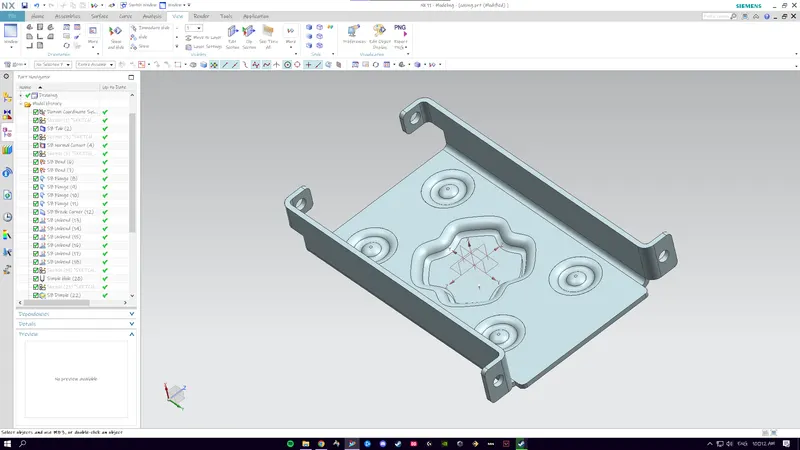
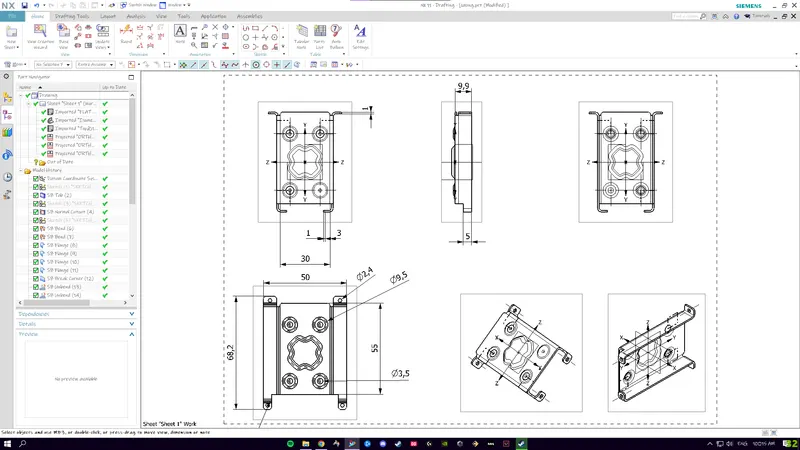
DRAFTING SHEET