Advanced Sheet Metal Design Using NX Cad Challenge_1_Casing Design
Objective:-To design a sheet metal model of the Casing using the NX-CAD Tool.
Introduction:-Sheet metal is metal formed by an industrial process into thin, flat pieces. Actually, It is one of the fundamental forms used in metal working and it can be cut, bend into a variety of shapes. Countless everyday objects are fabricated from sheet metal.
Many other different metals can be made into sheet metal such as Aluminium, brass, copper, steel, tin, nickel and titanium. For decorative users, some important sheet metals include silver, gold, Platinum.
Sheet metal is generally used in automobiles, airplane fuselager, wings and also in utensls. To manufacture all these in different designs and preparing drafting in the desired way by a manual drawing cannot be performed. If we use the design tool to do this can be a better choice and helps in modeling the object can be done easily.
There are some of the design tool software are available like CATIA, AUTOCAD, NX-CAD, SOLIDWORKS, PROE etc.I have chosen the NX_CAD of siemens to design this casing part.
Design Methodelogy
- File Creation -A new part file is created by choosing the sheet metal in NX-CAD.
- Sketching - A rectangular sketch is created by selecting the appropriate plane.
- Base Feature - A base feature is created by using the TAB feature by converting sketch into sheet metal with 1mm thickness.
- Cut Out - A cut out is to be made on the sheet metal base by using the normal cut out feature.
- Bending - Bend the sheet by selecting the two symmetric lines with a distance of 10mm.
- Adding Flanges - Add falnges of both side on opposite direction to cut out portion.
- Break Corners - Add the corners to edges of sheet by giving radius of 1mm.
- Unbend - Unbend the part to sheet by selecting the centre face.
- Add Holes - Add the holes by selecting the exact midpoint of the lines drawn on bended portions.
- Dimple - Add the dimple sketch and apply the dimple feature to the sketch.
- Add beads - Add four beads on the top face of sheet.
- Drafting - Drafting should be done for the sheet.
Feature Used
- Sketch
- Tab
- Normal Cutout
- Bend
- Flange
- Break Corners
- Unbend
- Hole
- Dimple
- Beads
- Mirror
- Rebend
- Drafting
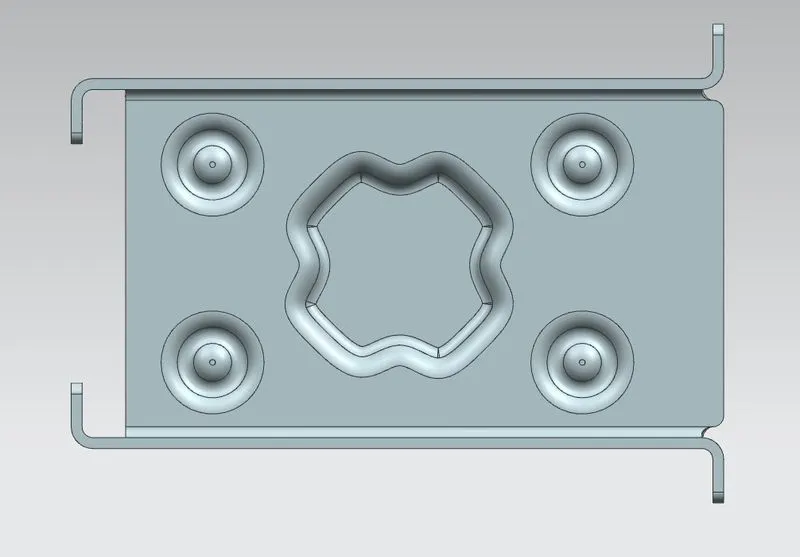
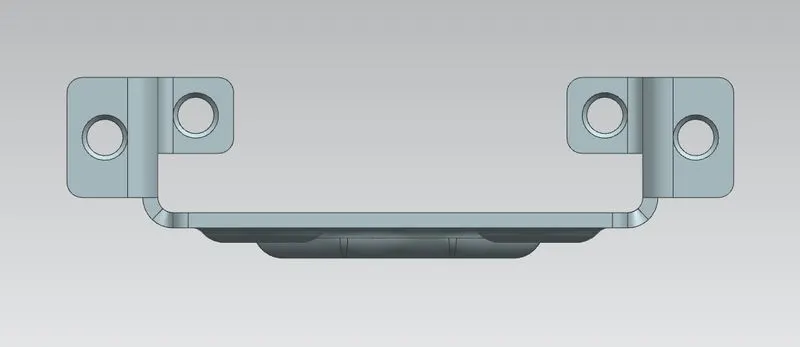
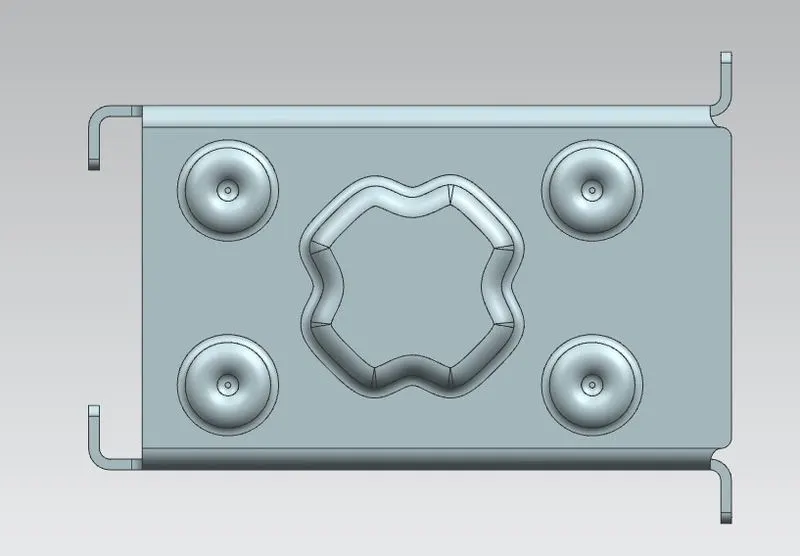
Casing Design View
Isometric View
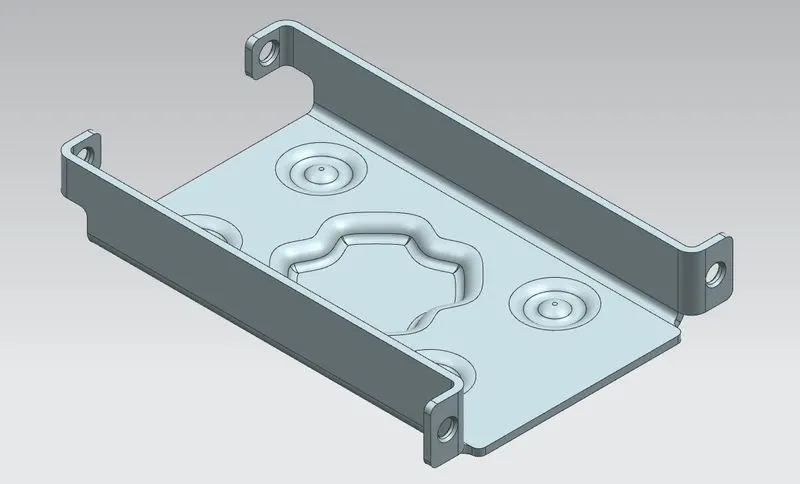
Top View
Side View
Bottom View
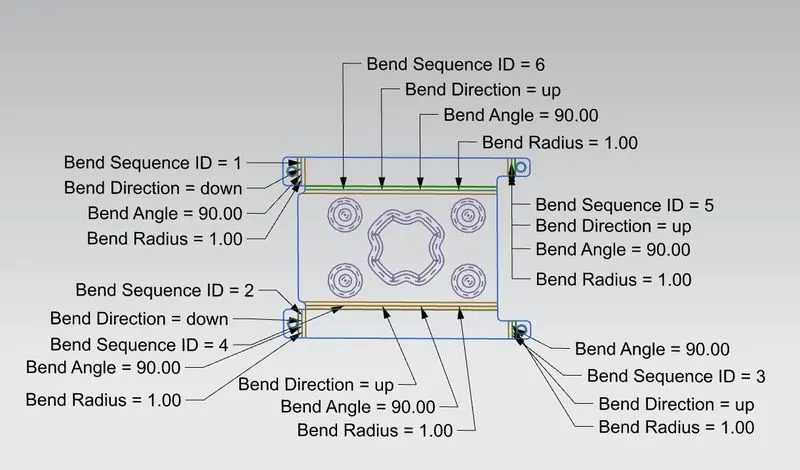
Flat Pattern
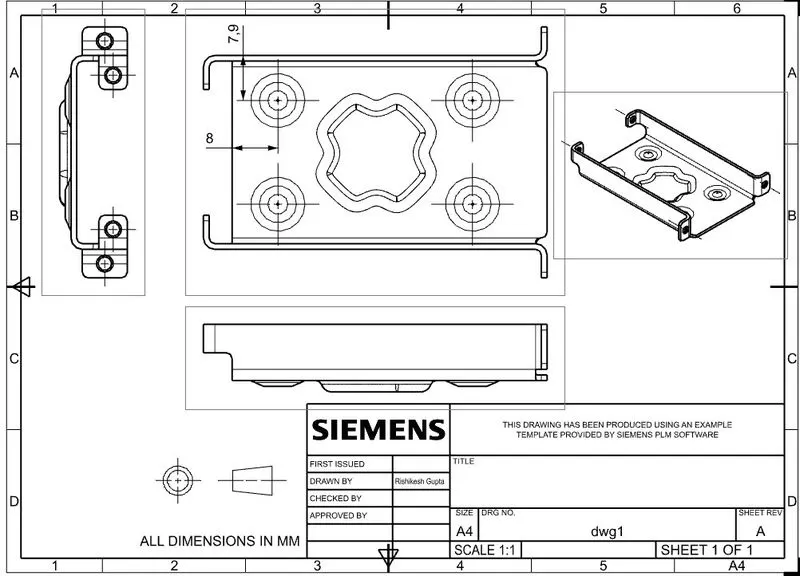
Drawing Sheet
Conclusion :- Gained knowledge about sheet metal and its applications. All the basic feature of NX-CAD are practiced and finished the challenge by designing casing.